


Updated February 3, 2026
TL;DR: Sales reps spend only 30% of their time actually selling, with the rest consumed by admin tasks like writing emails. The 10 templates below cover sales prospecting, follow-ups, and partnership outreach, but templates fail without warm domains, verified data, and delivery systems that protect sender reputation. Copy these frameworks, personalize using the 3x3 research method (three minutes, three data points per prospect), and send through infrastructure built for scale. For more comprehensive cold email best practices and performance metrics, see our Cold Email Benchmark Report 2026.
Templates save hours, but most sales leaders discover a harder truth after deployment. Reply rates stay flat or emails land in spam. The issue is rarely the copy. The system behind those words determines whether a template books meetings or triggers spam filters.
We built infrastructure for teams that need templates to work at scale. This guide provides 10 field-tested frameworks for sales, follow-ups, and partnerships, then breaks down the delivery system (warmup, personalization, follow-up logic) that turns words into booked meetings.
Why professional templates fail without a system
Most template failures trace back to infrastructure, not copy. When campaigns land in spam, it's because domains weren't warmed, bounce rates climbed above 2%, or send patterns triggered filters. Fix the system before you optimize subject lines.
Email deliverability measures whether campaigns reach the inbox or get filtered to spam. Mailbox providers evaluate your sender reputation by tracking spam complaints, bounce rates, sending patterns, and spam trap hits. Even pristine copy sent from cold domains with poor data hygiene lands in spam.
Here's what the system requires:
Warm domains. New domains have no sending history. Email warmup gradually builds reputation by exchanging emails with real accounts over 30 days. Skip warmup and your first campaign triggers spam filters.
Verified contact data. Bounce rates can damage sender reputation. Hard bounces occur when addresses don't exist. Verify every lead before loading campaigns.
Send limits and pacing. Blasting 500 emails from one inbox in an hour flags you as a spammer. Cap each account at 30 sends per day and scale across multiple inboxes. Our SISR infrastructure rotates IPs and spreads volume safely.
Reply handling. Manual inbox management creates delays that kill conversion. Unified inboxes triage positive, neutral, and negative replies so reps focus on conversations that lead to meetings.
"I use Instantly for Cold Outreach Emails... The platform is just easy to navigate, not overly complicated but still extremely powerful. They help me whenever I have issues with campaigns." - Riccardo C. on G2
Templates amplify good systems and expose broken infrastructure. Build the system first.
Cold sales templates for high-value prospects
Sales prospecting templates need three elements: a relevant hook, one clear value statement, and a low-friction ask. Emails between 50-150 words generate the highest response rates, so cut everything that doesn't serve those goals.
The templates below provide frameworks, not rigid scripts. Customize the bracketed sections with prospect-specific data using the 3x3 research method: spend three minutes finding three data points about each prospect from LinkedIn, company announcements, or recent content they published.
Template 1: The congratulations opener
Use this when a prospect hits a milestone: funding announcement, new role, product launch, or company expansion.
Subject: Congrats on [specific milestone]
Body:
Hi [FirstName],
Saw [Company] just [specific milestone]. That's a big move, especially in [their industry/context].
Most [their role] I work with tell me [specific pain point related to their new situation] becomes harder to manage at this stage.
[One-sentence description of how you solve that specific pain]. [Customer name] saw [specific metric] in [timeframe] after making the shift.
Worth a quick call to see if the timing makes sense?
[Your name]
Why it works: You're acknowledging their success before introducing a problem, creating natural urgency because their situation just changed.
Template 2: The common interest bridge
Use this when you share a connection, attended the same event, or noticed them engaging with content in your space.
Subject: Quick question about [shared context/event]
Body:
Hi [FirstName],
[Mutual connection name] mentioned you're figuring out [specific challenge]. I just wrapped a project with [similar company] on the same problem.
The short version: [One sentence describing your approach].
[Customer name] went from [before state] to [after state] in [timeframe].
If you're still working through it, I can share what worked. 15 minutes?
[Your name]
Why it works: Mutual connections trigger reciprocity while the before-and-after framing makes value concrete.
Template 3: The value-first asset drop
Use this when you have a case study, research report, or tool that solves a problem your prospect cares about.
Subject: [Asset name] for [their company/industry]
Body:
Hi [FirstName],
Built this [case study/guide/calculator] after [customer name] asked how to [specific outcome].
Figured it might help with [their specific challenge, based on 3x3 research].
[Link to asset]
If it's useful and you want to talk through how [their company] could apply it, I'm happy to walk through it.
[Your name]
Why it works: You're giving value before asking for time, and the asset does the selling.
Run A/Z tests in our campaign builder to compare subject lines or opening hooks across 100+ sends before scaling the winner. For a video walkthrough of campaign setup, watch this tutorial.
"Got a 12.000€ client through my cold email outreach campaign. Easy to use. Extremely effective." - Soufian Halem on Trustpilot
Follow-up frameworks that recover lost leads
Most sequences see the majority of responses come from follow-ups, not initial sends. Effective sequences include 3-5 follow-up steps spaced 3-7 days apart.
The mistake most teams make is sending "just checking in" messages that add no value. Each follow-up needs a reason to exist beyond reminding prospects you sent an email.
Template 4: The quick bump
Send this 3 days after the initial email if there's no reply.
Subject: Re: [original subject line]
Body:
[FirstName],
Circling back on this. Still relevant?
[Your name]
Why it works: It's short enough to read in 5 seconds and the question makes it easy to respond.
Template 5: The new information add
Send this 7 days after the initial email. Add fresh insight or a new angle.
Subject: Re: [original subject line]
Body:
[FirstName],
One more thing that might be relevant.
[Customer name] was dealing with [similar challenge]. They tried [common approach], but [why it didn't work].
We tested [your different approach] and [specific result in timeframe].
If you're hitting the same wall, I can show you the breakdown.
[Your name]
Why it works: The new case study gives them a reason to reconsider without repeating yourself.
Template 6: The break-up email
Send this as the final step, 14-21 days after the initial email.
Subject: Should I close your file?
Body:
[FirstName],
Haven't heard back, so I'm assuming the timing isn't right.
I'll close your file unless you want to revisit this down the road.
[Your name]
Why it works: Break-up emails often generate the highest reply rates of any follow-up step because the finality prompts action.
Our follow-up feature lets you set rules so new leads get priority over follow-ups, keeping throughput focused on fresh opportunities while sequences handle nurture automatically.
Partnership and link building outreach examples
Sales Leaders often coordinate with Marketing Ops on content partnerships and co-marketing plays. These templates adapt the cold sales frameworks for softer value-exchange scenarios like guest posts, data sharing, and sponsorships where you're proposing collaboration rather than asking for budget.
Template 7: The exclusive data pitch
Use this when you have original research, survey data, or proprietary insights that would improve their content.
Subject: Data for your [specific article topic]
Body:
Hi [FirstName],
Read your piece on [article topic]. The [specific section] was solid.
We just finished a study on [related topic] with [sample size/methodology]. One finding: [surprising stat or insight].
Thought it might be worth adding to your article, especially the section on [specific part].
Happy to share the full data set if you want to include it with attribution.
[Your name]
Why it works: You're offering value without asking for anything upfront, and original data is linkable.
Template 8: The guest post inquiry
Use this when you want to contribute content to their blog or publication.
Subject: Guest post idea: [specific topic]
Body:
Hi [FirstName],
I've been reading [their blog/publication] for [timeframe]. Your coverage of [topic area] stands out.
One gap I noticed: [specific subtopic they haven't covered].
I'd like to propose a guest post on [specific angle]. The outline:
- [Section 1]
- [Section 2]
- [Section 3]
I've written for [publication names]. [Link to relevant sample].
Let me know if the topic fits your editorial calendar.
[Your name]
Why it works: The gap analysis shows you're not pitching blindly, and the outline proves you've thought through the structure.
Template 9: The podcast sponsorship request
Use this when you want to sponsor a podcast or appear as a guest.
Subject: Sponsorship opportunity for [podcast name]
Body:
Hi [FirstName],
I've been listening to [podcast name] since [episode number or timeframe]. Your conversation with [recent guest] about [topic] was especially relevant to what we're building.
We work with [their target audience] on [problem area]. I think there's a natural fit for a sponsorship.
Our typical deal: [brief description of what you offer sponsors/guests].
Would you be open to a quick call to discuss options?
[Your name]
Why it works: You're proving you actually listen to the show, and the audience overlap is explicit.
For more examples of effective outreach email frameworks, our blog archives dozens of tested templates with open and reply rate benchmarks.
How to personalize templates at scale
Templates fail when they feel robotic. Personalization turns a framework into a relevant message. The challenge is doing this for hundreds or thousands of prospects without burning hours per send.
The 3x3 research approach solves this. Learn this 3-minute research technique about each prospect before sending. Look for recent LinkedIn posts, company announcements, industry trends affecting their business, podcast appearances, or content they've published.
Where to find data points:
On LinkedIn: Recent job changes, posts about challenges, comments on industry news, shared articles that reveal priorities.
On company websites: Press releases about funding, product launches, new hires in leadership, expansion into new markets.
In industry publications: Quotes from your prospect, bylined articles, speaking engagements, interviews.
Our SuperSearch database provides 450M+ verified B2B contacts with enriched data fields including recent job changes, company size, technology stack, and funding status. Pull those data points directly into your templates using dynamic variables like {{recentNews}} or {{companyGrowthStage}}.
Our AI Copilot can rewrite template sections based on prospect data, generate subject line variations, and flag spam trigger words before you send.
"The UI UX is clean and easy to follow, setting up domain and emails were smooth, the copilot does help with writing cold emails." - Vivek from Mapster on Trustpilot
For a deep dive into AI-powered personalization at scale, watch this tutorial showing how to customize 1,000+ emails with unique angles for each prospect.
Setting up your sending infrastructure
Copy and personalization require infrastructure that protects deliverability. Here's the technical checklist:
Domain setup:
- Buy secondary sending domains to isolate risk from your primary brand domain.
- Configure SPF, DKIM, and DMARC records to authenticate sending authority.
Account preparation:
- Rotate IP's before sending campaigns, gradually ramping send volume.
- Cap throughput at 30 emails per inbox per day. Scale by adding accounts, not increasing per-account volume.
- Our unlimited account model starts at $47/month with no per-seat fees, so you can spin up 10, 50, or 100 inboxes without compounding software costs.
Data hygiene:
- Verify every lead before adding to campaigns
- Remove role accounts (info@, support@) and obvious spam traps.
Governance:
- Use team workspaces to lock approved templates and send limits.
- Run inbox placement tests before launching to live prospects.
"I love the DFY domains and email accounts, save me a lot of time in cold email outreach. Customer service is great and active too." - Tommy on Trustpilot
This video covers infrastructure setup step by step, including domain purchase, email creation, warmup configuration, and campaign launch.
Measuring success beyond open rates
Open rates lie. A 60% open rate with zero replies means your subject lines work but your copy doesn't. Apple Mail Privacy Protection inflates open rates by pre-loading images whether recipients actually read emails or not.
Track metrics that map to pipeline:
Reply rate: 5-10% is solid across B2B, 10-15% is excellent. Divide total replies by emails sent.
Positive reply rate: Separate interested replies from out-of-office and unsubscribes. Track the percentage of replies that express interest rather than objections.
Meetings booked: Track what percentage of positive replies convert to calendar holds. This is the only metric that directly predicts revenue.
Cost per meeting: Divide total outreach spend by meetings booked to compare cold email ROI against other channels.
Bounce rate: Keep below 2% to protect sender reputation.
Inbox placement: Use our delivery tool to check Primary vs. Promotions vs. Spam placement before scaling.
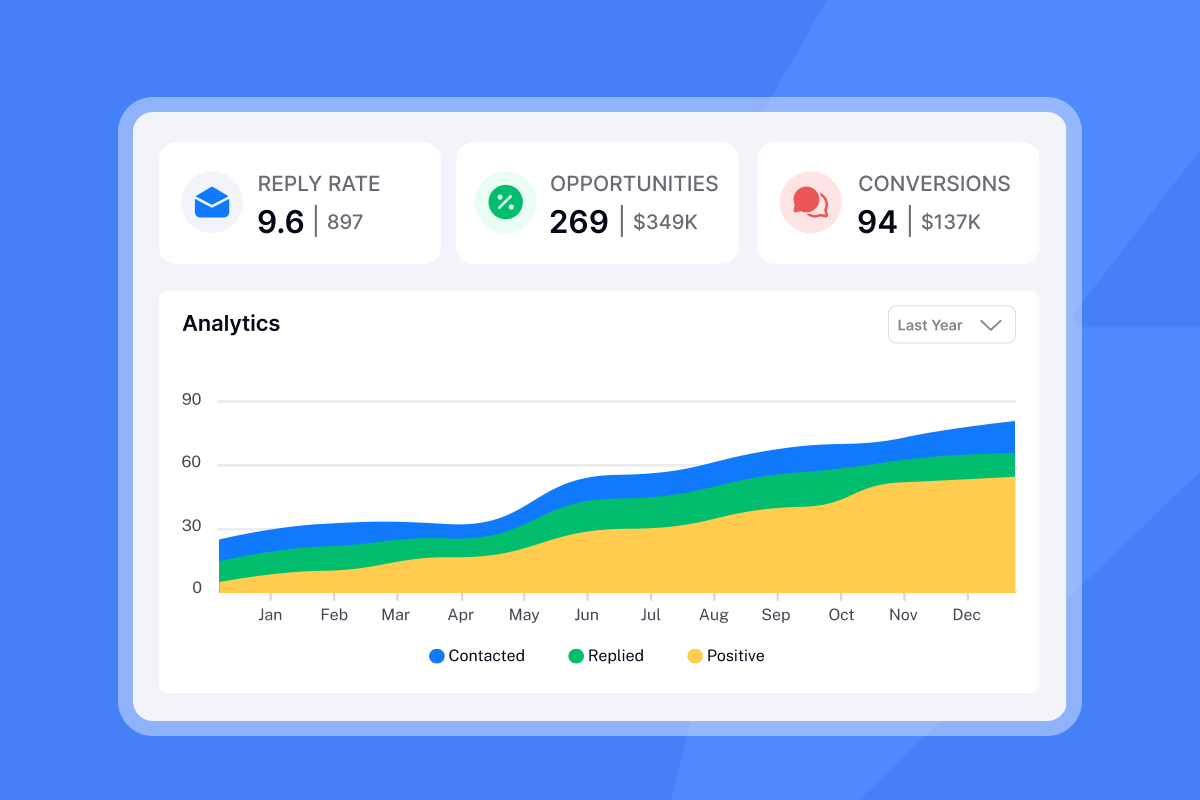
Our analytics dashboard breaks down these metrics by campaign, template variant, sending account, and time period. Compare Template A vs. Template B side by side to see which generates more positive replies.
"Instantly has become a core part of my outreach stack... the analytics give clear insight without unnecessary noise. It integrates smoothly with the rest of my workflow and saves a lot of manual effort." - Linus Friis on Trustpilot
For a complete breakdown of cold email benchmarks, review our data on what reply rates, meeting rates, and positive response percentages look like across industries.
Ready to test these templates with infrastructure that protects deliverability? Start a free trial and use our campaign builder to load your first template, connect warm accounts, and track reply rates in real time.
Frequently asked questions about outreach templates
How long should a cold email be?
50-150 words drives response rates. Shorter emails respect the reader's time and feel less demanding.
What is a good reply rate?
5-10% is solid, 10-15% is excellent, 15%+ is elite performance. Industry and list quality affect these benchmarks.
How many follow-ups should I send?
3-5 follow-up steps spaced 3-7 days apart. Follow-ups often generate the majority of total replies.
What spam trigger words should I avoid?
Avoid "Free," "Guarantee," "Act Now," "Limited Time," "Click Here," and financial urgency terms. Modern spam filters evaluate patterns and tone, not just individual words, so focus on writing clear, relevant messages.
Should I use plain text or HTML emails?
Text-only emails often perform better because they look personal and avoid triggering image-based spam filters.
How many sending accounts do I need?
Start with 3-5 accounts to split volume safely. Scale to 10-20+ accounts if you're sending 1,000+ emails per day. Our unlimited account pricing makes scaling accounts affordable without per-seat fees.
How do I test which template works best?
Run A/Z tests with 100+ sends per variant. Compare subject lines, opening hooks, and CTAs to identify winners before scaling to your full list.
Do I need permission to send cold email?
US CAN-SPAM allows B2B cold email without prior opt-in if you include unsubscribe links and honor requests within 10 days. International regulations vary by jurisdiction.
Key terminology
Spintax: Syntax that creates multiple variations of a sentence using curly brackets and pipes, e.g., {Hi|Hello|Hey} to randomize greetings and avoid duplicate content flags.
Sender reputation: A score mailbox providers assign based on your sending history, spam complaints, bounce rates, and engagement patterns. Low reputation triggers spam filtering.
Bounce rate: Percentage of emails that fail to deliver. Soft bounces are temporary issues, hard bounces indicate invalid addresses. Keep total bounces below 2%.
Primary inbox: The main tab in Gmail where personal and important messages land, distinct from Promotions or Spam folders. Deliverability optimization aims for Primary placement.
Warmup: The process of gradually building sender reputation by sending low volumes from new domains over several weeks, a key part of deliverability optimization.
Unified inbox (Unibox): A centralized interface that aggregates replies from multiple sending accounts, classifying responses as positive, neutral, or negative to streamline reply handling.
Throughput: Total email volume sent per day across all accounts. Safe scaling requires adding accounts rather than increasing throughput per inbox beyond 30 sends.


