.svg)
%20(1).svg)


Updated February 3, 2026
TL;DR: Average B2B cold email reply rates dropped from 6.8% to 5.8% in 2024. Top performers consistently hit 15-25% by treating outreach as an engineering problem, not a copywriting exercise. The difference is infrastructure. You need strict deliverability protocols (warmup, horizontal scaling to 20-30 sends per inbox), hyper-relevant segmentation, and auditable automation. This guide covers nine strategies that protect sender reputation while scaling volume safely, including the technical setup most teams skip and the exact pacing, testing, and AI workflows that turn cold outreach into a predictable meeting engine. Check out the Cold Email Benchmark Report 2026 for actionable insights and reply rate benchmarks.
If you run a sales team at a B2B company, you already know cold email works when done right. The problem in 2026 is that "right" has become a moving target. Inbox providers tightened spam filters, buyers became pickier, and the cost of getting it wrong went up. B2B buyers spend only 17% of their buying time with all suppliers combined, so your message must land cleanly and quickly.
This guide on effective cold email outreach gives you a system you can audit and trust. We focus on deliverability infrastructure first, then move to copy, testing, and AI workflows. Each section includes the exact settings, pacing rules, and success metrics we see working across thousands of campaigns.
What is email outreach?
Email outreach is the process of sending targeted, personalized emails to prospects who have no prior relationship with you or your company. The goal of email outreach automation is to start a conversation that leads to a sales meeting, partnership discussion, or other business outcome. This differs from marketing newsletters (which go to opted-in subscribers) and recruiting emails (which target candidates for job openings).
1. Build a deliverability infrastructure that scales
You need to operate deliverability as a system daily, not toggle it once and forget. If your emails land in spam, no email outreach innovations in this guide will matter. Top performers hit 15%+ reply rates on focused, well-timed campaigns with verified contacts and strong inbox placement.
Warm up domains to protect sender reputation
Warmup is like stretching before a race. Skip it and you risk spam blocks, blacklists, or account suspensions. The process involves gradually increasing send volume over 30 days while simulating engagement (opens, replies, marking as important) to build trust with inbox providers like Gmail and Microsoft.
Instantly.ai's warmup feature runs on a deliverability network of 4.2M+ accounts and automatically handles read emulation, reply threads, and daily ramp-up. Start with a slow ramp of 2 emails on day one, then 4 on day two, 6 on day three, gradually increasing over 30 days. Keep bounces at or below 1%. If your health score dips, pause sends, verify your list, then resume at a lower daily cap.
Use multiple inboxes to manage volume safely
Horizontal scaling is the mathematical fix for the volume-versus-reputation problem. Instead of sending 200 emails from one account (high risk), send 30 emails from seven accounts (low risk). The total volume is identical, but the risk profile and deliverability outcomes are dramatically different.
Best practice is capping at 20-30 emails per inbox daily to mimic human behavior. Real people do not send 100 cold emails from a single inbox every day. By spreading volume across multiple accounts, you lower the chance that any one mailbox gets flagged.
Instantly offers unlimited sending accounts on all plans, so you can scale horizontally without compounding software costs. For agencies or teams running multiple client campaigns, this flat-fee model removes the per-seat tax you would pay on platforms like Apollo or Outreach. One reviewer noted:
"I love the comprehensive capabilities of Instantly, which have significantly streamlined my operations by replacing about 5 or 6 other technologies I used to rely on." - Heather O. on G2
2. Segment lists for tight targeting
Generic blasts trigger spam filters and waste contact budgets. You want relevance, not reach. Tight ICP targeting yields better ROI than high-volume generic lists.
Start with firmographic filters in your data tool: company size, industry, location, technology stack, and recent funding. Then layer in behavioral or intent signals (job changes, new hires, recent press mentions, website visits). Each filter narrows your list but increases the probability that your message resonates, as our outreach tools guide explains.
Instantly SuperSearch offers 450M+ B2B leads with waterfall enrichment from 5+ providers and LLM-assisted filtering. You can segment by technology used (e.g., companies using HubSpot but not Salesforce), recent funding events, or job titles hired in the past 90 days. Export directly to campaigns or your CRM.
Example: Instead of "all VP Sales in SaaS," try "VP Sales at Series A SaaS companies with 20-100 employees who raised funding in the past six months and use Apollo but not Outreach." The list is smaller, but your hook becomes much sharper because you can reference the funding round, tech stack gaps, or hiring velocity in your opening line.
For a walkthrough of advanced filtering and campaign setup, check out this full Instantly AI guide including 2026 features on YouTube.
3. Personalize the hook and value proposition
In 2026, you need more than {{firstName}} to personalize effectively. Inbox providers and buyers both see through shallow merge tags. You need relevance-based personalization that proves you did homework.
Use a framework I call "Observation → Implication → Ask." Start with a specific observation about their company (recent hire, product launch, tech stack, or public pain point). Explain the implication (why it matters to them). Then ask a small, easy question that opens a conversation.
Good example: "Hi Sarah, I noticed {{companyName}} just brought on three new SDRs according to LinkedIn. Ramping that many reps fast usually puts pressure on lead quality and CRM hygiene. Are you handling that internally or using any external tools?"
This version shows you researched their team, understands a likely pain point, and asks a question they can answer in one sentence. Research on deep personalization using AI shows significant improvements when you combine account research with tailored hooks.
Instantly's AI Sequence Writer and Rephrase tool help you generate variants at scale while maintaining the observation-based structure. You can also use 600+ cold email templates as starting points, then customize with variables pulled from your data source (Clay, Apollo, or SuperSearch).
4. Write subject lines that look like internal emails
Your subject line determines whether a prospect opens your email or ignores it. In 2026, don't try to be clever. Make your subject line look like a message from a colleague or business peer.
Marketing subject lines use Title Case, emojis, and hype words. Internal subject lines use lowercase, no special characters, and simple words. Write your subject lines in lowercase to make your message feel casual and human, like something from a colleague, not a marketing team.
Bad examples:
- "🔥 10x Your Revenue Today Sam!"
- "URGENT: You're Missing Out on $50K/Month"
- "The #1 Tool for Sales Leaders"
Good examples:
- "question about {{companyName}} outreach process"
- "quick thought on your SDR ramp"
- "saw your post on LinkedIn"
The best subject lines reference something specific (a post, a hire, a product launch) or pose a genuine question. Avoid ALL CAPS, multiple exclamation points, and words like "free," "guaranteed," or "urgent." These trigger spam filters and make you look like a marketer, not a peer.
Test two to three subject line variants in every campaign using A/Z testing. Track your email test metrics like open rates, but also watch for spam complaints and unsubscribes, which signal that your subject line over-promised.

5. Keep body copy short and specific
If your email takes more than two thumb scrolls on mobile, you've written too much. Sales leaders and busy buyers scan fast. You have about 10 seconds to prove you are worth a reply.
Use the "Claim → Evidence → Takeaway" structure from Instantly's copywriting framework:
- Claim: State what you do or why you are reaching out (one sentence).
- Evidence: Provide proof (a stat, case example, or relevant observation) (one to two sentences).
- Takeaway: Ask a small, easy question or suggest a micro-commitment (one sentence).
Example:
"Hi Mark,
I help fintech sales teams cut their outreach ramp time in half using inbox rotation and warmup automation. One team at a Series B payments company went from 3% to 12% reply rates in 45 days by switching from single-inbox sending to a horizontal scaling model.
Are you handling inbox management internally, or is it outsourced?"
Avoid HTML-heavy templates, images, and attachments in cold emails. Plain text with light formatting (line breaks, maybe one bold word) lands in the primary inbox more reliably than designed newsletters. Save the branding for follow-ups after someone replies.
6. Automate follow-ups with natural pacing
You'll get most replies from follow-ups, not your initial email. Campaigns see reply rates jump by 49% after the first follow-up, with some doubling their responses by the second touch.
Best practice for B2B cold outreach is sending an initial email, then following up after 3 days, and sending a final follow-up 6-7 days later. The optimal cadence is Day 0 → Day 3 → Day 10, which captures most replies within the first two weeks.
Do not pester daily. Think of send windows like traffic lights. Green means send, red means pause. Running a red light (sending too often) causes collisions (high bounce rates, spam complaints, unsubscribes). Use a 3-4 day gap between touches to stay in the green zone.
Instantly automates this and stops the sequence as soon as a prospect replies, so you never send a follow-up to someone who already engaged. You can also prioritize new leads over follow-ups during high-volume periods to keep fresh outreach flowing.
One user highlighted the time savings:
"I love how Instantly has revolutionized my email marketing efforts... The AI reply agent is a standout feature for me; it efficiently drafts responses based on client replies, saving me valuable time." - Sachin J on G2
For a detailed walkthrough of follow-up strategy, watch The Best Cold Email Follow Up Strategy on the Instantly YouTube channel.
7. Run A/Z tests on every campaign variable
Once you've optimized send timing and copy, speed up your optimization cycles with testing. In A/Z testing, you test many variants at once, not just two. Test subject lines first (to improve open rates), then body copy (to improve reply rates), then timing (send windows and days of the week).
Start with three to five subject line variants on the same list segment. Run them for 100-200 sends each, then declare a winner based on open rate and spam complaints. Roll the winner to the full campaign.
Next, test body copy variants. Keep the subject line constant and test different hooks (observation-based vs. question-based vs. social proof). Measure positive reply rate (interested replies only, excluding "not interested" and auto-replies) rather than total reply rate.
Finally, test send windows. Research on email frequency shows that Tuesday-Thursday mornings (8:30-10:30 a.m. local time) perform best for B2B, but your audience may differ. Test two to three windows and track replies per send.
Instantly's A/Z testing feature (included on Hypergrowth plans at $97/mo and above) lets you set up variant sequences and automatically splits traffic. The platform tracks opens, clicks, replies, and positive replies per variant, so you can see exactly which hook or subject line drives pipeline.
For advanced automation setups that integrate testing with lead enrichment, check out this Clay + Instantly workflow that automates campaign population and variant assignment.
8. Use AI for response handling and optimization
You use AI for speed and classification, not "set it and forget it." The faster you respond to interested replies, the higher your meeting conversion rate. Manually triaging 50-100 replies per day across multiple campaigns takes hours.
Instantly's AI Reply Agent categorizes replies (Interested, OOO, Not Interested, Objection) and drafts responses in under 5 minutes. You can run it in Human-in-the-Loop mode (review before sending) or Autopilot mode (send automatically for low-risk replies like OOO confirmations). The agent costs 5 Instantly credits per AI reply and integrates with Slack for review workflows.
Use AI to handle the repetitive tasks (classification, scheduling confirmations, objection responses) so you can focus on high-value conversations (discovery calls, objection handling, and deal closing). This speeds up your "speed to lead" and improves conversion from reply to meeting.
One reviewer appreciated the centralized reply management:
"I appreciate Instantly's very responsive customer service, as they quickly solve any problems I encounter, which is crucial for maintaining the efficiency of my campaigns. I also enjoy how Instantly allows me to concentrate all my emails in one place, streamlining my email management process." - Karina P. on G2
For a deep dive into automating outreach workflows with AI, watch AI-Powered Cold Email System: Automate Your Outreach which covers Apify, N8N, and Instantly integration.
9. Audit performance with clean reporting
Sales leaders need truth, not vanity metrics. Total reply rate is misleading if it includes "not interested" and auto-replies. Track positive reply rate instead, which counts only interested replies (meeting requests, product questions, referrals) and excludes rejections, OOO messages, automated responses, and bounces.
Positive reply rate provides accurate forecasting data for pipeline planning. You can predict pipeline from list size when you know your conversion rates at each stage.
Also track:
- Inbox placement rate: Percentage landing in primary inbox vs. spam (target 90% or higher).
- Bounce rate: Hard bounces indicate bad data (keep below 1%).
- Unsubscribe rate: High unsub rates signal poor targeting or aggressive copy (keep below 0.5%).
- Open rate: Measures subject line effectiveness (target 15-25% for cold B2B).
- Meetings booked per 100 sends: The ultimate metric (target 1-3 meetings per 100 sends on focused lists).
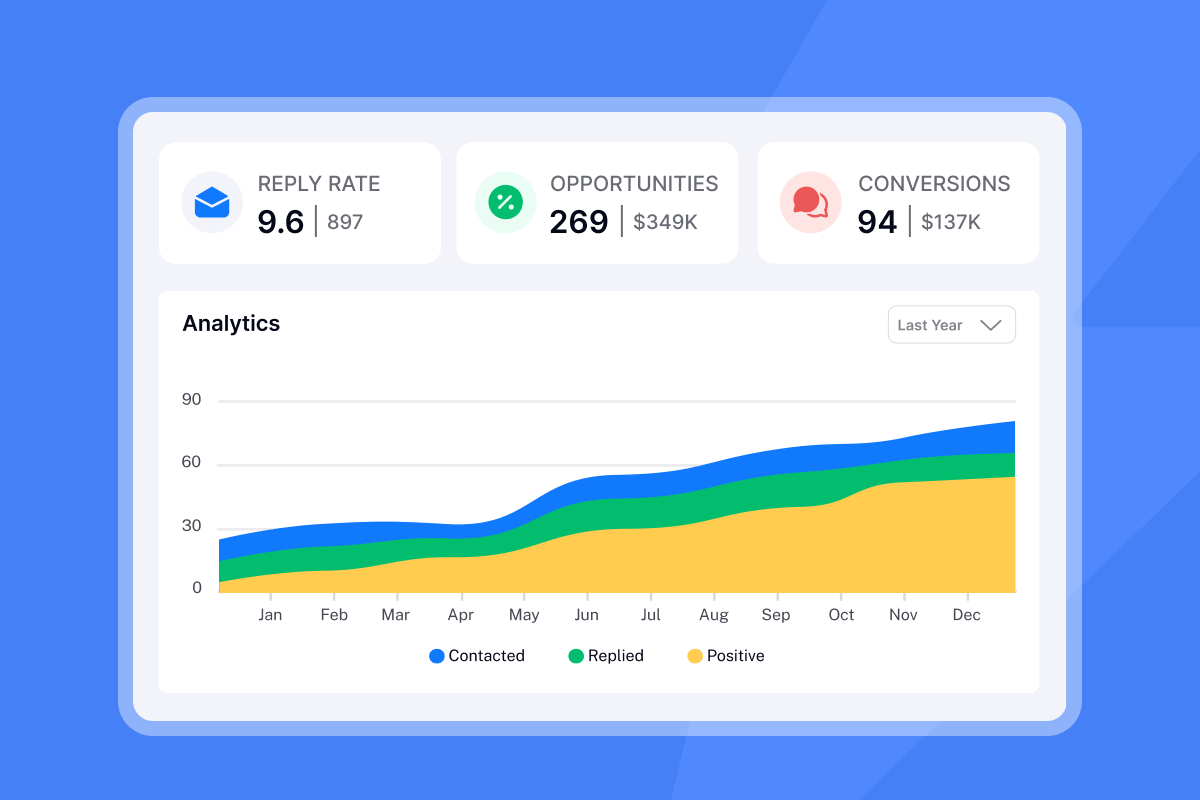
Instantly's analytics dashboard tracks all of these metrics across campaigns and accounts. You can filter by variant, time period, and inbox to see exactly which combinations drive results. The platform also offers inbox placement testing to measure primary inbox delivery vs. spam folder placement, so you catch deliverability issues before they hurt results.
One user called out the reporting clarity:
"I have been using it instantly for the past 6 months now. I have explored the warm-up feature first, and started email campaigns, created the sequence, and I felt that instantly tool is easy to navigate and understandable. Instantly, also provide a dashboard to see the analytics." - Anjali Parmar on G2
For visual walkthroughs of campaign analytics and optimization, watch Fixing His Cold Email Campaign In 20 Minutes on the Instantly YouTube channel.
Comparison: Top email outreach tools for 2026
| Platform | Pricing Model | Warmup Included? | Account Limits |
|---|---|---|---|
| Instantly | Flat-fee (Growth $47/mo, Hypergrowth $97/mo) | Yes, unlimited | Unlimited accounts |
| Apollo | Per-user ($49-$59/user/mo) + credits | Add-on feature | Per-seat limits + credit caps |
| Outreach | Per-user (custom pricing) | Not a core feature | Per-seat with mailbox caps |
Instantly offers unlimited email accounts and warmup on a flat fee, which removes the per-seat tax you pay when scaling on Apollo or Outreach. Instantly works best for scaling email volume cost-effectively across agencies and teams. Apollo suits teams that need an all-in-one data platform with multichannel outreach and CRM integration. Outreach fits enterprise sales teams with complex Salesforce workflows and sales engagement orchestration.
For agencies running multiple client campaigns or sales teams managing 10+ sending accounts, Instantly's pricing model scales more predictably. One user described the cost savings:
"For anyone serious about B2B cold email at scale, Instantly is worth every penny. It's become a core part of our go-to-market strategy." - Natalie on Trustpilot
For a comparison of lead generation stacks, watch this comprehensive comparison guide.
Common outreach pitfalls to avoid
Even experienced teams make mistakes that tank deliverability or waste budget.
1. Buying bad data (high bounce rates). Purchased lists often contain outdated or invalid emails. Hard bounces above 1% damage sender reputation fast. Always verify contacts before uploading using a tool with real-time verification like SuperSearch or ZeroBounce.
2. Scaling too fast (skipping warmup). Ramping from 0 to 200 sends per day in week one is like sprinting cold. You risk a spam block that sidelines you for a week. Follow the 30-day warmup schedule and never skip it, even for "hot" lists.
3. Using HTML-heavy templates (promotions tab). Emails with images, buttons, and heavy formatting land in the Gmail Promotions tab or spam folder more often than plain text. Cold outreach should look like an email from a colleague, not a marketing blast.
For more on fingerprinting and deliverability risks at high volume, read How Fingerprinting Can Affect Deliverability in the Instantly Help Center.
Implement these strategies in Instantly
Try Instantly free to implement the 9-step framework above. Use the built-in warmup, unlimited accounts, and A/Z testing features to build your first campaign in under an hour. You can also grab the 600+ email templates to speed up your first campaign build.
For a complete tutorial on setting up your first campaign, watch How To Setup Your Instantly.ai Cold Email Campaign.
Frequently asked questions about email outreach
What is a good open rate for cold email in 2026?
15-25% is the acceptable range for B2B cold campaigns. Above 25% is excellent and signals strong subject lines and clean list data.
What is a good reply rate for cold email?
5-10% is solid across most B2B teams, with top performers hitting 15%+ on focused, high-intent lists. Your rate depends on targeting quality and personalization depth.
How many follow-ups should I send?
Most teams send an initial email plus two follow-ups, spacing them 3-7 days apart. Stop after the third touch and wait 2-3 months before re-engaging.
Is cold email legal under GDPR and CAN-SPAM?
U.S. CAN-SPAM allows B2B cold email if you include an unsubscribe link. EU GDPR permits B2B outreach under legitimate interest but requires explicit consent for B2C.
How many emails per inbox per day is safe?
20-30 emails per inbox daily maintains strong inbox placement rates. Above that, you risk spam flags and deliverability drops.
What is the difference between reply rate and positive reply rate?
Positive reply rate counts only interested replies like meeting requests and product questions. Reply rate includes all responses including OOO, auto-replies, and rejections.
Key terminology
SISR (Server & IP Sharding & Rotation): A feature that automatically assigns dedicated IP pools and swaps flagged IPs for heavy senders. Available on Instantly's Light Speed plan.
Spintax: A syntax using curly braces and pipes to create multiple variations of a sentence. Example: {Hi|Hello|Hey} {{firstName}} generates three variants.
Unibox: A unified inbox that aggregates replies from all connected sending accounts into one view. Instantly's Unibox includes AI reply categorization and macros for fast triage.
Positive reply rate: The percentage of emails that generate interested replies (meeting requests, questions, referrals), excluding rejections and auto-replies. This metric measures actual sales pipeline progress.
Horizontal scaling: Distributing email volume across multiple sending accounts (e.g., 30 emails from 7 accounts) rather than one account (e.g., 200 emails from 1 account). This approach mimics human behavior and protects sender reputation.
Warmup: The process of gradually increasing email send volume over 30 days while simulating engagement to build sender trust with inbox providers. This prevents new domains from being flagged as spam.
Primary inbox: The main inbox folder where emails land by default in Gmail, Outlook, and other providers. This is distinct from spam, promotions, or social tabs where visibility drops significantly.



