


Updated February 3, 2026
TL;DR: One additional follow-up increases response rates by 65.8%, yet 70% of sales emails never get a second attempt. Send your first follow-up after 2-3 days when reply rates jump by 31%, then extend to 5-7 days for subsequent attempts. Polite follow-ups respect inbox reality through brevity (50-125 words), new value at each step, and clear intent. Aim for Tuesday or Thursday between 10 AM-12 PM for highest engagement. Limit cold outreach to 3-4 attempts before moving on. Use Instantly to automate timing and sequencing while keeping your tone personal through Spintax and custom variables, so your team scales without sounding robotic. Explore key follow-up tactics and performance benchmarks in the Cold Email Benchmark Report 2026.”
One additional follow-up increases response rates by 65.8%, yet most sales leaders stop after one try. The difference between persistent and annoying is not your intent. It is your timing, your copy, and your system.
Teams using systematic follow-ups win because polite persistence is a system, not a feeling. This guide shows you the exact timing windows, five template categories that convert, and how to automate the whole process so your reps focus on live conversations instead of typing reminders.
What is a polite follow-up email?
A polite follow-up email adds value instead of noise. It respects the recipient's time by staying concise (50-125 words), references previous context, and provides one clear reason to re-engage. You show politeness by acknowledging inbox reality without apology. Your prospect is not ignoring you out of malice. They handle 121 business emails daily alongside meeting requests, internal threads, and actual fires.
Follow-ups increase response rates by 65.8% compared to single-touch campaigns. Woodpecker data shows that teams who send at least one follow-up reach a 27% reply rate, while those who stop at one email sit at 16%. Your first email is your introduction. The follow-up is where the actual conversation starts.
"I appreciate Instantly's seamless setup process. It was pretty straightforward, allowing me to get started quickly. The platform's AI capabilities were a significant upgrade and have been incredibly useful in identifying risky investments." - Verified user on G2
Polite follow-ups use gentle language ("circling back," "floating this to the top"), acknowledge busy schedules without blame, and include a single, low-friction call to action. The goal is making replying easier than deleting.
Why you must follow up (even if it feels awkward)
When you stop after one email, you leave revenue on the table. B2B SaaS companies now average 266 touchpoints to close a deal, up 20% from last year. For deals over $100,000, that number climbs to 417 touchpoints.
Your message competes with internal updates, vendor pitches, LinkedIn notifications, and actual deliverables. Buying decisions happen after multiple exposures, not after the first cold email lands. Yet 70% of salespeople never follow up their emails. Another study confirms that 48% never make a follow-up attempt, and 44% give up after just one try.
You need five follow-ups or more to close 80% of all sales. If you stop at one or two, you opt out of 80% of potential deals. Your competition likely is not following up either. Consistent follow-ups become a competitive advantage by default.
When to send a follow-up email
Wait 48 to 72 hours before following up. This window gives prospects time to respond without making your message feel stale. Waiting three days increases reply rates by 31% compared to 24-hour follow-ups. Patience signals confidence. Immediate follow-ups signal desperation.
For subsequent follow-ups, wait 4-7 business days. Lemlist research suggests a 2-day delay between the first and second contact, followed by 4-day intervals up to the 4th email, and 5+ days after that. Warm leads who already engaged can tolerate slightly shorter gaps of 3-5 days because context remains fresh.
Your send day and hour matter as much as the gap between emails. Tuesday shows strong open rates across industries, though recent data also shows Friday generating high engagement at 49.72% open rates. Send between 10 AM-12 PM for peak engagement, when most professionals clear their inboxes between meetings. Set these rules once in Instantly's campaign editor, and the platform executes automatically in your prospect's time zone.
"I like using Instantly because I can send emails to thousands of people without needing to sit and send each email manually. The AI prompt feature is amazing as it helps to personalize emails, and the AI agent helps by sending responses to the replies from leads." - Richa T. on G2
How to write a polite follow-up email
Crafting the right tone
Target a friendly but professional tone. Acknowledge busy schedules without blame or passive aggression. Use gentle openers like "circling back on this," "floating this to the top of your inbox," or "quick bump on my note from Tuesday." These phrases respect inbox chaos without apologizing for existing.
Avoid phrases like "touching base," or "following up" as standalone openers. They demand time without offering value, and LinkedIn analysis found them slightly irritating because the real ask follows anyway, making the phrase feel passive-aggressive.
Replace empty check-ins with context. "Circling back on the analytics dashboard demo I mentioned" is specific. "Just checking in on this" is lazy. Context reminds the reader why they should care without forcing them to dig through old threads.
Match formality level to your industry and buyer persona. "Hey, wanted to bump this" works for younger startups. "Hello [Name], following up on our conversation about Q1 pipeline planning" works for enterprise. When in doubt, default to slightly more formal.
Structural elements that convert
Subject lines for follow-ups should either keep the original thread ("Re: [Original Subject]") or introduce a new hook. Keeping "Re:" puts your message in the existing conversation thread, improving visibility. New subject lines work when you have fresh information worth announcing.
Provide context in one opening sentence. "Following up on my note from Tuesday about reducing churn" reminds the reader without forcing them to scroll. Skip this step and your email feels like spam.
Write your body in under three sentences. Emails between 50-125 words get the highest reply rates. Use this rhythm: sentence one provides context, sentence two adds value or new information, sentence three makes the ask.
Keep your closing low friction. "Let me know if you have questions" puts the ball in their court without pressure. "Is this still a priority for Q1?" gives them an easy out while keeping the door open. Avoid vague closes like "looking forward to hearing from you," which create no urgency.
Use Instantly's Campaign Editor to build these structures into reusable sequences. Create step templates for each follow-up position (2-day, 5-day, 7-day), then rotate inbox sending across multiple accounts to keep volume high without triggering spam filters.
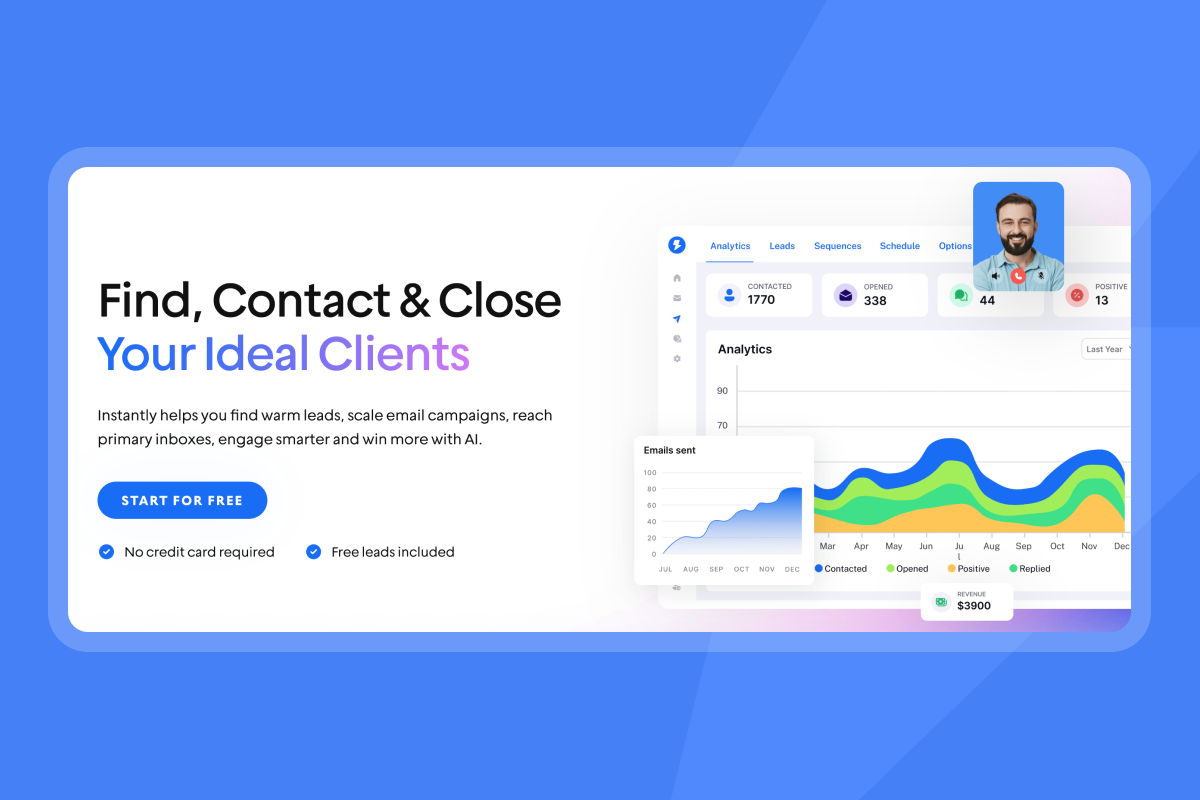
Take a look at this AI workflow demo and see how it drives replies upwards.
Phrases to avoid
Never open with "just checking in," "touching base," "circling back," or "wanted to follow up" as standalone lines. Sales teams overuse these phrases. They announce what you are doing instead of providing value.
Avoid passive-aggressive language like "I've tried to reach you a few times now," "I know you're busy, I'm busy too," or "Why haven't you responded?" These phrases blame the recipient for not replying. Blame kills rapport. Assume positive intent. Your prospect is not ignoring you out of spite. They are drowning in priorities, and your message has not risen to the top yet.
Skip apologies like "sorry to bother you" or "apologies for the intrusion." You are not bothering them. You are offering a solution to a problem they have. If you believe your offer has value, own it. Confidence is polite. Groveling is not.
Do not use question-only emails like "Any thoughts on this?" or "Did you get my last email?" without adding context or new value. These feel lazy. If you ask a question, frame it around their needs. "Does reducing onboarding time by 20% align with your Q1 goals?" is specific and relevant. "Any feedback?" is generic and forgettable.
Polite vs. pushy: A comparison
Polite approach | Pushy approach | Why it matters |
|---|---|---|
"Circling back on the analytics demo" | "Just checking in" | Context reminds them why they should care |
"Is this still a Q1 priority?" | "Why haven't you responded?" | Gives an easy out without blame |
"Saw your post about [topic]" | "I've tried to reach you several times" | Shows attention vs. passive aggression |
Wait 2-3 days between attempts | Follow up within 24 hours | Patience signals confidence, not desperation |
Instantly's Cold Email Copywriting Framework teaches you how to replace weak phrases with value-driven openers that increase reply rates. The framework is based on 400+ monthly replies generated by their own outreach team.
5 Polite follow-up email templates that get replies
1. The "Gentle Nudge" (Post-meeting or initial outreach)
Use this when your first email got no response but timing and relevance remain strong.
Template A - The "Buried in inbox" angle:
Subject: Re: [Original Subject]
Hi [Name],
Quick bump on this. I know your inbox is chaos right now, especially with [relevant event, e.g., end of quarter].
Still interested in hearing your thoughts on [specific topic from original email].
Let me know if now is better or if I should circle back in a few weeks.
[Your Name]
Template B - The "Quick bump" angle:
Subject: Re: [Original Subject]
[Name],
Floating this back to the top. Wanted to make sure it didn't get buried.
Any thoughts on [specific question or offer]?
Happy to hop on a quick call if that's easier.
[Your Name]
Template C - The "New angle" approach:
Subject: One more thought on [Topic]
Hi [Name],
I realized I didn't mention [specific benefit or case study] in my last note.
[Company Name] used our [solution] to [specific result] in their first quarter.
Worth a 15-minute conversation?
[Your Name]
For more variations, check out Instantly's guide on 7 sales follow-up email templates that consistently drive replies.
2. The "Value Add" (New information)
Use this when you have a legitimate reason to re-engage.
Template A - Sharing a case study:
Subject: [Company Name] did something similar
Hi [Name],
Saw that [prospect's company] is [specific initiative based on LinkedIn, news, etc.].
[Similar Company Name] tackled the same challenge last quarter and [specific result with metric].
Thought you'd find their approach interesting. Here's a 2-minute case study.
Worth exploring?
[Your Name]
Template B - Sharing a news trigger:
Subject: Relevant news for [Company Name]
[Name],
Just saw the news about [recent company announcement, funding, leadership change].
This probably shifts your priorities for Q1. I mentioned [solution] last week, which could help with [specific impact of the news].
Quick chat this week?
[Your Name]
Template C - Sharing helpful content:
Subject: Resource for [Pain Point]
Hi [Name],
I know you're focused on [specific goal based on previous research].
I put together a quick guide on [topic] that covers [specific benefit]. No pitch, just tactical steps you can use this quarter.
[Link to resource]
Let me know if it's helpful.
[Your Name]
"I really value how Instantly helps me find leads effectively by allowing me to search based on specific titles, locations, and industries... I appreciate the ability to conduct outreach seamlessly using consistent email templates in autopilot mode, ensuring efficient and streamlined communication." - adnan k. on G2
3. The "Thoughts?" (Quick check-in)
Use this for ultra-low-friction replies when you have an existing relationship.
Template A - The one-line question:
Subject: Re: [Original Subject]
Thoughts?
Template B - The "Any feedback?" approach:
Subject: Re: [Original Subject]
[Name],
Any feedback on the proposal I sent over last week?
Happy to adjust based on your priorities.
[Your Name]
Template C - The "Still relevant?" check:
Subject: Re: [Original Subject]
[Name],
Is this still relevant for Q1 planning, or should I check back in Q2?
[Your Name]
These templates work because they require minimal cognitive load to answer. Yes, no, or "not now" are all valid responses, and any response keeps the conversation alive. Instantly's analytics dashboard lets you track reply rates by template type so you can see which ultra-short formats perform best for your audience.
4. The "Break-up" (Permission to close file)
Use this as your final follow-up. Break-up emails generate responses by refreshing the recipient's memory and signaling this is the last email.
Template A - "Should I close this file?":
Subject: Should I close your file?
Hi [Name],
I've reached out a few times about [specific solution/topic] but haven't heard back.
I'm guessing this isn't a priority right now, which is totally fine.
Should I close your file, or is there a better time to reconnect?
[Your Name]
Template B - "Assuming this isn't a priority":
Subject: Re: [Original Subject]
[Name],
I'm assuming [solution/topic] isn't a priority for you right now, so I won't keep filling up your inbox.
If that changes, here's my calendar: [link].
Otherwise, best of luck with [specific goal or project you know they are working on].
[Your Name]
Template C - The "Last one" approach:
Subject: Last email from me
Hi [Name],
This is my last follow-up on [topic].
If [pain point or goal] becomes urgent, you know where to find me.
Otherwise, I'll get out of your inbox.
[Your Name]
Break-up emails often get 10-15% reply rates when previous follow-ups got nothing. The key is sounding genuine, not manipulative. Mean what you say. If they do not reply, actually stop emailing them. Instantly's global block list ensures you never accidentally email someone who opted out.
For more examples, see Instantly's post on 8 sales follow-up email template examples.
5. The "Omnichannel" (LinkedIn + Email reference)
Use this when you connected on LinkedIn, engaged with their content, or sent a connection request.
Template A - "Sent you a note on LinkedIn":
Subject: Just connected on LinkedIn
Hi [Name],
I sent you a connection request on LinkedIn yesterday and wanted to follow up here as well.
I'm working with [type of companies] to [specific outcome].
Worth a quick chat this week?
[Your Name]
Template B - "Saw your post about X":
Subject: Your post on [Topic]
[Name],
Saw your LinkedIn post about [specific topic]. Completely agree with your take on [specific point].
We've been helping [similar companies] with [related challenge]. Thought it might be relevant given your focus on [topic].
Open to a quick call?
[Your Name]
Template C - The "Multiple channels" approach:
Subject: Re: [Original Subject]
Hi [Name],
I tried reaching you here and on LinkedIn. Figured email might be easier.
Still interested in discussing [specific topic]?
Let me know the best way to connect.
[Your Name]
"I've been using Instantly for my cold email campaigns and it's made a big difference. The platform is straightforward to set up, easy to run multiple campaigns, and keeps deliverability strong... Highly recommend it to anyone who needs dependable cold email." - Taylor G. on G2
Omnichannel touches work because B2B buyers now require 266 touchpoints to close across email, LinkedIn, phone, and content. When you reference LinkedIn activity in your email, you create continuity and show you pay attention to their world, not just blast templates.
How to scale polite follow-ups for sales teams
Start with standardization. Build these five template categories into Instantly campaigns and require usage. Standardization reduces variance, speeds up ramp time for new hires, and makes analytics meaningful.
Use automation to remove human error. Set follow-up gaps automatically in Instantly (2 days, 5 days, 7 days) so reps never forget to follow up and never follow up too soon. Instantly's inbox rotation feature distributes sends across multiple email accounts to stay under the 30-emails-per-inbox-per-day safe threshold, protecting domain reputation while scaling volume.
Close the loop with CRM integration. Sync Instantly activity logs to HubSpot or Salesforce so AEs see the full outreach history when a lead replies. Use OutboundSync for bidirectional sync or Zapier for custom field mapping. Track reply rate on step 2 and step 3 specifically to pinpoint where prospects disengage.
"I love how Instantly has revolutionized my email marketing efforts. Its ability to solve the problem of sending bulk emails across different time zones is essential for global campaigns... The AI reply agent is a standout feature for me; it efficiently drafts responses based on client replies, saving me valuable time." - Sachin J on G2
Use Instantly's AI Reply Agent to handle common objections and propose next steps automatically. The agent reads inbound emails, answers based on your playbook, shares calendar links, and updates CRM status. Complex threads surface to an SDR in Unibox for human review. This hybrid approach scales polite persistence without losing the personal touch.
Checklist: The polite follow-up system
Do:
- Wait 2-3 days before your first follow-up, then extend to 5-7 days for subsequent attempts.
- Add new value in every follow-up (case study, news trigger, helpful resource).
- Keep messages under 125 words with one clear call to action.
- Use Tuesday or Thursday between 10 AM-12 PM for highest engagement.
- Reference specific context from your first email so the recipient remembers you.
- Send from a warmed domain with proper authentication to protect deliverability.
- Use Instantly to automate timing and track reply rates by step.
- Match formality to your industry and buyer persona.
- Test 2-3 subject line variations per sequence using A/Z testing.
- Respect opt-outs immediately and maintain a global block list.
Don't:
- Follow up within 24 hours unless it is a post-meeting or urgent context.
- Use "just checking in," "touching base," or "following up" as standalone openers.
- Apologize for sending the email ("sorry to bother you").
- Send the exact same email twice with no changes or added context.
- Exceed 3-4 follow-ups for cold prospects or 5-7 for warm leads.
- Blast from a single inbox above 30 emails per day, which triggers spam filters.
- Write generic messages without personalization beyond first name.
- Ask vague questions like "Any thoughts?" without context.
- Give up after one attempt, leaving 65.8% more replies on the table.
- Ignore deliverability metrics like bounce rate and inbox placement.
For a complete cold email setup guide, reference Instantly's cold email strategy documentation.
Build your follow-up system today
Your prospects are not ignoring you out of malice. They drown in daily emails from every vendor competing for attention. You win when you follow up consistently, add value at every step, and automate the process so nothing slips through the cracks.
70% of salespeople never follow up their emails, which means your competition likely is not doing this work. Consistent follow-ups become a competitive advantage by default.
Build these templates into your campaigns today. Use Instantly's unlimited email accounts to scale volume without per-seat penalties, rotate sends across inboxes to protect domain health, and track reply rates by step so you know what works. Start your free trial and see how automation turns manual follow-ups into a repeatable revenue system.
Frequently asked questions about email follow-ups
How many times should I follow up on a cold email?
For cold prospects, limit yourself to a maximum of follow-ups before moving on. For warm leads who engaged previously, 5-7 attempts are acceptable because context and interest already exist.
What if I still don't get a response after multiple follow-ups?
Send a break-up email as your final attempt. If no response, add them to your global block list and move on.
Is it rude to resend the exact same email?
Yes. Always change the copy, add new context, or provide additional value in each follow-up to show you are paying attention.
How long should a follow-up email be?
Keep it between 50-125 words.
Should I use the same subject line for follow-ups?
Keep the thread connected with "Re: [Original Subject]", or introduce a new subject line when you have fresh information worth announcing.
What is the best time to send a follow-up email?
Tuesday or Thursday between 10 AM-12 PM shows high open rates for B2B emails.
How do I know if my follow-ups are working?
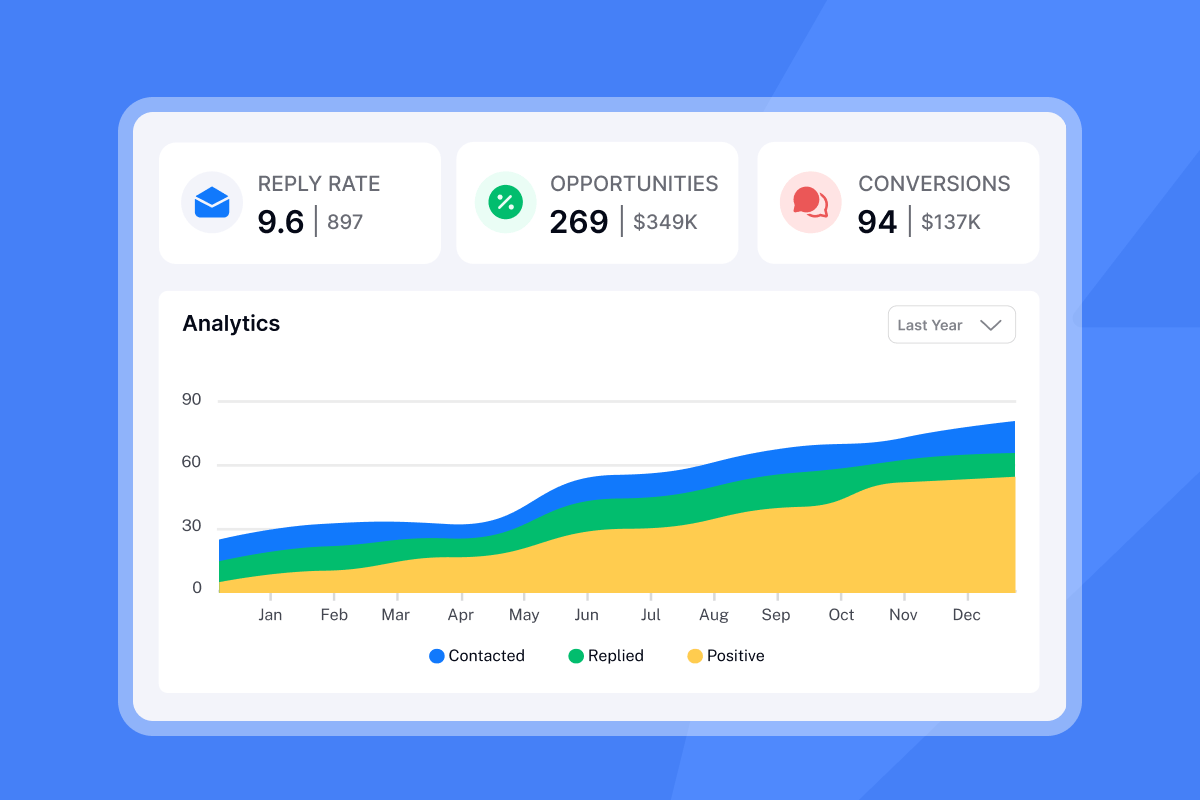
Use Instantly's analytics dashboard to track reply rates by campaign step. When step 2 gets 5% replies but step 3 drops to 1%, adjust your copy or timing.
Can I automate follow-ups without sounding robotic?
Yes. Use Instantly's Spintax feature to rotate phrases and custom variables to personalize each send while maintaining automation.
Key definitions
Follow-up sequence: A series of automated or manual emails sent after an initial contact, designed to maintain engagement and move prospects through the sales funnel, typically including 2-5 emails spaced over days or weeks.
Bump: A brief follow-up message that brings the original email back to the top of the recipient's inbox. Usually very short (1-3 sentences) and uses "Re:" in the subject line.
Break-up email: The final email in a sequence that politely signals you are ending outreach attempts. Often uses scarcity or reverse psychology to generate a last response before closing the file.
Inbox rotation: The practice of distributing email sends across multiple accounts to stay under daily send limits per inbox (typically 30 per day) while maintaining higher total volume. Used to protect domain reputation and improve deliverability.
Warmup: The process of gradually increasing send volume from a new email account while engaging with a network of real inboxes to build sender reputation before launching cold campaigns. Typically lasts 30 days.


