.svg)
%20(1).svg)


Updated September 03, 2026
TL;DR: If you manage multiple client inboxes across Gmail, Outlook, and Yahoo, stop paying per seat for tracking. Free extensions like Mailtrack add branding and limit history. Per-seat tools like HubSpot and Yesware cost $750 to $1,000+ monthly for 50 inboxes. Instantly offers unlimited email accounts on a flat fee starting at $47/month with unified analytics across all providers. For agencies, the math is clear.
Most email tracking tools solve a single-player problem: one inbox, one Chrome extension, one dashboard. That works fine for a freelancer, but it breaks down for sales automation for agencies managing dozens of client inboxes.
When you manage dozens of client domains across Outlook, Yahoo, and Gmail, single-player tools create data silos and billing bloat. For agencies running cold email outreach at scale, the tracking infrastructure is just as important as the copy. Fragmented dashboards mean blind spots in your campaign data. I have watched agencies log into 15 accounts to check open rates, pay per-seat fees that scale with every inbox, and juggle separate tools for different providers.
This guide compares 12 email tracking tools I tested across Gmail, Outlook, and Yahoo accounts, weighing each against realistic agency pricing. I ranked them by use case and broke down which ones actually support multi-provider tracking versus which ones only work inside Chrome. Instantly, the cold email tool built for multi-inbox agency workflows, connects at the SMTP/IMAP level so tracking works across Gmail, Outlook, and Yahoo from a single dashboard.
What Is Email Tracking Software?
Email tracking software helps you understand what happens after you send an email (see our Mailtrack vs. Instantly comparison for a deeper look). Depending on the tool, this can include tracking opens, link clicks, replies and other engagement data that helps you understand how recipients interact with your cold email outreach.
Tracking is commonly used by sales teams running outbound campaigns, but it can also be useful for account management, recruitment and other teams that rely on email communication. The information collected can help you see which messages are getting engagement and where follow-up may be worthwhile.
There are several types of email tracking tools available. Some work through browser extensions connected to an individual inbox, while others connect directly to email accounts and provide reporting across multiple campaigns or sending accounts.
How Does Email Tracking Software Work?
Most email tracking software, including the best cold email software for agencies, records engagement by adding tracking technology to the emails you send. Opens are typically measured using a small tracking pixel, while tracked links can record when a recipient clicks through to a page.
The way this is implemented varies between tools. Browser extensions usually add email tracking when you compose an email inside a supported email client. Other cold email platforms handle tracking through the infrastructure used to send the email, which can make them more suitable for teams managing multiple accounts or running larger outreach campaigns.
Open tracking isn’t always completely accurate. Privacy features and image-blocking can affect whether an open is recorded, so open rates are generally more useful when considered alongside replies, clicks and other campaign data.
Email open rates vary significantly by industry, from around 21% for technology services to more than 45% for faith-based organizations in the Constant Contact benchmark data cited by Smart Insights.
Why email tracking breaks across different providers
You embed a pixel, you see who opens. Simple in theory. In practice, I found tracking breaks down fast when you work across multiple email providers.
Gmail tracking runs through Chrome extensions. These extensions modify the Gmail web interface in your browser, injecting tracking pixels when you compose emails. The limitation: they only work when you use Gmail in Chrome on desktop.
Outlook tracking uses Microsoft's Office Add-ins platform. These run inside the Outlook application using Microsoft's APIs. A Chrome extension modifying Gmail's interface cannot access the Outlook desktop app. They are completely separate software environments.
Yahoo tracking gets messier. Most tracking tools do not support Yahoo natively. You need a platform that connects via SMTP/IMAP at the server level rather than through browser extensions.
The solution for agencies is server-level connections. When a platform connects via SMTP/IMAP, it sends and receives email on your behalf at the protocol level. This works independently of your email client and across providers simultaneously. This SMTP/IMAP approach works with any email provider as long as you can access their server credentials.
Testing methodology: I evaluated all 12 tools by connecting test accounts across Gmail (Google Workspace), Outlook (Microsoft 365), and Yahoo Mail. For each tool, I measured setup time, verified cross-provider compatibility, tested tracking accuracy with seed emails, checked free-tier limits, and calculated per-seat costs scaled to 50 inboxes. Platform-based tools were tested via SMTP/IMAP connections. Browser extensions were tested in Chrome on macOS.
Key terminology for email tracking
- Open rate: The percentage of recipients who opened your email, tracked via a pixel that loads when viewed
- Tracking pixel: A tiny 1x1 invisible image embedded in emails that signals when opened
- Custom tracking domain: A URL you own (like track.yourcompany.com) used to host tracking pixels, isolating your sender reputation
- Deliverability: The ability for emails to reach the primary inbox rather than spam or promotions tabs
- Sender reputation: Domain and IP trust signals that mailbox providers use to accept or filter your mail
12 Best Email Tracking Tools & Software for 2026 (ranked by use case)
I tested each tool across Gmail, Outlook, and Yahoo accounts. Here is what I found.
Instantly: Best for agencies and unified reporting
Best for: Agencies managing 10-150+ inboxes across multiple providers
Price: Growth at $47/month, Hypergrowth at $97/month, Light Speed at $358/month (flat fee, unlimited accounts)
Supported providers: Gmail, Outlook, Yahoo via SMTP/IMAP
Instantly connects at the server level rather than through browser extensions. Tracking works regardless of whether your client uses Gmail, Outlook, or Yahoo. You connect once via SMTP/IMAP and all campaigns report to a centralized analytics dashboard.
Alongside your broader stack of marketing agency tools, the standout feature for agencies is unlimited email accounts on every plan. You pay a flat monthly fee per workspace with unlimited sending accounts. For an agency managing 50 client inboxes, that is $47/month versus $750+ on per-seat tools.
"I like that instantly can handle large scale email campaigns without worrying about deliverability. The automation for inbox rotation, warm up and sending limits makes outreach very smooth and saves a lot of manual work. The most helpful part is the detailed reporting. It shows clear data like open rates, replies, and bounce rates, which I can easily use for analysis and integrate with other BI dashboards." - Anjali T. on G2
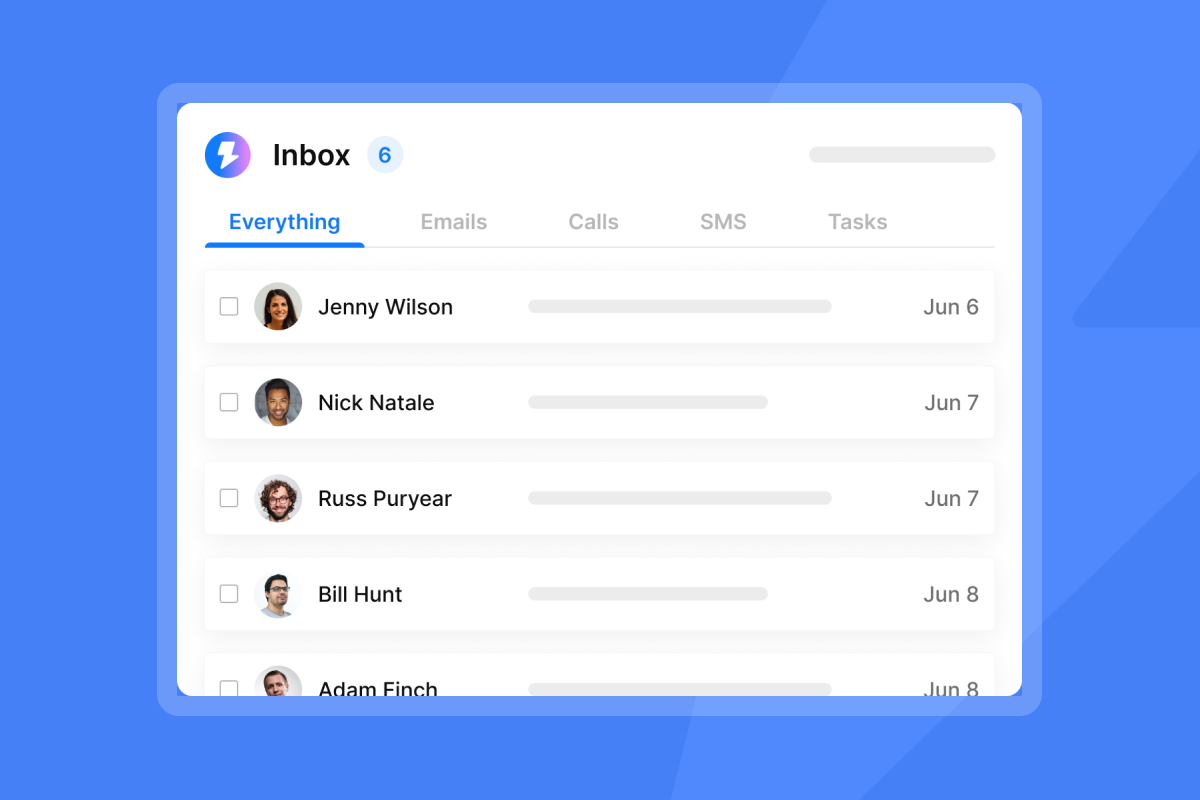
The Unibox feature keeps replies organized across all connected accounts in one view. You see responses from Outlook and Gmail clients in a single stream rather than logging into each account separately.
Pros:
- Unlimited email accounts on flat-fee pricing
- Works across Gmail, Outlook, Yahoo, and any IMAP provider
- Unified analytics dashboard for all campaigns
- Built-in warmup and inbox rotation
Cons:
- No free plan (starts at $47/month)
- Learning curve for full feature set
For a full platform walkthrough, watch the Instantly AI Full Tutorial below:
Mailtrack: Best for free Gmail tracking
Best for: Freelancers and individuals who only use Gmail
Price: Free with branding, paid plans from $2.49/user/month
Supported providers: Gmail primarily
Mailtrack (now Mailsuite) gives you the simplest tracking experience: install the Chrome extension and get double checkmarks showing when emails are opened.
The free plan adds a "Sent with MailSuite" signature to every tracked email. Users on Capterra note the branding in outgoing email signatures can be intrusive for professional communication.
Pros:
- Free tier available
- Simple double-checkmark interface
- Easy installation
Cons:
- Free plan includes mandatory branding and upgrade pop-ups
- Chrome extension only (no desktop Outlook support)
- Per-user pricing at scale
HubSpot Sales Hub: Best for CRM-heavy teams
Best for: Teams already invested in the HubSpot ecosystem
Price: Starts at $20/user/month
Supported providers: Gmail, Outlook via extensions and add-ins
HubSpot Sales Hub integrates email tracking with a full CRM. If you already use HubSpot for deal management, the tracking features make sense.
The cost problem emerges at scale. For 50 inboxes, you pay $1,000/month minimum on the Starter tier. The free plan limits you to 200 tracked emails per month with HubSpot branding.
Pros:
- Deep CRM integration
- Works with both Gmail and Outlook
- Robust reporting with Marketing Hub
Cons:
- Per-seat pricing expensive at scale
- Free plan limited to 200 emails/month with branding
Yesware: Best for enterprise Outlook users
Best for: Corporate sales teams using Outlook
Price: Pro at $15/user/month (annual), Premium at $35/user/month (annual), Enterprise at $65/user/month (annual)
Supported providers: Gmail, Outlook, Office 365
Yesware connects to Outlook through both a Chrome extension and a native Outlook add-on. The presentation tracking feature shows how engaged prospects are with attached documents.
The free version includes email tracking and templates but limits data visibility to 24 hours.

Pros:
- Strong Outlook integration
- Presentation and attachment tracking
- Template library included
Cons:
- Per-seat pricing ($15-65/user annually)
- Free tier limits tracking history to 24 hours
- No native Yahoo support
Mixmax: Best for Gmail and Outlook productivity
Best for: Sales teams using Gmail or Outlook with Salesforce
Price: SMB plans from $29/month, Salesforce integration at $69/month
Supported providers: Gmail and Outlook
Mixmax packs features beyond tracking: polls, calendar scheduling, and workflow automation. The rules engine lets users automate workflows across multiple tools. Mixmax now supports both Gmail and Outlook.
The free plan allows 20 tracked emails per month with Mixmax branding.
Pros:
- Rich feature set (polls, scheduling, automation)
- Supports Gmail and Outlook
- Strong Salesforce integration
Cons:
- Free plan limited to 20 emails/month with branding
- Higher price point for Salesforce integration
- No Yahoo support
Saleshandy: Best for cold email outreach
Best for: Small teams starting with cold email
Price: Starts at $25/month
Supported providers: Gmail, Outlook
Saleshandy offers unlimited email accounts to increase scale and volume, plus custom domain tracking for deliverability.
The difference from Instantly is monthly sending limits. Saleshandy caps total emails per month based on your plan tier.
Pros:
- Unlimited email accounts
- Custom tracking domains available
- Cold email focus with sequences
Cons:
- Monthly email limits on all plans
- No native Yahoo support
- 7-day trial only (no free plan)
Streak: Best for managing deals inside Gmail
Best for: Solo operators who live in Gmail
Price: Free tier available, Pro at $49/month per user
Supported providers: Gmail only
Streak integrates CRM functionality directly into Gmail. You manage pipelines, track emails, and log deals without leaving your inbox.
Streak offers a permanent free plan with basic CRM features including 50 mail merges per day and email tracking.
Pros:
- CRM lives inside Gmail
- Free tier available
- Visual pipeline view
Cons:
- Gmail only
- Per-seat pricing at $49/user for Pro
- Limited for multi-provider agencies
RightInbox: Best for scheduling and tracking
Best for: Individual Gmail users needing lightweight features
Price: Personal at $7.95/month, Professional at $14.95/month
Supported providers: Gmail only
RightInbox offers a basic free plan with email tracking, scheduling, and templates. It serves as a lighter alternative to Mixmax for users who do not need advanced features.
Pros:
- Affordable pricing
- Free plan available
- Simple interface
Cons:
- Gmail only
- Limited features compared to full platforms
Gmelius: Best for team collaboration
Best for: Teams sharing Gmail inboxes
Price: Starts at $24/user/month
Supported providers: Gmail only
Gmelius focuses on shared inbox management and team collaboration within Gmail. It is designed for teams working together on the same inbox rather than aggregating multiple separate inboxes.
Pros:
- Shared inbox features
- Team assignment and notes
- Kanban board view
Cons:
- Gmail only
- Per-user pricing starting at $24/month
- Different use case than multi-inbox tracking
Mailtag: Best for simple automation
Best for: Individual users wanting basic tracking
Price: Pro at $9.99/month
Supported providers: Gmail only
Mailtag provides lightweight tracking without the complexity of full sales engagement platforms.
Pros:
- Simple tracking
- Affordable
- Easy setup
Cons:
- Gmail only
- Limited features
- No team management
EmailAnalytics: Best for team response-time reporting
Best for: Sales and support teams measuring email activity and responsiveness
Price: $19/inbox/month or approximately $17.10/inbox/month billed annually
Supported providers: Gmail and Outlook
EmailAnalytics visualizes team email activity across Gmail and Outlook. It surfaces operational metrics, rather than focusing primarily on open and click tracking.
This makes it useful for sales and support managers who want to understand team responsiveness, workload and communication patterns.
Pros:
- Tracks average email response times
- Reports on emails sent and received
- Identifies the busiest days and hours
- Bulk discounts available for larger teams
Cons:
- No free plan
- No Yahoo support
- Does not provide a complete cold outreach workflow
Cirrus Insight: Best for Salesforce integration
Best for: Teams deeply integrated with Salesforce
Price: Contact for pricing
Supported providers: Gmail, Outlook
Cirrus Insight bridges the gap between your inbox and Salesforce CRM.
Pros:
- Deep Salesforce integration
- Gmail and Outlook support
Cons:
- Per-seat pricing
- Requires Salesforce investment
Email Tracking Software Comparison: Free plugins vs. agency growth engines
Here is how these tools stack up for agency use:
| Tool | Gmail | Outlook | Yahoo | Free Plan | Agency Friendly | Pricing Model |
|---|---|---|---|---|---|---|
| Instantly | Yes | Yes | Yes | No | Yes | Flat fee |
| Mailtrack | Yes | No | No | Branding, limited | No | Per seat |
| HubSpot | Yes | Yes | No | 200 emails, branding | No | Per seat |
| Yesware | Yes | Yes | No | 24-hour limit | No | Per seat |
| Mixmax | Yes | Yes | No | 20 emails, branding | No | Per seat |
| Saleshandy | Yes | Yes | No | Trial only | Partial | Tiered limits |
| Streak | Yes | No | No | Basic features | No | Per seat |
| RightInbox | Yes | No | No | Basic features | No | Per seat |
| Gmelius | Yes | No | No | Basic features | No | Per seat |
| Mailtag | Yes | No | No | Limited | No | Per seat |
| EmailAnalytics | Yes | Yes | No | 14 day trial | Partial | Per inbox |
| Cirrus Insight | Yes | Yes | No | Trial | No | Per seat |
Agency Friendly = Supports 50+ accounts without linear cost increase
For a complete breakdown of how flat-fee versus volume-based pricing affects your total cost of ownership beyond just tracking, see the email API pricing comparison guide with a full ROI calculator.
The cost math for agencies
Here is what 50 inboxes actually costs with verified pricing:
- HubSpot Sales Hub: 50 seats × $20 = $1,000/month
- Yesware Pro: 50 seats × $15 (annual) = $750/month
- Mixmax SMB: 50 seats × $29 = $1,450/month
- Instantly Hypergrowth: Flat fee = $97/month
The savings add up fast. Compare our email outreach plans to see the full breakdown.
"Deliverability tools that actually move the needle: warmup, inbox rotation, and smart sending windows help us land in Primary instead of Promotions/Spam. Intuitive campaign builder: setting up multistep sequences with conditional logic is fast, even for non-tech teammates." - Anthony V on G2
How to Choose Email Tracking Software
The right email tracking software will depend on how your team uses email. A simple free email tracking tool may be enough for one or two inboxes, but the requirements change when you’re running campaigns across multiple accounts or email providers.
Provider support is a good place to start. Check that the software works with the inboxes your team already uses, particularly if you’re managing a mixture of Gmail, Outlook and Yahoo accounts. Some tools are limited to a particular provider or require a browser extension to work.
It’s also worth looking closely at the analytics and reporting. Opens are useful, but you’ll probably want to see clicks, replies and bounce data alongside them. If you’re managing several campaigns or accounts, having that information in one dashboard makes reporting much easier.
Cost can vary considerably once you start adding users or inboxes. Compare what each tool would actually cost for your current setup and how that price changes as you add more accounts.
How to set up tracking without triggering spam filters
Email tracking can hurt deliverability if done wrong. Here is the setup process I use:
Step 1: Set up a custom tracking domain
Default tracking pixels use shared domains. When another user on that domain sends spam, your reputation suffers. A custom tracking domain isolates your sender reputation.
In Instantly, navigate to Settings > Tracking Domain and add a CNAME record to your DNS. Point it to the tracking server, then verify the connection. List quality affects email tracking deliverability as much as pixel setup does. See how data enrichment cuts bounce rates before leads enter your tracking workflow
Step 2: Connect via SMTP/IMAP
For platform-based tools, add each email account using SMTP/IMAP credentials. This connects at the server level rather than through browser extensions.
The SPF, DMARC, and DKIM setup guide walks through authentication for Microsoft/Office 365 accounts. For Google Workspace, see the Google-specific guide.
Step 3: Test before scaling
Send 5-10 test emails to seed accounts at different providers. Wait 24 hours, then verify opens show in your dashboard. The Link Clicks Tracker shows exactly which links recipients clicked.
Step 4: Monitor reputation
Watch bounce rates and spam complaints. If bounces exceed 1%, pause and clean your list. Instantly includes deliverability optimization tools that can send emails as text-only when needed. If bounces spike or placement rates drop unexpectedly, see the email API deliverability troubleshooting guide covering authentication errors, silent failures, and rate limit confusion before pausing campaigns.
For a deeper dive, watch the guide below:
The agency operator's guide to unified reporting
Managing 50 client inboxes across Gmail, Outlook, and Yahoo creates a login nightmare. Checking campaign performance means 50 separate logins, 50 dashboards, and hours spent aggregating data manually.
Unified reporting solves this by pulling all tracking data into one view. The full Instantly tutorial shows how this works in practice.
Agency use case: I tested unified reporting with 52 mixed-provider inboxes (28 Gmail, 18 Outlook, 6 Yahoo). Setup took 3 hours. Monthly reporting time dropped from 8 hours to 15 minutes using a unified dashboard versus logging into each account separately.
How Unibox consolidates mixed providers
When you connect Gmail, Outlook, and Yahoo accounts via SMTP/IMAP, all replies flow into Unibox. You see responses from every client in a single stream, organized by campaign.
"Instantly has been an excellent experience from start to finish. The platform is extremely easy to set up, fast, and reliable for outreach. Their support team responds quickly and clearly, and they helped me resolve my issue immediately." - A Ta on Trustpilot
Analytics that matter for agencies
The analytics dashboard shows open rates by campaign and account, reply rates across all connected inboxes, bounce rates for list hygiene, and click-through rates on tracked links.
Choosing between plugins and platforms
If you track one Gmail inbox, grab Mailtrack or RightInbox. If you need CRM integration and already pay for HubSpot, use their built-in tracking. If Salesforce is your system of record, Cirrus Insight or Mixmax might fit.
But if you run an agency managing multiple client domains across Outlook, Gmail, and Yahoo, you need infrastructure that scales without compounding costs. That means server-level connections, unified analytics, and flat-fee pricing.
"I built my entire client acquisition system through instantly.ai & also sell the product as a service to my clients which is my entire business model. Life changing tool..." - Joshua Blacklidge on Trustpilot
Stop paying per seat for tracking. Start with Instantly and connect unlimited Outlook, Yahoo, and Gmail accounts to see all your data in one place.
Why Use Instantly for Email Tracking?
Email tracking is most useful when it sits alongside the rest of your cold email outreach. Instantly lets you manage multiple sending accounts and see campaign performance from one place, rather than checking individual inboxes or relying on separate tracking extensions.
You can track opens, clicks, replies and other campaign activity across your outreach. This makes it easier to compare performance between campaigns and understand which emails are generating engagement.
Instantly also brings tracking together with the wider outreach process. You can find prospects through a B2B contact database, verify contact information and run cold email campaigns from the same platform.
For teams managing outreach across different email providers, having campaign activity and reporting in one place also makes it easier to keep track of performance as the number of accounts increases.
Start your 14 day free trial and track your next cold email campaign with Instantly.

Frequently Asked Questions About Email Tracking Software
What is email tracking software? Email tracking software helps you measure what happens after an email is sent. Depending on the tool, you can track opens, link clicks, replies and other activity to understand how recipients are engaging with your emails.
How does email tracking software work? Email tracking software commonly uses a small tracking pixel to record opens and tracked links to measure clicks. Some tools work through browser extensions, while others connect to your email accounts and track activity across campaigns.
What is the best email tracking software? The best email tracking software depends on how you send email and what you need to measure. Consider provider support, reporting, pricing and the number of accounts you need to manage. For cold email outreach, you’ll also want a tool that can track performance across multiple campaigns and sending accounts.
Is Mailtrack free?
Yes, but the free plan includes mandatory "Sent with MailSuite" branding and pop-ups. Paid plans start at $2.49/user/month to remove branding.
How do I activate email tracking in Gmail?
For Chrome extensions, install from the Chrome Web Store and authorize Gmail access. For platform-based tools like Instantly, connect your account via SMTP/IMAP in settings.
Can I track a Gmail email sent to an Outlook recipient?
Yes. Tracking works on the sender side. The pixel loads when your recipient opens the email, regardless of their email provider.
Does email tracking affect deliverability?
It can if you use shared tracking domains. A custom tracking domain isolates your reputation and reduces spam filter triggers.
What is the best free email tracker for Gmail?
For individuals, Mailtrack offers the most feature-rich free tier, though it adds branding. For agencies, free tiers are impractical due to limits.
Key terminology
Open rate: The percentage of recipients who opened your email, calculated by dividing unique opens by total delivered emails.
Tracking pixel: A 1x1 transparent image that sends a signal back to the tracking server when the recipient opens the email.
Custom tracking domain: A subdomain you own configured to host tracking pixels, protecting your sender reputation from shared domain issues.
SMTP/IMAP connection: Server-level email protocols allowing platforms to send and receive email on your behalf across all clients and providers.
Unibox: A unified inbox consolidating replies from multiple email accounts into a single view.
Sender reputation: A score based on your domain's sending history, bounce rates, and engagement metrics affecting inbox placement.
Further Reading
- Cold Email Automation Tools – Learn how to automate email sequences, follow-ups and reply handling while keeping control over your outreach campaigns.
- How to Improve Your Cold Email Reply Rate – Explore practical ways to improve campaign performance through better targeting, messaging, follow-ups, and optimization.
- Best Time to Send Cold Email: What the Data Shows – See what Instantly’s benchmark data reveals about the best days to send cold emails and how to test timing with your own audience.
- How to Follow Up on Sales Leads – Learn how to structure follow-ups and use automation to keep conversations moving after the first email.
- How to Scale Outbound Sales With Automation Tools – Find out how automation can reduce manual work across prospecting, outreach, follow-ups, and lead management as outbound volume grows.


