


TL;DR: Plan at least 2 weeks of warmup for new inboxes. For brand new domains, 4 weeks is safer. Send a max of 30 emails per inbox per day once placement is healthy. Authenticate SPF, DKIM, and DMARC. Keep hard bounces near or below 1 percent and spam complaints well under 0.3 percent.
Updated October 19, 2025
This guide breaks down what slow ramp warmup is, why it protects sender reputation, and how Instantly automates it so you scale safely across many inboxes without babysitting deliverability.
What is slow ramp email warmup
Slow ramp email warmup is the controlled increase of daily sends from a new or dormant inbox or domain. The goal is to build a consistent, positive sending history across mailbox providers so your production campaigns land in the primary inbox. In practice, that means sending very small volumes at first, then stepping up as placement and health metrics hold.
Why slow ramp is essential for email deliverability
Mailbox providers watch for sudden volume spikes, high bounces, and spam complaints. A slow ramp reduces these risk signals, which increases the odds of landing in the primary inbox. Microsoft’s warmup guidance advises adding volume over days or weeks.
Protecting your sender reputation
Gradual, consistent sending is key to protecting your domain and IP reputation. Google requires proper authentication (SPF, DKIM, DMARC) and low complaint rates to maintain deliverability. If your emails trigger too many complaints or lack authentication, inbox providers will start filtering you out. By ramping up slowly on authenticated domains, you avoid the kind of reputation dips that can derail an entire month of outreach.
Maximizing inbox placement
A warmed up inbox is far more likely to land in the primary inbox. Microsoft notes that reaching maximum deliverability can take four to eight weeks depending on your sending volume and engagement levels. Skipping the warmup process means that even if your copy is strong, your messages are likely to end up in spam folders.
Avoiding spam filters and blacklists
Mailbox providers like Gmail watch complaint rates closely. Their guidance emphasizes slow ramping and keeping user reported spam below 0.1% and definitely under the 0.3% enforcement threshold. Sudden sending spikes or low quality lists can quickly get you flagged or even blacklisted. To stay safe, build volume gradually and use placement testing plus blacklist monitoring to catch problems early.
How to implement a slow ramp warmup strategy: a step‑by‑step guide
The plan below fits new or long‑inactive inboxes. Adjust if placement dips, bounces rise, or complaints approach risk thresholds.
Phase 1: Initial setup and DNS alignment
- Authenticate the domain with SPF, DKIM, and DMARC. Publish a policy at p=none to start, confirm alignment, then harden later. DMARC alignment reduces spoofing and supports trust. See the DMARC overview.
- Connect at least two inboxes per domain so volume is spread. Enable warmup for each account using Instantly’s warmup enablement guide. Start with slow warmup on new inboxes.
- Turn on automated warmup and read emulation in Instantly. This mimics natural engagement within a private network of 4.2M+ accounts and gives your domain low‑risk activity while it learns.
Acceptance check: Send a placement test. If Gmail or Microsoft shows spam placement, fix authentication and copy, then retest before any production sends.
Phase 2: Gradual volume increase
- Days 1 to 3: Warmup only. Do not start cold email sends yet as it will harm deliverability.
- Days 4 to 14: Keep warmup active, then slowly begin cold emails if placement tests are healthy but be cautious. Reference Instantly’s account and campaign limits for caps.
- Weeks 3 to 4: Increase daily sends in small steps as long as bounces remain near or below 1 percent and complaint rates stay comfortably below 0.3 percent. Many teams hold steady at 30 or less cold emails per warmed inbox to keep risk low.
Tip: Instantly’s slow ramp system can increase by 2 emails per day automatically at the campaign level. For account warmup, slow warmup increases by 1 per day by default, which keeps patterns natural.
If you prefer a visual walkthrough, watch Patrick Walsh’s setup video, How to set up Instantly AI email warm up.
Phase 3: Ongoing maintenance
- Keep warmup on, even between campaigns, to maintain positive signals. Two weeks is the minimum. For brand new domains, four weeks is safer.
- Run scheduled placement tests. Add automations to pause sending if inbox placement falls below your threshold and to re‑enable slow ramp until placement recovers. See automated placement tests for setup.
- If spam placement rises, pause production for 48 hours, continue warmup, re‑verify the list, and resume at a lower cap.
Key features and tools for effective slow ramp warmup with Instantly
Automated warmup campaigns
Instantly’s email warmup is designed for a natural build. The slow ramp feature gradually increases your warmup volume in a natural way. On Day 1 it sends 2 emails, on Day 2 it sends 4, on Day 3 it sends 6, and so on. For campaigns, the “Campaign slow ramp” setting raises your daily limits by 2 per day until you hit your cap.
Read emulation for natural engagement
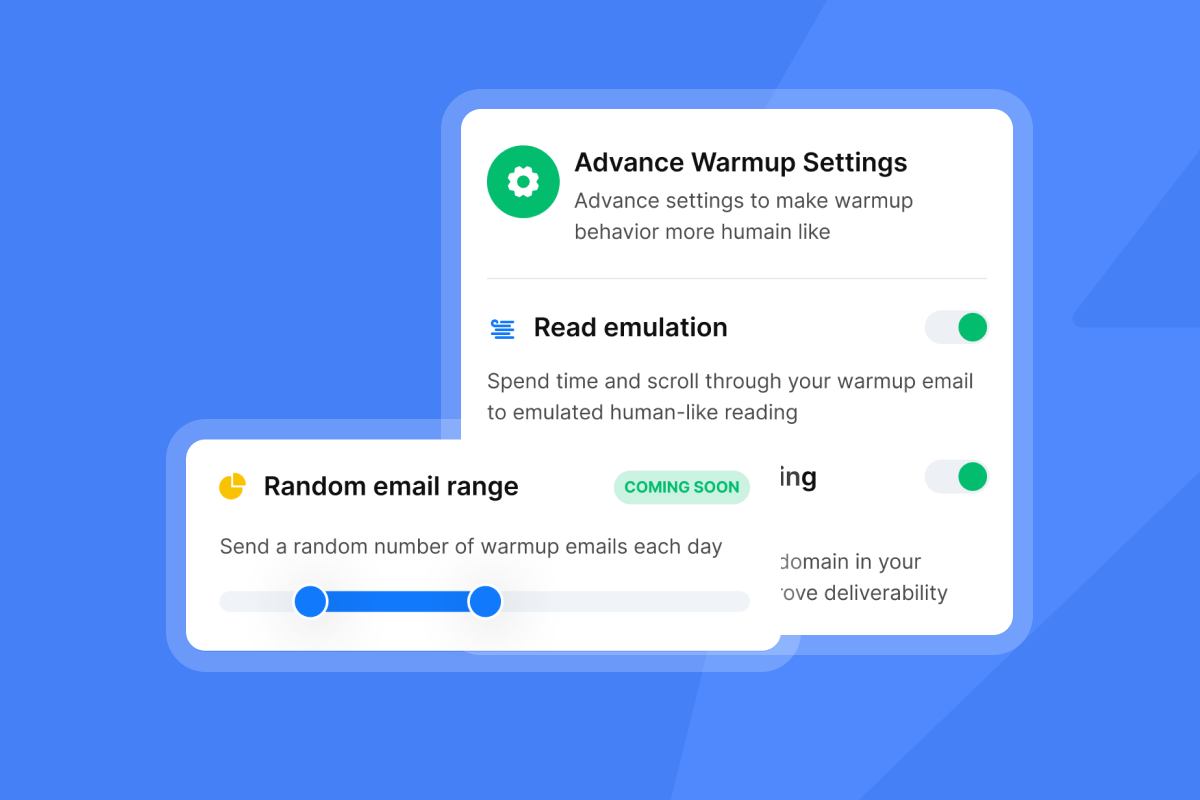
Enabling read emulation will make our system spend time and scroll through your warm up emails to emulate human‑like reading. These realistic interactions help reinforce good signals during your ramp window.
Randomized sending volumes and natural patterns
Warmup settings support weekday‑only schedules, open and reply rates, and randomization to avoid robotic patterns. That variety reflects how real people email and reduces filter risk. Review the detailed options in warmup settings.
The role of AI in warmup optimization
- Copilot drafts sequences, surfaces next actions, and helps you avoid risky phrasing before it harms placement.
- AI Reply Agent triages and answers replies in under 5 minutes, reducing lag while you scale.
Deliverability network and placement testing
Instantly operates a private deliverability network of 4.2M+ real accounts and provides automated Inbox Placement tests with blacklist checks, content analysis, and authentication validation. Use scheduled tests and auto‑pauses to protect sender reputation while you ramp.
For a full walkthrough of these features and more checkout this guide:
Monitoring and optimizing your warmup performance
Deliverability dashboards and analytics
Check weekly:
- Placement by provider using scheduled tests.
- Hard bounces near or below 1 percent.
- Spam complaints well under 0.3 percent, which aligns with Gmail’s enforcement bar for bulk senders.
If any metric drifts, hold volume, fix the cause, retest, then step up again.
Feedback loops and blacklist monitoring
Keep unsubscribe and complaint handling tight. Monitor blacklist status and authentication on a schedule. Build alerts that pause campaigns when placement drops so reputation does not slide.
The 7 key benefits for Instantly users
Stronger primary inbox placement
- Why it matters: If you do not land in the primary inbox, replies collapse.
- What Instantly adds: Slow ramp, read emulation, a private deliverability network, and automated placement tests to catch issues early.
- Healthier sender reputation over time
- Why it matters: Reputation compounds and is slower to rebuild than to protect.
- What Instantly adds: Authentication checks, placement testing, blacklist monitoring, and automations that pause sending or re‑enable slow ramp when health dips.
- Safe scale across many inboxes
- Why it matters: Throughput stalls if one mailbox carries the load.
- What Instantly adds: Flat‑fee plans with unlimited email accounts and unlimited warmup so ops teams standardize ramp plans across senders without per‑seat penalties. See current tiers on Instantly pricing.
- Higher reply rates and meetings
- Why it matters: Placement drives opens, which drive replies and booked meetings.
- What Instantly adds: Read emulation to create natural attention during ramp, A/Z testing, and AI for copy and follow‑through once replies arrive.
- Lower bounce and complaint risk
- Why it matters: High bounces and complaints signal low trust and can trigger filters.
- What Instantly adds: Verification options, placement tests, and safe ramp controls that guide you to keep bounces low and complaints below Gmail’s 0.3 percent bar.
- Clear, auditable analytics
- Why it matters: Sales leaders need metrics that stand up in ops reviews.
- What Instantly adds: Placement reporting by provider, blacklist alerts, and AI‑assisted reply handling for clean handoffs and governance.
- Less manual work, faster rollouts
- Why it matters: Manual warmup is slow and inconsistent across reps.
- What Instantly adds: One‑click activation for slow ramp and read emulation, plus global settings to randomize patterns and maintain natural behavior across large sender fleets.
Choosing an email warmup tool: a comparison
The snapshot below highlights warmup essentials.
| Tool | Warmup automation | Read emulation | Deliverability network / seed list | Pricing model |
|---|---|---|---|---|
| Instantly | Yes, gradual ramp automation | Yes, positive interactions simulated | Private 4.2M network; inbox placement tests | Flat fee, unlimited accounts and warmup |
| Smartlead | Yes, unlimited warmup all plans | Yes, AI opens and replies | 25,000+ mailbox pool; seed testing | Tiered monthly; unlimited accounts warmup |
| Warmbox | Yes, automated daily warmup | Yes, opens replies spam rescue | Private ~35,000 inbox network; no seeds | Per inbox or tiered plans |
| Mailwarm | Yes, automated daily warmup | Yes, opens marks important replies | Private 5,000+ network; no seed tests | Per plan tiers by volume |
Evaluate any tool on three checks: authentication visibility, controlled ramp, and clear placement reporting. Instantly also offers advanced server and IP controls documented in advanced deliverability.
What Instantly users say
"The platform is super intuitive, easy to set up, and makes it simple to manage multiple domains and inboxes at scale. Deliverability is great and the analytics give us exactly what we need to optimize campaigns quickly." - Shaiel P. on G2
"It was very straight forward to warm up my email addresses/inboxes as well as start my first campaign!" - Verified User in Computer Software on G2
"Flexible account linking options, quick and easy setup." - Poushali D. on G2
"We increased our revenue by six figures within 4 months of starting with instantly." - Alexander on Trustpilot
"Instantly has a really good academy to get you started. I was able to get everything set up in a few hours." - Richard on Trustpilot
Prefer to watch: Instantly’s full tutorial covers setup end to end, and this deliverability guide video explains the signals mailbox providers look for during ramp.
Quick start checklist for slow ramp warmup
- Verify SPF, DKIM, and DMARC on your sending domain.
- Connect 2 to 5 inboxes. Enable warmup and read emulation.
- Warm for at least 2 weeks. For new domains, 4 weeks is safer.
- Start production at about 30 emails per inbox per day once placement is healthy.
- Increase in small steps as bounces and complaints stay low. Keep spam complaints well under 0.3 percent.
- Run weekly placement tests. Auto‑pause if placement drops and re‑enable slow ramp.
Drive higher ROI with a smart warmup strategy
Consistent deliverability is a system, not a one‑time fix. Slow ramp warmup, strong authentication, verified contacts, and steady monitoring keep your messages in the primary inbox and your pipeline on plan. To standardize this across every rep and client domain without manual micromanagement, start a free trial to use Instantly’s automation and placement testing.
Frequently asked questions (FAQ)
How long should I warm up a new inbox?
Warm for a minimum of 2 weeks. For brand new domains and inboxes, 3 to 4 weeks is safer before production sends. Keep warmup enabled even after you start campaigns.
What starting volume is safe for cold sends?
Start with low volume, 2-5 sends per day, then gradually increase if inbox placement is healthy. Send a max of 30 emails per inbox per day.
What happens if I skip warmup?
Expect spam placement, higher bounces, and potential blocks. Rebuilding sender reputation usually takes weeks of reduced volume and steady warmup.
Which metrics should I watch every week?
Inbox placement by provider, hard bounces near or below 1 percent, and spam complaints comfortably below 0.3 percent.
Do I keep warmup on after I start campaigns?
Yes. Keep it on to maintain engagement signals and cushion volume changes.
Key terms glossary
- Primary inbox: The folder most recipients read by default.
- Sender reputation: Provider trust in your domain and IP.
- Warmup: Controlled pre‑campaign sending to build trust.
- Slow ramp: Gradual daily send increases.
- Read emulation: Automated reading behavior that mirrors people.
- Inbox placement: Where mail lands across tabs or spam.


