


Updated April 13, 2026
TL;DR: A structured 30-day onboarding email sequence prevents client churn, protects sender reputation, and gets campaigns live faster. Map emails to five functions: access gathering, technical setup, sequence approval, launch notification, and early reporting. Start warmup on Day 1 and do not send cold outreach until inboxes clear at least 14 to 21 days of warmup. Use a unified inbox to manage all client threads across multiple accounts without logging in and out of separate email accounts. Centralize onboarding tracking in one place so nothing falls through the cracks when you manage 10+ clients at once.
The most important emails you send this month are not to prospects. They are to your new clients. Research from SaaS Factor shows that 70% of SaaS customers who churn do so within the first 90 days, often due to onboarding failures. That is not a campaign performance problem. That is a communication problem.
A precise 30-day agency client onboarding email roadmap protects your clients' domains, sets clear expectations, and gets campaigns to their first booked meeting faster. This guide breaks down exactly what to send, when to send it, and how to track it all when you are managing multiple client timelines at once.
Streamline client onboarding handoffs
When a deal closes and operations take over, a documentation gap opens. Sales promised outcomes. Operations needs access, goals, and assets. Without a defined email process bridging that gap, clients feel abandoned and domains sit idle.
A documented email process turns that handoff into a repeatable system any team member can run.
Defining project boundaries upfront
Early emails do more than gather logins. They define scope in writing, which prevents scope creep and creates a paper trail both sides can reference. Highlighting which onboarding steps remain incomplete, explaining the value tied to those steps, and offering guidance to remove friction all drive better completion rates.
Send your scope-confirmation email by Day 3. If a client responds with out-of-scope requests, you have the original email to reference.
Emails that stop client churn early
Pushwoosh's 2025 benchmark data reports that welcome emails achieve an average open rate of 83.63%, far above the 43% average across all email types. That window of peak attention is your best shot at setting the right tone and catching concerns before they turn into churn triggers.
A proactive check-in on Day 5 catches blockers before they become delays. Clients who feel heard in week one almost always stay for week four.
Onboarding email consistency builds trust
Predictable communication tells a client you run a reliable operation. Gaps in communication tell them the opposite. Aim for a touchpoint every two to three days in weeks one and two, then shift to every three to four days once the technical setup is complete.
Implement your 30-day onboarding plan
The table below maps every key email to its day, purpose, and the action you need from the client or your team. Use this as your master schedule for each new account.
Day | Email subject | Purpose | Action required |
|---|---|---|---|
1 | Welcome & next steps | Set expectations, confirm scope | Client confirms receipt |
2 | Team intro & access request | Gather domain, CRM, and tool logins | Client provides credentials |
3 | Onboarding action checklist | Full list of required assets | Client completes checklist |
5 | Week 1 check-in | Clear blockers, confirm progress | Client flags issues |
7 | Week 1 access audit | Confirm received vs. pending items | Internal team update |
8 | Campaign planning brief | Confirm ICP and messaging angles | Client approves brief |
10 | Domain & inbox health check | Share SPF/DKIM/DMARC status | Client reviews results |
12 | Warmup schedule update | Explain warmup timeline and why it matters | Client acknowledges |
14 | End-of-week 2 confirmation | Confirm all technical setup is done | Internal sign-off |
15 | Sequence copy for approval | Send final email copy for sign-off | Client approves copy |
17 | List hygiene update | Report on data validation results | Internal update |
19 | Pre-launch readiness check | Set expectations for launch day | Client confirms readiness |
21 | Final pre-launch checklist | Last check before campaigns go live | Internal + client sign-off |
22 | Launch notification | Confirm campaigns are live | Client acknowledges |
24 | First results snapshot | Share early open and reply data | Client reviews |
30 | Month-end review | Results summary, transition to standard reporting | Client reviews |
Tailoring the 30-day client timeline
Not every client responds at the same pace. If a client misses a Day 3 asset deadline, push your Day 8 brief by the same number of days rather than sending it on schedule with gaps. Build in a two-day buffer before any hard dependency, such as domain verification before warmup or copy approval before launch.
Streamlining multi-client email tracking
Managing multiple clients across dozens of inboxes in separate email accounts can create a fragmented picture. You may miss replies, lose context, and waste time logging in and out of accounts.
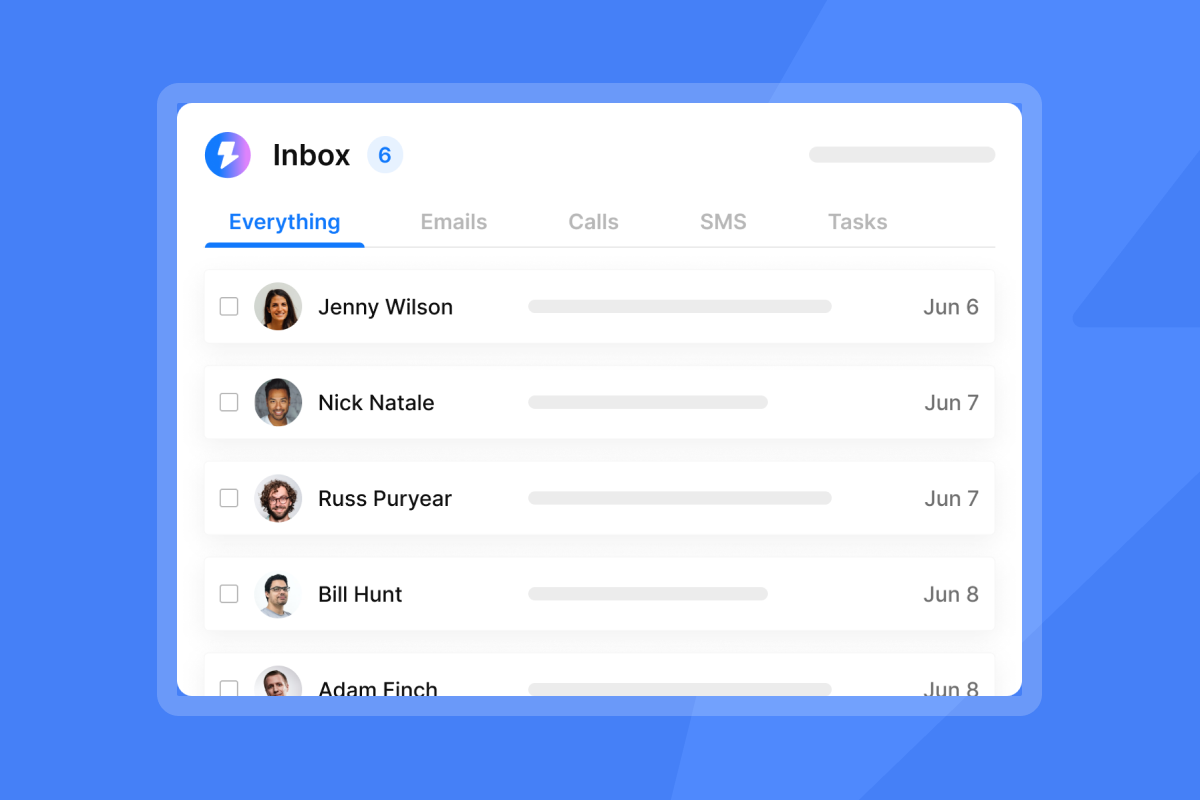
Instantly's Unibox solves this directly. It collects all replies from every connected inbox into one interface. As that same resource describes it, "It collects all the replies from the leads you've contacted across all your connected inboxes. This means you don't have to juggle between different email accounts or set up countless forwarding rules." For agency operators running parallel onboarding timelines, this means you can tag conversations by client or campaign without switching tools.
Evaluate onboarding email performance
Track these four metrics during the 30-day period to catch problems early:
- Client response time: How quickly clients return assets. Delays here compress your warmup window.
- Email open rate: Growth-onomics benchmarks show onboarding emails achieve open rates between 50% and 80%, well above the industry average.
- Asset completion rate: What percentage of your Day 3 checklist items are returned by Day 7.
- Days to warmup-ready: How long from account creation to passing your inbox placement threshold.
Week 1: Kickstarting client work, days 1 to 7
Week one has one goal: get every login, credential, and brand asset you need before warmup falls behind schedule. Every day of delay in week one delays your go-live date.
Day 1: Client welcome and immediate onboarding
Send this immediately after the contract is signed. The welcome email sets the tone for everything that follows. Key elements to include:
- A confirmation of the agreed scope and deliverables
- Your direct contact and the client's assigned point of contact
- A clear next-steps list with Day 2 and Day 3 actions
- A link to your shared project tracker or folder
Keep the tone direct and confident. Clients who close a deal want to feel like they made a good decision. A vague welcome email plants doubt immediately.
Day 2: Team introductions and access setup
Send one email requesting all technical access in a structured format. Avoid chasing each item separately. Group your requests into three categories:
- Domain access: DNS panel login or a delegated contact who can add SPF, DKIM, and DMARC records.
- CRM and tool access: Any existing CRM data, lead lists, or previous campaign history.
- Communication channels: Preferred contact method for approvals and updates.
Day 3: Client onboarding action checklist
This is the most important email of week one. Send a numbered checklist covering every asset and decision you need before launch. Be specific about deadlines for each item.
A clear checklist here reduces back-and-forth over the next three weeks and sets a professional tone. Structuring onboarding emails around actions rather than information tends to improve completion rates.
Day 5: First client feedback loop
Send a short check-in asking two questions: Has anything changed since signing? Are there any blockers on the Day 3 checklist? This email prevents surprises and shows the client you are actively managing their account.
Keep it under five sentences. Long emails at this stage feel like extra work for the client.
Day 7: Quick week 1 email audit
Send an internal update to your team listing every access item received versus outstanding. Flag any item that is more than two days late and send a gentle follow-up to the client. Do not wait until Day 10 to chase a missing DKIM record.
Week 2: Align goals and gather campaign assets
By Day 8, you have access. Week two is about confirming strategy, verifying domain health, and starting warmup on schedule.
Day 8: Email campaign planning
Send a one-page campaign brief covering the target audience, three initial messaging angles, and a proposed sequence structure. Ask the client to confirm or suggest changes before Day 12.
The Instantly cold email strategy guide and 600 email templates library are useful internal references when building initial angle drafts.
Day 10: Verify domain and inbox readiness
Before warmup completes, run a full technical audit. Check four items and report results to the client:
- SPF record: Confirms which servers can send email from the domain. Cloudflare's authentication guide describes SPF as "a way for a domain to list all the servers they send emails from."
- DKIM signature: A cryptographic signature that verifies the email came from the domain.
- DMARC policy: Tells mail servers what to do when SPF or DKIM fail.
- Blacklist status: Use a tool like MXToolbox to confirm the domain is clean.
Instantly's inbox placement automated tests run these checks for you and surface the results in one dashboard. The inbox placement help article outlines the key health indicators to watch: inbox placement trend, bounce rate at or below 1%, and complaint rate under 0.3%.
For a deeper walkthrough of SPF, DKIM, and DMARC setup, the Instantly deliverability authentication guide covers each record type step by step.
Day 12: Client email warmup schedule
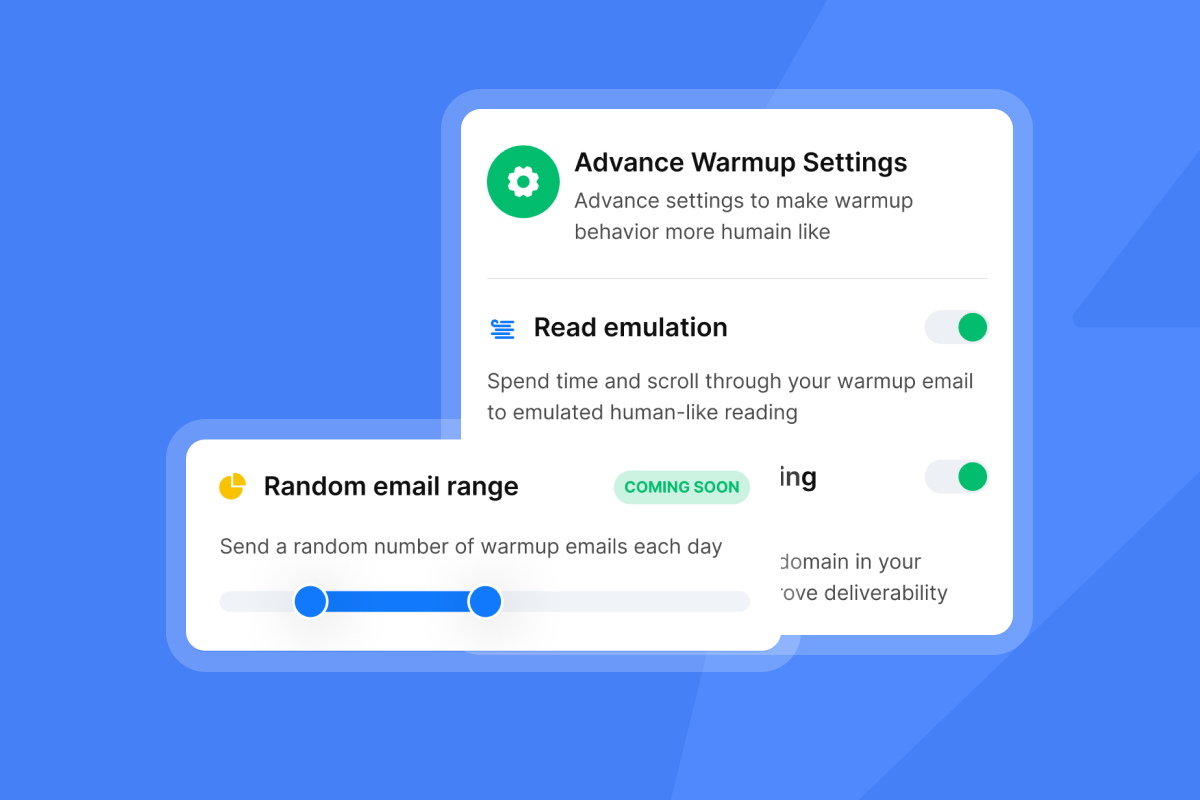
Send the client a plain-language explanation of warmup so they do not expect campaigns to start on Day 14. Here is a client-friendly framing based on the Instantly warmup process guide.
Instantly's private deliverability network of 4.2M+ accounts runs warmup automatically in the background. Sending volume stays at 5 to 10 emails per day during the initial phase while inbox providers monitor authentication, bounce rates, and engagement patterns.
"Warmup actually works. Connected two domains, let them run, and deliverability held once campaigns went live." - Vatsalya B. on G2
Day 14: Confirm setup and deliverability
Send an end-of-week confirmation to the client listing everything that is complete: DNS records verified, inboxes connected, warmup running, and campaign brief approved. Include a projected go-live date. This email serves as the written record that technical setup is done.
Week 3: Final email sequence checks, days 15 to 21
Week three is about copy approval and data hygiene. Nothing launches without sign-off.
Day 15: Review and get client approval
Send the final sequence copy for sign-off. Attach the full sequence with subject lines, body copy, and follow-up steps numbered clearly. Ask for approval or revision requests by a specific date so the launch timeline does not slip.
The Instantly copywriting framework is a useful internal reference when structuring sequence copy for client review.
Day 17: Prevent bounces with data validation
Report on list hygiene and lead verification. Share the bounce rate from any test sends and confirm that your verified contact list is ready. For B2B cold email, a bounce rate below 1% is the target, with under 2% being the outer limit before deliverability takes a hit.
Users consistently report that Instantly's intuitive interface consolidates lead sourcing, campaign writing, and outreach in one platform, reducing the tool-switching overhead during list cleanup.
Day 19: Confirming go-live readiness
Send an "almost ready" email setting expectations for launch day. Confirm the go-live date, the sequence structure, and the initial daily send volume. Remind the client that you cap sends at 30 per inbox per day during the ramp period and explain why, which protects their sender reputation over the long term.
Day 21: Final onboarding launch review
This is your last internal and client-facing checkpoint before campaigns go live. Your pre-launch email should include a summary checklist covering:
- DNS records confirmed (SPF, DKIM, DMARC)
- Inboxes warmed and passing placement tests
- Verified contact list uploaded and cleaned
- Copy approved and sequence built
- Send windows set and daily caps confirmed
Cross-reference this against the Instantly pre-launch campaign checklist to make sure nothing is missed.
Week 4: Launch and early results, days 22 to 30
Day 22: Launch notification email draft
Send a short launch notification confirming campaigns are live. Include the campaign name, the sequence step count, the initial daily send volume, and a link to the reporting dashboard you will share on Day 24. Keep it under 150 words. The client wants confirmation, not a tutorial.
Day 24: First results and early metrics
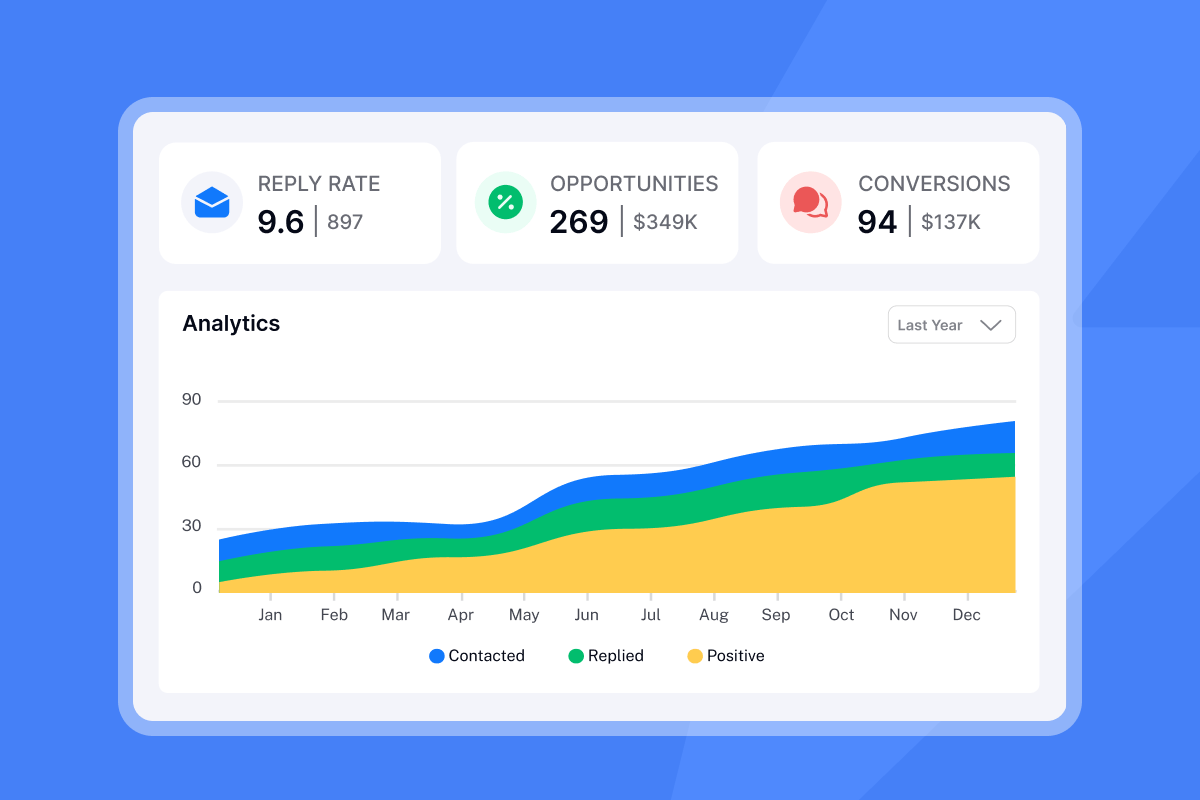
Pull the first data snapshot and send it to the client. For early-stage reporting, a good B2B cold email reply rate is 5 to 10%, with top campaigns hitting 15% or more. Be honest if numbers are not there yet and explain what you are adjusting.
De-emphasize open rates in client reports because Apple Mail preloads tracking pixels automatically, which inflates open rate data significantly.
Boosting onboarding email deliverability
The warmup and deliverability setup you completed in week two keeps paying off through weeks three and four. Instantly's unlimited email accounts and warmup on all Outreach plans means you can add new inboxes for a growing client campaign without paying a per-seat penalty. The Hypergrowth plan at $97/month supports higher send volumes, while the Growth plan at $47/month covers most agencies starting a new client campaign.
For agencies managing 10 or more client inboxes, the flat-fee model compounds into significant savings compared to per-seat tools that charge for every inbox added. The Instantly agency pricing breakdown outlines exactly how the economics work at scale. For agencies who want a fully managed setup, Instantly's done-for-you email setup service handles the technical infrastructure from scratch.
Day 30: Optimize client onboarding flow
Send the month-end review email summarizing results, confirming the account is in good standing, and transitioning the client to your standard reporting cadence. Include reply rate, meetings booked or scheduled, bounce rate, and inbox placement score.
The Instantly video on building a $10K/month agency covers how experienced operators structure these first-results conversations with clients to retain accounts and grow them.
What to send: Messages by interaction point
Group your 30-day emails into four functional categories so your team knows what each message is trying to accomplish.
- Informational: Welcome, warmup schedule, domain health update. These educate the client and set expectations.
- Action-oriented: Onboarding checklist, copy approval request, pre-launch confirmation. These require a response.
- Relationship-building: Week 1 check-in, end-of-week 2 summary, launch notification. These build trust.
- Reporting: First results snapshot, month-end review. These prove value.
Crafting your first client onboarding email
Your Day 1 welcome email needs three things: a warm but direct tone, a clear list of what happens next, and a specific date for your next touchpoint. Avoid vague lines like "we're excited to get started." Instead, open with what you have already done since the contract signed and what you need from the client to start.
Mid-onboarding check-in template
Use this structure for your Day 12 or Day 14 update:
Subject: [Client Name] - Week 2 update and warmup progress
Hi [First Name],
Quick update on where things stand heading into week three:
- DNS records: Confirmed (SPF, DKIM, DMARC all active)
- Inboxes: Warming up, currently at day [X] of the 14-day minimum
- Campaign brief: [Approved / Awaiting your sign-off by [Date]]
- Go-live target: [Date]
No action needed on your end today. Reply if anything has changed on your side.
[Your name]
Go-live notification email
On Day 22, keep your launch notification short and specific. Confirm the campaign name, the sequence step count, the number of inboxes sending, and what the client should expect to see in the first 48 hours. Include a clear note that the first two to three days of data are too early to draw conclusions.
Campaign performance metrics
Format your Day 24 and Day 30 reports around the metrics clients actually care about: reply rate, meetings booked or scheduled, and inbox placement score. A good reply rate for B2B cold email sits between 5% and 10%, and framing results against that benchmark helps clients understand what "good" looks like before they hit it.
The Instantly cold email sequence video shows a real example of what a high-performing sequence looks like and how to present results to clients. The step-by-step client acquisition walkthrough covers how agencies frame early-stage results to retain client confidence.
Onboarding metrics for faster client ROI
Onboarding email open and conversion
Growth-onomics benchmarks show that onboarding emails achieve open rates between 50% and 80%, well above the industry average of 43%. Pushwoosh's 2025 data places welcome email open rates at 83.63%, making your first onboarding email the highest-performing message you will send. If your client-facing onboarding emails are falling below 50% open rates, the subject lines or send timing need adjustment.
Tracking client onboarding actions
Measure time-to-asset-delivery: how many days it takes from sending your Day 3 checklist to receiving every required item. Aim for under five business days. If clients consistently miss this window, add a Day 4 follow-up as a standard step in your sequence.
Key onboarding completion benchmarks
Use these targets as a baseline for your 30-day ramp. Adjust based on client responsiveness and domain history:
- DNS records confirmed by Day 10
- Warmup running for at least 14 days before first cold send
- Copy approved by Day 16
- Bounce rate below 1% on first sends
- Reply rate reaching 3% or more by Day 30, improving toward the 5 to 10% benchmark by week six
Initial email deliverability checks
Run these four checks before any cold outreach starts:
- SPF, DKIM, and DMARC all active and passing
- Domain not listed on any major email blocklist
- Inbox placement test showing 80%+ primary inbox delivery
- Bounce rate below 1% on any initial test sends
The Instantly inbox placement product surfaces all of these in one view, and the automated tests feature runs health checks continuously so you catch issues before they affect a live campaign.
Key questions for client onboarding emails
Client onboarding email cadence
Contact clients every two to three days in weeks one and two, then every three to four days in weeks three and four. Reaching out more frequently than every two days gives clients insufficient time to act on each message before the next one arrives. Spacing emails beyond four days in the early weeks may create information gaps that trigger anxiety. Both patterns can increase churn risk.
Re-engage unresponsive onboarding clients
If a client does not respond to your Day 3 checklist after a few business days, send one follow-up referencing the specific item that is blocking progress. Keep it to two sentences. If there is no response after a second follow-up, escalate to your account lead or move the timeline and note the dependency.
When to automate onboarding emails
Automate the informational emails (warmup updates, status reports) and keep the action-oriented emails manual. Clients need to feel a human is managing their account, especially in week one. Use Instantly's AI Reply Agent to handle follow-ups on your outbound campaigns but keep your client-facing onboarding communication personal.
The 5 AI agents every agency needs video covers how to blend automation with human oversight so nothing important gets missed. The copywriting agency growth masterclass is also worth watching for how top-performing agencies balance systems and relationships at scale.
Onboarding email playbook for agencies
A 30-day onboarding email sequence is not a nice-to-have. It is the operating system that prevents domain damage, reduces churn, and gets clients to their first booked meeting on schedule. Map every touchpoint before Day 1. Start warmup immediately. Track asset delivery and deliverability in parallel. And manage all of it from a single inbox rather than juggling accounts.
Instantly gives you unlimited email accounts and warmup on every Outreach plan, starting at $47/month, plus Unibox to centralize every client thread in one view. You can also browse over 600 email templates inside the platform to speed up sequence building once your onboarding emails are done.
Try Instantly free and manage every client onboarding email and campaign from one unified inbox with unlimited accounts.
FAQs
How many emails should you send during client onboarding in the first 30 days?
Many agencies send 10 to 12 structured client-facing emails across 30 days, typically one every two to three days in weeks one and two, then every three to four days in weeks three and four. Each email should have a single purpose: informational, action-oriented, or reporting.
What is the minimum warmup period before starting cold outreach for a new client domain?
The minimum is 14 days, with 21 days being the safer target for new or recently dormant domains. The full warmup process takes 8 to 12 weeks to reach maximum deliverability potential, but you can begin limited outreach after the first 14 to 21 days if inbox placement scores are strong.
What is a good reply rate to show clients in the first results email?
A good B2B cold email reply rate is 5 to 10%, with top campaigns hitting 15% or more on verified lists with strong inbox placement.
How do you manage onboarding emails across 10+ clients without missing replies?
Use a unified inbox that consolidates replies from all connected accounts into one view. Instantly's Unibox collects replies across every connected inbox without requiring you to log in and out of separate accounts, and you can tag conversations by client or campaign for easy filtering.
What technical checks are required before launching a client's cold email campaign?
Before going live, verify that SPF, DKIM, and DMARC records are active and passing, the domain is not listed on any email blocklist, inbox placement score is at 80% or above, and bounce rate is below 1% on any test sends.
Key terms glossary
Deliverability: The rate at which emails successfully reach recipients' inboxes rather than spam folders or being blocked entirely.
Sender reputation: A score assigned to your sending domain and IP that inbox providers use to determine whether your emails are trustworthy. Bounce rates, spam complaints, and engagement patterns all affect it.
Warmup: The process of gradually increasing sending volume from a new inbox to build positive reputation with inbox providers before running full campaigns. The full process takes 8 to 12 weeks.
Unibox: A centralized inbox that aggregates replies from all connected sending accounts into a single view, eliminating the need to log in and out of separate email accounts.
Inbox placement: The percentage of sent emails that land in the primary inbox rather than spam, promotions, or other folders. Tracked via automated placement tests.
SPF (Sender Policy Framework): A DNS record that lists all servers authorized to send email from your domain, helping inbox providers verify the email's origin.
DKIM (DomainKeys Identified Mail): A cryptographic signature attached to outgoing emails that verifies they came from the stated domain and were not altered in transit.
DMARC: A DNS policy that tells inbox providers what to do when SPF or DKIM checks fail, including options to quarantine, reject, or report the email.
List hygiene: The process of removing invalid, outdated, or unverifiable email addresses from a contact list before sending to keep bounce rates below 1%.
Send window: The time range during which outreach emails are sent. Aligning send windows with recipients' business hours improves open and reply rates.


