


An AI agent template gives structure to agent-led workflows by defining the mission, inputs, decision rules, tools, and safety rails before automation goes live.
When designed well, an AI agent template moves beyond simple "if-else" automation by incorporating four critical layers: context, reasoning, action, and verification.
Whether you are deploying a lead researcher or an inbox manager, this framework helps your agent achieve complex goals without disrupting your sales process or damaging your domain reputation.
An AI agent takes automation and adds an extra layer of context and smart actions. What that means is that AI agents don’t follow simple “if-else” logic. They gather relevant information and use that to make decisions using all the necessary tools at their disposal.
You can deploy multiple types of AI agents, each in charge of a specific stage in your sales workflows. The best way to go about this is to follow or create your own AI agent template. These help create clear roles, rules, and guardrails, so your agents stay right on track.
What is an AI Agent Workflow?
One of the most accessible platforms for creating agential workflows is Zapier. You build workflows using triggers and Zaps to stitch together multiple tools. It’s the modern-day equivalent of rails and switches.
An AI workflow is still a system of steps, but an AI agent adds judgment. It can consider context, choose between options, and decide what to do next based on the rules you set and the intent signals it observes.
AI Agent Workflow vs Automation
When deciding between automation and agential workflows, it’s essential to consider that the best direction is always the path of least resistance. That means you don’t overcomplicate. Both automation and agential workflows have their place.
Automation is best when the path is fixed:
- If a lead fills out a form, add them to a list.
- If an invoice is paid, send a receipt.
- If a calendar event is booked, create a task.
An AI agent workflow is best when the path depends on context:
- “Is this lead actually a fit, or just nearby on paper?”
- “Which angle should we lead with for this industry?”
- “Is this reply positive, an objection, a brush-off, or a compliance risk?”
- “Should we follow up now, wait, or stop entirely?”
The Core Components of an AI Agent Workflow
An AI agent workflow can be as simple or complex as you need it to be. But in most cases, it consists of these steps: Trigger + Context + Reasoning + Action + Verification + Logging.
- Trigger: Something kicks off the workflow (e.g., a new lead added, a reply received, a stage changed).
- Context: The agent gathers what it needs (ICP rules, company info, past touches, deal stage).
- Reasoning: It decides what to do next (drafting emails, routing leads to campaigns, enriching, lead scoring, pausing, escalating).
- Action: It actually performs the action (writes a message, updates the CRM, assigns a task, queues a follow-up).
- Verification: It sanity-checks outcomes (duplicate check, compliance check, deliverability guardrails).
- Logging: It records what happened so you can track performance and debug (CRM notes, tags, outcomes).
Where Do AI Agents Fit In Your Sales Workflow?
AI agents can help with inbound flows (triaging demo requests, routing leads, summarizing calls) and outbound flows (prospecting, personalization, follow-ups). The difference is risk. Inbound is usually reactive: someone raised their hand.
Outbound is proactive: you’re vying for attention. That means more constraints, more verification, and clearer stop conditions. This is why it helps to understand how inbound vs outbound sales differ, especially when you’re designing agent workflows for outreach.
The AI Agent Template: The Foundations For Agential Workflows
AI agent comes in many different forms, especially today. But you ultimately decide what they do or don’t do.
For the best results, you need to be specific when defining the job(s) they do, the tools they use, and the feedback you provide. Here's a step-by-step breakdown:
Step 1: Define the Job
Before you touch tools or prompts, you need to lock in the agent’s assignment and its boundaries. Here’s what Step 1 should include:
1) The mission statement (one sentence)
Make it specific, measurable, and owned by the agent.
Good:
“Qualify inbound leads and route them to the right rep with a reason and next step.”
“Build a verified lead list for {{ICP}} and draft first-touch emails for approval.”
Not good:
“Help with sales.”
“Do outreach.”
2) The definition of “done” (your scoreboard)
Pick 2-4 sales funnel metrics to tell whether the agent is helping or just keeping busy.
- Pipeline created (or SQLs created)
- Meetings booked
- Positive reply rate
- Speed to lead (inbound)
- Bounce rate/unsubscribe rate (guardrail metrics)
3) Inputs the agent is allowed to use (and what it must ignore)
Give it the context it needs and restrict the context it shouldn’t lean on.
Inputs checklist:
- ICP: industries, company size, region, job titles, buying signals
- Disqualifiers: competitors, students, free email domains, bad-fit verticals
- Offer: what you do + the outcome + who it’s for
- Proof points: results, logos, case studies, testimonials, differentiators
- Tone + style rules: length, voice, reading level, banned phrases/claims
- Compliance rules: opt-out language, do-not-contact list, “stop emailing me” handling
4) Decision rules (how the agent chooses what to do next)
This is where you prevent random behavior.
- Fit scoring criteria: what counts as high/medium/low fit and why
- Routing rules: who gets what (SDR vs AE, segment owner, territory)
- Confidence thresholds: when to act vs escalate to a human
- Next-best-action menu: send, follow up, enrich, route, nurture, skip, escalate
Example:
- If fit score ≥ 80 and contact verified → draft first-touch email + create follow-up task
- If fit score 50–79 → enrich more or route to nurture
- If fit score < 50 → skip + log reason
5) Guardrails and stop conditions (the safety rails)
Outbound workflows especially need rigid boundaries.
Must-haves:
- Do-not-contact logic: unsubscribed, existing customer, competitor, “stop” requests
- Frequency limits: no double-touching a lead in the same window
- Domain caps: avoid hammering one company
- Escalation triggers: legal/compliance language, angry replies, sensitive topics
- No-hallucination rule: don’t invent personalization; ask for more data or keep it generic
Step 2: Give it tools (and constrain what it can touch)
There are several ways you can let AI use tools you have in your B2B sales stack, such as Zapier, Make, and n8n. They usually use an LLM like ChatGPT as the brain, then allow it access to other tools through API calls and triggers.
The key is that tool access should be intentional. Instead of connecting everything at once, map access to the workflow stages you want the agent to handle: defining your ICP, sourcing and enriching leads, sending outreach, managing conversations, and updating your CRM.
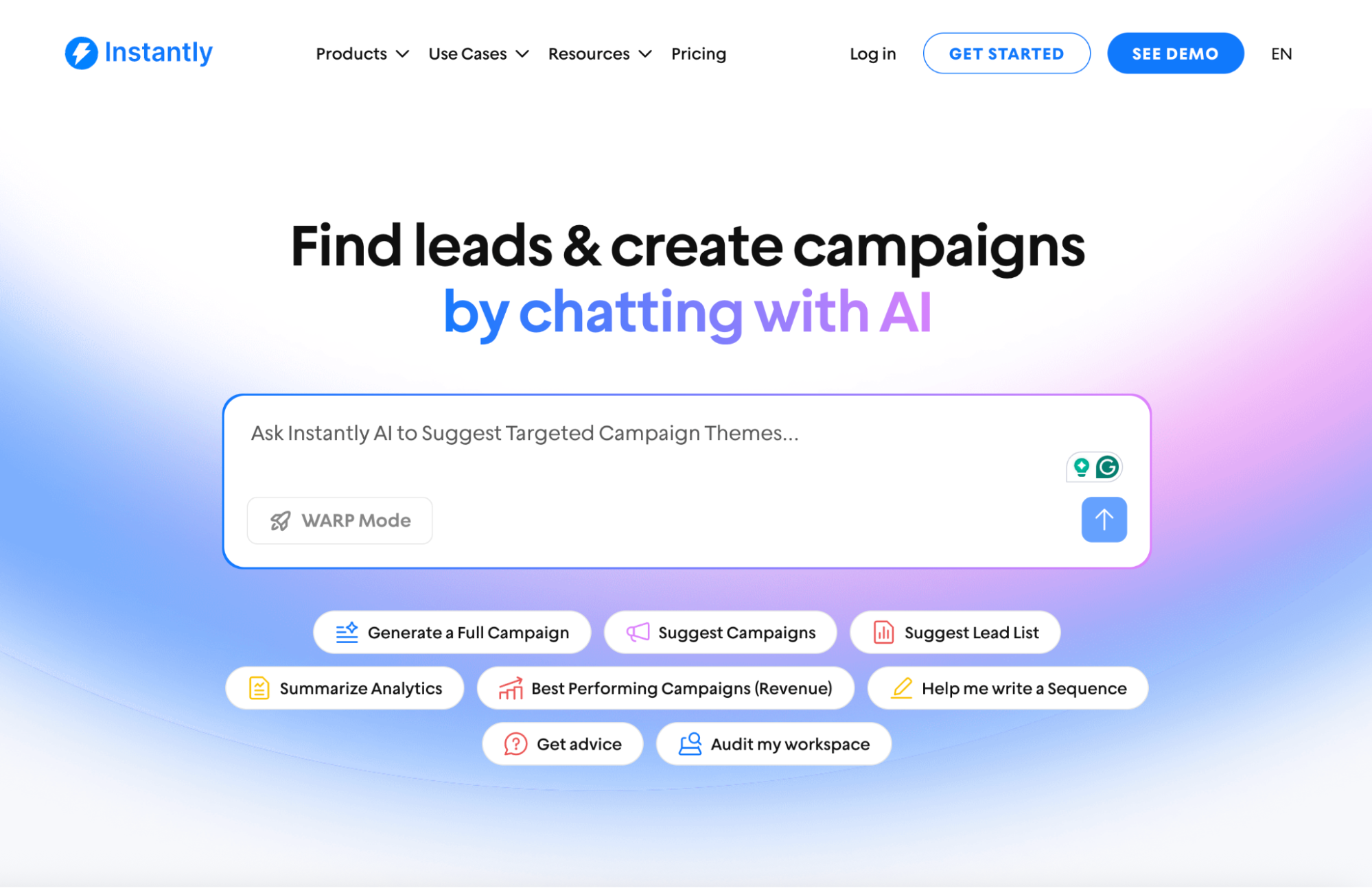
If you’re using a platform like Instantly, a lot of those stages can live in one place. For instance, Instantly AI Copilot can help build an ICP and use it to find leads through SuperSearch, which also doubles as an enrichment layer.
Unibox centralizes conversations across channels, and the CRM is where lead stages, tags, and context live. You can also add an AI reply agent that responds when it has enough context, and escalates to a rep when it doesn’t.
Step 3: Run the Loop, Then Improve with Feedback
Once the agent has a job (Step 1) and the right tools (Step 2), the rest is execution and iteration. Keep it simple: decide when the agent can act on its own, make its outputs consistent, then review results on a weekly rhythm.
Start by defining the level of autonomy the agent receives. In clear, low-risk situations, it can proceed automatically. When context is incomplete or the decision is borderline, it should draft and queue the next step for a human to review.
You want the same output every time, so it’s easy to scan and easy to log. At a minimum: a fit score with a short reason, a recommended next step, a draft when outreach is involved, and a CRM note that captures what happened and why. This is also where CRM automation starts to matter, because your workflow is only as reliable as the system that records it.
AI Agent Template Examples For Each Pipeline Stage
There are a few ways to build an AI agent. Below, we’ll walk through different platforms and workflows you can use to create one. Start simple, test what performs, then turn the best setups into repeatable agent templates.
Using ChatGPT’s AI Agent Mode
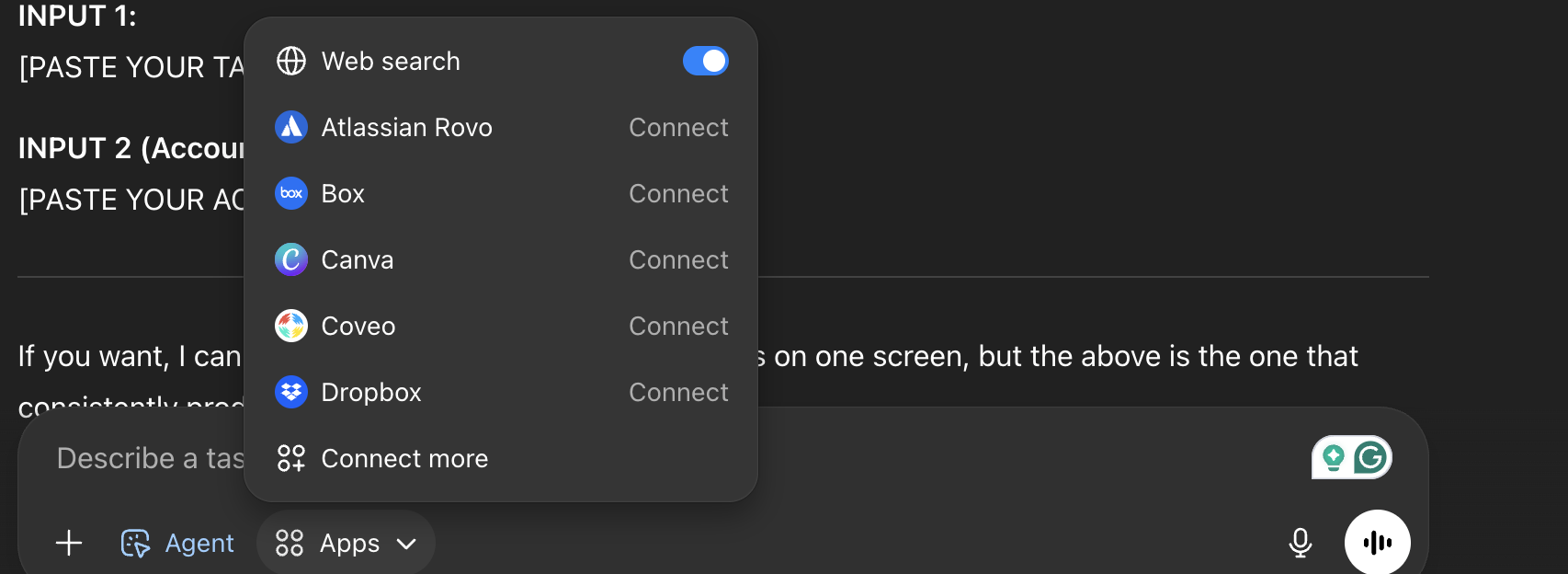
If you have ChatGPT Plus or Pro, you don’t have to look far if you’re planning to dip your toes into agentic workflows. ChatGPT has its own AI Agent Mode that can use tools like Atlassian Rovo, Canva, and Dropbox. The only issue is that you have a limited number of uses monthly.
How can you leverage this in your own workflows? There are two options to consider: Agent Mode and Deep Research. Think of Deep Research as your strategist and Agent Mode as your operator.
How this shows up in outbound (prospecting + research):
Use Deep Research to generate a high-quality target list with real reasons each account belongs on it. Instead of “Here are 100 SaaS companies,” you get: “Here are 25 that match your ICP and have a trigger worth messaging, with sources.”
Example prompt template for Deep Research:
Find 20 companies that match this ICP: {{ICP}}. Prioritize accounts with a recent trigger in the last 90 days (funding, hiring, product launch, compliance change). Return a table with: company, trigger, why it matters, suggested angle, and sources.
AI Agent Mode prompt template:
Take this target table and generate: (1) 3 personalization angles per account, (2) a 5-step email sequence with light variation, (3) a call opener + 2 objection responses, and (4) a CSV with columns ready to import into Google Sheets.
Results example for Deep Research:
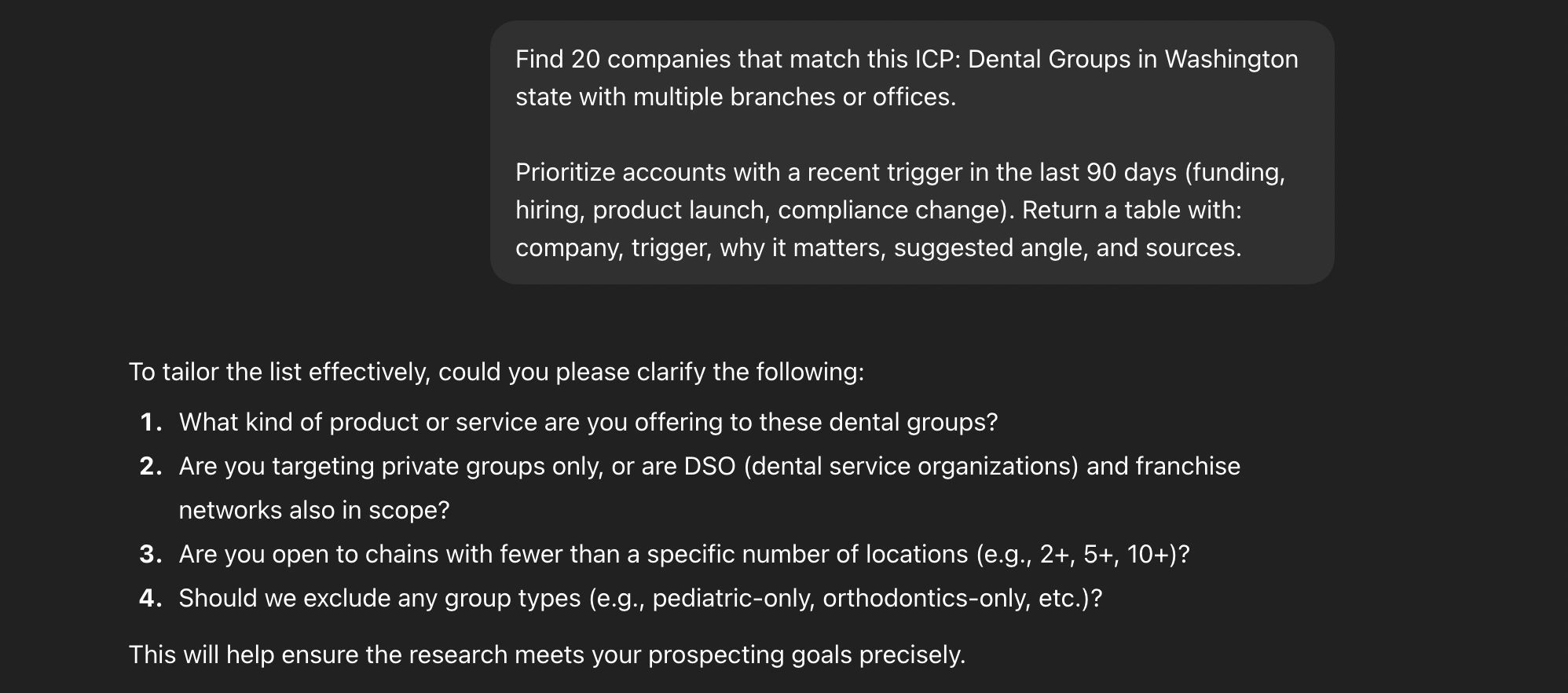
The only issue is that this isn’t as scalable as a traditional prospecting tool. It also takes 13 minutes (in this example) to find 20 leads with enriched data.
Results example for AI Agent Mode:
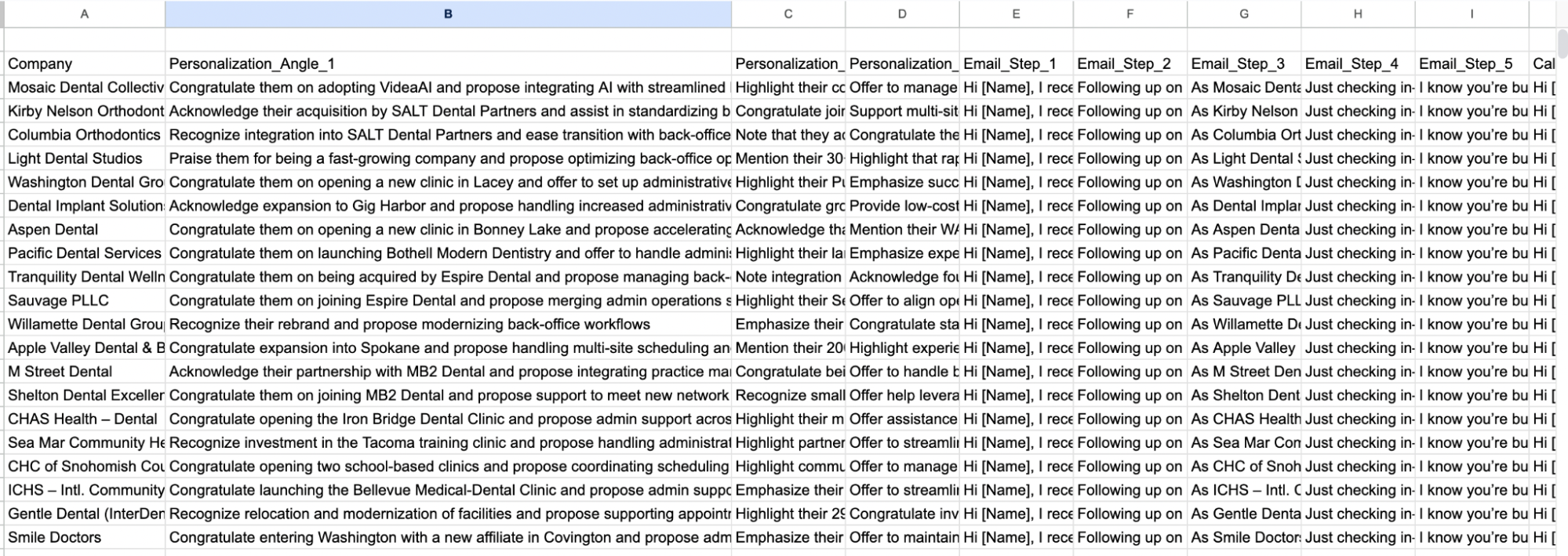
With Deep Research + Agent Mode, you can do a lot to enable your sales team. But there are still tons of manual back-and-forth data entry between ChatGPT and your CRMs and outreach platform. To achieve the best results with this workflow, you’ll need specialized tools.
ICP + Prospecting & Enrichment + Personalization + Outreach + CRM
Most sales processes consist of these four essential steps: building an ICP, finding leads who fit your ICP, personalizing emails for each lead, and reaching out, all managed in one CRM. That’s a complicated process to stitch together using no-code AI agent building platforms.
If you want something convenient, fast, and powerful, Instantly has you covered with Copilot, SuperSearch, AI Reply Agent, and Instantly CRM. Here’s an AI agent template you can use with Instantly.
Start with Instantly Copilot to build your ICP and Find and Enrich Ideal Prospects :
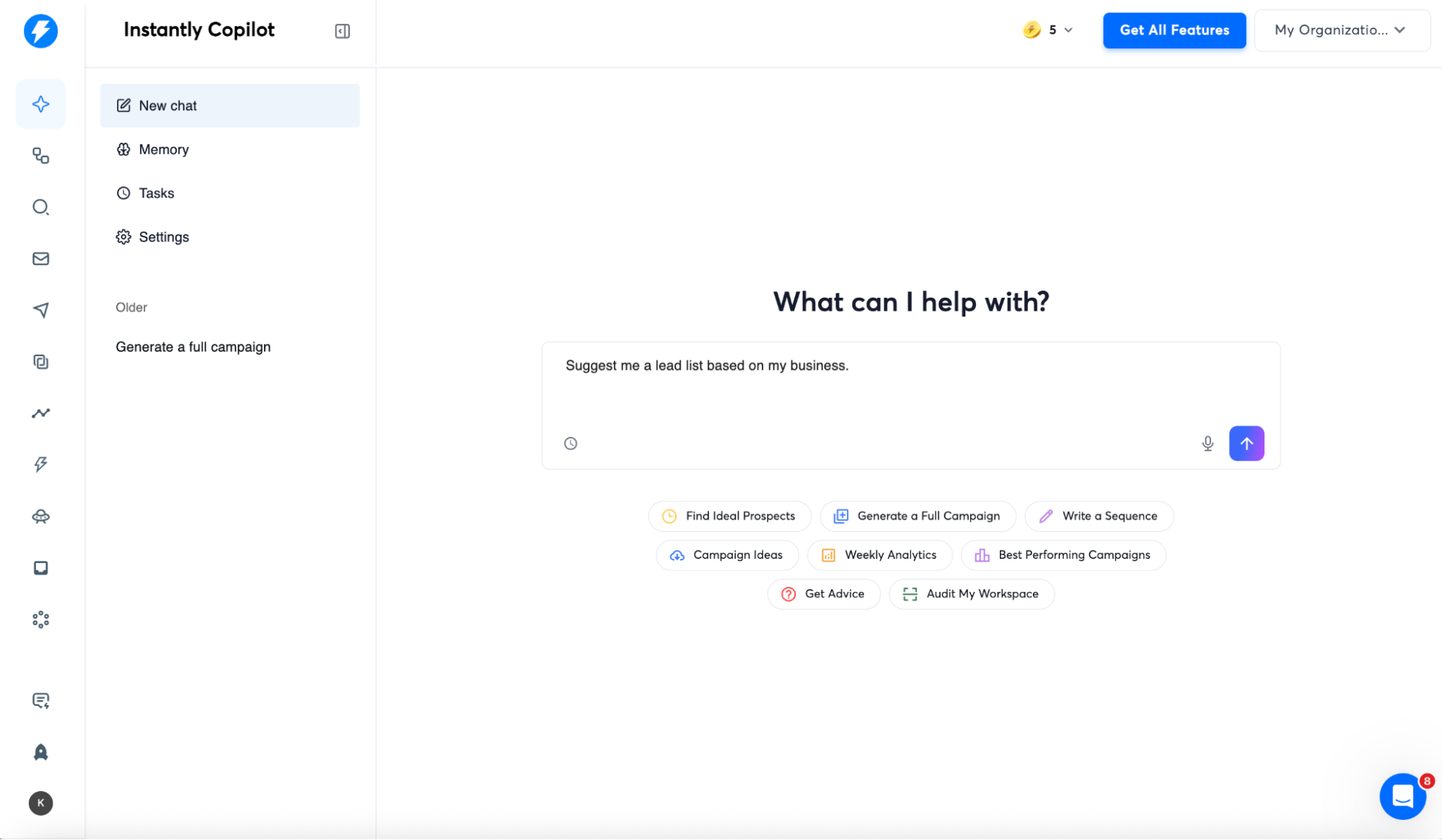
Instantly Copilot has several AI agent templates ready for use. In this example, we’ll ask Copilot to find our ideal leads. It’ll ask you for additional information about your services, the leads you’re trying to find, and any other necessary criteria.
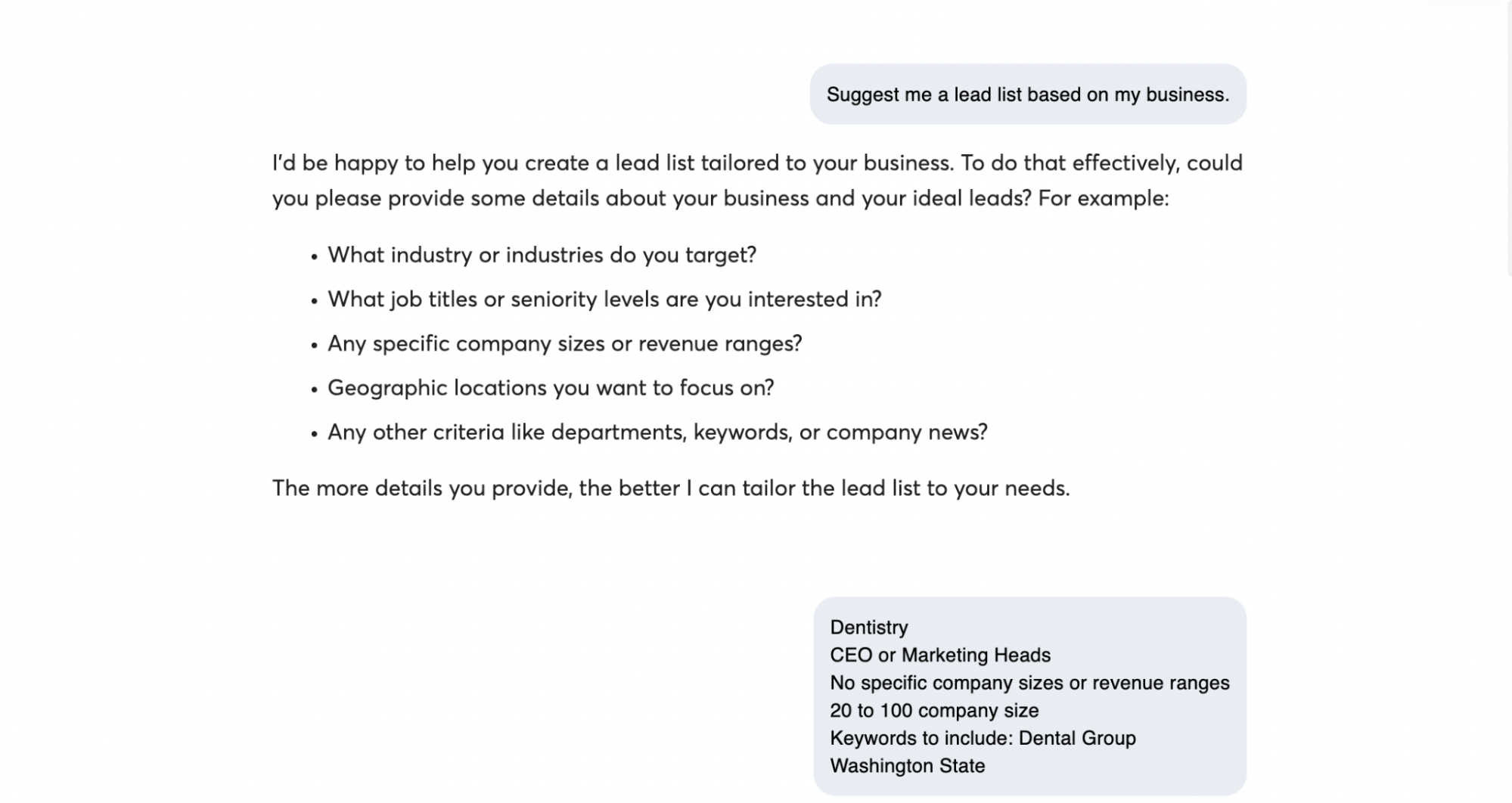
After you’ve finished giving Copilot what you’re looking for, it’ll find leads who fit your criteria using SuperSearch.
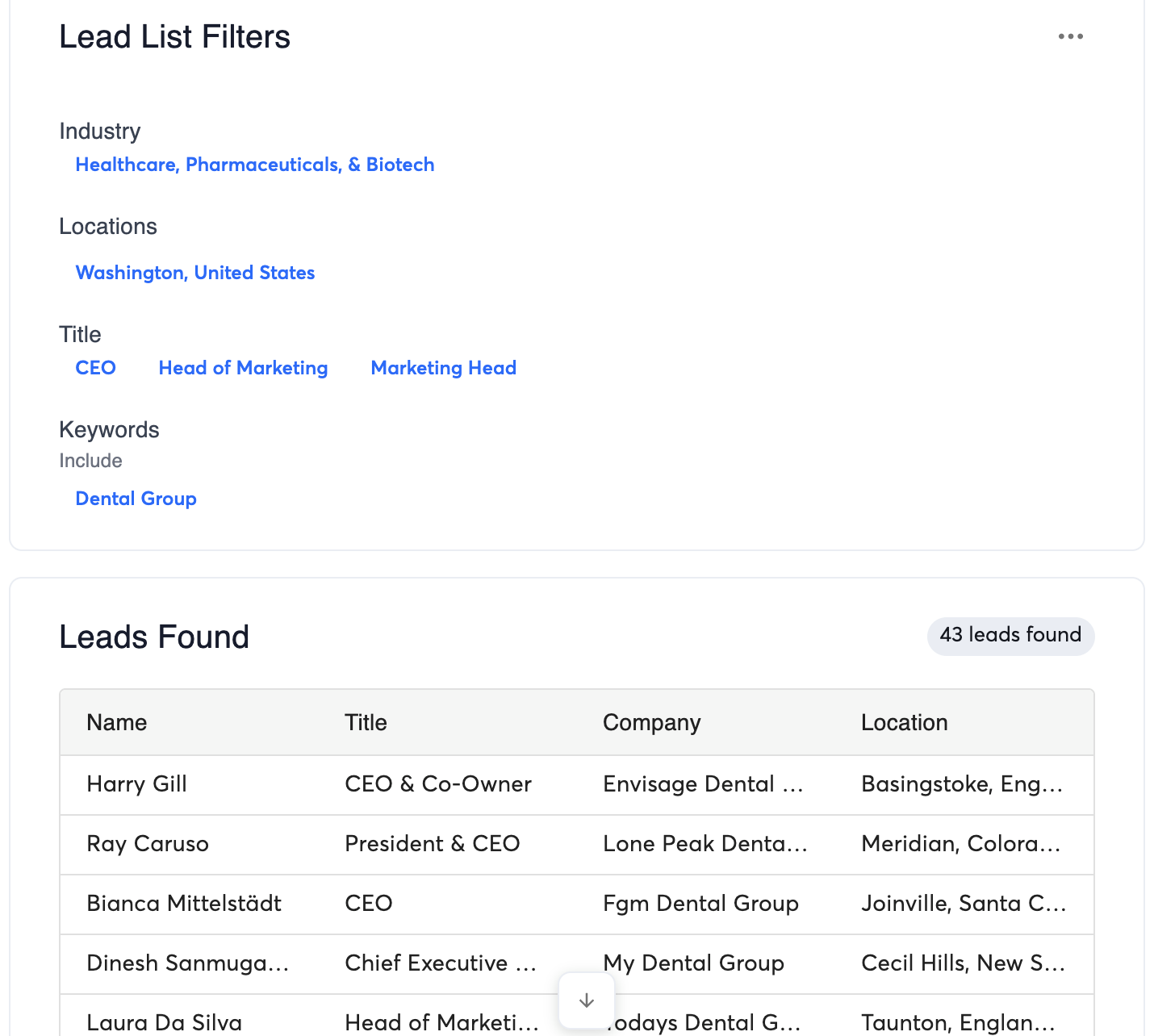
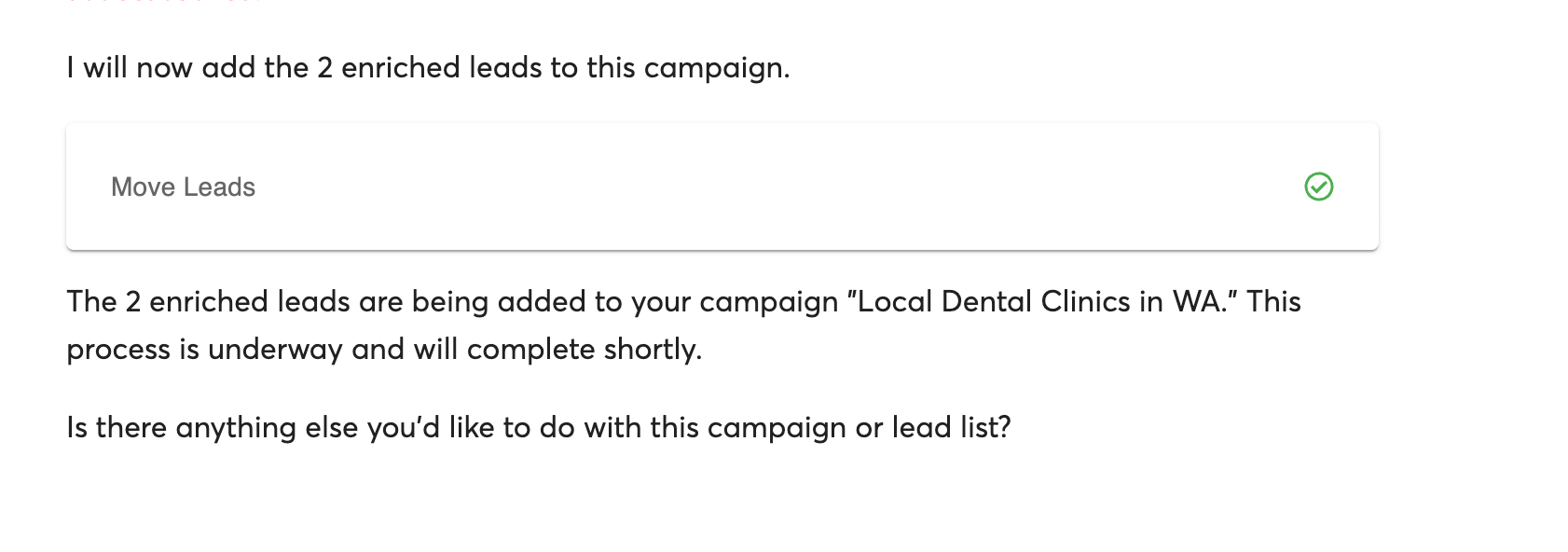
Then it’ll ask you if you’re ready to enrich the lead list with contact information and other information you can use for personalization later. Copilot can also add the leads directly to any active or new campaign.
Use the AI Sequence Writer to Automate Personalization and Outreach Sequences
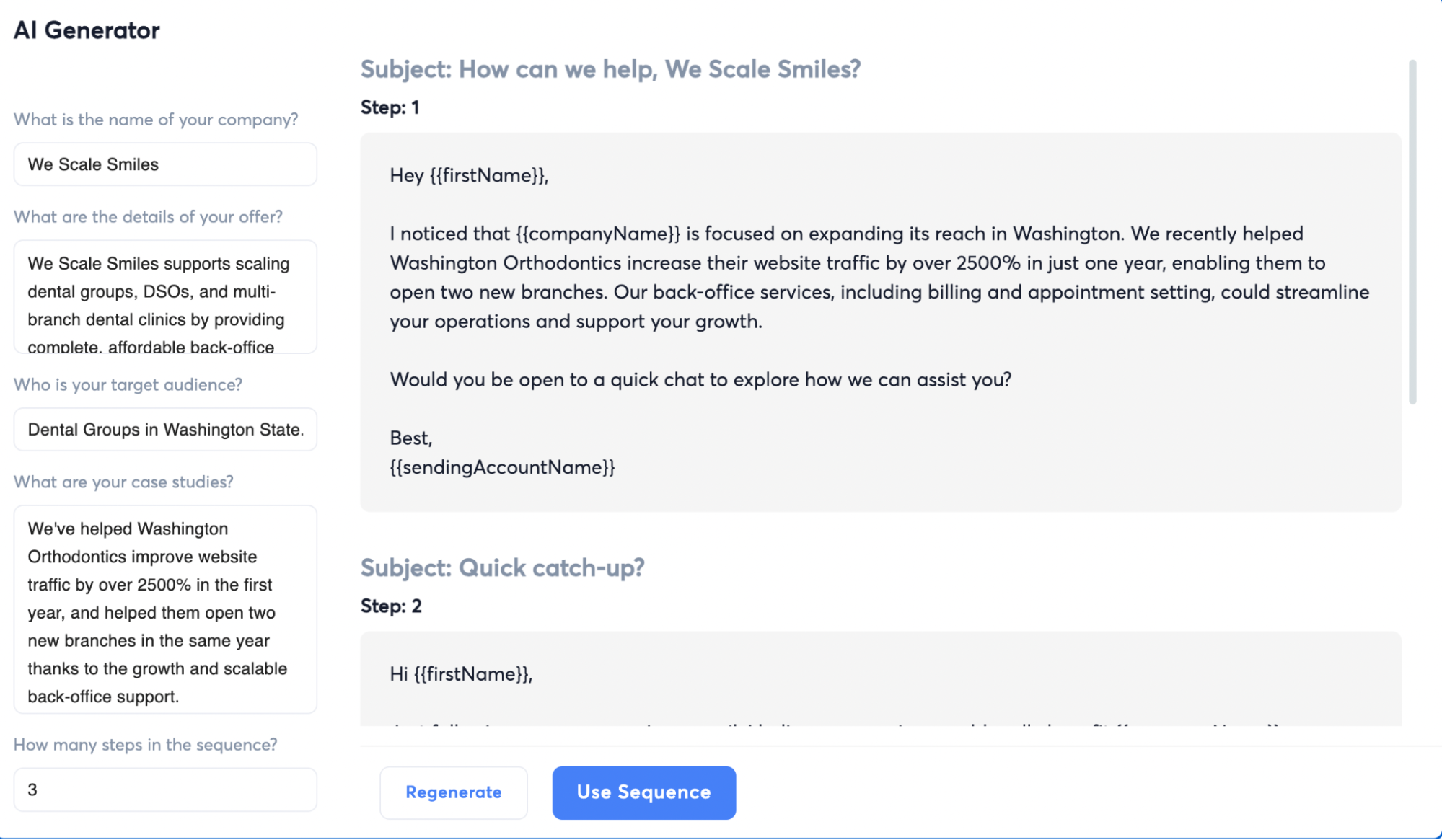
If you don’t know how to make a solid introduction email, Instantly’s AI Sequence Writer can create the entire campaign for you. It’ll ask you questions about your services, case studies, the number of steps in the sequence, and the audience.
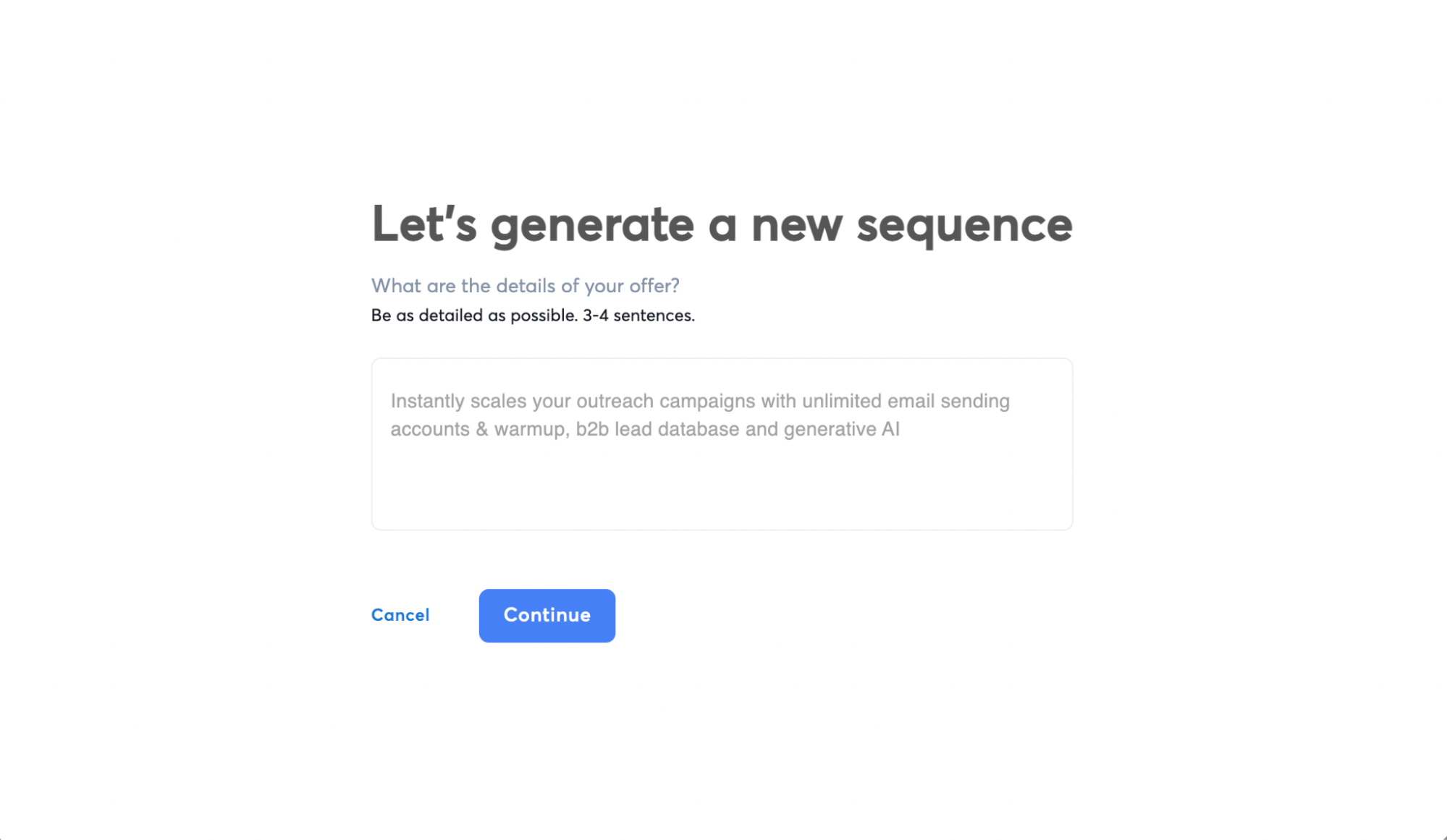
Then, it’ll create a template you can work on and further personalize using {{custom variables}} that you can make using enriched lead data. The best part is that the sequence already includes the cold email and follow-ups, and you can create Spintax using the email editor.
Manage the Pipeline Inside Instantly CRM (Then Let the Reply Agent Run Point)
Once Copilot has sourced and enriched your list, the next problem is always the same: keeping your pipeline clean while replies start flying in. This is where Instantly CRM + the AI Reply Agent feels less like “another tool” and more like a system you can trust.
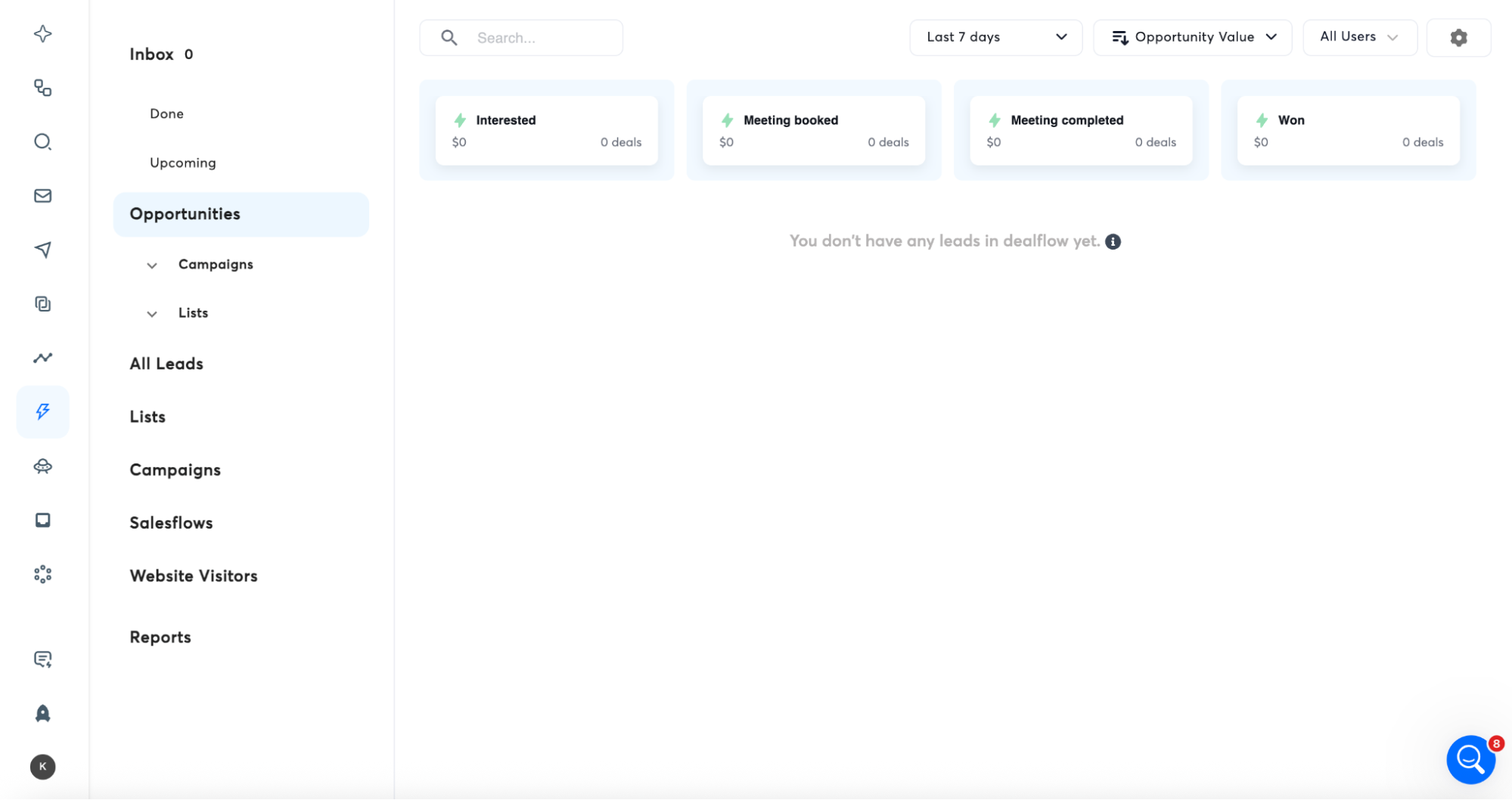
Instantly CRM is where you turn cold outreach into a visible pipeline. Instead of juggling tabs, notes, and “where did that lead go?” spreadsheets, you can move leads through stages, assign tasks, and keep every conversation tied to one record.
- New Leads (just added, not contacted yet)
- Contacted (sequence started)
- Engaged (replied, positive or neutral)
- Objection (pricing, timing, already using a competitor, etc.)
- Booked (meeting scheduled)
- Closed Won / Closed Lost
Now the fun part: the AI Reply Agent helps you keep that pipeline updated without babysitting your inbox. It automatically reads incoming replies, responds with the right play (answer a question, handle an objection, send a follow-up, share your calendar link), and updates the CRM status so your pipeline doesn’t rot in real time. That means you get:
- Faster response times without living in your inbox
- Consistent objection handling across every rep and every thread
- Auto-updated stages so you can trust your numbers
Key Takeaways
AI Agent templates help you get started with the logic behind agential workflows. There are several tools and platforms you can use to create your own agents using the templates as a basis. But if you want something that’s a bit more plug-and-play, look no further than Instantly.
Instantly has all the essential AI agents you need to help you scale cold outreach. The best part is that you can test-drive all the features, from Instantly Copilot to the AI Reply Agent. Try Instantly for free today.


