


AI outbound sales replaces slow, manual prospecting with structured automation across the funnel. By orchestrating a stack that combines LLMs for research, waterfall enrichment for data accuracy, and automated reply agents for engagement, teams can scale volume without dropping context.
The result is a rigorous, self-correcting system that handles prospecting and initial contact, leaving your reps free to close.
AI hasn’t changed how SDRs do sales. It only accelerated what works and helped teams scale the process. If your SDRs already have decent targeting, clean data, and a message that doesn’t sound like it was printed on a cereal box, AI helps them do more of it with less effort.
The problem is that most teams are barely scratching the surface. There’s so much more to it than just automating sales emails. In this guide, you’ll see what an effective AI outbound workflow looks like and how to scale without compromising relevance or control.
What Tools Do You Need for AI Outbound Sales?
AI can exist in every stage of the sales funnel. Some AI tools even converse with prospects on a discovery call. But if you want to get started with AI outbound sales, your outbound sales stack should include the following:
A Large Language Model (LLM)
LLMs like ChatGPT, Claude, and Perplexity are essential to any AI stack due to their flexibility. It acts as the conversational interface that your team can use to generate tasks. It’s also common to see teams combine multiple LLMs within an AI workflow orchestration platform, such as n8n.

In the example above, the AI workflow leverages Perplexity for research on recent news about competitors and ChatGPT to create an email based on the information. But the same effect can be achieved in outreach and prospecting tools as well with the right integrations.
AI Prospecting, Research, and Enrichment Tools
Prospecting with AI is the ultimate cheat code. Reps don’t have to spend hours building an ideal customer profile (ICP), finding leads, and enriching data. You don’t even need to run LLMs through platforms like Make or n8n. SuperSearch handles everything under one roof.
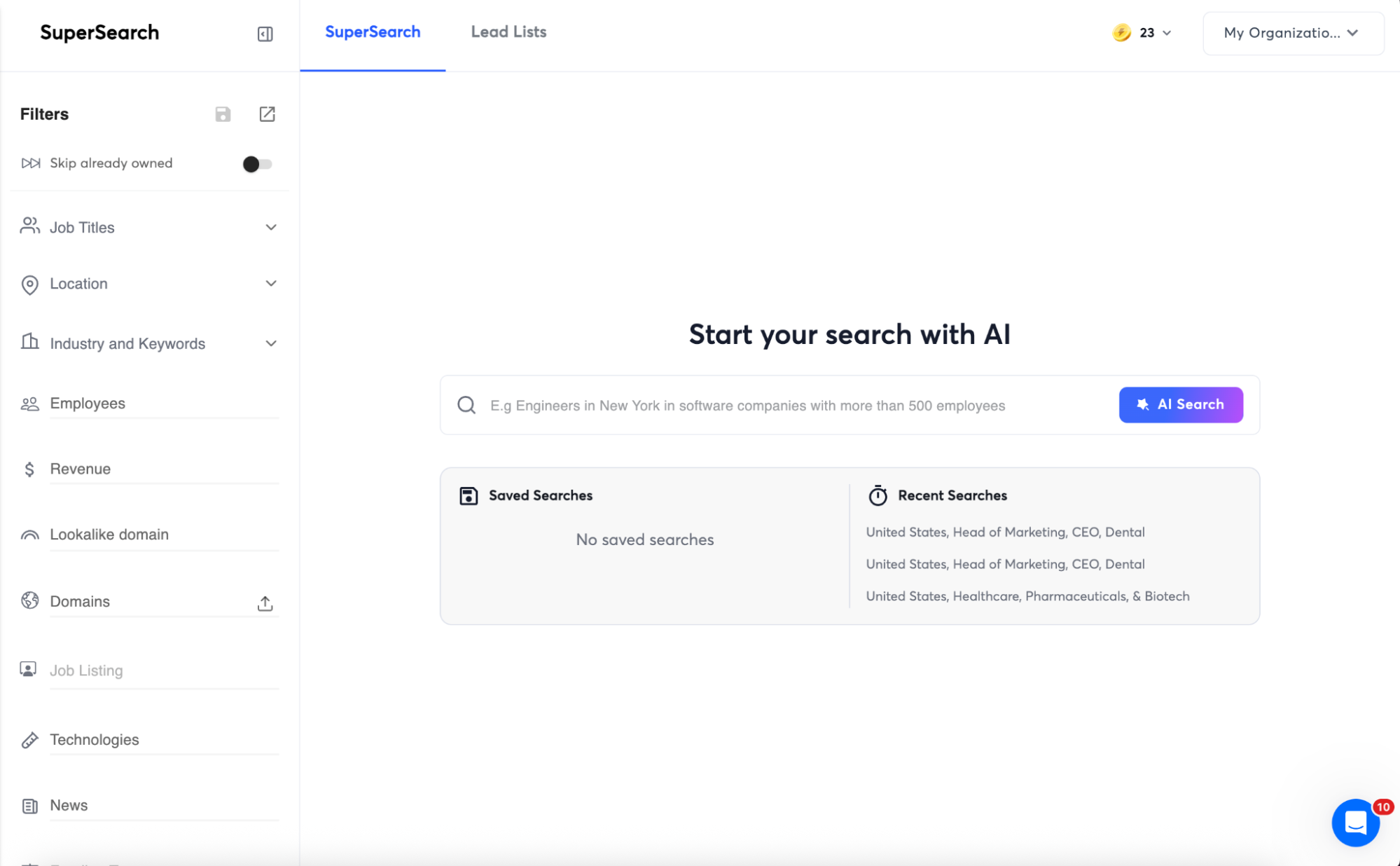
You can use SuperSearch’s AI Search feature to find verified leads that fit your ICP. Then, you get to choose the type of enrichment. That means you don’t just get contact information; you also get details on company descriptions, departments, size, and more.

Outreach AI and Personalization Automation Tools
You can always use ChatGPT to create sales email templates. But the better play is to integrate LLMs with your outreach tool. LLMs can use your enriched lead lists to create personalized emails tailored to each company's descriptions, pain points, and more.
So, ensure that you have an outreach tool that integrates with your favorite LLM. With Instanly, ChatGPT integrations are as simple as plugging in your API key. Alternatively, you can use Instantly Credits to access different AI models on the platform, no account needed.
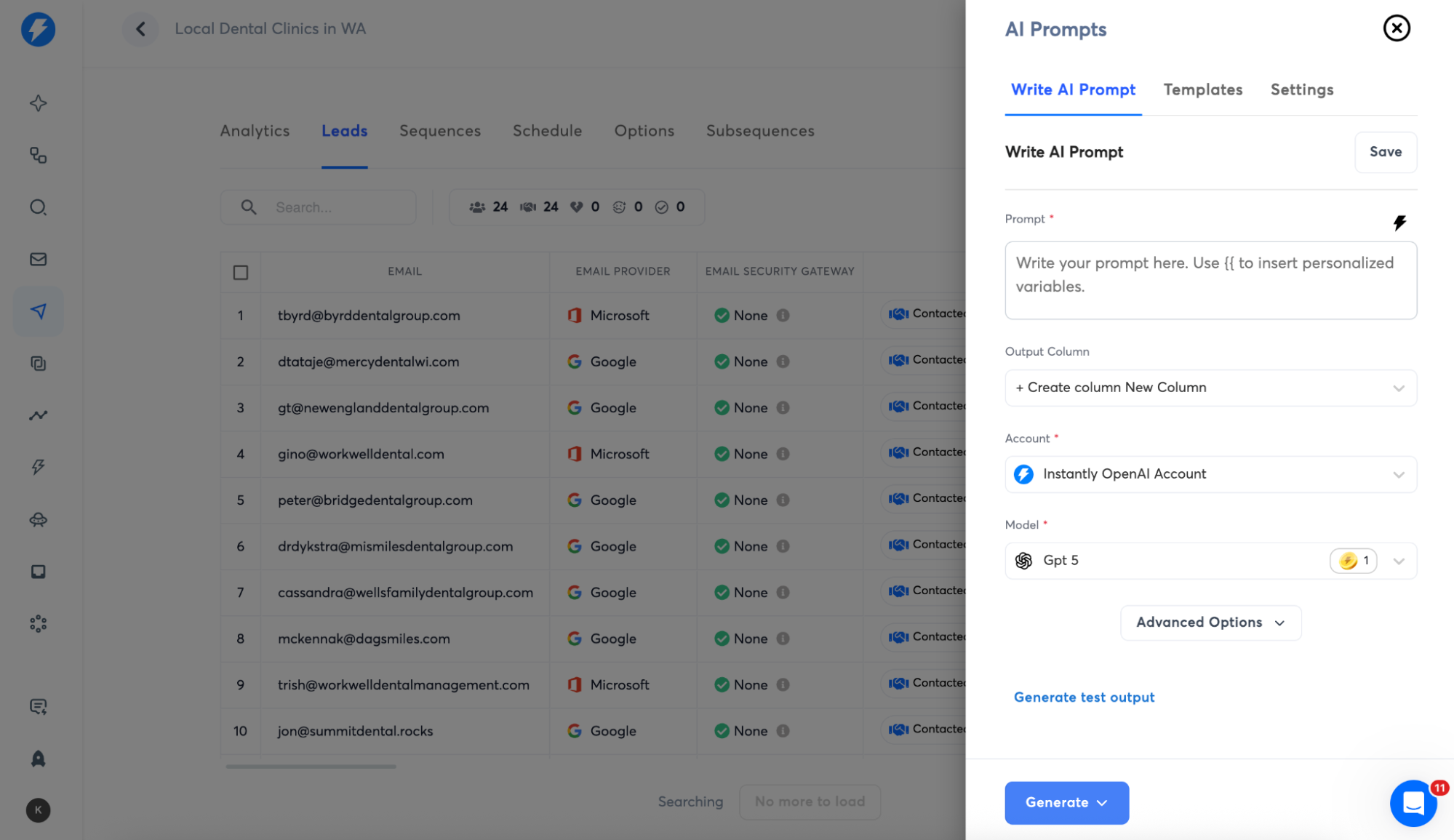
You can use your own AI prompts or tested, proven prompts from our community. For example, let’s try using one of the AI prompt templates called “Company Compliment.” It takes the input from your enriched leads (which gathered company information).

Then you can use that as a {{custom_variable}} and plug it into the email editor. That means every lead gets something tailored to what they value most.

AI Reply Agent
The main reason you’d want to use AI for outbound sales is the ability to automate at scale. And if you’re sending 20,000 emails monthly, even at a 1% to 3% reply rate, you’re getting 200 to 600 opportunities. To manage that large a volume, you’ll need the help of an AI reply agent.
AI reply agents differ from automated templated responses because they can understand context. For example, an AI reply agent can attach requested files, schedule meetings, or respond to questions. However, you always want to put guardrails in case things get complex.

With Instantly’s AI Reply Agent, you can choose between HITL (Human-In-The-Loop) and Autopilot. The best part is that even with Autopilot mode, Instantly still sets guardrails, such as:
- Smart Pausing: The AI only sends a response when it's confident. If it's unsure about context or missing product info, it automatically pauses and asks for your review instead.
- Duplicate Prevention: Won't send duplicate replies if you manually respond first.
- Complex Conversation Routing: Automatically routes complex conversations to your team via Slack notifications and the Activity section.
Lead Management AI
A clean pipeline is a system you can trust. But you don’t just want housekeeping in your sales pipeline. You want a lead management AI that actually supports your reps as you scale volume.
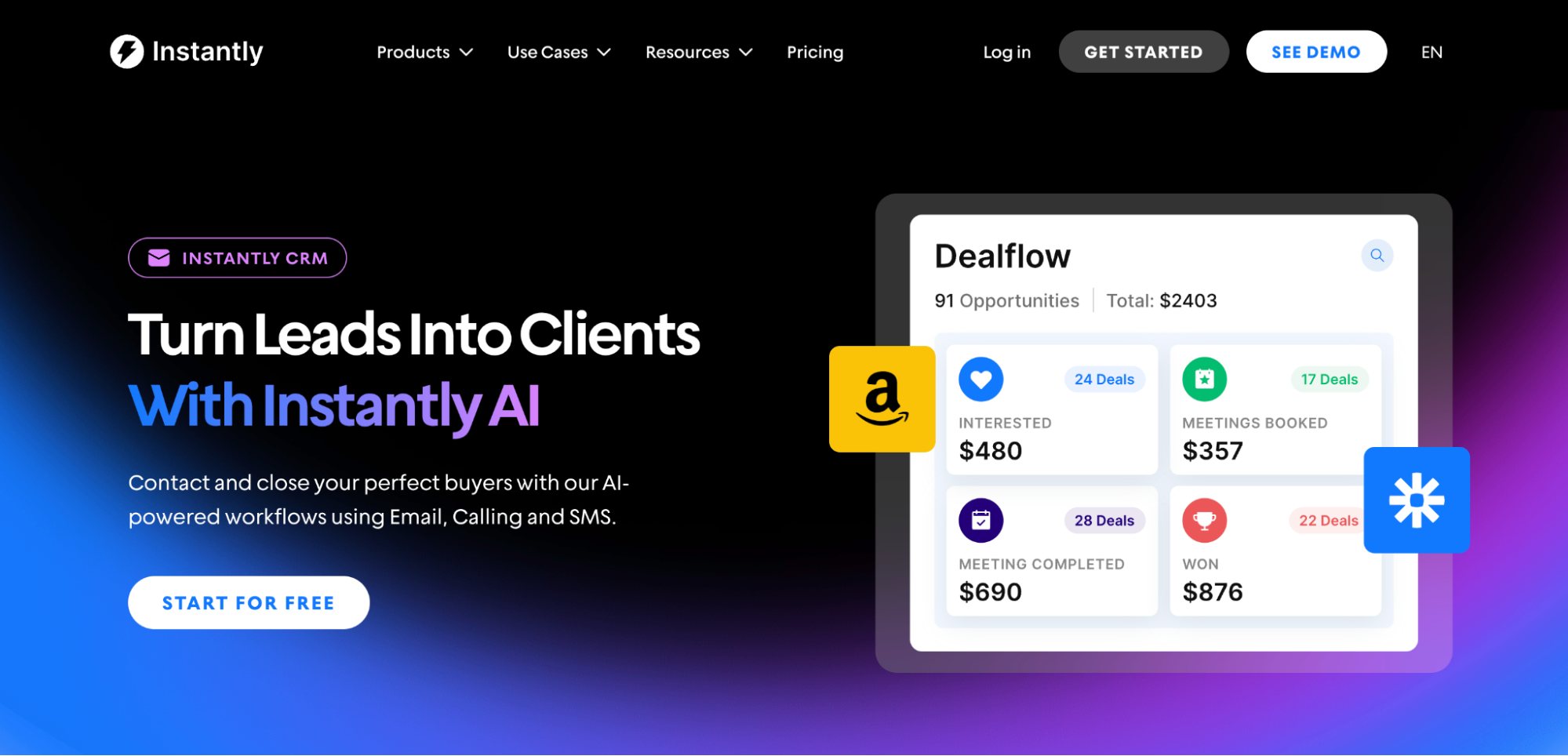
Instantly CRM is built for cold outreach automation. So, it doesn’t feel like you’re forcing a traditional CRM to cosplay as an outbound tool. You can email, SMS, and make calls inside one platform, and track it all in a Unified Inbox so conversations don’t get lost.
Here’s what you get:
- Stage tracking: Opportunity management built for outbound motion.
- Messaging support at scale: AI personalization + company insights.
- Segment-specific workflows: Custom sales flows so each ICP gets the proper sequence.
How to Use AI in the Lead Generation Process?
Where AI really shines is lead generation and prospecting. Hours of research, enrichment, and messy spreadsheets turn into a clean table in minutes. That’s because AI agents can visit prospect websites and pull specific data you can use for personalization.
Best Tools for Prospecting and Enrichment

Clay is built for this, and Claygent is the one who digs for information. Give it a list of domains, tell it what you need to find, and it pulls the answers back into your table so you can qualify accounts, segment your list, and generate personalization without starting from scratch.
And because Clay has native integrations with Instantly, once you build an enriched lead list, you can send it straight to your Instantly outreach campaigns. The custom columns you created can be used as {{custom_variables}} in the email editor (we’ll get to AI personalization later).
AI Prospecting for Outbound Sales Using Instantly
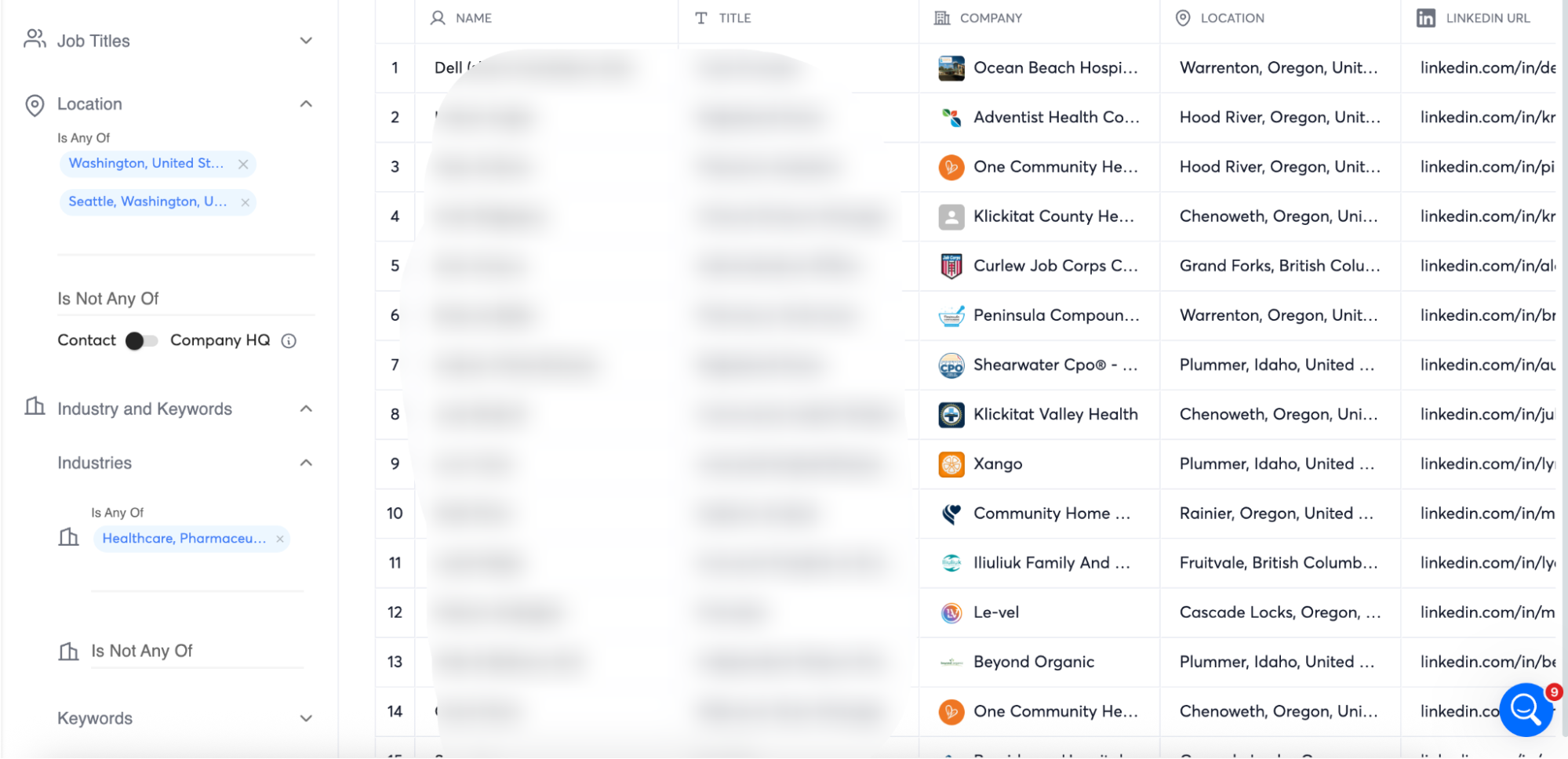
But if you want the most streamlined approach that combines prospecting, validation, and enrichment, the best tool for the job is Instantly + SuperSearch. You can use the filters to find your ICP or use Instantly Copilot to build one for you. Then, SuperSearch will start prospecting.
After building your list, you can go to Instantly CRM and enrich your lead data. There’s no need for third-party integrations, making it one of the best B2B sales CRM if you want to launch your GTM strategies ASAP.
Then, you can use customized prompts; in short, you get to tell Instantly’s AI Web Researcher the exact info you want it to pull and add to your columns, which we’ll use later for personalization.

How to Personalize Outbound Sales Emails Using AI
The most obvious way to leverage AI in outbound sales is through personalization and email copy automation. If your outbound tool only allows basic personalization variables like {{firstName}} and {{companyName}}, it’s best to segment leads and use templates for each one.
This way, you can use LLMs like ChatGPT to learn about your products or services, value propositions, and audience, then create email templates for each segment. But the best way to use AI for personalization is to utilize enriched lead data. Here’s how you do that with Instantly:
AI Personalization at Scale Using Instantly
Create a new campaign, then import your enriched lead list. On the Leads tab, you’ll see the AI Prompts Icon on the top right.

From here, we’ll use either custom prompts or templates from our Instantly community to create {{custom_variables}} we can use in the email editor later. For this example, we’ll use a lead list enriched with information on {{RecentEvents}} our prospect’s company joined.
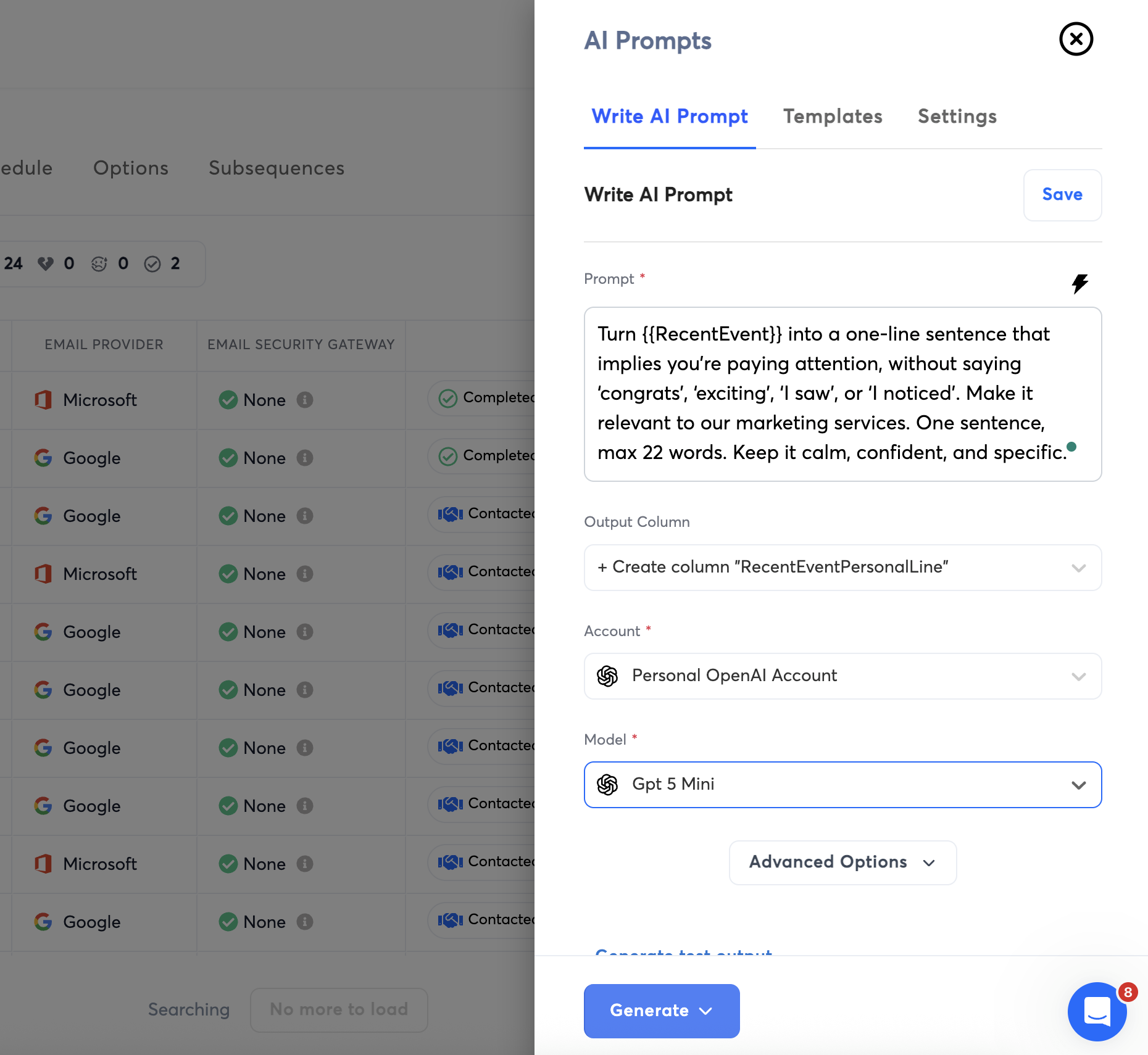
Then, Instantly will create a new column called {{RecentEventPersonalLine}} with the one-liner we can use as a custom variable. You can choose to connect your own LLM account or use Instantly’s LLMs.

Now, every lead on your list will have a personalized introduction that’s relevant and timely for your prospects. But if you’re sending at scale, using the exact wording for thousands of emails, that can still raise red flags. That’s why you have to use Spintax to protect deliverability.
Creating Spintax Using AI
Adding spintax is an essential step to ensuring each email is as unique as possible. Spintax generates variations of your email while keeping the core message intact. With Instantly, you can do it with just one click inside the email editor.

Leveraging AI For Cold Email Automation and Nurture Sequences
One of the biggest red flags for email service providers is bulk sending behavior. Before you launch campaigns at scale, make sure your outreach platform uses AI to smooth sending patterns and enforce guardrails so you don’t torch your reputation while you’re trying to grow.
At minimum, you want controls like:
- Time gaps between emails: Set a minimum delay between sends, plus randomization, so your cadence doesn’t look machine-perfect.
- One account per time gap: Forces spacing by sending from a single mailbox at a time instead of blasting in parallel.
- ESP matching: Align your sending provider to your recipients’ providers across campaigns to reduce friction.
Then you want deliverability protection baked in, not bolted on:
- High-risk recipient skipping: Automatically avoids addresses likely to bounce.
- Auto-pausing on bounce spikes: Stops campaigns before a bad list wrecks your domain.
- AI lead filtering: Flags leads unlikely to respond, so you can skip them or send them last.
- Daily limits: Caps send per campaign and per account to keep volume sane.
- Company/domain limits: Prevents you from hammering the same domain in a single day.
Advanced Cold Email Automation and Triggers
You can’t watch over your sales pipelines 24/7. If interested leads reply to your cold email and don’t get an immediate response, they could lose interest and go with the vendor that answers their queries first.
That’s where automations and triggers actually earn their keep. Instantly gives you two ways to do this:
Automation Builder: Build simple “if this, then that” workflows. A lead replies, clicks, gets marked Interested, finishes a campaign without responding, whatever, and Instantly can automatically take the next step for you. Common triggers include:
- Lead replies
- Link click/email open
- Lead added to a list
- Campaign finished for a lead
- Campaign completed without reply
- Lead interest status changed
Subsequences:
When a lead reaches a specific status or takes a meaningful action (such as clicking a link), you can automatically push them to a different follow-up path. Subsequences can trigger off:
- Any lead status (Interested, Meeting booked, Not interested, etc.)
- Custom statuses you create
- Activities like opens and clicks
And if you want to connect this to the rest of your stack, Instantly also integrates with tools like Zapier and Pabbly, and you can tie it into LinkedIn prospecting using tools like HeyReach, Aimfox, and Valley for multichannel plays.
Find Your Best Performing Email With A/B Testing Automation
At scale, you’re sending to thousands of leads monthly. To make the most of the volume, ensure you’re sending your best-performing email. What’s the point of sending poor-performing emails to the rest of your leads?
That means during campaigns, you shouldn’t rely on just one email copy. You need to create variations for A/B testing. Most AI sales outreach platforms already have A/B testing features. The issue is that most are also limited to what you can test.
With Instantly, you get A/Z testing. You can test every element of your email copy from the Subject lines down to your CTA. Then, Instantly can find your best-performing email based on metrics like reply, open, or click rate, and send that to the rest of your leads.
Key Takeaways
AI enables your team to scale its outbound sales strategy. Prospecting is cut down to minutes, outreach and lead management are automated, allowing reps to focus on closing. And if you want the fastest way to get started with AI outbound, there’s no better platform than Instantly.
Get access to over 450 million pre-verified leads, automate personalization at scale, and manage every lead interaction in one convenient platform. Try it for free today.


