


Updated January 31, 2026
TL;DR: For freelancers and solo users, free extensions like Mailtrack or Streak handle basic open tracking inside Gmail. But if you manage 10+ client inboxes, extensions create a "tab nightmare" with no unified analytics or deliverability protection. Agency operators scaling cold outreach switch to platform-based tracking like Instantly, which offers unlimited email accounts on a flat fee, a unified inbox for all replies, and built-in warmup to protect sender reputation. The choice comes down to convenience for one inbox versus control across many.
Sending proposals without knowing if anyone reads them feels like shouting into a void. You craft the perfect pitch, hit send, and then wait. Did they open it? Did the attachment load? Did Google dump you into spam?
For freelancers, a free Chrome extension solves this problem in seconds. But if you run an agency managing dozens of client accounts, browser extensions become a bottleneck. Effective cold email outreach at agency scale requires unified tracking, deliverability controls, and flat-fee economics, none of which Chrome extensions are built to provide. This guide compares the top 10 extensions for Gmail and explains when you should upgrade to a dedicated outreach platform.
We tested each extension on Chrome across multiple Gmail and Google Workspace accounts over 30 days, evaluating notification speed, tracking accuracy, UI integration, and performance impact on browser resources. For agencies that have outgrown extensions, Instantly is the cold email automation tool that consolidates tracking, warmup, and campaign management across unlimited inboxes in one flat-fee platform.
What is email tracking and how does it work?
Email tracking tells you when someone opens your message. Most trackers embed a tiny, invisible image (called a pixel) into the email body. When the recipient opens the email, the image loads from a server and sends a signal back to you.
The process is simple. You compose an email, the extension inserts the pixel, and when the recipient opens it, you get a notification. Some tools also track link clicks by routing URLs through their servers first.
Key terms to know:
- Open rate: The percentage of recipients who opened your email out of all emails sent.
- Click-through rate (CTR): The percentage of recipients who clicked a link inside your email.
- Sender reputation: A score email providers assign to your sending address based on behavior. Good reputation lands you in primary inboxes. Bad reputation sends you to spam.
- Deliverability: Your ability to reach inboxes instead of spam folders or bouncing entirely.
- Chrome extension: A small program that adds features to your browser, like tracking inside Gmail.
- CRM: Software that organizes interactions with prospects and customers.
According to Nutshell's tracking guide, tracking pixels are 1x1 pixel images often placed in the header or footer, making them invisible to recipients. The pixel fires when images load, which means tracking can fail if the recipient blocks images or uses privacy tools.
Why does this matter? Follow up when interest is high. If someone opened your proposal three times in two hours, that is a better call target than the inbox zero-er who deleted without reading.
Top 10 email tracking Chrome extensions for Gmail
I evaluated these extensions across free tier limits, branding requirements, pricing, and user ratings on the Chrome Web Store. Here is what each tool offers and where it falls short.
1. Mailtrack
Best for: Freelancers and individuals who need simple, free tracking.
Key features:
- Unlimited email open tracking on free plan
- Real-time desktop notifications
- Double checkmark system (single = sent, double = opened)
- Daily tracking reports
Pros:
- Truly unlimited tracking at no cost
- Simple visual indicators inside Gmail
- Works immediately after installation
Cons:
- Adds "Sent with Mailtrack" signature on free plan
- No link tracking without upgrade
- Basic history only
Pricing: Free forever with branding. PRO plan at $4.99/month removes the signature and adds link tracking. The Chrome Web Store listing shows a 4.4/5 rating.
Verdict: The go-to choice for individuals who can tolerate the signature. Upgrade to PRO if you send client-facing emails where branding looks unprofessional.
2. Streak CRM
Best for: Sales teams who want a CRM built into Gmail.
Key features:
- Email tracking integrated with pipeline management
- Mail merge capabilities
- Customizable workflows and stages
- Contact and deal organization
Pros:
- Full CRM without leaving Gmail
- No forced branding on tracked emails
- Free plan available for individuals
Cons:
- Can feel heavy if you only need tracking
- Advanced pipeline features require paid plans
- Learning curve for CRM setup
Pricing: Free, Solo, Pro, and Enterprise tiers. Free plan works for unlimited time with basic features. Streak has 600,000 users and a 4.5/5 Chrome Web Store rating.
Verdict: Best if you want tracking plus lightweight CRM inside Gmail. Overkill if you already use a dedicated CRM elsewhere.
3. HubSpot Sales
Best for: Teams already invested in the HubSpot ecosystem.
Key features:
- Email tracking and logging to HubSpot CRM
- Email templates and snippets
- Meeting scheduler
- CRM sidebar across the web
Pros:
- Deep integration with HubSpot's full suite
- No branding on tracked emails
- Robust analytics in the HubSpot dashboard
Cons:
- Per-seat pricing adds up fast for agencies
- 3.9/5 Chrome Web Store rating suggests mixed experiences
- Advanced features locked behind paid Sales Hub plans
Pricing: Free basic tracking. Paid Sales Hub plans are required for sequences, automation, and detailed analytics based on user reviews.
Verdict: Great if HubSpot is your CRM. Expensive and heavy if you just need open tracking.
4. GMass
Best for: High-volume cold emailers running mail merges.
Key features:
- Mail merge with personalization
- Schedule bulk campaigns
- Automated follow-up sequences
- Open, click, and bounce tracking
- Bypass Gmail limits via external SMTP
Pros:
- Powerful for mass outreach from Gmail
- Detailed engagement metrics
- Popular among sales teams at large organizations
Cons:
- Removed free plan in January 2024
- Now $25/month minimum after 7-day trial
- Interface feels dated compared to newer tools
Pricing: $25/month after trial, making it one of the more expensive mail merge options for Gmail.
Verdict: Solid for power users who outgrow basic extensions. The lack of a free tier hurts casual users.
5. Mixmax
Best for: Sales teams wanting AI-powered productivity tools.
Key features:
- Email sequences with automation
- Open and click tracking
- Meeting scheduling
- Templates and snippets
Pros:
- Feature-rich for sales engagement
- AI tools for faster selling
- 4.2/5 Chrome Web Store rating
Cons:
- Free plan adds "Sent with Mixmax" signature
- No mail merge on free tier
- SMB plan starts at $29/month
Pricing: Free with branding. SMB plan at $29/month for mail merge and professional features.
Verdict: Strong contender if you need sequences and scheduling alongside tracking. The branding on free kills it for client emails.
6. Yesware
Best for: Sales reps focused on outbound and account-based selling.
Key features:
- Email tracking with engagement analytics
- Automated sequences
- Meeting scheduling
- Salesforce sync
- Email templates
Pros:
- Built for sales workflows
- Over 800,000 total users according to industry reports
- Solid Salesforce integration
Cons:
- Free plan limits tracking to emails sent within the last 24 hours
- 4.2/5 Chrome Web Store rating indicates room for improvement
- Less intuitive than newer competitors
Pricing: Pro at $15/month per user. Premium at $35/month per user adds mail merge, click tracking, and advanced analytics. Enterprise at $65/month per user.
Verdict: Decent for Salesforce-heavy teams. Per-seat pricing hurts agencies managing multiple reps.
7. RightInbox
Best for: Individuals who want productivity features beyond tracking.
Key features:
- Send later scheduling
- Email tracking
- Recurring emails
- Reminders and follow-ups
- Templates and signatures
Pros:
- 250,000+ professionals use it
- 4.6/5 Chrome Web Store rating
- No forced branding reported
- Covers multiple productivity use cases
Cons:
- Free tier limits to 5 emails/month for key features
- Less focused on sales engagement
- Not ideal for high-volume outreach
Pricing: Free with strict limits. Personal Plan at $7.95/month billed annually.
Verdict: Best for professionals who want scheduling and reminders alongside tracking. Not built for campaign-scale outreach.
8. Saleshandy
Best for: Lead generation agencies running cold outreach.
Key features:
- Real-time open and click tracking
- Works directly in Gmail
- Desktop notifications
- No branding on sent emails
Pros:
- Does not add advertising signature
- Free tracking with Saleshandy account
- Designed for cold email workflows
Cons:
- Requires creating a Saleshandy account
- Extension is a companion to the main platform
- Full feature set lives outside Gmail
Pricing: Free extension tracking with account. Outreach plans vary for full platform access.
Verdict: Good entry point if you plan to use Saleshandy's full platform later. The extension alone is basic.
9. Unlimited Email Tracker (Snov.io)
Best for: Teams already using Snov.io for prospecting.
Key features:
- Open and click tracking
- Real-time notifications
- Integration with Snov.io's lead database
Pros:
- Part of a broader sales toolkit
- Freemium model available
Cons:
- Best value comes from using full Snov.io platform
- Less standalone utility than competitors
- Limited documentation on Chrome Web Store
Pricing: Freemium with paid upgrades for advanced features.
Verdict: Consider if Snov.io is already in your stack. Otherwise, standalone trackers offer more for less friction.
10. Email Tracker by CloudHQ
Best for: Individual users who want simple, free tracking without complexity.
Key features:
- Basic open tracking
- Real-time notifications
- Simple interface
Pros:
- Free and straightforward
- CloudHQ extensions generally rate between 4.2 and 4.7 on the Chrome Web Store depending on the specific tool
- Low learning curve
Cons:
- Fewer features than competitors
- Limited analytics depth
- Not designed for team or agency use
Pricing: Free.
Verdict: Solid for personal email tracking with no frills. Agencies will outgrow it immediately.
Free vs. paid: Understanding hidden limits and branding
The word "free" hides real costs. Here is what you actually get.
| Feature | Free Plans | Paid Plans |
|---|---|---|
| Branding | Mailtrack and Mixmax add "Sent with..." signatures | Removed on paid tiers |
| Tracking limits | RightInbox: 5 emails/month per feature. Yesware: 24-hour history only. Mailtrack: unlimited but branded | Unlimited on most paid plans |
| Link tracking | Mailtrack: Not included on free | Included in PRO and above |
| Real-time alerts | Often delayed or limited | Instant notifications |
| Analytics depth | Basic open counts | Click heatmaps, engagement history |
The "unlimited" myth: Free "unlimited" tracking often means unlimited branded emails. Mailtrack gives you unlimited opens but stamps every message. The PRO plan at $4.99/month removes this signature and adds link tracking. For a full ROI analysis comparing flat-fee versus per-seat economics across different sending volumes, see the email API pricing guide with an agency cost calculator
Why branding kills agency credibility: Imagine sending a proposal to a potential $50K client with "Sent with Mailtrack" at the bottom. It screams "I'm on a free plan" and undermines the professionalism you need to close deals.
The agency problem: Why Chrome extensions fail at scale
If you manage 10+ inboxes for clients, extensions create three problems that compound fast.
The multi-inbox nightmare
You cannot install one extension across 50 client accounts easily. While Chrome profiles are recommended for managing multiple Gmail accounts cleanly, the workflow friction remains. Managing separate profiles means 50 browser windows, 50 sets of notifications, and 50 places to check for read receipts.
One agency operator on G2 described the problem simply:
"I find Instantly incredibly beneficial for centralizing all my inboxes, which has notably streamlined my workflow, especially since I manage both MSF and Google inboxes." - Eli A. on G2
Extensions assume one user, one inbox. Agencies operate the opposite way.
Risk of Google account issues
Gmail accounts have a daily sending limit of 500 emails, while Google Workspace allows up to 2,000. Running multiple extensions with high-volume sending increases the chance of hitting limits or triggering spam filters.
Extensions can also conflict with each other. If multiple people send from the same browser, tracking data can cross-contaminate between accounts, causing notification confusion and inaccurate reporting. For practical email deliverability tips covering authentication setup, warmup protocols, and content hygiene that keep your accounts out of spam regardless of send volume, see the full deliverability guide.
Data silos everywhere
Extensions track data per inbox with no aggregate view. To understand campaign performance across 20 client accounts, you would need to manually export and combine data from 20 different tracking interfaces.
"Instantly has become the backbone of our outbound system. What stands out most is the deliverability and domain health performance... The UX makes multi-domain, multi-sender workflows frictionless." - Luisa R. on G2
Agencies need one dashboard, not 20 Chrome profiles.
How to track emails across unlimited accounts with Instantly
The fix is moving tracking from the browser to the platform. Instead of an extension per inbox, you connect all accounts to one system.
Unified inbox for all replies
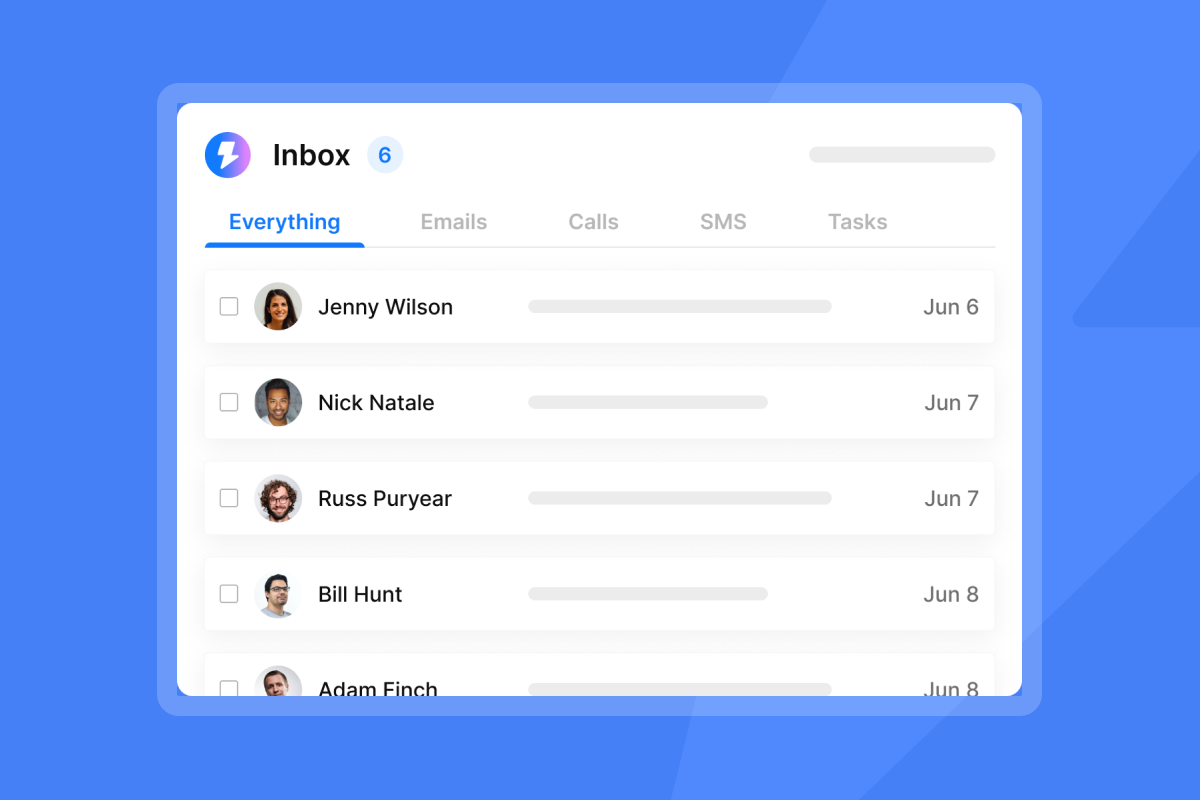
Our Unibox consolidates replies from every connected account into a single view. You see who replied, from which campaign, without switching between Gmail tabs.
"The platform allows me to check my inboxes from a single location without needing to log into each one individually, which saves me a lot of time." - Eli A on G2
For a walkthrough of the full platform, watch our tutorial:
Analytics across campaigns
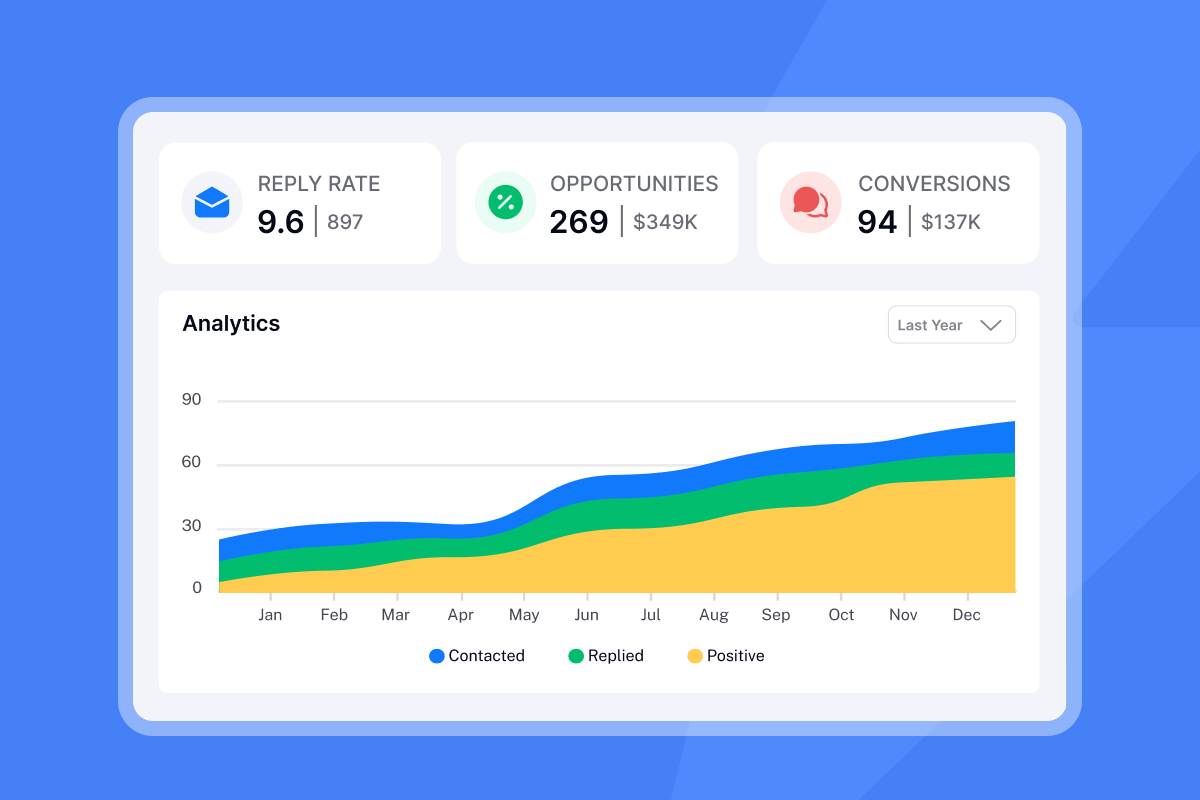
The dashboard shows aggregate open rates, reply rates, and bounce rates across all campaigns and accounts. No manual exports. No spreadsheet stitching.
"I like that Instantly can handle large scale email campaigns without worrying about deliverability. The automation for inbox rotation, warm up and sending limits makes outreach very smooth... The most helpful part is the detailed reporting. It shows clear data like open rates, replies, and bounce rates." - Anjali T on G2
Flat-fee unlimited accounts
Most sales engagement platforms charge per seat. Add 10 inboxes and your costs grow linearly. According to our agency pricing breakdown, we offer unlimited email accounts on every Outreach plan.
| Plan | Monthly Price | Accounts | Key Features |
|---|---|---|---|
| Growth | $47 | Unlimited | Warmup, tracking, analytics |
| Hypergrowth | $97 | Unlimited | 125K emails/month, premium support |
| Light Speed | $358 | Unlimited | SISR (dedicated IP pools) |
Compare this to per-seat tools where 10 seats could cost $200-500/month or more. For agencies, the math favors flat fees. You can review our full email outreach plans comparison for detailed feature breakdowns.
Built-in deliverability protection
Free extensions use shared tracking domains. If other users of that service send spam, the shared domain can get blacklisted, hurting your deliverability.
We use a deliverability network of 4.2M+ accounts for warmup. The Light Speed plan adds SISR (Server & IP Sharding & Rotation) with dedicated IP pools, isolating your sending infrastructure from other users.
"Deliverability tools that actually move the needle: warmup, inbox rotation, and smart sending windows help us land in Primary instead of Promotions/Spam." - Anthony V on G2
For setup guides on authentication records that protect sender reputation, see our help articles on SPF, DKIM, and DMARC for Google Workspace and GoDaddy configurations.
Step-by-step: How to install and use a tracker in Gmail
Installing a Chrome extension
- Open the Chrome Web Store
- Search for the extension by name (e.g., "Mailtrack")
- Click "Add to Chrome" in the upper right
- Click "Add extension" in the confirmation dialog
- Grant requested permissions to access Gmail
- Refresh Gmail and look for the extension icon
Most extensions appear in your Gmail compose window immediately after installation.
Connecting accounts to Instantly
Sign up at Instantly.ai and follow these steps:
- Navigate to the Accounts section
- Connect your Google or Microsoft accounts via OAuth or app password
- Enable warmup for new accounts
- Tracking activates automatically for all campaigns
"The platform is straightforward to set up, easy to run multiple campaigns, and keeps deliverability strong. Whether I'm testing a small list or scaling a larger outreach, it stays consistent and reliable." - Taylor G. on G2
For a visual walkthrough, watch:
When to graduate from extensions to platforms
Use a Chrome extension if you:
- Send fewer than 50 tracked emails per week
- Manage only 1-2 personal inboxes
- Do not mind "Sent with..." signatures
- Need basic open tracking without analytics
Switch to a platform like Instantly if you:
- Manage 10+ inboxes across clients
- Need aggregate analytics across campaigns
- Value sender reputation and deliverability
- Want flat-fee pricing instead of per-seat costs
"I've been using Instantly for my cold email campaigns and it's made a big difference... Personalization, sequencing, and reporting are all built in without adding complexity." - Taylor G. on G2
For a deeper comparison between platform approaches, the ultimate guide to cold email deliverability covers warmup, reputation management, and scaling strategies.
"Good deliverability, easy spin tax, can add in lots of personalization clean and simple UI, one click email responses using tags, smooth Zapier integration, and powerful tracking with subsequences. Everything works really well... I built my entire client acquisition system through instantly.ai." - Joshua Blacklidge on Trustpilot
Ready to stop juggling tabs? Track unlimited accounts for one flat fee. Try Instantly free and move all your inboxes into one dashboard today.
Frequently asked questions about email tracking
Is Mailtrack free?
Yes. Mailtrack offers unlimited open tracking at no cost. The free plan includes a "Sent with Mailtrack" signature on every email. The PRO plan at $4.99/month removes branding and adds link tracking.
How do I activate email tracking in Gmail?
Install a Chrome extension from the Web Store, grant Gmail permissions, and compose a new email. Most extensions show a tracking toggle or icon in the compose window.
Can you track a Gmail email without the recipient knowing?
Yes. According to Nutshell's tracking guide, tracking pixels are 1x1 transparent images that recipients typically cannot see. Pixels load silently when images display. However, recipients using privacy tools or image-blocking settings can defeat tracking.
Do email trackers affect deliverability?
Simple tracking pixels have minimal direct impact. The risk comes from shared tracking domains used by free extensions. If other users of that service trigger spam filters, the shared domain can get blacklisted. Platform solutions with custom tracking domains avoid this problem. If you're seeing unexpected placement issues after adding tracking to your campaigns, work through this email tracking deliverability troubleshooting guide to diagnose whether shared domains, authentication gaps, or silent failures are the root cause.
How many emails can I send daily from Gmail?
Gmail limits personal accounts to 500 emails per day. Google Workspace accounts can send up to 2,000 per day. Running high-volume campaigns through extensions increases the risk of hitting these limits.
Key terms glossary
Tracking pixel: A 1x1 transparent image embedded in emails that sends a signal when loaded, indicating the email was opened.
Sender reputation: A score assigned by email providers based on your sending behavior. High reputation means primary inbox delivery. Low reputation means spam folder.
Warmup: The process of gradually increasing sending volume on new email accounts to build positive sender reputation before running full campaigns. Learn how to enable warmup for new accounts.
Unified inbox: A single interface that consolidates replies from multiple email accounts, eliminating the need to check each inbox separately.
SISR: Server & IP Sharding & Rotation. A deliverability feature that routes emails through dedicated IP pools to isolate sender reputation from other users.
Link tracking: A method that tracks when recipients click URLs in your email by routing links through a tracking server. Available on our Link Clicks Tracker.


