


Updated January 31, 2026
TL;DR: Manual OSINT tools like Epieos and SEON excel at verifying individual high-value prospects, but checking 10,000 leads manually would take 1,600+ staff hours. For bulk campaigns across multiple clients, you need integrated waterfall enrichment that checks 5+ data providers automatically. Instantly SuperSearch combines a 450M+ contact database with built-in verification and warmup, giving agencies the accuracy of OSINT detective work without the manual labor or tool sprawl. Start with manual checks for VIP targets, then let automated enrichment handle the other 99%.
One bad lead list can damage a client's domain reputation fast. The fix is not just verification. You need to know who is actually behind that email address before you hit send.
Any serious cold email guide built for agencies treats data quality as a deliverability problem. Bad lists don't just waste sends, they damage the domain reputation you spent months building. This guide compares the top 7 OSINT tools for 2026 based on bulk capabilities, accuracy, and agency-friendly pricing. I will show you which tools work for manual detective work and which scale to handle your entire client roster.
Why agencies use OSINT for reverse email lookups
Every email address leaves a trail. Social media accounts, professional profiles, forum registrations, and service signups all create what we call a digital footprint. When you search for accounts linked to an email, you verify that a real human registered that address somewhere.
This matters for sender reputation. Mailbox providers like Gmail and Outlook assign a score to every sender based on engagement signals, bounce rates, and spam complaints. According to industry data, email decay is accelerating to 3.6% monthly. If you are working with a database of 10,000 contacts, over 2,000 will be invalid by next year.
Here is the connection to deliverability. An email with no digital footprint (no LinkedIn, no Twitter, no company profile) is higher risk. It might be a spam trap, a defunct address, or a catch-all server that accepts everything but delivers nothing. Poor data quality costs sales teams heavily, with Gartner estimating companies lose about $12.9M annually from bad data decisions. The best cold email software for agencies combines enrichment, verification, and warmup in one workflow, so you're not manually stitching together OSINT findings from separate tools before every campaign.
For agencies managing 10 to 150+ sending inboxes across multiple client domains, the math is brutal. One campaign with a 6% bounce rate can trigger platform warnings and damage domain health that took months to build.
Key terminology
- OSINT (Open Source Intelligence): Collecting and analyzing information from publicly available sources to validate leads
- Reverse Email Lookup: Starting with an email address and uncovering associated social profiles and digital footprints
- Digital Footprint: The collection of online presences that confirm a real person exists behind an email
- Sender Reputation: A score from mailbox providers based on your sending behavior, bounce rates, and engagement
- Waterfall Enrichment: A multi-provider process that checks data sources sequentially to maximize match rates
7 best OSINT tools to find accounts by email
The tools below range from manual investigation platforms to automated bulk enrichment systems. I have organized them by use case so you can pick the right tool for each stage of your workflow.
1. Epieos: Best for social media triangulation
I use Epieos to uncover social accounts linked to an email address. Enter an email and it searches for associated Google accounts, Skype profiles, calendar registrations, and social media presences. The tool excels at triangulation, connecting dots across platforms to build a picture of who owns that address.
Best for: Manual verification of high-ticket prospects before personalized outreach
Agency pros:
- Fast results for individual lookups
- Finds accounts across multiple platforms in one search
- Useful for VIP prospect research before sales calls
Agency cons:
- Limited bulk processing capabilities
- Per-lookup pricing adds up fast across client campaigns
- No integration with sending platforms
Pricing model: Credit-based per lookup
2. SEON: Best for digital footprint analysis
SEON applies fraud prevention logic to lead generation, analyzing email addresses against 50+ social and digital sources to generate legitimacy scores. For agencies, that fraud detection doubles as a quality check for questionable lead segments.
Best for: Vetting leads where you suspect data quality issues
Agency pros:
- Comprehensive footprint analysis across dozens of platforms
- API access available for automation
- Built for scale in fraud prevention, so handles volume better than pure OSINT tools
Agency cons:
- Pricing designed for enterprise fraud teams
- Overkill for simple email verification
- Requires technical setup for API integration
Pricing model: Credit-based with API tiers
3. Reverse Contact: Best for LinkedIn enrichment
Reverse Contact focuses on a specific workflow: you have an email, you need the LinkedIn profile. The tool matches email addresses to LinkedIn profiles so you can verify professional identity and gather context for personalization.
Best for: Enriching B2B leads with LinkedIn data for personalized outreach
Agency pros:
- Specialized for the email-to-LinkedIn workflow agencies need most
- Useful for adding personalization fields to campaigns
- Helps verify professional identity quickly
Agency cons:
- Single-purpose tool adds to subscription stack
- API access varies by tier
- Limited to LinkedIn rather than broader digital footprint
Pricing model: Credit and subscription hybrid
4. Hunter.io: Best for domain pattern matching
Hunter.io remains one of the most established email finder tools. Point it at a company domain and it identifies the email pattern (first.last@company.com vs firstlast@company.com), then finds verified addresses for employees.
Best for: Finding email addresses when you know the company but not the contact
Agency pros:
- Established tool with reliable domain search
- Bulk verification for existing lists
- API access for workflow integration
- Domain pattern matching saves time on manual research
Agency cons:
- Combination of per-seat and credit pricing
- Costs escalate quickly at agency volume
- Separate subscription from your sending infrastructure
Pricing model: Per-seat plus credits. Starter plan around $49/month (500 searches), Growth at $149/month (5,000 searches).
5. VoilaNorbert: Best for simple verification
I recommend VoilaNorbert for straightforward email finding and bulk verification. Enter a name and company, get the email. Upload a list, get verification results.
Best for: Straightforward email finding and list verification
Agency pros:
- Clean interface for quick lookups
- Bulk processing capabilities
- API available for automation
Agency cons:
- Credit consumption adds up at scale
- No sending or warmup infrastructure
- Separate tool means more subscriptions to manage
Pricing model: Credit plus subscription. Plans start around $49/month for 1,000 leads.
6. Have I Been Pwned: Best for data breach checks
Have I Been Pwned (HIBP) checks whether an email address has appeared in a data breach. For lead generation, a breached email is actually a positive signal. Real humans register for services that sometimes get breached. Spam traps and fake addresses do not sign up for LinkedIn or Dropbox and therefore never appear in breach databases.
Best for: Quick legitimacy check on questionable leads
Agency pros:
- Free to use
- Simple yes/no answer on breach history
- API access for bulk checking
Agency cons:
- Only tells you if the email was breached, not current deliverability
- No contact data or enrichment
- Must combine with other verification tools
Pricing model: Free
7. Instantly SuperSearch: Best for scalable agency enrichment
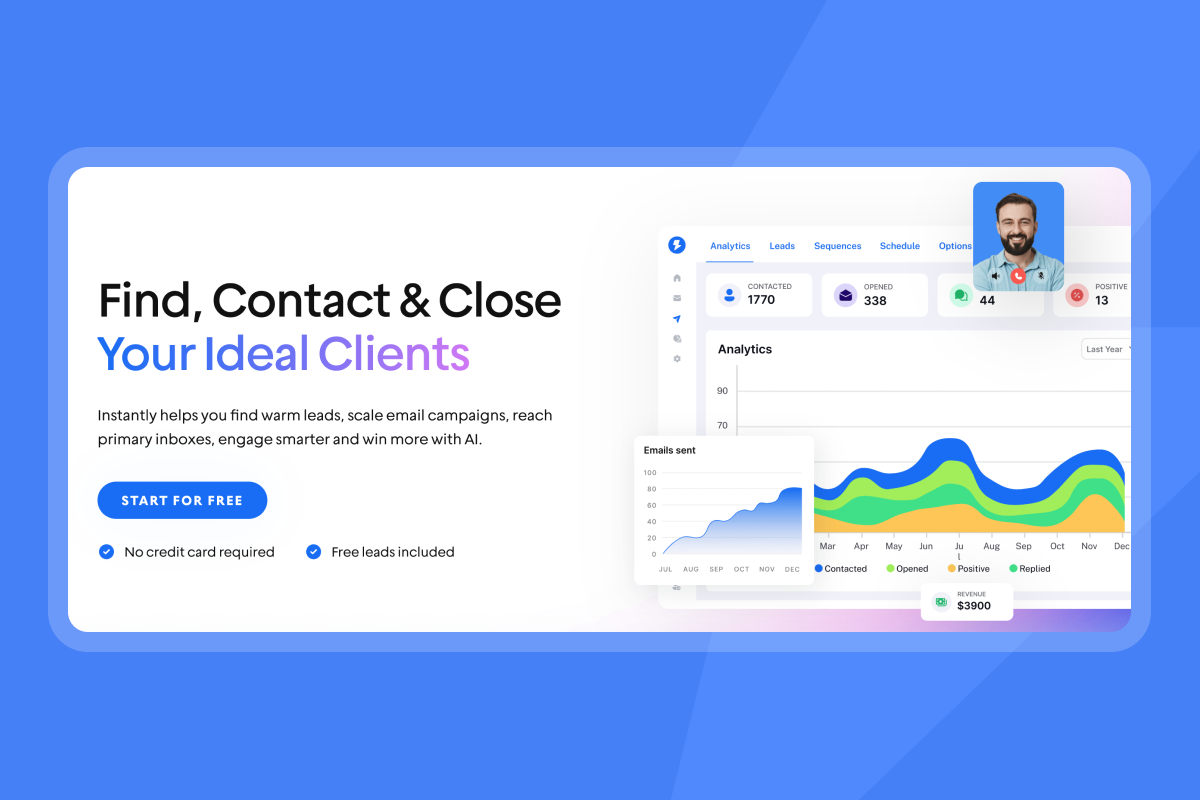
Instantly SuperSearch takes a different approach than standalone OSINT tools. Instead of making you the detective, it automates the investigation process across a 450M+ contact database using waterfall enrichment from 5+ data providers.
How waterfall enrichment works: When you search for a contact, SuperSearch checks multiple providers sequentially. If one source lacks the email or returns low confidence, it automatically checks the next provider. Standard enrichment with one provider gets 50-60% match rates. Waterfall enrichment pushes match rates to 80% or higher. For a technical breakdown of how waterfall enrichment across multiple providers reduces bounces and protects sender reputation, see the email API enrichment guide covering match rates, verification layers, and deliverability impact.
Best for: Agencies that need to find and verify thousands of contacts across multiple client campaigns
Agency pros:
- Unlimited email accounts and warmup on a flat fee, no per-seat tax
- Built-in verification reduces bounces before you send
- 4.2M+ account warmup network creates authentic engagement signals
- Find, verify, warmup, and send in one platform
Agency cons:
- Sending/warmup and leads database are separate subscriptions
- Learning curve for agencies switching from multiple point tools
Pricing model: Flat fee with credit tiers. Growth Leads at $47/month, Supersonic Leads at $97/month, Hyperleads at $197/month. Compare full lead plan details.
"We test new products and campaigns with instantly.ai. Trustworthy technical setup, deliverability tests, and proper workflows allows us to integrate with our CRM and any other app through make.com. Also what's convenient is that email marketing infrastructure is easy to scale and cheap." - Deividas I. on G2
For a walkthrough of building lead lists and running campaigns, learn more on the Instantly channel below:
How to verify leads without killing sender reputation
Here is the workflow I recommend for agencies managing multiple client campaigns.
1. Bulk finder: Use a platform with waterfall enrichment that checks multiple data sources automatically. SuperSearch handles this by querying 5+ providers sequentially until it finds verified contact information.
2. Digital footprint checks: For top-tier prospects (accounts worth five-figure deals), run manual OSINT checks using Epieos or SEON. Look for:
- LinkedIn profile confirmation
- Social media presence
- Company website mentions
If an email has zero digital footprint across all platforms, flag it as high risk.
3. List cleaning: Remove or quarantine addresses that bounce on verification, show no digital footprint, or come from catch-all domains. Use specialized catch-all verification to identify these.
For a benchmarked comparison of how accurately the major email verification tools handle catch-all addresses and risky segments, see the 2026 accuracy score breakdown.
4. Warmup before scaling: New domains and inboxes need 30 days of warmup before hitting full volume. Learn how to configure warmup in our guide on How to Enable Warm-Up.
"Instantly allows me to scale my cold email efforts without having to struggle with the tool itself. Setting up new domains and inboxes, as well as rotating them, is incredibly straightforward, which helps me increase my sending volume while maintaining good deliverability." - Verified User on G2
For the complete deliverability playbook, watch this guide on cold email deliverability:
Comparison: Bulk processing and API limits
| Tool | Primary Use Case | Bulk Search | API Access | Pricing Model |
|---|---|---|---|---|
| Epieos | Social triangulation | Limited | Unknown | Per-lookup credit |
| SEON | Digital footprint analysis | Yes | Yes (tiered) | Credit-based |
| Reverse Contact | LinkedIn enrichment | Limited | Varies by tier | Credit + subscription |
| Hunter.io | Domain pattern matching | Yes | Yes | Per-seat + credits |
| VoilaNorbert | Simple verification | Yes | Yes | Credit + subscription |
| Have I Been Pwned | Data breach checks | No | Yes (free) | Free |
| Instantly SuperSearch | Scalable enrichment + sending | Yes | Yes | Flat fee + credit tiers |
The critical difference for agencies is integration. Manual OSINT tools require you to export data, run checks in separate platforms, then import back into your sending tool. Every handoff creates opportunities for data errors and eats staff time.
"I like that Instantly can handle large scale email campaigns without worrying about deliverability. The automation for inbox rotation, warmup and sending limits makes outreach very smooth and saves a lot of manual work." - Anjali T on G2
The hidden risks of free email lookup tools
Data privacy concerns: Some free tools monetize by using uploaded data in ways you may not expect. Always check the terms of service for data usage policies before uploading client lists.
Accuracy gaps: Most organizations using a single data provider enrich only about 70% of their lead list. That means 30% of leads are already lost before you send. Of those 70%, many addresses will still be invalid.
Cancellation complexity: Some platforms in this category use cancellation policies that lock you in. Research terms carefully before committing, especially with annual plans.
Compare this to Instantly's approach. The 14-day trial lets you test the platform before committing, and our outreach plans show exactly what you get at each tier.
"Instantly is hands down the best platform for cold emails. The ease of use, scalability, and results are unmatched compared to anything else I've tried. It's built to handle serious campaigns without the usual headaches." - Thomas Tzouridis on Trustpilot
Prioritize accuracy over volume
Manual OSINT tools serve a purpose. When you have a list of 50 enterprise targets worth $100K+ each, spending 10 minutes per prospect on Epieos or SEON to find the LinkedIn post that becomes your opening line makes sense.
But for the other 99% of your outreach, you need automation. Waterfall enrichment from 5+ providers, built-in verification, and integrated warmup protect your deliverability without requiring a team of researchers.
The math is simple. Pay for manual tools to vet your VIP list. Use integrated enrichment for everything else. Keep your bounce rate below 2%, your sender reputation healthy, and your costs predictable. For the complete infrastructure playbook on protecting sender reputation once your lists are clean, see this email deliverability guide covering authentication, warmup, and inbox placement monitoring.
For a deeper look at agency lead generation workflows, watch this step by step guide:
Ready to stop guessing? Try Instantly free to access 450M+ verified contacts and automate your agency's enrichment workflow.
Frequently asked questions about finding accounts by email
Is it legal to use OSINT tools for email finding?
Yes, for B2B purposes using publicly available data. OSINT collects information from open sources like LinkedIn and company websites, which regulations like CAN-SPAM and GDPR permit for commercial contact under legitimate interest.
Can I find all social media accounts with just an email?
No tool achieves 100% coverage. Waterfall enrichment gets closest by checking multiple sources sequentially, with match rates reaching 80-93% versus 50-60% with single-provider tools.
How does finding accounts help deliverability?
Confirming that an email has associated social accounts validates that a real human registered that address. Spam traps and invalid addresses rarely have digital footprints.
What bounce rate should I target?
Stay below 2% to maintain good sender reputation. Above 5% puts your account at risk of platform warnings or suspension. If you hit high bounce rates, pause campaigns immediately, re-verify your list, and restart sends at half your normal volume for three days.
How often should I re-verify my lead database?
Given that B2B data decays at roughly 2-3% monthly, re-verify lists older than 90 days before launching campaigns.
Key terminology
Waterfall Enrichment: A data enrichment approach that queries multiple providers in sequence. If provider one returns no match, the system automatically checks provider two, then three, continuing until it finds verified contact information.
SMTP Verification: A technical process that connects to a recipient's mail server to confirm the address can receive mail without actually sending a message.
Catch-all Server: An email server configured to accept all incoming mail regardless of whether the specific address exists. These servers always return "valid" on verification checks, making it difficult to identify invalid addresses. Instantly's catch-all verification feature flags these addresses for extra caution in your campaigns.


