


Updated April 1, 2026
TL;DR: Generic welcome emails create delays for agencies by failing to collect the right assets. A lead gen client needs ICP criteria and domain credentials. An SEO client needs Search Console access and seed keywords. Sending the same message to both delays your launch by days, which is exactly when clients start questioning whether they made the right choice. Customize every onboarding email to the service you deliver so you collect the exact assets you need on Day 1 and cut time to first campaign send. Authenticate every client domain (SPF, DKIM, DMARC) and warm new inboxes for at least 2 weeks before sending campaigns to protect sender reputation. Automate onboarding follow-ups using a unified inbox so you chase missing assets without manual effort or per-seat cost penalties.
Standard welcome emails create confusion and delay campaign launches. If your growth depends on turning signed contracts into active campaigns fast, your onboarding email is the first step in that system. This guide gives you copy-paste templates for the four most common agency service types, the technical setup to back them up, and a workflow to run the entire process at scale.
Elevate deliverability: Service-specific welcomes
The real mechanism behind effective onboarding emails is simple. Sending from a properly authenticated, warmed domain gets your messages into the primary inbox instead of spam. If your onboarding email lands in spam on Day 1, you have already damaged the relationship before the work starts.
Agency operators managing 10 to 150+ client inboxes face a compounding risk. A misconfigured domain may signal deliverability problems across adjacent accounts. Service-specific onboarding emails also reduce the back-and-forth that stalls campaigns. If you ask a PPC client for their Google Ads access in the same email where you confirm their content calendar, you create confusion and delay asset collection.
Define project success metrics
Before you send any onboarding email, agree on what success means for the first 30 days.
Example metrics to track during the first 30 days:
Metric | Suggested target | Suggested response |
|---|---|---|
Time to asset collection | Under 5 business days | Send automated follow-ups |
Welcome email open rate | Above your standard campaign average | A/B test subject lines on next send |
Time to first campaign send | Under 14 days | Escalate to account manager |
30-day client satisfaction score (NPS) | 50+ | Investigate root causes and begin a structured improvement plan targeting resolution within 90–180 days |
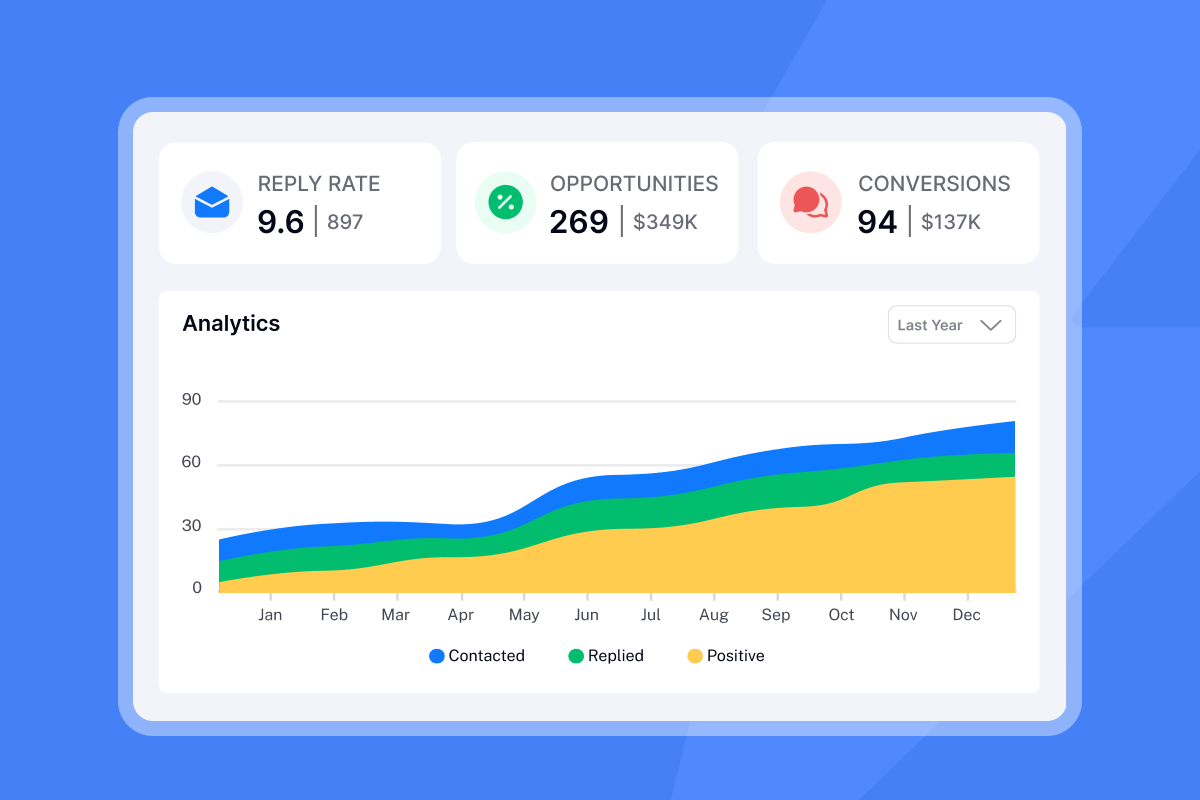
Welcome and onboarding email flows consistently outperform standard campaign emails, with 4x higher open rates and 5x higher click-through rates. That advantage disappears if the email is unclear or misaligned to what the client expects from their specific service.
Cut churn rates using onboarding emails
Communication breakdown drives more early churn than service quality issues. Clients who feel uninformed about campaign activity or cannot reach their account manager predictably start exploring alternatives before the first month is over.
A structured onboarding email sequence addresses this directly. It signals that your process is organized, sets a predictable communication rhythm, and gives the client something concrete to act on, which builds early confidence in your team. According to agency management research, agencies that set clear KPIs and expectations during onboarding consistently outperform those that rely on verbal briefings alone.
Optimize client onboarding speed
Timing matters. The first onboarding email should reach the client soon after contract signing, and after that you should follow a tight schedule.
- Day 1: Welcome email with service-specific asset request and team introduction.
- Day 3: Automated asset reminder for anything not yet received.
- Day 5: Kickoff call confirmation or escalation if no assets received.
- Day 7: Technical setup confirmation (domain authentication, access verified).
- Day 14: Campaign readiness check before first send.
74% of customers say they will go elsewhere if onboarding feels too difficult. A clear, timed sequence removes that friction by eliminating any ambiguity about what happens next.
Anatomy of an effective client onboarding email
Every onboarding email, regardless of service type, needs six components. Miss any one of them and you will see slower asset collection and more client anxiety.
- Warm welcome: Address the client by name and reference the specific service they signed for, because generic greetings signal you treat them like one of hundreds.
- Clear next steps: List exactly what they need to do and by when, so they never wonder what comes next.
- Team introduction: Name the account manager and include direct contact details so the client knows who to reach.
- Resources and support: Link to your shared project folder, intake form, or documentation.
- Single primary CTA: One button or link, not five. Every email gets one job.
- Personalization beyond first name: Reference a goal or challenge they mentioned during the sales call to show you listened.
Personalization tokens let you scale this without rewriting every email. Pull in {{client_name}}, {{service_type}}, {{account_manager_name}}, and {{kickoff_date}} from your CRM. For lead gen clients, also pull in {{target_industry}} so the asset request feels specific to their campaign. Conditional logic takes this further: if {{service_type}} = SEO, insert the block requesting Search Console and CMS access; if {{service_type}} = PPC, insert the block requesting Google Ads and Meta Business access.
Client inputs required for onboarding
Use a short list inside the email to tell the client exactly what you need. Do not bury this in paragraph form.
General inputs needed for all service types:
- Business contact details and billing information
- Brand guidelines, logo files, and color palette
- Access to relevant platforms (varies by service, detailed in each template below)
- Existing customer data for suppression or targeting
- Signed NDA or data processing agreement if required
- Primary point of contact and escalation contact
Lead generation onboarding email template
Subject: {{client_name}} - Your lead gen campaign setup starts here
Hi {{client_name}},
Welcome to the team. Your account manager, {{account_manager_name}}, is your main point of contact from here on. You can reach them directly at {{account_manager_email}}.
To launch your first campaign by {{target_launch_date}}, we need a few things from you by {{asset_deadline}}.
Please send us:
- Your Ideal Customer Profile: target job titles, industries, company size range
- Any existing lead lists for suppression (people we should not contact)
- 2-3 sample value propositions or subject lines you have tested before
- Your preferred CRM for lead handoff (
{{crm_name}}or CSV, e.g. HubSpot, Salesforce, or Pipedrive)
Once we have these, we will confirm domain authentication for your sending domains and begin warmup. Your kickoff call is scheduled for {{kickoff_date}} at {{kickoff_time}}. Calendar invite coming shortly.
{{account_manager_name}}
Primary inbox: Domain authentication
Add SPF, DKIM, and DMARC records through your domain host's DNS panel to authenticate each client sending domain. SPF specifies which IP addresses can send on behalf of the domain. DKIM uses cryptographic signatures to verify the sender and confirm the message was not altered in transit. DMARC tells receiving servers what to do when either check fails. Activate DKIM and SPF first and let them run for at least 48 hours before enabling DMARC, because DMARC depends on the other two passing first.
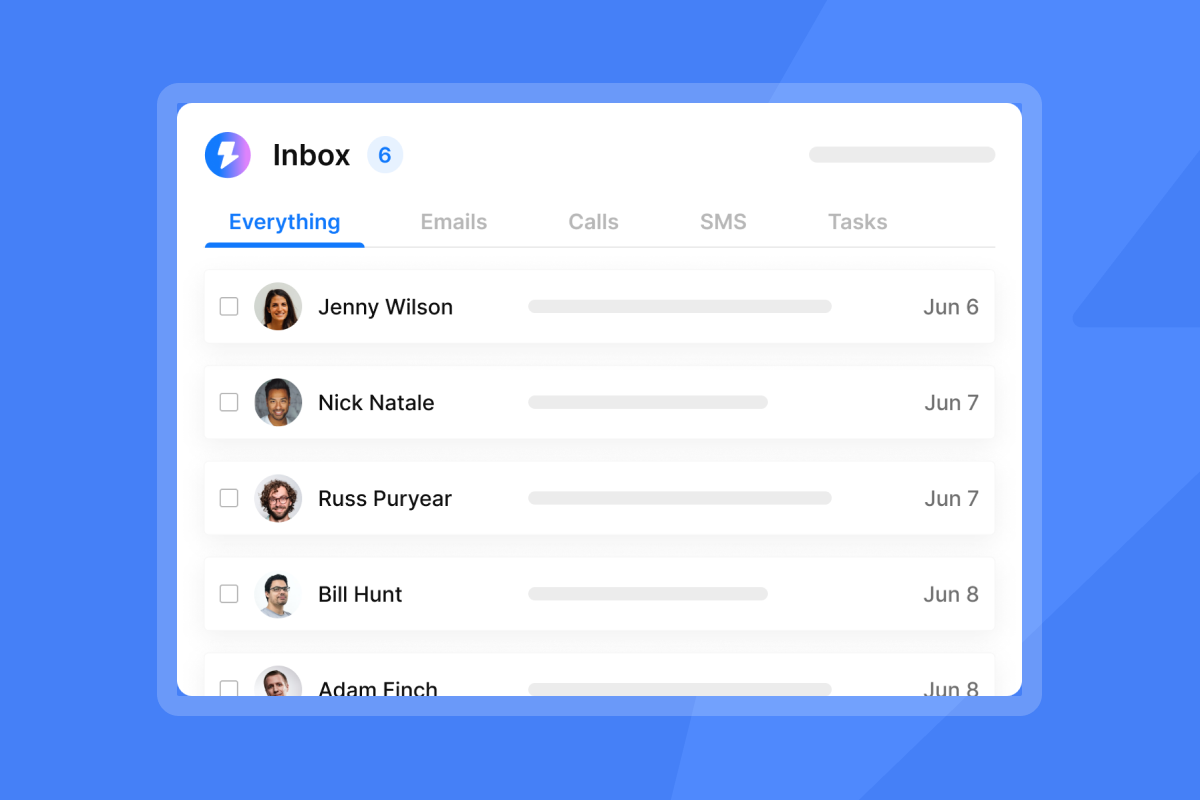
Instantly's automated inbox placement tests verify this setup and alert you if a domain shifts from primary inbox placement to spam. Run a test after initial setup and again after any DNS changes.
Safe email ramp-up strategy
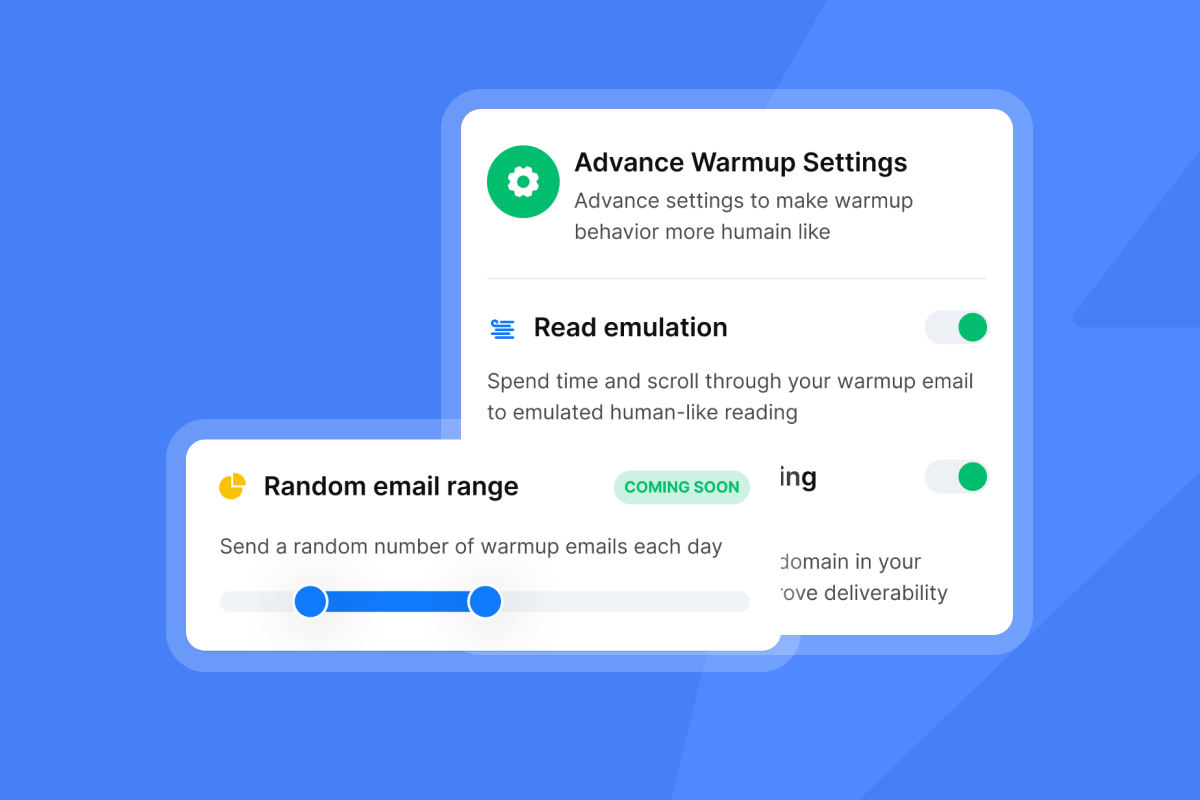
Achieving solid deliverability takes four to eight weeks, depending on your target send volume. Warm for at least two weeks before sending any campaign emails. Start at 2 emails per day, ramp to 30 to 40 daily warmup emails by Day 30, and never exceed 30 campaign emails per inbox per day. Purchase and age sending domains for at least 30 days before starting warmup for best results, because domain age is a meaningful trust signal for mail providers.
Instantly's built-in warmup network covers 4.2M+ accounts in a private deliverability network, which means new client inboxes build reputation through real, automated engagement signals rather than seed lists you have to manage manually. For a walkthrough of the email warmup setup process, the step-by-step video covers the key configuration settings.
"I use Instantly primarily for cold email outreach and lead generation. It helps me manage, scale, and optimize email campaigns without worrying about deliverability issues or complex technical setups. I really like the unlimited email accounts feature because it allows me to scale outreach safely and efficiently without hitting the sending limits." - Pradeep T. on G2
SEO client kickoff message playbook
Subject: {{client_name}} - Access needed to start your SEO campaign
Hi {{client_name}},
Your SEO campaign starts with a full site audit. To complete this within our agreed timeline, we need access to a few platforms by {{asset_deadline}}.
Please grant access to:
- Google Search Console (add
{{agency_email}}as a user) - Google Analytics 4 (Viewer or Editor role)
- Your CMS (WordPress, Webflow, or other - see attached Loom walkthrough)
Also helpful to send separately:
- 5-10 seed keywords you want to rank for
- 3-5 competitor URLs you track closely
- Any pages you want prioritized (product pages, location pages, etc.)
Your first deliverable is a full site health report, due {{audit_date}}.
{{account_manager_name}}
Initial SEO site health check
Google Search Console and Google Analytics access significantly speed up a technical audit, because they surface crawl errors, indexing gaps, and historical traffic data that tools alone can miss. Include a link to a Loom walkthrough in your onboarding email for granting access. Request CMS credentials in the same email so your team can implement on-page changes without a bottleneck at every revision cycle.
Client input for keyword research and content
Consider asking for seed keywords and competitor URLs separately from the access request. Mixing these in one email increases the chance the access gets provided but the keyword list gets forgotten. A follow-up around Day 3 for keyword and competitor inputs can help keep the audit on schedule.
Align on content topics and the approval workflow before you write a single brief. Name a primary content reviewer and consider setting a review window (such as 48 hours) to maintain momentum. Set the expectation in the first email that the client will not see ranking changes in week one. The first report covers site health and baseline keyword rankings. Rankings typically begin shifting after 60 to 90 days of consistent publishing and link activity, and stating this clearly prevents the "why aren't we ranking yet?" conversation at Day 30.
PPC client onboarding email playbook
Subject: {{client_name}} - Ad account access and budget confirmation needed
Hi {{client_name}},
To launch your first PPC campaign by {{target_launch_date}}, we need platform access and budget details confirmed by {{asset_deadline}}.
Platform access required:
- Google Ads My Client Center: Invite
{{agency_mcc_email}}as Administrator - Meta Ads Manager: Add
{{agency_business_id}}to your Business Manager under Partners - Google Analytics 4: Grant Editor access to
{{agency_email}}
Budget and targeting:
- Confirmed monthly ad spend:
${{monthly_budget}} - Target CPA or ROAS:
{{target_cpa_or_roas}} - Geographic targeting:
{{target_locations}}
Once setup is confirmed, we'll share a campaign structure draft.
{{account_manager_name}}
PPC budget, creative assets, and KPIs
Confirm the total monthly budget, the daily cap, and whether the client wants even daily pacing or accelerated pacing for specific high-conversion windows such as webinar launch days. Also confirm billing ownership: is the budget pulling from the client's own card, or is the agency billing and reconciling? Unclear billing ownership is a consistent source of friction at month-end.
For creative assets, request logo files in SVG and PNG with transparent backgrounds, brand color hex codes, brand fonts, any existing ad images or video assets, and any ad copy the client has run previously. Define the primary conversion KPI before the campaign launches. Cost Per Acquisition (CPA), Return on Ad Spend (ROAS), and qualified lead volume each require different bidding strategies and campaign structures, so the answer changes your setup from Day 1. Document the agreed KPI in the onboarding email so it is on the record.
Setting up content client onboarding emails
Subject: {{client_name}} - Brand assets and approval workflow needed
Hi {{client_name}},
Your content campaign starts with understanding your brand voice and approval process. Please share the following by {{asset_deadline}} so we can begin drafting.
Assets needed:
- Brand style guide (fonts, colors, tone guidelines)
- Logo files and any existing imagery
- 3-5 examples of content you love (your own or from other brands)
- CMS login or publishing access for
{{agency_email}}
Approval process:
- Primary content reviewer:
{{approver_name}} - Preferred review turnaround: 48 hours requested
- Revision rounds included: 2 per piece
Your first content brief is due {{brief_date}}.
{{account_manager_name}}
Content tone and revision workflow
Ask for 3-5 content examples the client likes by including this line in your onboarding email: "Please share 3-5 examples of content you love, whether your own or from other brands, so we can match your preferred tone and style." Also ask whether there are words or phrases the client actively avoids, because that input eliminates the "that's not our voice" revision cycle.
Consider defining one revision as one set of consolidated comments from the reviewer, not individual back-and-forth notes across multiple days. State this approach in the onboarding email and link to the shared folder immediately so there is no delay finding the review document. Content campaigns typically produce visible results after 60 to 90 days of consistent publishing, so set this expectation in writing during onboarding and include a publishing calendar showing the first 60-day schedule of topics and target dates.
Build scalable onboarding for agencies
Running 10 to 150+ client inboxes means onboarding cannot rely on manual effort for each new account. You need a system that sends the right email at the right time, tracks which assets are missing, and escalates automatically when a client does not respond.
Instantly's Unibox aggregates all client replies into one centralized view, which means your team spots missing assets and responds quickly without logging into 20 separate email accounts. For a walkthrough of running outbound sequences at scale, the Instantly cold email strategy guide covers campaign sequencing and pacing controls in detail.
"I like the unified inbox because it allows me to manage conversations from multiple inboxes without the inefficiency and mess, and it helps me focus on high-intent, positive replies without the distraction of managing separate email clients for each sending account." - Jethu Ram P. on G2
Ensuring onboarding email inbox placement
Onboarding emails are transactional in nature, which means they qualify for the transactional exemption under both CAN-SPAM and GDPR. This exemption applies to any qualifying transactional message and removes the commercial requirements that apply to promotional sends. Transactional emails, meaning those that communicate contract fulfillment or service delivery, are largely exempt from those commercial requirements as long as they meet the relevant criteria for transactional classification.
Under GDPR, sending onboarding emails to an existing client falls under legitimate business purpose, but you still need a documented legal basis for processing their data. Consider including a link to your privacy notice in early onboarding communications and ensure your data processing agreement is signed by both parties before any client personal data is shared or transferred.
Set up automated onboarding follow-ups
Build a three-step automated follow-up sequence that triggers when a client does not respond to the initial onboarding email.
- Day 3 follow-up: "Quick reminder on the assets we need to hit your launch date."
- Day 5 follow-up: "We want to stay on schedule. Can you confirm the best time for a quick call?"
- Day 7 escalation: Route to account manager for personal outreach.
The sequence pauses automatically the moment the client replies, so you never send a follow-up to someone who already responded. With Instantly's AI Reply Agent, replies that come in outside business hours get handled in under 5 minutes without manual intervention, keeping the onboarding momentum going.
"I find Instantly easy to set up with really nice UX, making the onboarding process smooth. The platform excels in scalability, allowing me to send a large volume of emails and manage workspaces effectively for sales and marketing." - Frank. S on G2
Avoid costly client onboarding email errors
Most onboarding problems trace back to four repeatable mistakes: sending too late, writing too long, failing to follow up, and using the same template for every service type.
Send immediately. Contract signing often creates a moment of peak enthusiasm. If the first communication they receive is a same-day, organized email asking for specific inputs, it reinforces the decision they just made. A delay can reduce urgency and give the client time to second-guess their decision.
Keep it short. Keep your onboarding email under 150 to 200 words and use a bulleted list for asset requests. A wall of text reads like a contract, not a welcome. Link to your longer intake form rather than embedding it in the email body.
Re-engaging unresponsive onboarding clients
When a client stops responding during onboarding, send a low-friction check-in on Day 7.
Subject: Still on track for {{launch_date}}?
Hi {{client_name}},
I want to make sure we stay on schedule for your campaign launch. We are still waiting on {{missing_assets}}.
If priorities have shifted, just let me know and we can adjust the timeline together. Otherwise, sending those over by {{new_deadline}} keeps us on track.
{{account_manager_name}}
A/B test this subject line against a statement version like "{{client_name}} - Launch date update needed" to see which drives faster responses. If there is still no response after this email, consider escalating to a phone call rather than sending a fourth email.
Generic vs. personalized onboarding emails
Standard welcome emails signal that the client is one of hundreds. Custom, service-specific emails can signal that your team has tailored the approach to their specific needs. The difference shows up in asset collection speed: service-specific templates can focus on immediately relevant items rather than forcing them to parse a long list and guess which items apply to their engagement. That clarity alone eliminates multiple rounds of back-and-forth and moves your launch date forward.
For learning from your own sequences, Instantly's A/Z testing lets you run multiple subject line and copy variants simultaneously across client onboarding emails, so you can identify which versions drive the fastest asset collection.
If you want to put these templates into practice across unlimited client accounts without per-seat pricing, try Instantly free and let the automated sequences handle follow-ups while you focus on launching campaigns.
FAQs
What should a client onboarding email include?
A client onboarding email should cover five core elements: a warm welcome, a bulleted list of specific assets required, a named account manager with direct contact details, a single primary CTA, and a clear deadline for the requested inputs. Keep the email under 200 words and link to any longer intake forms rather than embedding them.
How soon should you send a new client onboarding email?
Send the first onboarding email the same day the contract is signed, as soon as possible after the agreement is finalized. Delays reduce the initial enthusiasm that drives fast asset collection and push your campaign launch timeline back.
What is the difference between a lead gen and an SEO client onboarding email?
A lead gen onboarding email typically requests ICP criteria, existing CRM data, and buyer landscape inputs such as target titles, industries, and pain points. An SEO onboarding email typically requests Google Search Console and CMS access, seed keywords, and competitor URLs.
How do you follow up with a client who is not responding during onboarding?
Send a Day 3 and Day 5 automated reminder listing the specific missing assets and their impact on the launch date, then escalate to a phone call at Day 7 if there is still no response. Use conditional logic in your sequence so follow-ups stop automatically the moment the client responds.
How many warmup days does a new sending domain need before campaign launch?
A minimum of 14 days of active warmup is required before sending campaign emails, with daily sends ramping from 2 up to 30 to 40 per inbox by Day 30. Domain age matters too: industry guidance recommends aging a new domain for at least 30 days before starting the warmup process.
Read next
- How to Write Follow-Ups by Scenario
- Follow-Up Timing: Send Time Optimization
- AI Cold Email Reply Management for Agencies
Key terms glossary
Sender reputation: Email providers score your sending domain and IP address based on engagement signals like open rates, bounces, and spam complaints. A low sender reputation causes emails to land in spam regardless of content quality.
Domain authentication: You add SPF, DKIM, and DMARC DNS records to a sending domain to verify the email is legitimate and has not been altered in transit.
Email warmup: You gradually increase sending volume from a new domain over 30 to 60 days to build a positive sender reputation before launching full campaigns.
Unified inbox (Unibox): A centralized view that aggregates replies from multiple email accounts into one dashboard, allowing teams to manage client responses without logging into separate email clients.
Spin syntax: A technique that creates automatic variations in email copy using conditional brackets, such as {Hi|Hello|Hey} {{first_name}}, so large-volume sequences do not send identical messages to every recipient.# Client onboarding email for different service types: customized approaches# Client onboarding email for different service types: customized approaches


