


Updated April 2, 2026
TL;DR: A structured client onboarding welcome email prevents early churn, accelerates campaign launches, and builds the credibility your agency needs to keep clients long-term. Send it within one hour of signing. Keep the body under 130 words. Cover your kickoff call link, required assets, a clear timeline, and your primary contact. Use service-specific templates (lead gen, retainer, project) to match the engagement model. Centralize all client replies in a unified inbox like Instantly's Unibox to avoid missed threads and lost opportunities as you scale.
Your welcome email is not a polite greeting. It is a retention tool that dictates how fast you can book your client's first meeting, and whether they stick around long enough to see results.
Most agency campaigns stall because clients take weeks to send required assets, not because the outreach strategy is wrong. The fix starts with your first email.
Onboarding email: Prevent churn from day one
According to Moxo's 2026 B2B Retention Report, 43% of client churn occurs within the first 90 days, making the onboarding window the most critical period in any agency relationship. According to research on agency retention, clients who don't reach early value are significantly more likely to leave, and a poor onboarding experience is a top cause. The welcome email is the first mechanism you control to prevent that outcome.
Build client trust and mitigate churn from day one
Your welcome email sets the tone for every interaction that follows. You establish the patterns, expectations, and communication norms in the first 60 to 90 days, and clients judge your performance against that baseline.
Personalization at this stage goes beyond using the client's name. Reference their industry, their stated objectives, or the specific outcomes they mentioned during the sales call. That level of detail shows you were listening, which builds the kind of trust that reduces early churn more than any performance metric.
The most effective way to prevent churn is to put expectations in writing from day one. Your welcome email should preview the first 30 days, reference reply rate and meetings booked as the primary measures of success, and give the client one specific action to complete before the kickoff call. The email warmup process guide covers how the first 30 days of warmup protect your client's domain. Vague timelines create anxiety. Defined steps create momentum.
What to include in every client welcome email
Every onboarding welcome email, regardless of service type, needs the same core framework. Use this checklist as your quality filter before every send.
Element | What to include | Why it matters |
|---|---|---|
Welcome message | 2-3 sentence opener confirming the engagement | Sets professional tone, shows preparation |
Kickoff call link | Calendar link with a 30-min slot | Prevents back-and-forth scheduling delays |
Timeline | Week-by-week milestones with specific dates | Anchors client expectations, reduces follow-up questions |
Required assets | Bulleted checklist of necessary client assets | Unblocks campaign launch, prevents week-long delays |
Success metrics | 2-3 KPIs (reply rate, meetings booked) | Aligns on performance before disputes arise |
Primary contacts | Primary contact information and availability | Eliminates "who do I email?" paralysis |
Crafting the welcome message
Consider keeping the opening to two to three sentences. Confirm the engagement, express confidence in the outcome, and move directly to next steps. Your client is a busy professional. Show them you respect their time by getting to the point. One detail that separates a generic template from a message that builds confidence: reference something specific from the sales process, such as their target ICP, a recent result they mentioned, or the exact problem they hired you to solve.
Onboarding process timeline
A timeline with specific dates is one of the highest-leverage inclusions in any welcome email. When a client sees "Week 1: Domain setup. Week 2: List building. Week 3: Campaign launch," they know what to expect and when to follow up. Vague timelines ("We'll get started shortly") cause the back-and-forth that delays campaigns by weeks. Welcome emails consistently outperform standard marketing emails in open rates, which means your first email will almost certainly be read. Use that attention to anchor the client to a concrete schedule.
Introducing your client's team
Name the account manager, their direct email, and their availability. Then list the support contact for day-to-day questions. Giving clients two specific points of contact prevents the "who do I email?" paralysis that slows onboarding and generates unnecessary follow-up queries.
Client's required onboarding info
List every asset you need before the campaign can launch. Be specific and binary. Each item should be something the client can either send or not send. Avoid vague requests like "brand materials."
A standard lead generation asset list includes:
- Ideal customer profile (industry, company size, job titles)
- Case studies or testimonials for copy reference
- Admin access to domain registrar (for DKIM and SPF setup)
- Approval on initial email copy
- LinkedIn profile URL for personalization data
On compliance: if you are sending on behalf of clients into the EU, GDPR mandates lawful basis before outreach begins, either consent or legitimate interest. For US recipients, the CAN-SPAM Act requires accurate header information, a valid physical address, and a clear opt-out mechanism. Both rules apply to B2B follow-ups and carry steep penalties. Confirm your client's data sources are compliant before you touch their domain.
Define your success metrics
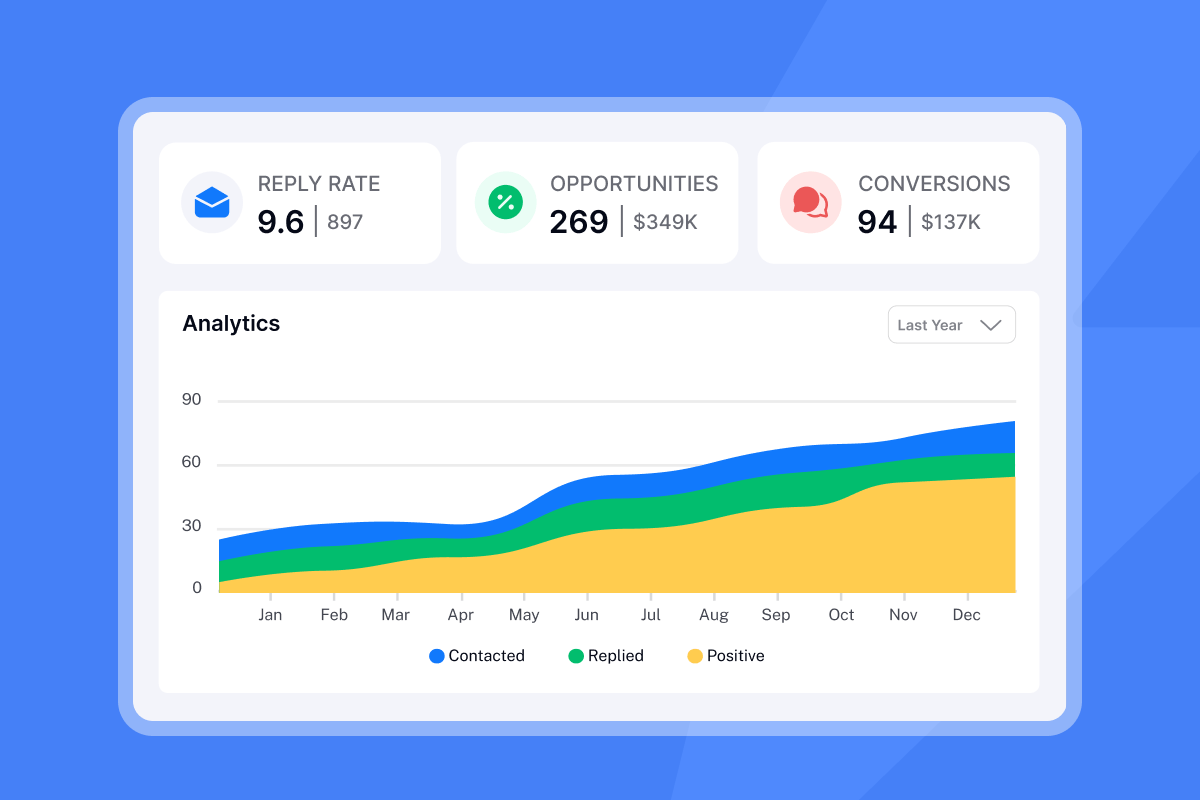
Align on two to three KPIs in the welcome email itself. For lead generation clients, those are reply rate and meetings booked per week. A good B2B cold email reply rate sits between 5% and 10%, giving clients a realistic benchmark from day one. For retainer clients, pipeline contribution is often tracked monthly. For project-based work, define completion criteria precisely. Clients who agree to specific metrics during onboarding are less likely to dispute performance during the engagement.
Onboarding email for new agency clients
Agency onboarding adds layers that solo consultants rarely deal with: multiple sending domains, warmup schedules, client workspace management, and centralized reply handling. Your welcome email should acknowledge these operational realities.
Optimize welcome email subject lines
Your subject line determines whether the welcome email gets opened in the first place. These five formulas work consistently for agency onboarding:
- "Welcome to [Agency Name] - here's what happens next"
- "[Client Name], your campaign launches in [X] days"
- "Your onboarding checklist + kickoff link"
- "Next steps for [Company Name]'s outreach campaign"
- "[Client Name] - action needed before [Date]"
Each pattern balances clarity with urgency. The first three establish context immediately (agency name, timeline, or action required). The fourth and fifth create a specific deadline or next step, which pushes the email higher in the client's priority queue.
Avoid vague subject lines like "Exciting news!" or "Your journey begins here." Both read as marketing copy, not operational communication. Agency clients expect directness. A subject line that states "action needed before [Date]" or "campaign launches in [X] days" signals priority and prompts immediate attention.
Test subject lines across your client roster. Track open rates by formula type. In practice, deadline-oriented subject lines tend to outperform general welcome lines because they signal priority and create a reason to open immediately. Use the pattern that works for your audience, then standardize it across onboarding flows.
Agency welcome email: setup guide
Here's a recommended workflow for setting up a new client in Instantly:
- Create the client workspace: Add a dedicated workspace for each client so campaigns, contacts, and replies stay separated.
- Connect sending accounts: Add the client's warmed domains. Instantly's unlimited account model means you add inboxes without triggering per-seat charges, which keeps your margins intact as client counts scale. For agencies managing multiple domains, the Instantly agency pricing breakdown shows how flat-fee economics scale.
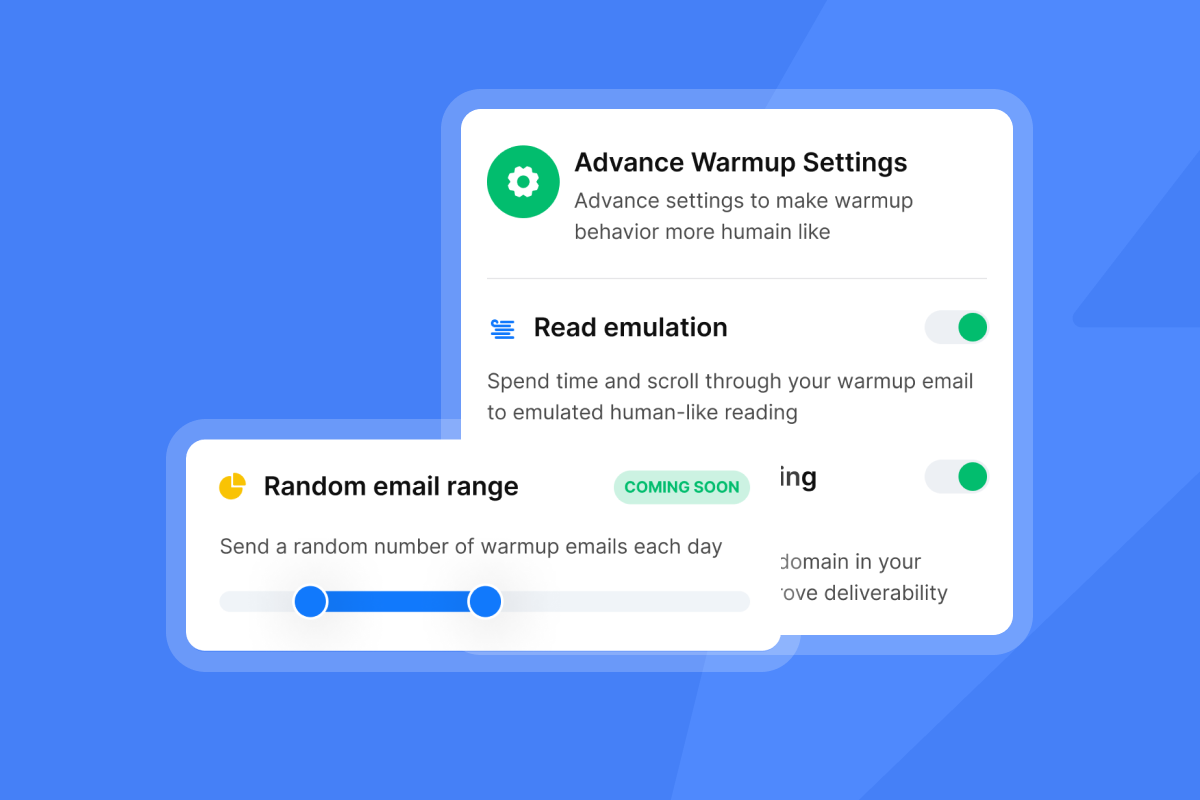
- Configure warmup settings: Use advanced warmup options (weekday-only, read emulation, open rate, reply rate control) available on the Growth plan. Check the account readiness guide before launching campaigns. Instantly requires at least 2 weeks of active warmup before your account is ready to send at campaign volumes. Check that your sending domains pass inbox placement tests before the first campaign send.
- Load the Unibox: Once replies start coming in, the Unibox centralizes every response from every sending account into one view. Filter by campaign, client workspace, or lead status without logging into dozens of separate inboxes.
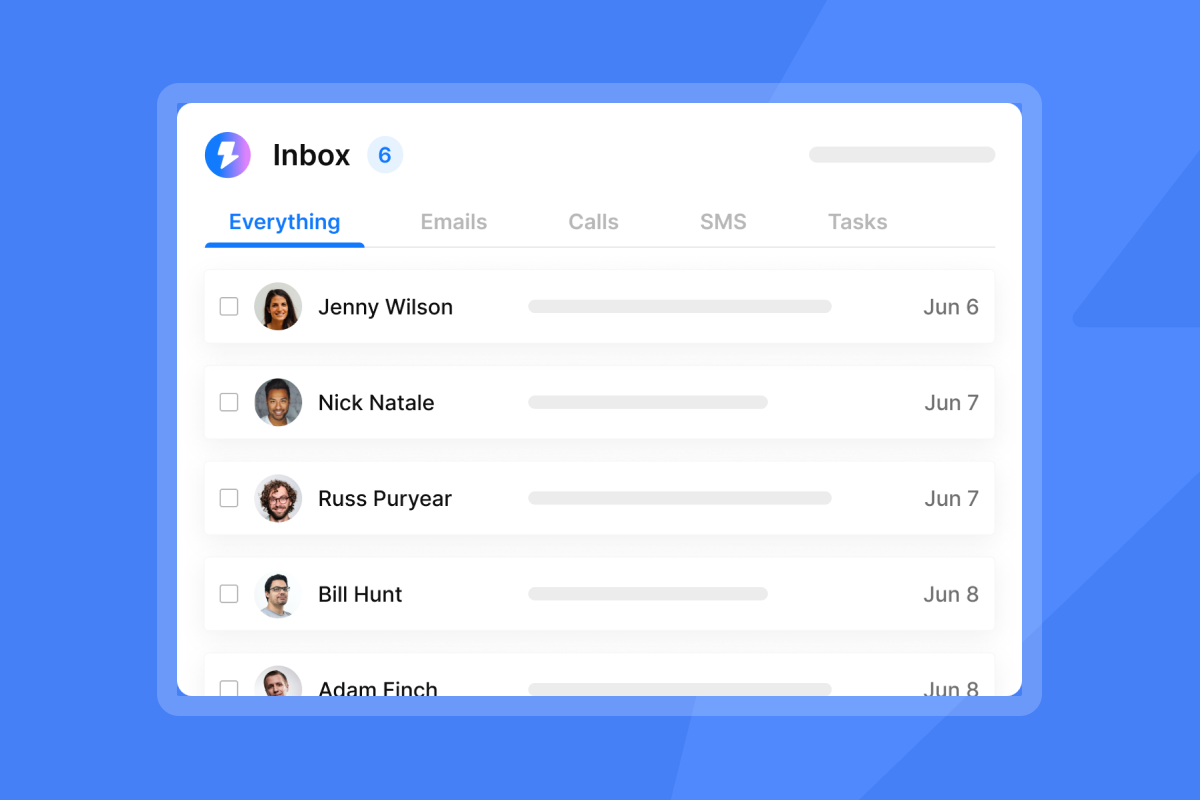
"I like the unified inbox because it allows me to manage conversations from multiple inboxes without the inefficiency and mess, and it helps me focus on high-intent, positive replies without the distraction of managing separate email clients for each sending account." - Jethu Ram P. on G2
For an agency managing 10 to 150 inboxes, that consolidation can significantly reduce morning reply triage time. You can see how this workflow runs end-to-end in the cold email client acquisition walkthrough on the Instantly channel.
Service-specific welcome email playbooks
One template does not fit all engagements. Lead generation, retainer, and fixed-scope projects each have different timelines, handoffs, and client expectations.
Service type | Timeline emphasis | Key asset to request | Primary KPI |
|---|---|---|---|
Lead generation | Week-by-week launch plan | ICP and domain access | Reply rate, meetings booked |
Retainer | Monthly recurring scope | Billing cycle and scope boundaries | Monthly pipeline contribution |
Project | Phase milestones and completion date | Statement of Work deliverables | On-time delivery |
Welcome emails for lead gen clients
Lead gen clients are results-focused and time-sensitive. Your welcome email needs to make the path to the first reply visible from day one.
Subject: Welcome to [Agency Name] - your lead generation campaign starts here
Hi [Client Name],
Welcome to [Agency Name]. Here is exactly what happens next.
Your kickoff call: Schedule our 30-minute strategy session here: [Calendar Link]. We'll align on your ICP, confirm outreach goals, and walk through the campaign timeline.
What we need from you before the call:
- Ideal customer profile (industry, company size, job titles)
- Case studies or testimonials for copy reference
- Admin access to your domain registrar (for DKIM/SPF)
- Approval on initial email copy (attached)
Suggested campaign timeline:
- Week 1: Domain setup and email authentication
- Week 2: List building and personalization
- Week 3: Campaign launch, initial sends ramping to 20-25 per inbox per day
- Weekly check-ins every Monday at [Time]
Your primary contact: [Account Manager Name] at [Email]. Available [Hours], [Days].
Looking forward to your first replies.
[Account Manager Name]
[Agency Name]
Because Instantly's flat-fee pricing covers unlimited sending accounts, you add new client inboxes without per-seat charges compounding your costs. The cold email sequence walkthrough on the Instantly channel shows how to structure the campaign setup that follows this welcome email.
Setting retainer client expectations
Retainer templates differ from lead gen in one critical way: scope boundaries should appear in the first message. Your retainer welcome email should list what is included monthly (reports, calls, ongoing optimization), define what constitutes an out-of-scope request, and reference the billing cycle. Clear scope definition from day one helps reduce boundary testing during the engagement.
Project client onboarding email
Fixed-scope project templates need three elements the other types do not: phase milestones with specific dates, a precise definition of done, and a link to the shared project workspace. Without a completion definition, projects extend indefinitely and clients disengage. Include a line like "This project is complete when [specific deliverable], as outlined in the Statement of Work" and reference it in the kickoff call.
Tailor welcome emails to set client expectations
Treat templates as starting points, not final drafts. Every client engagement has nuances that require adjustments.
Align email with your agency brand
Your tone in the welcome email should match the tone you used during the sales process. If you were direct and data-focused during the pitch, keep that voice in the welcome email. Inconsistency in tone between sales and onboarding signals to the client that the person they trusted is being replaced by a process. The cold email copywriting masterclass from Instantly covers how tone consistency drives response and trust at scale. The same principles apply to client-facing onboarding communication.
Set service-specific expectations
Define communication boundaries explicitly. State when you respond to messages, which channel is for urgent issues, and what constitutes an out-of-scope request. Clients who test these boundaries usually do so because no one told them where the lines were. Your welcome email is where you draw them.
Ensure smooth tool setup and access
Most campaign delays happen because clients don't know who holds admin rights to their domain registrar or which credentials to share. Anticipate this and guide them. Rather than asking for root credentials, request delegated access or ask them to create a new user account for your team. For domain authentication, explain what you need in plain terms: "We need to add two DNS records to your domain. Our team handles the technical side, though DNS changes can take up to 48 hours to propagate." The deliverability authentication guide walks through SPF, DKIM, and DMARC setup step by step. The Instantly DFY setup guide walks through the exact steps for agencies managing this process across multiple clients.
Stop making these onboarding email mistakes
Long, rambling welcome emails
Keep the main body to 60 to 130 words. That constraint forces clarity. Every sentence has to earn its place. When emails run longer, recipients skim, miss the action items, and respond with questions that a shorter, better-structured email would have answered. One primary CTA (schedule the kickoff call) is enough. Multiple calls-to-action overwhelm clients and dilute the one action you actually need them to take, as research on onboarding email structure consistently shows.
Failing to set client expectations
Vague onboarding is expensive. "We'll get campaigns running soon" is not a KPI. "We target a 5% reply rate in week three with sends capped at 30 per inbox per day" is. Include the numbers in the welcome email and reference them again at the kickoff call. The send time optimization guide covers how timezone-aware scheduling improves these results. The Building a $10K/Month Agency series on the Instantly channel shows in real time how vague expectations derail early results. The pattern is consistent: undefined timelines lead to client frustration before a single email goes out.
Incomplete client contact info
Missing a phone number, a backup email, or a support alias in the welcome email creates confusion when the client has an urgent question. That confusion becomes a trust gap. List every contact point in the welcome email itself. Do not rely on the client to find information in a separate onboarding portal they may not have set up yet.
Agencies that scale client onboarding treat it as a repeatable system with defined inputs (the template), defined steps (the timeline), and defined outputs (the kickoff call, campaign launch, first reply). That structure gives every team member a clear process to follow regardless of client size or complexity. Once that system is documented, the tool you use to centralize it becomes the next constraint to solve.
Try Instantly free and use the Unibox to manage all client replies from a single dashboard, backed by a deliverability network of 4.2M+ accounts, without logging into dozens of separate inboxes or paying per-seat fees as your client count grows.
FAQs
What is the optimal moment to send a client onboarding email?
Send the welcome email within one hour of the contract being signed, while the client's motivation is highest. Delays of even a few hours reduce open rates and give the client time to second-guess before the working relationship starts.
What is the optimal client welcome email length?
Keep the main body to 60 to 130 words. In practice, clients spend seconds scanning email, so a shorter and more scannable format keeps the single required action clear and easy to act on without the reader losing focus.
Should you disclose pricing details in the onboarding email?
No. Pricing is already agreed in the contract. The welcome email should reference the billing cycle and payment method but not revisit pricing details.
How do you re-engage a non-responsive client during onboarding?
Follow up with a short, direct email asking whether they've hit any roadblocks and restating the one action needed to move forward. A personal tone ("Just checking in, do you have the domain access ready?") outperforms automated-sounding follow-ups in this context.
Read Next
- How to Write Cold Emails That Get Replies
- 30-Day Email Warmup Schedule for New Domains
- Cold Email Follow-Up Strategies That Book Meetings
Key terms glossary
Sender reputation: Email providers assign a score to your sending domain and IP based on bounce rates, spam complaints, and engagement. Protecting sender reputation is why warmup exists.
Unibox: Instantly's centralized reply inbox that aggregates responses from all connected sending accounts into one view, removing the need to log into separate email clients for each inbox.
DKIM (DomainKeys Identified Mail): A DNS record that cryptographically signs outgoing emails to verify they are sent from an authorized server. Required for deliverability at scale.
SPF (Sender Policy Framework): A DNS record that lists which servers are authorized to send email on behalf of a domain. Missing SPF is one of the most common causes of emails landing in spam.
Warmup: The process of gradually increasing daily send volume on a new inbox to build sender reputation before launching campaigns. Instantly requires at least 2 weeks of active warmup before an account is ready for campaign volumes.
ICP (Ideal Customer Profile): A detailed description of the company type and contact profile most likely to convert, used to build and filter lead lists.


