


Updated March 5, 2026
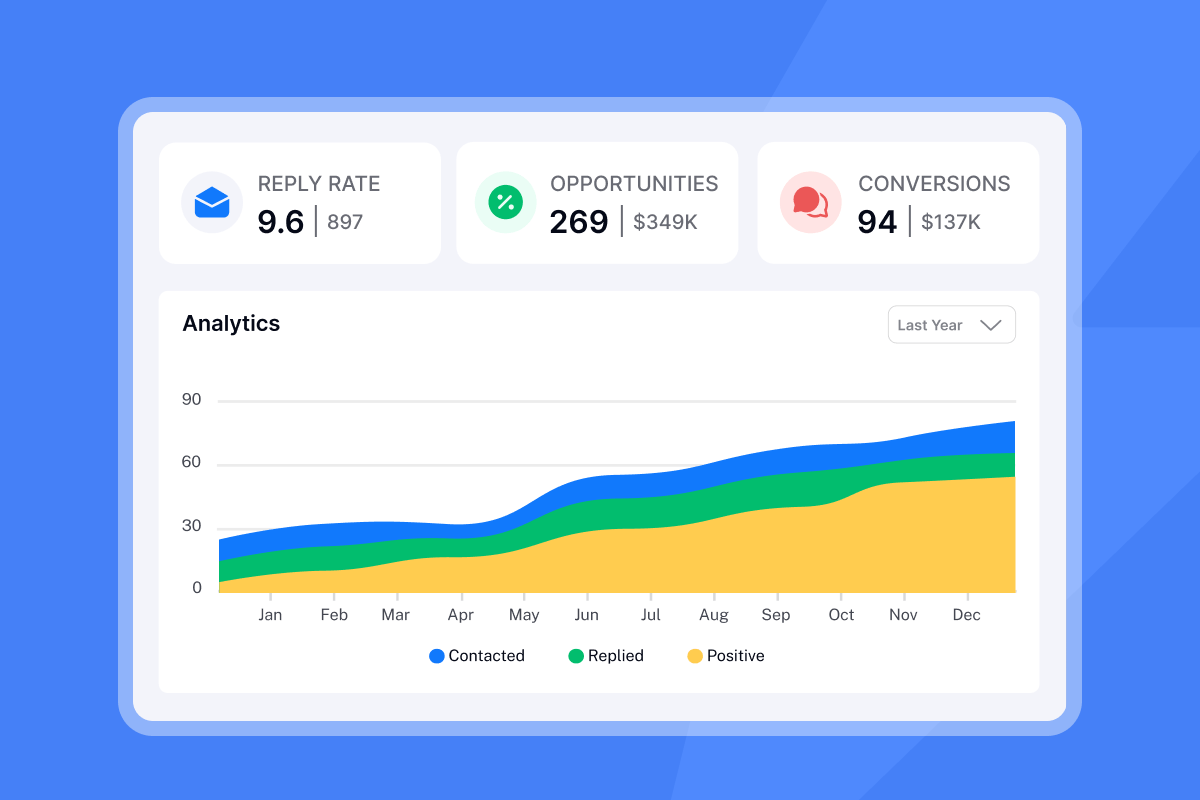
TL;DR: Most cold email failures aren't copy problems, they're infrastructure problems driven by software pricing that pushes you to break the rules of deliverability. Per-seat tools force you to overload inboxes to justify the cost. That kills sender reputation, burns client domains, and tanks reply rates. The fix is a flat-fee platform with unlimited accounts so you can spread volume safely across inboxes, keep bounces below 2%, and stay out of spam. Instantly is built on that model: unlimited email accounts, a 4.2M+ account deliverability network, built-in warmup, and a unified inbox on every plan starting at $37/month.
Cold email isn't magic. It's a mechanical system with hard physical limits, and when you ignore those limits, you fail. The biggest limit isn't your copywriting skill or your offer. It's whether you're using the right cold email software for the job. Per-seat tools create a direct financial incentive to overload inboxes, which kills sender reputation and burns domains. Below are the 12 technical and strategic mistakes that result from choosing the wrong infrastructure, and exactly how to fix each one.
Infrastructure and setup mistakes
1. Relying on per-seat pricing models
Problem: Per-seat pricing creates a direct financial incentive to send too many emails from too few inboxes. The math makes it unavoidable.
An agency sending 10,000 emails a month at a safe rate of 30 emails per inbox per day needs at least 11 inboxes. At a typical per-seat rate of $69 per user (common among tools like Lemlist and Apollo), that's $759 a month. According to our flat-fee vs. per-seat analysis, at 20,000 emails per month, per-seat tools cost 3.3 to 3.6 times more than flat-fee alternatives. At 50,000 emails, the gap widens to 7.5 to 8.2 times, and at 100,000 emails per month, Instantly runs 14.5 to 15.8 times cheaper than per-seat alternatives. Instantly's per-seat vs. flat-fee ROI guide runs the full cost comparison across 50k and 100k monthly send volumes, including a breakdown of how per-inbox cost compounds as agencies add clients.
Impact: Agencies respond to this cost pressure by stuffing inboxes. Instead of running 30 emails per day per inbox, they push to 100 or 150 to "justify the seat." That overcrowding signals spam, burns domains, and kills sender reputation.
Quick fix: Audit your current cost per active inbox. If adding one inbox means adding a seat fee, that's the structural problem.
Long-term approach: Switch to a flat-fee platform where unlimited inboxes are included at no extra cost, so the incentive to overcrowd disappears entirely.
How Instantly helps: On Instantly's Growth plan at $37/month (or $30/month annual), we include unlimited email accounts. We don't charge extra when you add a 50th inbox, so you can spread volume safely across as many inboxes as your campaigns need. As one user put it:
"Managing multiple inboxes and domain warm-up in one place makes outreach much more efficient." - Luhar S. on G2
2. Sending from your primary domain
Problem: Using your main business domain (yourcompany.com) for cold outreach puts your entire brand's email reputation at risk.
Impact: One bad campaign, one spam complaint spike above Google's 0.3% threshold, and your primary domain lands on a blacklist. Every transactional email, every client communication, and every inbound reply gets caught in spam. As Mailpool's domain recovery guide explains, persisting with a burned domain can also damage your sender reputation for other domains you own, compounding the problem across your entire client portfolio.
Quick fix:
- Buy secondary domains immediately. Use variations like
trycompany.comorgetcompany.cofor all cold outreach, never your primary business domain. - Set up domain forwarding so secondary domains still resolve to your main site if a prospect clicks through.
Long-term approach: Maintain a ratio of one secondary domain per campaign type or client vertical, each properly warmed before use.
Preventive measures: Never send a single cold email from a domain tied to your core business identity.
How Instantly helps: Our secondary domain strategy guide walks you through acquiring, configuring, and scaling across multiple sending domains, all managed from one dashboard.
3. Neglecting DNS authentication records
Problem: Sending without SPF, DKIM, and DMARC configured is the single fastest path to the spam folder.
Think of these three records as a digital ID card for your emails. As Cloudflare's email security guide explains:
- SPF works like a publicly available employee directory, listing every server authorized to send on behalf of your domain.
- DKIM is a tamper-proof seal, a digital signature that verifies the email came from you and wasn't modified in transit.
- DMARC lets you define rules for how receiving servers handle emails that fail either of those checks, reducing the risk of your domain being spoofed.
Impact: Without all three records in place, receiving servers have no way to verify your identity. Your emails get flagged or rejected on arrival, regardless of how good your copy is.
Quick fix: Configure all three records in sequence:
- Add SPF:
v=spf1 include:_spf.google.com ~all - Configure DKIM through your email provider (Google Workspace or Microsoft 365)
- Start DMARC at
p=noneto monitor, then tighten top=quarantineorp=rejectover time
Implementation steps: Let DKIM and SPF authenticate for at least 48 hours before activating DMARC. Our DNS setup guide covers every record type, and you can verify your configuration directly in the Instantly Email Accounts dashboard using the "Test domain setup" function.
Instantly's 90% deliverability guide also covers the full Day 1 to Day 14 setup sequence in order. DNS publication, warmup ramp, custom tracking domain, contact verification, and placement testing, so each step builds correctly on the last.
4. Paying extra for standalone warmup tools
Problem: Warmup is not optional, and treating it as a separate line item compounds costs while creating gaps in your setup.
Impact: Standalone warmup tools typically charge $15 to $24 per inbox per month. Warmup Inbox prices between $15 and $19 per inbox monthly. For an agency with 20 active inboxes using per-inbox pricing, that's $300 to $480 per month just for warmup, on top of your sending platform. Most warmup tools charge per email account, so costs scale linearly with your inbox count.
Quick fix: Eliminate the standalone warmup tool and use a platform where warmup is built into every plan. Instantly's warmup network runs on 4.2M+ accounts across all plans with no per-inbox fee, and includes read emulation to simulate genuine engagement signals during the ramp, the same positive engagement signals standalone tools charge by the account to generate.
Long-term approach: Keep warmup running permanently, not just during onboarding. Sender reputation needs ongoing reinforcement, not a one-time sprint. Instantly's cold email infrastructure guide covers how to structure your domain and inbox architecture at scale.
How Instantly helps: We include unlimited warmup on every Instantly Outreach plan. The pre-warmed domains and accounts feature means you can also start with inboxes that already have established reputation signals, cutting your ramp time significantly.
"Instantly basically cultivates all the tools I need in one place for cold email, which saves me from spending a lot on different tools." - Leon S. on G2
Campaign execution and deliverability errors
5. Spiking send volume without a ramp-up period
Problem: Sending 200 emails on day one from a fresh inbox is the cold email equivalent of sprinting cold. You might move fast once, then you're sidelined for weeks.
New inboxes have zero sending history. ISPs have no trust signals to reference, so high volume from an unknown sender reads as bot behavior, and immediate spam filtering follows.
Impact: Blacklisting, weeks of cleanup work, and a burned inbox you can no longer use for client campaigns.
Quick fix: Start at 2 to 5 emails per day on day one, adding incrementally. For new domains under six months old, keep sends to 30 per inbox after a 14-day initial warmup period. For older domains, you can push to 40.
Long-term approach: Follow a structured 30-day ramp:
- Days 1 to 3: Send 10 to 20 emails per day.
- Days 4 to 7: Increase by 3 to 5 daily.
- Weeks 2 to 4: Add 10 to 20 emails per week until you reach your target, keeping daily sends at or below 30 per inbox for new domains.
For the full ramp schedule, our cold email warmup scaling guide is the practical reference.
Preventive measures: Never send real campaign emails during the first 14 days of warmup. If you must launch early, start at low volume and increase no faster than 10 to 20 emails per week.
6. Ignoring time zone send windows
Problem: Sending emails during your prospect's overnight hours doesn't just reduce open rates. It reduces the engagement signals that ISPs use to evaluate your sender reputation.
Impact: Emails sent outside business hours see lower engagement, which compounds into lower sender reputation scores over time. Low engagement signals tell ISPs that your recipients don't want your emails, and future sends get routed to spam even during business hours when you do send them. Run an Inbox Placement test after adjusting your send windows to confirm whether the timing change improved primary inbox landing across Gmail, Outlook, and Yahoo.
Quick fix: Set your send windows to align with your prospect's business hours. That's when inboxes are actively read and replies are most likely.
Long-term approach: Segment sending by prospect time zone so sends always land during active hours regardless of where your leads are located. We cover schedule configuration per campaign in the Instantly demo walkthrough.
7. Uploading unverified lead lists
Problem: Every unverified email address you send to is a potential bounce, and bounces compound into a reputation problem fast.
Bounce rates signal list quality issues that ISPs associate with spam behavior. According to Allegrow's bounce rate research, a bounce rate above 2% indicates underlying list quality problems that need immediate attention.
Impact: Once your bounce rate crosses 2%, your sender reputation begins to degrade. Cross 3%, and you risk more aggressive filtering from ISPs. Google's bulk sender guidelines require senders to stay below a 0.3% spam complaint rate, and bounces from unverified lists are a direct path to crossing that threshold.
Quick fix: Run every list through a verification tool before importing. Target a bounce rate below 1% as your operating standard. Tools like ZeroBounce or NeverBounce are commonly used for pre-send verification.
Long-term approach: Build list hygiene into your campaign launch checklist. Verify, clean, and re-verify lists that are more than 90 days old. For sourcing verified contacts from the start, Instantly's B2B Lead Finder gives you access to over 450 million contacts with built-in verification. Instantly's deliverability checklist covers all 14 pre-send checks in sequence, from authentication and warmup through list hygiene and engagement settings.
Preventive measures: A bounce rate above 2% is a hard stop signal. Pause sends, re-verify the list, and restart at a lower daily cap before proceeding.
8. Using generic personalization without spintax
Problem: Sending the same email text to 500 leads, even with {{FirstName}} swapped in, triggers content similarity detection. Spam filters look for identical text strings sent at volume.
Impact: Emails with identical structure and body copy get flagged as bulk messages, routed to Promotions, or blocked entirely. Reply rates drop even when the copy is good.
Quick fix: Add spintax immediately. Spintax (also written as spin syntax) rotates alternative words and phrases into each email so no two sends are identical. Basic examples:
{Hi|Hey|Hello} {FirstName}sends as "Hi," "Hey," or "Hello" randomly across your list.I {noticed|saw|came across} your {profile|work} on LinkedInvaries the opening line.Would you be {open to|up for|interested in} a quick {call|chat|conversation}?rotates your CTA.
Long-term approach: Apply spintax at the greeting, opening sentence, and call to action. Use our 600 battle-tested cold email templates as your starting point and build spintax variations from there.
How Instantly helps: The Instantly sequence editor has a built-in spintax tool. You write variations inline and preview how each version renders before sending. The AI deep personalization approach takes this further with AI-generated variables per contact.
Strategic and operational pitfalls
9. Failing to A/Z test sequence variations
Problem: Running a single subject line and body copy variant means you're guessing, and guessing is expensive when client campaigns are on the line.
Impact: Most agencies settle on one variant, get mediocre results, and assume "cold email doesn't work." The actual problem is they never tested what would work. Even a 1% improvement in reply rate across a 10,000-email campaign is 100 additional conversations.
Quick fix: Run at minimum two subject line variants on every campaign. Measure open rate differences over the first 200 sends, then consolidate to the winner.
Long-term approach: A/Z test systematically: subject lines first, then opening lines, then calls to action. Never change more than one element per test so you know what drove the change.
How Instantly helps: We include A/Z testing on the Hypergrowth plan at $97/month, letting you test multiple variants across subject lines and email body copy. The campaign features ROI guide explains how to read the split-test data and decide when you have enough results to call a winner. If you're on the Growth plan at $37/month and want to start testing, a plan upgrade is the unlock, and the cost difference pays for itself quickly with even a modest lift in reply rate.
10. Overlooking the need for a unified inbox
Problem: Logging into 50 separate Gmail accounts to manage client replies isn't a workflow. It's chaos that causes missed leads and slow response times.
Impact: An agency managing 50 inboxes across 10 clients without a unified view will miss replies, respond late, and lose deals that warmed up from outreach but went cold waiting for a response. Response time is a direct conversion variable.
Quick fix: Centralize all reply management before you scale past five inboxes.
Long-term approach: Build your reply workflow around a single dashboard. Categorize by intent (interested, not now, referral) and assign follow-up actions per reply type.
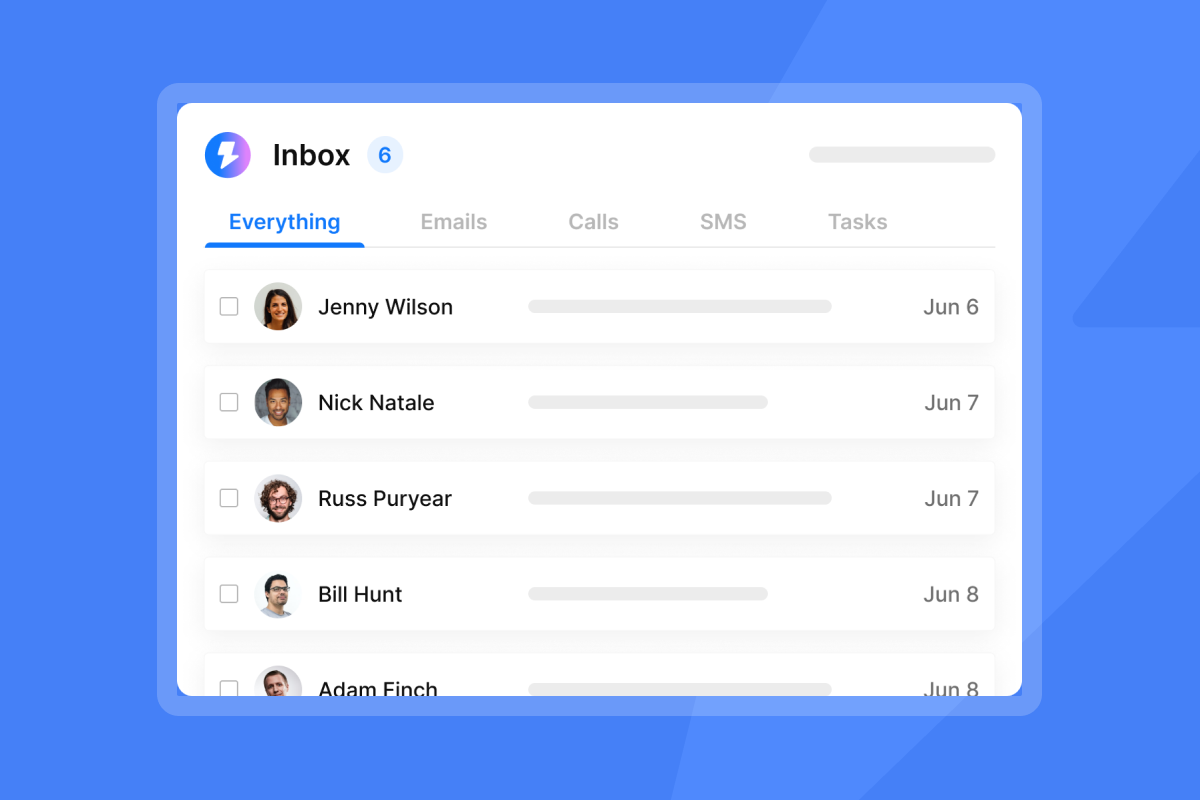
How Instantly helps: Our Unibox aggregates replies from all client inboxes into one view. You can reply, move leads to a subsequence, add internal notes, or mark conversations without switching tabs or logging into individual accounts. As the Unibox best practices guide explains, we also auto-categorize replies so you triage at a glance, rather than reading every thread from scratch.
"Instantly... intelligent handling of domain and mailbox rotation as well as provider matching, which is critical for ensuring that my emails land directly in the primary inbox instead of getting caught in spam filters." - Richard E. on G2
11. Tolerating slow support response times
Problem: In agency work, platform downtime or a stuck campaign during a client push directly translates to missed meetings and client churn.
Impact: Every hour a campaign is paused due to an unresolved support ticket is revenue not generated. Agencies that depend on a platform for client deliverables can't afford 48-hour email ticket queues.
Quick fix: Before committing to any platform, test support response time with a technical question before you're a paying customer:
- Send a specific technical question during business hours.
- Measure how long it takes to get a useful answer, not a canned response.
- If it takes more than four hours, treat that as a signal.
Long-term approach:
- Choose platforms with live chat support and documented response SLAs.
- Read reviews on G2 and Trustpilot, filtering specifically for "support" terms to understand real response times at scale.
- Set up your stack at least 30 days before a major client campaign launch, so any configuration issues are resolved before the stakes are high.
Preventive measures: Documentation quality is a strong proxy for support quality. Joel Martinez, who is new to cold email at scale, noted in his Trustpilot review that our documentation alone answered most questions before he needed to contact support.
"I am new to using cold email at scale. The team has answered all my questions and their documentation is comprehensive enough where I didn't have many questions to begin with." - Joel Martinez on Trustpilot
12. Getting trapped by vendor lock-in
Problem: Annual contracts with no export options, or platforms that make cancellation intentionally difficult, are common in this category and cost agencies real money when a better option appears.
Impact: Getting locked into a contract after discovering a deliverability issue or pricing problem means you're paying for a tool that's actively hurting campaign performance. Seat reductions on annual plans are often not permitted mid-term, meaning you pay for licenses you no longer use.
Quick fix: Before signing any annual plan, confirm:
- Can I export all contact data?
- Can I cancel monthly if needed?
- What happens to my data after cancellation?
Long-term approach: Prioritize platforms with monthly billing options, especially during the evaluation phase. Proven performance is the only reason to commit annually.
Our stance: We offer monthly plans on all tiers. We support full data export, and we publish pricing transparently at our unlimited outreach pricing page. No surprise fees, no hard cancellation flows. If you find a better fit, you can leave with your data intact.
Comparison: per-seat model vs. flat-fee (Instantly)
Metric | Typical per-seat model | Instantly |
|---|---|---|
Pricing structure | $69-99 per user/month | $37-97/month flat |
Cost for 10 inboxes | Typically $690-990/month | $37-97/month |
Cost for 50 inboxes | Typically $3,450-4,950/month | $37-97/month |
Warmup included | No ($15-24/inbox extra) | Yes, unlimited |
Inbox management | Multiple logins required | Unified Unibox |
Email accounts allowed | Limited by seats purchased | Unlimited |
A/Z testing | Often locked to higher tiers | Included from Hypergrowth plan |
The pricing model isn't just a cost difference. It determines whether you can scale safely or whether you're forced to overcrowd inboxes to justify the spend. As shown above, at 50 inboxes the per-seat model costs $3,450 to $4,950 per month. On Instantly, it costs the same $37 to $97 it always did.
For a practical walkthrough of setting up your first campaign correctly from the start, things operators wish they'd known sooner fills in the gaps that most setup guides miss.
Fix the infrastructure, and the copy will work
Every mistake on this list has one root cause: treating cold email as a copy problem when it's actually an infrastructure problem. Bad DNS records, overcrowded inboxes, unverified lists, and missing warmup will defeat even the best copywriter you can hire.
The system-first checklist before any campaign goes live:
- Set up secondary domains, never your primary business domain.
- Configure SPF, DKIM, and DMARC on every sending domain.
- Warm every inbox for 14 to 30 days before sending campaign emails.
- Keep daily sends at or below 30 per inbox for domains under six months old.
- Verify your list before importing, targeting a bounce rate below 1%.
- Use spintax to vary greetings, opening lines, and CTAs across every send.
With those inputs in place, the copy has a fair chance. If your current platform's pricing model pushes you to skip any of these steps to save money, the platform is the problem.
Try Instantly free and use cold email templates inside the app to launch your next campaign correctly, with unlimited inboxes, built-in warmup backed by a 4.2m+ account deliverability network, and a unified inbox from day one.
Frequently asked questions
How many emails can I safely send per day from one inbox?
Keep daily sends at or below 30 per inbox for domains under six months old, and up to 40 for older domains. Pushing past these limits, even with a warmed inbox, increases the risk of spam filtering and domain damage.
How long does email warmup take before I can send campaigns?
Plan for a minimum of 14 days before sending any campaign emails, and ideally 30 days for full warmup. Domains under six months old should complete the full 30-day period before scaling to campaign volume, with zero campaign sends during the first 14 days.
What is a safe bounce rate for cold email campaigns?
Keep your bounce rate below 2% for optimal deliverability. Bounce rates above 2% signal list quality problems that will degrade sender reputation over time and require immediate list re-verification before continuing sends.
What is the Google spam rate threshold I should stay under?
Google requires bulk senders to stay below 0.3% spam rate, and the recommended target is below 0.1%. Senders who cross 0.3% become ineligible for mitigation and risk domain-wide filtering across all campaigns.
Do I need all three DNS records (SPF, DKIM, DMARC) or just one?
You need all three. SPF lists authorized sending servers, DKIM signs each email to prove it hasn't been altered, and DMARC tells receiving servers what to do when either check fails. Skipping any one of them leaves you exposed to filtering or spoofing.
Does Instantly include A/Z testing on the Growth plan?
A/Z testing is available on the Hypergrowth plan at $97/month (or $77.60/month annual). The Growth plan at $37/month (or $30/month annual) includes unlimited email accounts and warmup, making it the right starting point for inbox infrastructure, with A/Z testing available on the next tier up.
Key terms glossary
Spintax: A method of rotating alternative words and phrases into an email so no two sends are identical. Written as {Hi|Hey|Hello}, it randomly selects one option per send to avoid spam filter detection of duplicate content.
DNS (Domain Name System): The system that stores authentication records for your domain. SPF, DKIM, and DMARC records all live in your DNS and tell receiving servers whether to trust your emails.
Deliverability: The percentage of sent emails that reach the recipient's inbox (as opposed to spam or Promotions). Affected by sender reputation, DNS setup, bounce rates, and spam complaint rates.
Throttle: Deliberately limiting the number of emails sent per hour or per day from a given inbox to stay within safe sending limits and avoid triggering spam filters.
Unibox: Instantly's unified inbox feature that aggregates all replies across every connected email account into one dashboard, removing the need to log into individual inboxes to manage responses.
Sender reputation: A score assigned by ISPs to your sending domain and IP address based on your historical sending behavior: bounce rates, spam complaints, engagement rates, and authentication setup. Low reputation means emails route to spam.
Warmup: The process of gradually increasing send volume from a new inbox over 14 to 30 days so ISPs recognize it as a legitimate sender before campaign volume begins.


