


Updated November 25, 2025
TL;DR: If you run an agency and your growth depends on cold email, choose the platform that scales accounts and deliverability, not headcount. Instantly gives you unlimited sending accounts on a flat fee, a deliverability network of 4.2M+ accounts, and agency-grade features so you scale clients without compounding software costs. This guide details how to blend inbound and outbound lead generation to build a predictable pipeline, protect sender reputation across dozens of client domains, and convert replies into booked meetings using SuperSearch, AI-powered reply automation, and automated warmup.
Agency operators face a hard truth. Your reputation hinges on deliverability and results. One burned client domain can cost you the account. Per-seat pricing destroys margins as you scale. Tool sprawl across warmup, sending, enrichment, and CRM creates gaps where leads fall through.
This playbook shows you how to build a scalable, predictable client pipeline by mastering both inbound and outbound lead generation.
Core principles of effective outbound outreach
Effective outbound starts with a tightly defined ideal customer profile. Vague targeting burns client domains and destroys your agency's retention rate. Define firmographics like company size, industry, revenue, and funding stage. Layer in technographics to identify prospects using competitor tools or signals that indicate buying intent, such as recent funding or active hiring patterns.
List hygiene is non-negotiable. Bounce rates above 1% damage sender reputation and trigger spam filters. Verify every email before adding it to a campaign. Remove duplicates, role addresses, and unsubscribed contacts. Clean data protects your client's domain and increases reply rates because verified contacts are more likely to be active decision-makers.
Personalization at scale separates agencies that book meetings from those that hit spam. Generic "Hi {firstName}" templates feel robotic. AI-powered personalization pulls contextual signals like recent news, job postings, tech stack, and LinkedIn activity to craft relevant first lines. Instantly's AI Web Research Agent scrapes company websites to identify case studies, pricing, and growth indicators, creating dozens of personalization hooks per lead.
Best practices for high-converting cold email campaigns
30-day warmup and ramp plan:
- Days 1-7: Send 5 campaign emails per day per inbox. Monitor bounce rate (target <1%) and inbox placement (target >90%).
- Days 8-14: Increase to 15 emails per day if metrics hold. Run first Inbox Placement test.
- Days 15-21: Ramp to 25 emails per day. Check for spam trap hits and blacklist status.
- Days 22-30: Hit maximum 30 emails per day. Lock in send windows and finalize sequence variants.
- Ongoing: Run weekly Inbox Placement tests and pause immediately if bounce rate exceeds 1% or inbox placement drops below 80%.
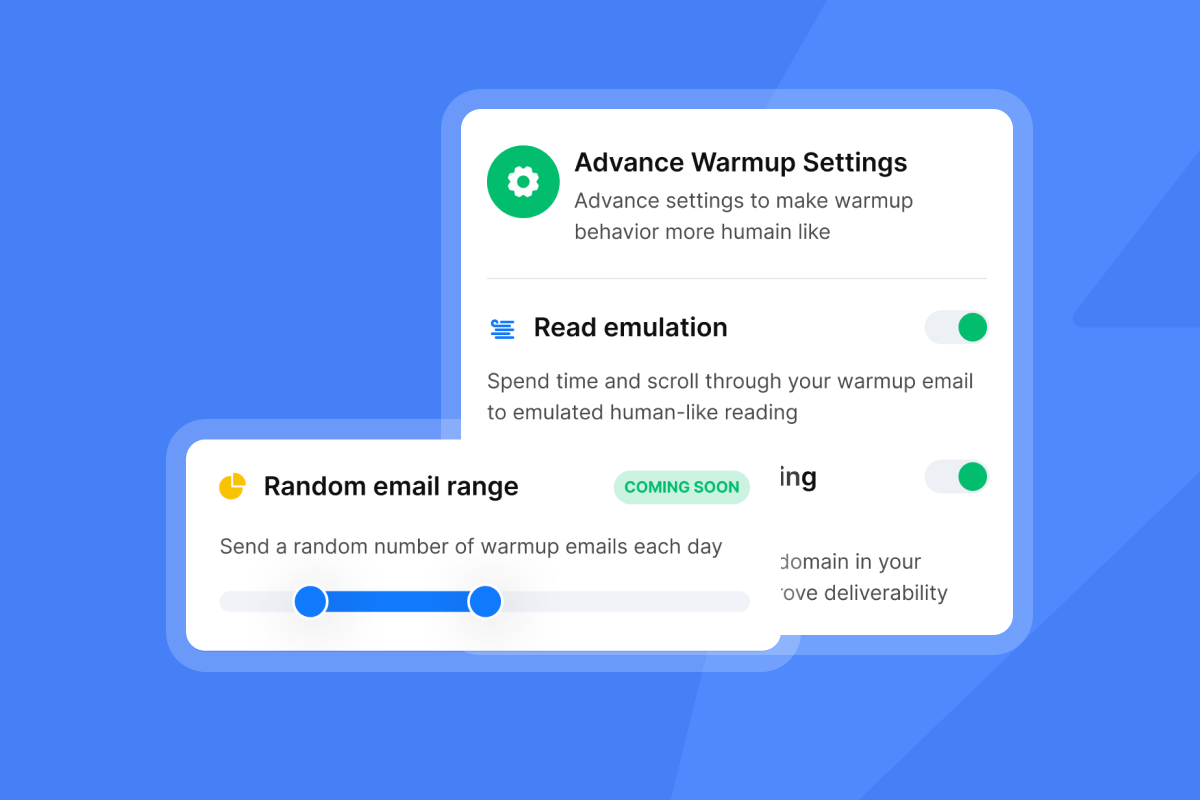
Automated warmup mimics human sending patterns across Instantly's network of 4.2M+ accounts, building sender reputation before you launch campaigns. Skip warmup and you risk immediate spam placement, especially with Microsoft and Gmail.
Keep daily sends at or below 30 campaign emails per inbox per day. Going beyond 30 increases spam risk exponentially. If you need to send 300 emails daily, connect 10 warmed inboxes and rotate sending across them. Instantly's unlimited email accounts and flat-fee pricing mean you scale volume without per-seat penalties.
Structure sequences with 3 to 4 follow-up steps spaced 3 to 5 days apart. The first email should be plain text to improve deliverability. Keep copy under 100 words, focus on one clear call-to-action, and avoid spam trigger words. Use Instantly's AI Spam Word Checker to optimize copy before sending.
"Instantly is extremely user-friendly. We use it regularly to contact physicians about our opportunities, and it simplifies the process of creating email campaigns from our physician lists. Additionally, we have been seeing excellent response rates." - Theo S. on G2
Run A/B tests on subject lines, opening lines, and CTAs using Instantly's A/Z testing feature. Test one variable at a time with at least 100 emails per variant to reach statistical significance. Track which variants drive open rates above 60% and reply rates above 5%, then scale winners across client campaigns.
"I love Instantly's user-friendly layout, which makes it incredibly easy to use. Compared to other tools on the market, its interface stands out as more accessible and intuitive. I also appreciate Instantly's effectiveness in generating good quality leads." - Aryan on G2

Enable SISR (Server and IP Sharding and Rotation) on Light Speed plans for high-volume campaigns. SISR uses private IP pools to protect deliverability at scale, critical when managing campaigns across 20+ client accounts. Run automated Inbox Placement tests weekly to monitor where emails land. Alerts trigger when inbox placement drops below 80% or spam rates exceed 10%.
Leveraging Instantly's SuperSearch for targeted prospecting
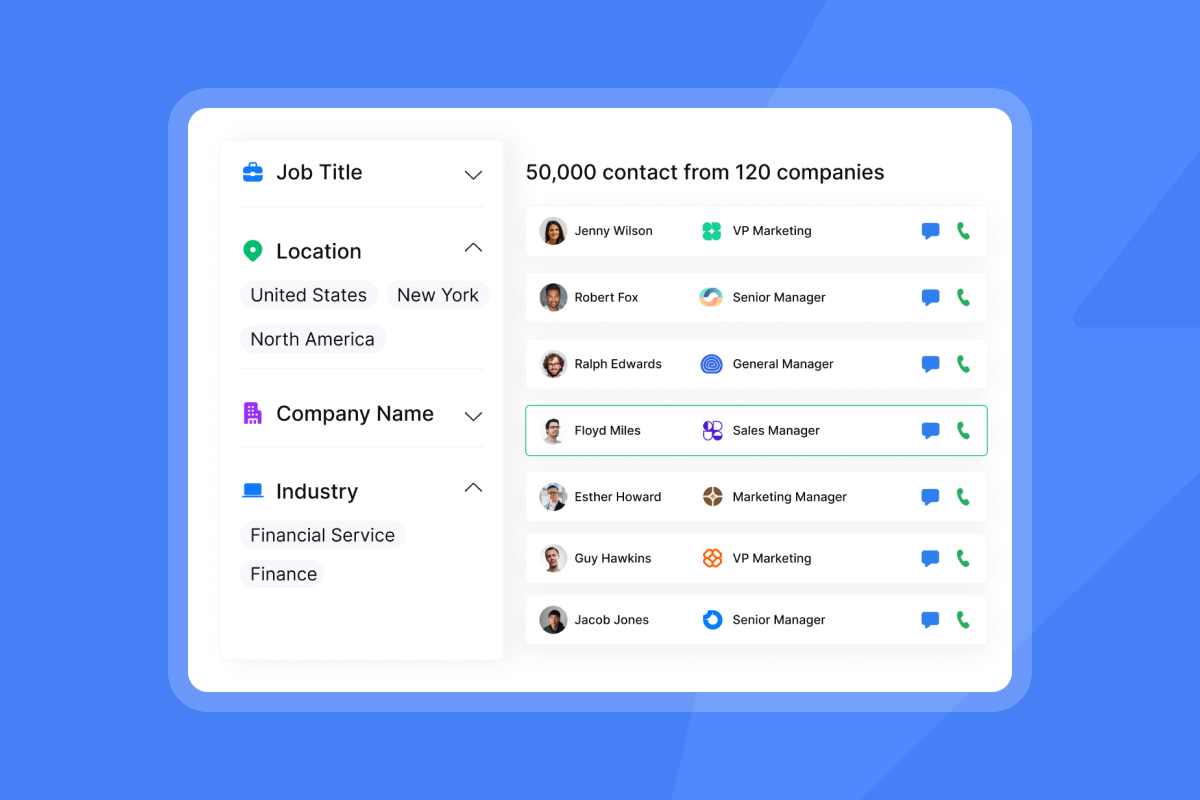
SuperSearch gives you access to 450M+ verified B2B contacts with waterfall enrichment across 5+ data providers. This eliminates the need for separate lead databases and verification tools. You build lists, enrich data, and push leads into campaigns from one interface, reducing errors and saving hours per campaign.
Start with granular filters to match your ICP. Filter by job title, management level, department, industry, company size, revenue, location, and technology stack. The technology scanning feature identifies companies using specific software, perfect for competitive displacement campaigns. Layer funding status filters to target companies that just raised Series A and have budget to spend.
AI-powered workflows let you prompt SuperSearch in natural language. Type "Founders of SaaS companies in New York with 50-100 employees using HubSpot" and the system translates your query into precise filters, returning verified contacts in seconds. The "one lead per company" option prevents duplicate outreach and focuses your team's efforts.
SuperSearch enriches leads with job listings, recent news mentions, and LinkedIn data. Job postings signal growth, making those companies more likely to respond to outreach about hiring tools or growth services. News mentions provide timely hooks for personalization, such as referencing a recent funding round or product launch in your first line.
"I love that Instantly saves me a lot of time and effort in finding leads for my agency, offering an incredibly organized and user-friendly platform that feels easy and accessible. Everything I need is conveniently available in one place." - User review on G2
Export leads directly into sequences with one click or sync them to your CRM via native integrations with HubSpot, Salesforce, and Pipedrive. For agencies managing multiple clients, separate workspaces keep data segregated while allowing you to share enrichment credits across the account.
Automating replies and follow-ups with AI Reply Agent
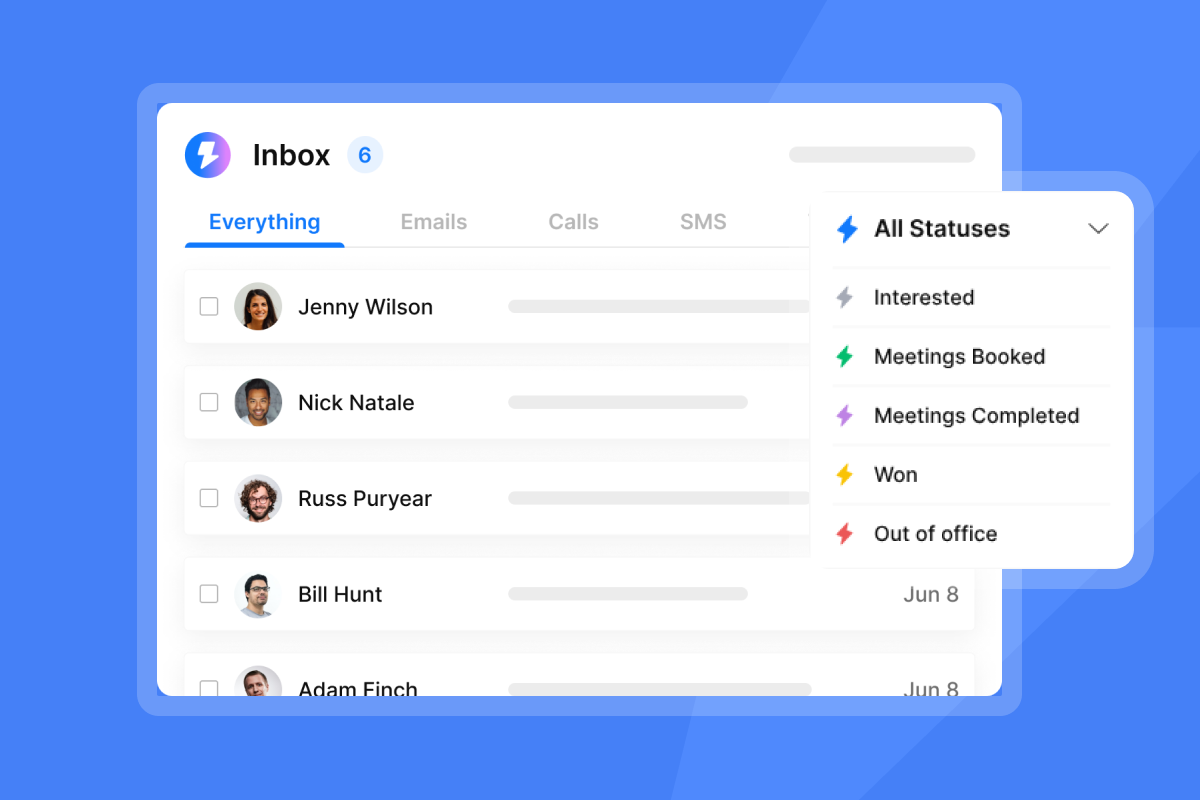
AI Reply Agent handles lead replies in under 5 minutes, 24/7. Configure it to classify responses as Interested, Not Now, Referral, or Do Not Contact, then automate actions for each category. Interested leads can be auto-replied, added to your CRM as opportunities, and trigger Slack notifications to your sales team, all without manual work.
The agent runs in two modes. Human-in-the-Loop mode flags replies for review before sending AI-generated responses, giving you control while saving time on reply triage. Autopilot mode sends replies automatically based on your playbook, ideal for high-volume campaigns where speed matters more than custom responses.
For agencies managing 10+ client campaigns, you eliminate the bottleneck of reply management. Leads don't wait hours or days for a response while your team sleeps or handles other clients. Faster reply times correlate with higher meeting conversion rates because engaged prospects stay engaged.
Integrate Reply Agent with Slack to receive real-time notifications when high-intent replies arrive. Configure webhooks to push reply data into your CRM, update lead scores, or trigger task creation for sales reps. The centralized Unibox shows all replies from every campaign and client in one view, with AI categorization making it easy to prioritize follow-up.
"I love the comprehensive capabilities of Instantly, which have significantly streamlined my operations by replacing about 5 or 6 other technologies I used to rely on. This tool is a powerhouse for lead scrubbing, lead mining, research, outreach, launch strategy, and more." - Heather O. on G2
Outbound lead generation services explained
Outbound services fall into three categories.
- DIY platforms like Instantly give you tools to build, send, and optimize campaigns in-house.
- Done-with-you services combine software with consulting to guide your team through setup.
- Done-for-you agencies handle the entire process for a flat fee or retainer.
For agency operators, DIY platforms offer the best margin and control. You avoid markup on leads and keep the client relationship direct. Instantly's VIP setup service handles technical infrastructure like domain setup, DNS configuration, and inbox warmup, then hands you a campaign-ready system in 24 to 72 hours.
Inbound vs. outbound: A strategic comparison for agencies
Inbound and outbound serve different roles in your client's pipeline. Inbound builds brand and attracts prospects already searching for solutions. Outbound proactively engages high-value accounts that fit your ICP but may not know your client exists. Smart agencies use both to create a balanced pipeline that compounds over time while delivering immediate meetings.
| Criteria | Inbound Lead Generation | Outbound Lead Generation | How Instantly Supports Outbound |
|---|---|---|---|
| Approach | Attract leads through content and AEO/SEO | Proactively contact targeted prospects | Unlimited accounts and warmup enable scale |
| Primary tactics | Blog posts, lead magnets, webinars, AEO/SEO | Cold email, cold calling, social selling | AI personalization and A/Z testing |
| Lead source | Prospects find you via search or referral | You find prospects via databases and research | Waterfall enrichment across 5+ providers |
| Typical user | Content marketers, AEO & SEO specialists | Sales reps, SDRs, agency operators | AI Reply Agent handles replies at scale |
| Scalability | Slow ramp, compounds over time | Fast ramp, scales with sending volume | SISR and deliverability network protect reputation |
| Cost structure | Content creation, ads, tools | Lead data, sending tools, labor | Flat-fee, no per-seat penalties |
| Measurement focus | Traffic, conversions, AEO/SEO rankings | Reply rate, meetings booked, cost per meeting | Analytics dashboard tracks all KPIs |
When to use each strategy for client success
Use inbound for clients with strong brand recognition or long sales cycles where education precedes purchase. SaaS companies selling to IT teams benefit most from inbound because IT buyers consume 5-10 pieces of content before booking a demo.
Use outbound for clients launching new products, entering new markets, or selling to narrow ICPs with short decision cycles. Outbound delivers meetings in 10 to 14 days, critical when your client needs pipeline now to hit quarterly targets. It's ideal for account-based marketing where you target 50 to 100 specific companies rather than casting a wide net.
Combine both strategies by using inbound content as personalization hooks in outbound emails. Reference a client's blog post, case study, or webinar in your cold outreach to warm the introduction. Track which prospects engage with content after receiving cold emails, then prioritize those leads for follow-up calls.
"Instantly has been a game changer for my vertical in merchant service where email marketing is key. I've converted several leads into deals using Instantly and it's paid for itself 5x." - Philip Hendrich on TrustPilot
Tailoring lead generation to your agency's needs
Agencies face unique constraints. You manage campaigns across dozens of client domains. You need predictable costs as you scale accounts. You require centralized reporting to show client ROI. You export a CSV from your lead database, import to your sending tool, manually track replies in Gmail, then copy-paste outcomes into your CRM. The right platform consolidates these functions without compounding per-seat fees.
Scaling safely with unlimited accounts and robust deliverability
Instantly's unlimited email accounts on flat-fee plans let you add client inboxes without margin erosion. Growth plan at $37/month and Hypergrowth at $97/month both include unlimited accounts and warmup. For an agency managing 50 client inboxes, this approach saves thousands annually compared to per-seat models.
Deliverability protection scales with your volume. The 4.2M+ account warmup network continuously sends and receives emails to build reputation. Automated bounce detection pauses campaigns when bounce rates exceed 1% to prevent domain damage. Inbox Placement tests run weekly, alerting you when spam rates rise or inbox placement drops below 80%.
Daily send limit strategy:
- Week 1: Start at 5 campaign emails per day per inbox if metrics hold.
- Week 2: Increase to 15 emails per day if bounce rate stays below 1%.
- Week 3: Ramp to 30 emails per day, your maximum safe threshold.
- Monitor: If bounce rate exceeds 1% or inbox placement drops below 90%, pause and re-verify your list before resuming.
"The platform is super intuitive, easy to set up, and makes it simple to manage multiple domains and inboxes at scale. Deliverability is great and the analytics give us exactly what we need to optimize campaigns quickly." - Shaiel P. on G2
Watch the full Instantly tutorial to see unlimited account setup in action.
Streamlining operations with a unified platform
Tool sprawl kills efficiency and creates data gaps. Separate platforms for warmup, sending, data, and CRM mean you export, import, and reconcile data manually. Instantly consolidates these functions into one interface, reducing errors and saving hours per campaign launch.
The Unibox centralizes replies from every campaign and client account. You see all conversations in one view, filter by campaign or status, and assign replies to team members. AI categorization groups responses as Interested, Not Now, or Referral, so your team prioritizes high-value leads first. For agencies with VAs or junior staff handling reply triage, this structure cuts training time and increases accuracy.
Native CRM features track opportunities, pipeline value, and closing rates without exporting to external tools. Create deals directly from positive replies, set follow-up tasks, and report on revenue metrics. For agencies that don't need full Salesforce or HubSpot, the built-in CRM can reduce or eliminate per-user CRM expenses.
Connect Instantly to external systems via API, webhooks, and Zapier. Push leads from SuperSearch to your CRM, trigger Slack notifications for positive replies, or update Google Sheets with campaign metrics. OutboundSync provides bidirectional sync with HubSpot and Salesforce, keeping activity data current in both systems.
"The biggest thing that really sets instantly.ai apart for me (and I use a lot of services for our SaaS) is how responsive and truly helpful their Support chat is. You don't get fed generic answers - they really do listen and solve your problems." - Danamichele on TrustPilot
See the complete 2025 walkthrough for agencies.
Measuring success: Reply rates, booked meetings, and cost per meeting
Track these six KPIs for every client campaign:
- Inbox placement rate: Aim for 96% to 98% primary inbox placement. Run automated tests weekly and pause campaigns if placement drops below 90%.
- Bounce rate: Keep bounces below 1%. Bounces above 1% signal list quality issues and damage sender reputation.
- Reply rate: Target 5% or higher for cold campaigns. Agencies booking meetings consistently hit 5% to 8% reply rates by combining tight ICPs, AI personalization, and strong follow-up sequences.
- Positive reply rate: This filters out negative responses and focuses on prospects showing interest. Positive reply rates of 2% to 3% indicate strong targeting and messaging.
- Meetings booked: Track meetings booked per 100 emails sent, per campaign, and per client. Benchmark at 1 to 2 meetings per 100 emails for well-optimized campaigns.
- Cost per meeting: Divide total campaign cost by meetings booked. For agencies on Instantly's Growth plan at $37/month, booking 10 meetings per month yields $3.70 cost per meeting before labor costs.
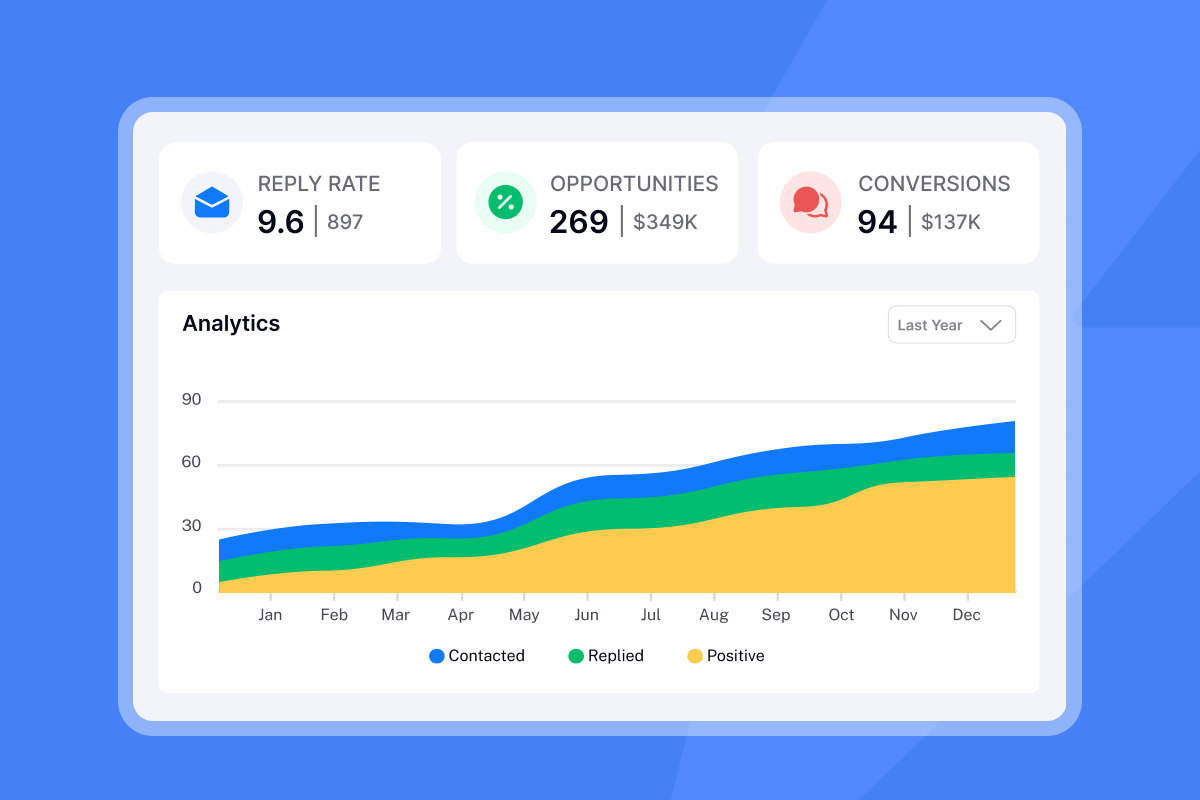
Instantly's analytics dashboard tracks all these metrics at campaign, account, and sequence-step levels. Download reports as CSV for client presentations or integrate with your BI tools via API.
"Instantly has transformed my outreach process. The platform is intuitive, has a ton of cool features and delivers great results. Customer support is pretty reliable. Yet to find a better all in one cold outreach tool." - Jon M. on G2
Build a predictable pipeline with smart lead generation
Agencies that master both inbound and outbound create predictable, scalable pipelines. Inbound builds authority and attracts prospects already searching. Outbound proactively engages high-value accounts and delivers meetings in days. Instantly's flat-fee model with unlimited accounts, 450M+ verified leads, automated warmup across 4.2M+ accounts, and AI Reply Agent gives agencies the infrastructure to manage dozens of client campaigns without compounding costs.
Start your free trial and apply this playbook across your first client campaign. Connect unlimited inboxes, build verified lead lists from SuperSearch's 450M+ contacts, launch AI-personalized sequences, and let the AI Reply Agent handle responses while you focus on closing deals.
FAQs
What's the difference between inbound and outbound lead generation for agencies?
Inbound attracts prospects through content and SEO when they're actively searching. Outbound proactively contacts targeted prospects via cold email or calling, delivering meetings in 10 to 14 days.
How many emails can I send per day without hurting deliverability?
Cap at 30 campaign emails per inbox per day. Scale volume by adding warmed inboxes, not by exceeding 30 per account.
What reply rate should agencies target for cold email campaigns?
Target 5% or higher. Agencies using AI personalization consistently achieve 5% to 8% reply rates.
How long should I warm up new email accounts before sending campaigns?
Warm up for 30 days minimum. Start at 5 sends per day, ramp to 15, then 30 by week three if bounce rates stay below 1%.
What's the best way to integrate Instantly with my CRM?
Use native integrations for HubSpot, Salesforce, and Pipedrive. OutboundSync provides bidirectional sync for real-time activity data.
How does Instantly protect deliverability at scale?
Automated warmup across 4.2M+ accounts, weekly Inbox Placement tests, bounce detection, and SISR for high-volume senders protect reputation.
Key Terminology
Inbound Lead Generation: Marketing strategies that attract prospects through valuable content, SEO, and trust-building tactics. Prospects find you when they're actively researching solutions.
Outbound Lead Generation: Sales strategies where you proactively contact targeted prospects via cold email, calling, or social selling. You initiate the conversation with prospects who fit your ICP.
Sender Reputation: A score assigned by email providers based on your sending patterns, bounce rates, spam complaints, and engagement metrics. Poor reputation lands emails in spam folders.
Inbox Placement Rate: The percentage of emails that land in the primary inbox versus promotions or spam folders. Target 96% to 98% for cold email campaigns.
Warmup: The process of gradually increasing sending volume on new email accounts to build sender reputation with email providers. Typically requires 30 days before launching cold campaigns.
Bounce Rate: The percentage of emails rejected by recipient servers. Keep below 1% to maintain sender reputation and protect domain health.
Reply Rate: The percentage of delivered emails that receive a response. For cold email, 5% or higher indicates strong targeting and messaging.
Cost Per Meeting: Total campaign cost divided by meetings booked. Agencies on flat-fee platforms typically achieve lower cost per meeting than per-seat tools.
SISR: Server and IP Sharding and Rotation uses private server pools and rotates IPs to protect sender reputation at high sending volumes.
Waterfall Enrichment: A data enrichment process that queries multiple providers sequentially to find verified contact information. SuperSearch uses 5+ providers.


