


Updated October 19, 2025
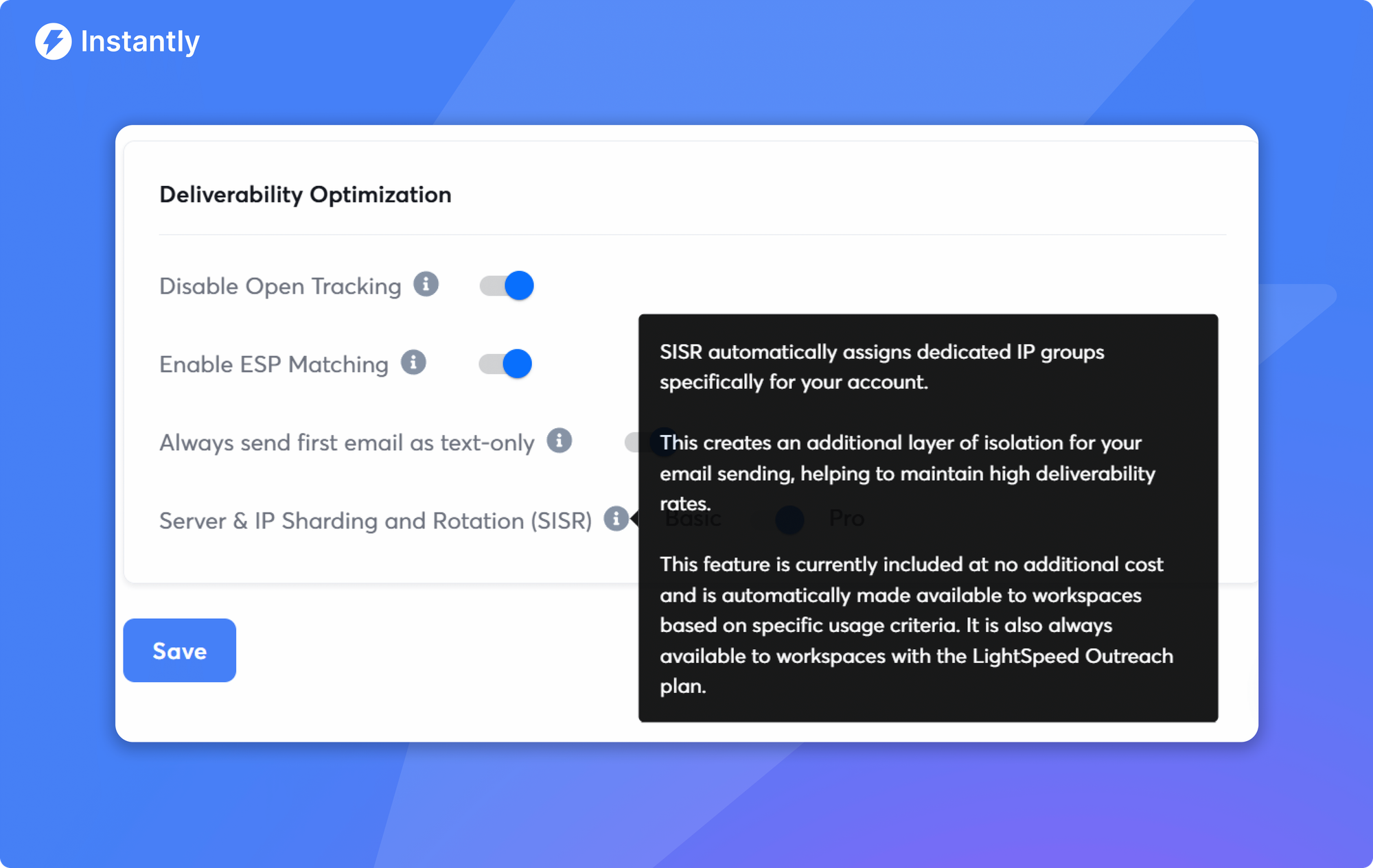
TL;DR: Dedicated IP pools give you reputation isolation and tighter deliverability control once you scale across many inboxes or run reputation-sensitive campaigns. Shared IPs are fine for lower, steady volumes and faster starts, but you accept a pooled reputation. Most teams test and learn on shared IPs, then move to dedicated when volume and stability needs rise. On Instantly's Light Speed plan, SISR assigns private servers and dedicated IP blocks to keep placement steady as you scale.
Choose dedicated IP pools if you send high volume, need reputation isolation, or manage multiple segments or clients. Choose shared IPs if you are early, budget-sensitive, or below consistent high-volume thresholds and want immediate sending with less setup. For Instantly users, the Light Speed plan adds SISR for private servers and dedicated IP rotation so deliverability remains stable at scale.
What are dedicated email IP pools?
A dedicated IP pool is a set of sending IP addresses used only by you. Every email sent from that pool contributes to your exclusive IP reputation. The payoff is control and predictability. If your practices are clean, mailbox providers reward your IPs with stronger inbox placement over time.
A shared IP pool is used by many senders. You benefit from a pre-warmed, provider-managed reputation and can usually start sending right away. The trade-off is exposure to other senders' behavior.
Mailbox providers evaluate domain and IP reputation alongside authentication and complaint rates. Sender best practices put a premium on reputation management and consistent sending patterns, not sudden spikes, to keep placement stable.
Why use dedicated IP pools? The core benefits
Reputation isolation: Your IP reputation reflects only your sending, not a pool of strangers. Troubleshooting is cleaner and fixes land faster.
Inbox placement stability at scale: With consistent, healthy behavior, dedicated IPs can deliver steadier placement. Best practices emphasize predictable patterns and low complaint rates to avoid volatility.
Higher-volume management: After warmup, dedicated IPs absorb larger, predictable volumes better than shared pools that are rate-limited for safety.
Segment control: Route different email types across distinct IPs and subdomains so cold outreach does not pollute marketing or transactional mail. Instantly's IP sharding guide outlines how to split volume and isolate risk.
Faster recovery loops: When issues arise, you can adjust cadence, content, or list sources and see impact directly, without noise from other senders.
What it costs you:
Warmup time: New IPs must be warmed gradually and consistently or they get flagged. Expect weeks to reach production volume, not days. See the warmup approach in Instantly's scaling email warm-up.
Discipline: Dedicated IPs are less forgiving. High bounces, spam complaints, or sudden spikes can hurt reputation fast. Gmail's bulk sender guidelines and Yahoo sender best practices call out complaint thresholds near 0.3% and stress consistent authentication.
Direct expense: Dedicated IPs are often paid add-ons with ESPs. Example: AWS SES lists dedicated IPs at $24.95 per IP per month on the SES pricing page.
Dedicated vs. shared IP pools: which is right for you?
If your goal is consistent inbox placement and control at scale, dedicated often wins. If you are validating ICP, messages, and budget at modest volume, shared is fine.
Feature comparison: Shared IP Pools vs Dedicated IP Pools
| Factor | Dedicated IP pools | Shared IP pools |
|---|---|---|
| Reputation control | Exclusive to you | Shared across many senders |
| Warmup | Required and gradual | Usually not required for the IP |
| Deliverability stability at scale | Higher if managed well | Can fluctuate due to neighbors |
| Volume growth | Strong after warmup | Often rate-limited for safety |
| Cost | Additional monthly fees | Included in most plans |
| Troubleshooting | Direct signal and faster loops | Harder to isolate issues |
| Best for | High volume, multi-stream, agencies | Early programs, low volumes, budgets |
Use cases where dedicated wins
You send high volume consistently: Many providers recommend dedicated IPs once your volume is both large and steady over time.
You run multiple streams or clients: Segregate cold outreach, lifecycle, and transactional email to protect each stream's reputation, as covered in the IP sharding guide.
You need auditability and control: Standardize IP analytics, warmup gates, and pause rules, then attribute performance cleanly.
Use cases where shared is fine
You are early or low volume: You want to start fast and keep costs tight.
You send sporadically: Shared pools buffer inconsistent volume patterns better than a cold dedicated IP.
You are validating ICP and messaging: A well-run shared pool and a pre-warmed inbox let you move quickly while you learn.
Note on daily pacing for cold email: keep sends at or below 30 emails per inbox per day during ramp. Add more inboxes for throughput rather than pushing a single inbox harder. See the daily ramp logic in what is slow ramp warmup.
Watch our walkthrough of Instantly's SISR system that handles all of this for you:
Setting up and managing your dedicated IP pools
The mechanics are simple. The results come from pacing and segmentation.
How to set up dedicated IP pools
- Acquire dedicated IP capacity: On Instantly's Light Speed plan, SISR assigns private servers and dedicated IP blocks, with generous monthly capacity and unlimited warmup under a flat fee described on the pricing page above.
- Authenticate domains: Publish SPF, DKIM, and DMARC for each sending domain or subdomain, and require alignment before sending. For a step-by-step walkthrough, use Instantly's guide to SPF, DKIM, and DMARC for deliverability. DMARC policy and alignment are defined in RFC 7489.
- Map streams to IPs and subdomains: Route cold outreach on IP A with cold.example.com. Send product updates on IP B with news.example.com. Keep transactional email isolated.
- Warm slowly and consistently: Increase only when complaint rates stay under 0.3% and hard bounces stay at or below 1%, per the mailbox provider guidelines noted above.
- Monitor inbox placement: Run seed tests weekly and before major ramps. See how to run automated checks in Inbox Placement automated tests.
- Enforce governance: Cap per-inbox sends, verify contacts, and record every ramp or pause with reason codes.
Checklist: IP pool management best practices
- Authenticate fully: SPF, DKIM, DMARC aligned.
- Warm slowly: Weeks, not days. No spikes.
- Cap per inbox: 30 sends per day during ramp for cold email.
- Verify contacts: Keep hard bounces at or below 1%.
- Watch complaints: Stay under 0.3% and aim near 0.1%.
- Test placement: Run automated tests before scale.
- Split streams: Cold vs marketing vs transactional.
- Log changes: Document ramps, pauses, and incidents.
Strategic considerations for different business needs
For growth marketers: optimizing campaigns and analytics
Your job is to measure what moves replies and meetings. Dedicated IP pools help you isolate variables and run clean tests.
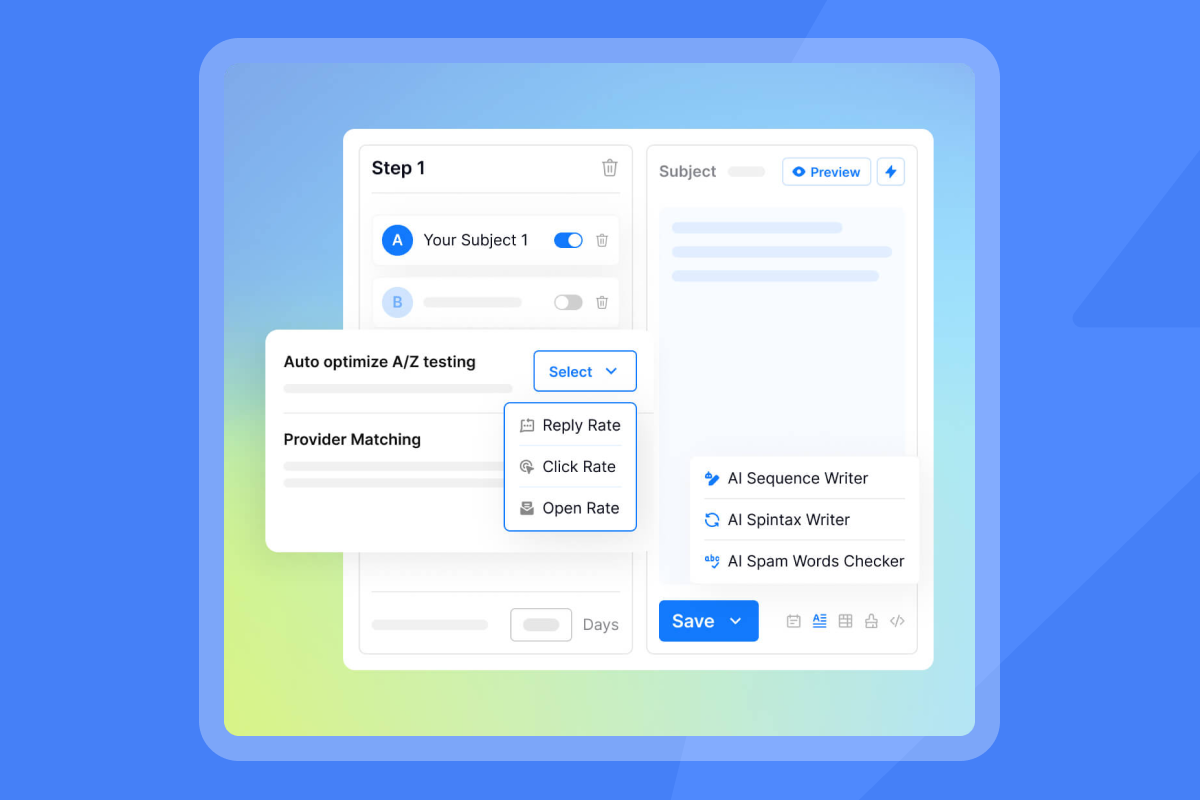
- A/B and A/Z testing: See deltas without pooled reputation noise.
- Attribution and dashboards: With dedicated IPs, IP-level analytics reflect your choices. Pair with automated Inbox Placement tests to link creative changes with placement shifts.
- Cross-tool integration: Push reply classifications and outcomes to your CRM using Instantly's integrations.
- Capacity planning: When a test wins, add warmed inboxes on the same dedicated pool and subdomain family. Keep per-inbox caps and vary schedules.
For agency operators: scaling and multi-client management
You juggle many brands and domains. Shared IPs can create cross-client risk. Dedicated pools segment reputations client by client.
- Isolate clients: Assign each client a dedicated IP pool and subdomain tree so a temporary dip on one brand does not spread.
- Flat-fee scaling: Instantly's unlimited email accounts and warmup, plus SISR on Light Speed, keep costs predictable without per seat penalties.
- Deliverability dashboards: Review bounces, complaints, placement, and replies weekly. Use automated triggers to pause mailboxes on blacklist events or poor seed tests.
- Operational playbooks: Ship a standard warmup and copy QA process per client. Use workspace boundaries and webhooks for auditability and CRM sync.
For sales leaders: standardizing outreach and CRM integration
You need consistent primary-inbox placement and clean handoffs to pipeline.
- Sequence governance: Lock approved templates. Set send windows by territory.
- Admin controls: Centralize domain health checks, ramp plans, and pause rules. Dedicated pools reduce surprises during month-end pushes.
- CRM sync: Map replies, meetings set, and converted SQLs back to HubSpot or Salesforce via OutboundSync. Ensure reporting reconciles with finance and RevOps.
For startup founders: cost efficiency and rapid growth
You balance cash and speed. Shared IPs are a fine start if volumes are modest and lists are clean. Plan for dedicated once channels prove out.
- Stage 1: Use shared IPs, warm domains, and cap sends to 30 per inbox per day. Focus on verified data and a simple two-variant sequence.
- Stage 2: When reply rate and meetings justify more volume, graduate to Light Speed. SISR provides dedicated/private IP pools and rotation without infrastructure overhead.
- ROI lens: Model cost per meeting. Dedicated pools can pay for themselves when steadier inbox placement avoids firefighting.
What Instantly customer's say:
"It is the Inbox placement feature which i like the most as it help us to get to know the spam score and the mails that are placed in the inbox so by this we can manage the mail ids accordingly." - Verified User in Information Technology and Services on G2
"The platform is super intuitive, easy to set up, and makes it simple to manage multiple domains and inboxes at scale. Deliverability is great and the analytics give us exactly what we need to optimize campaigns quickly." - Shaiel P. on G2
"In just the past 180 days, I've been able to book over 100 meetings, close deals worth more than €15,000, and even walk away from my regular 9 to 5 job, all with the help of Instantly." - Dustin Geissinger Gromicho on Trustpilot
The importance of IP warmup and subdomain strategy
Warmup builds trust signals. Subdomains keep reputational risk contained.
Why warmup matters
- ISPs distrust sudden volume from unknown IPs. Warming gradually proves your mail earns engagement instead of complaints.
- A single spike or sloppy list can set you back weeks. Keep the ramp slow and steady, especially on new dedicated IPs or domains. See the approach in what is slow ramp warmup.
Why subdomains matter
- Subdomains create distinct reputational lanes. Cold outreach at cold.example.com and marketing at news.example.com prevents one stream from torpedoing another, as shown in the IP sharding guide.
Checklist: subdomain assignment for reputation
- Cold outreach: cold.example.com on dedicated IP A.
- Marketing updates: news.example.com on dedicated or shared IP B.
- Transactional: notify.example.com on a separate dedicated IP or your transactional ESP.
- Support: support.example.com, separate from outreach.
- Tracking domain: align to each stream to avoid mixed signals.
Watch our guided tutorial on setting up warmup in Instantly in just a few clicks:
Cost and ROI of dedicated IP pools
Typical dedicated IP costs with major providers
AWS SES: $24.95 per IP per month for standard dedicated IPs, listed on the SES pricing page.
Budget model to sanity-check ROI
- Direct fees: Monthly cost for IP capacity and any monitoring add-ons.
- Warmup opportunity cost: You send below target while warming. Model the delta and schedule bigger ramps in lower-impact windows.
- Avoided losses: Dedicated pools reduce shared-reputation dips that force emergency copy rewrites or campaign freezes.
Instantly economics and deliverability controls
- Outreach plans include unlimited email accounts and warmup. Light Speed adds SISR for dedicated and private server pools so you can scale safely without per seat penalties on the pricing page above.
- Automated Inbox Placement tests provide early warnings and remediation guidance, including blacklist monitoring.
- For ongoing remediation and deliverability workflows, see Instantly's playbook in how to achieve 90%+ cold email deliverability in 2025.
My bottom-line recommendation
If you are sending modest, steady volumes or proving a new segment, shared IPs plus strict hygiene can meet targets. Keep per-inbox sends at or below 30 per day and verify every contact.
If you run higher volume, manage multiple streams or clients, or need audit-grade stability, choose dedicated IP pools. On Instantly, Light Speed provides SISR with private servers and dedicated IP rotation, automated placement tests, and admin controls to standardize ramps and pauses.
The common path is simple. Start a free Instantly trial to protect your domain with slow ramp, subdomains, and weekly placement tests.
More resources:
- Watch a breakdown of IP choices in Dedicated IP (Inframail) vs Shared IP Pools for Cold Email on YouTube.
- For a full deliverability masterclass, see The Ultimate Guide to Cold Email Deliverability in 2025 on YouTube.
- Get a complete product overview in Full Instantly.ai Tutorial 2025 (Best Cold Email Software) on YouTube.
- See the sequencing approach in The Best Cold Email Strategy in 2025 on YouTube.
- AI workflows. Instantly's AI Reply Agent triages replies regardless of IP type. Volume stability from dedicated pools makes reply handling more predictable. Read more in our AI Reply Agent help article.
FAQ:
How much volume justifies a dedicated IP pool?
Use dedicated IPs when your sending is both high and consistent over time. AWS advises dedicated IPs for senders with large, steady volumes in its dedicated IPs documentation.
How fast should I ramp a new dedicated IP?
Think weeks, not days. Keep bounces at or below 1% and complaints under 0.3%. Increase only when placement tests hold steady. Cap around 30 campaign emails per inbox per day during the early ramp.
Can I mix dedicated and shared IPs?
Yes. Many teams keep transactional and lifecycle mail on one provider and IP set, with cold outreach on a dedicated pool to avoid cross-contamination.
What if placement dips on a dedicated IP?
Reduce volume, re-verify the next batch, check SPF/DKIM/DMARC alignment, lower link density, and rerun placement tests before resuming normal throughput. See remediation steps in how to achieve 90%+ cold email deliverability in 2025.
Do integrations change based on IP type?
No. Your CRM sync works the same. Dedicated pools simply reduce variability so reporting is more consistent.
How do I scale volume safely?
Add warmed inboxes on the same subdomain family and IP pool rather than pushing a single inbox harder. Keep early caps tight and expand send windows.
Key terminology
- Dedicated IP pool: Exclusive sending IPs used only by you.
- Shared IP pool: Sending IPs shared across many senders.
- Sender reputation: Trust score tied to your domain and IP behavior.
- Deliverability: Likelihood of landing in the primary inbox.
- IP warmup: Gradual sending to build reputation on a new IP.
- Configuration set: Rules that map streams to IPs and tracking.
- Subdomain: A child domain used to isolate reputation by stream.
- Inbox placement test: Seed-based test of spam vs inbox across providers.
What to do next
- Estimate your monthly sending volume and the streams you need to protect.
- Run an Inbox Placement test on your current setup to baseline risk using the automated tests described above.
- If you are scaling beyond low volumes or running multiple streams, consider Light Speed for SISR dedicated and private IP pools on the pricing page above.
- Implement the warmup and subdomain checklists above. Hold the 30-per-inbox daily cap while you ramp.
- If you want a guided walkthrough, book a demo.


