


Updated October 03, 2025
TL;DR: Done-for-you (DFY) email accounts handle domain purchase, DNS, inbox creation, and warmup for you. The result is faster launch, stronger sender reputation, and consistent primary-inbox placement at scale. Teams pick DFY to avoid technical overhead and to protect their main domain. When evaluating providers, focus on unlimited inboxes, warmup quality, placement testing, analytics, CRM integrations, clear pricing, and cancellation terms. Instantly combines DFY accounts with unlimited senders, a private deliverability network of 4.2M+ accounts, SuperSearch data, and AI agents to run outreach, testing, and reply handling in one place. Try Instantly free and let automation handle follow ups while you focus on live conversations.
For growth marketers, agency operators, sales leaders, and startup founders, the bottleneck in cold email is rarely copy. It is the infrastructure that gets you consistently into the primary inbox without putting your main domain at risk. Done-For-You (DFY) email accounts remove that bottleneck.
Cold email remains a high-leverage channel. Yet buyers spend a small fraction of time with suppliers, so each message must land and be read. B2B buyers spend roughly 17 percent of their buying time with all vendors combined, which makes primary-inbox placement critical to outcomes like meetings and SQLs, not just vanity opens.
Instantly's flexible pricing puts unlimited inboxes and warmup on every outreach plan, with deliverability tooling, data, and AI that reduce manual work.
For a full in depth walkthrough of DFY email accounts watch this video on Youtube:
- For inbox placement validation, see Instantly's Inbox Placement tests. For integrated data, see Instantly's SuperSearch lead database.
- For reply automation, see Instantly's AI Reply Agent.
Understanding Done-For-You (DFY) email accounts for cold outreach
DFY email accounts are pre-configured inboxes and domains that a provider sets up, warms, and monitors so you can launch campaigns without handling the technical work. Setup includes domain procurement, DNS authentication, mailbox creation, warmup, and integration into your sending platform.
Core benefits:
- Speed to value. Provision production-ready inboxes fast. Many DFY setups complete in under 24 hours depending on DNS propagation and mailbox provider checks.
- Deliverability by design. SPF, DKIM, DMARC, alignment, and warmup routines are handled upfront. This supports primary-inbox placement and protects sender reputation.
- Scale without tool sprawl. Add inboxes and domains as volume grows. DFY services often include monitoring and safe ramp plans.
- Risk management. Use alternate domains and governed sequences to protect your primary brand domain.
Pros and cons
- Pros
- Time savings. No DNS wrangling or mailbox admin.
- Higher initial placement. Warmup and authentication improve reputation before first sends.
- Predictable scaling. Ramp plans and daily caps reduce suspension risk.
- Centralized management. Unified policy, analytics, and reply handling.
- Cons
- Ongoing cost. You pay for infrastructure you could manage in-house, though most teams find the time savings exceed costs.
- Deliverability variance persists. Even with DFY, mailbox providers can throttle or suspend based on behavior and complaints. No vendor can guarantee inboxing.
- Governance required. Poor data hygiene, over-sending, or non-compliant content can still harm reputation and trigger suspensions. See recurring user themes on reviews and community threads for real-world variance.
How DFY email account setup works: From domain to deliverability
The setup flow is consistent across providers. What varies is automation depth, speed, and the size of the warmup network behind the scenes.
- Acquire domains
- Register alternate domains aligned to your brand. Avoid your primary business domain for cold outreach to reduce risk.
- Keep TLDs that mailbox providers trust. .com and established TLDs are safest.
- Configure DNS
- Add MX, SPF, DKIM, and DMARC records. This authenticates your mail and blocks spoofing.
- Acceptance check: SPF, DKIM, DMARC all pass alignment on records checks.
- Create inboxes
- Create 2 to 5 inboxes per domain. DFY providers often recommend 3 per domain for safer throughput.
- Acceptance check: Each inbox sends a successful test email, receives replies, and shows no hard errors.
- Warm up the inboxes
- Send and receive small volumes, move emails out of spam, star, reply, and emulate read behavior. Ramp daily sends gradually over 2 to 4 weeks.
- Acceptance check: Placement is stable on seed tests, complaint rate is below 0.1 percent, bounces stay below 1 percent.
- Integrate with your platform
- Connect inboxes to your outreach platform. Set send windows and daily caps. Import verified contacts. Create governed sequences and follow ups.
- Launch with a slow-ramp plan
- Start small. Do not exceed 30 emails per inbox per day for cold outreach. Increase cautiously only after stable placement and low bounces.
Are Google and Outlook suitable for cold email?
You often hear that consumer Gmail or Microsoft inboxes are not for cold email. DFY changes the context by using separate domains, strict ramp plans, and warmup to simulate healthy behavior. Still, reputation is earned daily. High bounces, non-compliant content, or spikes in volume can drive spam placement or suspensions, especially on Microsoft. That is why DFY warmup plus automated placement testing, throttling, and reply handling are essential. Instantly’s approach includes a private deliverability network of 4.2M+ accounts and automated placement tests so you can verify before scaling.
Checklist: DFY setup steps
- Domains: Brand-aligned alternates purchased and forwarding set to your main site.
- Auth: SPF, DKIM, DMARC green across all domains.
- Mailboxes: 2 to 5 per domain created, tested, and connected.
- Warmup: 2 to 4 weeks on, with daily ramp rules and monitoring.
- Data: Leads verified, using recent and accurate signals.
- Sequences: Concise copy, personalized variables, plain text, clear opt out.
- Caps: 30 emails per inbox per day max for cold outreach. No spikes.
- Placement check: Seed and automated tests pass before each ramp.
Notes & more resources:
- Learn how placement testing works on Instantly's Inbox Placement tests.
- Ultimately you can leverage Instantly across thousands of mailboxes to send thousands of emails per day, check out this tutorial to watch Instantly action:
Choosing the right DFY email service: Persona-specific needs
Different teams optimize for different constraints. Use the checklist that matches your role.
For growth marketers: Scalable testing and actionable analytics
- Experimentation at scale. Look for unlimited inboxes, spin syntax variants, and A/B or A/Z testing across subject, body, and CTA.
- Attribution and reporting. Confirm reply classification, meetings set, and cohort views that reconcile with CRM. Avoid platforms with “trust us” reporting.
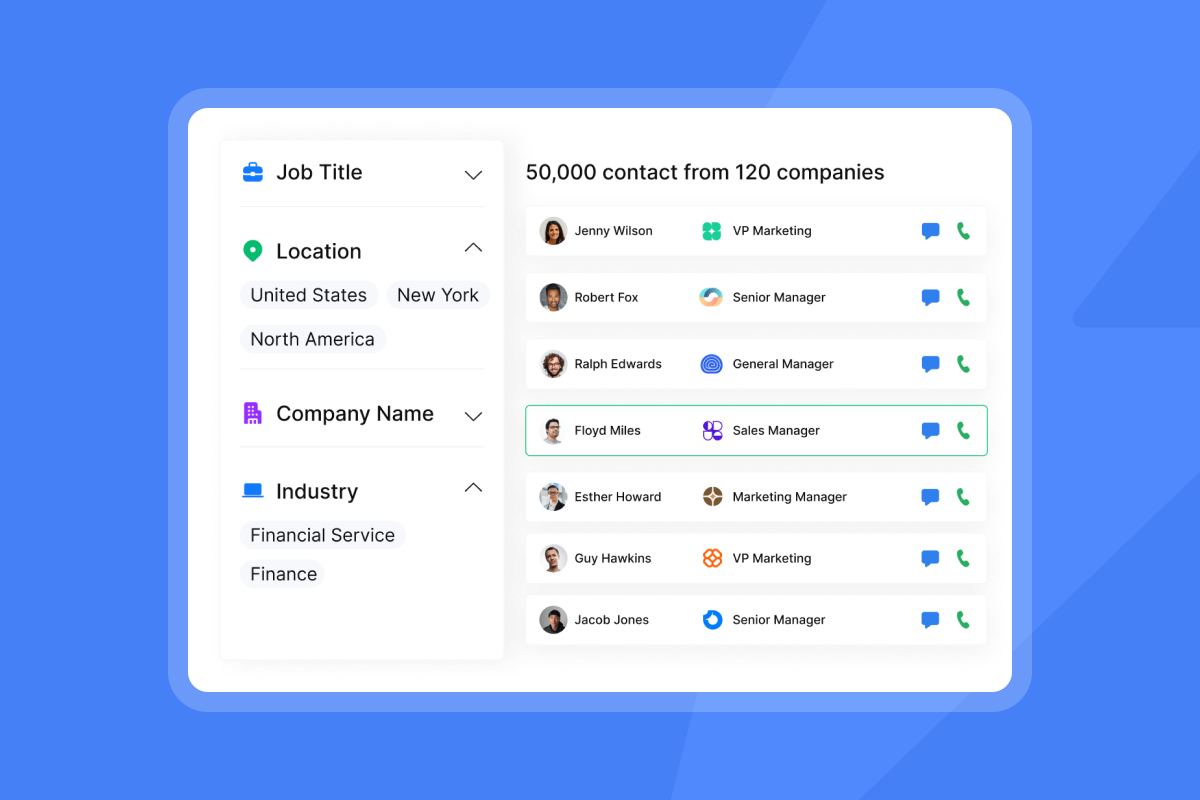
- Data quality and enrichment. Built-in lead databases reduce tool sprawl, but only if verification and enrichment are strong. Instantly's SuperSearch lead database lists 450M+ B2B contacts with waterfall enrichment.
- AI guardrails. AI that drafts copy and replies should support human-in-the-loop. Instantly's AI Reply Agent can run in review mode or autopilot and posts to Slack for approvals.
- Transparent costs. Favor flat-fee outreach with clear credit usage for data and AI. See Instantly's flexible pricing.
What to ask vendors
- Daily caps and auto-throttling rules.
- Bounce detection and auto-pauses under health thresholds.
- Inbox placement testing coverage and frequency.
For agency operators: Unlimited scale and client management
- Unlimited accounts. Scaling 10 to 50 client workspaces requires inbox scale without per-seat penalties. Instantly includes unlimited inboxes and warmup on all outreach plans.
- Warmup and ramp plans. Ask for 30 day warmup templates and mailbox-per-domain guidance. Most agencies standardize on 3 inboxes per domain and cap at 30 sends per inbox per day for cold.
- Deliverability dashboards. You need health views by client and domain. Placement tests and alerts should drive controlled pauses and sends.
- Flat-fee pricing. Predictable billing matters for margin. See Instantly's flexible pricing and plan for data and AI credits if you centralize those in-platform.
- Clear cancellations. Confirm that domains you purchased remain yours and that DFY inboxes can be reactivated quickly if paused.
For sales leaders: Team governance and CRM integration
- Team standardization. Enforce sequence governance, send windows, allowlists and blocklists, and bounce thresholds across all reps.
- Admin controls and audit trails. Require role-based access, workspace separation, and change logs that withstand a revops review.
- CRM reconciliation. Expect field mapping, pipeline sync, and activity logging you can compare to your CRM. Instantly supports HubSpot and Salesforce via native and partner connectors. See integration docs on the help center and OutboundSync videos to assess field coverage.
- Deliverability as a system. Monitor domain health weekly. Run automated seed tests before each ramp. Instantly offers automated placement tests, warmup, and Light Speed plan SISR, which adds dedicated or private IP pools for advanced control.
Customer voice:
"I like the deliverability of the emails and the integration with HubSpot. It is easy to import lists and export results." See the full review on G2.
For startup founders: Cost-efficiency and quick pipeline
- Time to first meeting. DFY cuts setup time so you can launch campaigns in days. Warmup plus verified data keeps bounces at or below 1 percent and replies moving.
- Predictable pricing. Avoid per-seat models that penalize early experimentation. Instantly’s outreach plans include unlimited email accounts and warmup.
- AI assistance. Use Copilot and AI Reply Agent to create sequences, personalize, and triage replies in under 5 minutes. That reduces manual time during early pipeline sprints.
- Ethical prospecting. Use verified B2B contacts, focus on relevance, and include opt out. Keep complaint rates under 0.1 percent to protect domain health.
DFY email account providers: A comparative overview
The DFY market includes pure-play cold email platforms, done-with-you managed options, and broader sales engagement tools that offer DFY add-ons. Here is a concise view of four providers often considered by teams that want DFY setup and ongoing deliverability support.
Comparison snapshot
| Provider | Core DFY features | Typical setup time |
|---|---|---|
| Instantly | Unlimited inboxes. Automated warmup. Private deliverability network. Placement tests. SuperSearch data. AI agents. Unibox reply hub. | Often under 24 hours for DFY provisioning pending DNS propagation. |
| Smartlead | DFY mailbox provisioning. Warmup. Sender rotation. Unified inbox. API. | Usually 1 to 5 days depending on domains and DNS. |
| Success.ai | DFY domains and inboxes. Warmup. Large lead database with intent signals. | Commonly 2 to 7 days based on scope. |
Notes
- Setup time varies with domain procurement, DNS propagation, mailbox provider checks, and whether you buy a turnkey managed program or inboxes only.
- The safest throughput plan is to add more inboxes and domains rather than pushing a single inbox too hard. Cap at 30 cold emails per inbox per day.
What stands out about Instantly
- Unlimited email accounts and warmup. Included on all outreach plans. This is agency and startup friendly.
- Private deliverability network. A network of 4.2M+ accounts supports warmup and placement validation. See the company blog for a breakdown of the network scale and how agencies benefit.
- Placement verification. Run Instantly's Inbox Placement tests and receive alerts so you pause before health degrades.
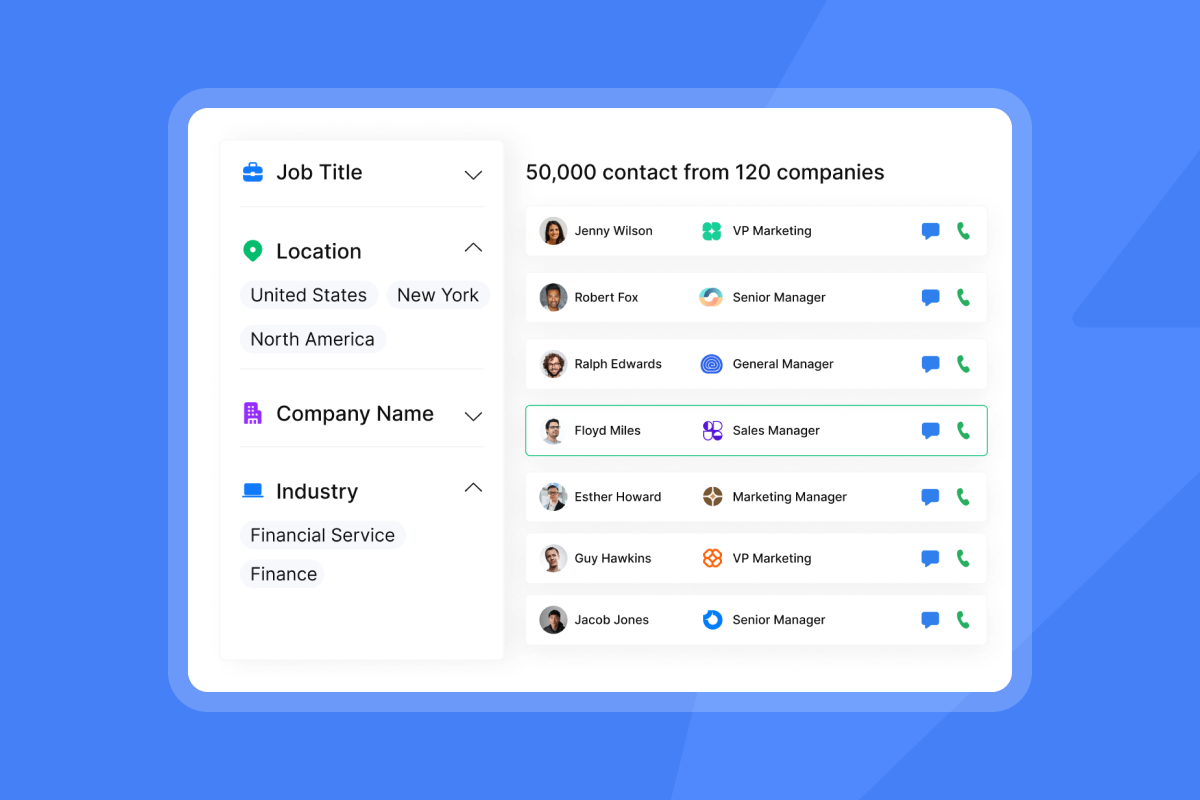
- Data built in. Instantly's SuperSearch lead database provides 450M+ B2B leads with waterfall enrichment and LLM-assisted features.
- AI agents. Copilot for research and campaign creation. Instantly's AI Reply Agent for reply handling under 5 minutes, with human-in-the-loop modes and Slack approvals.
- Unibox. Centralized reply management to keep teams on top of conversations.
- Advanced infrastructure options. The Light Speed plan adds SISR, which shards and rotates servers and IPs with dedicated or private pools for advanced control of sending reputation.
- Adoption and proof. 40,000+ clients noted on the careers page. Reviews on G2 (4.8/5) highlight ease of use, deliverability, and support.
"It takes a complex workflow and makes it easier with a comprehensive solution." Read the full customer note on G2.
"Inbox placement test, tracking, and AI reply drafting are standouts." See this recent review on G2.
Optimizing your DFY cold email campaigns
Follow these best practices to protect sender reputation and sustain results.
List hygiene and data quality
- Verify every list. Keep hard bounces at or below 1 percent. Remove invalid and stale emails weekly.
- Segment by fit and timing. Target by ICP signals and recent events rather than blasting large static lists.
Content and sequence controls
- Write like a human. Plain text. One clear ask. Avoid spammy phrases and excessive links or images.
- Personalize at scale. Use custom fields and spin syntax to keep variation high and repeats low.
- Short sequences. Two to four steps. Space sends over 3 to 7 days. End with a soft opt out.
Send schedules and caps
- Send windows. Aim for local business hours. Test 8:30 to 10:30 a.m. and early afternoon.
- Daily caps. Do not exceed 30 cold emails per inbox per day. Add inboxes rather than volume per inbox.
- Slow ramp. Warm for 2 to 4 weeks. Pause if placement dips or complaints rise.
Monitoring and recovery
- Placement tests. Use Instantly's Inbox Placement tests weekly and before scaling.
- Complaint control. Keep spam complaints under 0.1 percent. Make unsubscribe easy.
- Health alarms. Auto-pause under thresholds for bounces or placement. Re-verify lists, adjust copy, and resume at lower volume.
Expert insight and safe ramp
- Warmup and alignment build trust. Ramp slowly, validate with seed tests, and cap sends per inbox at 30 per day. Instantly’s deliverability articles cover slow ramp plans and metrics.
The future of scalable cold outreach
DFY email accounts convert a technical project into a repeatable system. With pre-warmed inboxes, authentication, placement testing, clean data, and AI-driven reply handling, your team can spend time on conversations and pipeline, not configuration. Flat-fee unlimited inboxes and a private deliverability network make Instantly a strong choice for agencies, founders, and lean sales teams who want predictable scale without per-seat penalties.
Start a free trial for example, with two warmed inboxes, 400 verified contacts, and a simple two-step sequence. Verify placement, cap at 30 sends per inbox per day, and let AI handle replies. Try Instantly free and let automation handle follow ups while you focus on live conversations. See Instantly's flexible pricing and explore Instantly's SuperSearch lead database to build your first list.
More resources:
- Improve inboxing and avoid spam with Instantly’s deliverability tips on YouTube.
- Explore the feature set and new capabilities in this full guide to Instantly AI.
- Learn battle-tested tactics in 10 Years of Cold Email Advice in 41 Minutes.
FAQ:
- How long does DFY setup take and what causes delays
- Many DFY inboxes are ready in under 24 hours once DNS propagates. Delays come from registrar lag, mailbox provider checks, and DMARC alignment issues. Placement validation can add a few days for safe ramp.
- How many emails per day can I send per inbox
- For cold outreach, cap at 30 emails per inbox per day. Increase total throughput by adding more inboxes and domains, not by raising volume per inbox.
- Do DFY accounts work with Google Workspace and Microsoft 365
- Yes when you use alternate domains, warmup, and slow ramp. Expect stricter filtering on Microsoft. Always authenticate and verify placement before each ramp.
- What metrics should I watch weekly
- Inbox placement on seed tests. Bounce rate at or below 1 percent. Spam complaints below 0.1 percent. Reply rate by segment. Domain and IP reputation if applicable.
- How does Instantly help with deliverability
- Unlimited inboxes and warmup on all plans. A private deliverability network of 4.2M+ accounts. Automated placement tests and alerts. Light Speed SISR for dedicated or private IP pools. See Instantly's Inbox Placement tests and Instantly's flexible pricing.
Terminology box
- DFY: Done-For-You setup that includes domains, DNS, inboxes, and warmup.
- Deliverability: Likelihood that your email reaches the primary inbox.
- Warmup: Gradual sending to build sender reputation and trust.
- Sender reputation: Health signals mailbox providers track for your domain and infrastructure.
- Domain health: Authentication, complaint rate, bounces, and engagement across your domains.
- TLD: Top-level domain like .com or .co.
- Unified inbox: A single place to manage replies across many senders.
- Spin syntax: Lightweight variation in text to reduce repeats.
- Waterfall enrichment: Combining multiple data sources to enrich and verify leads.
- Send windows: Time ranges when campaigns send, usually business hours.


