


Email deliverability issues result in poor inbox placement, higher bounce rates, and messages landing in spam folders. When cold outreach campaigns experience lower deliverability, it is essential to address the problem quickly.
Every cold email outreach system depends on deliverability as its foundation. When inbox placement drops, even the best copy and targeting can't save a campaign because the emails never reach the people you're trying to reach. Deliverability problems tend to compound over time, damaging your sender's reputation and making it even harder for future emails to reach the inbox. For example, engagement rates will drop if your emails start hitting spam for even 10–15% of your list.
Email providers track this behavior, and the reduced engagement signals (low opens, low clicks, rising bounces) cause your domain reputation to fall further. As reputation weakens, even well-crafted campaigns to clean lists will likely land in spam.
Left unchecked, this cycle can force you to warm up new domains. That’s why Instantly was built with deliverability in mind. It has all the tools you need to fix email deliverability issues ASAP. So, how can you identify deliverability issues in your own campaigns? Instantly was built with deliverability in mind. With inbox placement testing, automated warmup, SISR for dedicated IP rotation, and AI-powered list filtering, it has all the tools you need to fix email deliverability issues before they compound.
How to Know if You Have Email Deliverability Issues?
Since email deliverability is a metric affected by other factors, several data points need to be considered. The first is your deliverability rate, the percentage of emails your recipients’ server accepts = emails delivered / emails sent. After that, you need to look into the following:
Inbox Placement Rates (IPR)
Notice how some brands just don’t exist in your inbox? Your email service provider (ESP) automatically sorts emails you don’t engage with into categories that won’t appear when you skim through your inbox.
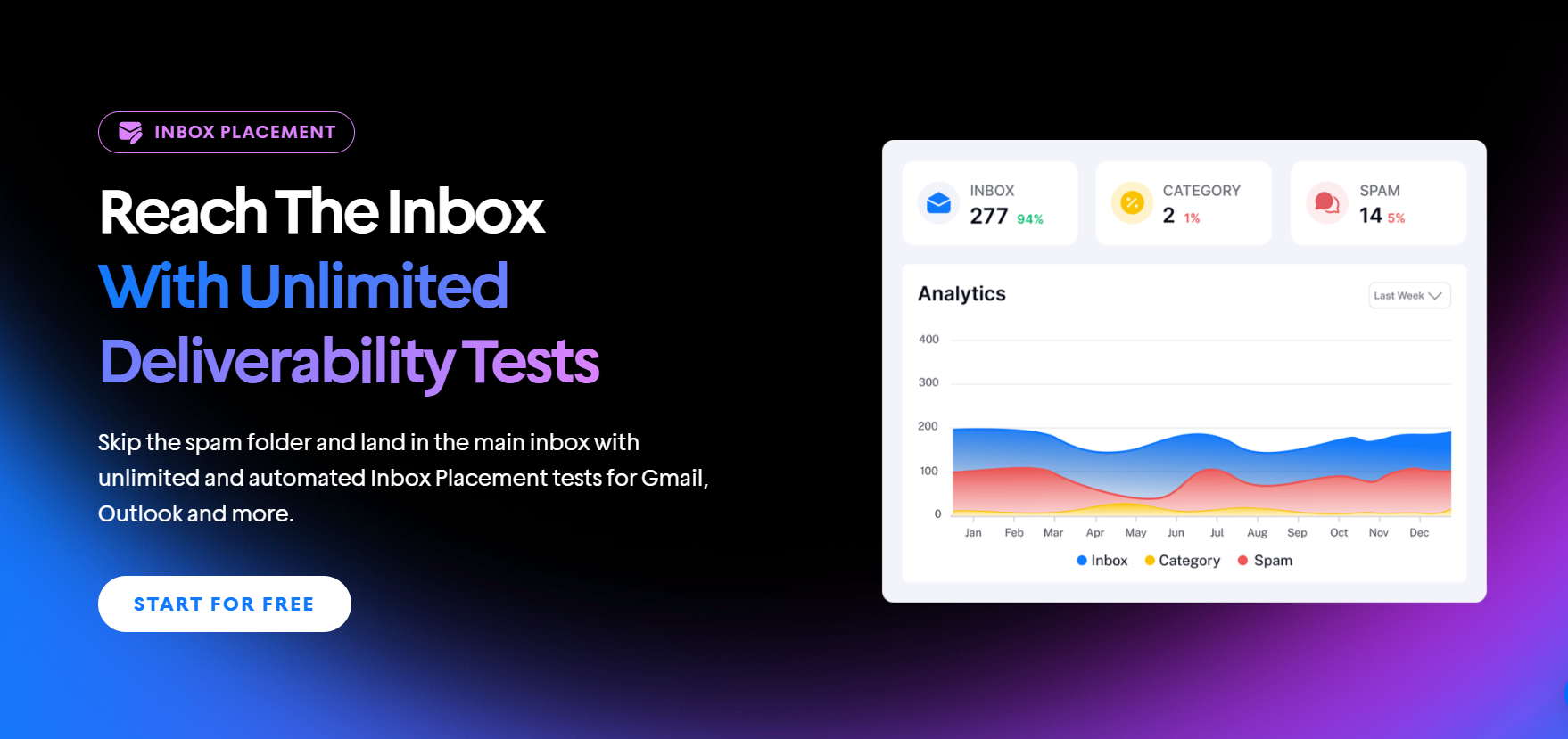
If you send to a Gmail account, it will likely be sorted to the primary inbox, promotions, or spam. To see where your email lands before you actually send, Instantly has an Inbox Placement Tester tool. This way, you’re ensured high IPR rates before campaigns start.
Bounce Rate
There are two types of bounce rates: hard and soft. Hard bounces happen when you send to invalid or blocked email addresses. Soft bounces are temporary issues typically from the side of your recipient’s server (for example, a full inbox or a server issue). As a rule of thumb, you want to keep bounce rates lower than 2%.
Spam Complaint Rate
Once emails land in spam, campaigns are already on a slippery slope. The good news is you can easily track spam compliance rates using tools like Google Postmaster Tools, Microsoft SNDS, and feedback loops.
Anything above 0.1% to 0.2% indicates your campaign has issues. This means that emails aren’t ignored. Instead, recipients are actively flagging emails as spam. It’s one of the strongest negative signals email providers look at and can quickly tank a domain's reputation.
If you notice complaint rates creeping up, you’ll want to:
- Re-evaluate targeting (are you sending to the right audience?).
- Review your copy and frequency (are emails too pushy or frequent?).
- Make unsubscribe links easy to find so people opt out instead of reporting spam.
For a complete framework on tracking these metrics at the campaign level, bounce rate trends, spam complaint attribution, and step-level reply performance, see this email metrics tracking guide.
Unsubscribe Rate
A high unsubscribe rate usually indicates poor targeting or sending too frequently. If too many recipients opt out, it means your messaging isn’t resonating or you’re overloading inboxes. Keep this rate below 1% if possible. To fix it:
- Segment your audience so emails feel more relevant.
- Space out your sequences so you don’t fatigue prospects.
- Use clear subject lines and expectations so people know what they’re signing up for.
Sender Reputation Metrics
ESPs evaluate your domain and sender reputation to decide if you belong in the inbox, promotions, or spam. Two of the most critical monitoring tools are:
- Google Postmaster Tools: Shows your domain/IP reputation, spam rate, and feedback on authentication.
- Microsoft SNDS: Provides data on spam trap hits, complaint rates, and sending patterns across Outlook/Office 365.
Consistently monitor both. If reputation drops to “low” or “bad,” you need to slow sending, improve list quality, and focus on generating positive engagement (opens, clicks, replies).
What Causes Email Deliverability Issues & How to Fix Them
Deliverability problems can stem from different parts of your outreach process. They may come from poor lead generation (bad data or spam traps), weak email infrastructure (missing SPF, DKIM, or DMARC records), or skipping or mishandling email warmup.
Issues can come from something as simple as generic, poorly written copy or as complex as advanced technical errors like SMTP misconfigurations and domain reputation problems. Here’s a clear breakdown of what to watch out for:
Poor Lead Data & List Quality
One marketer on Reddit said cold email marketing was crushing their team. Even with proper SPF, DMARC, and DKIM setups, they only got 30%-40% inbox placements. You want that number up to at least 90% to avoid burning domains.

So, if it’s not the technical setup, the email deliverability issue could be caused by email copy, sender IP reputation, or something as simple to fix as poor list quality. Targeting leads who aren’t in your ICP can lead to emails landing in spam because of their lack of relevance.
Email deliverability takes a nose dive if your lead list contains spam traps or outdated data. It’s the easiest to fix as well, since you just need to recalibrate the filters of your lead finder tool to fit your ideal customer profile.
Weak or Misconfigured Infrastructure
Not every marketer is familiar with properly configuring the technical setups required for cold email outreach. And even if you are, scaling technical setups manually will take more time and resources away from actual campaigns.
So, if you want to streamline, Instantly offers a Done-For-You (DFY) email setup service. All you need to do is pick an alternate domain, and Instantly handles all DNS, SPM, DMARC, and DKIM setups.

That said, DNS is just one part of the equation; you must also consider your domain and IP reputation.
Domain and Sender IP Reputation Problems
ESPs track sender history across bounces, spam complaints, and engagement rates. If they see patterns of bad behavior, like sending from a new domain too aggressively or inheriting a “toxic” shared IP, your reputation drops.
This is one of the most common issues on Reddit and email forums: good, personalized copy but bad deliverability. The fix is to create safeguards for your domain reputation. Automating the warm-up process to maintain reputation is the most common way.
If you’re sending in high volumes, switch to a dedicated IP. Even if you do everything right, as long as there are senders that share your sending IP who spam, your reputation is still affected.
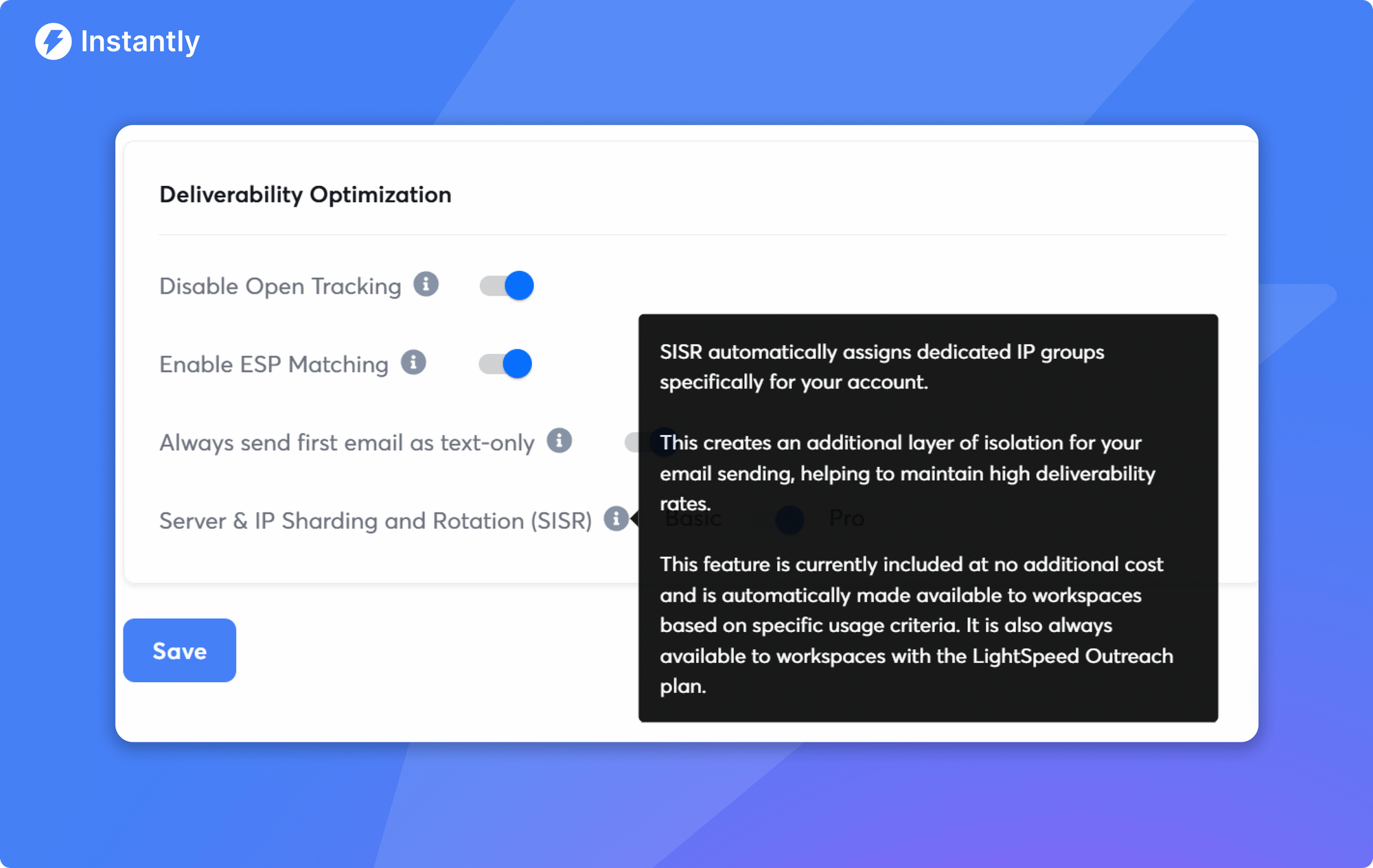
But, if you don’t want to spend thousands on a dedicated IP, Instantly offer the SISR system (Server & IP Sharding and Rotation System).
Spam-Triggering Content
Even if your infrastructure and reputation are solid, the content of your emails can still trigger spam filters. ESP scan for certain red flags in subject lines and body copy, including overuse of salesy words like “guarantee,” “free,” or “act now.”
They also look at formatting, such as too many exclamation points, ALL CAPS, or large images with little text. In fact, one Redditor highlighted that just by removing “100% FREE” in his email copy, inbox placement drastically improved.
Sending Volume & Email Cadence
Each sending account has a limit on the number of emails it can send before it is flagged for suspicious behavior. In the past, the safe limits were around 50 emails daily per inbox. Marketers have dropped that to 30 emails, prioritizing warmup volume over cold emails.
Aside from volume, your sales email cadence also plays a significant role, as ESPs consider how frequently you send emails. So, if you’re automating, ensure that the tool you use can humanize sending times and auto-optimize email cadence based on engagement data.
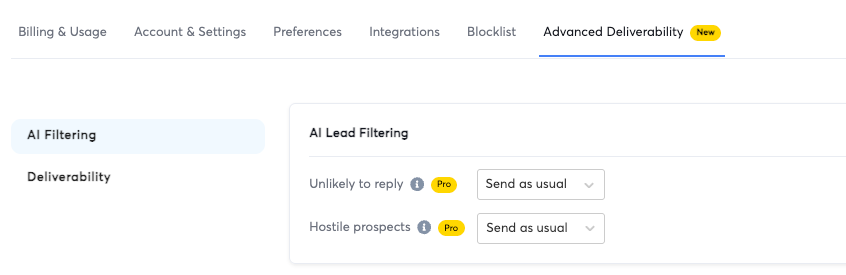
Again, Instantly has both of these features and more. You can use the AI lead filtering feature to identify leads less likely to respond, adjust email timing and format to improve deliverability, and adjust outreach preferences based on lead responsiveness.
Lack of Segmentation & Personalization
Before increasing sending volume, you must find your best-performing email copy. There’s no point in scaling what doesn’t work. The key to an excellent email copy is context + personalization, which starts with a lead segmentation strategy.
Cold emailers repeatedly share that using the same generic template across thousands of leads leads to high unsubscribe and spam complaint rates. This is where segmentation and spintax come in.
Grouping leads into smaller, relevant segments and using variations in your copy creates natural differences that help avoid spam filters while keeping emails human. Marketers who build campaigns with segmentation + spintax see healthier deliverability and higher replies.
Ignoring Provider-Specific Rules
Gmail, Outlook, Yahoo, and Apple Mail don’t score emails the same way. Each uses unique spam filters, engagement signals, and complaint thresholds. What works for Gmail may get flagged in Outlook.
Many note that Outlook is stricter with new domains, while Gmail is more sensitive to engagement metrics. But both can work well if you implement strategies like ESP matching.
If you’re sending messages to an Apple email user, Apple Mail privacy changes might skew open rates, making it harder to gauge engagement if you don’t segment metrics by provider. These mismatches create confusion and make it harder to troubleshoot issues.
The fix is to monitor performance by provider and adapt accordingly. Use Google Postmaster Tools for Gmail-specific reputation data, Microsoft SNDS for Outlook, and seed tests to compare placement across multiple inbox types.
If Gmail shows low engagement, adjust subject lines and CTAs; if Outlook flags your domain, slow sending volume, and check SPF/DKIM alignment.
What Tools Monitor Email Deliverability Rates
Monitoring email deliverability lets you catch issues before they snowball into lost replies and revenue.
No single metric tells the whole story, so pair provider data with placement tests, content checks, DMARC visibility, and infrastructure monitoring. Here are the tools you can use:
Provider Reputation Dashboards
Google Postmaster Tools and Microsoft SNDS surface domain and IP reputation, spam rates, and error trends for Gmail and Outlook. Check them first to spot complaint spikes or reputation drops, then adjust volume, targeting, or copy accordingly.
Inbox Placement Testing
Seed testing suites like Instantly’s Inbox Placement Tester, GlockApps, Mail-Tester, and Folderly show where messages land across Gmail, Outlook, and Yahoo. Run a test before launches and when you change subject lines, links, or tracking to confirm inbox vs promotions vs spam. For a benchmarked comparison of how the major email verification tools perform on accuracy and catch-all detection in real-world conditions, see the 2026 accuracy score breakdown.
Spam and Content Diagnostics
Tools such as GlockApps Spam Testing, Mail-Tester, and Postmark Spam Check analyze headers, SPF, DKIM, DMARC, HTML, and link patterns. Use them to catch spam-trigger words, broken HTML, or suspicious redirects that quietly tank placement.
DMARC Monitoring
Platforms like DMARCian, EasyDMARC, Valimail, and Postmastery collect aggregate reports so you can verify alignment and see who is sending on your behalf. Start with p=none to audit, then move to quarantine or reject once alignment is clean.
Blacklist, DNS, and Infrastructure Monitors
MXToolbox and HetrixTools alert you to blacklist hits and DNS drift on SPF, DKIM, and DMARC, while basic uptime checks ensure your sending endpoints are stable. Pair this with list verification (Bouncer, ZeroBounce, NeverBounce) to keep hard bounces under 2 percent and protect reputation.
Key Takeaways
Email deliverability is defined by everything you do in a cold email outreach campaign. There's no universal metric that fixes it. You have to approach it from a holistic perspective. That’s why fixing email deliverability issues means looking into your:
- Inbox placement rates
- Bounce rates
- Spam-compliant rates
- Unsubscribe rates
- Sender reputation
However, when it comes to email deliverability, the best “fix” is to prevent issues in the first place. That’s why email deliverability tools are non-negotiable for teams who want to scale cold outreach campaigns.
If you want a tool that can test inbox placement, score email copy, ensure domains are warmed up, and emails are personalized for a segmented lead list, Instantly has you covered. Start your free Instantly trial.
For the complete infrastructure checklist on authentication, warmup ramp schedules, and inbox placement monitoring that prevents deliverability problems from developing in the first place, see this email deliverability guide.


