.svg)
%20(1).svg)


Updated March 16, 2026
TL;DR: Email open tracking relies on a 1x1 pixel image that fires a server request when an email client loads it. Since Apple's Mail Privacy Protection (MPP) launched in September 2021, that signal has become statistically unreliable: Apple pre-loads all images through proxy servers regardless of whether the recipient actually reads the email. Add corporate security bots that "open" every message for malware scanning, and you're looking at open rate data that has little connection to real human engagement. The fix is to stop optimizing for opens and start measuring reply rates, positive sentiment, and booked meetings.
Your team is reporting a 58% open rate, but replies are flat and the pipeline hasn't moved in six weeks. The data isn't lying to you by accident. It's lying because the underlying mechanism that generates it is broken. We'll walk you through exactly why that's happening, what it's costing your deliverability, and which metrics you should watch instead.
How email open tracking works technically
The invisible pixel method
A tracking pixel is a 1x1 transparent image embedded in the HTML of an email. The recipient's eye never sees it, but their email client does. When the client renders the email's HTML, it requests that tiny image from an external server, and that server request is what gets logged as an "open."
The sequence works like this: your platform embeds a unique image URL in the outgoing HTML, the recipient's client requests that image when rendering the email, the tracking server logs the timestamp and device metadata (IP address, device type, geographic location), then serves the invisible pixel back to complete the request. The metadata collected is what makes open tracking appear valuable. The problem is that the request no longer has to come from a human.
Opens vs. views: a critical distinction
The term "open" is a technical label, not a behavioral one. An open is recorded when the image loads, not when a human reads your message or considers your offer. According to Improvado, when a user opens an email, the client follows the link and opens the invisible graphic. The server notes the event. There is no confirmation that anyone read a single word.
Why open rate data is no longer reliable
Three separate forces now corrupt open rate data, and each one operates independently, which means they compound:
- Apple's pre-loading proxies: MPP fires tracking pixels before humans read emails
- Corporate security bots: Enterprise gateways scan and "open" every message for malware
- Default image blocking: Gmail and Outlook settings prevent pixels from loading even when leads read your copy
Let's break down each one.
Apple Mail Privacy Protection (MPP)
MPP became available for Apple Mail on iOS 15, iPadOS 15, and macOS on September 20, 2021. When a user enables "Protect Mail Activity," Apple routes all incoming emails through its proxy servers and pre-loads all message content, including tracking pixels, when the device is on Wi-Fi and plugged in. The open fires. The human may never have read the email.
The scale of this problem is significant. Litmus Email Analytics from January 2026 shows Apple Mail holds 51.52% of the global email client market, and Bird's analysis confirms that as of early 2024, more than 55% of all global email opens came from Apple devices using MPP. The majority of your "opens" may be Apple's proxy servers, not actual prospects.
The SocketLabs technical documentation notes that these download requests pass through at least two different proxy servers, which also masks the recipient's actual IP address, making even the geographic data unreliable.
Corporate security bots create false opens
Enterprise email environments running security gateways from providers like Proofpoint, Mimecast, and Barracuda operate an automated scanning layer that "detonates" every email. TitanHQ explains that sandboxing opens emails, runs attachments, and checks URLs in an isolated environment to detect malware before the message reaches the employee's inbox.
According to Suped, many security solutions trigger link clicks within seconds of an email arriving at their servers. Proofpoint confirms that URLs in delivered messages are rewritten and sandboxed at time of click. Your tracking pixel fires during that scan. The open gets logged. No human was involved. We address this specific distortion in our SEG (Secure Email Gateway) detection guide.
Image blocking in Gmail and Outlook
Even without MPP or security bots, default email client settings can produce the opposite problem: zero opens from leads who actually read your email. Privacy International's analysis confirms that when a user disables automatic image loading, tracking pixels cannot execute because the client never requests the image.
Mailbird's documentation notes that Gmail warns users before loading remote content and defaults to blocking images in many configurations, while Outlook's Trust Center settings allow users to block all automatic image downloads.
Your open rate data has two failure modes running in opposite directions: MPP and security bots inflate it, image blocking deflates it. The actual number in your dashboard is a blend of both distortions that you cannot untangle.
The hidden cost of tracking pixels
We've found the deliverability cost is often worse than the data accuracy problem.
Pixels lower your spam score threshold
GlockApps research confirms that tracking pixels introduce a deliverability risk, but the mechanism is more specific than pixels simply connecting to external domains. The crucial factor is the reputation of the domain hosting that pixel. If that tracking domain carries a poor sender reputation from prior campaigns run by any user of that service, your email inherits the penalty. Your own domain may be clean, but a shared tracking subdomain can drag you into the spam folder.
We explain in our fingerprinting and deliverability guide how pattern detection in HTML structure affects inbox placement at scale, which is why we built campaign-level controls to disable open tracking when deliverability matters more than vanity metrics.
Gmail clipping cuts your pixel before it fires
Mailchimp's documentation confirms that Gmail clips emails larger than 102KB and hides remaining content behind a "View entire message" link. Email on Acid's analysis identifies that tracking pixels, HTML code, inline CSS, and embedded content all count toward that limit. When Gmail clips the message before your tracking pixel loads, the open never registers even if the prospect read every word in the visible portion. A practical ceiling to stay under is 80KB per send.
Privacy-aware prospects notice tracking links
Redirect-wrapped links and tracking subdomains are visible in browser hover previews and email source code. A prospect who checks where a link points before clicking will see a tracking domain that doesn't match your sending domain. For sales conversations where trust is the product, that friction matters.

Better metrics for sales leaders
We've found the metrics that actually predict revenue are also the ones that are harder to fake:
- Reply rate: A reply requires deliberate action from the recipient's environment, whether a human reading and responding, or an AI reply agent they've intentionally configured. That's meaningfully different from a tracking pixel firing silently on a proxy server with no recipient involvement. According to the Instantly Cold Email Benchmark Report 2026, the overall average reply rate is 3.43%, with top-performing campaigns exceeding 10%.
- Positive reply rate: Not all replies indicate interest. Separating "interested" from "unsubscribe" or "out of office" gives you a clean signal for SQL handoffs. Track positive replies as a percentage of total delivered, not total opens.
- Meeting booking rate: Booked meetings correlate directly to pipeline and are audit-proof because they exist in your calendar and CRM. As cold email response rates have declined in recent years, every qualified reply has become more valuable to track precisely.
- Bounce rate and domain health: Keep hard bounces below 2% per campaign. A rising bounce rate gives you time to pause, re-verify the list, and resume at a lower send cap before deliverability crashes.
- Link clicks (with caution): Clicks are a stronger engagement signal than opens, but security bots that rewrite URLs also interact with them. Treat them as directional indicators, not reliable counts.
Here's how these metrics stack up for pipeline forecasting:
Metric | Reliability | Why it matters | Target benchmark |
|---|---|---|---|
Open rate | Low | Corrupted by MPP, bots, image blocking | Not actionable |
Reply rate | High | Requires human engagement | 5-10% for B2B cold email |
Positive reply rate | High | Direct pipeline signal | 0.5-2% of delivered |
Meetings booked | Highest | Audit-proof revenue metric | 1%+ of delivered |
We've seen sales leaders shift forecast models from open-based to reply-based scoring and immediately gain CFO confidence in their pipeline numbers.
How to transition away from open tracking
Run text-only campaigns for better inboxing
Plain text emails remove tracking pixels, reduce HTML weight, and closely resemble direct personal messages, which is how they get treated by spam filters. Our Delivery Optimization Tool lets you send emails as text-only at the campaign level with one toggle. This single change often moves campaigns from promotional or spam folders into the primary inbox.
You can also disable open tracking at the campaign level in our preference settings without switching to plain text entirely, giving you a controlled test of deliverability impact.
Adjust your CRM dashboards to reflect revenue signals
Remove "email opened" as a trigger for automated sequences in your CRM. Braze's MPP preparation guide warns that open-based automation triggers become unreliable at scale, and failing to update them causes MPP's proxy opens to fire irrelevant automated follow-ups that irritate prospects and hurt sender reputation. Replace open-based triggers with reply-based triggers and link clicks where available.
A/B test subject lines using reply rate, not open rate
We recommend this process:
- Create two variants with identical email bodies but different subject lines.
- Send to a statistically significant segment over several days at a consistent daily volume per inbox.
- Pick the winner based on reply rate, not open rate.
Our A/Z testing and AI-powered optimization guide shows how to automate variant assignment and track performance across both variants, so you're coaching reps on what drives conversations, not what triggers proxy servers.
How Instantly helps you measure what matters
We built our analytics, reply management, and warmup systems around the metrics that actually predict revenue.
Campaign analytics built around revenue signals
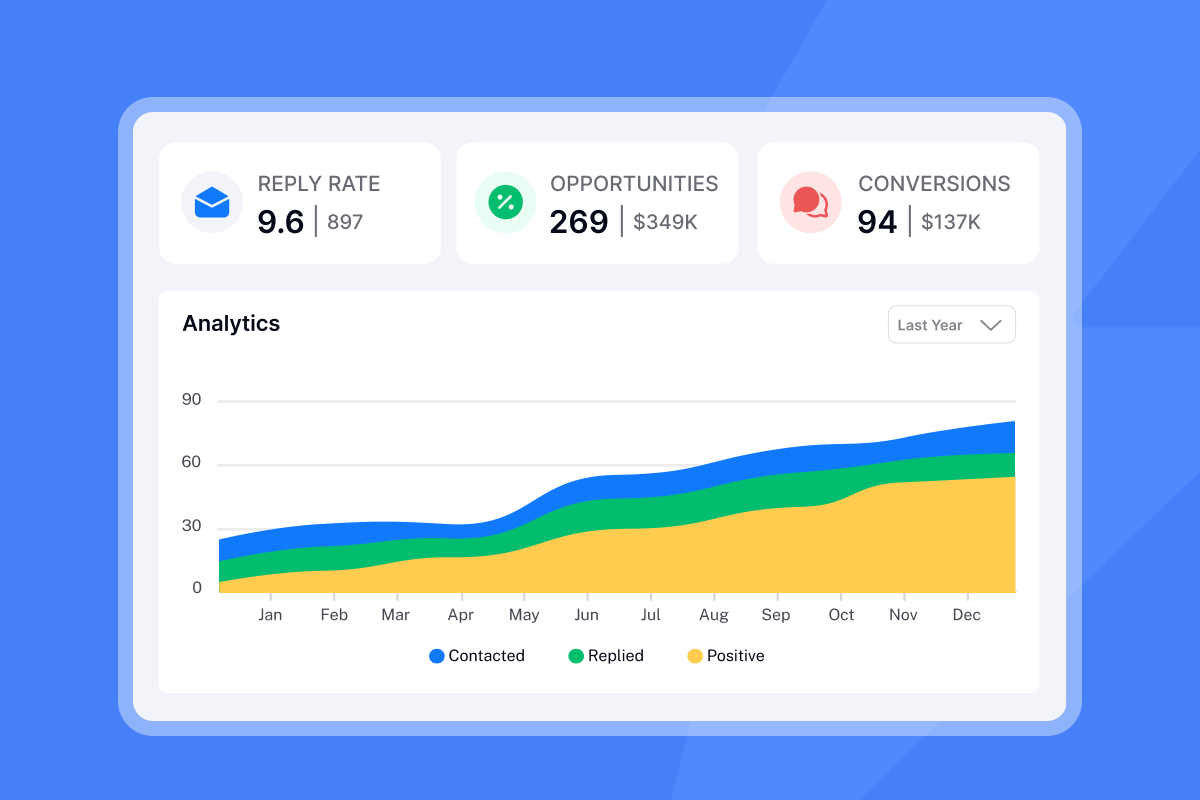
Our analytics dashboard tracks reply rate (percentage of leads who replied to at least one email in the selected range) and Opportunities (positive replies with attached monetary value for ROI calculation). The full analytics breakdown shows how to configure Opportunity tracking to assign dollar values to each positive reply, giving you a cost-per-meeting number that holds up to CFO scrutiny.
Unibox for reply management at scale
Our Unibox centralizes every campaign reply across all sending accounts into one interface. AI Custom Reply Labels automatically categorize responses as "Interested," "Meeting booked," "Not interested," "Out of Office," "Referral," or "Objection," triggering follow-up sequences based on actual human engagement signals, not pixel fires.
One sales leader described the workflow shift:
"I also appreciate the UniBox feature, which is like an inbox sorting all my campaign responses in one spot, so I don't have to log into each individual email." - Saral S. on G2
"Instantly has been a game-changer for our cold email campaigns... the deliverability tools actually work, and their customer support is responsive when we've had questions. We're able to scale our outreach without sacrificing personalization or risking our sender reputation." - Natalie on Trustpilot
Built-in warmup to protect domain health
Before any campaign goes out, our warmup network builds sender reputation gradually. The email warmup setup walkthrough and the full cold email deliverability guide cover how to ramp safely from 5 to 15 to 30 sends per inbox per day without triggering spam thresholds.
"I really appreciate how it helps my emails land in the inbox instead of spam. I like the email warmup feature because it tracks my email health, which supports getting my emails delivered effectively." - David C. on G2
Open rates were a reasonable proxy for engagement when email clients loaded images by default and security bots didn't exist. Today, we see them measure a combination of Apple's proxy infrastructure, enterprise security sandboxes, and a shrinking minority of actual human behavior. Trusting that data for coaching decisions, sequence optimization, or pipeline forecasting leads to exactly the frustration you're already seeing: high opens, low replies, and no clear explanation.
We recommend a cleaner path: stop measuring what's easy to fake and start measuring what directly predicts revenue. Fix the inputs, and the reporting problems go away on their own.
Stop coaching your team on broken data. Try Instantly free and use reply rate and Opportunities as your campaign scorecards from day one.
FAQs
How accurate are email open rates in 2025?
Reported open rates include proxy opens from Apple MPP (which pre-loads images for 55%+ of global email opens) and automated opens from corporate security bots, creating too high a margin of error for reliable decision-making. Reply rate is the primary benchmark at 3.43% average and 10%+ for top performers.
Does open tracking hurt deliverability?
Yes. If the domain hosting your tracking pixel carries a poor reputation from other senders sharing that infrastructure, your email can inherit the spam classification. Disabling open tracking at the campaign level and sending text-only emails measurably improves inbox placement for most B2B cold campaigns.
Can you track emails without a pixel?
Yes. Link-click tracking captures engagement without an open pixel, though security bots also interact with links. Reply tracking is the most reliable method because it requires a genuine human response, and features like Unibox and Opportunities replace pixel-based attribution with reply-based attribution.
What is a good open rate for cold email?
The more useful question is: what is a good reply rate? For B2B cold email, 5-10% reply rate is a solid target, with focused, well-targeted campaigns reaching 15%+. Martal Group's cold email statistics put the average B2B cold email response rate at approximately 5% in 2025.
What should I do if my open rate suddenly spikes?
A sudden spike above 50% most likely indicates increased MPP pre-loading or a corporate security gateway scanning your campaign. Review our help article on open tracking gaps and cross-reference the spike against your reply rate. If replies didn't move, the open spike is not real engagement.
Key terms glossary
Tracking pixel: A 1x1 transparent image embedded in an email's HTML that fires a server request when loaded by an email client, logging the event as an "open" along with IP address, device type, and timestamp.
Apple MPP (Mail Privacy Protection): A feature launched September 20, 2021 for iOS 15, iPadOS 15, and macOS Mail that pre-fetches all email images through Apple proxy servers when a device is on Wi-Fi and plugged in, causing tracking pixels to fire regardless of whether the recipient reads the message.
False positive: When an open or click event is registered without any actual action by the human recipient. Non-human interactions (NHI) include bot scans, security gateway sandboxing, and MPP proxy loading.
Pre-fetching: The practice of an email client or server loading images and remote content in the background before the user actively opens a message. Apple MPP pre-fetches content on Wi-Fi when a device is plugged in, independent of any user action.
Unibox: Instantly's centralized reply management inbox that consolidates responses across all sending accounts. Uses AI-powered reply labels to categorize and route based on genuine human engagement.
Secure Email Gateway (SEG): Enterprise email security infrastructure (Proofpoint, Mimecast, Barracuda) that scans inbound messages by loading images, clicking links, and running attachments in sandboxed environments, generating false open and click events in the process.



