


Updated March 06, 2026
TL;DR: Open tracking pixels are not a neutral feature. They can affect deliverability by triggering spam filters and, on shared tracking domains, tie your sender reputation to the sending behavior of others using that same domain. Apple's Mail Privacy Protection (MPP) already inflates open rates by as much as 40-50%, making the metric increasingly unreliable. The only scalable fix is a Custom Tracking Domain (CTD), which isolates your reputation so a bad actor on a shared platform can't drag your campaigns into spam. If you're seeing drops in open rates or rising bounces, audit your tracking setup first.
Some aggressive spam filters may flag emails containing tracking pixels, especially if the pixel is associated with a shared tracking domain with poor reputation. If you use a shared tracking domain, you inherit the spam reputation of every other sender on the platform. The fix is isolating your tracking infrastructure or disabling it entirely.
How tracking pixels trigger spam filters
Problem: Open tracking embeds a 1x1 invisible image inside your email's HTML body. When a recipient's email client loads the email, it sends an HTTP GET request to a remote server hosting a unique identifier. That server logs opens and returns image, which is invisible to the recipient but not to spam filters.
Impact: Email systems analyze HTML elements before delivery. Some aggressive spam filters flag emails when pixels call out to third-party tracking domains, particularly if those domains have poor reputation. In late 2024, Gmail started displaying warning banners reading "Images are not displayed. This message may be suspicious" on flagged emails, along with a prominent "Report spam" button. That warning eliminates engagement before a prospect reads a single word.
Click tracking adds a second risk. Your tool rewrites links to redirect through track.provider.com/xyz, which looks identical to a phishing redirect. Secure Email Gateways may quarantine redirects, blocking your email before it reaches the inbox.
Quick fix: Set up a Custom Tracking Domain within 24 hours if you haven't already. If DNS propagation takes longer, disable open tracking on active campaigns while you wait. Your reply rate gives you a better deliverability signal anyway, and you protect inbox placement in the meantime.
Watch the Instantly cold email deliverability guide for a full walkthrough of the technical factors that move emails into the primary inbox. For a more detailed read-through on cold email deliverability, our guide can make you a master quickly.
The impact of shared tracking domains on reputation
Problem: By default, most email automation tools route tracking through a generic subdomain like track.provider.com. Every user on the platform shares that domain. Your campaign emails contain links pointing to it, and so do the campaigns of thousands of other senders, including spammers.
Impact: Shared tracking domains create guilt-by-association. If one sender on the platform spams, Google associates the shared domain with spam behavior. That domain gets blacklisted. Now your email bounces, not because of anything you did, but because a link inside it points to a blacklisted domain. Keep your bounce rate below 2%, where rates between 2% and 5% signal a warning and above 5% is critical. When tracking blocks inflate your bounce count, your domain reputation drops regardless of list quality or copy.
Long-term approach: We recommend owning your tracking infrastructure through a dedicated subdomain. Your reputation then rises and falls based solely on your sending behavior, not the collective actions of every customer on a shared platform.
Instantly's 90% deliverability guide covers the full technical setup sequence, DNS publication, custom tracking domain CNAME configuration, and placement testing, and treats custom tracking as part of a broader compliance checklist rather than an isolated fix.
"What stands out most is the deliverability and domain health performance, it's noticeably better than other tools we tested. Warmup, domain rotation, inbox tracking, and campaign logic all feel like they're designed by operators who actually run outbound at scale." - Luisa R. on G2
Why open rates are becoming an unreliable metric
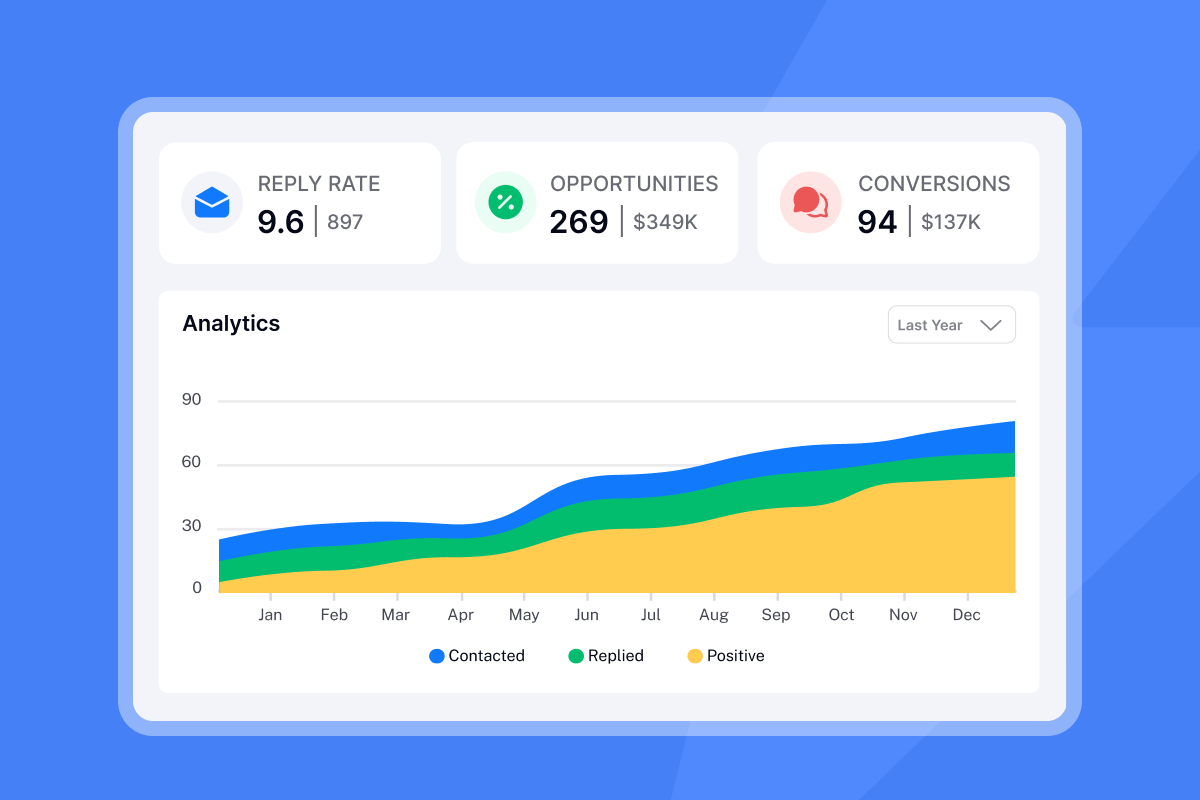
Problem: Open rates were already a proxy metric. Now they're increasingly misleading, and the risk you take to collect them no longer matches the data quality you get back.
Apple's Mail Privacy Protection (MPP), introduced in iOS 15, pre-fetches all email content including tracking pixels through Apple's servers before a user ever opens the email. An email registers as "opened" even when the recipient never saw it. Total open rates jumped nearly 18 percentage points after six months of MPP rollout, from 22.6% to 40.5%. That's not more engagement. That's measurement noise. Gmail proxies images through its servers, stripping location and device data even when it logs an open. Instantly's meeting metrics guide covers the formulas and benchmarks for positive reply rate, meeting booked rate, and bounce rate.
Apple accounted for 49.29% of opens in January 2025, making it the most popular email client by a wide margin. Nearly half of your open events may now be Apple pre-fetches, not actual reads.
Takeaway: We recommend optimizing for reply rate instead of open rate. You're risking primary inbox placement for data that's 40-50% noise. A reply rate at or above 2% proves inbox placement because a human read your email and chose to respond. Target that instead.
"I like that Instantly can handle large scale email campaigns without worrying about deliverability. The most helpful part is the detailed reporting. It shows clear data like open rates, replies, and bounce rates, which I can easily use for analysis and integrate with other BI dashboards." - Anjali T. on G2
The solution: Implementing Custom Tracking Domains (CTD)
A Custom Tracking Domain (CTD) is a subdomain you control, for example track.yourcompany.com, mapped to Instantly's tracking infrastructure via a CNAME DNS record. A custom tracking domain protects your sender reputation because shared domains carry the risk of blacklisting if other users spam. When links redirect through your subdomain, the reputation is yours alone. You're not sharing a pool with thousands of strangers.
When your sending domain, DKIM, and tracking domain all align to your brand, ISPs see a cleaner trust signal.
"As a non-technical person, it is so easy to setup cold email campaign... they ensure subdomain tracking and deliverability. So I really luv that." - Harris on Trustpilot
Implementation steps:
- Create the subdomain: In your DNS provider (Cloudflare, GoDaddy, Namecheap), create a new CNAME record. Use
instas the hostname andprox.itrackly.comas the value. - Save and Monitor propagation: Save the CNAME and wait 24–72 hours for DNS propagation, though it often resolves faster. Check status at WhatsMyDNS.net by searching for your
inst.yourdomain.comsubdomain. When you see theprox.itrackly.comtarget appear across multiple geographic servers, move to the next step. - Open Instantly settings: Go to the Email Accounts dashboard. Click on the email account and navigate to the Settings tab in the pop-up window.
- Enable Custom Tracking Domain: Toggle the Custom Tracking Domain option on. A dropdown input field appears.
- Enter your subdomain: Type your full custom tracking domain in the format
inst.yourdomain.com, replacingyourdomain.comwith your actual sending domain. - Verify and save: Click "Check Status." A successful setup shows both "CNAME Verified" and "SSL Verified." Click Save to activate. Full instructions are in the Instantly Custom Tracking Domain help guide.
Make sure your SPF, DKIM, and DMARC records are active on your sending domain. Use the Instantly SPF/DMARC/DKIM setup guide to confirm your authentication records are in order before scaling.

When to disable tracking entirely for better results
Strategy: "Naked" sending refers to sending the first email in a cold sequence with open tracking and link tracking both disabled. No pixel, no redirect. Sending as plain text with tracking disabled removes the elements that can flag an email as bulk mail.
Use case: The first cold touch has one job: land in the primary inbox. The goal is to make the email look personal rather than promotional, so disabling open tracking removes the pixel call entirely and eliminates a visible tracking signal ISPs scan for. You can toggle tracking on and off per campaign inside Instantly's campaign settings.
Comparison table:
Scenario | Deliverability risk | Reporting accuracy | Setup difficulty |
|---|---|---|---|
Tracking enabled (shared domain) | High (reputation contagion, blacklist exposure) | Medium (MPP inflates opens 40-50%) | None (default) |
Tracking enabled (custom domain) | Low (isolated reputation) | Medium (MPP still inflates opens) | Low (CNAME + propagation) |
No tracking (naked send) | Lowest (no pixel, no redirect) | Low (reply rate only) | None (toggle off) |
Checklist: A safe tracking protocol for sales teams
Use this as your standard operating procedure for every campaign. Run it before launch and after any deliverability incident.
- Set up a Custom Tracking Domain (recommended for established senders): Configure your
inst.yourdomain.comCNAME if you have a domain with existing reputation or a growing send cadence. Sources consistently describe this as a strong best practice rather than a hard requirement. the benefit is most meaningful once you're sending at meaningful volume, and some tools even recommend disabling open tracking entirely if your domain reputation is still being established. - Verify SPF, DKIM, and DMARC: All three authentication records must be active on every sending domain. Use Google Postmaster Tools to confirm domain reputation and authentication pass rates after setup.
- Disable open tracking on first cold email touches: Keep the pixel off for step one of every sequence. Turn it on for follow-ups only after you've confirmed healthy inbox placement via reply rate or an inbox placement test.
- Monitor bounce rates daily during ramp: A bounce rate above 2% requires immediate action. Pause campaigns, re-verify your list, and restart at a lower send cap for three days. Keep bounces below 1% for a healthy sender reputation.
- Track reply rate as your primary metric, not opens: We recommend treating a reply rate at or above 2% as your deliverability signal. If reply rates drop while open rates hold steady, MPP inflation is masking a placement problem.
- Audit tracking domains quarterly: Check your CTD status inside Instantly and run a DNS lookup to confirm the CNAME record is resolving correctly. DNS propagation issues and domain expiries can break your CTD silently.
- Run inbox placement tests before scaling: Use Instantly's inbox placement test to confirm where emails land before increasing send volume on a new domain or account.
The observer effect is real in cold email. The act of tracking changes the outcome. If your campaigns are underperforming, start by isolating what you measure: set up a CTD, turn off open tracking on first touches, and monitor reply rate for seven days. Try Instantly free for the warmup infrastructure to build reputation while you track responsibly.
"Earlier, many HR emails were going to spam, especially when sending bulk interview calls, after using Instantly, open and reply rates improved noticeably." - Raghav S. on G2
Frequently asked questions about email tracking
Does tracking always hurt deliverability?
Not always, but it introduces risk you need to manage. Tracking pixels can affect deliverability, particularly when associated with shared tracking domains. With a Custom Tracking Domain, that risk drops significantly but never disappears entirely.
Can I track clicks without tracking opens?
Yes. Open tracking and click tracking are separate toggles inside Instantly campaign settings. Disabling open tracking removes the pixel entirely while still letting you measure link clicks through your CTD.
How do I check my domain's sending reputation?
Use Google's free Postmaster dashboard to check domain reputation ratings (Good, Medium, Low, Bad), spam complaint rates, and authentication pass rates. It updates within one day of sending, so you'll see the impact of any changes quickly.
What bounce rate triggers a reputation problem?
A bounce rate above 2% puts your domain in the danger zone. A rate above 5% is critical and requires pausing campaigns immediately, cleaning your list, and re-verifying contacts before resuming.
Does link rewriting break DKIM?
It depends on when the rewriting occurs. When your sending platform rewrites links before applying the DKIM signature, the signature covers the rewritten content and remains valid through delivery. If a third-party security gateway rewrites links after DKIM signing, it can break the signature. The primary benefit of a CTD is reputation isolation, not authentication protection.
Key terms glossary
Tracking pixel: A 1x1 transparent image embedded in an email's HTML body that fires an HTTP request to a remote server when loaded, logging an "open" event.
Custom Tracking Domain (CTD): A subdomain you own (such as track.yourcompany.com) configured via CNAME to route tracking data through your own domain rather than a shared platform domain.
Shared tracking domain: A generic subdomain like track.provider.com shared by all customers on a platform. One sender's spam behavior damages everyone's reputation.
Mail Privacy Protection (MPP): Apple's feature that pre-fetches email content including pixels through Apple's servers, registering false open events before a user ever views the email.
Bounce rate: The percentage of sent emails that fail to deliver. A rate above 2% signals a deliverability problem. A rate below 1% is the target for healthy sender reputation.
DMARC alignment: A check that the domain in the "From" header matches the domain used in SPF or DKIM authentication. Misalignment causes DMARC to fail even when SPF and DKIM individually pass.
Sender reputation: A score assigned by ISPs to a sending domain or IP based on bounce rates, spam complaints, engagement signals, and authentication results. Higher reputation means better inbox placement.
Reply rate: The percentage of sent emails that receive a reply. It's the most reliable deliverability signal because it proves a human read the email and responded, without relying on pixel-based tracking.


