


7Updated March 13, 2026
TL;DR: If your dashboard shows a 50% open rate but your team is booking zero meetings, the data is lying to you. Open rates are artificially inflated by Apple's Mail Privacy Protection, corporate security bots, and image-blocking defaults. The 12 mistakes below explain why tracking breaks and what to fix first. Set up a custom tracking domain, shift your KPIs to reply rate and booked meetings, and remove bounces immediately. Reply rates and booked meetings are far harder to fake at scale. Build your pipeline decisions on signals that reflect real human behavior.
Email tracking gives sales teams the signal they need to prioritize follow-up and measure what works, but technical changes over the past few years have broken the most commonly watched metric. Apple's Mail Privacy Protection alone now accounts for over 50% of tracked opens, and none of those pre-fetched opens represent genuine engagement. If your SDRs are calling leads based on "hot" open signals, they may be chasing security scanners. This guide covers the 12 most common email tracking mistakes and gives you a concrete fix for each one so you can make decisions from clean data.
How email tracking works (and why it breaks)
Email open tracking relies on a 1x1 pixel image embedded in the email's HTML. When a recipient's email client loads the email, it sends a request to the server hosting that pixel, logging the IP address, user-agent string, and timestamp, as Ryte's tracking pixel overview explains.
The mechanism has two critical weaknesses. First, it requires the email client to load images. If the client blocks images by default (like Outlook), you get no signal even when the email is read. Second, it fires for any request to that image URL, whether from a human or a bot, creating false positives at scale. Both weaknesses affect every sales team running cold outreach today. See why opens are not tracked in our help center for a full diagnostic breakdown.
12 email tracking mistakes that skew your sales data
Mistake 1: Prioritizing open rates over reply rates
The problem: Apple's Mail Privacy Protection (MPP) pre-fetches tracking pixels before the user ever reads the message. MPP now accounts for over 50% of all tracked opens, and Apple Mail holds a 51.52% client market share in 2025. The majority of your "opens" from Apple Mail users are mechanical, not behavioral.
Impact: You send emails, see 45% open rates, and assume strong interest. Replies land at 1%. The open data is sending your team in the wrong direction.
Quick fix: Remove open rate from your primary KPI dashboard. Replace it with reply rate and interested rate.
Long-term approach: Build sequence logic around click activity and replies rather than open-based triggers. Redesign automations to use time-based flows or conversions instead.
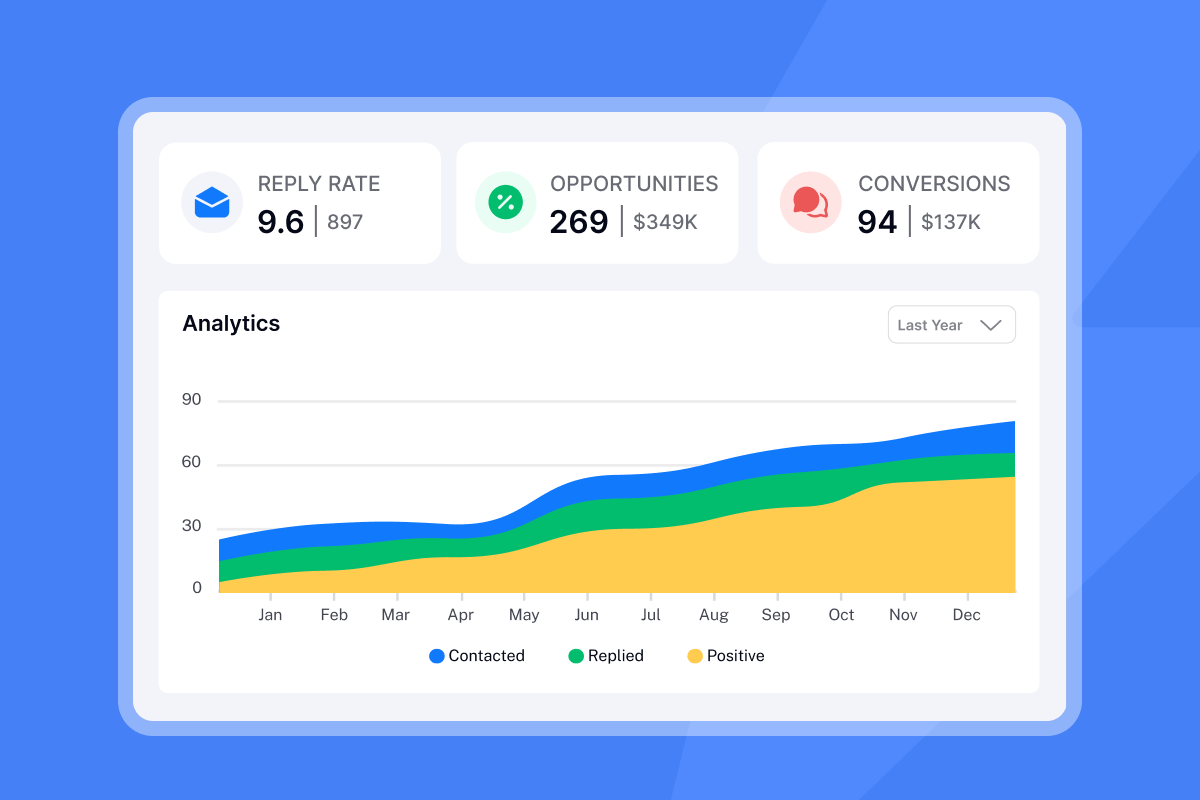
How Instantly helps: Our analytics dashboard separates reply rate, interested rate, and neutral replies by default, making it easy to shift KPIs away from open-rate dependency. See our analytics documentation for setup details.
Mistake 2: Ignoring the impact of image blocking
The problem: Microsoft Outlook blocks automatic image downloads by default as a security measure. Because pixel tracking relies on images loading, Outlook recipients who never change this default generate zero open events even when they read your email in full.
Impact: You undercount genuine engagement from corporate Outlook users, who make up the majority of B2B inboxes. An account looks cold when someone has read three of your emails. Check our guidance on low open rates to diagnose this gap.
Quick fix: Track text-based hyperlink clicks alongside pixels. A click on a text link confirms real engagement even when pixel opens fail to register.
Long-term approach: For high-value Outlook accounts, test both HTML and plain text sends and compare response rates. Track the difference and adjust your default format based on which performs better for your ICP.
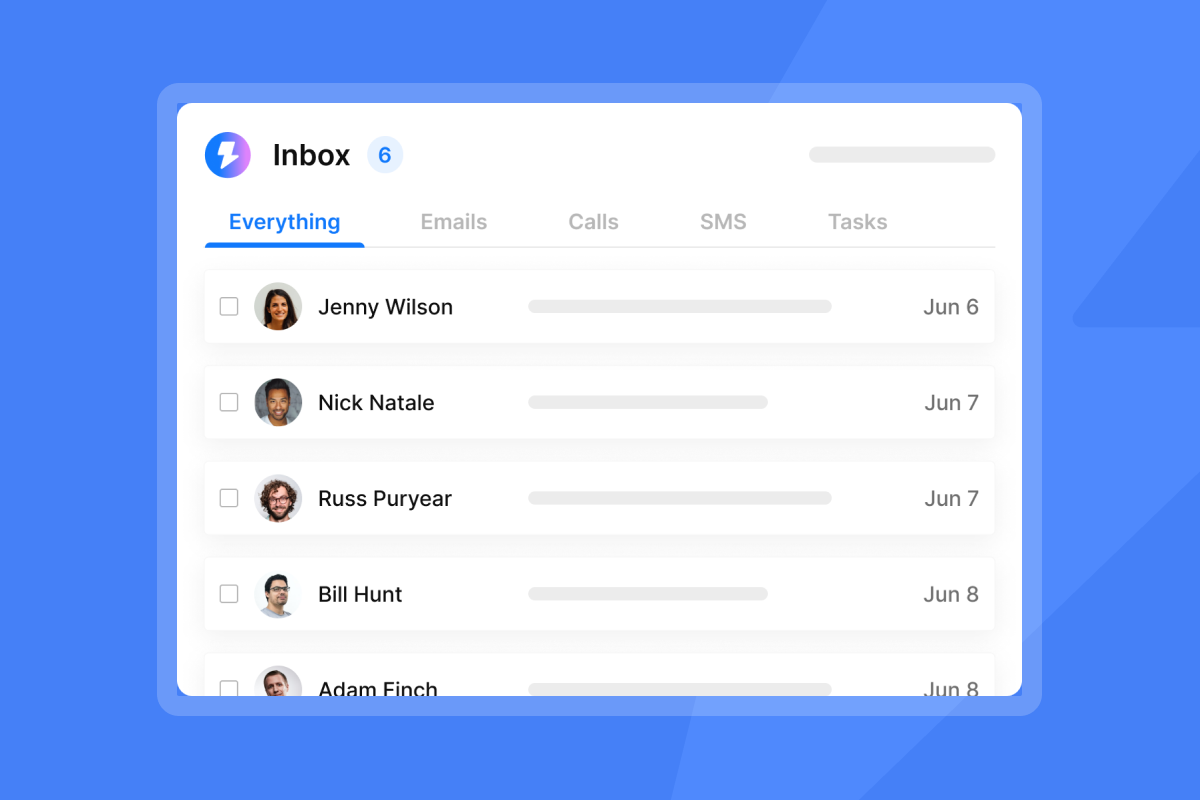
How Instantly helps: We track both pixel-based opens and link clicks, giving you visibility even when image blocking suppresses pixel fires. Our unified inbox shows you engagement across both signals in one view.
Mistake 3: Failing to account for bot clicks and security scanners
The problem: Corporate security gateways like Mimecast, Proofpoint, and Microsoft Defender automatically scan every link in incoming emails. As Keepnet Labs explains, these tools follow embedded URLs in isolated environments (sandboxing) to check for malware and phishing, and they click your tracked links in the process. TrueVoice Growth's bot click analysis confirms that automated link scanners mimic user clicks by following redirects.
Impact: Your SDRs see a "click" notification and call a prospect who never touched the email. This wastes time and can feel pushy to the actual recipient when they eventually respond.
Quick fix: Filter clicks that arrive within one to two seconds of delivery. Real humans do not click a link one second after an email arrives.
How Instantly helps: Our analytics dashboard lets you exclude auto-replies and filter automated engagement signals, separating genuine replies from bot activity. Our AI reply classification further separates interested replies from automated out-of-office messages. See our analytics guide for configuration steps.
Mistake 4: Using shared tracking domains that hurt deliverability
The problem: When you do not configure a custom tracking domain, your email software rewrites all tracked links through a shared domain (for example, track.vendor.com). As SendCheckIt explains, generic shared domains get abused by phishers constantly, so corporate security teams blacklist them. Sharing a tracking domain ties your reputation to every other sender on it.
Impact: Legitimate outreach gets blocked or quarantined. Tracked links get stripped entirely. Inbox placement drops even when your copy and list are clean.
Quick fix:
- Set up a CNAME record on a subdomain (e.g.,
track.yourcompany.com) pointing to your email software's tracking server. - Test the configuration by sending a tracked email and confirming the link domain matches your custom subdomain.
Long-term approach:
- Use the same root domain for both sending and tracking. Skysenders notes that different sending and tracking domains can trigger spam filters because the inconsistency resembles phishing behavior.
- Monitor your tracking domain's reputation separately using blacklist checkers.
How Instantly helps: Custom tracking domain setup is built into our platform. Our secondary sending domains guide walks you through the CNAME configuration in under 10 minutes.
Mistake 5: Tracking plain text emails incorrectly
The problem: Plain text emails cannot support tracking pixels because they do not render HTML. Postmark's open tracking documentation confirms that open tracking only works for HTML emails.
Impact: If you send plain text sequences and expect open data, your analytics dashboard shows zero opens, which you may misread as a deliverability problem rather than a format limitation.
Quick fix: For plain text campaigns, rely on reply rate only. Do not interpret zero opens as a sign of poor deliverability. Review our text-only delivery optimization tool to understand how plain text mode improves deliverability rather than hurting it.
Mistake 6: Sending tracked emails to multiple CC/BCC recipients
The problem: When you send one email to five recipients using CC or BCC, all five receive the same tracked link and the same pixel. As Gong's email tracking documentation notes, any recipient listed on the email, internal or external, can trigger an open event. Because the pixel identifier is tied to one send event, you cannot attribute who opened it among the group.
Impact: You see an "open" and assume your primary contact is engaged. It may have been an assistant or a colleague who was CC'd.
Quick fix: Use a sequencing tool to send individually tracked emails to each recipient. Each person needs their own unique tracking identifier.
Long-term approach: Build your sales process around 1:1 sequences rather than batch sends. Train your team to avoid CC/BCC in cold outreach entirely and use mail merge for personalized individual sends.
Mistake 7: Relying on location data from geo-tracking
The problem: Proxy servers and VPNs mask the real IP address of a recipient. A VPN causes the tracking server to log the VPN server's location, not the recipient's actual location.
Impact: You segment leads by "opened in New York" when the actual person is in Dublin using a corporate VPN.
Quick fix: Do not use IP-based location data for territory assignment or lead scoring. Behavioral signals (replies, named CTA clicks) are far more reliable.
Long-term approach: Remove geo-location from your dashboards entirely. Focus on firmographic data (company size, industry, tech stack) and behavioral signals for segmentation instead.
Mistake 8: Neglecting GDPR and CAN-SPAM compliance in tracked emails
The problem: Email tracking pixels collect data without explicit recipient consent. GDPR EU's email tracking guidance states that companies sending tracked emails must obtain unambiguous consent. The GDPR requires consent to be "freely given, specific, informed and unambiguous." Under both GDPR and the ePrivacy Directive, non-essential tracking requires explicit opt-in consent.
Impact: A data privacy complaint or breach investigation damages your brand and can trigger regulatory fines.
Quick fix: Include an opt-out mechanism and a link to your privacy policy in every sequence. For B2B cold outreach under GDPR, document your legitimate interest basis carefully.
Preventive measures: Review your privacy policy to explicitly mention email tracking. Keep records of consent where required. Mailbird's compliance guide outlines the disclosure requirements in plain language.
How Instantly helps: Our campaign builder includes opt-out management and compliance controls, helping you stay within regulatory boundaries without building a separate legal workflow.
Mistake 9: Misinterpreting self-opens and internal traffic
The problem: When you open your own sent email to review it, your email client renders the HTML including the tracking pixel. This fires a tracking event attributed to your IP. Gong's tracking documentation confirms that opening a sent email while outside the tracking extension registers an open event.
Impact: Your own review activity skews campaign-level open rates upward, making low-engagement sequences look healthier than they are.
Quick fix: Block your office IP address range in your tracking software's exclusion settings. Preview emails in a staging inbox, not your live sent folder.
Mistake 10: Assuming "delivered" means "inbox placement"
The problem: "Delivered" only means the receiving mail server accepted the message and did not bounce it. Delivery rate includes emails sent to spam. Delivery rate divides emails delivered by emails sent. Inbox placement rate divides emails reaching the primary inbox by emails delivered. The two metrics can diverge significantly.
Impact: You see 98% delivery rates and assume your campaign is healthy. Meanwhile, 30% of your emails sit in spam with zero visibility.
Quick fix: Monitor inbox placement using seed list testing. Seed lists place test addresses across major providers (Gmail, Outlook, Yahoo) and tell you exactly which folder you are landing in before a live campaign goes out.
How Instantly helps: Our Advanced Deliverability Suite includes inbox placement testing with seed account coverage, provider-level results, and trend lines. You can set alert thresholds that notify you when primary inbox placement drops below a defined percentage, letting you pause campaigns before the problem compounds.
"I appreciate Instantly for its intelligent handling of domain and mailbox rotation as well as provider matching, which is critical for ensuring that my emails land directly in the primary inbox instead of getting caught in spam filters." - Richard E. on G2
Mistake 11: Using read receipts instead of pixel tracking
The problem: Read receipts prompt the recipient with a visible pop-up asking whether they want to notify the sender they read the message. Unlike pixel tracking, which is silent, read receipts require active participation and are rarely accepted in cold outreach. Gong's tracking documentation distinguishes the two clearly: read receipts are explicit and easy to dismiss, while pixels are invisible and work without user interaction.
Impact: You get almost no data from read receipts in cold outreach. Prospects who decline the prompt may also feel surveilled before they have read a single word of your message.
Quick fix: Remove read receipt requests from all outbound sequences. Use pixel tracking in HTML campaigns and reply-rate tracking in plain text campaigns.
Long-term approach: Standardize on HTML emails with pixel tracking for all cold campaigns. Reserve plain text for specific high-trust scenarios (executive outreach, warm referrals) where you rely on reply rate alone.
Mistake 12: Failing to clean lists based on tracking feedback
The problem: Keeping hard bounces and chronic non-responders on your active list damages your sender reputation with every send. Hard bounces are the highest-impact bounce type, signaling to ISPs that you are sending to unverified or outdated lists. Suped's bounce threshold analysis recommends keeping hard bounce rates below 1%, with experts advising below 0.5% at high volume.
Impact: A bounce rate above 2% triggers automated defense mechanisms at receiving mail servers. ISPs throttle your volume, delay delivery, or block your domain entirely.
Quick fix: Remove every hard bounce from your list immediately after it occurs. Do not wait for a weekly cleanup cycle.
Long-term approach: Verify contacts before they enter a sequence. If you are buying or scraping lists, run them through a verification tool before sending a single email.
How Instantly helps: Our platform automatically pauses sending accounts that cross bounce-rate thresholds, protecting your domain reputation before ISPs penalize you. Read our campaign bounce troubleshooting guide for step-by-step diagnosis.
"I use Instantly for warming up my mails, and it really helps with deliverability. I like its ease of use, especially the email warm-up feature." - Krish K. on G2
Best practices for reliable email metrics
Once you have addressed the 12 mistakes above, these practices keep your tracking clean on an ongoing basis.
- Use custom tracking domains: Set up a CNAME DNS record pointing
track.yourcompany.comto your platform's tracking server. Keep the root domain consistent between sending and tracking to avoid spam filter flags. This is the highest-impact technical fix you can make. - Track composite engagement, not single metrics: Combine opens, clicks, and replies for a fuller picture. Use clicks and replies as the primary trust signals. Open rate is acceptable as a directional secondary metric only, not a lead-priority trigger.
- Use explicit CTA links to confirm interest: Add specific links like "View the case study" or "Access the pricing sheet." A named CTA click requires conscious action and resists both MPP inflation and bot scanning far better than a passive pixel load.
- Apply time-window filters for bot detection: Flag any clicks that arrive within one to two seconds of delivery. Real human engagement almost never occurs within seconds of send. Filter these automatically in your tracking dashboard.
- Run inbox placement tests before major campaigns: Use seed lists to verify where your emails land before sending to your live list. The Ultimate Guide to Cold Email Deliverability from our channel covers the full warmup-to-send workflow in detail.
Metric | What it measures | Reliability in 2026 |
|---|---|---|
Open rate | Pixel fires (includes bots, MPP) | Low |
Click-through rate | Link requests (includes security scans) | Medium |
Reply rate | Human responses | High |
Interested rate | Qualified replies flagged by AI | High |
Booked meetings | Pipeline outcomes | High |
How Instantly helps you track what matters
We built Instantly around a deliverability-first model, so your tracking reflects real human behavior rather than infrastructure noise.
Our Advanced Deliverability Suite covers warmup automation, blacklist monitoring, SPF/DKIM/DMARC verification, and inbox placement testing with seed accounts across Gmail, Outlook, and Yahoo. When placement rates drop, you get automated alerts before the problem shows up in your reply data. Our SISR system (Server and IP Sharding and Rotation) automatically assigns dedicated IP groups to sending accounts, isolating your reputation from other senders. Learn how IP rotation affects deliverability in our help documentation.
Our analytics layer filters auto-replies so that out-of-office responses do not inflate your reply rate. Our AI reply classification separates interested replies, neutral replies, and negative signals, giving your team a clean list of leads to prioritize rather than a raw inbox to manually sort.
"I use Instantly for the AI reply agent and finding leads. It saves a lot of time by automatically replying to all of my campaigns on autopilot mode. I especially like the email warm-up tool. This tool automatically mimics human behavior and runs in the background to build a sender reputation for multiple new email accounts, ensuring emails land in the primary inbox rather than spam." - lucky b. on G2
Our fingerprinting help article explains how sending patterns can trigger spam filters at scale, and what content variation steps to take to reduce that risk. Our reply rate discrepancy guide helps you diagnose situations where your dashboard counts do not match your CRM data.
"For cold emails, Instantly is far and away the best tool I've used. It's particularly good at getting inbox placement when everything is properly set up with Microsoft." - Michael S. on G2
Our pricing starts at $47/month for the Growth Outreach plan (or $30/month on annual billing), with unlimited email accounts and warmup included across all tiers. That means no per-seat fees as your team scales, and your tracking infrastructure costs stay predictable. See the current Instantly pricing page for full details.
Watch our 1,000 cold email campaign study to see exactly how these tracking mistakes affect real pipeline data at scale, and our 39 cold email lessons video for the full practical breakdown.
Stop chasing vanity metrics and start tracking revenue signals
Open rate data was a useful proxy in 2018. Today, with Apple Mail holding over 50% market share and MPP pre-fetching pixels by default, it is a lagging indicator at best and a misleading one at worst. The 12 mistakes in this guide do not each require a full rebuild of your tracking stack. Most require one clear action: a custom tracking domain, an IP exclusion, a KPI swap, or a list clean.
Start with the highest-impact fix. Set up your custom tracking domain today, then replace open rate with reply rate on your core reporting dashboard. Work through list hygiene and bot-click filtering after that. Each change removes a layer of noise and moves your pipeline data closer to the truth.
Ready to apply this playbook with software built to handle these challenges by default? Try Instantly free and run your first inbox placement test on our 4.2m+ account deliverability network before your next campaign goes live.
For broader context on where cold email is heading in 2026, watch The NEW Rules of Cold Email and The Future of Cold Email from our channel.
Frequently asked questions about email tracking
Can I track emails sent to Gmail addresses reliably?
Gmail loads images by default, so pixel tracking fires more consistently than on Outlook. However, MPP affects Apple Mail users regardless of whether they use a Gmail address, so any subscriber reading Gmail via Apple Mail still triggers inflated open counts. Use reply rate as your primary success metric across all providers.
Does email tracking hurt deliverability?
Tracking itself does not damage deliverability when configured correctly. Using a shared tracking domain does. If your tracked links route through a shared vendor subdomain, your emails inherit that domain's reputation. Set up a custom CNAME tracking domain on your own brand subdomain to eliminate this risk entirely.
How do I stop tracking my own opens?
Block your office IP address range in your tracking software's exclusion settings. Instantly and most platforms allow you to filter specific IPs from analytics. Preview emails in a separate staging inbox rather than opening your live sent folder.
What bounce rate should I keep my campaigns below?
Keep hard bounce rates below 1%, and aim for 0.5% or lower at high volume. Suped's bounce threshold analysis notes that anything above 2% triggers automated defenses at ISPs. Remove hard bounces the moment they occur, not at the end of the week.
Is reply rate a better KPI than open rate for cold outreach?
Yes. Reply rate measures a deliberate human action that is harder for bots and privacy filters to replicate at scale. A reply rate above 5% typically signals strong engagement, though context matters. Open rates above 40% in 2026 almost certainly include significant MPP inflation and should not be used to make sequencing or follow-up decisions on their own.
Key terms glossary
Tracking pixel: A 1x1 transparent image embedded in an HTML email. When the recipient's email client loads the image, it sends a request to the tracking server, logging the open event with IP address, timestamp, and device type.
Mail Privacy Protection (MPP): Apple's feature, released September 2021, that pre-fetches email content including tracking pixels before the user reads the message, recording a false open signal.
Custom tracking domain: A subdomain of your own brand domain (e.g., track.yourcompany.com) configured via a CNAME DNS record to handle tracked link redirects, isolating your reputation from shared vendor domains.
Inbox placement rate: The percentage of delivered emails that land in the recipient's primary inbox. Distinct from delivery rate, which counts any email the server accepted, including spam folder placements.
Hard bounce: A permanent delivery failure caused by an invalid or non-existent email address. Hard bounces must be removed from your list immediately to protect sender reputation.
Reply rate: The percentage of recipients who reply to your email. In cold outreach, a reply rate at or above 5% indicates strong list quality, message relevance, and solid deliverability. Below 2% signals a problem with targeting, copy, or inbox placement.
Sender reputation: The trust score assigned to your sending domain and IP by ISPs, based on bounce rates, spam complaints, authentication records (SPF, DKIM, DMARC), and engagement patterns.
SISR: Server and IP Sharding and Rotation. Our infrastructure feature that assigns dedicated IP groups to sending accounts, preventing one account's deliverability issues from affecting others.


