


Updated January 31, 2026
TL;DR: Free reverse email lookup tools work for one-off research but cost you more in bounces and manual labor when you scale. I tested 9 methods, from manual Google dorks to paid enrichment engines, and found that accuracy varies wildly (from pattern-guessing to 98% verified hits). For agencies running high-volume campaigns, the hidden cost of bad data is sender reputation damage. A bounce rate above 2% triggers ISP penalties and spam folder placement. The real solution is consolidating enrichment, verification, and sending into one stack like Instantly SuperSearch, which eliminates CSV handoffs and per-seat taxes for agencies scaling multiple client campaigns.
Finding accounts by email is not just about locating a profile. It is about verifying the human behind the address without wrecking your sender score. Any experienced cold email guide will tell you the same thing: your data quality ceiling determines your deliverability ceiling, and cheap lookup tools create expensive downstream problems. Most agencies I work with start with free tools, hit a wall at scale, then realize the "free" option cost them more in burned domains and wasted hours than a proper data stack would have.
This guide tests 9 top methods, from manual OSINT hacks to automated enrichment engines, and reveals which ones deliver ROI for high-volume lead generation. If you run an agency and book meetings by email, the cost-per-verified-lead calculation matters more than the sticker price. For agencies running multiple client campaigns, the best cold email software integrates enrichment, verification, warmup, and sending in one flat-fee stack. Eliminating the CSV handoffs that introduce errors and inflate cost-per-verified-lead.
How Reverse Email Lookup and OSINT Actually Work
Before I compare tools, I need to explain the mechanics. These systems do not hack into private accounts. They search publicly available records and match patterns.
The Technical Process
Reverse email lookup works by receiving an email address and then scanning publicly available records, online directories, and social media accounts for any instance where that address appears. The process follows these steps:
- Input: The tool receives the email address from you.
- Database search: Algorithms scan public records, social platforms, and indexed websites.
- Pattern matching: The system identifies matches between the email and publicly available information.
- Results: Matched records display the owner's name, job title, company, social profiles, and sometimes phone numbers.
The key distinction here is "publicly available." These tools cannot access password-protected accounts or private databases. They aggregate data from LinkedIn profiles, company websites, press releases, and other indexed sources.
OSINT vs. B2B Enrichment
OSINT (Open Source Intelligence) is the process of gathering and analyzing publicly available data related to a target email. OSINT tools like Epieos focus on breadth. They check if an email is registered on 140+ platforms, from GitHub to Strava, to build a complete digital footprint.
B2B enrichment tools like Hunter.io and VoilaNorbert focus on depth for sales. They prioritize firmographic data: job titles, company size, direct dials, and verified work emails.
For agency lead generation, focus on the B2B enrichment side. Knowing a prospect has a Duolingo account does not book meetings. Knowing they are a VP of Sales at a 50-person SaaS company does.
3 Manual Methods to Find Accounts by Email (and when to use them)
Manual methods cost nothing but time. Use them for high-ticket, hyper-personalized outreach where you can justify 15-20 minutes of research per lead.
The Google Search Operator Method
Google dorks are advanced search queries that filter results by file type, domain, or text content. For email discovery, these patterns work:
- Find PDF files with emails:
filetype:pdf (intext:"@gmail.com" OR intext:"@company.com") AND intext:"John Doe" - Search LinkedIn profiles:
site:linkedin.com/in "<job title>" +"<location>" - Find documents with contact info:
"email: username@domain.com" intitle:"corporate report" filetype:pdf
The catch is that Google dorks only find emails that are already public and indexed. Decision-makers at enterprise accounts rarely post their direct emails on public documents. Expect a 10-20% hit rate and several minutes per lead, making this approach viable only for high-value targets.
The Social Media Cross-Reference Technique
LinkedIn and Twitter search bars let you find profiles associated with a company, then cross-reference with known email patterns.
- Search LinkedIn for the company name and job title.
- Identify the prospect's full name.
- Test common email patterns: firstname@company.com, firstname.lastname@company.com, firstinitiallastname@company.com
- Verify using a free tool like Mailmeteor's reverse lookup.
This method works for smaller companies with predictable email structures. For enterprises with complex naming conventions or multiple domains, the guess-and-check approach leads to bounces. Run SMTP verification on every guess before adding it to your list.
The Password Recovery Page Trick
Password reset pages reveal whether an email is registered on major platforms. You enter the email on Facebook, LinkedIn, or Twitter's "Forgot Password" page and check if the system recognizes it.
This method confirms an email is active and tied to a real person. It does not give you new information about the prospect. Use it as a verification layer, not a discovery tool.
Do not use this for agency workflows. It violates platform terms and triggers rate limits.
The 9-Tool Showdown: Accuracy, Speed, and Cost-Per-Lead Tested
I tested 9 tools across three categories: OSINT and background checkers, bulk email finders, and browser extensions. Here is what I found.
Dedicated OSINT and Background Checkers
These tools focus on identity verification and fraud detection. They are excellent for safety checks but limited for B2B outreach.
1. Epieos
Epieos specializes in reverse email lookup across 140+ platforms including LinkedIn, GitHub, and Facebook. Pricing starts at €29.99/month (~$32) with limited free results. It is designed for OSINT investigators and security teams, not B2B prospecting. If you need firmographic data like job titles and company size, look elsewhere.
2. Have I Been Pwned
Have I Been Pwned checks if an email appears in known data breaches. It is a security tool, not a prospecting tool.
Use case: List hygiene. Before importing a purchased list, check if the emails appear in breach databases. If they do, the addresses may be burned (high spam complaint risk) or the data source may be unethical.
Do not use for: Lead generation. Using breached data for marketing violates GDPR, CCPA, and basic ethics.
3. Social Catfish
Social Catfish focuses on personal identity verification and background checks, searching social media and public records. Pricing starts at $5.73 for a 3-day trial, then $27.48/month according to recent reviews. For agency workflows, this is overkill. You are not investigating romance scams. You are finding VP emails.
4. SEON
SEON's reverse email lookup targets fraud prevention teams at fintech and e-commerce companies, returning email validity, social profiles, and risk scores. Custom enterprise pricing. It does not return the job titles, company sizes, or direct dials that sales teams need.
Bulk Email Finders and Enrichment Tools
These are the workhorses for sales prospecting. They find and verify work emails at scale.
5. Hunter.io
Hunter.io is the original email finder. It searches public websites for emails associated with a domain and verifies them.
| Feature | Details |
|---|---|
| Pricing | $49-$349/month (monthly billing) |
| Free tier | 50 credits/month total |
| Database | Scraped from public websites |
| Accuracy | High for public emails, lower for decision-makers |
Hunter is accurate for public emails that appear on company websites. However, most decision-makers do not post their email addresses publicly. Hunter often relies on "pattern guessing" (assuming the email is first.last@company.com), which leads to bounces if the pattern is wrong. For a benchmarked comparison of how Hunter's verification accuracy stacks up against the other leading email verification tools in real-world agency conditions, see the 2026 accuracy score breakdown.
Cost-Per-Lead Calculation:
| Volume | Plan | Cost per lookup |
|---|---|---|
| 500 lookups/month | Starter ($49) | $0.098 |
| 2,500 lookups/month | Growth ($149) | $0.060 |
6. VoilaNorbert
VoilaNorbert claims 98% accuracy in finding and verifying email addresses. It uses a volume-based pricing model tied to leads found.
| Feature | Details |
|---|---|
| Pricing | $39-$79/month |
| Free tier | 50 leads |
| Accuracy claim | 98% |
| Additional features | Contact enrichment, cold email sequences |
VoilaNorbert's verification runs at $0.003 per email for up to 500K emails. That is cheaper than most competitors for pure verification.
| Volume | Plan | Cost per lead |
|---|---|---|
| 1,000 lookups/month | Valet ($49) | $0.049 |
| 5,000 lookups/month | Butler ($79) | $0.016 |
7. Lullar
Lullar is a basic reverse email lookup tool that searches social profiles and public records. It is free for limited searches. Lullar works for one-off research but cannot scale for agency-level volume. Data depth is limited compared to dedicated B2B tools.
8. Mailmeteor
Mailmeteor's reverse email lookup is a free tool that searches public records for information about an email address owner. Mailmeteor notes that "corporate email addresses typically yield better results" due to privacy protections on personal email providers.
Lightweight Lookup Tools
These tools work for quick lookups during prospecting but are designed for individual use rather than agency-scale operations.
9. Lightweight lookup services
Various email lookup services offer quick verification and basic enrichment. They work for low-volume SDR work or quick verification needs. For agencies managing multiple client campaigns, single-lookup tools add friction. The value is in workflow integration, not individual lookups.
The Agency Alternative: Why Unbundling Enrichment Kills Your Margins
If you run an agency, you have felt the pain of tool sprawl. You pay for a lookup tool, a verification tool, a warmup tool, and a sending tool. Each one has its own credit system, its own learning curve, and its own failure modes.
The Hidden Cost of Bad Data on Sender Reputation
Sender reputation is a trust score that ISPs assign to your sending domains. It determines whether your emails land in the inbox or the spam folder.
Bad data kills sender reputation. Here is the math:
- Acceptable bounce rate: Less than 2% (industry standard)
- High-risk bounce rate: Above 5% triggers ISP penalties
- Data decay rate: 22-25% of email lists decay annually as people change jobs
If you pull leads from a cheap lookup tool and send without verification, you risk:
- Immediate bounces that signal to ISPs you are sending to an unverified list
- Spam folder placement that tanks open rates and reply rates
- Domain blacklisting that takes weeks to fix
The takeaway is simple. Even verified data degrades. Re-verify before every campaign launch, and pause sends the moment bounce rates hit 2%. For practical email deliverability tips on authentication, warmup, and inbox placement monitoring that protect your domains once your lists are clean, see the full deliverability guide.
Instantly SuperSearch: 450M+ Verified Contacts Without the Tool Tax
We built SuperSearch with 450M+ verified contacts and waterfall enrichment that checks multiple providers sequentially until it finds a verified result.
Our credit model works like this:
| Action | Credits used |
|---|---|
| Find verified email (direct) | 1 credit |
| Find email via waterfall | 2+ credits |
| Verify existing email | 0.25 credits |
| Full profile enrichment | 0.5 credits |
| AI web research | 0.5 credits |
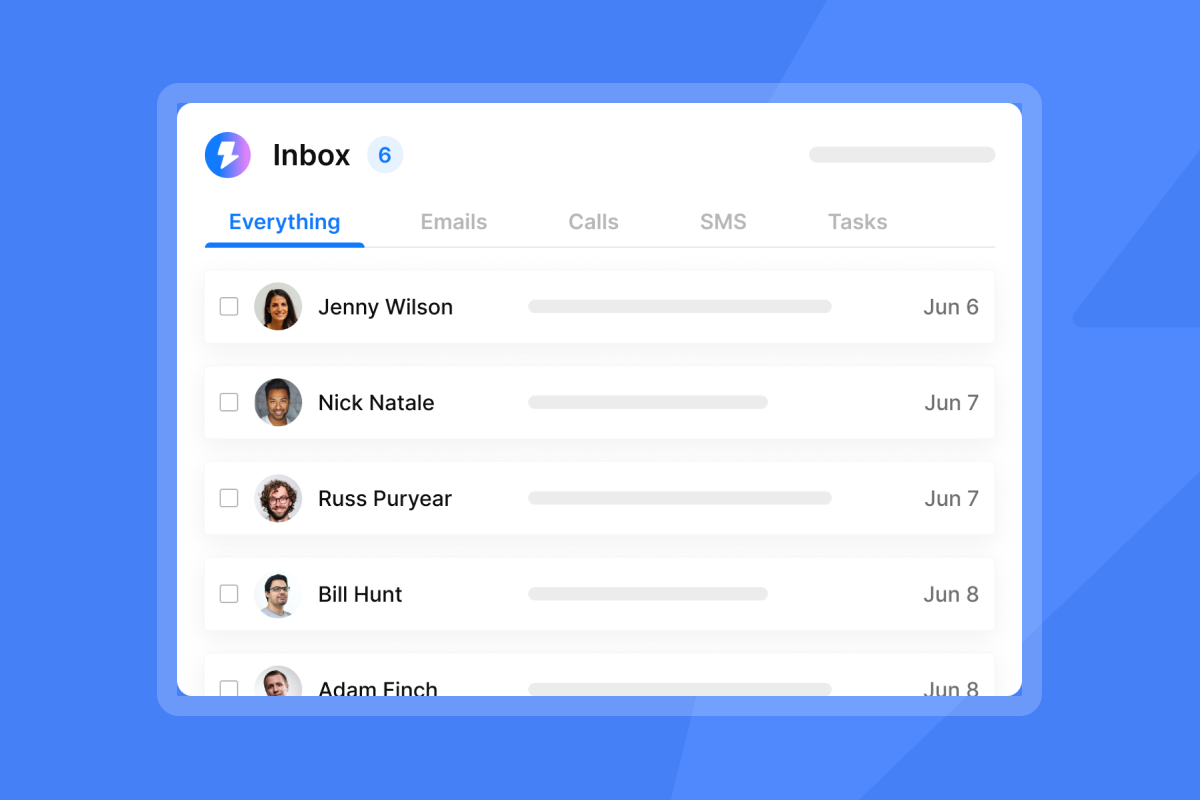
SuperSearch pricing starts at $47/month for the Growth plan with 1,500-2,000 credits, scaling up to $97/month for Supersonic with 5,000-7,500 credits. The key advantage we built is integration. You search, verify, and launch campaigns from one interface. No CSV exports, no manual uploads, no context switching.
"Trustworthy technical setup, deliverability tests, and proper workflows allows us to integrate with our CRM... Also what's convenient is that email marketing infrastructure is easy to scale and cheap." - Deividas I. on G2
For a walkthrough of the full platform, watch:
Cost Comparison: Per-Seat vs. Flat-Fee Economics
The real cost difference shows up when you scale past 5 client accounts. Apollo.io charges $49-$149 per user per month with credit caps that force you to upgrade or ration lookups. Apollo's Fair Use Policy limits free accounts to 10,000 credits monthly.
Our Outreach plans include unlimited email accounts and warmup on every tier. Your base cost stays flat as you add client inboxes.
| Scenario | Apollo.io (per-seat) | Instantly (flat-fee) |
|---|---|---|
| Add 2 SDRs on Professional plan | +$158/month per seat | $0 (unlimited included) |
| Manage 10 sending accounts | Credit cap forces upgrade | Unlimited accounts |
| Export leads to CRM | Costs credits per export | No export fees |
This is why agencies compare Apollo vs. Instantly and often choose the flat-fee model for client work.
Comparison Table: Free vs. Paid VS. Agency Scale
Here is the full breakdown of all 9 methods tested:
Table 1: Tool costs and accuracy
| Method/Tool | Monthly cost | Accuracy | Best for |
|---|---|---|---|
| Google dorks (manual) | Free | 10-20% hit rate | High-ticket research |
| Social media cross-reference | Free | Variable | Pattern-based guessing |
| Epieos | $32 | High for social profiles | OSINT investigations |
| Hunter.io | $49-$349 | High for public emails | Sales teams |
| VoilaNorbert | $39-$79 | 98% (claimed) | Email finding |
| Lullar | Free | Basic | One-off lookups |
| Mailmeteor | Free | Good for business emails | Quick verification |
| Lightweight lookup tools | Varies | Varies | Individual SDRs |
| Instantly SuperSearch | $47-$97/mo (credits) | High (waterfall) | Agency-scale campaigns |
Table 2: Tool speed and risk
| Method/Tool | Speed | Risk |
|---|---|---|
| Google dorks (manual) | Several min/lead | Low |
| Social media cross-reference | 5-10 min/lead | Medium (bounces) |
| Epieos | Fast | Low |
| Hunter.io | Fast | Medium |
| VoilaNorbert | Fast | Low |
| Lullar | Slow | Low |
| Mailmeteor | Fast | Low |
| Lightweight lookup tools | Manual | Low |
| Instantly SuperSearch | Fast | Low |
The Legal and Ethical Landscape of Email Scraping
Using reverse email lookup tools is legal when accessing publicly available information. The tools I tested comply with GDPR, CCPA, and other privacy regulations by only retrieving data that is already public.
Public B2B data from LinkedIn profiles, company websites, and press releases is legal. Breached or stolen databases are not.
Have I Been Pwned exists to check if an email appears in breaches. Do not use breached data for marketing. It violates privacy laws and gets your domains blacklisted.
For GDPR compliance, B2B outreach can rely on "legitimate interest" as a legal basis. But you must:
- Target business emails, not personal addresses
- Provide clear opt-out mechanisms
- Honor unsubscribe requests within 30 days (GDPR requirement)
- Document your data sources
3 Steps to Integrate Account Discovery Into Your Lead Gen Workflow
Step 1: Define your cost-per-verified-lead threshold
Before choosing tools, calculate what you can afford to spend per verified lead. Here is a framework you can adapt to your business:
- Average deal size: Example: $10,000
- Close rate from meeting: Example: 20%
- Meeting rate from reply: Example: 25%
- Reply rate: Example: 5%
- Target cost-per-meeting: Based on your margins
Work backward. If you need 80 replies to book 20 meetings to close 4 deals, calculate your acceptable spend per reply. At a 5% reply rate, divide that by 20 to get your cost-per-email-sent ceiling. At 1.5 credits per verified lead on Instantly, run the math for your specific deal size.
Step 2: Automate the Verification Layer
Never send to an unverified list. Catch-all email verification identifies domains that accept all emails (making verification impossible) so you can flag them as higher risk.
Run this verification sequence on every import:
- Find email via enrichment tool
- Verify email via SMTP check (0.25 credits on Instantly)
- Flag catch-alls for manual review or exclusion
- Import to campaign only after verification passes
We built this process into SuperSearch, eliminating the CSV handoff between tools. For a technical breakdown of how waterfall email API enrichment across multiple providers handles catch-all domains and reduces bounce rates before leads enter your campaign, see the full enrichment guide.
Step 3: Segment Leads by Digital Footprint Intensity
Not all leads deserve the same outreach effort. Segment by data completeness:
- High footprint (full profile, social links, company data): Personalized first line, direct reference to their work
- Medium footprint (name, title, company): Template with company-level personalization
- Low footprint (email only): Generic value-prop, lower send volume
The cold email copywriting framework in our Help Center shows how to structure these segments.
For a full walkthrough of setting up campaigns, watch:
Which Stack Protects Your Sender Reputation at Scale?
Manual OSINT methods are free but do not scale. Dedicated lookup tools scale but add cost and complexity. The real question is not "which tool finds emails?" but "which stack protects my sender reputation while keeping cost-per-verified-lead predictable?"
For agencies running multiple client campaigns, the answer is consolidation. A unified stack that handles warmup, verification, enrichment, and sending removes the friction that kills margins.
"Instantly.ai is honestly one of the best outreach tools I've used. Setup is quick, the interface is super clean, and it just works. Emails send smoothly, deliverability stays high, and the analytics make it easy to tweak campaigns." - Olympus Media Labs on Trustpilot
If you are ready to stop juggling tools and start booking meetings, try Instantly free and run your first SuperSearch query on 100 target accounts.
FAQs
Can I find all accounts linked to my email address?
No. Reverse email lookup tools only find accounts where the email is publicly listed or indexed. Limited online activity or privacy settings will return incomplete results.
Is reverse email lookup legal?
Yes, when it accesses publicly available information. Tools that comply with GDPR and CCPA only retrieve data already public. Using breached data for marketing is illegal.
What is the difference between email verification and enrichment?
Verification confirms an email address is deliverable (valid mailbox, accepts mail). Enrichment adds data to an email, such as name, job title, company, and phone number.
What bounce rate damages sender reputation?
ISPs penalize bounce rates above 2%. Above 5%, expect spam folder placement or domain blacklisting.
How often does B2B contact data decay?
Email lists shrink 22-25% per year as people change jobs or addresses. Re-verify lists quarterly to maintain deliverability.
Key terms glossary
OSINT (Open Source Intelligence): The process of gathering and analyzing publicly available data related to a target. In email research, this means finding accounts and profiles tied to an email address.
Reverse email lookup: A search that starts with an email address and returns information about its owner, including name, social profiles, and job title.
Digital footprint: The trail of data you leave online, including social media accounts, forum posts, and public records associated with your email address.
Sender reputation: A trust score ISPs assign to your sending domain based on bounce rates, spam complaints, and engagement. Higher reputation means better inbox placement. Learn more about protecting it.
Waterfall enrichment: A sequential method for finding contact data that checks multiple providers one by one until it returns a verified result. Instantly uses 5+ providers in its waterfall.
Catch-all domain: An email domain configured to accept all messages regardless of the specific address. These are harder to verify and carry higher bounce risk.


