


Updated February 01, 2026
TL;DR: 80% of sales require at least five follow-ups, yet 48% of salespeople never follow up once. This guide covers the strategies, templates, and technical infrastructure you need to build a reliable follow-up system across cold outreach, demos, proposals, and objections. You'll learn the exact cadences that drive replies, the deliverability settings that keep you out of spam, and how to automate these sequences with Instantly's Campaign Builder so your team executes consistently without manual tracking. 55% of replies come from follow-ups rather than initial emails.
Why a standardized follow-up system outperforms ad-hoc efforts
A follow-up email is any message sent after initial contact to advance a conversation, whether that's a cold prospect who hasn't replied, a demo attendee who needs a recap, or a decision-maker reviewing your proposal.
Your reps are losing deals because they forget to follow up, send "just checking in" emails that annoy prospects, or give up after one attempt. Only 2% of sales happen on the first contact, yet most reps treat follow-up as an afterthought rather than a system. When you standardize sequences with pre-built templates, automated timing, and clear metrics, three things happen: reply rates climb, domain reputation stays healthy, and pipeline becomes predictable.
A first follow-up email can result in a 220% surge in reply rates, and 55% of replies to cold email campaigns come from a follow-up email rather than the initial message. Your job as a sales leader is to build the infrastructure that captures this opportunity without requiring reps to reinvent the process daily.
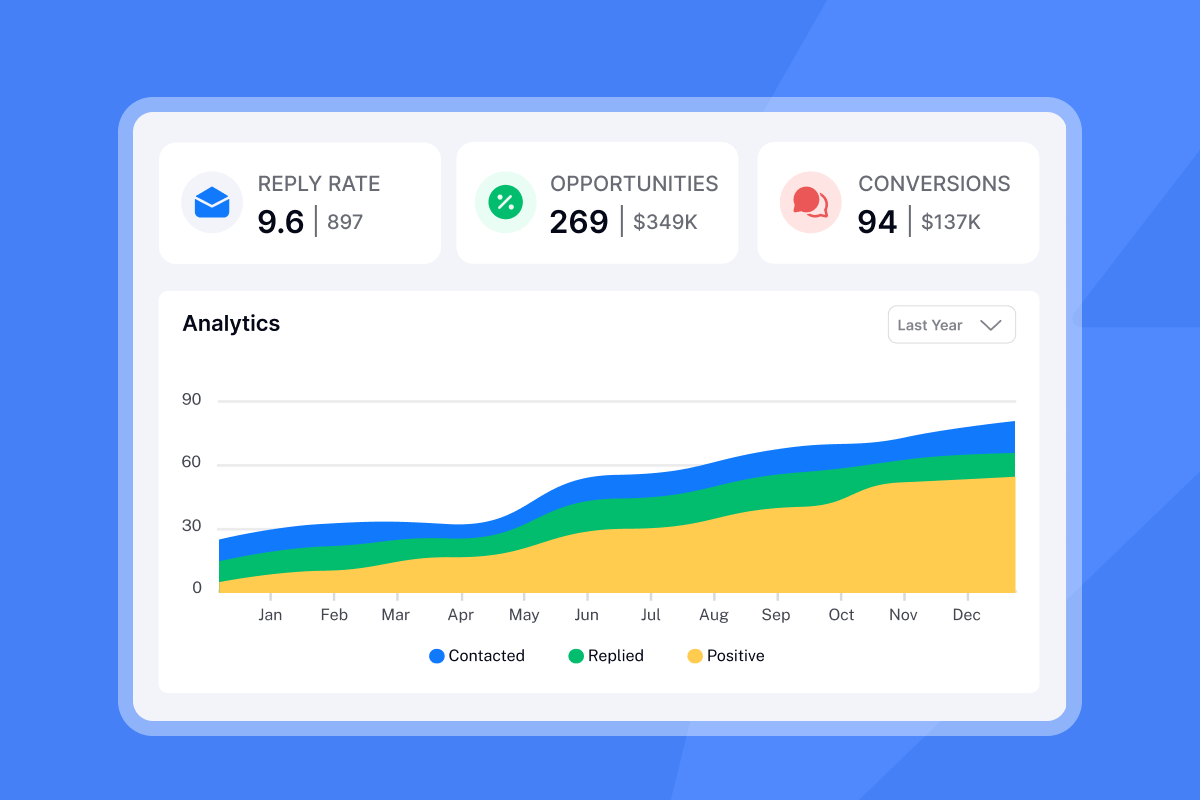
Scenario 1: Cold outreach follow-up strategies
Cold follow-ups move from pitch to proof. Your first email introduced the problem and hinted at a solution. Your follow-ups add credibility, urgency, and alternative angles without repeating the same ask.
Timing and cadence: The optimal gap between cold emails is 2 to 5 days, with most high-performing sequences using 3-day intervals. Waiting three days results in a 31% increase in replies compared to shorter gaps. A strong cold sequence runs Day 1 (initial), Day 3-4 (first follow-up), Day 7-8 (second follow-up), and Day 12-14 (breakup). Configure these intervals automatically in Instantly's Campaign Builder so reps never have to track timing manually.
Strategy shifts by step
Follow-up 1 (Day 3): The value-add bump
Assume they missed your first email. Keep it short and add one new piece of value like a relevant case study or statistic.
Follow-up 2 (Day 7): Social proof
Introduce social proof. Name a similar company you've helped or share a metric that proves ROI.
Follow-up 3 (Day 12): The breakup
Signal you'll stop reaching out and give them an easy way to say "not interested" or "try again in Q3."
"I like the automation features in Instantly because they save me a lot of time and effort in doing my work, especially in setting up multiple campaigns and email sequences in a personalized way with follow-ups." - Faisal K on G2
Cold follow-up templates
Template A: The Quick Bump
Subject: Quick follow-up
Hi [First Name],
I sent a note last week about [specific pain point]. Did this land at a bad time?
Happy to share how [similar company] cut [metric] by [percentage] in [timeframe] if it's relevant.
[Your Name]
Template B: The Case Study
Subject: [Company Name] + [Their Industry] results
[First Name],
Not sure if my last email got buried. Wanted to share a quick win.
We helped [similar company] improve [specific metric] by [percentage] using [your approach]. The setup took [timeframe] and they saw results in [timeframe].
Worth a 15-minute conversation?
[Your Name]
Template C: The Breakup
Subject: Closing the loop
[First Name],
I'll assume [pain point] isn't a priority right now. I won't reach out again unless you'd like me to.
If timing changes or you want to revisit this in [future quarter], just reply and I'll reconnect.
[Your Name]
You can find 600+ templates for cold emails in Instantly's Help Center, along with our cold email copywriting framework that generates 400+ replies monthly. Use spintax variables like {Hi|Hello|Hey} to create natural variations across your sending accounts and avoid spam filters.
![Instantly Campaign Builder with cold outreach sequence and automated delays][image_campaign_builder_cold_sequence]
For a complete walkthrough of building automated cold sequences, watch this Instantly.ai Beginner Tutorial that covers campaign setup from scratch.
Scenario 2: Post-meeting and demo follow-ups
The post-demo follow-up has one job: prevent the deal from stalling. Your prospect just gave you 30 to 60 minutes. They're evaluating you against competitors and internal priorities. If your follow-up is slow, vague, or missing key details, you lose momentum.
Timing: Send your recap within 24 working hours of the meeting. Prospects interpret speed as commitment and urgency. Delays signal you're juggling too many deals or don't prioritize their business.
Core components
- Personalized subject line: Reference the meeting date or a specific topic discussed. "Re: Demo on Jan 15 - Next steps" beats "Following up."
- Thank you and recap: Acknowledge their time and summarize 2-3 key discussion points in bullets.
- Meeting recording link: If you recorded the session, include it so they can share with stakeholders.
- Clear next steps with owners: List actions, deadlines, and who owns each item. "I'll send pricing by Jan 22. You'll intro me to [CFO] by Jan 24."
- Single call-to-action: Book the next meeting, request a specific document, or ask one clarifying question.
"I love how Instantly has revolutionized my email marketing efforts... the ability to send follow-up emails on a timely basis, ensuring no lead is left untended." - Sachin J on G2
Post-meeting templates
Template A: Standard Recap & Next Steps
Subject: Great meeting today - next steps
Hi [First Name],
Thanks for the time today. Here's what we covered:
- [Key point 1]
- [Key point 2]
- [Key point 3]
Next steps:
- I'll send [deliverable] by [date]
- You'll connect me with [stakeholder] by [date]
- We'll schedule [next meeting type] for [timeframe]
Let me know if I missed anything. Looking forward to [specific outcome discussed].
[Your Name]
Template B: Stakeholder Enablement
Subject: Resources to share with your team
[First Name],
As promised, here are the materials you can forward to [CFO/VP/team]:
- [Case study link] - How [similar company] achieved [result]
- [One-pager PDF] - Summary of our approach
- [ROI calculator] - Estimated impact for your team
I'm available for a quick call with them if it helps move the conversation forward.
[Your Name]
Template C: The 7-Day Check-In
Subject: Checking in - [Project Name]
[First Name],
It's been a week since our demo. Have you had a chance to discuss internally?
I'm here to answer any questions or walk through specifics with your team.
What's your timeline looking like?
[Your Name]
Template D: Missed Meeting Re-book
Subject: Let's reschedule
Hi [First Name],
I noticed we missed our call today. No problem - things come up.
Still interested in discussing [pain point]? Here's my calendar: [link]
[Your Name]
Use Instantly's Unibox to track replies from post-demo sequences alongside your cold outreach. The platform's AI reply labels automatically categorize responses (Interested, Out of Office, Unsubscribe) so you know which demos are advancing and which need re-engagement.
For advanced demo follow-up strategies, check out this masterclass from Instantly's YouTube channel.
Scenario 3: Proposal and closing follow-ups
Proposal follow-ups balance persistence with respect. Your prospect requested pricing or a formal quote, which signals interest. But decision cycles stretch, internal champions get busy, and your email competes with dozens of other priorities.
Timing: For verbal proposals, send your first follow-up within 24 hours. If you sent the quote via email, wait 2 days. Follow-up cadence should be every 3-4 days for active deals, tapering to weekly check-ins for longer decision cycles.
Subject line strategy: Reply to the original proposal thread to keep context in one place. If you must start a new thread, reference the proposal by name and date: "Re: [Project Name] proposal - Jan 15."
When to stop: Send 4-5 proposal follow-ups over 3-4 weeks with no response, then transition to a breakup email that offers a future reconnection point.
Proposal templates
Template A: The "Any Questions?" (2 days post-send)
Subject: Re: [Project Name] proposal
Hi [First Name],
I wanted to make sure the proposal for [Project Name] landed in your inbox and see if you had a chance to review it.
Any questions on pricing, timeline, or scope? Happy to walk through it on a quick call.
[Your Name]
Template B: The Timeline Check
Subject: Re: [Project Name] proposal - timeline
[First Name],
Following up on the proposal I sent [date]. Do you have an idea of when a decision might be made?
I want to make sure we can hit your [specific goal/deadline] if you decide to move forward.
[Your Name]
Template C: The Gentle Nudge
Subject: Re: [Project Name] proposal
[First Name],
Have you given any additional thought to my proposal?
I'm happy to do a quick review on the phone and answer any pending questions. What does your calendar look like this week?
[Your Name]
Template D: The ROI Reminder
Subject: Re: [Project Name] - ROI breakdown
[First Name],
Quick reminder that our proposal shows a [percentage] improvement in [metric] over [timeframe]. Based on your current [spend/volume], that translates to [dollar amount] in savings.
Worth a conversation to finalize details?
[Your Name]
Template E: The Final Breakup
Subject: Re: [Project Name] - closing the loop
[First Name],
I haven't heard back on the proposal, so I'll assume now isn't the right time.
If things change in [Q3/Q4/next year], feel free to reach out and we'll revisit. No hard feelings.
[Your Name]
Set up proposal follow-up sequences in Instantly's campaign system with conditional logic that pauses sends if a prospect replies or books a meeting. This prevents your team from accidentally following up after a deal closes or a prospect asks for more time.
Scenario 4: Handling objections and passive prospects
Objection handling over email requires a different approach than live calls. You can't read body language or adjust in real time. Your templates must acknowledge the concern, provide a short reframe, and open the door for dialogue without sounding defensive or pushy.
Three common objections
1. Price ("It's too expensive")
Acknowledge the concern, then pivot to ROI and flexibility. Ask what specific part of the pricing feels misaligned. Offer to customize a package or show cost-per-outcome instead of total price.
Template:
Subject: Re: Pricing for [Project Name]
[First Name],
I understand budget is a concern. Let me ask - is the comprehensive package too costly, or is it the upfront investment vs. timeline?
We can customize a phased approach that spreads costs over [timeframe] or start with [smaller scope] to prove ROI before expanding.
Worth a quick call to explore options?
[Your Name]
2. Timing ("Not the right time")
Timing objections are often smokescreens for other concerns. Probe gently to uncover the real issue. If timing is genuinely the blocker, lock in a future reconnection point.
Template:
Subject: Re: Timing for [Project Name]
[First Name],
No problem if now isn't the right time. Can I ask - is it budget cycle, bandwidth, or something else?
If it's purely timing, what does your calendar look like in [Q3/next quarter]? I'll set a reminder to reconnect then.
[Your Name]
3. Competitor ("We're happy with [Current Tool]")
Acknowledge their current solution, then focus on gaps or new capabilities. Position yourself as complementary or an upgrade path rather than a replacement.
Template:
Subject: Re: [Current Tool] comparison
[First Name],
Glad [Current Tool] is working. Most of our clients came from [Current Tool] when they needed [specific capability you offer] that wasn't available.
If [pain point] ever becomes a priority, happy to show how we handle it differently. No pressure.
[Your Name]
4. Passive prospects (ghosting after initial interest)
For prospects who showed interest but went silent, send a re-engagement sequence that offers new value or acknowledges the silence directly.
Template:
Subject: Should I close your file?
[First Name],
I haven't heard from you since [last touchpoint]. Should I close your file for now?
If [original pain point] is still on your radar, reply and we'll reconnect. Otherwise, no worries.
[Your Name]
Use Instantly's warmup filters to keep objection-handling emails out of spam. Passive prospects often ignore emails they never see, making deliverability the invisible foundation of your objection strategy.
Watch this if you need to fix your cold email strategy immediately:
Technical execution: Deliverability and team governance
Follow-ups trigger spam filters faster than initial emails because mailbox providers track send patterns. If you send 5 emails to the same recipient in 10 days from a cold domain, you look like a bot. Your technical infrastructure must prove you're a legitimate sender.
Deliverability essentials
SPF, DKIM, and DMARC authentication
SPF (Sender Policy Framework) lists all servers authorized to send email from your domain. DKIM (DomainKeys Identified Mail) adds a cryptographic signature that proves the email came from your domain. DMARC (Domain-based Message Authentication, Reporting & Conformance) tells receiving servers what to do if SPF or DKIM fail.
Set these records in your DNS before sending a single follow-up. Instantly's Help Center provides step-by-step guides for SPF, DMARC, and DKIM setup with GoDaddy & Google Workspace.
Email warmup
Email warmup uses a private network of real inboxes to gradually send, receive, open, and reply to emails on your behalf. This builds a positive sender reputation and signals to mailbox providers that your emails are safe.
Warm up new accounts for at least 2 weeks before starting campaigns. Instantly's warmup network includes 4.2M+ accounts that automatically engage with your emails to improve deliverability.
"I really appreciate how it helps my emails land in the inbox instead of spam. I like the email warmup feature because it tracks my email health, which supports getting my emails delivered effectively." - David C on G2
Safe daily sending limits
Keep cold email sends to a maximum of 30 emails per day per inbox. Instantly recommends 30 cold emails + 10 warmup emails per day per account to maintain healthy sender reputation. Exceeding this limit, especially when follow-ups are included, increases spam complaints and bounce rates. Use Instantly's sending algorithms and IP rotation to distribute volume across multiple accounts automatically.
Bounce and spam thresholds
Keep overall bounces below 2%. Keep spam complaints far below 0.3%. A single campaign with 5% bounces can damage your domain reputation for months.
Verify email addresses before uploading contacts, and remove bounces immediately from future sequences. Instantly's bounce detection automatically pauses sending from accounts with rising bounce rates.
Team governance
Template locking: Use Instantly's campaign approval workflows to review templates before reps send them. This prevents "just checking in" emails and off-brand messaging from reaching prospects.
Send window controls: Restrict sending to Tuesday or Thursday between 10 AM and 12 PM in the prospect's time zone. Research shows this peak productivity window delivers highest engagement.
Privacy compliance: Follow CAN-SPAM compliance requirements by including your physical address and a clear unsubscribe link in every email. Honor opt-out requests within 10 business days. Non-compliance risks fines and permanent domain blacklisting.
For a technical deep-dive, watch How To Setup Your Instantly.ai Cold Email Campaign covering deliverability settings, warmup configuration, and daily send caps.
Measuring success: KPIs and ROI
Track metrics that connect follow-ups to revenue, not vanity stats like open rates. Focus on these four core metrics to evaluate follow-up performance:
| Metric | Good | Excellent | What to track |
|---|---|---|---|
| Reply Rate | 5-10% | 10-15% | Percentage of prospects who respond |
| Interested Rate | 1-5% | 5%+ | Positive replies vs. opt-outs |
| Meeting Booked | 1% | 2%+ | Demos or calls scheduled |
| Bounce Rate | <2% | <1% | Invalid email addresses |
Average reply rates cluster near 5-9% across large B2B datasets, though rates dipped to 5.8% in 2024 vs. 6.8% in 2023. If your campaigns run below 5%, audit your list quality, copy, and deliverability settings before scaling.
"Very smooth tool with great features and strong deliverability. Easy to use, well designed, and backed by a responsive support team." - Christophe Gaisor on Trustpilot
ROI calculation
Cost per meeting = (Monthly software cost + domain costs + rep time) ÷ Meetings booked
Example: You spend $500/month on Instantly, $100 on domains, and 20 hours of rep time valued at $50/hour. You book 30 meetings. Cost per meeting = ($500 + $100 + $1,000) ÷ 30 = $53. Compare this to your average deal size and close rate.
A/B testing
Test one variable at a time: subject lines, opening hooks, call-to-action, or follow-up timing. Instantly's analytics dashboard shows reply and meeting rates broken down by sequence step, helping you identify which specific follow-up generates replies.
Run tests for sufficient volume before making decisions. Smaller sample sizes produce misleading results.
Learn more about optimizing campaigns from Instantly's YouTube channel.
How to automate scenario-based follow-ups with Instantly
Manual follow-up tracking fails. Reps forget, prospects slip through gaps, and your pipeline becomes unpredictable. Automation fixes this by executing your playbook without relying on memory.
Step-by-step setup
- Create a new campaign in Instantly's Campaign Builder and select your scenario (cold, post-demo, proposal, objection).
- Write your sequence using the templates above. Add personalization variables like
{{First Name}},{{Company}}, and{{Custom Field}}. - Set delays between steps using the "Wait" function. For cold outreach, use 3-day gaps. For proposals, use 2-3 days initially, then weekly.
- Add sending accounts and enable warmup. Instantly rotates sends across unlimited accounts automatically to maintain deliverability.
- Configure daily send limits to 30 emails per account plus 10 warmup emails.
- Activate the campaign and monitor replies in Unibox.
Instantly's AI Sequence Generator creates unique content for your niche and offer, saving hours of copywriting time. The AI Reply Agent handles basic responses in under 5 minutes, freeing your reps to focus on live conversations.
"Instantly has been a game-changer for our outbound. The inbox management is clean, the sending setup is straightforward, and scaling campaigns feels smooth." - Jesse on Trustpilot
Unibox for unified reply management: Manage hundreds of inboxes simultaneously from one screen. AI Custom Reply Labels automatically categorize responses (Interested, Out of Office, Unsubscribe) so you prioritize hot leads first.
Analytics for optimization: Track campaign performance beyond vanity metrics with reporting on Opportunities, Pipeline, Conversions, and Revenue driven. Pause campaigns that need work and scale the ones that drive real business growth.
For advanced automation strategies, watch how to setup your approach with CRM integrations.
Stop leaving pipeline on the table
Your follow-up system determines whether prospects convert or ghost. When you replace ad-hoc rep behavior with standardized sequences, clear metrics, and automated execution, you capture the 80% of deals that close after the fifth touchpoint instead of losing them to competitors who followed up.
Instantly.ai gives you unlimited sending accounts, a 4.2M+ warmup network, and centralized reply management so you scale follow-ups without scaling headcount or risking deliverability crashes. Start automating your scenario-based playbooks today with a free trial.
Frequently asked questions
How many follow-up emails should I send for cold outreach?
Send 3-5 follow-ups spaced 2-5 days apart. 80% of sales require at least 5 follow-ups, but stop after a clear "not interested" signal.
What's the best time to send a follow-up email?
Tuesday or Thursday between 10 AM and 12 PM in the prospect's time zone delivers highest B2B engagement. Test your specific audience to confirm.
How do I avoid spam filters with multiple follow-ups?
Warm up accounts for 14-21 days minimum, authenticate with SPF/DKIM/DMARC, cap daily sends at 30 per inbox, and vary your copy using spintax.
Should I stop following up after a proposal if they don't reply?
Send 4-5 proposal follow-ups over 3-4 weeks, then send a breakup email offering to reconnect in a future quarter. Continuing past this threshold wastes time.
What reply rate should I expect from follow-up sequences?
5-10% is solid across B2B, with 55% of total replies coming from follow-ups rather than initial emails. Rates above 10% indicate excellent targeting and copy.
Key terms glossary
Spintax: A method to create multiple text variations by rotating phrases (e.g., {Hi|Hello|Hey} becomes "Hi," "Hello," or "Hey") to avoid spam filters and add natural variety to follow-ups.
Throughput: Total emails sent per day across all your sending accounts. Higher throughput requires more accounts to stay within safe per-inbox limits.
Unibox: Instantly's unified inbox that combines replies from all sending accounts into one view, with AI labels for automatic triage.
Warmup: The process of gradually building sender reputation using a private network of real inboxes to exchange engagement signals with your new accounts before cold outreach.
Bounce rate: Percentage of emails that fail to deliver due to invalid addresses or blocked domains. Keep below 2% to protect deliverability and sender reputation.


