


A high bounce rate erodes sender trust, limits inbox placement, and turns outbound into an expensive guessing game. Most issues trace back to weak infrastructure, unverified data, rushed volume, or damaged domain reputation.
Teams that win treat deliverability as operational discipline: authenticate domains, verify and enrich leads, test placement, ramp gradually, and monitor reputation signals. Control those variables, and outbound stays scalable and revenue-aligned.
High bounce rates are a deliverability issue, and deliverability determines whether cold outbound campaigns get replies or burn budget.
Every bounced email tells email providers: this sender might not know who they’re contacting, or worse, doesn’t care. Once that doubt creeps in, inbox placement drops, and campaigns that should generate pipeline stall before prospects ever see them.
You still pay for domains, inboxes, and leads, but reach fewer buyers and lose conversations you never knew were available. The good news is that bounce rate is one of the most controllable variables in outbound.
With the right infrastructure and list discipline, you can protect your reputation and scale without constantly rebuilding your stack. This guide looks at the true cost of a high bounce rate, what typically causes it, and how disciplined teams keep deliverability strong as volume grows.
Why Cold Email Campaigns Shouldn’t Be Expensive
When deliverability is healthy and your list quality is tight, cold email is one of the most cost-efficient outbound channels. Most of the “cold email is expensive” story stems from hidden inefficiencies, including bad data, poor targeting, and sending setups that repeatedly fail.
How Much Does Cold Email Cost With Good Deliverability
In most cases, starting a decent-sized cold email campaign with Instantly would cost:
- $15 for alternate domains (fully set-up for DMARC, DKIM, and SPF)
- $5 per inbox
- $37 for Instantly Growth Plan
- $47 for Instantly SuperSearch (lead finder)
Let’s say you wanted to send 2,000 cold emails per month. With a basic Instantly setup (domains, inboxes, Growth plan, and SuperSearch), you’d be paying around $139 to $144 per month.
Strong cold campaigns often yield reply rates of around 1% to 5%. On 2,000 emails, that’s roughly: 20 to 100 replies per month. However, not every reply results in a customer.
If your offer is $1,000/month, even 1 to 5 new customers from those conversations is $1,000 to $5,000/month in recurring revenue, which makes the cost of outreach relatively low.
How Much Does Cold Email Cost With Poor Deliverability
If you have poor email deliverability, the costs won’t just be the domains and leads you need to repurchase, but also the opportunities that slip through your pipelines.
Let’s use the same example, but this time assume you have a 70% deliverability rate.
What changes at 70% deliverability
- Emails sent: 2,000
- Emails that actually land: around 1,400
- Emails wasted (blocked, filtered, or lost): around 600
So even if your tool stack costs the same, you are effectively paying the same monthly bill to reach 30% fewer prospects.
The revenue you might miss out on
Strong cold email campaigns often yield reply rates of around 1% to 5%. With good deliverability, 2,000 sends might generate:
- 20 to 100 replies/month
At 70% deliverability, you are more realistically looking at:
- 14 to 70 replies/month
That’s 6 to 30 fewer replies every month. If your offer is $1,000/month, and you typically convert about one customer per 20 replies (a simple, conservative rule-of-thumb funnel), those lost replies can mean:
- 0.3 to 1.5 fewer customers/month
- $300 to $1,500/month in missed new MRR
- $3,600 to $18,000/year in missed new MRR
How Much Time and Budget is Wasted on Poor Deliverability
Poor deliverability tends to snowball. At 70% deliverability, you’re looking at the following issues:
- Reputation damage: Once inbox providers lose trust in your domain, more emails get routed to spam or blocked, which further hurts performance.
- Blacklist risk: If your domain or IP ends up on a blacklist, emails can be rejected at the server level, meaning they never reach the inbox at all.
- Forced resets: Teams often end up rotating domains and inboxes, which means paying again for setup and incurring downtime while rebuilding.
The hidden cost: time to warm up again
When you replace domains or inboxes, you typically cannot return to full volume immediately.
- A typical warmup window is 2 to 4 weeks per inbox.
- Warmup is designed to ramp gradually.
- During that ramp, sending volume slows, and you must compensate to meet quotas.
So poor deliverability does not just waste spend. It steals time, slows scaling, and turns your outbound into a cycle of rebuilds instead of a sustainable and predictable pipeline.
What Causes High Bounce Rates (And How to Fix Issues Fast)
Preventing high bounce rates and ensuring pristine deliverability is more cost-effective than fixing issues caused by them.
For the best results, make sure to watch out for the following issues:
DNS Setup Issues (SPF, DKIM, DMARC)
High bounce rates start with improper DNS and technical setups for your domains. You need to set up DMARC, DKIM, and SPF for every alternate domain. Then, you must do a proper email warm-up campaign for each one you purchase.
If you want to streamline this process, Instantly lets you purchase high-quality Google domains and inboxes. Each domain you get is already added to our premium warmup pools. You can also purchase pre-warmed domains, allowing you to start high-deliverability campaigns ASAP.
Bad or Unverified Lead Data
After the technical setups, the best place to start improving deliverability and reducing bounce rates is your lead list. If you get leads from lead finder tools, ensure that you verify the data first and enrich lists to provide reps with the proper context.
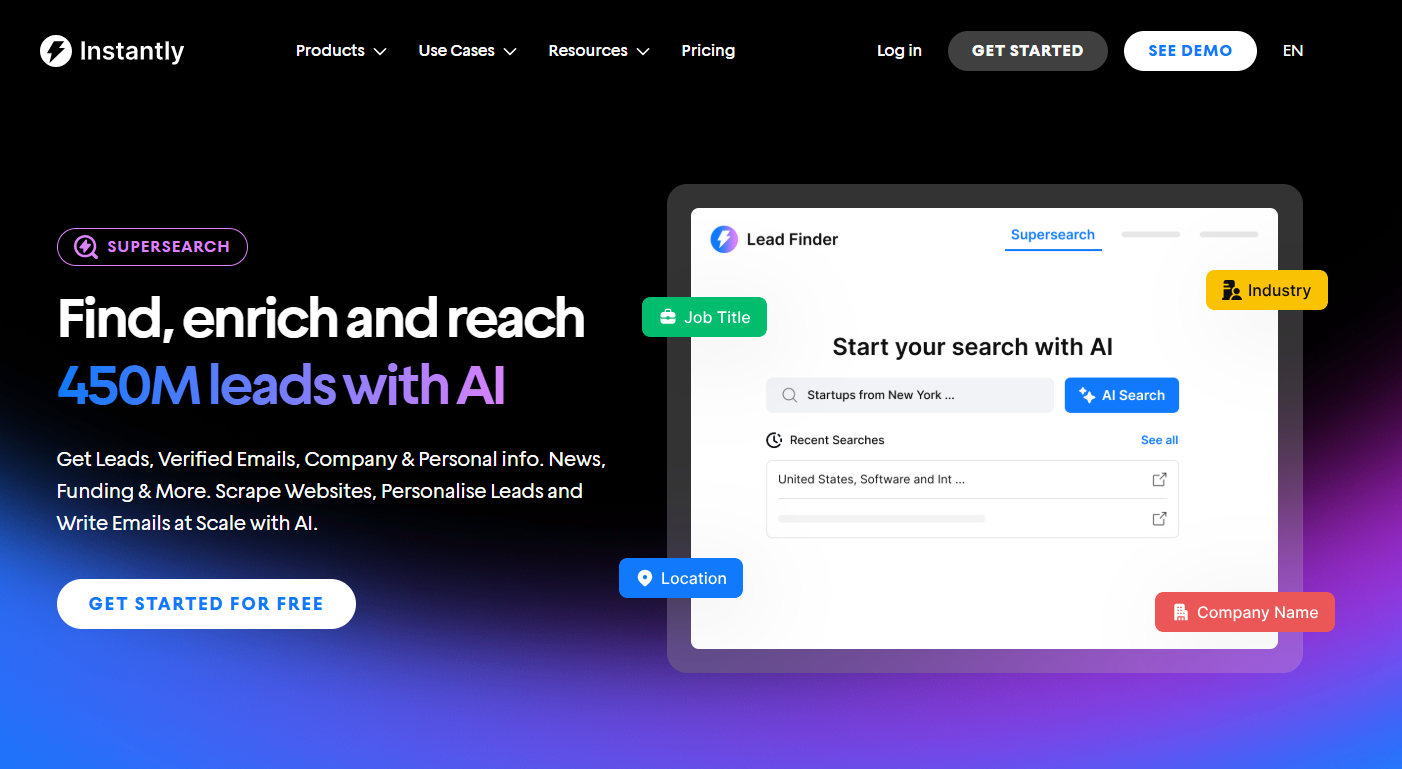
You get everything from lead generation, validation, and enrichment with Instantly SuperSearch. It provides access to over 450M pre-verified B2B leads. Then, you can enrich that data to create {{custom variables}} for personalization.
This setup surpasses lead finders like Apollo or Hunter, as you don’t have to juggle between five different tools just to find, verify, and enrich. If you already have your own data, you can also enrich and verify it with SuperSearch.
No Inbox Placement Tests Before Starting Campaigns
Many teams assume “sent” means “seen.” But deliverability is not just about avoiding bounces. You can have a clean list and still have emails landing in spam, promotions, or Outlook’s Other tab, which can just as effectively kill replies.
If you do not run inbox placement tests before launching, you are basically driving at night with the headlights off, then wondering why performance tanks. Inbox placement tests catch problems early, before you scale volume and damage reputation.
Volume Spikes and No Warmup and Sending Ramp
Even with a highly targeted lead list, you can still trigger bounces and spam filters if you ramp up sending volume too fast. Inbox providers watch behavior patterns.
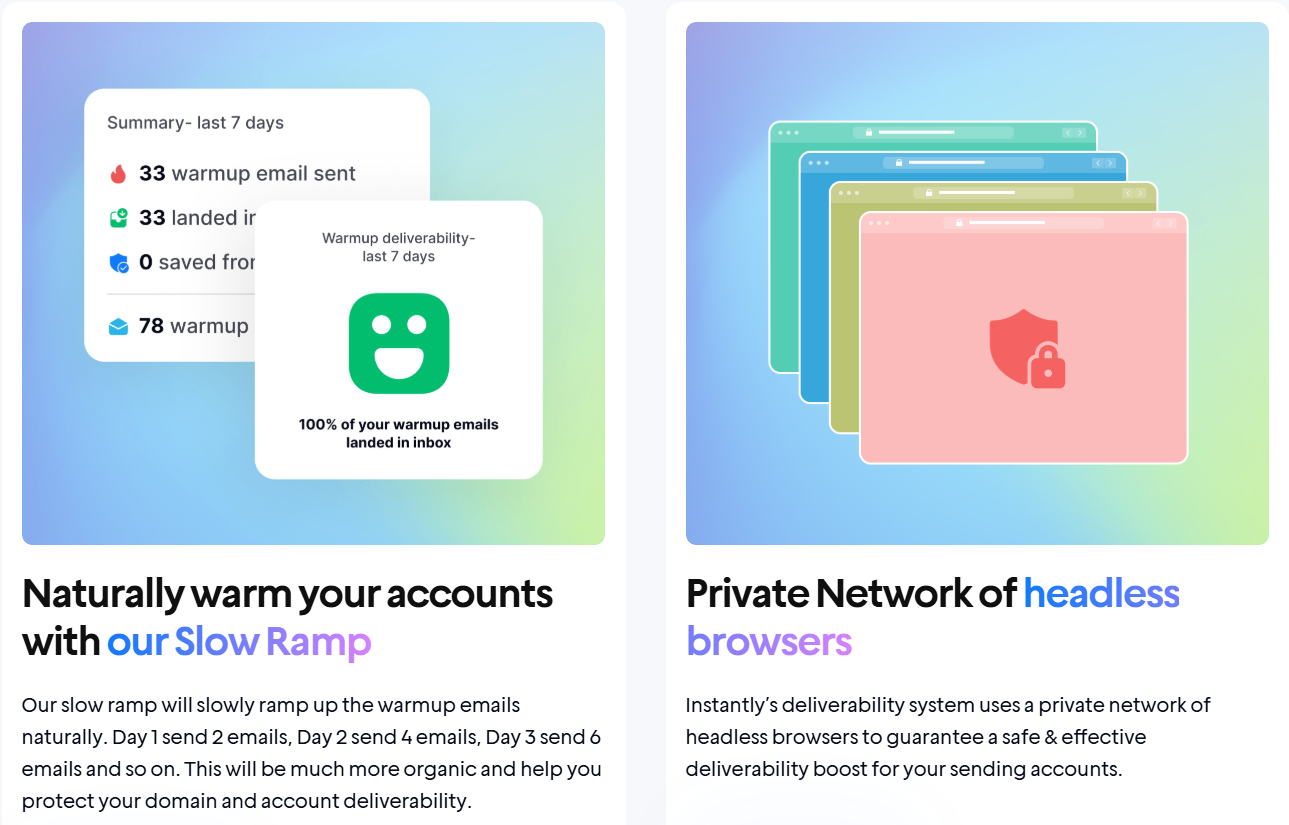
A brand-new domain that suddenly starts sending hundreds of emails a day will always look suspicious. Slow ramp features on platforms like Instantly help fix that:
This is where teams often get trapped: they purchase new inboxes, load a large list, and attempt to “make the numbers work” through volume. The result is throttling, temporary deferrals, spam placement, and more failed sends, which can show up as bounces depending on the provider.
What causes it:
- Jumping from 0 to high daily volume with a new domain or inbox
- Increasing sends too fast after changing copy, targeting, or infrastructure
- Stacking cold emails and follow-ups without considering the total daily send count
- Sending too many emails to the same domain (like Gmail or Microsoft) in a short window
How to fix it fast:
- Ramp your sending volume gradually: Start low and then increase step-by-step over 2–4 weeks, rather than making a sudden change overnight.
- Spread volume across inboxes and domains: This reduces stress on any one sender identity and helps protect reputation.
- Cap sends per inbox per day: A safe range is around 30 cold emails and 20 warmups per inbox per day.
- Monitor “soft” failures: If you notice a high number of deferrals or throttling, slow down immediately.
Reputation Problems (Blocks, Blacklists, Prior Domain Burn)
When inbox providers stop trusting your sender, they respond in ways that appear as bounces: blocked sends, policy rejections, throttling, and hard rejections, even when the email address is valid. That usually happens after a domain has been “burned” by:
- Aggressive volume
- Risky lists
- Repeated low-engagement outreach
What it looks like:
- “Blocked,” “rejected,” “policy,” or “suspicious activity” style errors
- Deliverability drops across multiple campaigns at once
- A brand-new domain performs poorly right away (a classic “prior domain burn” sign)
How to fix it fast:
- Pause and diagnose first: Check the exact bounce/rejection reasons and determine whether the problem is due to list quality, content, volume, or domain history.
- Reduce volume and tighten targeting: Stable, consistent sending with cleaner segments is how reputation recovers.
- Use Instantly SISR for added protection at scale: Instantly’s SISR (Server & IP Sharding and Rotation System) continuously monitors IP performance, rotates high-reputation IPs, removes underperforming ones, and replaces flagged IPs to help campaigns continue without disruption.
Key Takeaways
The true cost of high bounce rates in cold outbound isn’t just wasted sends. It shows up in time lost rebuilding your sending infrastructure and pipeline lost from emails that never reach the primary inbox.
When accounts get burned, you’re forced to buy and set up new domains and inboxes, then spend days or weeks ramping them safely. Meanwhile, bad data, aggressive scaling, and poor inbox placement quietly shrink your reach, reply volume, and booked meetings.
If you want a tool that ensures you get high deliverability across all stages of the outbound pipeline, Instantly has you covered. Buy high-quality domains, find pre-verified B2B leads, and ensure low bounce rates with inbox placement tests and dedicated IPs. Try it for free today.


