


Updated December 17, 2025
TL;DR: Most Sales Leaders treat their CRM as a database graveyard. Meanwhile, acquiring a new customer costs 5 to 25 times more than retaining one, and existing customers spend 67% more on average than new ones. This three-step framework shows you how to turn your CRM into an active upsell engine using signal detection, multi-inbox outreach, and AI-driven reply handling to double expansion revenue in 90 days.
Your CRM is full of gold. Most Sales Leaders just bury it under bad data and no follow-up process.
The math is brutal. Customer acquisition costs have risen 222% over the last eight years, with B2B companies now paying an average of $536 per customer and SaaS averaging $702. Yet teams still spend 90% of their effort chasing cold logos.
This playbook gives you a repeatable system to fix that in three steps:
- Identify hidden revenue with better data
- Engage accounts with warm automation
- Close deals with AI-assisted reply handling.
We'll show you the exact settings, the process map, and the metrics to track.
What is a B2B CRM and how does it help sales?
A B2B CRM tracks relationships with business customers. You store contacts, deals, and communication history in one place. The key difference from consumer CRM is focus. B2B CRMs handle longer sales cycles, multiple decision-makers, and account-based selling.
Most teams use CRM as a database. Reps log calls. Managers pull reports. That's passive, instead you can turn your CRM into an active engine with three capabilities.
- First, it enriches accounts in real time. You need to know when a contact changes roles, when a company raises funding, or when a new VP joins. Static data misses 80% of upsell opportunities because timing is everything. Watch how Instantly get's you enriched leads on demand integrated directly into your CRM.
- Second, it automates engagement. Companies using CRM systems report revenue increases when reps follow up consistently. That jump comes from systematic engagement, not manual calendar reminders. Modern B2B CRMs integrate outreach, so campaigns trigger based on deal stage or account signals.
- Third, it centralizes replies. When you run multi-inbox campaigns, replies scatter across Gmail, Outlook, and forwarding addresses. A unified inbox gives you one view to triage, assign, and respond without missing hot leads.
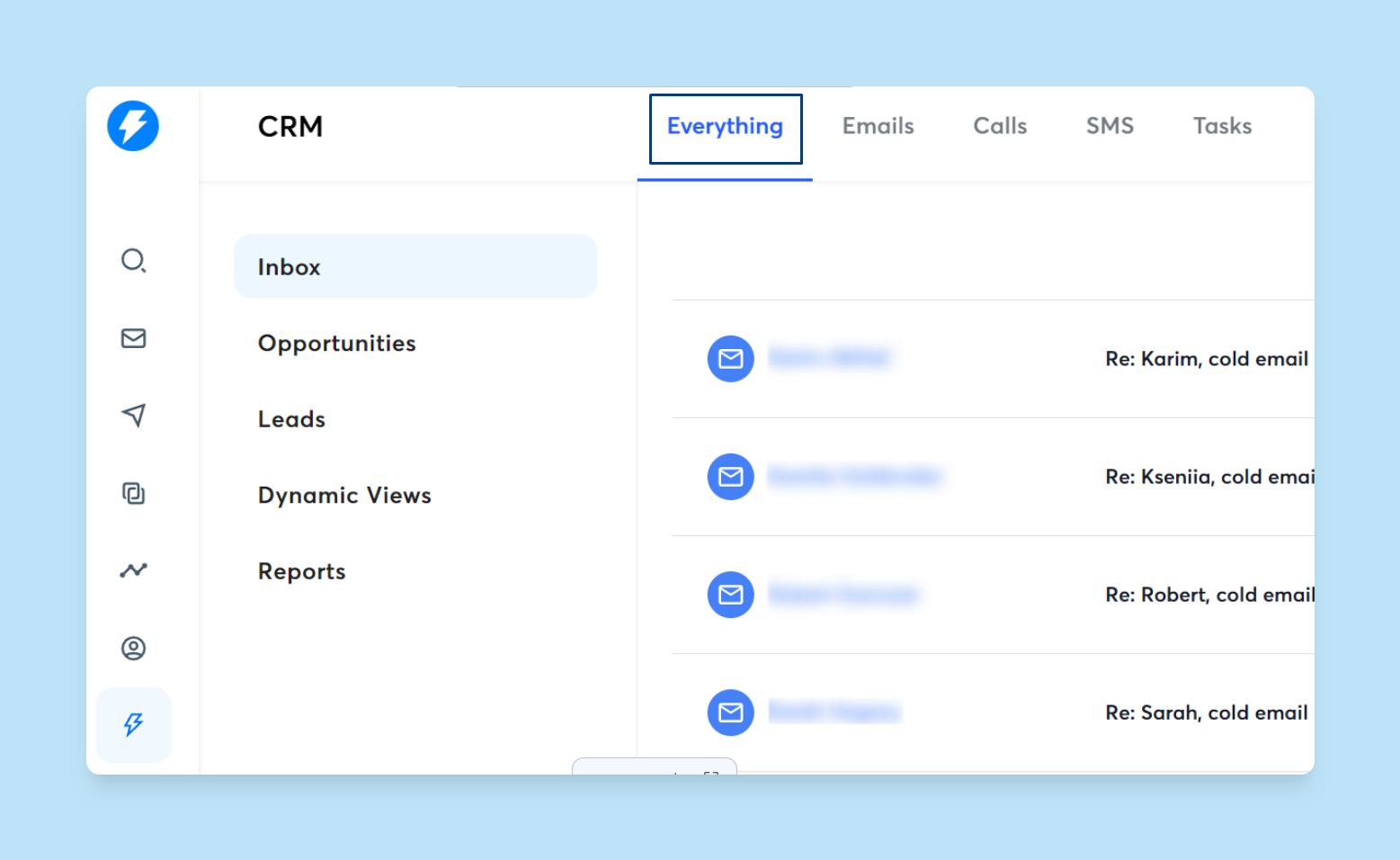
When you implement CRM correctly, you see improved outcomes across your sales process. Sales productivity increases by 34% with proper CRM usage. Those gains come from treating CRM as a system, not a Rolodex.
For inside sales teams working remotely, a CRM is the connective tissue. Reps log activity. Managers spot stalls. Automation handles the grunt work. If your team is distributed and quota-driven, CRM is non-negotiable.
"Instantly has assisted us in creating outbound email systems that reach your ideal buyer's inbox and foster meaningful connections. Also, their customer support is next level, 10/10." - Verified user review of Instantly

Step 1: Identify hidden revenue with pipeline management
Upsells start with knowing who to target. Most CRMs hold stale contact lists with one decision-maker per account. That is a single point of failure. If your champion leaves, the relationship dies.
Multi-threading saves deals. Find two or three contacts per account. Target different functions (marketing, ops, finance) so you have backup paths. Use your CRM to map org charts and track role changes.
Here is the system we use.
Enrich accounts with fresh data
Start with your existing customer list. Export company names from your CRM. Run them through a data enrichment tool to find new contacts. Instantly's SuperSearch covers 450M+ B2B leads with waterfall enrichment from five providers, plus LLM-assisted targeting.
Filter for job titles that signal buying authority. In SaaS upsells, look for VPs of Sales, Heads of Marketing, or RevOps leads. These roles control budget and feel pain daily.
Verify emails before upload using Instantly's built-in verification. Bounces kill sender reputation. Aim for a bounce rate at or below 1% to maintain primary inbox placement.
Watch how this works in practice with Instantly's SuperSearch below:
Clean and deduplicate your CRM
Run a dedupe pass in your CRM before launching campaigns. Match on email first, then domain. If you have two contacts at the same company in the same campaign, stagger send times by at least 48 hours. Our guide on CRM data hygiene walks through import mapping, field validation, and duplicate detection.
Segment by upsell readiness
Not every account is ready to buy more. Create segments based on product usage, contract renewal date, or support ticket volume. High usage with no recent expansion is a green flag. Low engagement is a signal for a health check, not a sales pitch.
Tag accounts in your CRM with custom fields like "Upsell Tier" (1, 2, 3) or "Next Action" (expand seats, cross-sell, renew early). Use these tags to route campaigns and assign reps.
Instantly's CRM lets you create custom pipelines and opportunities with drag-and-drop stages. Move deals from "Qualified" to "Proposal Sent" to "Closed-Won" and track velocity at each stage. If deals stall in one stage for more than 14 days, trigger a breakup sequence or a manager review.
Step 2: The "Warm" outreach system for inside sales
Cold email tactics work for new logos. Existing clients need a warmer tone, lower frequency, and zero spam risk. Here is how to automate upsell outreach without landing in spam or annoying your accounts.
Use unlimited sending accounts to segment campaigns
You hit a wall when you want separate inboxes for new business, upsells, and renewals. Each campaign type needs its own domain and sending reputation. Most CRMs charge per seat, which makes this approach expensive.
Instantly includes unlimited email accounts on all plans. Create dedicated inboxes for your "Customer Success Outreach" or "Account Expansion" campaigns. Keep them separate from cold prospecting so a spam flag on one does not sink the others.
Warm these inboxes for 30 days before sending. Ramp daily volume from 5 to 15 to 30 emails per inbox. Even warm lists need gradual scale to maintain sender reputation. Our email warmup guide details the exact cadence and health monitoring.
"I've been using instantly.ai for my cold email outreach, and it has completely changed the way I run campaigns. The platform is super intuitive, and I was able to get up and running in minutes. Deliverability has been excellent, and the automation features save..." - Verified user review of Instantly
Write "check-in" sequences that add value
Use a three-step sequence spaced 3-5 days apart: share value (case study or new feature that solves their pain), send a quick video demo, then offer a soft breakup if timing is off. Keep copy conversational and reference their company by name using dynamic personalization.
Example spintax:
- Subject:
{Hey|Hi|Quick question} {[FirstName]|there} - Body:
I noticed {your team|[CompanyName]} is {using|getting value from} our platform.
Each recipient gets a unique version. This improves deliverability and keeps your sender reputation clean.
Cap send volume and monitor health
For upsell campaigns, send no more than 30 emails per day per inbox. Your goal is not volume. It is reply rate and meeting conversion.
Track these metrics weekly:
- Bounce rate: Keep it under 1%. Higher means bad data or list decay.
- Reply rate: Target 5% minimum for warm lists. Lower signals weak messaging or bad timing.
- Spam complaint rate: Should be near zero. One complaint per 1,000 sends is acceptable.
Instantly's Inbox Placement tool runs automated tests to show where your emails land (Primary, Promotions, Spam) across Gmail, Outlook, and other providers. Run tests before launching campaigns and weekly during active sends.
For a full walkthrough of campaign setup, warmup, and deliverability monitoring, watch Instantly's campaign tutorial.
Step 3: Automate the close with AI and deal tracking
You need replies. But when replies scatter across inboxes, forwarding rules, and Slack threads, you create chaos. You miss hot leads, duplicate responses, or let qualified interest go cold.
The third step is centralizing reply management and automating the handoff to closing reps.
Centralize replies in a unified inbox
Use Instantly's Unibox feature to aggregate all campaign replies into one view. Filter by campaign, account, or reply sentiment. Tag replies as "Interested," "Not Now," "Unsubscribe," or "Objection" and route them to the right rep or workflow.
This eliminates the problem of reps checking five Gmail accounts every morning. One login, one queue, zero missed opportunities.
"The platform is super intuitive, easy to set up, and makes it simple to manage multiple domains and inboxes at scale. Deliverability is great and the analytics give us exactly what we need to optimize campaigns quickly." - Verified user review of Instantly
Use AI to classify and respond to replies
Manual triage takes time. Instantly's AI Reply Agent reads incoming replies, classifies intent (meeting request, objection, referral, out-of-office), and drafts responses in under 5 minutes.
You choose between two modes:
- Autopilot mode: AI sends replies automatically based on your playbook. Best for high-volume campaigns where speed matters.
- Human-in-the-Loop: AI drafts the reply and sends it to Slack for review. Your rep approves or edits before it goes out. Best for high-value accounts where you want manual oversight.
The AI learns from your responses. Over time, classification accuracy improves and draft quality tightens. Our 3-Step AI Reply Agent system guide details the setup, training, and metrics to track.
We have seen teams improve their response times and meeting conversion when they combine AI reply handling with warmed inboxes and clean data. The key is consistent follow-up, not heroic effort.
Move deals through your CRM pipeline
Once a reply converts to interest, create an opportunity in your CRM. Assign it to the closing rep, set a follow-up date, and attach all relevant context (original email, reply thread, account history).
Instantly's CRM integrates with the outreach and reply tools, so data flows automatically. No copy-paste between systems. No manual logging.
Track deal velocity by stage. If "Proposal Sent" stalls for more than 7 days, trigger a breakup email or a manager check-in. Our playbook for reviving stalled leads offers templates and cadences that work for both new and expansion deals.
For teams that want deeper integration with HubSpot or Salesforce, Instantly supports native and partner-based syncs to push campaign data, reply classification, and deal updates bidirectionally.
Top CRM platforms for B2B sales and marketing
Not all CRMs are built for upsell campaigns. Some excel at data richness, others at automation, and a few at flat-fee pricing that scales with accounts, not seats.
Here is a comparison of four platforms commonly evaluated by Sales Leaders.
| Platform | Pricing Model | Unlimited Email Accounts? | Built-in Warmup & Deliverability? | Best For |
|---|---|---|---|---|
| Instantly | Flat fee ($37–$358/mo for outreach, $47–$97/mo for CRM) | Yes | Yes (4.2M+ warmup network, Inbox Placement tests) | Agencies scaling without per-seat costs |
| Salesforce | Per seat ($25–$500+/user/mo) | No (requires 3rd party tools) | No | Enterprise teams, complex workflows |
| HubSpot | Per seat (free tier, then $15–$150+/user/mo) | No (limited to connected inboxes) | No | Marketing-led orgs, inbound focus |
| Apollo | Per seat ($49–$149+/user/mo) | No (mailbox caps per plan) | No | Data enrichment, multichannel teams |
Key takeaway: If your upsell strategy requires multiple sending identities (CSM outreach, expansion campaigns, renewal reminders) and you want to avoid linear cost scaling, choose a platform with unlimited accounts and flat-fee pricing.
Forrester predicts that by 2025, over half of large B2B transactions valued at $1 million or more will flow through digital self-serve channels. Your CRM and outreach stack must support that shift with automation, not manual handoffs.
"I really like Instantly for its ability to facilitate email outreach and email promotions with efficiency. The email sequence feature is what I appreciate the most; it saves me a significant amount of time, especially when drafting emails." - Verified user review of Instantly
For a step-by-step tutorial on campaigns, CRM pipelines, and reply handling, watch Instantly's platform walkthrough.
Put the framework into action
You now have a repeatable system to turn your CRM into an upsell engine. Here is the 90-day roadmap.
Days 1-30: Identify and prepare
Start by exporting your customer list and running enrichment to find two or three contacts per account. Verify all emails to keep bounces under 1%. Segment accounts by upsell tier and warm new sending accounts for 30 days.
Days 31-60: Engage with automation
Write a three-step email sequence (value, follow-up, breakup) and apply spin syntax to vary copy. Launch campaigns at 5 sends per day per inbox, ramp to 30 over two weeks. Monitor bounce rate, reply rate, and inbox placement weekly. Pause and adjust if health metrics drop.
Days 61-90: Close and optimize
Triage all replies daily in your unified inbox. Use AI to classify interest and draft responses. Move qualified replies to CRM opportunities and assign to closing reps. Track deal velocity by stage and calculate cost-per-meeting to optimize messaging and targeting.
By day 90, you should have a baseline. Expect 5% reply rates from warm lists, 1-2% meeting conversion, and a clear view of which accounts respond to what messaging. Double down on what works.
According to TrueRev research, increasing customer retention by just 5% can boost profits by 25% to 95%. The framework above turns that statistic into a system.
Ready to stop treating your CRM as a database and start using it as a revenue engine? Try Instantly free and launch your first upsell campaign today.
FAQs
What is the average ROI for CRM in B2B sales?
Proper CRM implementation drives measurable gains. Productivity typically increases by 34% and companies report revenue growth of 29% on average when using CRM systems effectively.
How much does it cost to acquire a B2B customer vs. retain one?
New customer acquisition costs 5 to 25 times more than retention. The average spend is $536 per B2B customer and $702 for SaaS companies.
What reply rate should I expect from warm upsell campaigns?
Target at least 5% reply rate from existing customer lists. Lower rates signal weak messaging, bad timing, or list decay.
How many emails should I send per day for upsell campaigns?
Cap at 30 emails per day per inbox. Upsells prioritize quality over volume. Monitor bounce and spam rates weekly.
Can I use the same CRM for new business and upsells?
Yes, but segment campaigns by inbox and domain to protect sender reputation. Use separate sending accounts for cold prospecting, upsells, and renewals.
How long does it take to see ROI from a CRM upsell system?
Expect 60 to 90 days to build process, warm inboxes, and gather baseline metrics. Adjust messaging and targeting monthly based on reply and meeting data.
Key terms glossary
B2B CRM: Customer Relationship Management software designed for business-to-business sales, handling longer cycles, multiple decision-makers, and account-based strategies.
Sales CRM: A CRM focused on pipeline tracking, deal management, forecasting, and sales process automation rather than marketing or service functions.
Inside Sales: Remote sales conducted via phone, email, and video rather than in-person meetings, common in B2B and SaaS.
Pipeline Management: The process of tracking deals through defined stages (prospecting, qualified, proposal, closed) to forecast revenue and identify bottlenecks.
Lead Nurturing: Engaging prospects or customers over time with relevant content and outreach to build trust and move them toward a purchase decision.
Sender Reputation: A score assigned by email providers based on bounce rates, spam complaints, and engagement, which determines inbox placement.
Primary Inbox: The main tab in email clients like Gmail, as opposed to Promotions, Social, or Spam folders.
Spin Syntax: Text variations written in a special format that randomizes words or phrases in each email to avoid duplicate content and improve deliverability.
Send Windows: Specific hours during which emails are allowed to send, typically aligned with business hours in the recipient's time zone.
Deliverability: The ability of an email to successfully reach the recipient's inbox rather than being blocked, bounced, or filtered to spam.
Cost-Per-Meeting: Total campaign spend divided by the number of booked meetings, used to measure outreach efficiency.
Unibox: A centralized inbox that aggregates replies from multiple sending accounts into a single view for triage and response.


