


Updated January 31, 2026
TL;DR: Cold prospects need volume and value delivered across 4-9 touches over three weeks. Warm leads require speed and friction removal in 2-3 contacts. Stalled deals demand transparent communication and breakup psychology spread over 4-6 emails across 8-10 weeks. Treating these three stages the same burns leads, tanks reply rates, and kills client retention. Instantly's unlimited accounts let you run intensive, segmented sequences across dozens of domains on a flat fee, while the AI Reply Agent triages responses in under five minutes so you focus on booked meetings instead of inbox archaeology.
Most agencies blast the same "just bumping this" email to cold prospects, warm leads, and stalled deals. That approach destroys reply rates because context matters more than cadence. Research shows that 80% of sales require five follow-up attempts, yet 44% of salespeople quit after just one touch. Every effective cold email outreach system closes this gap with distinct follow-up architectures for each stage of the buyer journey rather than blasting the same generic bump to every segment. For agencies, this gap is where your profit margin lives. Closing it means building distinct follow-up architectures for every stage of the buyer journey, then automating them so your team handles replies instead of manually drafting email number seven.
This guide breaks down the exact cadence, content, and automation settings you need for cold prospects, warm leads, and stalled deals. I include copy-and-paste templates, deliverability guardrails, and the math on how unlimited accounts turn aggressive sequences into profitable pipeline. A cold email automation platform with unlimited accounts, AI reply handling, and built-in segmentation lets you run cold, warm, and stalled sequences simultaneously without per-seat penalties compounding as you add clients.
Why one-size-fits-all follow-ups kill campaign ROI
Generic follow-ups such as "just bumping this to the top of your inbox" or "circling back" fail because they ignore context. A cold prospect does not know you exist. A warm lead clicked your case study twice but has not booked. A stalled deal went dark after a demo. Each stage needs different send timing, copy length, and calls to action because a cold prospect has never heard of you, a warm lead clicked your case study twice, and a stalled deal went quiet after a demo.
Blasting the same "quick bump" to all three segments creates two failure modes. Cold prospects ignore you because you offered no new value. Warm leads lose interest because you failed to remove friction fast. Stalled deals file you under "pushy vendor." The result is lower reply rates, higher unsubscribe rates, and client churn when your campaigns underperform.
Here is how the three stages differ in goal, frequency, tone, and content:
| Stage | Goal | Frequency | Tone | Content Type |
|---|---|---|---|---|
| Cold Prospect | Earn first reply | 4-9 touches over 2-3 weeks | Value-driven, helpful, concise | Case studies, stats, tips, insights |
| Warm Lead | Book meeting, remove friction | 2-3 touches within days | Direct, responsive, acknowledging | Calendar links, mini-demos, proof |
| Stalled Deal | Revive interest or close file | 4-6 touches over 8-10 weeks | Transparent, peer-level, patient | Status checks, break-up emails, new value |
Segmenting your follow-up strategy by stage lets you tailor send windows, copy length, and calls to action to match where the prospect actually is. That specificity is what turns a 2% reply rate into 5% or higher.
Cold prospect follow-up strategy: Earning the first reply
Cold prospects have no relationship with you. Your first email introduced value. Follow-ups must add new information or proof on every touch. Repeating the same ask without fresh context trains prospects to ignore you.
Sequence length and timing
For cold prospects, send 4-9 follow-up emails with at least a two-day delay between the first and second contact, followed by four-day intervals up to the fourth email, and five or more days after that. Give prospects time to process your offer.
Research confirms that sending a first and second cold email follow-up increases your chances of getting a reply by 21% and 25% respectively, and emailing the same contact multiple times leads to 2x more responses.
Content strategy: Five types that work
Each follow-up must deliver fresh value. Rotate these five content types across your sequence: Case studies from clients who faced the same challenge, industry reports with relevant stats, tactical tips they can use even if they never buy, relevant articles from third parties, and personalized insights about recent company news. One agency operator notes how Instantly makes it "exceptionally easy to add sequences, follow-ups, and variables" so you can build these variations without manual work.
Copy-and-paste cold sequence template
Use this four-step sequence as your baseline. Adjust timing and copy to fit your niche.
Step 1 (Day 1): Initial Outreach
- Subject:
Idea for {{company}} - Body: State your value proposition in two sentences. Reference one specific detail about their business. End with a soft question.
For a dedicated framework on converting positive replies into booked calls with minimal friction, see the meeting scheduling email follow-up guide covering cadence, CTA formats, and AI-assisted booking workflows.
Step 2 (Day 3): Value Add
- Subject:
Re: Idea for {{company}} - Body: "This [industry benchmark/article] reminded me of our conversation about {{pain_point}}. {{One-sentence summary of why it matters to them}}. Worth a 15-minute chat to see how it applies to {{company}}?"
Step 3 (Day 7): Social Proof
- Subject:
Quick question - Body: "We helped [similar company] [achieve specific result] by [method]. Are you facing a similar challenge with [pain point]?"
Step 4 (Day 14): Breakup Email
- Subject:
Should I archive this? - Body: "I have not heard back, so I assume now is not the right time. If that changes, feel free to reach out. Otherwise, I will close your file for now."
The breakup email is a final attempt to salvage a sale and often triggers a 30-40% spike in replies because it creates scarcity and removes pressure.
Instantly feature: Spintax and AI Sequence Generator
To keep these emails fresh across hundreds of sends, use Spintax (spinning syntax), which randomizes words and phrases so every email is unique. For example: {Hi|Hello|Hey} {{firstName}} produces three variations automatically, and research confirms that Spintax improves deliverability by preventing inbox providers from flagging identical content as spam.
Instantly's AI Sequence Generator builds multi-step campaigns based on your audience, value prop, and tone preferences. One user reports the platform allows them to "efficiently get in touch with hundreds, if not thousands, of business owners daily" using these automation features.
Warm lead follow-up: Converting interest into booked meetings
Warm leads show intent by opening multiple times, clicking a link, or replying softly without booking. Your job is to remove friction and book the meeting before they cool.
Definition and identification triggers
A warm lead is someone who engaged but did not convert. Automated systems identify them through behavioral triggers such as clicking a specific link, opening an email more than three times in 24 hours, or replying with interest but no commitment.
Instantly's AI-powered labeling system interprets incoming replies, tags leads based on buying intent, and can trigger sub-sequences or CRM updates automatically. The AI Reply Agent reads emails, understands intent, and drafts personalized replies including lead qualification, objection handling, and calendar link sharing.
Speed and content strategy for warm leads
The first follow-up message can boost response rates by 49%, and responding quickly after a prospect shows interest can significantly increase conversion. For warm leads, send 2-3 touches within several business days. Any longer and interest fades.
Warm leads do not need more education. They need proof and an easy path forward. Frame the demo invite as a value-add, not a pitch. Use content marketing to educate and delight by sharing links to helpful, trust-building resources that display your expertise.
Copy-and-paste warm lead template
Step 1 (Within 24 hours): Direct Follow-Up
- Subject:
Next steps? - Body: "I saw you [opened/clicked/downloaded] [resource]. Does [specific outcome] make sense for {{company}}? Here is my calendar: [link]. Worth a 15-minute chat next week?"
Step 2 (Day 3): Add Context
- Subject:
Re: Next steps? - Body: "Quick follow-up. I put together a [mini-demo/one-pager/case study] that shows exactly how we help [persona] with [pain point]. [Link]. Does Tuesday or Thursday work for a quick call?"
Step 3 (Optional): Final Nudge
- Subject:
Still on your radar? - Body: "Last note. If timing is better next month, just let me know. Otherwise, here is my calendar if you want to chat this week: [link]."
One Instantly user explains that the platform's guidance for warm-up and campaign setup was vital for personalizing both subject and body, which "enhances the effectiveness and authenticity of my campaigns."
Instantly feature: SuperSearch for personalization
To personalize these touches, use Instantly's SuperSearch, which accesses 450M+ B2B leads with waterfall enrichment from five providers. Export data such as recent funding, job changes, or tech stack to craft hyper-relevant follow-ups.
For a step-by-step tutorial on converting warm leads, read Turning interested leads into meetings in the Instantly Help Center.
Stalled deal follow-up: How to revive ghosted opportunities
Stalled deals are prospects who engaged deeply (demo, proposal, multiple calls) then disappeared. Your goal is to regain control, close the file gracefully, or revive interest with new value.
Strategy: Transparent communication and peer-level tone
Do not be pushy. Take the blame for failure to resonate, re-explain why you reached out, and apply the scarcity principle by making your offer less available. Stalled deals respond to transparency and low-pressure check-ins because they already know your product.
Range: 4-6 emails over 8-10 weeks
Spread touches every two weeks to avoid feeling desperate. Four to five days after your second follow-up, send the breakup email, so from start to finish there might be about a week between your first email and the breakup for short sequences. For longer nurture, stretch to 8-10 weeks.
Copy-and-paste stalled deal template
Step 1 (2 weeks post-stall): Re-engage with Value
- Subject:
Thought of you - Body: "I came across [new industry insight/report/case study] and thought of our last conversation about [pain point]. Has anything changed on your end with [project/initiative]?"
Step 2 (4 weeks post-stall): Check Assumptions
- Subject:
Quick check-in - Body: "We last spoke about your concerns regarding [pain point] and how [offering] could help [achieve specific goal] over [timeframe]. Are you still interested in continuing our discussion, or should I circle back next quarter?"
Step 3 (6 weeks post-stall): Direct Question
- Subject:
Is this still a priority? - Body: "When we last connected, you mentioned [pain point] was a priority. Has anything changed? If now is not the right time, just let me know."
Step 4 (8 weeks post-stall): The Break-Up Email
- Subject:
Closing your file - Body: "I have not heard back from you regarding [product/service]. I understand if now is not the right time. If you are still interested, please let me know. Otherwise, I will close your file for now and check back in six months."
One stalled deal template suggests showing that you paid attention to their pain points and reiterating your value proposition in the final email to maximize the chance of a reply.
A verified Instantly user reports that the platform allows them to "scale my cold email efforts without having to struggle with the tool itself," including setting up long-tail sequences like stalled deal revivals across multiple domains.
Automating scale: AI, unlimited accounts, and multi-channel touches
Running cold, warm, and stalled sequences simultaneously across 20-50 inboxes is impossible without automation. Here is how to turn these playbooks into systems.
The agency math: Unlimited accounts vs. per-seat pricing
Most outreach platforms charge per seat or per inbox. Instantly's Hypergrowth plan costs $97 per month with unlimited sending accounts, meaning you add inboxes without buying seats and spread sends across many domains to protect reputation.
For a 20-inbox agency setup, typical per-seat platforms charge $99+ per seat. That totals $1,980+ per month compared to Instantly's flat $97, saving $1,883 monthly or 95 percent. One Instantly analysis shows users save over $5,000 per month versus competitor products, easily exceeding $7,000 in monthly savings once adding the rest of emails.
ROI calculation: Pipeline per dollar
Here is an example calculation using typical agency benchmarks. Let's say your Hypergrowth plan costs $97 per month and you run three campaigns (cold, warm, stalled) across 20 inboxes. At conservative send volumes and typical conversion rates, you generate meetings and pipeline from a $97 software expense.
Compare that to a per-seat tool at $1,980 per month. Your cost per meeting jumps to $24.75 and cost per closed deal climbs to $123.75. The flat-fee model extends your runway and compounds as you add clients.
AI integration: Reply triage and auto-personalization
Instantly's AI Reply Agent operates in under five minutes, responding to questions, managing objections, and sharing calendar links. You choose Autopilot for instant replies or Human-in-the-Loop mode for team review.
Each reply generated by the AI Reply Agent costs five Instantly credits. Credit packages start at $9 per month for 150 credits up to $197 per month for 200,000 credits. For an agency handling 200+ replies per week, this feature saves hours of manual inbox work.
One operator explains that the AI Reply Agent is "like an automated teammate for your inbox" because it reads incoming emails, understands intent, and drafts personalized replies without manual intervention.
A G2 reviewer highlights how "automation features save me a lot of time and effort in doing my work, especially in setting up multiple campaigns and email sequences in a personalized way with follow-ups."
Multi-channel touches: Email, LinkedIn, phone
Email alone is not enough. Combining email with LinkedIn and phone calls improves response rates because prospects respond to different channels at different times. After email touch two in a cold sequence, add a LinkedIn connection request. For warm leads who do not reply to the first follow-up, trigger a manual phone call task. Multichannel outreach delivers 30-40% higher response rates than email alone.
While Instantly focuses on email automation, multi-channel steps can be managed through integrations with Make, Zapier, or Pabbly.
The technical foundation: Deliverability and domain health
Aggressive follow-up sequences hurt domain health if you skip warmup, exceed safe send limits, or use dirty lists. Follow these six practices to protect domain reputation while scaling volume.
Warmup: 30-60 days before full volume
Configure and activate your email warmup 30-60 days before full volume. Start by sending 10-20 emails per day, then gradually increase. Instantly's built-in warmup connects to a deliverability network of 4.2M+ accounts used for engagement. One user confirms that "their warm-up system helped my emails land in the inbox rather than spam." For setup instructions, see How to Enable Warm-Up in the Instantly Help Center.
For the complete infrastructure checklist covering authentication, warmup ramp schedules, and inbox placement monitoring, see this email deliverability guide before scaling volume across multiple domains.
Sending volume: Cap at 30 per inbox per day
Never exceed 30 emails per day per inbox. Some platforms recommend higher limits, but you should only increase volume if you maintain a healthy domain reputation and consistently achieve 5 percent or higher reply rates. Spreading sends across multiple inboxes using Instantly's unlimited accounts feature protects your primary domain and scales throughput safely. One agency user notes that "setting up new domains and inboxes, as well as rotating them, is incredibly straightforward, which helps me increase my sending volume while maintaining good deliverability."
Time delays and list hygiene
Give prospects 2-3 days to think your email over between touches. Instantly's campaign builder lets you set exact delays between steps.
Verify every contact before adding them to a campaign using Instantly's lead verification at 0.25 credits per lead. Scrub your lists quarterly to remove inactive contacts. Keep your bounce rate below 1% and maintain a spam complaint rate below 0.1% (no more than one complaint for every 1,000 emails sent).
Content variation and authentication
Spintax improves deliverability by adding variability and uniqueness to every email. Wrap variations in curly braces and separate options with pipes: {Hi|Hello|Hey} {{firstName}}. This prevents inbox providers from flagging identical content as spam across hundreds of sends.
Implement email authentication protocols (SPF, DKIM, DMARC) to prove your emails are legitimate. Instantly provides guides for setting up SPF, DMARC, and DKIM for GoDaddy and Google Workspace.
Monitor key metrics
Track these daily: Delivery rate should be 90-98%, bounce rate below 1%, spam complaint rate below 0.1%, and reply rate at 5% or higher. A verified Instantly user highlights that "deliverability tools that actually move the needle (warmup, inbox rotation, and smart sending windows) help us land in Primary instead of Promotions/Spam." Instantly's deliverability dashboard tracks these metrics in real time so you can pause campaigns before health scores drop below 90 percent.
Checklist for effective follow-up sequences
Use this checklist before launching any campaign:
- Segment by stage: Confirm each lead is tagged as cold, warm, or stalled.
- Set correct cadence: 2-3 days for cold, 1-2 days for warm, 2+ weeks for stalled.
- Personalize every touch: Use variables for name, company, and pain point.
- Add new value each time: Rotate case studies, stats, and tactical tips.
- Include clear CTA: One action per email (reply, book, download).
- Enable warmup: Run for 30 days before full volume, starting at 10-20 sends per day.
- Cap sends at 30 per inbox per day: Spread volume across multiple accounts using campaign settings.
- Verify list: Scrub invalid emails before upload using Instantly's verification.
- Use Spintax: Add variation to subjects and body copy.
- Check bounce rate daily: Pause if it exceeds 1 percent or health drops below 90.
For a framework on tracking step-level performance, reply latency, and conversion attribution across segmented sequences, see this email metrics guide covering the KPIs that reveal where your follow-up funnel is leaking
Scaling your agency with segmented follow-ups
Segmented follow-up sequences separate agencies that cap at five clients from those that scale to fifty. Cold prospects need volume and value. Warm leads need speed and friction removal. Stalled deals need transparency and breakup psychology. Treating these stages the same wastes sending capacity and burns domains.
Instantly's unlimited accounts on a flat fee let you run intensive, multi-stage sequences without per-seat penalties. The AI Reply Agent triages responses in under five minutes so your team handles booked meetings instead of inbox archaeology. The built-in warmup and deliverability network protect domain health as you scale.
Ready to build these architectures? Start your free trial with Instantly and use the templates above to launch your first segmented campaign today.
Frequently asked questions about follow-up sequences
How many follow-ups is too many?
Send 4-9 follow-ups over 2-3 weeks before pausing a prospect. Research shows 80% of sales require 5+ touchpoints, yet most reps quit after one attempt.
What's the best time of day to send a follow-up?
In our experience, Tuesdays through Thursdays between 9 a.m. and 11 a.m. local time show strong open rates. Avoid Monday mornings and Friday afternoons.
Should I use AI for all follow-ups?
Use AI to generate variations and handle initial triage, but a human should review replies from warm or stalled leads before sending. Human-In-The-Loop mode sends all drafts for approval before sending.
How long should I wait between follow-ups?
The optimal time between a cold email and follow-up is 2-5 days, and 90 percent of replies come within 48 hours if the prospect will respond at all.
When should I send a breakup email?
Send the breakup email four to five days after your second follow-up, typically after 3-5 previous messages have gone unanswered. This creates scarcity and often triggers a 30-40% reply spike.
Glossary of key terms
Spin Syntax (Spintax): A formatting technique that randomizes specific words and phrases in your emails by wrapping variations in curly braces. Improves deliverability by adding variability and uniqueness to every email.
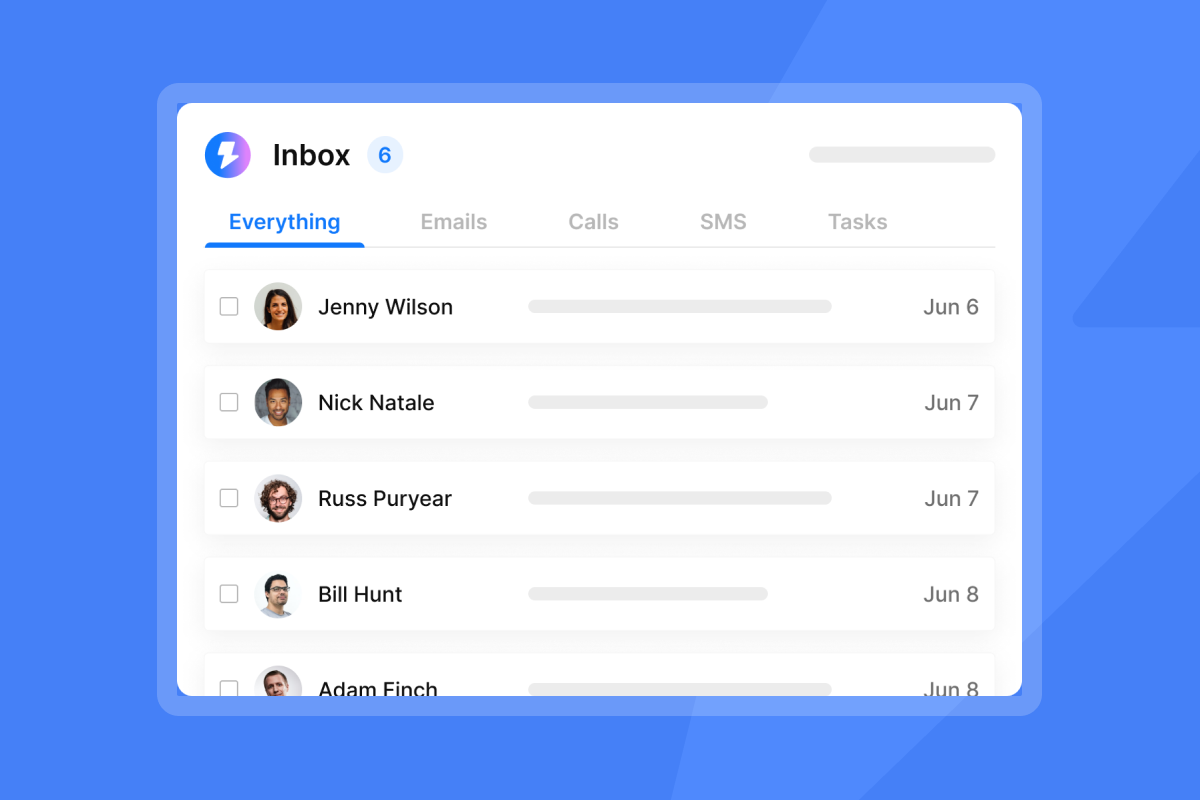
Unibox: Instantly's unified inbox that centralizes replies from all campaigns and accounts, allowing you to manage conversations and update CRM status from a single interface.
Warmup: The process of gradually increasing email volume over 30-60 days to build sender reputation. Warming occurs when you introduce a new or cold IP or domain that has not been used to send emails recently.
CAC Payback: The time it takes for the revenue generated by a new client to cover the cost of acquiring that client. For agencies, this metric determines how quickly client accounts become profitable after initial setup costs.


