


Updated December 17, 2025
TL;DR: Agencies can automate lead qualification using AI to focus sales efforts on high-potential prospects and book more meetings. This playbook outlines five practical steps: define your ideal client profile, gather and enrich lead data with AI tools like SuperSearch (included in Instantly's Outreach plans), implement scoring models, automate reply handling with the AI Reply Agent, and continuously optimize. Instantly combines deliverability, data, and AI agents on a flat-fee model with unlimited email accounts, helping agencies scale outreach without per-seat penalties while maintaining sender reputation and converting replies into booked meetings.
Your agency's sales team burns hours sifting through replies, chasing dead-end prospects, and missing the ready-to-buy leads buried in their inbox. Meanwhile, your best reps waste 60 percent of their day on manual qualification instead of live conversations that close deals.
AI flips this model. Modern AI tools can score leads, identify buying intent, and route high-potential prospects to your team before a human ever reads the first reply. For agencies juggling 10 to 150 sending inboxes across multiple clients, automating qualification is the difference between profitable scale and expensive chaos.
This guide walks you through building a repeatable AI lead qualification system. You'll learn how to define scoring criteria, enrich data at scale, deploy AI models that learn from your outcomes, automate reply handling, and monitor performance. Each step includes settings, benchmarks, and real examples from agencies using Instantly's AI features to convert cold outreach into qualified pipeline.
Why agencies need AI for lead qualification
The cost of manual lead qualification
Manual qualification drains agency resources. Your SDRs spend 3 to 5 hours daily reading replies, researching companies on LinkedIn, cross-checking CRM records, and deciding which leads deserve a follow-up. At $50,000 per year per rep, that is $75 to $125 per day in labor just to triage inboxes.
Scale makes it worse. When you run campaigns for 10 clients across 50 inboxes, reply volume spikes unpredictably. One campaign might generate 200 replies in a week. Your team falls behind, response times stretch to 24 hours or more, and warm leads cool off before anyone picks up the phone.
Inconsistency kills conversion. Different reps apply different qualification criteria. One SDR books a demo with a startup, another ignores the same profile because "they look too small." Without a standard scoring model, you lose winnable deals and waste time on prospects who will never close.
How AI transforms lead qualification
AI removes the guesswork and the busywork. Machine learning models analyze hundreds of data points (company size, funding, website behavior, email engagement, intent signals) and assign each lead a score in seconds. Salesforce Einstein Lead Scoring re-analyzes data every 10 days to adapt to new conversion patterns, keeping predictions accurate as your ICP evolves.
The result is speed and focus. AI qualifies leads in under 5 minutes, routes hot prospects to reps immediately, and surfaces the reasons why a lead scored high. Your team spends their day on conversations that matter, not inbox triage. According to Demandbase research, agencies report 40 to 60 percent higher accuracy compared to manual scoring, with some seeing 2 to 3 times better precision than static rule-based systems.
| Metric | Manual Qualification | AI-Powered Qualification |
|---|---|---|
| Time per 100 leads | 3-5 hours per rep per day | Under 5 minutes total |
| Accuracy (vs. closed deals) | Varies by rep, ~40-60% | 40-60% higher than manual |
| Cost per lead qualified | $3-5 (labor at $50k/year) | $0.10-0.50 (AI credits) |
| Response time | 24+ hours | Under 5 minutes |
"Instantly has become the backbone of our outbound system. What stands out most is the deliverability and domain health performance, it's noticeably better than other tools we tested." - Luisa R. on G2 review
Step 1: Define your ideal client profile and lead scoring criteria
Building a data-driven ICP
Start with the clients you have already won. Pull your last 50 closed deals and analyze firmographics (company size, industry, revenue, location), technographics (tools they use, tech stack), and behavioral patterns (how they engaged before buying). Look for clusters. If 70 percent of your wins are Series A SaaS companies with 20 to 100 employees using Salesforce, that is your ICP anchor.
Interview your sales team and account managers. Ask which deals closed fastest, which clients refer others, and which prospects wasted the most time. Negative signals matter as much as positive ones. If early-stage bootstrapped founders rarely convert, add "pre-seed funding" as a disqualifier in your scoring model.
Document specific attributes with ranges. Vague ICPs like "B2B companies" produce vague results. Precise ICPs include details like "SaaS companies, $2M to $20M ARR, 50 to 200 employees, using HubSpot or Salesforce, hiring for sales roles in the last 90 days, based in North America."
Use Instantly SuperSearch to validate your ICP assumptions. Filter the 450M+ lead database by your criteria and see how many prospects match. If your ICP is too narrow and yields only 500 leads, broaden it. If it returns 500,000, add constraints like recent funding rounds or job postings to focus on in-market buyers.
Setting up lead scoring rules
Break scoring into three buckets: fit, behavior, and timing.
- Fit measures how closely a lead matches your ICP (company size, industry, tech stack).
- Behavior tracks engagement (email opens, link clicks, website visits, content downloads).
- Timing captures intent signals (hiring activity, funding announcements, product launches).
Assign point values to each attribute. A common starting framework allocates 40 points for fit, 40 for behavior, and 20 for timing, totaling 100:
- Fit (40 points): "51 to 200 employees" (+15), "uses Salesforce" (+10), "Series A funded" (+15).
- Behavior (40 points): "opened 3+ emails" (+10), "clicked pricing page" (+15), "replied to outreach" (+15).
- Timing (20 points): "hiring activity in last 90 days" (+10), "funding announcement" (+10).
Include negative scoring to filter out poor fits. If a lead works at a nonprofit but your ICP is commercial SaaS, subtract 20 points. If they have "unsubscribe" or "not interested" language in past replies, subtract 30.
Test and calibrate thresholds. Run your scoring model against 100 past deals (50 closed-won, 50 closed-lost). Check if high-scoring leads correlate with wins. If your model scores lost deals above 70, adjust your weights. According to Factors.ai's analysis, HubSpot's lead scoring allows agencies to iterate on both positive and negative criteria, refining qualification over time.
Tools like Instantly Copilot can help agencies research leads, identify ICP signals, and generate scoring criteria faster by analyzing public data and surfacing relevant attributes during campaign setup.

Step 2: Gather and enrich your lead data with AI
Using Instantly SuperSearch for lead generation
Manual prospecting does not scale. Agencies running multi-client campaigns need thousands of verified leads weekly, segmented by precise criteria. Instantly SuperSearch provides access to 450M+ B2B leads with filters for company size, industry, location, job title, technology usage, and more. You can build targeted lists in minutes instead of hours.
Waterfall enrichment improves data accuracy. SuperSearch queries 5+ data providers in sequence, filling gaps in contact information (email, phone, LinkedIn profile, company details) and reducing bounce rates.
"The ease of use and efficient setup process is remarkable as it made things effortless, saving me a tremendous amount of time and administrative hassle. I love how Instantly manages the email setup and warming up of multiple domains, which drastically reduces my workload." Jonathan C. on G2
Filter by intent signals when possible. If your ICP includes companies hiring for sales roles, use job posting filters to find prospects actively building teams. If recent funding matters, filter by funding round date.

Export directly into campaigns. Once you build a list in SuperSearch, push leads into Instantly's Outreach platform without switching tools or importing CSVs. This tight integration reduces data errors and accelerates time-to-first-send.
"Instantly allows me to scale my cold email efforts without having to struggle with the tool itself. Setting up new domains and inboxes, as well as rotating them, is incredibly straightforward." - Verified User on G2 review
AI-assisted data enrichment and verification
Incomplete or inaccurate data kills deliverability and wastes AI compute. Before scoring leads, validate email addresses and enrich missing fields. AI-powered enrichment tools cross-reference multiple databases, verify syntax, check for catch-all domains, and append firmographic details automatically.
LLM-assisted enrichment adds a layer of intelligence. Instantly Copilot can analyze a prospect's LinkedIn profile, recent social posts, and company news to generate custom insights. It summarizes a lead's background, suggests personalized email hooks, and identifies mutual connections or shared interests, making outreach more relevant.
Set a bounce threshold before launch. Aim for verified lists with less than 1 percent expected bounce rate. Run a small test batch (50 to 100 emails) before scaling. If bounces exceed 1 percent, re-verify the list. High bounce rates damage sender reputation and push future emails into spam.
Watch this Instantly AI Full Tutorial to see how the platform handles lead enrichment and campaign setup end-to-end.
Step 3: Implement AI models for automated lead qualification
Scoring leads with AI
Once your data is clean and enriched, feed it into an AI scoring model. Pre-built AI scoring in CRMs offers a fast path. Salesforce Einstein's predictive lead scoring analyzes your sales history, identifies patterns that correlate with closed deals, and assigns scores automatically. It highlights the top factors driving each score, giving your team transparency.
For agencies using Instantly, AI qualification starts with reply handling. The AI Reply Agent reads incoming replies, classifies them by intent (interested, not interested, out of office, objection, question), and routes qualified leads to your team in under 5 minutes. This automated triage ensures no hot lead sits unread while your reps handle low-priority messages.

Configure your scoring model to reflect agency economics. If your average deal size is $5,000 and sales cycle is 30 days, prioritize leads with higher urgency signals (recent funding, active hiring, explicit interest). If you serve enterprise clients with 6-month cycles, weight fit criteria more heavily than short-term engagement.
Identifying high-potential prospects automatically
AI models surface hidden patterns your team would miss. For example, a model might discover that prospects who visit your pricing page twice within 7 days convert at 40 percent, compared to 8 percent for single visitors. This insight becomes a trigger: auto-flag any lead with two pricing visits for immediate follow-up.
Intent data amplifies accuracy. Third-party intent platforms track which companies are researching specific topics (e.g., "cold email software for agencies"). Integrating this data into your scoring model lets you prioritize leads who are actively in-market, even if they have not engaged with your outreach yet.
Set up automated workflows based on scores:
- Leads scoring 80+: Go straight to a rep's task list with a Slack alert.
- Leads scoring 50-79: Enter a nurture sequence with educational content.
- Leads below 50: Stay in long-term drip campaigns.
This segmentation ensures your team focuses energy where it will generate the highest ROI. Check out this tutorial on instantly enriching and qualifying leads with AI agents for a practical walkthrough.
Step 4: Automate lead nurturing and reply handling with AI
Crafting AI-powered outreach sequences
AI-assisted copywriting speeds up campaign creation. Instantly Copilot helps agencies research leads, generate personalized email copy, and create multi-step sequences tailored to specific ICPs. Instead of writing each email from scratch, you provide the ICP and value proposition, and Copilot drafts a sequence with subject lines, body copy, and follow-up cadences.
Personalization matters more than volume. Use merge tags to insert the prospect's name, company, and role. Go deeper with AI-generated custom lines. For example, Copilot can analyze a lead's LinkedIn activity or recent company news and suggest a personalized opening like "Saw your Series A announcement last month, congrats on the $10M raise."
Keep sequences short and action-oriented. A typical agency sequence includes 3 to 5 touchpoints over 10 to 14 days:
- Initial outreach: Value prop and social proof.
- Value-add follow-up: Case study or insight.
- Soft reminder: Question or alternative resource.
- Final breakup email: Last chance with clear next step.
Each step should have one clear ask (book a 15-minute call, reply with interest, visit a landing page). Cap daily sends at 30 emails per inbox to maintain deliverability. Agencies using this structure report 5 to 8 percent reply rates when paired with clean data and strong deliverability.
Watch this video on creating campaigns with Instantly Copilot to see how voice mode and AI drafting work in practice.
Using AI Reply Agent to qualify and route replies
Manual reply management does not scale past 5 to 10 inboxes. At 50 or 100 inboxes, your team drowns in replies, response times slip, and qualified leads fall through the cracks. Instantly's AI Reply Agent automates this bottleneck.
The AI reads every reply, classifies intent, and takes action based on your rules. In Autopilot mode, it sends pre-approved responses to common scenarios ("Thanks for your interest, here is a calendar link"). In Human-in-the-Loop mode, it drafts replies and routes them to your team for review via Slack before sending.
Set up classification rules that match your sales process. For example, when the AI detects phrases like "interested" or "tell me more," tag the reply as "qualified" and route it to a rep within 5 minutes. Tag "not now" replies for a 90-day nurture sequence. Tag "unsubscribe" replies to suppress the contact. The AI Reply Agent processes these decisions in under 5 minutes.
One agency using the AI Reply Agent workflow reported booking 15 demos in 10 days after implementing automated reply handling paired with a strong warmup plan. The system freed up 10 hours per week previously spent on inbox triage, allowing reps to focus on live calls and deal progression.
"The platform is super intuitive, and I was able to get up and running in minutes. Deliverability has been excellent, and the automation features save me hours every week." - James M. on G2 review
Integrate with your CRM to keep records current. When the AI Reply Agent qualifies a lead, push the contact and conversation history into Salesforce, HubSpot, or Instantly's built-in CRM. This ensures your pipeline data stays accurate and your team has full context before jumping on a call.
For a deep dive, watch this video on how the AI Reply Agent replaces manual reply handling and frees up sales capacity.
Step 5: Monitor, analyze, and optimize your AI lead qualification process
Tracking key metrics: Reply rates and booked meetings
AI models improve when you measure their outputs. Track four core metrics weekly:
- Reply rate: Percentage of emails that generate any response.
- Positive reply rate: Percentage of interested or qualified replies.
- Meeting booking rate: Percentage of positive replies that convert to scheduled calls.
- Cost per meeting: Total campaign cost divided by meetings booked.
Set benchmarks based on your ICP and industry. For cold outreach to mid-market SaaS buyers with clean data, target 5 to 8 percent reply rates, 30 to 40 percent positive reply rates (of total replies), and 2 to 3 percent meeting booking rates (of emails sent). Early-stage or less-targeted campaigns may see 3 to 5 percent reply rates. If you fall below these ranges, diagnose the root cause: poor data quality, weak copy, deliverability issues, or inaccurate scoring.
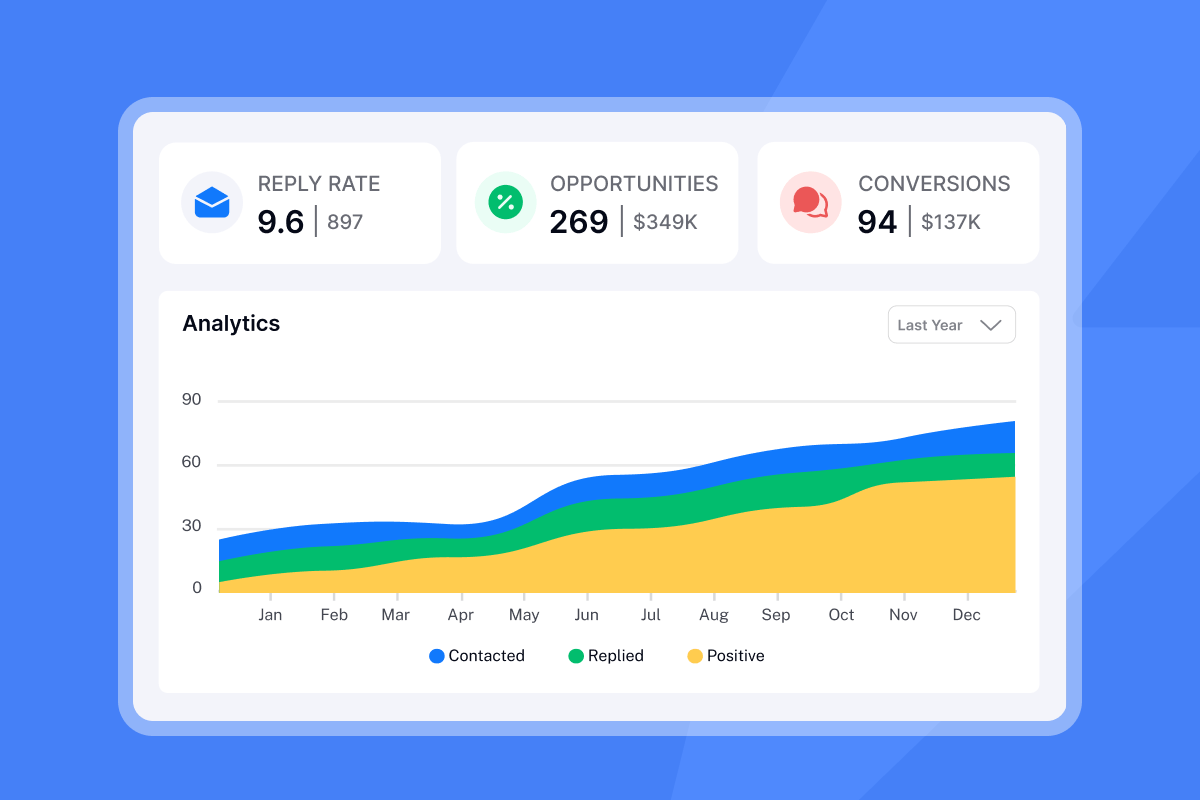
Use Instantly's analytics dashboard to monitor sender reputation and inbox placement. Check your bounce rate (keep it under 1 percent), spam complaint rate (under 0.1 percent), and open rate trends. If deliverability dips, pause campaigns, re-verify your list, and adjust send volume.
Deliverability, automation, and analytics are all top-notch. The UI is clean and intuitive, and the support team is quick and genuinely helpful whenever we hit a snag. Abdulrahman Nashaat Abdulrahma on Trustpilot
Segment performance by client, campaign, and ICP. If one client's campaigns consistently outperform others, analyze what makes their ICP or messaging different. Replicate those patterns across your portfolio.
Iterating on AI models and outreach strategies
AI models are not set-and-forget systems. Plan to retrain your scoring model quarterly or whenever you add 100+ new closed deals to your dataset. Feed the model updated conversion outcomes (which leads closed, which churned, which stalled) so it recalibrates its predictions.
A/B test scoring thresholds. If you currently route leads scoring 80+ to reps, try lowering the bar to 70 for one segment and compare conversion rates. You might discover that 70 to 79 leads convert at 25 percent, nearly as high as 80+ leads, doubling your pipeline without adding cost.
Refine your ICP based on AI insights. If your model consistently scores leads from a specific industry or company size higher than others, and those leads convert well, tighten your ICP filters to focus more budget on that segment. Conversely, if a segment scores high but does not convert, revisit your fit criteria or disqualify that segment.
Combine AI feedback with qualitative insights. Ask your sales team which qualified leads felt like a waste of time and which surprised them with fast closes. Use this input to tweak your scoring weights or add new disqualifier rules.
For more on optimizing AI workflows, see this guide on automating your sales process with AI and how to structure feedback loops.
How Instantly helps agencies scale AI-powered lead qualification
Unlimited accounts and built-in warmup for safe scaling
Instantly's Outreach plans start at $37 per month on the Growth plan with unlimited email accounts and built-in warmup included. This flat-fee model means you can add client inboxes, rotate domains, and scale throughput without per-seat penalties that competitors charge.
Built-in warmup protects sender reputation. Instantly's deliverability network of 4.2M+ accounts exchanges positive engagement signals with your inboxes, building trust with Gmail and Microsoft before you send cold campaigns. One agency operator shared on G2 that Instantly's deliverability and domain health "noticeably" outperformed other tools they tested.
Advanced plans add SISR (Server and IP Sharding and Rotation). The Light Speed plan includes dedicated and private IP pools, further isolating your sending reputation from shared infrastructure.
Centralized management and transparent pricing
Managing AI tools, data providers, CRMs, and sending platforms separately creates tool sprawl and hidden costs. Instantly consolidates these functions into one platform: SuperSearch for lead data, Copilot for AI-assisted campaign creation, AI Reply Agent for automated qualification, Outreach for sending and warmup, and a built-in CRM with Unibox for centralized reply management.
| Plan | Monthly Price | Email Accounts | Key AI Features |
|---|---|---|---|
| Growth Outreach | $37 | Unlimited | Built-in warmup, Unibox |
| Hypergrowth Outreach | $97 | Unlimited | + SISR, advanced analytics |
| Light Speed | $358 | Unlimited | + Dedicated IPs, private pools |
| SuperSearch add-on | $9-197 | N/A | 150-200k lead credits, AI enrichment |
Credit-based pricing for AI and data keeps costs predictable. SuperSearch plans range from $9 per month (150 credits) to $197 per month (10,000 to 200,000 credits). The AI Reply Agent costs 5 credits per reply handled, letting agencies forecast spend based on expected reply volumes.
White-label portals and client workspaces simplify multi-client management. Agencies can create isolated environments for each client, assign team members specific access, and generate branded reports showing reply rates, meetings booked, and ROI.
Good deliverability, easy spin tax, can add in lots of personalization clean and simple UI, one click email responses using tags, smooth Zapier integration, and powerful tracking with subsequences.
Joshua Blacklidge on Trustpilot
For a full platform overview, watch this beginner's guide to Instantly covering setup, campaigns, and agency workflows.
Focus your sales team on what matters most
AI does not replace your sales team. It removes the repetitive qualification work that keeps them from selling. When your reps spend their day on high-intent conversations instead of inbox triage, close rates improve, deal cycles shorten, and client satisfaction rises.
Start with one client and one clear ICP. Implement the five steps in this playbook: define scoring criteria, enrich lead data, deploy AI models, automate reply handling, and monitor results. Measure reply rates, booked meetings, and cost per meeting weekly. Refine your ICP and scoring weights based on what converts.
Scale carefully. Add inboxes gradually, maintain strict list hygiene (under 1 percent bounces), and keep daily send caps at 30 per inbox. Pair AI qualification with strong deliverability practices (warmup, domain rotation, monitored sender reputation) to ensure your emails land in the primary inbox where AI can work.
Treat AI as a teammate, not a replacement. Use Human-in-the-Loop mode on the AI Reply Agent until you trust its classification accuracy. Review AI-generated copy before launching campaigns. The best results come from combining machine efficiency with human judgment on fit and tone.
Ready to automate your lead qualification and book more meetings? Request a demo of Instantly or start your 14-day free trial to see how SuperSearch, Copilot, and AI Reply Agent build a scalable qualification system without per-seat costs.
FAQs: Common questions about AI lead qualification for agencies
How accurate are AI lead scoring models compared to manual qualification?
AI models report 40 to 60 percent higher accuracy than manual scoring and 2 to 3 times better precision than static rule-based systems when trained on sufficient historical data.
How long does it take to implement an AI lead qualification system for an agency?
With platforms like Instantly, you can launch in 1 to 2 weeks: 2 to 3 days to define your ICP and scoring rules, 2 to 3 days to build and enrich lead lists, and 3 to 5 days to set up campaigns and AI Reply Agent workflows.
What data do I need to train an AI scoring model effectively?
You need at least 200 to 500 historical leads with known outcomes (closed-won, closed-lost, or disqualified), including firmographic data, engagement history, and deal details.
Can AI handle complex objections or questions from leads?
AI Reply Agents excel at classification and routing but struggle with nuanced objections. Use Human-in-the-Loop mode for complex replies and let AI handle simple acknowledgments, scheduling, and disqualifications.
How does Instantly's AI Reply Agent pricing work for agencies managing multiple clients?
The AI Reply Agent costs 5 credits per reply handled. Agencies can forecast costs by estimating reply volume: 500 replies per month costs 2,500 credits. SuperSearch pricing details are available on the platform.
What is the typical ROI timeline for implementing AI lead qualification?
Agencies typically see measurable improvements in reply handling speed and rep productivity within 2 to 4 weeks, with full ROI realized in 60 to 90 days.
Key terms glossary: Essential AI and lead qualification terms
Ideal Customer Profile (ICP): A detailed description of the company type that benefits most from your service, including firmographics, technographics, and behavioral attributes.
Lead Scoring: A methodology that assigns numerical values to prospects based on their fit, behavior, and timing signals to prioritize sales efforts.
AI Reply Agent: Instantly's AI tool that reads email replies, classifies intent, and automates responses or routing in under 5 minutes to qualified leads.
Copilot: Instantly's in-app AI assistant that helps agencies research leads, generate personalized email copy, and create multi-step sequences faster than manual drafting.
SuperSearch: Instantly's integrated database of 450M+ B2B leads with AI enrichment and waterfall verification across 5+ data providers.
Deliverability: The ability of an email to reach the recipient's primary inbox without being flagged as spam, measured by placement tests and sender reputation.
Warmup: The process of gradually increasing email sending volume from new accounts to build sender reputation and trust with inbox providers.
Sender Reputation: A score assigned by email providers (Gmail, Outlook) based on bounce rates, spam complaints, and engagement, determining inbox placement.


