


Updated March 30, 2026
TL;DR: Generic sequences kill conversion because they ignore the buying committee. In 2025, the average B2B purchase involves 11 to 13 stakeholders, each with distinct KPIs and anxieties. You need tiered email tracks that speak to the CFO's ROI concerns, the CTO's security worries, and the end user's workflow pain. Segmented campaigns generate 760% more revenue than generic blasts. This guide gives you the blueprint: persona-specific frameworks, example scripts, and the infrastructure to send them at scale without destroying deliverability or breaking your budget.
Generic sequences fail because they treat buying committees like single decision makers. When your SDR sends the same feature-list pitch to a CFO and a marketing coordinator, both archive it. The CFO sees no ROI proof. The coordinator sees no workflow fit. Neither replies.
B2B sales cycles have grown 16% longer between 2021 and 2024, now averaging 379 days from first contact to signed contract. Buyers did not slow down. Consensus buying added more gatekeepers. Most decisions now cross multiple departments, with complex deals requiring coordination across a dozen or more stakeholders.
A VP of Engineering cares about uptime and integration risk. A CFO cares about payback period and total cost of ownership. An operations manager cares about whether the tool breaks their daily workflow. When you send the same pitch to all three, you convert none of them.
The fix requires discipline in execution. Build separate sequence tracks for each persona tier, back those tracks with clean data and strict send hygiene, and measure cost per meeting by persona so you know which committee members convert fastest.
Why generic outreach fails the buying committee test
A "features first" email works for an end user who wants to know if the tool saves time. It fails for a VP of Finance who wants proof of ROI and a clear exit clause. Generic sequences assume everyone cares about the same outcome. They do not.
Here is what happens when you ignore persona fit.
Your email lands in the CFO's inbox at 9 AM. The subject line promises "10x productivity." The body lists six features. The CFO skims it in four seconds, sees no mention of cost structure or contract terms, and archives it.
Meanwhile, your CTO recipient opens the same email, scans for security or integration details, finds none, and marks it as spam.
Your end user clicks through, reads about "enterprise-grade infrastructure," decides it sounds complicated, and moves on.
One sequence, three failures, all preventable. Research from DMA shows segmented campaigns drive 30% more opens and 50% more click-throughs than non-segmented blasts. Better still, highly segmented email lists return 3X the revenue per recipient compared to unsegmented lists.
The fix starts with segmentation strategy, not better subject lines. You need distinct tracks for distinct jobs.
"I love Instantly's deliverability tools, which are the best I've encountered. Having used Salesloft, Apollo, and other tools, Instantly gives me the highest reply rate by far." - Josh G. on G2
The tiered engagement track strategy
Stop organizing campaigns by industry or company size. Start organizing them by job to be done. Each persona in the buying committee brings a primary goal, a core fear, and a trigger that drives action. Your email must align with all three.
We group personas into three tiers based on decision authority and information need. Tier 1 is the economic buyer who approves budget. Tier 2 is the technical evaluator who protects risk posture. Tier 3 is the end user who lives in the tool daily. Each tier needs different volume, tone, and proof.
Tier | Role Example | Primary Goal | Core Fear | Trigger to Act |
|---|---|---|---|---|
Tier 1: Economic Buyer | CEO, CFO, VP Sales | ROI, speed to payback, competitive edge | Wasted budget, long implementation, vendor lock-in | Cost of inaction, peer proof, contract flexibility |
Tier 2: Technical Evaluator | CTO, VP Engineering, IT Director | Security, integration ease, uptime | Compliance breach, broken workflows, hidden complexity | Technical docs, SOC 2 proof, API clarity |
Tier 3: End User | Sales Manager, Marketing Lead, SDR | Time savings, ease of use, looking good to boss | Steep learning curve, more manual work, tool churn | Workflow fit, quick wins, peer testimonials |
Before you write a single subject line, tag every contact in your CRM or CSV with one of these three tiers. If you cannot assign a tier, research their LinkedIn title and map it to a job before sending.
C-level executives receive 100 emails per day on average. They scan fast and delete faster. Your Tier 1 sequence must be short, high-relevance, and front-loaded with outcome proof.
Tier 2 evaluators want evidence, not promises. They need links to security pages, integration guides, and uptime SLAs. Technical validators protect reliability and risk posture, so your email must answer "Will this break our stack?" before they ask.
Tier 3 end users want to know if the tool makes their job easier or harder. They care about UI simplicity, onboarding speed, and whether their manager will blame them if adoption fails. End users dread steep learning curves and workflow disruption.
Learn more about building effective sequences in our cold email copywriting framework guide.
Blueprint: The Executive Decision Maker (CEO/CFO)
Economic buyers approve the budget, so they care about payback speed, total cost of ownership, and exit risk. A CFO does not care that your platform has 47 features. They care whether it pays for itself in 90 days and whether they can cancel without penalty if it does not.
Keep executive sequences short. Three to four steps maximum over 10 days. Research shows many C-suite executives wake early and check email as part of their morning routine. Send these emails between 6 AM and 9 AM local time for best visibility.
Example: CFO sequence, Step 1
Subject: Reduce CAC without adding headcount
Body:
Hi {{FirstName}},
Your sales team likely spends 40+ hours monthly on manual follow-ups. Most of that effort converts at under 2%.
We help finance leaders at companies like [similar company] reduce customer acquisition cost by automating follow-ups and consolidating multiple tools into one flat-fee platform.
No per-seat penalties. No annual lock-in. Export your data anytime.
Worth a 15-minute call next Tuesday?
Best,
[Your name]
The structure works because line one states a metric they own. Line two names the waste. Line three offers peer proof and a clear outcome. Line four removes two CFO fears: cost creep and vendor lock-in.
Use Instantly's advanced warmup options to ensure these high-stakes emails land in the primary inbox. Executive emails must hit the main folder or they will never get read. Our warmup network includes over 1 million real accounts that exchange positive signals to build sender reputation before you launch.
Avoid spam trigger words like "free," "guarantee," or "urgent" in executive emails. Write naturally and avoid all caps or excessive exclamation points per cold email deliverability best practices.
"I like how easy it is to warm emails and the unified inbox. Instantly makes email warming easier and cheaper than any other site I've looked into." - Chris C. on G2
Blueprint: The Technical Evaluator (CTO/VP Engineering)
Technical evaluators protect reliability and compliance. They assess security risks and implementation effort. If your email promises "easy integration" without showing the API docs or listing supported CRMs, you lose trust immediately.
Your technical sequence should be evidence-first and low on marketing language. Four to five steps over two weeks. Each step should link to a technical resource: API docs, security page, integration guide, or uptime dashboard.
Example: CTO sequence, Step 1
Subject: API docs for {{CompanyName}} email infrastructure review
Body:
Hi {{FirstName}},
Saw your team is evaluating outbound email tools. Most platforms bury integration details behind sales calls.
Our API documentation is public: [link to docs]. We support webhook integrations with Salesforce, HubSpot, and Pipedrive. Most teams complete setup in under two hours with existing CRM infrastructure.
Security: GDPR and CAN-SPAM compliant. Multiple authentication methods supported.
If this fits your stack review, I can arrange a technical walkthrough with our Solutions team next week.
Best,
[Your name]
This email removes friction by linking to proof before the CTO asks. You stated compliance posture upfront. You offered a technical resource, not a sales rep, which signals you understand their need for depth.
Use Instantly's AI Spam Words Checker in the sequence editor to scan for risky phrases before you send. Technical emails often trigger spam filters when you use jargon or overly promotional language.
When setting up persona-specific campaigns, check our guide on inbox rotation to distribute sending load across multiple accounts and protect sender reputation.
"The best thing that i liked about Instantly is the email warmup feature that it provides. I can just link my email from any email service provider and it start warming it up." - Adarsh K. on G2
Watch a full walkthrough of setting up persona-based campaigns in this cold email masterclass video.
Blueprint: The End User (Manager/Lead)
End users care about one thing: Will this tool make my job easier or harder? A sales manager does not want to learn a complicated interface. A marketing lead does not want another tool that creates more manual work.
Your end user sequence should focus on quick wins, simple UI proof, and peer testimonials. Five steps over 14 days. Use screenshots, short videos, or case studies from similar roles.
Example: Sales Manager sequence, Step 1
Subject: Stop chasing SDRs for follow-up reports
Body:
Hi {{FirstName}},
If you spend hours each week checking whether your SDRs sent follow-ups and pulling reply metrics, this will help.
We built a unified inbox that shows you every reply across your team in one view. No more logging into multiple tools or asking reps for screenshots.
Here is a 90-second walkthrough: [link to demo video]
One sales manager at [similar company] cut their weekly reporting prep from hours to minutes.
Want to try it with your team next week?
Best,
[Your name]
This email names a specific, painful task and quantifies the time saved. It offers proof in video form, which is easier to consume than a written doc. The CTA is low-risk and time-bound.
Use Instantly's A/Z testing feature (available in the Growth plan and above) to test different pain points. Run one variant focused on "time saved" and another on "looking good to your boss." Let the data tell you which angle converts better for this persona.
For end users, deliverability is critical. If your email lands in promotions or spam, they will never see it. Review our guide on rotating IPs and sending algorithms to understand how we protect inbox placement at scale.
"I like the automation features in Instantly because they save me a lot of time and effort in doing my work, especially in setting up multiple campaigns and email sequences in a personalized way with follow-ups." - Faisal K. on G2
For more end-user sequence examples, browse our library of 600+ email templates organized by role and industry.
Operationalizing persona-based sequencing at scale
The strategy is clear. The execution is where most teams fail. You now have three sequence tracks, each with different copy, send times, and proof assets. You need systems, not heroics.
Data hygiene and CSV tagging. Before you upload contacts to Instantly, tag each row with a persona label. Add a column called Persona and fill it with Exec, Tech, or User. When you import the CSV, use that tag to route contacts into the correct sequence. Clean data prevents deliverability disasters. Use Instantly's SuperSearch lead finder to build verified contact lists with real-time email validation before you send. For detailed CSV formatting, check our personalized lines guide.
Team governance and template standardization. Sales leaders fear reps sending off-brand emails that damage reputation or violate compliance rules. The fix is centralized templates with locked structure and flexible variables. In Instantly, create sequence templates for each persona tier. Lock the subject line structure, the email body framework, and the CTA format. Allow reps to customize variables like {{CompanyName}} and {{PainPoint}}, but prevent them from rewriting the entire email. This gives reps enough flexibility to personalize without letting them send risky copy. Access our getting started with sequences guide for step-by-step setup instructions.
Deliverability system and send windows. Different personas read email at different times. Set persona-specific send windows in your campaign options. Send executive emails early morning local time. Send technical emails mid-morning or late afternoon. Send end-user emails during standard business hours. Never scale past 30 emails per inbox per day. This limit protects sender reputation. If you need to send 300 emails daily, use 10 inboxes rotating through Instantly's inbox rotation feature.
"It's a great all-in-one tool for cold email. You can generate lists, enrich them, and create multiple campaigns without putting your main domain at risk." - Bogdan P. on G2
For agencies and teams managing multiple clients, Instantly's unlimited sending accounts model lets you spin up dedicated inboxes for each persona track without per-seat penalties. Learn how to protect your primary domain in our secondary domains strategy guide.
Watch this 40-minute walkthrough of building a complete persona-based campaign from list creation to send.
Measuring success: Auditability and cost per meeting
Persona segmentation only works if you measure results by persona. Your executive sequence might generate higher reply rates but fewer meeting bookings. Your end-user sequence might generate lower replies but more meetings. Which one is better? The answer depends on deal size and sales cycle length, but you cannot make that call without clean reporting.
Track three metrics per persona track: reply rate, meeting rate, and cost per meeting.
Cost per meeting calculation. Divide total campaign cost by meetings booked to get cost per meeting. If you spent $500 on list building, warmup, and tool fees, and booked 10 meetings, your cost per meeting is $50. Run this calculation separately for each persona tier. Your CFO sequence might cost more per meeting but close at 3X the deal size. Your end-user sequence might be more efficient in volume. Track both metrics and adjust your mix accordingly. If you need pipeline volume, scale the end-user track. If you need large deals, invest more in executive outreach.
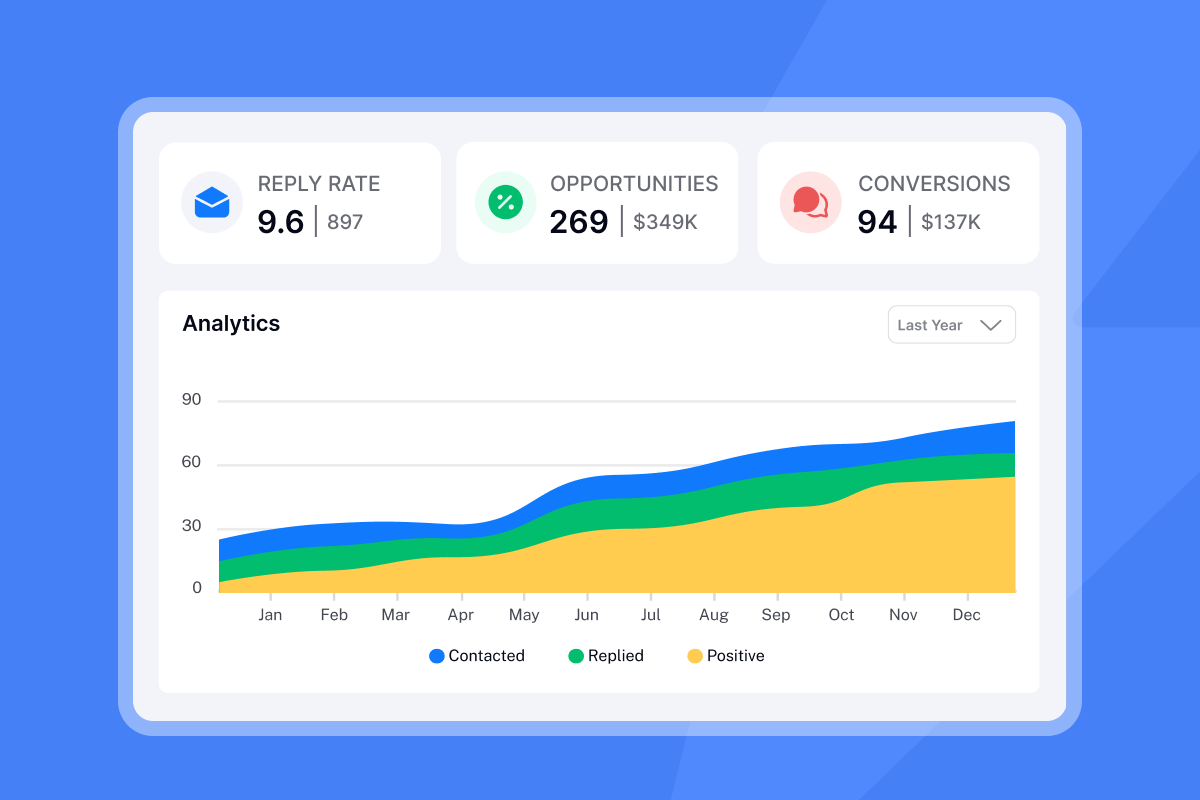
Auditability and reporting. Sales leaders need dashboards that withstand CFO scrutiny. Use Instantly's analytics to show open rates, reply rates, and meeting conversions by campaign. Tag each campaign with the persona label so you can filter reports by tier. If your CTO sequence has high opens but low replies, your technical proof is weak. If your executive sequence has low opens, your subject lines are not cutting through inbox noise. Use the data to iterate fast. Learn more about advanced campaign analytics in our email accounts dashboard guide.
"I like the simple interface of Instantly, which helps me to automatically conduct cold email outreach and generate many leads, thereby increasing sales. The email warm-up works flawlessly." - Lukas R. on G2
For deeper optimization, watch this breakdown of booking calls with persona-specific sequences.
Key takeaways
Build three sequence tracks. Tier 1 for economic buyers who approve budget and fear wasted spend. Tier 2 for technical evaluators who protect risk and need proof of security. Tier 3 for end users who want workflow fit and fear complexity.
Back those tracks with strict data hygiene, team governance templates, and persona-specific send windows. Measure cost per meeting by persona so you know where to invest. Use a platform that lets you scale without per-seat penalties or deliverability disasters.
Instantly gives you unlimited sending accounts on a flat fee, a warmup network of over 1 million accounts to protect inbox placement, and unified reporting so you can see which persona converts fastest. Compare our email outreach plans to find the tier that fits your volume.
Stop sending the same pitch to everyone in the buying committee. Start building sequences that speak the language of the person reading them.
Ready to build your first persona-specific sequence? Try Instantly free and use our sequence templates to launch in under an hour.
Frequently Asked Questions
How many emails should be in a C-suite sequence?
Three to four steps maximum over 10 days. Executives delete fast, so front-load value and proof in step one.
Can I mix personas in one campaign?
No. Split them for better deliverability, clearer reporting, and higher relevance.
What is the difference between segmentation and personalization?
Segmentation divides your audience into groups based on shared characteristics. Personalization tailors content to the individual within that group.
How do I tag contacts by persona in my CSV?
Add a column called Persona and fill each row with Exec, Tech, or User. Import the CSV to Instantly and route contacts to the matching sequence.
What send time works best for executives?
Between 6 AM and 9 AM local time works well for executive visibility based on early morning email checking habits.
How do I avoid spam filters in technical emails?
Use Instantly's AI Spam Checker to flag risky words before sending. Avoid "free," "guarantee," "urgent," and all-caps formatting per spam word guidelines.
Glossary of terms
Buying committee: The group of stakeholders who must agree before a B2B purchase happens. Average size ranges from 11 to 13 members across departments.
Tiered engagement: A strategy that assigns different outreach effort and content depth based on decision authority and information need.
Primary inbox: The main email folder where high-priority messages land, separate from Promotions, Social, or Spam folders.
Economic buyer: The persona who approves budget and cares about ROI, payback speed, and contract terms. Typically C-suite or VP level.
Technical evaluator: The persona who protects system reliability and assesses security, integration complexity, and compliance risk. Typically CTO, VP Engineering, or IT Director.
Cost per meeting: Total campaign cost divided by meetings booked. Use this metric to compare efficiency across persona tracks.
Sender reputation: A score email providers assign to your domain and IP based on bounce rates, spam complaints, and engagement signals. Poor reputation sends emails to spam.


