


Updated February 24, 2026
TL;DR: The best cold email software protects your sender reputation while allowing you to scale volume without per-seat penalties. Before evaluating features or UI, audit the infrastructure: unlimited sending accounts, built-in warmup, and inbox placement testing determine whether your messages land in the primary inbox or spam. Per-seat pricing models punish the volume required to get results, while flat-fee platforms like Instantly incentivize best practices. Use the 15-point checklist below to audit vendors on deliverability, pricing transparency, support quality, and data accuracy before committing your runway.
Choosing cold email software is not about finding the prettiest dashboard. It is about finding a partner that handles the heavy lifting of sender reputation, IP rotation, and data verification so you can focus on the message. According to research on cold email effectiveness, most platforms fail to address the single biggest risk: burning your domain by scaling too fast without proper infrastructure. Here is the systematic framework to evaluate vendors, spot red flags, and protect your runway.
What is cold email software? (Context & market growth)
Cold email software is a category of tools designed specifically for high-volume, personalized B2B outreach to prospects who have not opted into your list. Unlike newsletter platforms such as Mailchimp, cold email tools connect to your individual Gmail or Outlook inboxes and send plain-text, one-to-one messages at controlled volumes. Modern platforms combine sending infrastructure, lead databases, warmup automation, and reply management into a single system. According to industry analysis, cold email remains the effective channel for B2B customer acquisition when executed with proper deliverability controls.
Core infrastructure: The non-negotiables for deliverability
Before looking at AI or templates, you must audit the engine under the hood. Deliverability infrastructure determines whether your emails reach the primary inbox or get flagged as spam. Cold email experts consistently emphasize that infrastructure is foundational, without strong deliverability, even the best copy won't reach prospects. As one expert puts it, weak infrastructure can mean 'burning thousands of dollars' regardless of messaging quality.. Focus on three non-negotiables: unlimited accounts, IP rotation, and placement testing.
Unlimited sending accounts and warmup
Sending from one email account is dangerous. While Gmail and Microsoft allow much higher daily sending limits (500–2,000 for Gmail, up to 10,000 for Microsoft 365), cold email experts recommend keeping outreach to 30–50 emails per inbox per day to minimize the risk of triggering spam filters. If you need to send 500 emails per day, you need 10-15 warmed accounts rotating sends across different domains. Per-seat pricing models discourage this best practice because each new account costs you money. Flat-fee platforms like Instantly include unlimited email accounts and warmup on all plans, which means you can scale volume safely without financial penalties. Warmup automation is critical. Instantly operates a deliverability network of over 4.2 million real accounts that exchange realistic messages to build sender reputation before you launch campaigns.
"Instantly is a very good cold emailing tool. It's very easy to use." - Verified User on G2
For a complete walkthrough of the warmup process, watch this full Instantly tutorial on YouTube. According to research on inbox rotation strategies, using multiple domains and accounts is the only way to scale past 200 emails per day while maintaining deliverability.
Dedicated IP pools and rotation (SISR)
Shared IPs are a risk. If another user on the same server runs a spammy campaign, your reputation suffers. SISR (Server & IP Sharding & Rotation) is an infrastructure technique that distributes your sends across multiple dedicated IP addresses. According to Instantly's guide on IP sharding, the system continuously monitors IP performance, rotating high-reputation IPs and removing underperforming ones. If one IP faces throttling or a blocklist, other IPs keep delivering while you investigate. SISR is included in Instantly's LightSpeed plan at $358 per month, making it accessible for founders who need enterprise-grade infrastructure without enterprise budgets.
"Very smooth tool with great features and strong deliverability." - Christopher Gaisor on Trustpilot
For more on how rotating IPs improve deliverability, see Instantly's help article on rotating IPs and sending algorithms.
Native inbox placement testing
Relying on open rates is misleading. Apple's Mail Privacy Protection pre-opens emails through proxy servers, which fires your tracking pixel even when the recipient never reads the message. According to data from email providers, open rates nearly doubled after Apple MPP launched, making them unreliable for measuring deliverability. You need pre-send testing that shows exactly where your emails land. Instantly's Inbox Placement feature automatically checks whether your emails reach the inbox, promotions tab, or spam folder across Gmail, Microsoft, and other providers. According to the inbox placement tests feature documentation, it monitors your IPs against 94 blacklists and provides a spam filter score. You can set up automations to pause sending when inbox placement drops below your threshold.
"I've been using Instantly for my cold email campaigns and it's made a big difference. The platform is straightforward to set up, easy to run multiple campaigns, and keeps deliverability strong." - Taylor G on G2
For a deep dive into deliverability strategy, watch this guide to cold email deliverability.
Feature evaluation: What actually books meetings
Once infrastructure is secure, look for features that speed up the "Lead → Meeting" workflow. Features do not matter if your emails land in spam, but the right features cut hours from your daily workload and improve reply rates.
Unified inbox and reply management
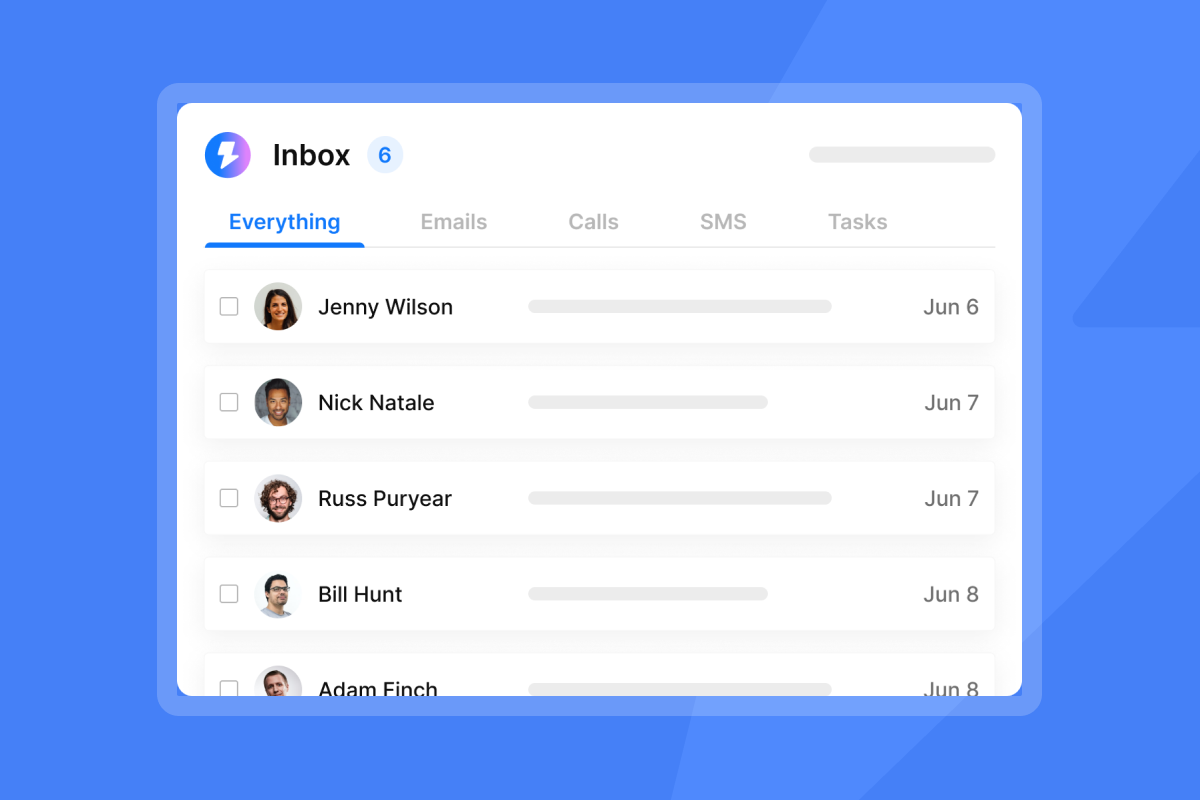
The pain of logging into 10 different Gmail accounts is real. When you scale to multiple sending accounts, tracking replies becomes a bottleneck. You need a unified inbox that aggregates all replies into one view, allows tagging for CRM syncing, and enables quick actions. Instantly's Unibox feature centralizes replies from all connected accounts.
"I've been using instantly.ai for my cold email outreach, and it has completely changed the way I run campaigns... I also appreciate the analytics dashboard.. it makes it easy to see what's working and quickly optimize my campaigns." - James M. on G2
The Unibox includes AI labels for faster qualification, which means you can sort positive replies from out-of-office messages without reading each one. For a visual walkthrough, see this Instantly full tutorial video covering reply management.
"The interface is simple to navigate and the unibox makes managing communication easy." - Antony on Trustpilot
Check Instantly's help documentation on campaign options for details on automated reply handling.
Lead database and verification accuracy
Bad data kills campaigns. High bounce rates signal spam filters that your list is dirty, which damages sender reputation. According to research on cold email best practices, bounce rates at 2-5% are dangerous. Look for platforms that offer waterfall enrichment, which means checking multiple data providers until a verified contact is found. Waterfall enrichment sequentially queries multiple vendors to reduce "not found" results. Instantly's SuperSearch lead database includes access to 450 million verified B2B contacts with built-in verification. According to Instantly's pricing page, SuperSearch plans start at $47 per month for 1,500-2,000 credits and scale to enterprise volumes.
"Instantly has been a game-changer for our cold email campaigns... The UI is intuitive, the deliverability tools actually work, and their customer support is responsive." - Natalie on Trustpilot
For more on data quality, see Instantly's B2B lead finder page and this tutorial on lead generation workflows.
AI personalization and sequence writing
Distinguish between "robotic AI" and "workflow AI." Robotic AI generates generic copy that triggers spam filters. Workflow AI helps with spin syntax, reply detection, and sequence drafting while keeping your voice intact. According to analysis of cold email copywriting frameworks, personalization variables and spintax improve reply rates by preventing duplicate content detection. Instantly includes tools for personalized lines generation, spam word checking, and automated reply categorization.
"I really like Instantly for its ability to facilitate email outreach and email promotions with efficiency... Instantly's AI reply tool is incredibly valuable to me as it automates all email replies." - faisal K. on G2
For practical examples, Instantly offers 600+ templates you can customize. Watch 5 AI tools that changed cold email for feature demonstrations.
Pricing models: Flat-fee vs. per-seat economics
Compare the two dominant pricing models in this category. Per-seat pricing charges you for each user or mailbox, which punishes the best practice of using multiple sending accounts. According to research comparing Lemlist and Apollo pricing, a five-person team on Lemlist costs $275 per month on the Email Pro plan with annual billing ($55/user), or $345 per month if billed monthly ($69/user). The Multichannel Expert plan runs approximately $495 per month for five users. Apollo starts at $245 per month for five users at the basic tier. Both models cap the number of accounts or sending volume per user, which forces you to choose between best practices and budget. Flat-fee pricing removes this friction. Instantly charges $47 per month for the Growth plan, which includes unlimited email accounts and warmup with no per-seat fees. If you need to send 1,000 emails per day across 20 accounts, your cost stays flat. This pricing model incentivizes proper deliverability practices instead of penalizing them. A cost-per-meeting calculation makes the difference clear. If you book 10 meetings per month on a $47 flat-fee plan, your cost per meeting is $4.70. On a $345 per-seat plan, the same 10 meetings cost $34.50 each.
"Instantly has been an excellent and important part of my marketing for my accounting firm. I rely heavily on cold email, and it does not disappoint." - Alan Branson on Trustpilot
For details on plan tiers, see Instantly's pricing comparison article and this video breakdown of cold email tool economics.
Red flags and deal-breakers to spot during demos
Hidden limits are common. Some platforms advertise "unlimited" sending but cap daily volume per account at levels below best practices. Ask vendors to specify the exact daily send limit per inbox and whether that limit includes warmup emails. Cancellation friction is another red flag. According to reviews on cold email software comparisons, platforms that require phone calls to cancel or lock you into annual contracts with no monthly option create vendor lock-in. Look for transparent cancellation policies published on pricing pages. Support quality varies widely.
When deliverability drops, you need answers in minutes, not days. Test support during the trial by asking a technical question about DNS records or warmup settings.
"Their support is very slow; sometimes I have to wait for hours to get my answers, which wastes my time." - Verified User on G2
However, another user had a different experience:
"What I appreciate most is how easy Instantly is to use, which makes managing my outreach and cold email campaigns straightforward. The team's responsiveness is fantastic; they get back to me quickly whenever I need support." - Akshath K on G2
Data accuracy issues are a fourth red flag. Platforms that source leads from a single provider often have high bounce rates. Ask vendors how they verify emails and whether they offer waterfall enrichment across multiple providers. For more on what to watch for, read Instantly's guide on ensuring email delivery.
The 15-point cold email software evaluation checklist
Use this checklist during vendor demos to compare platforms objectively:
Infrastructure:
- Unlimited sending accounts included? (Yes/No)
- Built-in warmup automation? (Yes/No)
- Dedicated IP pools or SISR available? (Yes/No)
- Inbox placement testing included? (Yes/No)
Features:
- Unified inbox for reply management? (Yes/No)
- Native lead database or integration? (Yes/No)
- AI personalization and spintax? (Yes/No)
- A/Z testing for subject lines? (Yes/No)
Data & Compliance:
- Email verification and bounce detection? (Yes/No)
- Blacklist monitoring? (Yes/No)
- GDPR/CAN-SPAM compliance tools? (Yes/No)
Support & Pricing:
- Live chat support available? (Yes/No)
- Flat-fee pricing or per-seat? (Flat/Per-seat)
- Monthly billing option? (Yes/No)
- Transparent cancellation policy? (Yes/No)
Score each platform out of 15. Platforms that score below 10 on infrastructure and pricing likely will not support your scale goals. For a detailed strategy on setting up campaigns after choosing a platform, watch this cold email system setup tutorial and review Instantly's complete cold email strategy guide.
Comparison: Instantly vs. the market
Here is how Instantly compares to typical sales suites and basic sending tools:
Criterion | Instantly | Typical Sales Suite | Basic Sender |
|---|---|---|---|
Pricing model | Flat-fee ($47/mo+) | Per-seat ($49-99/user) | Flat-fee ($29/mo+) |
Account limits | Unlimited | 1-3 per user | 5-10 accounts |
Warmup included | Yes, 1M+ network | Often separate tool | Limited or manual |
Lead database | 450M+ contacts | Varies by platform | None or 3rd party |
IP rotation (SISR) | Yes (Light Speed) | Rare | No |
Inbox placement testing | Native feature | Requires external tools | No |
The key difference is infrastructure focus. Sales suites prioritize multichannel workflows and CRM depth, while Instantly prioritizes deliverability infrastructure and unlimited accounts. Start a free trial of Instantly and get your cold email campaign up and running.
"Instantly has become a core part of my outreach stack. The UI is clean, campaigns are easy to set up, and deliverability controls are clearly built by people who actually understand cold email." - Linus Friis on Trustpilot
For more context, see this guide on cold email tool selection and Instantly's blog post on agency pricing economics.
Conclusion
Do not overcomplicate this decision. Prioritize deliverability infrastructure and flat pricing over flashy features. The best cold email software protects your sender reputation, allows you to scale volume safely, and charges predictably as you grow. Start with the 15-point checklist above to audit vendors on what matters: unlimited accounts, warmup automation, placement testing, and transparent economics. If a platform punishes you for following best practices, move on. Try Instantly free and run an Inbox Placement test today to see where your current emails land.
Frequently asked questions about cold email tools
How many emails can I send per day per inbox?
The safe limit is 30-50 emails per day per inbox after a 30-day warmup, according to industry research on sending volume. Scale by adding more inboxes, not pushing higher volume from one account.
Do I need a separate tool for warming up inboxes?
Not if you choose a modern platform like Instantly that includes built-in warmup automation across unlimited accounts at no extra cost.
What is the difference between cold email software and Mailchimp?
Cold email tools send plain-text, one-to-one messages from your Gmail or Outlook inboxes to prospects who have not opted in. Mailchimp sends HTML newsletters from shared marketing servers to opted-in subscribers.
What is SISR and do I need it?
SISR (Server & IP Sharding & Rotation) distributes your sends across multiple dedicated IPs to prevent any single IP from triggering spam filters. You need it if you send more than 500 emails per day, according to Instantly's SISR documentation.
How do I avoid burning my domain?
Use secondary sending domains, warm them for 30 days, cap sends at 30-50 per day per inbox, and monitor bounce rates. Keep bounces below 1%. See Instantly's guide on scaling with secondary domains.
Key terms glossary
SPF (Sender Policy Framework): An email authentication technology that specifies which IP addresses are authorized to send email on behalf of your domain.
DKIM (DomainKeys Identified Mail): A digital signature that uses cryptography to verify that the email came from your domain and was not altered in transit.
DMARC (Domain-based Message Authentication, Reporting, and Conformance): A protocol that tells receiving servers what to do after checking SPF and DKIM results.
Spintax: A method of rotating alternative words and phrases into an email to prevent duplicate content detection. Example: "Hi" becomes "{Hi|Hey|Hello}".
Unibox: A unified inbox that aggregates replies from all connected email accounts into one view for faster qualification and reply handling.
Warmup: The process of gradually increasing sending volume from a new email account over 30 days while exchanging messages with a network of real warmup accounts to build sender reputation before launching campaigns.


