.svg)
%20(1).svg)


Updated September 09, 2026
TL;DR: Your email response rate measures responses divided by delivered emails. Good cold email response rates typically range from 5–10%, with 10%+ representing strong performance when targeting, verified data and inbox placement are solid. Calculate your response rate by excluding bounces and counting unique replies. According to our Cold Email Benchmark Report 2026, the overall average reply rate is 3.43% with elite performers exceeding 10% by keeping emails under 80 words, and 58% of replies coming from the first email.
Cold email response rates can provide a clearer indication of engagement than opens alone because a response shows that someone has actively engaged with your message.
A low response rate can have several causes. Your emails may be reaching the wrong prospects, struggling to reach the inbox or failing to give recipients a compelling reason to respond.
The guide explains how to calculate your email response rate, what a good response rate looks like and how to improve cold email response rates through better targeting, deliverability, messaging and follow-ups. For sales leaders and growth teams, it also covers factors such as primary inbox placement, data quality and reporting that can affect performance at scale.
What Is Email Response Rate?
Email response rate is the percentage of delivered emails that receive a reply from a recipient. For cold email outreach campaigns, it shows how effectively your outreach is generating responses from the people you contact.
Email response rate and email reply rate are generally used to describe the same metric. Unlike open rate, which only indicates whether an email was opened, response rate measures a direct action from the recipient.
You can calculate your email response rate by dividing the number of unique replies by the number of delivered emails and multiplying the result by 100.
Why Does Email Response Rate Matter?
It is the most reliable engagement KPI for outbound because opens can be noisy, but replies create conversations and pipeline. Mail Privacy Protection inflates opens for a large share of audiences, which makes reply rate a stronger signal for cold outreach. Learn more in our best cold email outreach tools 2025 guide.
B2B buyers spend only about 17% of their buying time meeting with potential suppliers. You rarely get long face time, so each reply matters for access and momentum.
Pair reply rate with reply quality and meetings set to judge impact.
How To Calculate Your Email Response Rate
Use this simple formula.
Email reply rate (%) = unique replies ÷ delivered emails × 100
- Count only delivered emails. Exclude bounces.
- Count unique threads. Exclude auto‑replies if you track them separately.
- Roll up by sequence, campaign, persona, and rep to find where to improve.
What’s a Good Email Response Rate? Benchmarks and Reality
Benchmarks vary because lists, offers, and industries differ. Use ranges, not absolutes.
- Across a large mixed dataset: a joint Pitchbox and Backlinko study of 12 million outreach emails reported an 8.5% average reply rate and found that sending a single follow‑up lifted responses by 65.8%. Personalized subject lines correlated with a 30% higher response rate.
- Practical ranges for cold email teams: low single digits are common for broad, first‑touch outreach. 5% to 10% typically indicates good targeting and relevance. 10% or higher is strong and achievable with clean data, primary‑inbox placement, and clear asks. These ranges reconcile with the 8.5% macro figure above and field reports from B2B teams.
- Newsletter replies are not a primary KPI: Use open and click benchmarks for those motions.
Do not rely on opens to judge performance for cold outreach. Apple Mail Privacy Protection changed open tracking, which makes reply rate more trustworthy as a signal. We cover this in detail in our cold email prospecting guide for sales.
Targets that map to meetings and revenue for many B2B teams:
- Cold reply rate: 5% to 10% as a working goal when data and placement are solid
- Meetings set: 1% to 2% of delivered sends
- Hard bounces: at or below 1% where possible
- Spam complaints: stay well under 0.3% and aim for 0.1% or lower on providers that report it; Gmail calls out 0.3% as a threshold for bulk senders.
Why Are Your Cold Email Response Rates Low?
A falling response rate doesn’t necessarily mean your email copy has stopped working. Changes in prospect quality, deliverability or targeting can reduce responses even when the campaign itself hasn’t changed significantly.
Check whether emails are still reaching the inbox, whether bounce rates have increased and whether your prospect lists still match your ideal customer profile (ICP). If those areas are stable, review your messaging and offer before testing new subject lines or follow-ups.
 Raul Kaevand
How to Improve Cold Email Response Rates
If your cold emails are getting few responses, look beyond the copy itself. Response rates depend on who you contact, whether your emails reach the inbox and whether your message gives the recipient a relevant reason to reply.
Start by reviewing your prospect targeting and contact data. A highly personalized email will still struggle if it reaches someone who isn’t responsible for the problem you’re trying to solve.
Email deliverability comes next. Verify email addresses, monitor bounces and make sure your sending domains are properly authenticated. Once those foundations are in place, test your messaging, subject lines and calls to action to understand what generates more responses.
Follow-ups can also recover opportunities from prospects who were interested but didn’t respond to the first email. Keep them relevant to the original conversation rather than simply repeating the same message.
Improve Email Deliverability and Sender Reputation
If emails do not land in the primary inbox, replies will not happen. Operate deliverability like a system.
- Authenticate: Set up SPF, DKIM, and DMARC on sending domains. New 2024 rules for bulk senders require strong authentication, one‑click unsubscribe on marketing, and keeping reported spam below 0.3% on providers that report it.
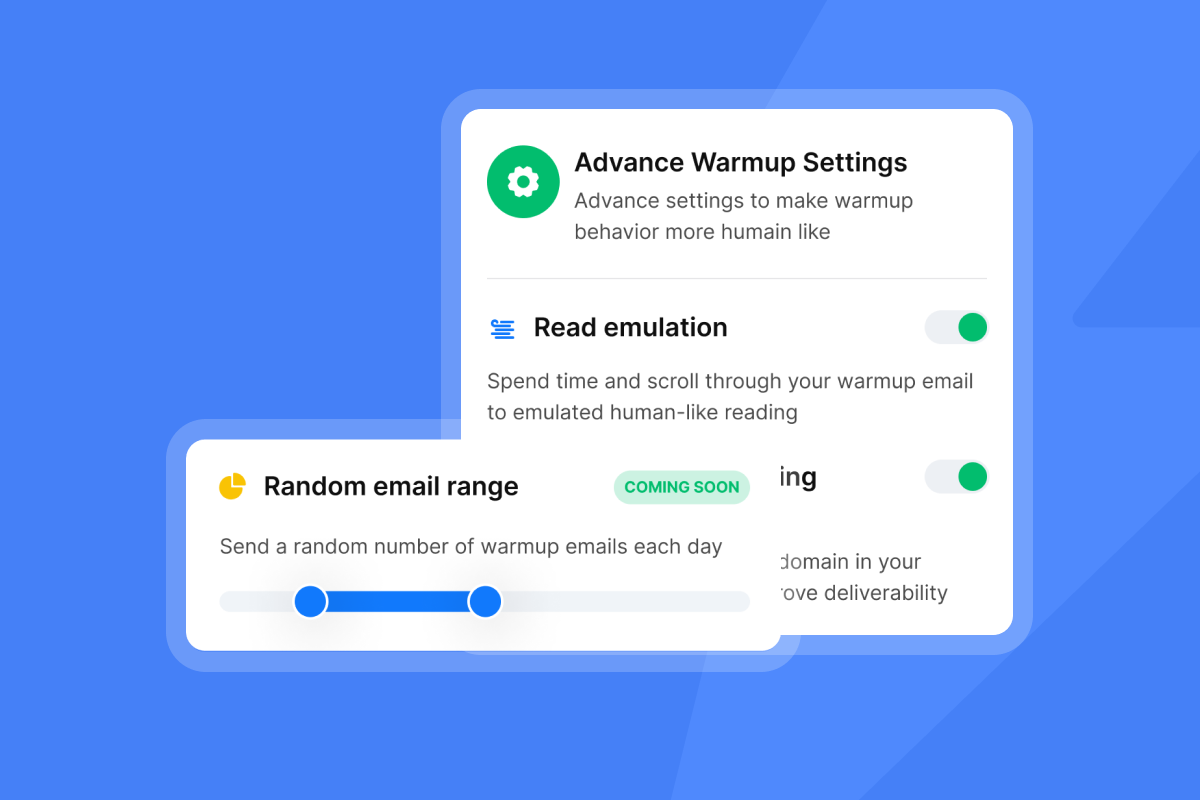
- Warm and ramp: Warm new domains and inboxes, then scale gradually over 2 to 4 weeks. Keep hard bounces at or below 1%. Pause and fix if health dips.
- Keep lists clean: Verify contacts, remove risky addresses, and avoid purchased lists. Clean data protects sender reputation and reply rate.
- Pace and vary: Use safe send windows, throttle throughput, and vary content to reduce patterns.
- Monitor placement and blacklists: Run seed tests, track spam placement, and check blacklists.
For a practical walk‑through, watch the ultimate guide to cold email deliverability. Read our full guide on complete cold email guide.
"It was very straight forward to warm up my email addresses/inboxes as well as start my first campaign!" - G2 review
"Best tool for Cold Email Marketing and easy to use. Recommended" - Trustpilot review
Instantly Builds This Into Your Workflow:
- Run automated placement checks and alerts with Inbox Placement and the automated testing workflow.
- Use the platform’s deliverability warmup pools and controls to build trust signals.
- On Light Speed, SISR (server and IP sharding and rotation) adds dedicated infrastructure for safer scale.
Tracking and Analyzing Your Email Response Rate
Measure cleanly, classify intent, and match to meetings.
- Track by delivered messages: Exclude bounces and auto‑OOOs from reply rate. Track auto‑OOOs separately for operational updates.
- Segment reporting: By sequence, persona, industry, rep, domain, and send window. Look for outliers and repeatable winners.
- Classify replies by intent: Positive, neutral, referral, objection, unsubscribe. Optimize toward positive replies and booked meetings.
- Reconcile to CRM: Reporting should match pipeline. Tie replies, tasks, and meetings to contacts and opportunities.
Instantly centralizes this view:
- Manage all responses in a unified inbox with the Unibox feature on the pricing page. Route, tag, and measure replies across inboxes and reps.
- Auto‑handle or assist with responses using AI Reply Agent, which supports human‑in‑the‑loop approvals or Autopilot and is designed to reply within minutes.
- Push contacts and outcomes to Salesforce or HubSpot via native connectors, iPaaS, or webhooks.
"Great product, all in one inbox DFY campaigns. Easy to use the platform." - Trustpilot review
Weekly Scorecard:
- Reply rate by sequence and persona
- Positive reply rate and meeting conversion
- Time‑to‑first‑meeting from first send
- Hard bounce rate and spam complaints
- Inbox placement trend by provider

Core Strategies To Optimize Your Email Reply Rate
Personalization Beyond First Names
Prove relevance with one or two specifics.
- Company trigger: funding, hiring spurt, tech stack change.
- Role‑based pain: SDR manager focused on onboarding and QA.
- Peer proof: similar company outcome, quantified.
Personalization moves numbers. In the 12‑million‑email outreach study, personalized subject lines were associated with a 30% higher response rate. See how our email outreach tool can help you apply these strategies. Source: PR Newswire study recap.
Use verified data to target tightly. Instantly’s SuperSearch on the pricing page lists a 450M+ B2B contact database with waterfall enrichment to reduce bounces and improve match rates.
Crafting Irresistible Calls To Action
Make the ask easy and obvious.
- Ask for a quick yes or no. Example: "Worth a 10-minute chat next week?"
- Offer two time windows or ask for the right person.
- Match the commitment to the context. First cold touch should be a light ask.
Follow Up With Unresponsive Leads
Clarity beats clever.
- Aim for 3 to 7 words. Avoid spam triggers and caps.
- Role or company mentions beat generic hype.
- Test question vs statement. Test value specifics vs curiosity.
- Score subject lines by reply rate. Open metrics are unreliable for many Apple Mail users under MPP. See Litmus guidance.
The Power of Timely Follow‑ups
Sending a follow‑up significantly increased responses, with a 65.8% relative lift after one follow‑up.
A practical cadence for cold B2B:
- Day 0: intro with one ask
- Day 3: bump with a new angle or micro‑proof
- Day 7: short, relevant take or resource
- Day 14: close loop, ask for referral or permission to circle back later
Keep each follow‑up valuable. Do not repeat the same email.
A/B Testing For Continuous Improvement
Run tight experiments. Change one thing at a time.
- Subject lines: question vs statement
- Openers: context‑first vs value‑first
- CTA: time‑based ask vs open‑ended nudge
- Timing: morning vs afternoon
- Personalization depth: first name only vs role plus trigger
Instantly’s A/Z testing feature on the pricing page compares many variants at once and reports on replies and meetings, not just opens.
For a practical playbook, watch the cold email marketing video playbook.
Optimization Playbooks for Your Role
For Growth Marketers: Data-Driven Experimentation
Your job is throughput and learning speed without harming sender reputation.
- Build a test backlog. Prioritize by expected lift and ease. Track hypotheses and outcomes.
- Use multi‑variant A/Z testing feature on the pricing page. Run 4 to 8 subject lines on safe volumes. Select winners by reply rate and positive intent.
- Instrument replies, meetings, and cost per meeting. Avoid vanity opens.
- Enforce hygiene. Verify lists, cap daily sends per inbox, and require placement checks before scale with Inbox Placement.
- Automate at the edges. Use AI Reply Agent to triage and draft replies for low‑risk cases. Keep human review for key accounts.
"Flexible account linking options, quick and easy setup." - G2 review
Acceptance checks:
- Reply rate improves by at least 20% on the winning variant
- No increase in bounces or complaints
- Meeting rate moves with reply rate, not just noise
For Agency Operators: Scaling Client Success
You need primary‑inbox placement and reproducible results across workspaces.
- Standardize warmup and ramp plans: Document send windows, caps, and pause rules.
- Govern templates: Lock approved sequences and CTAs. Use global block lists.
- Health dashboards per client: Track placement, hard bounces, and positive replies. Trigger alerts.
- Use flat‑fee unlimited senders: To avoid per‑seat penalties. See plan limits on pricing.
- Isolate infrastructure: For high‑volume clients with Light Speed and SISR. Share your deliverability runbook with clients for transparency.
Client checklist:
- Two warmed inboxes per active sequence
- Verified contacts only; bounce rate at or below 1%
- Placement at or above 80% on primary providers before scale
- Weekly report: replies, meetings, list quality, issues and fixes
For Sales Leaders: Standardizing Team Performance
Drive consistency, auditability, and safe scale.
- Set the scorecard: Reply rate, positive reply rate, meetings, bounces, complaints, time‑to‑first‑meeting.
- Govern sequences and send windows: Approve subject lines and CTAs. Limit risky language.
- Centralize reply: Handling in Unibox. Tag objections and referrals. Book meetings faster.
- Reconcile outcomes to CRM: Use native connectors or iPaaS to push contacts, tasks, and meetings with owner attribution.
- Make deliverability non‑negotiable: Run Inbox Placement before scaling. Monitor blacklists. Pause when health dips.
Rep enablement steps:
- Pick two sequences from the approved library.
- Load 400 verified contacts per rep.
- Send within defined windows. Cap at safe daily limits.
- Follow up on day 3 and day 7.
- Log meetings and notes in CRM the same day.
For Startup Founders: Lean and Effective Outreach
You need meetings without headcount or tool sprawl.
- Start with two warmed inboxes and a 400‑contact verified list that matches your ICP.
- Use one clear CTA. Ask for a 10 minute chat.
- Run two subject line variants and two openings using A/Z testing feature on the pricing page. Pick the winner by replies.
- Track simple ROI. Meetings per 100 sends. Time‑to‑first‑meeting. Cost per meeting.
- Offload busywork. Route all replies to the Unibox feature on the pricing page. Let AI Reply Agent draft routine responses for review.
Tools for Improving Email Response Rates
You need data, deliverability, automation, and analytics in one motion.
What to look for:
- Primary‑inbox placement checks and warmup
- Verified data and enrichment
- Flexible testing that reports on replies and meetings
- Unified inbox with reply classification
- AI assistance with approvals and audit trails
- Predictable pricing at scale
Where Instantly fits:
- Data: SuperSearch with a 450M+ B2B database and waterfall enrichment
- Deliverability: Inbox Placement, warmup pools, blacklist monitoring
- Experimentation: A/Z testing and spintax
- Reply handling: Unibox and AI Reply Agent
- Scale economics: flat‑fee unlimited senders on Outreach plans. See pricing.
"They specialize in getting emails delivered at a much higher rate than our previous email provider." - G2 review
"Deliverability has been excellent, and the automation features save..." - G2 review
| Need | Instantly feature | Outcome |
|---|---|---|
| Protect domain health | Inbox Placement, warmup, SISR | More primary‑inbox placement and stable reply volume |
| Find verified contacts | SuperSearch | Lower bounces and higher relevance |
| Improve faster | A/Z testing | Faster learning on reply and meeting rates |
| Handle replies fast | Unibox, AI Reply Agent | Less manual triage and more booked meetings |
Email Outreach Optimization Checklist
- Authentication: SPF, DKIM, DMARC pass on sending domains
- Warmup and ramp: 2 to 4 weeks. Caps and pauses defined
- List hygiene: verified contacts. Bounce target at or below 1%
- Placement check: Inbox Placement at or above 80% before scale
- Sequencing: one ask, two to four steps with value in each follow‑up
- Testing plan: one variable at a time. Define success as positive replies and meetings
- Reporting: reply rate by segment, positive reply rate, meetings, time‑to‑first‑meeting
- Governance: approved templates, block list, and audit rules
- Escalation: runbook for spam signals, blacklists, or bounce spikes
Persona Checklists at a Glance
Growth marketers
- Backlog of tests and a weekly "winner" review
- Safe testing volumes with Inbox Placement gates
- Reporting rollup on positive replies and meetings
Agency operators
- Warmup and ramp SOPs per client
- Health dashboards with alerts
- Client‑visible weekly report
Sales leaders
- Approved sequence library and send windows
- Centralized Unibox triage with tags and macros
- CRM reconciliation checks
Startup founders
- Two subject and two opener variants live
- Meetings per 100 sends tracked on a whiteboard
- Slack approvals for AI Reply Agent on routine replies
How Can Software Improve Cold Email Campaign Success?
Cold email software can improve campaign performance by making it easier to manage the factors that influence response rates. Rather than focusing only on email copy, sales teams can use software to improve prospect targeting, verify contact data, monitor deliverability and manage follow-ups.
AI sales automation can also help maintain consistent outreach without manually tracking every prospect. Campaign testing makes it easier to compare different messages and identify which approaches generate more positive responses.
The right software should also provide visibility into results beyond opens. Tracking replies, positive responses and meetings helps you understand whether your cold email campaigns are generating genuine sales opportunities.
Ultimately, software can support better cold email response rates, but campaign success still depends on reaching relevant prospects with messages that give them a clear reason to respond.
Why Use Instantly to Improve Cold Email Response Rates?
Improving cold email response rates requires more than changing your email copy. Instantly brings prospecting, email verification, outreach, deliverability and response management into one platform, making it easier to manage the factors that influence whether prospects reply.
You can build targeted prospect lists and verify contact information before starting outreach, helping reduce the risk of sending emails to irrelevant or invalid contacts. Deliverability monitoring tools help you monitor sending performance and identify issues that could prevent your emails from reaching the inbox.
Once campaigns are running, Instantly lets you test different approaches, automate follow-ups and manage responses from your sending accounts in one place. You can track which campaigns generate replies and use those results to refine future outreach.
For teams looking to increase their email response rate, this provides a single workflow for finding prospects, reaching them and turning responses into sales conversations.
Start your 14-day free trial and see how Instantly can help you improve your cold email campaigns.
Key Takeaways
Your email response rate shows how effectively your outreach generates replies from the people you contact. For cold email, improving response rates starts with reaching relevant prospects and making sure your emails reach the inbox.
Good cold email response rates vary between campaigns, but 5–10% can provide a useful working benchmark when targeting, contact data and deliverability are strong. Look beyond the overall response rate by tracking positive replies and meetings generated from your campaigns.
If response rates begin to fall, review changes in your prospect lists and deliverability before assuming the problem is your email copy. Subject lines, personalization, calls to action and follow-ups can then be tested to find further improvements.
Cold email software can support this process by helping teams manage prospect data, deliverability, campaign testing, follow-ups and responses at scale.

Frequently Asked Questions About Email Response Rates
How Can I Improve Cold Email Response Rates?
Improve your cold email response rate by reviewing your targeting, deliverability and messaging. Make sure you’re contacting relevant prospects with verified email addresses, then test your subject lines, personalization and calls to action. Follow-ups can also help generate responses from prospects who don’t reply to the first email.
Why Has My Cold Email Response Rate Dropped?
A drop in cold email response rate can be caused by changes in prospect quality, deliverability, sender reputation or messaging. Check whether your emails are still reaching the inbox and whether your prospect lists remain relevant before making significant changes to your campaign.
What Should I Do With Unresponsive Leads?
Don’t assume an unresponsive lead isn’t interested after a single email. Follow up with additional context or a different angle, but avoid repeatedly sending the same message. If a prospect remains unresponsive after your email sequence, you can pause outreach and revisit them later when there’s a relevant reason to reconnect.
How Can Software Improve Cold Email Campaign Success?
Cold email software can help manage prospect data, email verification, deliverability, campaign testing and follow-ups. It can also make it easier to track responses across campaigns and identify which approaches are generating positive replies and sales conversations.
What is a good cold email reply rate today?
Typical is low single digits. For practical examples, check out b2b cold email templates collection. Good performance is often 5% to 10%. Strong is 10% or higher with verified data and solid placement. A large outreach study averaged 8.5% across use cases and showed a big lift from follow‑ups. See the PR Newswire 12M‑email study summary.
How many follow‑ups should I send?
Two to four total touches work well. One follow‑up can lift replies meaningfully. Keep each note short and add new value. Source: PR Newswire study summary.
How do I handle auto‑replies in the metric?
Exclude out‑of‑office and bounces from reply rate. Track auto‑replies separately to update contact records and routing rules.
How do I stop landing in spam?
Authenticate SPF, DKIM, DMARC. Verify lists. Keep bounces low. Avoid spammy language. Follow the Gmail sender guidelines. Run Inbox Placement before scaling.
What should I test first?
Subject lines and CTAs. Use the A/Z testing feature on the pricing page. Measure success by positive replies and meetings set.
Key terms glossary
- Reply rate: replies divided by delivered emails, times 100.
- Response rate: same as reply rate for email.
- Cold email: outreach to contacts with no prior relationship.
- KPI: key performance indicator.
- Personalization: custom details that prove relevance.
- CTA: call to action, your ask.
- Follow‑ups: additional touches in a sequence.
- Subject lines: the email’s title in the inbox.
- A/B testing: compare two variants to see which wins.
- Deliverability: likelihood of landing in the primary inbox.
- Sender reputation: trust score from mailbox providers.
- Unified inbox: one place to manage replies.
- AI Reply Agent: AI that drafts and sends replies with optional approval.
- Pipeline: opportunities and value created from outreach.
- Cost per meeting: spend divided by meetings set.
- Time‑to‑first‑meeting: days from first send to first meeting.
- Spin syntax: small copy variations to reduce repeats.
- Send windows: times when sends go out.
- Waterfall enrichment: multiple data sources to verify contacts.
- Domain health: overall reputation and alignment of a sending domain.
- Blacklist monitoring: checks for listed risky senders
Further Reading
- How to Generate More Sales Pipeline — Learn practical ways to build a more consistent sales pipeline, from prospecting and outreach through to converting opportunities.
- How to Find Sales Prospects — Learn how to identify and find relevant prospects for your outbound campaigns and build a stronger prospecting process.
- AI Sales Agents — Explore how AI sales agents can support prospecting and outreach by automating repetitive parts of the sales process.
- Cold Email Marketing Agency — Learn how cold email agencies build and manage outbound campaigns, and what to consider when using an agency to generate leads.


