


Updated April 13, 2026
TL;DR: A winning proposal email subject line stays between 40 and 60 characters, uses the recipient's company name or a specific metric, and avoids urgency words like "urgent" or "last chance" that trigger spam filters and damage your domain health. Personalized subject lines reportedly hit a 46% open rate versus 35% without personalization, a 31% relative lift worth testing on every campaign. Never guess what works. Use A/Z testing to run up to 26 variants at once, measure on reply rate rather than opens, and let data pick the winner. Instantly's built-in A/Z testing and AI Spam Words Checker are available from the $47/month Growth plan.
Most founders spend hours perfecting the proposal document inside the email. They obsess over pricing tables, deliverable lists, and case studies. Then they write a five-word subject line in ten seconds and hit send. That single 40-to-60-character line decides whether any of that work gets seen.
This guide covers the psychology that drives email opens, the exact formulas that work for B2B proposal emails, the spam words that put your domain health at risk, and how to test your way to the highest-ROI subject line for your specific audience. You'll find 600 tested templates, a comparison table, and a practical setup guide for A/Z testing inside Instantly.
Why proposal email subject lines fail (and what actually works)
Your proposal in a crowded inbox
A proposal email subject line does two jobs. First, it earns the open. Second, it sets an accurate expectation for what the reader will find inside, because a misleading subject line that gets the open but kills the trust will never convert to a booked meeting.
Most subject lines fail at both. They're either too vague to stand out or too salesy to survive the spam filter. The result is a proposal that lands in a promotions tab or spam folder, where it gets deleted without a second thought.
According to widely cited industry research across millions of B2B sends, approximately 69% of email recipients report messages as spam based solely on the subject line, before they ever open it. That single data point should reframe how you approach this 60-character decision.
Common subject line mistakes that kill open rates
The three most common failures in proposal email subject lines are:
- Too generic: "Following up on my proposal" tells the reader nothing specific and blends into dozens of other emails in their inbox.
- Misleading or clickbait-style: "Urgent - action required on your account" might get an open, but it destroys trust the moment the reader realizes it's a sales email, and it trains email providers to filter your future sends.
- Too long: Subject lines that exceed 60 characters get truncated on mobile. Gmail's mobile app displays approximately 37 characters before cutting off, while Apple Mail shows up to 48, so your most critical message must land within the first 33 characters.
Three examples of what not to write:
- "Proposal" (too generic, zero context)
- "URGENT: You need to see this before it's too late!!!" (spam trigger, false urgency)
- "Following up on our recent conversation about the detailed proposal I sent over last Tuesday" (truncated on every mobile client)
Testing is the only way to know what works for your audience
What drives opens for a SaaS founder in Austin differs from what works for a manufacturing buyer in Munich. B2B cold email in 2024 averaged approximately 27.7%, with SaaS specifically averaging around 25.71% while recruiting sees rates near 52%. Industry context matters and a formula that lifts opens in one vertical can underperform in another.
The Instantly A/Z testing guide supports up to 26 simultaneous variants, which means you can run a proper test across angles (benefit-driven, curiosity-driven, personalized) without spending weeks waiting for a two-variant test to complete.
What triggers proposal email opens?
Specificity: why vague promises get ignored
The human brain pattern-matches for relevance. A subject line that contains the recipient's company name, a specific metric, or a direct reference to their industry signals "this was written for me," which is the fastest way to earn an open.
Compare these pairs:
- Vague: "Proposal for your consideration" vs. Specific: "Proposal: Scaling [Company Name]'s lead gen by 30%"
- Vague: "A plan we put together" vs. Specific: "[Metric] improvement plan for [Company Name]"
- Vague: "Some ideas for your business" vs. Specific: "3 ways to reduce [Company Name]'s [Cost] in Q4"
The specific versions tell the reader exactly what's inside and hint at a tangible result, making the decision to open easy.
Urgency triggers that don't sound spammy
Urgency works because it triggers loss aversion, the psychological tendency to weigh potential losses more heavily than equivalent gains. But false urgency backfires in two ways: it damages trust when the reader sees there was no real deadline, and it damages your domain health because spam filters have learned to flag the words used to manufacture urgency.
Instead of "Urgent" or "Act now," tie urgency to a real-world event or deadline:
- "Plan for your Q3 launch" (urgency tied to a real business milestone)
- "Before [Date]: [Company Name] proposal" (specific calendar date)
- "Your proposal window closes [Date]" (genuine constraint, not manufactured pressure)
- "Proposal due [Date]" (direct and factual)
These lines create a sense of importance without triggering spam complaints.
Hyper-personalize proposal subject lines
Personalized subject lines achieve a 46% open rate compared to 35% without personalization, a 31% relative lift that's hard to beat with any other single optimization. Personalization goes beyond a first-name token. The highest-performing personalizations reference the recipient's company, role, a recent trigger event, or a mutual connection.
Five examples across different contexts:
- "Quick idea for [Company Name]'s [Pain Point]" (cold outreach with research)
- "A plan for [Company Name]'s Q4 goals" (timely, company-specific)
- "[Referrer Name] suggested I send this over" (warm referral)
- "Per our chat about [Pain Point]" (follow-up on a real conversation)
- "The [Topic] proposal you asked for" (requested proposal, highest trust context)
Instantly's cold email personalization masterclass covers how to build these personalization triggers at scale without each line sounding generated.
Curiosity gaps: opening loops the right way
The information gap theory of curiosity explains that when people become aware of a gap between what they know and what they want to know, they're driven to close it. A subject line that hints at specific information without revealing it fully creates a pull that's difficult to ignore.
Problem-focused curiosity gaps:
- "What [Company Name] is missing in [Area]"
- "The one thing [Company Name] forgot about [Topic]"
- "One thing we found when auditing [Company Name]"
- "Are you the right person to talk to?"
- "This might surprise you: [Company Name]'s [Metric]"
Solution-focused curiosity gaps:
- "[Company Name] + [Benefit]: Here's how"
- "You asked for this - [Proposal Type]"
- "2 options for [Company Name]'s [Initiative]"
- "[Company Name]: Here's what we'd build for you"
- "Worth 5 minutes? Proposal for [Company Name]"
Instantly's breakdown of 225 tested subject lines shows which curiosity-gap formulas hold up across industries and which fall flat.
15+ tested proposal subject line templates
New client proposal email templates
Use these for first-contact or early-stage proposals where you need to earn attention before trust is established. Each one leads with a specific outcome or reference point to signal that you've done your research.
- "Proposal: Scaling [Company Name]'s lead gen by 30%"
- "How [Company Name] can cut [Cost] in half by Q3"
- "[Metric] improvement plan for [Company Name]"
- "Your proposal: [Result] in 90 days"
- "Quick thought on [Company Name]'s [Challenge]"
- "[Company Name]: Saw you're [Trigger Signal]"
- "Idea for improving [Company Name]'s [Metric]"
For copywriting mechanics behind cold proposals, the Instantly cold email copywriting framework is a practical reference for aligning your subject line promise with the email body.
Templates for follow-up and time-critical proposals
Follow-up subject lines benefit from direct callbacks to the prior interaction. Research consistently shows that follow-ups using shared context outperform generic "just checking in" lines. And when a real deadline exists, name it explicitly.
Follow-up subject lines:
- "Following up: The [Topic] proposal we discussed"
- "[Company Name] proposal - thoughts?"
- "Any concerns about the proposal so far?"
- "Quick question about your proposal"
- "Next steps for [Company Name]'s proposal"
Time-critical subject lines:
- "Before [Date]: [Company Name] proposal"
- "Time-sensitive: [Company Name]'s window for [Initiative]"
- "Your proposal needs a decision by [Date]"
- "[Company Name] proposal - window closing [Date]"
- "Exactly what [Company Name] asked for"
The Instantly follow-up sequence masterclass covers how to match subject line urgency to the actual stage of the deal.
A/B tested subject line comparison
The three most common proposal subject line angles each serve a different purpose. Use this table to match the formula to your situation.
Formula type | Pros | Cons | Best use case |
|---|---|---|---|
Benefit-driven | Clear value, result-focused | Can sound salesy if over-promised | Warm leads, existing relationships |
Curiosity-driven | High open rates (46%+), creates intrigue | Risk of clickbait perception if body doesn't deliver | Cold outreach, early awareness stage |
Urgency-driven | Prompts immediate action, uses loss aversion | Spam filter risk, damages domain if overused | Time-sensitive deals with real deadlines |
As the Instantly video on high-converting subject lines demonstrates, benefit-driven lines tend to win on reply rate even when curiosity-driven lines win on raw opens. Reply rate is the metric that actually matters for pipeline.
A/B test wins: drive more proposal opens
Open rate benchmarks by industry
Open rate benchmarks vary significantly by vertical, and it's worth knowing where your baseline sits before declaring a test a winner or a loser. B2B cold email in 2024 averaged approximately 27.7%, with SaaS averaging 25.71% and recruiting reaching around 52%.
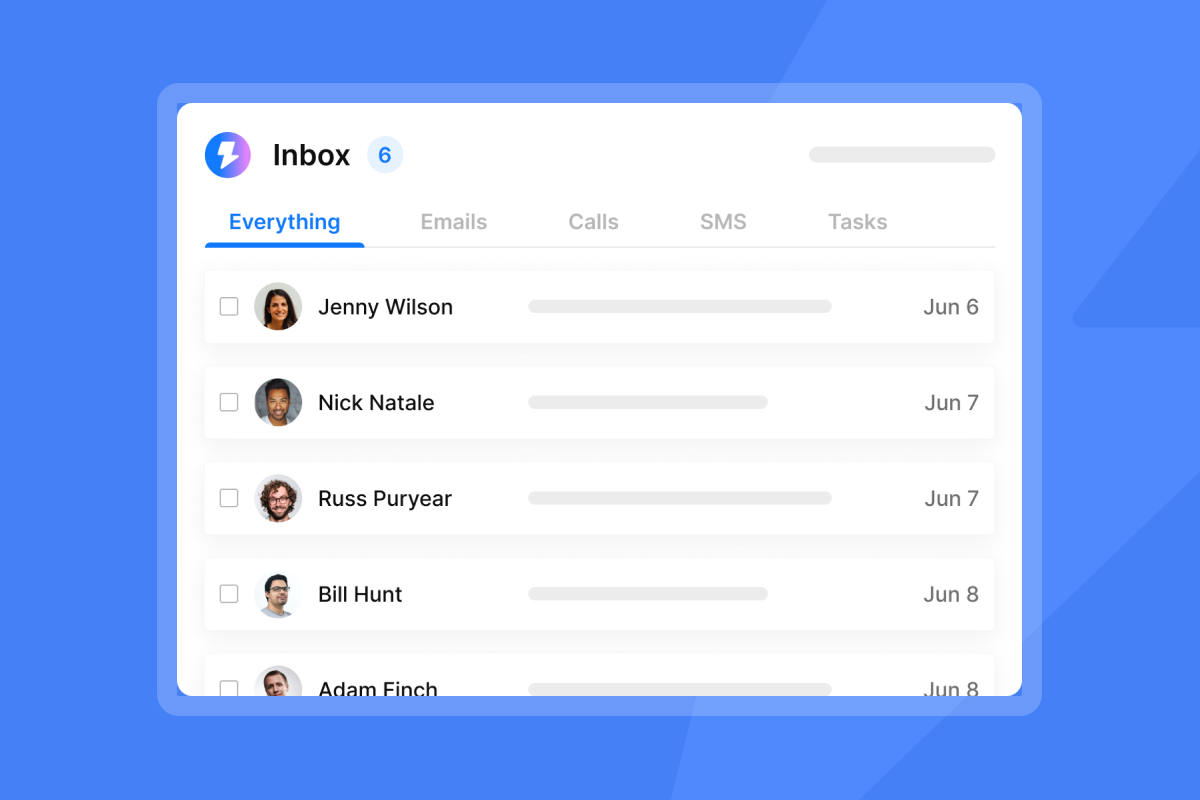
Track reply rate and booked meetings, not just opens, because Apple Mail's pixel preloading inflates open metrics without reflecting real engagement. For proposal emails specifically, reply rate is a far more reliable performance signal, and Instantly's guide on open tracking explains this in detail.
What to track beyond opens
Measuring only open rate for a proposal email is like measuring a sales call by how many people picked up the phone. The call only matters if it led somewhere. For proposal emails, track:
- Reply rate (did they respond?)
- Positive reply rate (did they express interest?)
- Booked meeting rate (did the proposal create pipeline?)
The Instantly cold email strategy guide frames performance around these downstream metrics, not just opens. A subject line that gets a 45% open rate but a 1% reply rate is losing to one that gets a 28% open rate and a 7% reply rate.
Length, emoji, and punctuation
The optimal character range for proposal email subject lines is 40-60 characters, with your most critical information inside the first 33 characters.
A practical fix: write your subject line, then count. If it's over 45 characters, cut the least important word. If it runs past 60, restructure around the core noun and benefit only.
For punctuation, keep it to three marks or fewer per subject line. More than that, especially heavy use of exclamation marks and question marks together, signals spam to most email service providers. For emojis in B2B proposal emails, use at most one placed at the end of the subject line, and test it against a version without before using at scale.
The Instantly cold email anatomy walkthrough covers the mechanics of subject line display in detail alongside a full breakdown of what makes a complete cold email work.
Deliverability and urgency: get proposal emails opened
Spam trigger words to avoid in proposals
The words you use in your subject line directly affect whether your email reaches the primary inbox or the spam folder. Research consistently shows that 69% of recipients report emails as spam based solely on the subject line, which means a poorly chosen word can kill your open rate before the email even lands.
Words and patterns to avoid in B2B proposal subject lines:
- Financial hype: "Free," "Discount," "Cheap," "Price" (as a standalone)
- False urgency: "Urgent," "Act Now," "ASAP," "Final Notice," "Last chance"
- Exaggerated claims: "Guaranteed," "Risk-free," "#1," "Amazing," "Miracle"
- Formatting spam signals: ALL CAPS, multiple exclamation marks ("!!!"), more than three punctuation marks per subject line
- Deceptive prefixes: Fake "Re:" or "Fwd:" on a cold email (a fast track to spam filters and damaged domain reputation)
Instantly's AI Spam Words Checker scans your subject lines and email body before a single email goes out, flagging high-risk terms so you can swap them before they cost you domain health.
New domain warmup for primary inbox placement
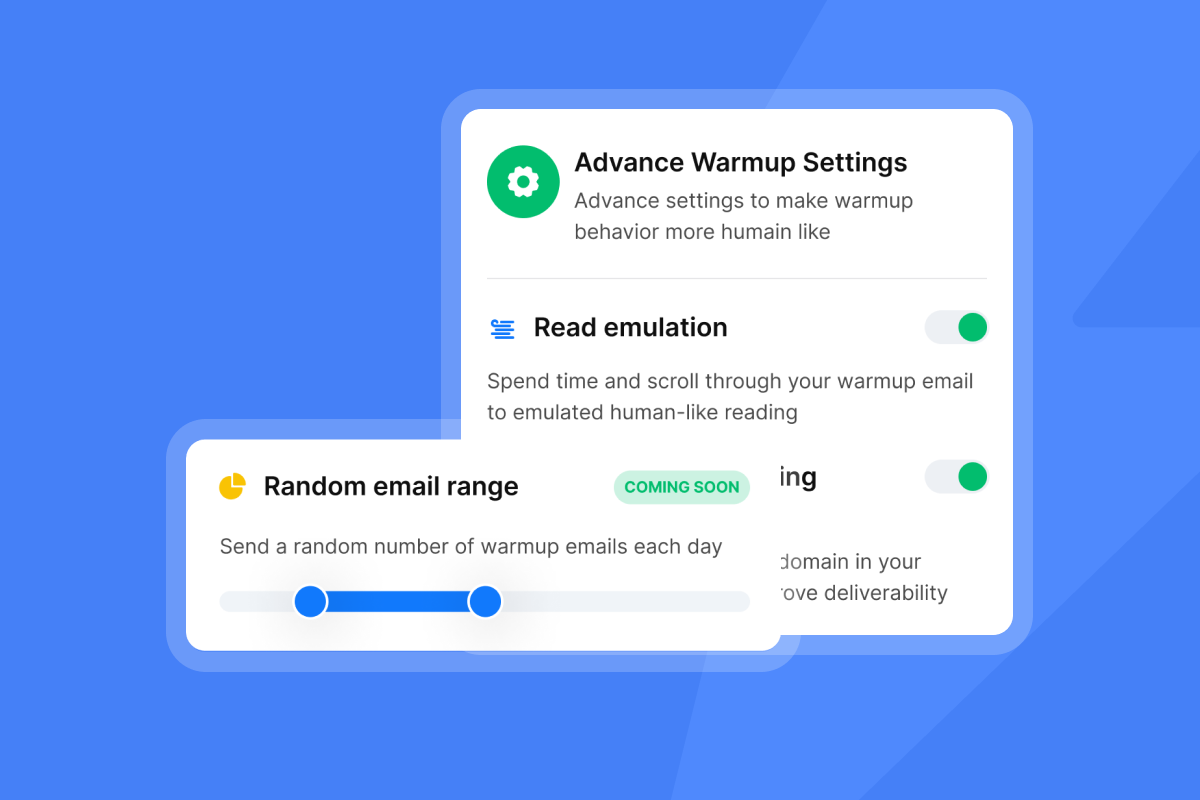
Warmup is the single most important deliverability step before you begin outreach from a new domain. A cold domain that sends volume before it has built a reputation gets flagged fast, and domain reputation damages quickly and heals slowly. Deliberately bad subject line choices compound that damage because high spam complaint rates from early sends set a negative precedent that affects every future campaign.
We built warmup and a secondary sending domain strategy into Instantly to protect your primary domain by distributing sends across warmed accounts within a deliverability network of 4.2M+ accounts. The Growth plan at $47/month includes unlimited accounts and warmup, so the infrastructure is available from day one without needing an additional tool.
"Instantly also has an inbox placement feature that helps test if emails land in the inbox or spam... Instantly simplifies cold email outreach by combining scalability, deliverability, and actionable insights in one easy-to-use platform." - Pradeep P. on G2
Cap sends at 30 emails per inbox per day. Going beyond that threshold with a young domain is one of the fastest ways to trigger volume-based filtering, even when your subject line is clean.
A/Z test subject lines without triggering volume spikes
You test subject lines safely by controlling for volume. Don't run your first test by doubling your send count to accumulate data faster. Instead:
- Keep the same send volume, split equally across variants.
- Test one variable at a time (subject line vs. subject line, not subject line vs. body vs. send time simultaneously).
- Allow each variant to accumulate enough sends for a clear gap to emerge before reading results. More sends per variant produce more reliable conclusions, so treat any early signal as directional rather than definitive.
Stage-specific email subject lines for higher reply rates
Unsolicited proposal subject lines (cold outreach)
Cold outreach proposals face the highest open-rate challenge because the recipient wasn't expecting your email. These subject lines lead with research and relevance rather than a generic pitch.
- "[Company Name]: Saw you're [Trigger Signal]"
- "Thought of [Company Name] when I saw [Context]"
- "Your proposal for [Goal], no obligation"
- "[Industry] proposal: [Company Name]"
- "SaaS proposal: [Company Name]'s growth plan"
- "For [Contact Name]: Your custom [Service] proposal"
- "[Your Company] + [Client Company] proposal"
Instantly's video on cold email at scale provides context on how these cold outreach subject lines perform against tested benchmarks across one million emails.
Warm leads: subject lines that open
Warm leads have already expressed interest or been referred. These subject lines cash in on that prior context instead of reintroducing the value proposition from scratch.
- "[Referrer Name] suggested I send this over"
- "[Referrer] thought you'd want to see this"
- "Like [Similar Company]: Proposal for [Company Name]"
- "Companies like [Company Name] are seeing [Result]"
- "Per our conversation: [Company Name] proposal"
- "[Your Name] + [Company Name] proposal"
"I appreciate Instantly for its intelligent handling of domain and mailbox rotation as well as provider matching, which is critical for ensuring that my emails land directly in the primary inbox instead of getting caught in spam filters." - Richard E. on G2
Requested proposal subject lines
When a prospect explicitly asked for your proposal, the subject line's job is to confirm receipt and set up a clear next step, not to be clever or create curiosity.
- "The [Topic] proposal you asked for"
- "Your proposal is ready to review"
- "Following up: Your [Request] proposal"
- "Next steps on the [Topic] plan for [Company Name]"
- "Proposal for [Company Name]'s [Function] team"
- "[Company Name]: Custom proposal for [Goal]"
- "[Result] for [Company Name] in [Timeline]"
The Instantly 600 cold email templates resource includes full email structures that match these subject line styles, so you can align the subject line promise with the email body without inconsistency.
Data-driven A/B testing for higher opens
Configure Instantly A/Z tests
You set up A/Z testing in Instantly directly inside an active campaign. Open your campaign, add up to 26 subject line variants with different angles (benefit-driven, curiosity-gap, personalized, urgency), set Reply Rate as your winning metric, enable Auto-Optimize, and launch to a verified, segmented list. The system pauses underperforming variants and routes more sends to the winner automatically as data accumulates.
Legacy platforms charge per user or per inbox, which means your testing costs scale with your team size. We built Instantly on a flat-fee model with unlimited email accounts on every plan, so you can run 26-variant tests across dozens of warmed inboxes without compounding software costs. For a founder managing pipeline per dollar, that difference matters.
"I appreciate the real-time visibility into opens, replies, and engagement, which makes it simple to quickly understand what's working and how to optimize accordingly." - Steven M. on G2
Sample size and statistical significance for small lists
If you're a solo founder with a list of 300 verified contacts, consider keeping variants to two or three, not 26. Allocate contacts equally across variants. Hold off on calling a winner until each variant has accumulated a meaningful number of sends, and treat early signals as directional rather than conclusive. The more sends each variant collects, the more reliable your results become.
For cold email specifically, reply rate data is an unambiguous intent signal that's easier to read than open rate. The Instantly open rate troubleshooting guide covers how to interpret early signals without jumping to false conclusions.
The top three subject line variables to test first
Test in this order to get the fastest signal on what drives the most lift:
- Personalization token: [First Name] vs. [Company Name] vs. [Role] vs. no personalization. Personalized subject lines hit a 46% open rate versus 35% without, so this single variable often delivers the fastest measurable lift.
- Format: Question vs. statement. Question-format subject lines outperform most other types by sparking curiosity and hinting at genuine value.
- Angle: Benefit-driven ("Proposal: [Result] for [Company Name]") vs. curiosity-gap ("One thing we found when auditing [Company Name]") vs. specificity-led ("[Metric] improvement plan for [Company Name]").
The Instantly video on the Triple-A cold email method explains how angle selection ties into the full email conversion chain, not just the subject line in isolation.
Troubleshooting proposal email subject lines
Ideal characters for proposal subject lines
The rule is 40-60 characters total, with the most important information inside the first 33 characters. Gmail's mobile app cuts off at approximately 37 characters and Apple Mail at approximately 48, which means a subject line like "Proposal: [Company Name]'s Q3 pipeline plan" is borderline safe on Apple Mail but risks truncation on Gmail mobile.
A practical fix: write your subject line, count the characters, then cut the least important word if you're over 45. If it runs past 60, restructure around the core noun and benefit only.
When to include pricing in proposal subject lines
Include pricing in your subject line only when it's a genuine competitive advantage or when the prospect specifically asked about it. "Proposal: [Result] for $X/month" works when your price is a differentiator. It backfires when it anchors too low or triggers automated spam filtering on financial terms. For most B2B proposal emails, save the pricing for the body where you can frame it with context.
How do I personalize at scale without sounding robotic?
The Instantly AI Sequence Writer generates multiple subject line variations from a single brief, producing different angles (benefit-driven, curiosity-gap, referral) automatically. The AI Rephrase tool adjusts tone and phrasing to help differentiate each version.
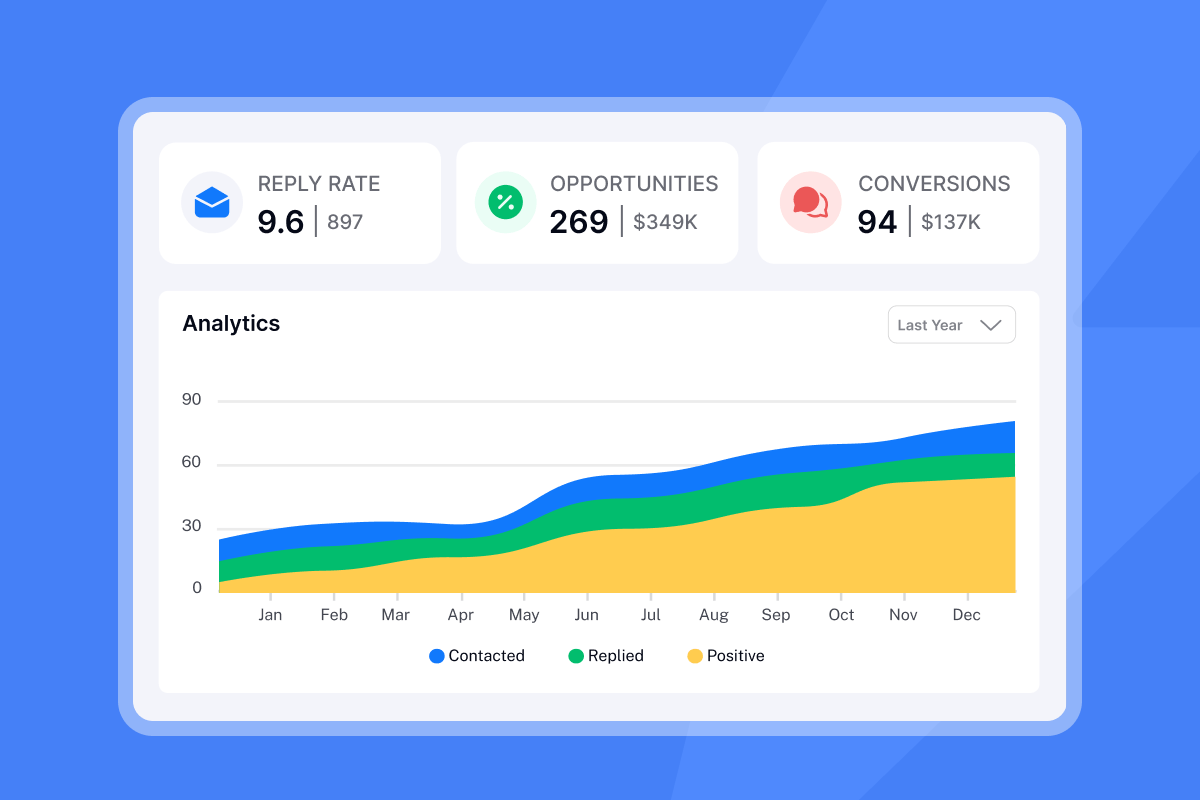
"I've been using Instantly for my cold email campaigns and it's made a big difference... Personalization, sequencing, and reporting are all built in without adding extra complexity. I can see what's working right away and adjust quickly." - Taylor G. on Trustpilot
Both tools ship on the Growth plan at $47/month, which also includes A/Z testing, the AI Spam Words Checker, and built-in warmup for unlimited email accounts.
Checklist for crafting effective proposal email subject lines
Before hitting send on any proposal email, run through this checklist:
- Subject line is 40-60 characters, with the key information in the first 33 characters.
- Contains at least one personalization element: company name, contact name, specific metric, or shared context.
- Does not include spam trigger words: "Urgent," "Free," "Guaranteed," "Act Now," or fake "Re:"/"Fwd:" prefixes.
- No ALL CAPS, more than three punctuation marks, or multiple exclamation marks.
- Urgency (if present) is tied to a real, specific date or business milestone.
- Subject line matches the content of the email body (no clickbait).
- Ran through Instantly's AI Spam Words Checker before launch.
- At least two variants set up in A/Z testing with reply rate as the winning metric.
- Domain has been warmed for approximately 14 days before volume sends.
- Daily send cap stays at or below 30 emails per individual inbox.
"I built my entire client acquisition system through instantly.ai... Life changing tool, allowed me to hit 6 figures & provide for my family of 5!" - Joshua Blacklidge on Trustpilot
The proposal subject line is one input into that system, but the system only works when deliverability, warmup, testing, and personalization all run together.
Try Instantly free and use A/Z testing and the AI Spam Words Checker to find the subject line that books your next meeting in days, not weeks.
Read Next
Cold email personalization strategies
How to improve email deliverability and avoid spam
A/B testing guide for conversion rates
FAQs
How many characters should a proposal email subject line be?
Keep proposal email subject lines between 40 and 60 characters, with the most critical message inside the first 33 characters. Gmail's mobile app truncates at approximately 37 characters and Apple Mail at approximately 48, so front-loading your key information protects against cut-offs on every major mobile client.
Do personalized subject lines actually improve open rates for B2B proposals?
Yes. Personalized subject lines hit a 46% open rate versus 35% without personalization, a 31% relative lift, and reply rates jump from approximately 3% to 7% with personalization added. Company name and specific metric personalization outperform first-name-only tokens in B2B contexts.
Which words should I avoid in proposal email subject lines?
Avoid "Urgent," "Free," "Guaranteed," "Act Now," "Last chance," "ASAP," "Final Notice," and fake "Re:" or "Fwd:" prefixes. Research consistently shows that 69% of recipients report emails as spam based on the subject line alone, and these words are among the fastest ways to trigger that outcome.
How many subject line variants should I test at once?
Start with two to three variants if your list is under 500 contacts, allocating contacts equally across each, and allow meaningful send volume to accumulate before declaring a winner. Instantly's A/Z testing supports up to 26 simultaneous variants with auto-optimization, which delivers reliable results once your list is large enough to generate statistically significant splits across that many variants.
Should I use emojis in B2B proposal email subject lines?
Use at most one emoji, placed at the end of the subject line, and test it against a version without before scaling. B2B audiences, particularly in finance, legal, and enterprise verticals, often respond better to emoji-free subject lines, so segment and test before making it a default.
Key terms glossary
A/Z testing: A method of running multiple email subject line or body variants simultaneously against the same audience segment to identify which version drives the highest reply rate. Instantly supports up to 26 variants per campaign step with auto-optimization that routes sends to the winning variant as data accumulates.
Spam trigger words: Words and phrases that spam filters flag as high-risk, including terms like "Urgent," "Free," "Guaranteed," and "Act Now." Sending emails with these terms increases spam complaint rates and damages domain reputation over time, reducing inbox placement across all future sends.
Domain warmup: The process of gradually increasing daily email send volume from a new domain, starting at a low daily cap and ramping up over approximately 30 days, to build a positive sender reputation with email providers before running full proposal outreach campaigns.
Sender reputation: A score that email service providers assign to your sending domain and IP address based on engagement rates, spam complaint rates, bounce rates, and authentication results. High sender reputation means primary inbox placement. Low sender reputation means spam or promotions folder, regardless of how strong your subject line is.


