


Building connections and growing networks start with an introduction. A formal, well-thought-out email is often the best way to do this. But how do you write an introduction email that quickly establishes relevance and makes replying feel easy?
Whether you’re reaching out for sales, partnerships, hiring, or PR, the fundamentals stay the same. You need to show you understand the recipient’s world and clearly explain why continuing the conversation is worth their time.
When done well (and supported by the right data and tooling), introduction emails scale without sounding automated or spammy. Let's see how.
What Should be Included in Your Introduction Email
As the name implies, an introduction email should ideally be about you. And yet, most prospects don’t care about who you are and what you do, not unless you give them a compelling reason to. A great way to approach this is to focus your introduction on your prospects and how you can provide value to them.
2 Sentence Relevance Hook
Make your first 1 to 2 sentences prove that you’re reaching out because you want to talk about something relevant to their role, industry, or workflow. Think of a relevance hook as: {{niche + specific workflow + issue}}.
For example, if you’re selling an automation tool for healthcare staffing agencies that place nurses into 24/7 shifts, your hook could look like this:
“Looks like your team is managing high-volume nurse applications across several locations. Keeping hiring managers in the loop without burning recruiters out is a real challenge.”
Don’t start with a pitch. Prove that you understand how your prospects’ world works and that you can fix a problem they face based on their current situation.
Give Immediate Fix to Pain Points
Your next move is to fix something small for them on the spot. Not with a demo. Not with “would love to learn more about your process.” A clear and specific improvement they can use today. Consider this framework: {{pain point}} + {{simple action}} + {{quick win}}.
For our recruitment example (automation tool for healthcare staffing), that could look like:
“Most teams I talk to lose great candidates in the handoff between applied and scheduled for an interview. One quick fix is to {{solution}}. That resulted in {{benefit}} for many of our clients”
In the email, this reads like:
- “Here’s one thing you can try this week…”
- “A small tweak that’s worked well for other agencies like yours is…”
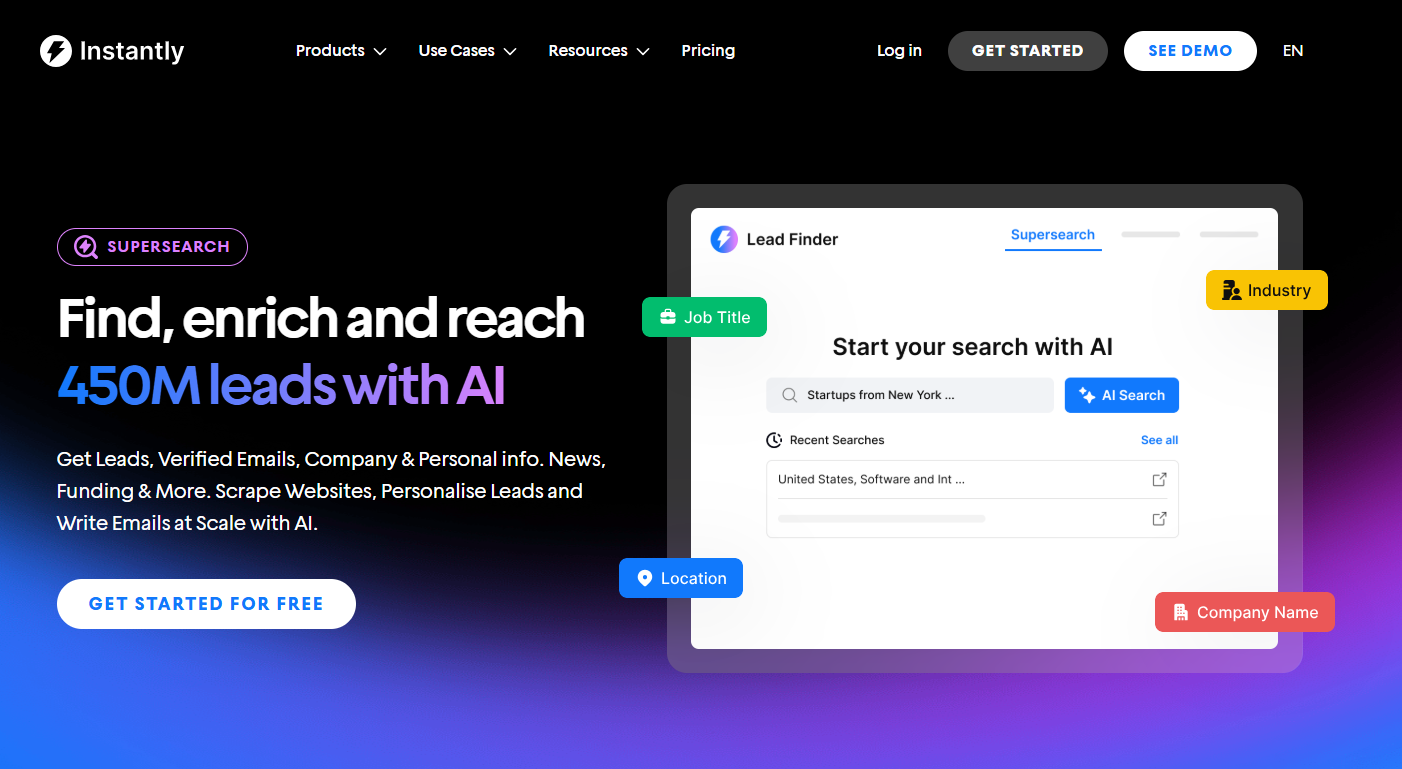
With Instantly SuperSearch, for instance, you can personalize each email by getting enriched lead data on things like tech stack, company updates, and industry news.
Desired Outcome / Transformation
After you give them a quick fix, zoom out and show the bigger change you create in their business. You’re describing the “before and after” in their world. A strong way to write this is by following the framework: {{current reality}} + {{new way of working}} + {{outcome}}.
In your email, this can be one tight line like:
“Instead of {{scrambling with spreadsheets}}, you get {{one clear forecast}} that leads to {{more revenue with less wasted stock}}.”
Credibility & Social proof
Once you’ve shown you get their world and painted the “outcome,” you need one quick line that answers the silent question in their head: Why should I believe you?
You achieve that through borrowed trust, leveraging social proof. To show that, you can use a framework like this: {{who you helped}} + {{what you improved}} + {{simple number or timeframe}}.
Here’s how that could look in your email:
“We recently helped a {{supplements brand}} {{reduce excess inventory by 33%}} while maintaining their top sellers in stock in under two months.”
Low Friction CTA
Most introduction emails fail because they stop at the introduction. “I’m John, we do X, here’s what we’ve done… anyway, nice to meet you.” Cool. But… now what?
Every email should have an action. Not a pitch for a 60-minute demo, not a vague “let me know your thoughts,” but a tiny, next step that feels so easy it would almost be a crime not to take it. Think in this pattern: {{free, specific deliverable}} + {clear benefit}} + {{zero pressure}}.
Here are some examples you can take inspiration from:
“Want a quick teardown of your careers page? I can send three concrete edits we see working well for teams like yours.”
“If you’re open to it, I can record a 5-minute Loom showing exactly where candidates are likely dropping off in your funnel and how to fix it.”
“If I put together a one-page checklist your team can use to clean up their outreach this month, would you like me to send it over?”
How to Automate Personalization in Your Introduction Emails
Personalizing emails is the most effective way to increase your chances of a response. The problem is, personalizing emails manually at scale is a quick way to burn out.
To automate the process effectively, you’ll need lead data, enrichment tools, and an AI-powered email marketing tool that leverages lead data and enrichment to personalize emails.
Instantly gives you all three under one roof. With SuperSearch, you get access to over 450M+ validated B2B leads, lookalike filters, and enrichment. Each lead can include:
- Work email
- Job title
- Company name
- Location
- LinkedIn URL
Additional fields, such as contact summary and company description when you enable “Fully Enriched Profile.” That’s the raw material your AI personalization is built on. Here’s a step-by-step rundown of how Instantly automates the personalization of introduction emails:
Step 1: Enrich your leads with SuperSearch
After you’ve found your leads in SuperSearch:
- Click “Find email” then “Continue” to verify and enrich them.
- Go to the “Leads lists” tab to review your verified leads.
From there, click “Enrich & AI” to layer on deeper personalization.
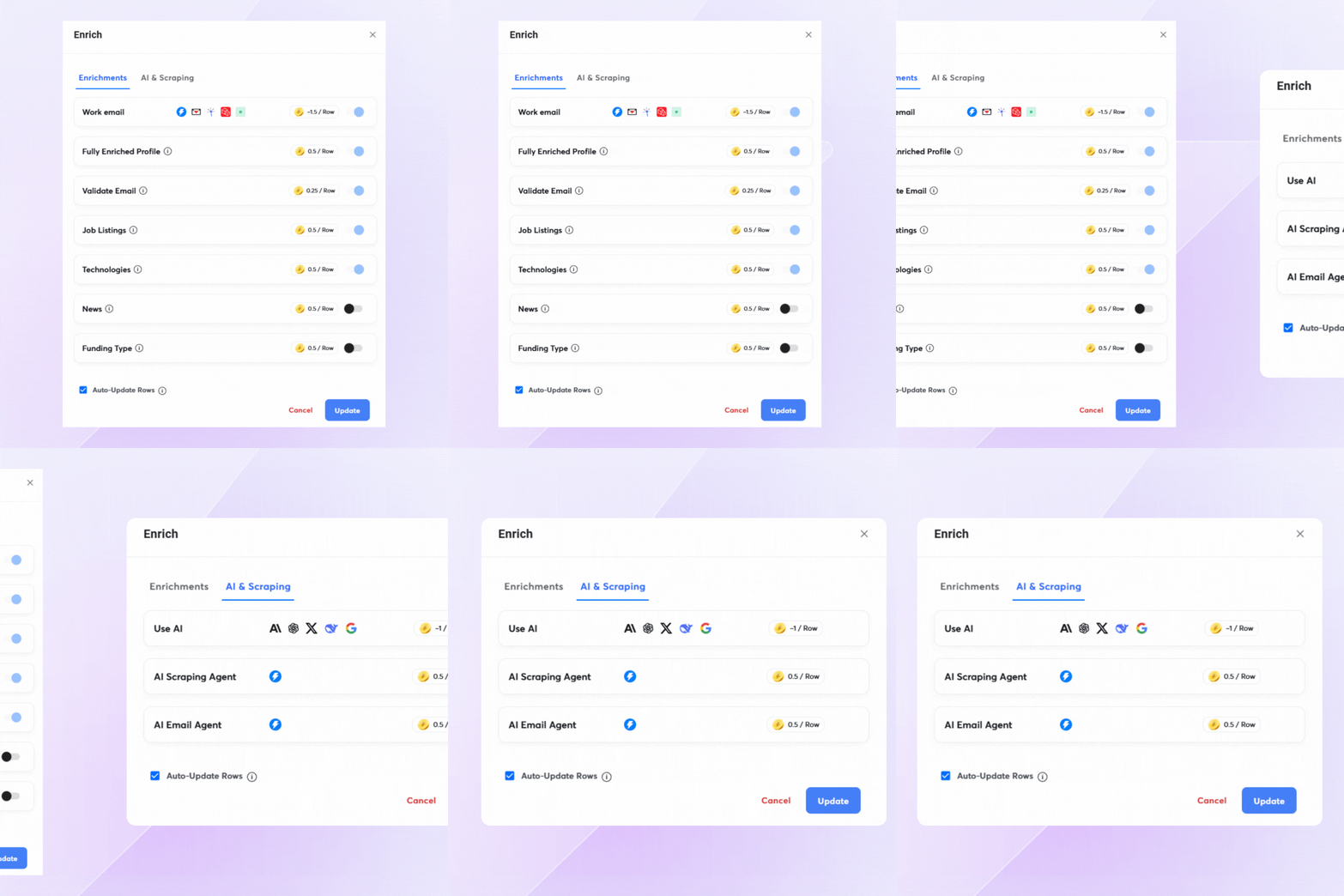
SuperSearch has built-in AI for personalization prompts and custom outreach, so you don’t have to bounce between tools. You’ll see three main AI options:
- Use AI (1 credit per row): Run your own AI prompts to generate custom content like intro lines, relevance hooks, or PS lines.
- AI Web Research Agent (0.5 credits per row): Scrape data from websites to pull in fresh, contextual details about the company or contact.
- AI Email Agent (0.5 credits per row): Automatically generate fully personalized emails based on the data and prompts you provide.
Step 2: Turn AI output into personalization variables
Once leads are enriched, you’ll have new columns in your lead list for features such as personalized introductions, custom hooks, or summaries. When you upload leads to your campaigns:
- Map these personalization columns as “Personalization” or “Custom variable.”
- For sequence-specific personalization, create columns like personalizedLine1 for step 1, personalizedLine2 for step 2, and so on.
In the email editor, use the Variables menu to insert these fields (for example, {{personalizedLine1}} or {{customSummary}}).
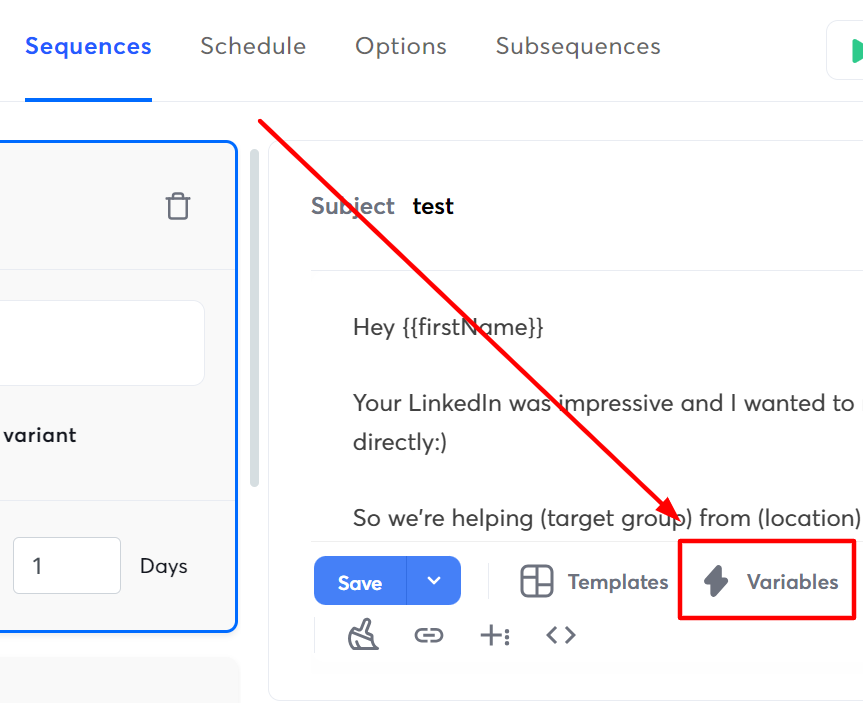
Always select variables from the dropdown instead of typing them manually to avoid mistyped or broken variables.
Step 3: Plug variables into your intro email framework
Now your introduction emails can follow the framework you built, but with real personalization baked in:
- Use {{personalizedLine1}} as your 2-sentence relevance hook.
- Use {{painPointLine}} or a similar variable to call out a problem they’re likely facing.
- Use {{outcomeLine}} to describe the desired outcome or transformation.
- Use {{valueCTA}} to offer a value-first, low-friction CTA.
This workflow enables you to send unique, personalized messages to every lead at every stage of your sequence. Instead of generic introduction emails that “say hi,” you’re sending relevance hooks, pain-point fixes, and value-driven CTAs that feel tailor-made.
Key Takeaways
Writing an introduction email that gets replies doesn’t have to be complicated. Think of what you would do when you’re writing an introduction for one high-value lead.
Conduct your research, consider how you can provide value, and tailor the email to your prospect. And if you want to do it at scale, you just need the correct set of tools and data. Start your free Instantly trial.


