.svg)
%20(1).svg)


Updated on 08 May 2026
An ideal customer profile template defines which companies are worth targeting and which should be filtered out before outreach begins. A strong ICP combines firmographics, tech signals, buying triggers, decision-makers, and disqualifiers.
When used correctly, it guides lead list building, segmentation, messaging, and timing in cold email campaigns. Teams that operationalize their ICP see higher reply rates and fewer wasted sends.
Without a clear ideal customer profile (ICP), cold email becomes a numbers game you're unlikely to win. You build a large lead list, send hundreds of emails, and hope that someone, somewhere, happens to need what you're selling.
That untargeted approach to outbound is both exhausting and ineffective. Even if your emails land in inboxes, your chances of reaching companies that'll book a call are slim. Most replies you do get are polite rejections or unsubscribe requests.
High-performing outbound teams flip this around. They define exactly which companies are worth pursuing and which ones to ignore. A strong ICP captures the firmographics, buying signals, and pain points your best customers share, so your campaigns start with focus.
This guide walks through how to build an ICP template designed specifically for cold email and lead generation, with practical examples you can put to work immediately.
What's the Difference Between an ICP and a Buyer Persona?
These two terms get mixed up constantly, so a quick clarification.
An ICP describes the company you want to sell to. What industry are they in? How big is the team? What's their revenue? Think of it as your account-level filter, helping you decide whether a company is even worth reaching out to.
A buyer persona describes the person within that company who makes or influences purchasing decisions. What's their job title? What problems keep them up at night? What would make them look good to their boss?
Say you're selling a cold email tool. Your ICP might be "B2B SaaS companies with 50-200 employees, Series A funded, with an outbound sales motion." Your buyer persona might be "Head of Sales Development, measured on meetings booked, frustrated by low reply rates.”
The ICP tells you which companies are worth pursuing. The persona tells you who to email and what to say. For cold email, you need both. The visual below shows how these two frameworks work together.
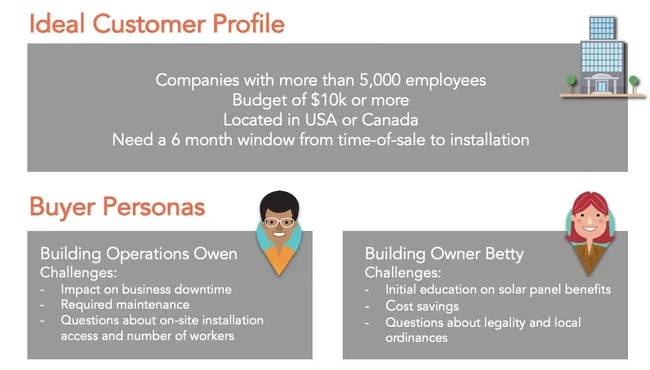
Most failed outbound campaigns skip the ICP step entirely and jump straight to personas, which is like trying to write a personalized email without knowing anything about the recipient's company.
How Do You Build an ICP Template for Outbound Sales?
Building an ICP for cold email is a bit different from building one for general marketing. You need information you can actually use when prospecting and building lead lists.
Start with your best existing customers
One approach is to look at your highest-value accounts and work backwards. Which customers closed fastest? Which ones churned least? Which generated the most revenue? List those accounts and start pulling out what they have in common.
Here are some firmographic details worth gathering:
- Their industry and sub-industry
- Their company size (employee count and revenue)
- Their location or target markets
- Their tech stack and the tools they already use
- Their growth stage (bootstrapped, funded, enterprise)
- Their org structure (do they have a sales team? A marketing team?)
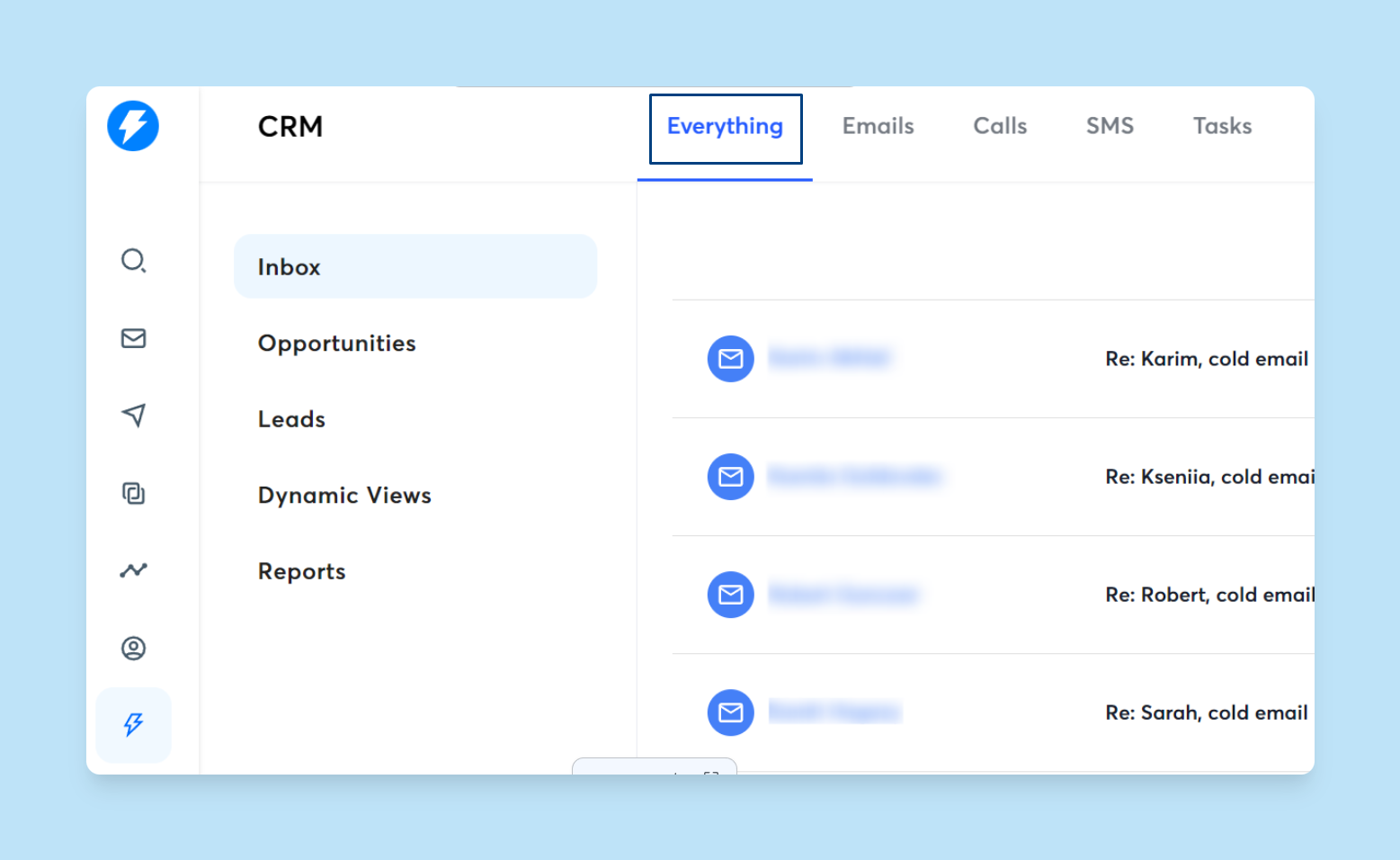
Use your CRM data, LinkedIn, and conversations with your sales team to fill in the gaps. If you're using Instantly CRM, you can pull up each customer's profile, interactions, and deal history to spot patterns across accounts.
Identify patterns in deal velocity
Some accounts move through your pipeline in weeks. Others drag on for months before going dark. Look at the ones that closed quickly and ask what they had in common.
Here are some buying triggers worth noting:
- Recent funding rounds or acquisitions
- New leadership hires (especially in sales or marketing)
- Job postings for roles your product supports
- Expansion into new markets or verticals
- Public announcements about growth initiatives
These signals can help you prioritize accounts that are more likely to be ready to buy.
Talk to your sales team
If you have SDRs or AEs, they're sitting on insights that won't show up in any dashboard. Set up a quick call or send a short survey asking:
- Which types of companies are easiest to book meetings with?
- Which sales objections come up most often?
- Which accounts tend to disappear after the first call?
- What do your best customers have in common?
Their answers can help you refine both your targeting and your messaging.
Define your disqualifiers
Knowing who to avoid saves just as much time as knowing who to target. Think about deals that fell apart or customers that churned quickly. What did they have in common?
Some common disqualifiers include:
- The company size is too small to afford your solution
- Industries with compliance requirements you can't meet
- Long procurement cycles that don't fit your sales motion
- No clear decision-maker or budget holder
Build these into your ICP as red flags so you can filter out poor-fit accounts before you even start outreach.

ICP Template Example: B2B SaaS Selling to Mid-Market Companies
Here's a ready-to-use template designed for outbound sales teams. Copy this structure and fill in your own details.
Ideal Customer Profile (ICP) Definition
| Category | Criteria |
|---|---|
| Industry | B2B SaaS, specifically marketing technology or sales enablement |
| Company Size | 50-500 employees |
| Annual Revenue | $5M-$50M |
| Location | United States, Canada, UK, Australia |
| Funding Stage | Series A or Series B (recently funded = budget + urgency) |
| Tech Stack Signals | Uses HubSpot, Salesforce, or Pipedrive CRM; does not use enterprise solutions like Adobe Experience Cloud |
| Buying Triggers | Recent funding in past 6 months; new VP of Sales or CRO hire; job postings for SDR/BDR roles; geographic expansion |
| Primary Decision Makers | VP of Sales, Head of Revenue Operations, CRO |
| Secondary Contacts | Sales Managers, Director of Sales Development |
| Influencers | SDR team leads, Marketing Operations |
| Disqualifiers | Fewer than 3 salespeople; heavily regulated industries requiring on-premise deployment; already using a direct competitor |
| Core Pain Points | Struggling to scale outbound without adding headcount; low reply rates on cold email; deliverability issues across multiple sending accounts; limited visibility into which sequences work |
ICP Template Example: Agency Selling B2B Lead Generation Services
If you're running an agency or consultancy, your ICP will look different.
Ideal Customer Profile (ICP) - Professional Services
| Category | Criteria |
|---|---|
| Industry | Professional services, consulting, B2B service providers |
| Company Size | 10-100 employees |
| Annual Revenue | $1M-$20M |
| Location | English-speaking markets |
| Business Model | High-value retainers or project work ($10K+ average deal size) |
| Tech Stack Signals | Has CRM but underutilizes it; runs some paid ads but no outbound program; active on LinkedIn but not systematically |
| Buying Triggers | Founder/CEO posting about needing leads; recently published case study or testimonial; upcoming slow season |
| Primary Decision Makers | Founder, CEO, Managing Partner |
| Secondary Contacts | Head of Business Development, Marketing Director |
| Disqualifiers | In-house SDR team already exists; deal sizes under $5K; sales cycles 18+ months |
| Core Pain Points | Pipeline inconsistency; reliance on referrals; no predictable lead flow; limited time for business development |
How to Use Your ICP for Cold Email Campaigns
An ICP sitting in a Google Doc doesn't help anyone. The value comes from using it to shape every part of your outreach, from the accounts you target to the words you write.
Build segmented lead lists
A funded Series A startup and a bootstrapped agency might both fit your ICP, but they have different priorities. The startup is likely focused on scaling fast. The agency probably cares more about doing more with a lean team. Your messaging should reflect that.
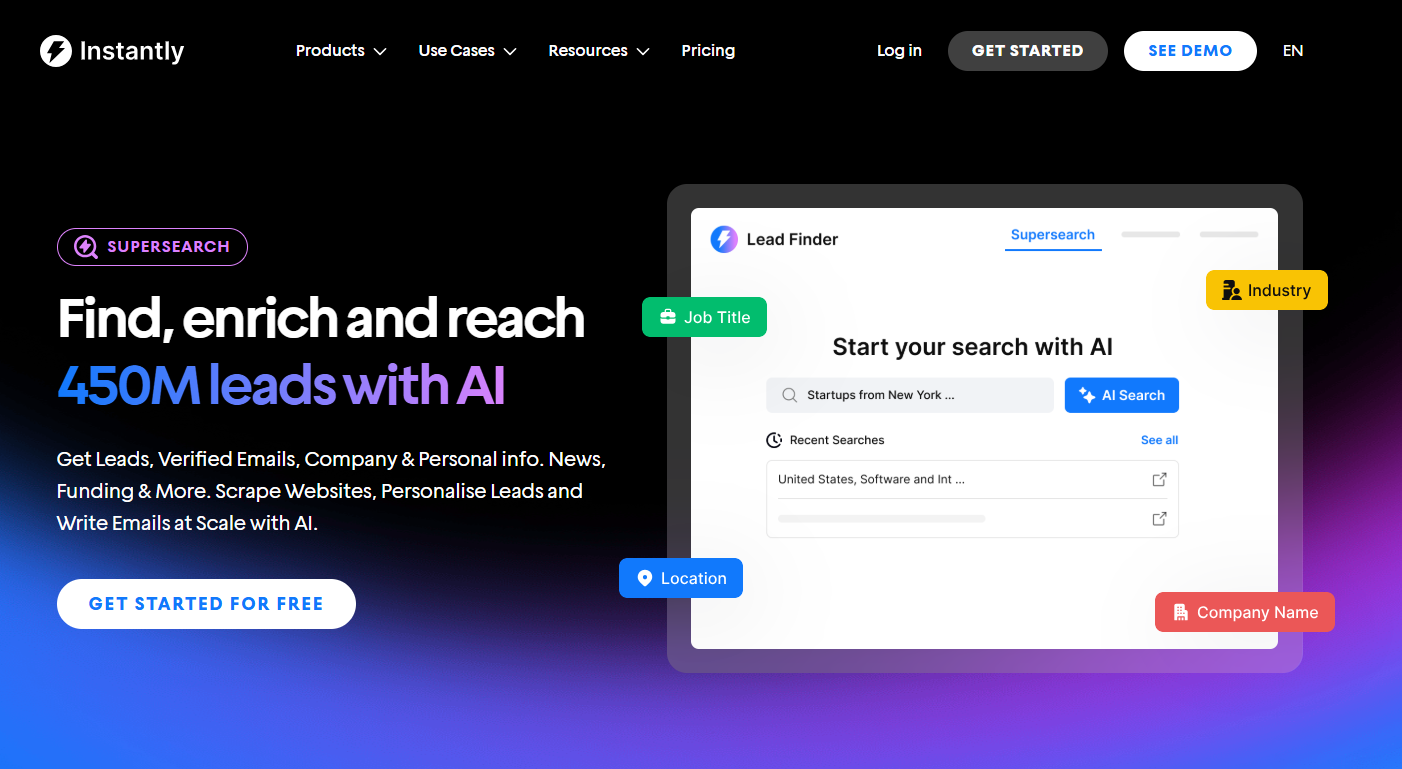
Instead of one massive list with the same email for everyone, create separate lists for each ICP variation. Once your criteria are defined, you can use Instantly's B2B Lead Finder, SuperSearch, to pull verified leads matching specific firmographics like industry, company size, and job title.
Match pain points to email copy
Your ICP should include the specific problems your target accounts face. Use those problems directly in your emails.
Say your ICP notes that prospects are "struggling to scale outbound without adding headcount." Your email could open with: "Most sales teams I talk to are trying to send more emails without hiring more SDRs. That's exactly what we help with."
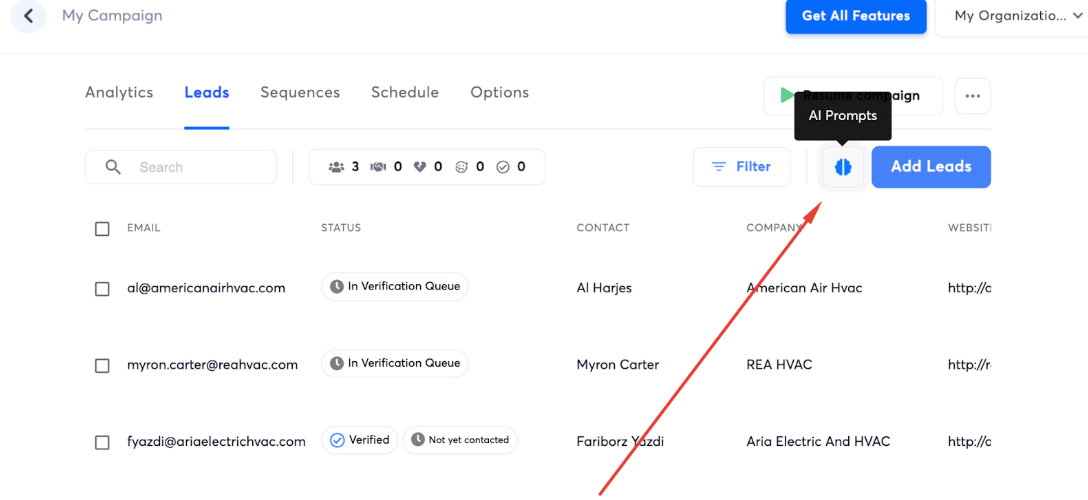
Instantly's AI Prompts feature can generate drafts like this based on the pain points in your ICP.
Set up intent-based sequences
If your ICP includes buying triggers like "recent funding" or "new sales leadership hire," those signals can help you prioritize who to contact first.
A company that just announced a Series A, for instance, likely has fresh budget and pressure to grow fast. They're more likely to respond this week than a company that raised two years ago. Track those triggers and enroll matching accounts into sequences so you're reaching out when timing is right.
Filter ruthlessly during prospecting
Before adding any account to your list, run it against your disqualifiers. If your ICP says "no companies under 50 employees," and the prospect has a team of 12, skip them.
If they're in an industry you can't serve well, move on. This step feels tedious, but it protects your sender reputation and keeps your reply rates healthy.
Bonus tip: Keep your ICP sharp
Once your ICP is in play, test it. Build a sample lead list based on your criteria and see what you get. If you're pulling hundreds of thousands of results, your targeting is too loose. If you can barely find a dozen companies, it's too tight.
Adjust until you land somewhere that feels focused but sustainable. Then revisit it every quarter. Your product changes, your market shifts, and the companies that converted well six months ago might not be your best fit today. A quick review of your closed-won and closed-lost deals will tell you if your ICP still reflects reality.
Key Takeaways
Personalized cold email gets results, but personalization only works when you know exactly who you're talking to. A strong ICP gives you that clarity. It tells you which companies to target, what problems to lead with, and how to position your offer so it actually resonates.
Here's what we covered:
- ICP vs. buyer persona: Your ICP defines the companies worth targeting. Buyer personas define the people inside those companies. You need both, but the ICP comes first.
- Building your template: Start with your best existing customers, identify patterns in deal velocity, talk to your sales team, and define clear disqualifiers.
- Using your ICP for cold email: Segment your lead lists, match pain points to email copy, prioritize accounts showing intent signals, and filter ruthlessly during prospecting.
Instantly helps you turn your ICP into action. Use the CRM to analyze your best customers, the B2B Lead Finder to build targeted lists with 65 filters, and AI Prompts to generate personalized emails based on your prospect's pain points.
Try Instantly for free and start building campaigns that reach the right accounts.



