


Updated October 03, 2025
TL;DR: Add Instantly’s Website Visitors Pixel to your site by pasting the script in your global , then verify in Instantly. It identifies US website visitors, enriches them with verified business emails and LinkedIn, and routes them into Instantly’s CRM and outreach so reps act fast. This is not a Meta Pixel replacement for ads. It is a lead identification and outreach engine tied to Instantly’s 450M+ lead data and deliverability stack. Pricing starts at $97 per month for Basic and $397 per month for LightSpeed on the Instantly pricing page.
Get Started ASAP Checklist:
- Generate your pixel in Instantly, paste it in your site header, and verify.
- Data flows into Instantly, where you filter by page, ICP, and intent, then push to sequences, CRM, and Slack.
- Instantly focuses on identifying US visitors and enriching with business emails for outreach. Meta Pixel is for ad targeting on Facebook/Instagram.
Turn anonymous traffic into pipeline
Imagine knowing which B2B buyers hit your pricing page today and having their verified work emails ready for outreach. Instantly’s Website Visitors Pixel does that job for US traffic and pipes results into your Instantly workspace, CRM, and Slack so your team moves first.
This guide is the official how-to for setup and success. You get step-by-step installation, verification, common fixes, and proven plays for sales, marketing, founders, and agencies.
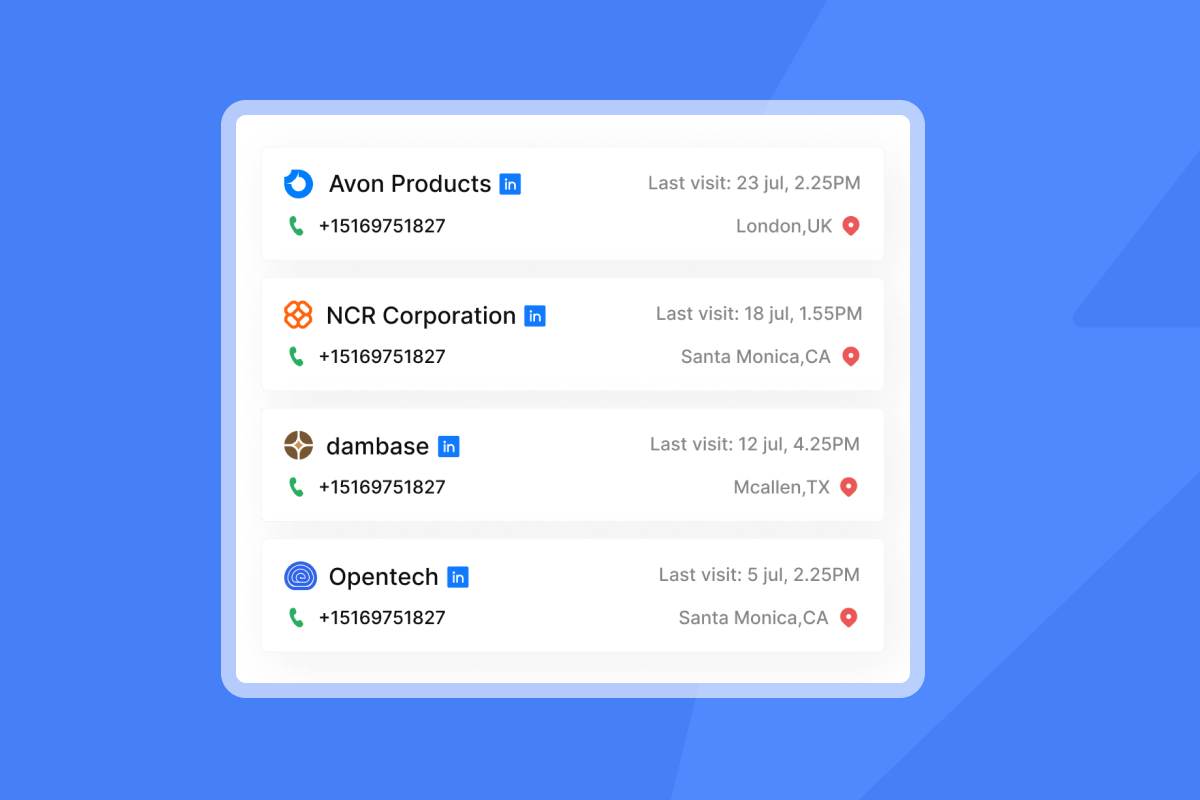
Why Instantly’s pixel is essential for your business
- For growth marketers: Identify high-intent visitors on product, pricing, or ROI pages and route them into targeted sequences and retargeting. Pair your sequences with the playbook in the best cold email strategy in 2025.
- For sales leaders: See buyer intent as it happens. Route resolved visitors to owners, start a compliant first-touch email, and triage replies in Unibox with the AI Reply Agent to cut manual work.
- For startup founders: Convert traffic you already paid for. Push identified visitors into Instantly’s CRM and outreach without adding headcount. Learn how Instantly supports founders with predictable costs on the founders page.
- For agencies: Offer visitor identification across client sites, sync to client CRMs, and trigger client-branded outreach. Instantly outlines the client setup flow in the agency website tracking guide.
What makes it different
- Direct integration with Instantly’s outreach, CRM, and Slack.
- Focus on resolving US visitors with business contact enrichment.
- Works with Instantly’s deliverability stack, warmup, and inbox placement tests in Inbox Placement.
- Clear add-on credits model documented in the Website Visitor Tracking FAQ.
What users say
"I like that they take a complex workflow and make it easier and provide a comprehensive solution." - Verified User in Media Production on G2
"UI is user friendly. Makes my life easier." - Ayham on G2
"In just the past 180 days, I’ve been able to book over 100 meetings, close deals worth more than €15,000, and even walk away from my regular 9 to 5 job, all with the help of Instantly." - Dustin Geissinger Gromicho on Trustpilot
"I was able to get everything set up in a few hours." - Richard on Trustpilot
Here's an example of how a customer took integrations and the Instantly website visitor tracking to the next level in his sales funnel.
Step-by-step: How to set up your Instantly Website Visitors Pixel
Time required: 10 to 20 minutes
Prereqs: Admin access to your site or tag manager, updated privacy policy and consent banner.
5.1 Generating your Instantly pixel code
- Log in to Instantly.
- Go to Website Visitors.
- Select Setup.
- Click Add new, then enter your domain in full.
- Click Get the pixel and copy the script.
Done when: You have a JavaScript snippet in your clipboard and the domain appears in your Instantly list.
5.2 Placing the pixel code on your website
Pick one method. Ensure the code loads on every page before .
Option A: Direct HTML
- Paste the script inside the of your site template.
- Publish and clear caches/CDNs.
Option B: CMS plugins or header injection
- WordPress example: Use a header injection plugin or your theme’s header area to add the script sitewide.
- Webflow, Squarespace, Wix, Shopify, Magento: Use the project or theme settings to add custom code to the header.
- If unsure, ask your CMS admin.
Option C: Google Tag Manager
- Create a new Tag of type Custom HTML.
- Paste the pixel script.
- Trigger on All Pages.
- Save, publish, and test in GTM Preview.
Reference: Add a Custom HTML tag in GTM on Google support
Done when: The script loads on all site pages and appears in page source.
5.3 Verifying your pixel installation
- In Instantly, open Website Visitors and use Test code installation.
- Visit your site in an incognito window.
- In your browser, open Developer Tools, search page source for the pixel script.
- Confirm that the Website Visitors tab in Instantly starts showing events or a “Successful” status.
Done when: Instantly shows the pixel is detected for your domain and you see first visits recorded.
Here's a video walkthrough of the above steps:
Pro tips
- Deploy once at the highest template level to avoid duplicates.
- Use GTM versioning so you can roll back if needed.
- Respect consent. Fire the tag only after consent is granted.
Pricing for Instantly Website Visitors
Free website visitors credits are included in all plans and you can purchase more credits as needed. Website Visitors credits
Website Visitors free default tokens in the amount of 50 credits + 200 LinkedIn resolutions are renewed every month based on the account's billing cycle renewal date.
1 Credit = 1 Resolved Visitor Profile (A profile where we find a business email and/or a LinkedIn profile). Credits won't be taken for visitors where an email or LinkedIn profile was not found.
For credit rules and examples, review the Website Visitor Tracking FAQ and our getting started guide here.
Leveraging Instantly pixel data: Beyond basic tracking
What gets collected
- Page visits, URLs, timestamps, referrers, device metadata, US IP checks.
- When resolved: business email, job title, LinkedIn, company details.
What you can do in Instantly
- Filter visitors by high-intent pages like /pricing or /compare.
- Create segments by ICP rules such as title, industry, revenue, department.
- Auto-enroll resolved contacts into Instantly campaigns with context about pages viewed.
- Send Slack alerts to owners when target accounts show up.
- Push records and page tags to Instantly’s CRM and to HubSpot or Salesforce via integrations in the integrations collection.
- Triaging replies inside Unibox with Instantly’s AI agents can cut manual follow-up time.
Link it with core Instantly features
- Expand account buying groups using Instantly’s verified B2B data.
- Protect sender reputation using warmup and inbox placement tests before you scale outreach in Inbox Placement automated tests.
Related deep dives
- Visitor-to-opportunity CRM routing in the Website Visitor data CRM runbook.
- AI identification flow in Beyond analytics: Instantly’s AI for visitor identification.
- Deliverability walkthrough on YouTube: How to avoid cold emails going to spam.
Advanced strategies and integrations with Instantly pixel
- A/B test intent thresholds: Route only visitors who view pricing or at least 2 pages in 1 session. Compare reply rate and booked meetings.
- Attribution labeling: Stamp UTM source, medium, and campaign in visitor notes to reconcile with CRM opportunity sources.
- CRM routing rules: Push matched visitors into HubSpot or Salesforce with owner mapping, lifecycle stage, and tags via Salesforce and HubSpot integration.
- Playbooks by page:
- Pricing page visit → same-day email from AE with one-question ask.
- Product docs visit → SDR sends a helpful how-to and invite to a 10-minute fit check.
- Operate with send windows and throughput caps to protect the primary inbox. Do not exceed 30 new emails per inbox per day.
Business impact and ROI for every persona
- Growth marketer
- Expect a higher MQL rate from identified visitors compared to broad cold lists when sequences are aligned to actual page context.
- Use identified segments to improve ad retargeting and email personalization.
- Agency operator
- Standardize a repeatable setup and reporting pack across clients.
- Reduce client onboarding time for tracking and lead routing.
- Sales leader
- Shorten time-to-first-meeting with real buying signals.
- Keep analytics aligned by syncing identified leads into CRM with clear source tags.
- Founder
- Convert more of your current traffic without hiring.
- See how AI-first outreach supports lean teams in the AI sales engagement guide.
More proof from customers
"Big super super-friendly team always ready to help you. No fluff just great tools that are always being added with new features." - Andrew M. on G2
"Few features I like the most... 1. Inbox placement test 2. Their email tracking system 3. Lead reply automatic drafted with the help of AI." - Sakshi S. on G2
Troubleshooting common Instantly Pixel issues
- Pixel not detected
- Check the script sits inside and loads on all pages.
- If using GTM, confirm the container is published and the tag fires on All Pages after consent.
- No visitors appearing
- Visit your site in incognito and refresh the Instantly dashboard.
- Confirm consent conditions. If your CMP blocks scripts pre-consent, test a consented session.
- Ad blockers or strict browsers
- Expect some loss. Instrument server performance and use multiple test devices.
- Ensure your cookie banner is clear and easy to accept.
- Duplicate fires
- Verify you did not add the script in both CMS header and GTM. Use one deployment path.
When to recheck: After each change, use Instantly’s Test code installation and validate with your browser Developer Tools.
Data privacy and compliance: Use the pixel responsibly
- Geography: Instantly focuses Website Visitors identification on US-based traffic for privacy reasons.
- Consent and disclosures: Add clear notices in your privacy policy and use explicit consent via your cookie banner before firing non-essential tracking. For US consumer privacy rights, refer to the CCPA overview from the California Attorney General.
- Email compliance: Include one‑click unsubscribe and follow the CAN‑SPAM compliance guide.
- Sender reputation: Google’s bulk sender requirements call for keeping spam complaint rates under 0.3% as shown in Postmaster Tools, per the Gmail sender guidelines.
- DPA and sub-processors: Review Instantly’s DPA and sub-processor list for your DPIA and procurement in the DPA and sub-processors.
Instantly Pixel setup and verification checklist
- [ ] Access to site header or GTM
- [ ] Privacy policy updated with Website Visitors disclosures
- [ ] Cookie banner obtains explicit consent before non-essential tags fire
- [ ] Pixel generated in Instantly for the correct domain
- [ ] Script added once at global scope
- [ ] GTM or CMS cache published
- [ ] Instantly “Test code installation” shows success
- [ ] First visits appear in Instantly
- [ ] Slack alerts and CRM sync configured
- [ ] Outreach rules defined for pricing and product pages
- [ ] Throughput caps and send windows configured for safe deliverability
Master website visitor insights
Add the Instantly Website Visitors Pixel once, and your traffic turns into named accounts and contacts your team can email today. Tie it to Instantly’s deliverability, CRM, AI Reply Agent, and data resources to build a repeatable system that moves visitors to booked meetings with clean attribution.
Start a free trial and run our 5 min pixel setup guide to start tracking your website visitors in just a few clicks.
More resources:
- Watch the Instantly AI full tutorial.
- For deliverability best practices, see the Ultimate guide to cold email deliverability in 2025.
FAQ:
- What is the Instantly Website Visitors Pixel?
A small script that identifies US website visitors, enriches with business emails, and routes leads into Instantly outreach and CRM. - Is this the same as Meta Pixel?
No. Instantly is for B2B lead identification and outreach. Meta Pixel is for ad targeting and reporting on Facebook/Instagram. - How long does setup take?
About 10 to 20 minutes, including code placement and verification. - Does it slow my site?
It is a lightweight client script. Place it in and monitor Core Web Vitals after publish as standard practice. - Can agencies manage multiple client domains?
Yes. Add domains in Website Visitors, segment by client, and route resolved leads to each client’s CRM and Slack. - What does it cost?
Basic is $97 per month. LightSpeed is $397 per month. See current tiers on the pricing page. - What data sources back enrichment?
Instantly’s visitor identification is part of its AI and enrichment workflow described in AI visitor identification. - How do I keep deliverability strong when contacting visitors?
Warm domains, cap new sends at or below 30 per inbox per day, verify contacts, run placement tests, and throttle by performance as outlined in How to achieve 90%+ cold email deliverability in 2025.
Key terminology glossary
- Instantly Pixel: Script that identifies US visitors and enriches contacts.
- Website Visitors: Instantly feature showing identified site traffic.
- Tracking pixel: Small code snippet that records user events.
- Header code: Scripts placed inside the tag.
- Domain verification: Proving you control a domain.
- Lead identification: Resolving anonymous visitors to contacts.
- Audience building: Grouping visitors by rules for outreach.
- Deliverability: Likelihood your email reaches the primary inbox.
- Sender reputation: Trust signals tied to your domain and IP.
- CRM integration: Syncing leads and activities to your CRM.
- GDPR: EU privacy law restricting personal data processing.
- CCPA: California law granting consumer privacy rights.
- Primary inbox: Main email tab most recipients read.
- Warmup: Gradual sending to build trust signals.
- List hygiene: Ongoing removal of risky or stale contacts.
- Verified contacts: Emails confirmed deliverable.
- Send windows: Time ranges when emails can send.
- Spin syntax: Text variations to reduce repeats.
- Throughput: Volume of sends across accounts.


