


Updated September 23, 2025
TL;DRInstantly focuses on cold email deliverability and safe scale. You get unlimited sending accounts and warmup on every plan, plus automated Inbox Placement tests and AI to handle replies. Instantly’s Outreach pricing starts at 37 dollars per month, as shown in the Instantly pricing overview.Salesloft is a broader, per‑seat sales engagement suite. It shines for multi‑channel workflows and enterprise governance but typically costs more and takes longer to roll out for email‑first teams, which shows up in many suite evaluations and peer feedback in our sales engagement platforms guide.Why this matters: B2B buyers spend only about 17 percent of their buying time with all suppliers combined, per a Gartner report. You need primary‑inbox placement and fast follow‑up.
Instantly vs. Salesloft and top alternatives
If your top priority is primary‑inbox placement for cold email, Instantly gives you the simpler, safer path. You can distribute sends across unlimited accounts, keep warmup on, and verify placement with automated seed tests before scaling. Salesloft is great when you need calls, deeper CRM orchestration, but for email‑only scale and predictable cost per meeting, Instantly is easier to standardize.
Making it super clear for you:
- Pick Instantly when deliverability and throughput per dollar matter most. You get unlimited accounts and warmup on every plan, plus automated inbox placement testing and a built‑in lead database of 450M+ contacts and Waterfall Enrichment with SuperSearch
- Pick Salesloft when you need a suite for email, calls, and social with enterprise governance and CRM depth. Model time‑to‑first‑meeting and per‑seat costs, then calibrate against alternatives using an ROI model
Instantly vs. Salesloft: a head‑to‑head comparison
The short version. Instantly is built for safe, scalable cold email. Salesloft is built for multi‑channel sales engagement. If you care most about inbox placement and cost per meeting, Instantly’s unlimited accounts, automated warmup, and placement tests create a deliverability advantage without per‑seat penalties.
Comparing Instantly vs. Salesloft features
| Category | Instantly | Salesloft | Why it matters |
|---|---|---|---|
| Core focus | Email deliverability and scale | Multi‑channel engagement | Pick depth vs breadth |
| Accounts | Unlimited sending accounts on all Outreach plans | Seat‑based, team policies | Scale sends without adding seats |
| Deliverability | Automated warmup, Inbox Placement tests, SISR on Light Speed | Best practices, throttles, suite governance | System vs policy |
| Data + AI | 450M+ B2B contacts with SuperSearch, Copilot, AI Reply Agent | Conversation and workflow AI inside the suite | Time to value on email |
Comparing Instantly vs. Salesloft buying experience
| Category | Instantly | Salesloft | Why it matters |
|---|---|---|---|
| Pricing | Flat‑fee Outreach starts at $37/mo | Quote‑based, per‑seat | Predictable TCO vs custom quotes |
| Setup to sending | DFY domain setup finishes in 24–72 hours, then warm 2–4 weeks before scale | Often reported as longer for suites | Speed to first controlled sends |
| User ratings | G2 4.8/5 across 3,700+ reviews | G2 4.5/5 across 4,100+ reviews | Peer patterns and fit |
See Instantly’s Outreach pricing details.
What real users report
Ongoing product velocity reported from an Instantly user
"I really love how they keep innovating the product... Very easy now to just send emails with great deliverability. Easy to setup as well."
- Umer Tariq on Trustpilot
Support that resolves issues quickly - reported from an Instantly user
"You can hop on a live chat with a real person in minutes, and get the direct answers you need..."
- Evan T. on G2
Deliverability and AI help - reported from an Instantly user
"They specialize in getting emails delivered at a much higher rate than our previous email provider... and use AI to assist in writing emails. They also have AI Agents that can help with email response..."
- Verified User in Internet on G2
Fast warmup to first sends - reported from an Instantly user
"It was very straight forward to warm up my email addresses/inboxes as well as start my first campaign!"
- Verified User in Computer Software on G2
Ease and speed - reported from an Instantly user
"The platform is super intuitive, easy to set up, and makes it simple to manage multiple domains and inboxes at scale. Deliverability is great and the analytics give us exactly what we need to optimize campaigns quickly."
- Shaiel P. on G2
Here's a full end to end walkthrough to see this for yourself:
Numbers to know
- Instantly Copilot drafts a 2-4 sentence email in about 45 seconds.
- Instantly's warmup pool exceeds 4.2M real accounts and continues to grow.
- SuperSearch provides 450M+ leads with waterfall enrichment, only pay for verified leads
- AI Reply Agent classifies and handles replies in under five minutes by default.
- For new domains, Instantly’s warmup guidance recommends at least two weeks before campaigns and not exceeding 30 emails per day per mailbox after that.
Why users seek Salesloft alternatives: common pain points
- Per‑seat costs. Seat models can outpace value creation for email‑first teams that scale on inbox count.
- Longer implementations. Multi‑channel suites add scope and stakeholders, which often extends rollout.
- Email‑only workflows feel heavy. When the job is cold email, suite complexity can slow iteration.
- Deliverability management. Suites rely on throttles and policies. Email‑first platforms add warmup and seed tests to prevent drift.
- Analytics trust. Reporting that does not reconcile with CRM hurts adoption and forecasting.
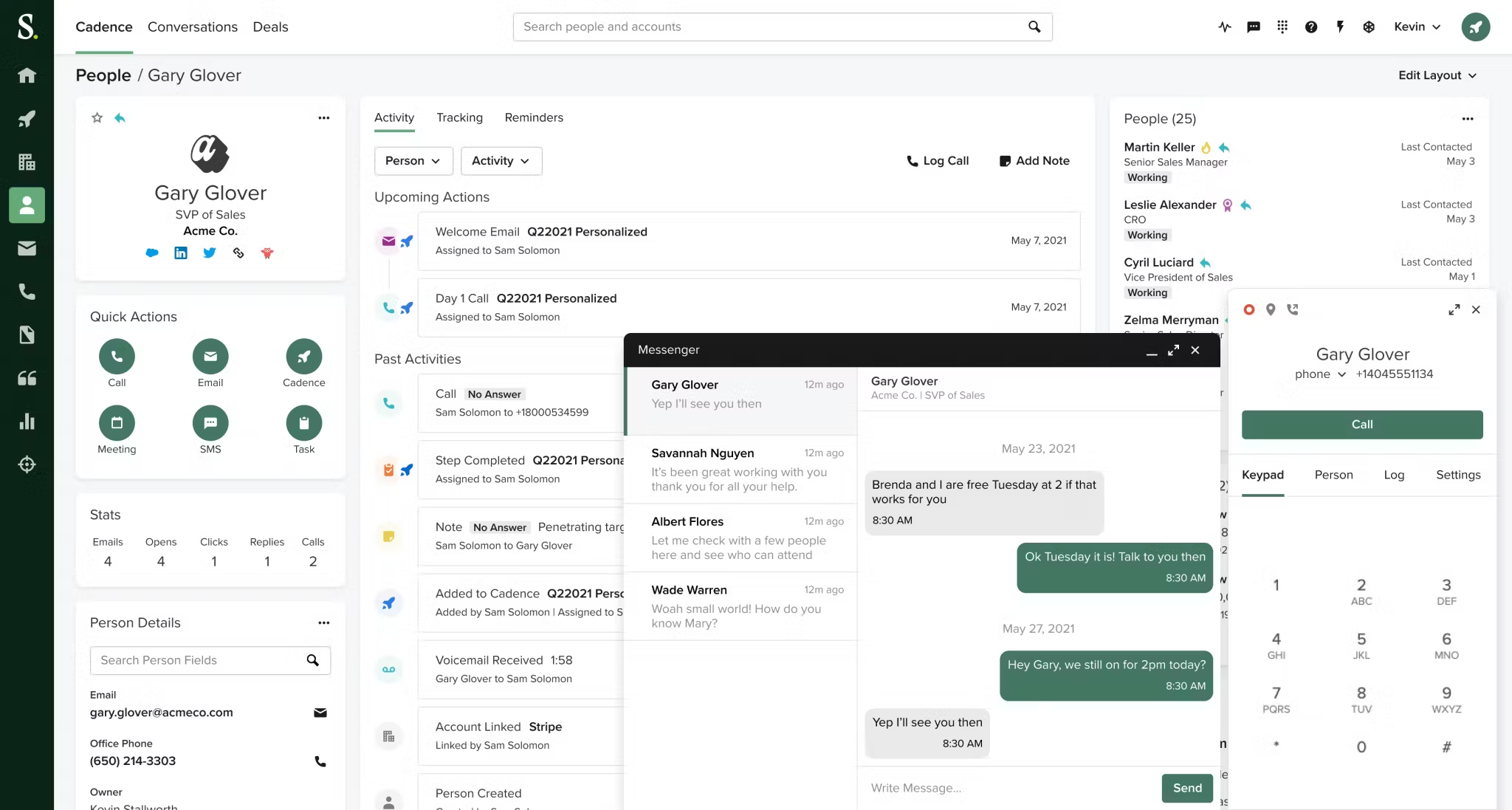
The takeaway for sales leaders is simple. Match tool depth to the job. If the job is consistent primary‑inbox placement and predictable cost per meeting, pick the focused engine and add channels only when needed.
Top Salesloft alternatives for different needs
- Best for email deliverability at scale: Instantly. Unlimited accounts and warmup on all Outreach plans with automated Inbox Placement tests and flat‑fee pricing.
- Best for data‑heavy prospecting: Apollo. Large database and Chrome extension. Consider mailbox caps and per‑seat economics.
- Best for social‑leaning sequences: Lemlist. Strong personalization and social steps. Validate placement controls before volume.
- Best for enterprise suites: Outreach and Salesloft. Strong governance and calling. Budget for seats and implementation.
Selection tip
Run a 10‑day pilot with your domains. Require primary‑inbox placement at or above 80 percent on seed tests, bounces at or below 1 percent, and reply‑to‑meeting conversion that finance accepts. Speed‑to‑lead matters. Companies that responded within an hour were nearly 7 times more likely to qualify a lead, per Harvard Business Review.
Maximizing deliverability with Instantly: a system approach
Deliverability is a system you can audit. Use the seven controls below.
- Warm every mailbox
- What to do: Enable warmup for every sending account and keep it on.
- Why it works: Gradual, positive interactions build reputation.
- The Instantly warmup guide recommends at least two weeks of warmup for new domains, which aligns with mailbox provider guidance to ramp volume gradually in the Gmail bulk sender guidelines.
- Distribute volume across unlimited accounts
- What to do: Cap early production sends at 30–50 per inbox per day. Increase throughput by adding mailboxes, not by spiking one inbox.
- Why it works: Low daily sends per mailbox mimic natural patterns and reduce volume‑based spam triggers.
- Acceptance: Hard bounces at or below 1 percent in test batches.
- Run placement tests before scaling
- What to do: Use automated seed tests to check Gmail, Microsoft, and others before you push a larger batch. Act on alerts.
- Why it works: Providers change daily. Testing catches issues early so you can pause and fix.
- How: Start with automated Inbox Placement tests.
- Align the domain and tracking
- What to do: Confirm SPF, DKIM, and DMARC. Use a custom tracking domain. Remove broken links and heavy images.
- Why it works: Authentication and clean payloads reduce risk signals in filters. See DMARC requirements in the DMARC RFC 7489 and mailbox providers’ rules in the Gmail sender guidelines and Yahoo Postmaster best practices.
- Keep list hygiene tight
- What to do: Verify every list, remove role addresses and risky contacts, and prefer verified data sources.
- Why it works: Bounces and traps crush reputation.
- Option: Pull verified contacts using the SuperSearch lead database.
- Pace with A/Z tests and copy rotation
- What to do: Test subjects and bodies in small batches. Promote winners. Rotate copy to avoid repeated fingerprints.
- Why it works: Better engagement lifts inbox placement signals.
- Monitor and auto‑adjust
- What to do: Use placement alerts, bounce detection, and throttles. Pause any inbox that dips, re‑warm, then resume at a lower cap.
- Why it works: Fast feedback loops protect senders and domains.
How‑to you can copy
- Connect two warmed inboxes per rep. Done when both pass seed tests at or above 80 percent.
- Import 400 verified contacts. Done when hard bounces stay at or below 1 percent.
- Launch two sequence variants. Done when reply rate reaches 5 percent in week two.
- Expand to four inboxes per rep. Done when seed tests stay green for three days.
Instantly’s AI edge: Copilot and AI Reply Agent
- Copilot for targeting and campaigns. Use Instantly Copilot to create audiences, generate sequences, and schedule recurring tasks like analytics summaries or fresh campaign drafts.
- AI Reply Agent for fast follow‑up. The AI Reply Agent guide covers how it classifies and handles replies in under 5 minutes, with Human‑in‑the‑Loop or Autopilot modes.
- Unified inbox. Manage every reply across all mailboxes in one place so speed‑to‑lead stays high.
See this webinar on how to leverage AI agents to the max with Instantly:
More video resources
- See a full walkthrough in the Instantly.ai tutorial for 2025.
- Deep dive on placement in the ultimate guide to cold email deliverability.
- Watch a third‑party review in this Instantly full tutorial and review.
Pricing and scalability: Instantly’s flat‑fee advantage
- Outreach tiers. Growth 37 dollars per month. Hypergrowth 97 dollars per month. Light Speed 358 dollars per month with SISR for Server and IP Sharding and Rotation, per the Instantly pricing overview.
- Plan capacity. Growth includes 1,000 uploaded contacts and 5,000 emails monthly, Hypergrowth 25,000 and 125,000, Light Speed 100,000 and 500,000, as detailed in the plans overview.
- DFY setup time. Domain authentication and inbox provisioning complete in about 24–72 hours, then warm for 2–4 weeks before production scale. See the DFY setup timeline and the mailbox warmup guide.
- Ease of use. G2 comparison pages show Instantly at 9.5 for Ease of Use in head‑to‑heads such as this G2 comparison example.
User sentiment. Here is how customers describe the experience:
"Wish I found this platform sooner! It has all the tools needed for cold outbound in one place." - James L. on G2
"Great product and support... all in one inbox DFY campaigns. Easy to use the platform." - Krishna Raj Singh on Trustpilot
Instantly has a 4.2M private deliverability network that powers warmup and testing. Dive even deeper into our deliverability edge with our email deliverability solutions overview.
Choosing your deliverability edge
If your outcome is predictable meetings from cold email at a flat cost, pick the platform that treats deliverability as a system, not a setting. Instantly combines unlimited accounts, automated warmup, placement tests, and AI to turn replies into booked calls. For teams that require calls, conversation intelligence, and broader orchestration, model whether a multi‑channel suite’s seat costs and rollout time still win on cost per meeting.
How to pilot Instantly in 10 days
- Connect 4 warmed inboxes. Confirm SPF, DKIM, DMARC.
Done when all pass seed tests at or above 80 percent. - Verify 1,000 contacts in SuperSearch or your source.
Done when hard bounces are at or below 1 percent on a 100‑send test. - Launch 2 sequences with small A/Z subject tests.
Done when reply rate is at or above 5 percent by day 7. - Scale to 8 inboxes with the same daily cap.
Done when complaint rate stays low and seed tests remain green.
Start a free trial and compare Inbox Placement tests head‑to‑head on your copy.
FAQ
- How fast can I start safe sends?
DFY setup finishes in 24–72 hours, as outlined in the Instantly email marketing services overview. Then warm new domains for at least two weeks before production scale using the warmup guide. - What inbox placement rate should I require before scaling?
Target 80 percent or higher on seed tests with bounces at or below 1 percent, using automated Inbox Placement tests. - How many emails per mailbox per day is safe early?
30–50 per day in week two after warmup. Increase throughput by adding inboxes, not by spiking one. - What proof points matter for finance leaders?
Flat fees, placement scorecards, reply‑to‑meeting conversion, and CRM‑reconciled pipeline. Time is scarce, and Gartner’s analysis shows buyers spend only about 17 percent of their time with suppliers.
Key terms glossary
- Primary inbox: The default inbox people actually read daily.
- Sender reputation: Trust score tied to your domain and IP.
- Warmup: Gradual sends that build positive trust signals.
- List hygiene: Ongoing removal of risky or stale contacts.
- Verified contacts: Emails confirmed deliverable by a verifier.
- Send windows: Time ranges when campaigns send.
- Spin syntax: Copy variations that reduce repeats.
- A/Z testing: Testing many variants across a campaign.
- Unified inbox: One place to manage all replies.
- Flat‑fee pricing: Cost not tied to number of user seats.
- SISR: Server and IP Sharding and Rotation.
- Throughput: Total sends across all inboxes per day.


