


Updated January 31, 2026
TL;DR: Free Gmail trackers like Mailtrack work for casual use but destroy sender reputation at scale. The mandatory "Sent with Mailtrack" signature screams automation to prospects, and shared tracking pixels risk blacklisting your domain. Lemlist offers safety features but charges $69 per seat, turning a 10-inbox operation into $690/month. We provide unlimited email accounts with built-in warmup across a 4.2M+ account network for a flat $47/month. If you run an agency, skip consumer tools and invest in infrastructure that protects client domains and margins.
Most agency operators discover the hard way that "free" email tracking costs more than money. For agencies running cold email outreach at scale, the tracking tool is a deliverability decision as much as a reporting one, the wrong infrastructure poisons domains before a single reply comes in. A client sees "Sent with Mailtrack" at the bottom of your cold email, and suddenly your carefully crafted outreach looks like spam. Or worse, your domain lands on a blacklist because thousands of other users share the same tracking pixel.
This guide compares Mailtrack, Lemlist, and Instantly to show why agencies need deliverability infrastructure, not just a browser extension, to track opens without landing in spam.
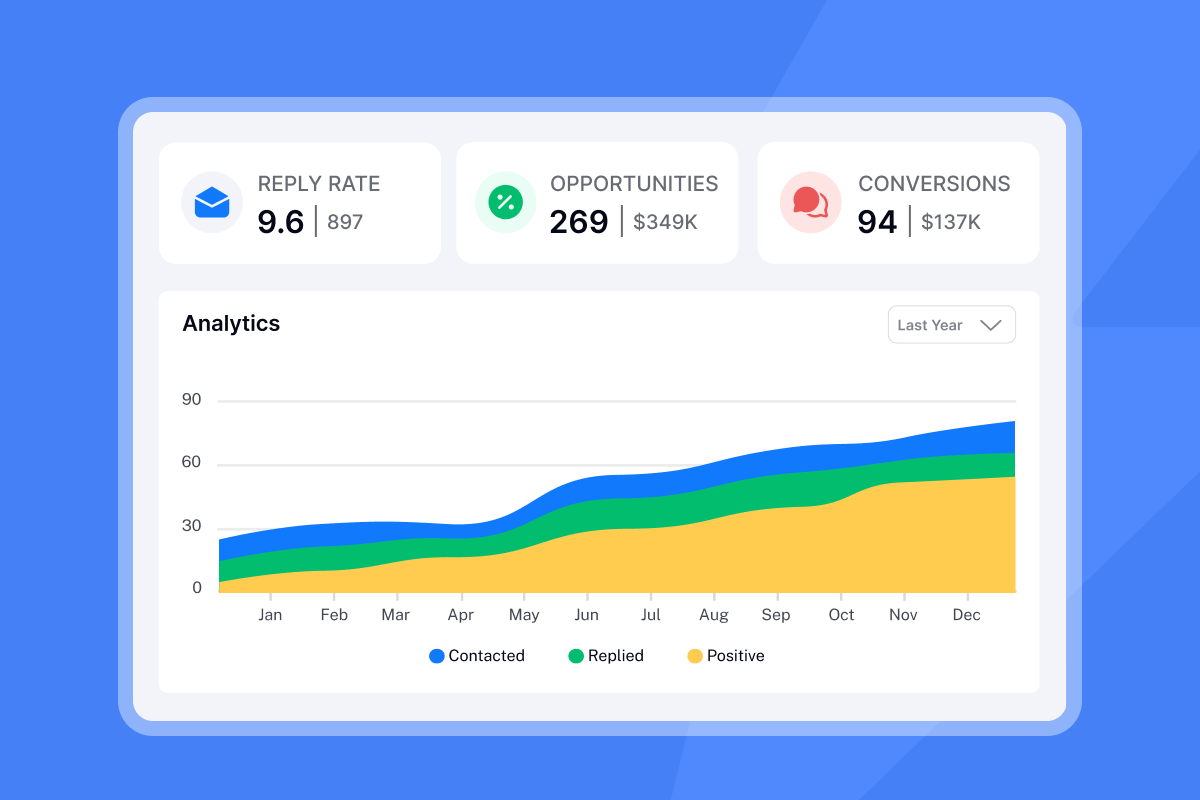
The hidden cost of free email trackers: branding and deliverability risks
Free tools need to make money somehow. Most do it through forced branding, data collection, or aggressive upselling. For agencies managing client campaigns, these "free" features become expensive liabilities. Instantly, the cold email platform built for agency infrastructure, provides unlimited email accounts with built-in warmup across a 4.2M+ account network for a flat $47/month.
The branding problem
Mailtrack's free plan adds "Sent with Mailtrack" to every email you send. According to user feedback on Capterra, the free version has limitations such as "mandatory MailTrack signatures and pop-ups prompting users to upgrade." Users find these aspects "annoying and intrusive."
For cold outreach, this signature causes three problems:
- Signals automation: Recipients immediately know you used a mass email tool
- Triggers spam filters: Email providers associate tracking signatures with promotional content
- Undermines personalization: Your carefully written message now looks generic
The feature limits you do not see
Mailtrack advertises "unlimited tracking" on free plans, but the experience differs from paid tiers. According to GetApp reviews, users report "letter size limitation, a watermark that I have to erase every time, and it does not turn up when several receivers open the mail." The Pro plan removes branding and unlocks full analytics, but at that point you are paying per user anyway.
Shared tracking domains damage your reputation
The bigger technical risk comes from shared tracking infrastructure. When you rely on default tracking domains, your emails become linked to all other customers who have not configured their own custom tracking domains. If your tracking domain is shared with spammers, your emails could be flagged through no fault of your own.
As GMass explains, if one domain experiences deliverability issues or gets blacklisted, sharing a tracking domain can negatively impact all other domains using it. For agencies, this shared-infrastructure risk is unacceptable. One spammer using the same tracking domain can land your client's carefully warmed domains in the spam folder.
Instantly vs. Mailtrack vs. Lemlist: feature and pricing breakdown
The three tools serve different users. Mailtrack targets Gmail power users who want read receipts. Lemlist serves sales teams with multichannel needs. We focus on agencies and teams that need to scale cold email safely.
Cost comparison for 10-inbox operations
| Feature | Instantly | Mailtrack | Lemlist |
|---|---|---|---|
| Monthly cost (10 users) | $47 flat | $60-$120* | $690 |
| Annual cost (10 users) | $360 | $720-$1,440* | $6,600 |
| Pricing model | Flat fee | Per user | Per seat |
| Warmup included | Yes (4.2M+ network) | No | Yes (20K+ domains) |
| Unified inbox | Yes | No | Workspace per client |
*Mailtrack pricing varies by source. Pro plans range from $5.99 to $11.99 per user per month depending on billing cycle and current promotions.
For a full ROI framework comparing flat-fee versus per-seat economics at different inbox counts and sending volumes, see the email API pricing guide with a complete agency cost calculator.
Mailtrack: good for individuals, risky for agencies
Pros:
- Simple setup: Chrome extension installs in seconds
- Free tier: Available for testing basic tracking
- Real-time notifications: Instant alerts when emails open
Cons:
- No warmup service: Zero infrastructure for building sender reputation
- Mandatory branding: Free plans force "Sent with Mailtrack" signature
- Individual account management: Each inbox requires separate login
- Limited analytics: Basic compared to dedicated outreach platforms
Mailtrack works fine for tracking invoice emails or checking if a colleague read your message. For cold outreach at scale, it lacks the infrastructure to protect sender reputation.
Lemlist: powerful but expensive at scale
Pros:
- Built-in warmup: lemwarm includes 20,000+ domains in its network
- Multichannel capabilities: Email plus LinkedIn in one platform
- Strong personalization: Dynamic images and custom variables
Cons:
- Per-seat pricing: Costs compound as you add team members
- Workspace separation: Requires separate workspace per client
- Complex UI: Steep learning curve reported by users
The pricing math hurts agencies. According to SalesHandy's analysis, "managing 10 clients with Lemlist's basic plan at $55 per month turns into significant costs." The Email Pro plan costs $69 per user monthly ($55 per user when billed annually), meaning 10 users costs $6,600 annually.

Our approach: flat-fee scaling with built-in safety
Our Growth plan at $47/month includes unlimited email accounts and unlimited warmup. Our 4.2M+ account warmup network maintains sender reputation across all connected inboxes.
"Instantly allows me to scale my cold email efforts without having to struggle with the tool itself. Setting up new domains and inboxes, as well as rotating them, is incredibly straightforward, which helps me increase my sending volume while maintaining good deliverability." - Verified user on G2
Our unified inbox centralizes replies from all connected accounts:
"I find Instantly incredibly beneficial for centralizing all my inboxes, which has notably streamlined my workflow, especially since I manage both MSF and Google inboxes. The platform allows me to check my inboxes from a single location without needing to log into each one individually." - Eli A on G2
Why agencies need scalable infrastructure, not just open tracking
A Chrome extension that shows checkmarks when emails get opened does not solve the agency problem. Managing 50+ inboxes across multiple client domains requires infrastructure, not browser plugins.
The multi-account management gap
Mailtrack operates as a Gmail-specific Chrome extension. For an agency with 30 inboxes, that means managing each account individually without a centralized view.
Lemlist improves on this with workspaces, but each client requires a separate workspace with its own billing. Adding clients means adding costs linearly.
Our approach differs. Connect unlimited accounts to one dashboard, manage campaigns across all of them, and pay the same flat fee whether you have 10 inboxes or 100. Our inbox rotation feature automatically distributes sends across accounts to protect individual sender reputations. When you multiply $69 per seat across 10 client workspaces, Lemlist costs 18 times more than our flat rate while solving the same core problem.
Deliverability requires more than tracking pixels
Tracking pixels can actually hurt deliverability if implemented poorly. According to cold email specialists, "custom domain tracking or basic open rate tracking can decrease your open rate. Cold email software needs to use an invisible pixel in the code of your email. This pixel by nature, reduces your deliverability a tiny bit."
The solution is not to avoid tracking but to build infrastructure that counteracts the negative signals. We combine three elements:
- Warmup before tracking: Our 30-day warmup system builds sender reputation before high-volume sends
- IP rotation: Rotating IPs and sending algorithms distribute reputation risk
- Text-only option: Our delivery optimization tool lets you send without HTML tracking when needed
"What stands out most is the deliverability and domain health performance, it's noticeably better than other tools we tested. Warmup, domain rotation, inbox tracking, and campaign logic all feel like they're designed by operators who actually run outbound at scale." - Luisa R on G2
For the complete playbook on authentication, warmup ramp schedules, and inbox placement monitoring that work alongside custom tracking domains, see this email deliverability guide.
Agency-grade reporting vs. personal read receipts
Mailtrack shows you that John opened your email at 2:47 PM. That works for sales reps tracking individual conversations. Agencies need aggregate data: open rates across campaigns, reply rates by subject line variant, bounce rates by domain. Our analytics dashboard provides this at scale.
"The most helpful part is the detailed reporting. It shows clear data like open rates, replies, and bounce rates, which I can easily use for analysis and integrate with other BI dashboards." - Anjali T. on G2
For a walkthrough of how this looks in practice, watch the tutorial on our YouTube channel.
How to set up safe email tracking in Gmail (step-by-step)
Browser extensions provide the fastest path to email tracking, but they create the deliverability risks covered above. Here is how to transition from risky consumer tools to agency-grade infrastructure.
Step 1: Connect accounts through a platform, not a plugin
Instead of installing a Chrome extension that injects tracking pixels into your Gmail compose window, connect your email accounts to a dedicated sending platform like ours.
This gives you centralized management across all inboxes, consistent tracking implementation, and platform-level warmup and reputation protection. Our cold email strategy guide walks through the full account setup process.
Step 2: Set up custom tracking domains
A custom tracking domain isolates your reputation from other users. According to MailReach, "setting up a custom tracking domain allows you to distance yourself from risks. By using your own branded tracking domain, you establish a unique identity for your email communications."
Use a subdomain of your sending domain (e.g., track.youragency.com) rather than your main domain. This protects your primary domain if tracking causes any deliverability issues.
Step 3: Warm up before enabling open tracking
New inboxes need reputation before you add tracking pixels. Follow a 30-day warmup schedule before turning on full tracking: warmup only in days 1-10, low-volume sends (5-15 per day) with warmup active in days 11-20, then ramp to 20-30 per day and enable tracking in days 21-30.
Step 4: Monitor for bot clicks
If your open rate suddenly hits 80%+, you are likely seeing bot clicks from email security scanners, not human engagement. According to 2025 cold email statistics, average open rates fall between 20% and 40% depending on industry. Abnormally high open rates with low reply rates indicate your tracking data is compromised.
For a visual guide to the entire process, watch this email deliverability guide:
Choosing the right tool for your operation
Free tools cost reputation. Per-seat tools cost profit. The choice depends on your scale and use case.
For casual personal use: Mailtrack's free tier works fine for tracking a handful of emails per week. Just understand the branding trade-off.
For small sales teams with budget: Lemlist provides strong features if you can absorb the per-seat costs. The multichannel capabilities add value for teams that need LinkedIn alongside email.
For agencies scaling outreach: Our flat-fee model and deliverability infrastructure make financial sense once you manage more than 5-10 inboxes. The warmup network and unified dashboard turn what would be tool sprawl into a single operational system.
"Instantly has become the backbone of our outbound system... The UX makes multi-domain, multi-sender workflows frictionless." - Luisa R on G2
Ready to stop paying per seat for email tracking? Try us free and test our unified inbox with your existing accounts.
For a broader benchmark of how the leading email tracking services compare on deliverability protection, agency scalability, and total cost of ownership, see the full comparison covering five providers.
Frequently asked questions
Is Mailtrack completely free?
Mailtrack offers a free tier with email tracking but includes mandatory "Sent with Mailtrack" branding and frequent upgrade prompts. Pro plans start around $5.99-$11.99 per user per month depending on billing cycle.
Can you track a Gmail email without the recipient knowing?
Yes. Email trackers use invisible pixels (1x1 transparent images) that load when recipients open emails. The tracking happens silently unless the recipient has disabled external image loading or uses privacy-focused email clients.
Does email tracking hurt deliverability?
Tracking pixels add HTML code that can slightly reduce deliverability. Using shared tracking domains creates bigger risks if other users engage in spam-like behavior. Custom tracking domains and proper warmup minimize these effects.
How much does Lemlist cost for an agency with 10 team members?
Lemlist's Email Pro plan costs $69 per user monthly ($55 per user when billed annually). For 10 users, expect $690/month or $6,600/year with annual billing.
What is your warmup network size?
We operate a private deliverability network of 4.2M+ accounts that participate in automated warmup. This network helps new and existing inboxes maintain positive engagement signals with email providers.
Key terminology
Sender reputation: A score ISPs assign to your domain and IP address based on engagement metrics, spam complaints, and bounce rates. Higher reputation means better inbox placement.
Custom tracking domain: A subdomain you configure (e.g., track.yourdomain.com) to isolate your tracking pixel activity from shared platform domains. Protects your reputation from other users' behavior.
Email warmup: The process of gradually increasing send volume on new email accounts while generating positive engagement signals. Builds sender reputation before high-volume outreach.
Unified inbox: A centralized dashboard that aggregates replies from multiple email accounts. Eliminates the need to log into each inbox separately.
Inbox rotation: Automatically distributing email sends across multiple connected accounts to spread reputation risk and avoid hitting per-inbox sending limits.2


