.svg)
%20(1).svg)


Updated February 24, 2026
TL;DR: A positive reply is not a meeting until it hits the calendar, and most interested prospects never book without follow-up. Respond within 5 minutes, follow up at 24-48 hours, then 3-4 days, then 7-10 days maximum. Use Instantly's AI Reply Agent to handle the chase automatically in under 5 minutes and Sequences to automate timing. This guide gives you the exact templates, timing windows, and automation settings to convert replies into bookings.
A prospect replies to your cold email with "Sure, let's chat." You send your Calendly link. Then silence.
This is the "yes trap," and it costs you real money. If you close 20% of booked meetings, every ghosted scheduling conversation represents lost revenue directly from your bottom line.
Your offer is fine. Your calendar tool is fine. You're just treating the scheduling phase like the finish line when it's actually a separate mini-funnel that requires its own system. For context on how this fits into the broader outreach process, the guide to cold email covers how each stage of your sequence builds toward a booked meeting.
Why prospects ghost after agreeing to meet
Most ghosting is not rejection. It's busyness.
Prospects are overwhelmed with priorities, and your meeting request is competing with the 121 emails they receive daily, internal stakeholder delays, and shifting budgets.
Here are the core reasons prospects go silent after initially agreeing to connect:
Decision paralysis and timing shifts. Facing numerous options or a complex internal approval process can lead prospects to disengage. Sometimes priorities changed, budget evaporated, and prospects were moved on the team.
Friction in the booking process. If your calendar link is buried in paragraph three, requires multiple clicks, or asks for too much information upfront, prospects bail. Lack of clear next steps leads to higher drop-off rates.
Conflict avoidance. Some prospects find it uncomfortable to decline an offer, choosing silence over confrontation. Professional ghosting is often just a coping mechanism for avoiding difficult conversations.
The takeaway is simple. Most "ghosts" are just busy humans who need a nudge.
Instantly's Unibox centralizes all replies from unlimited accounts in one place, so you never miss a booking request that needs follow-up.
"The quality of the product and its efficiency are good, it helped me schedule more meetings from interested leads." - Verified user on G2
Instantly, the cold email automation tool built for agency scale, centralizes all replies from unlimited accounts in one place so you never miss a booking request that needs follow-up.
The optimal follow-up cadence for booking meetings
Timing is physics, not preference. The data is clear.
Companies that contact leads within 5 minutes are 21 times more likely to qualify that lead compared to those who wait 30 minutes. Responding within 5 minutes can increase your chances of converting by up to 100x compared to waiting 30 minutes.
Here's the exact cadence that converts positive replies into bookings:
Touch 0: Immediate response (under 5 minutes). As soon as you get a positive reply, respond with your calendar link and a clear, low-friction CTA. This is the golden window.
Instantly's AI Reply Agent responds in under 5 minutes, 24/7, reading intent, handling objections, and sharing calendar links automatically. Knowing when to schedule meeting emails matters as much as what you write, sending your first follow-up at the wrong local time reduces your chances of getting seen significantly.
Touch 1: The 24-48 hour float (gentle nudge). Your first follow-up should happen within 2-3 days. The goal is to float your message back to the top of their inbox.
Keep it at 24-48 hours for scheduling context because speed still matters here.
Touch 2: The 3-4 day value-add. Your second follow-up should come 3-4 days after Touch 1. This email should add value, not just repeat the ask.
Share a case study, article, or one-sentence tactical idea tied to their pain point. Research shows that waiting 2-3 days between touches can boost reply rates by 31%.
Touch 3: The 7-10 day breakup. After 3-4 follow-ups with no response, it's time to close the loop professionally. The breakup email assumes they're not interested right now and stops the sequence.
Breakup emails can see a 33% response rate, making them surprisingly effective at re-engaging cold prospects.
Maximum count: 3-4 follow-ups total. For scheduling-specific sequences, cap at 3-4 touches. Scheduling sequences are different from cold outreach, where 80% of sales require five or more touchpoints.
Once someone has already expressed interest, pushing beyond 4 follow-ups damages trust and sender reputation.
Watch this breakdown on follow-up strategy from Instantly's YouTube channel for a visual walkthrough.
Instantly's Sequences feature allows you to automate this exact cadence with specific time delays between steps. Build the entire flow once, then let the platform handle timing across all your campaigns.
How to write meeting scheduling follow-ups (with templates)
Every follow-up must be brief (3-5 sentences), include a clear CTA, and reduce friction.
Use spin syntax to keep variants unique across sends and avoid spam filters. Here are three templates that work.
Template 1: The 24-hour gentle nudge
This template "floats to the top" without adding pressure. The tone acknowledges they're busy and makes booking effortless.
Subject: Re: [Original Subject]
Hi [First Name],
Just wanted to float this back to the top of your inbox. I know things get busy.
Were you able to give any thought to scheduling that call?
Happy to work around your calendar. Here's my link if that's easier: [Calendar Link]
Best,
[Your Name]
Key elements:
- Reply in the same thread to maintain context
- Empathy for their time ("I know things get busy")
- Simple, low-pressure CTA
- Calendar link front and center
Use Instantly's scheduling features to send these nudges at optimal local times for your prospects.
Template 2: The value-add reminder
This follow-up (sent 3-4 days after Touch 1) leads with value while repeating the CTA. It shows you're thinking about their business, not just your quota.
Subject: Re: [Original Subject] + Quick idea
Hi [First Name],
I was thinking about [their specific challenge] and came across [this case study/article] that might be relevant: [Link]
[One sentence explaining why it's valuable to them]
Still interested in exploring how we can help with [specific outcome]? Here's my calendar to grab 15 minutes: [Calendar Link]
Best,
[Your Name]
Key elements:
- Lead with a valuable resource tied to their pain point
- Keep it 3-4 sentences maximum
- Connect the value to their stated goal
- Repeat the calendar link
Value-add examples:
- Case study from their industry
- Article addressing their specific challenge
- One-sentence tactical idea they can implement immediately
- Recent news about their company with a relevant tie-in
For more email copywriting guidance, check out Instantly's cold email copywriting framework and watch this video on making cold emails impossible to ignore.
Template 3: The final breakup
The breakup email (sent after 3-4 follow-ups) professionally closes the loop while leaving the door open. This is your last touch. Here are two effective variants:
Variant A: The graceful exit
Subject: Closing the loop
Hi [First Name],
I haven't heard back from you, so I'm going to assume now isn't the right time to connect about [specific topic].
I completely understand. Priorities shift, and I don't want to keep cluttering your inbox.
If things change down the line, feel free to reach out. My door's always open.
Best of luck with [something specific to their business],
[Your Name]
Variant B: Permission-based close
Subject: Permission to close your file?
Hi [First Name],
I've reached out a few times about [topic] but haven't heard back.
I'm assuming this isn't a priority right now. No problem at all.
Unless I hear from you, I'll close your file and won't follow up again.
If your situation changes, you know where to find me.
Best,
[Your Name]
Key elements:
- Professional and empathetic tone (not passive-aggressive)
- Clear statement that you won't follow up again
- Leave the door open for future contact
- Optional: Include one final resource link
Research shows that breakup emails have surprisingly high response rates because they signal finality and respect for the prospect's decision. Many ghosting prospects will re-engage at this stage if timing was the only blocker.

Advanced strategies: A/B testing and AI optimization
You should A/B test your scheduling follow-ups just like you test cold outreach. Small changes in CTA phrasing, timing, or tone can shift conversion rates by double digits.
Variables to test:
1. CTA phrasing. Test "15 min chat" vs. "quick sync" vs. "brief call." Test "Grab time on my calendar" vs. "When are you free?"
Isolate one variable at a time and run tests with enough sample size to ensure statistical significance.
2. CTA mechanism. Test including a calendar link in the email vs. asking "When's a good time for you?" in an open-ended way. Test button vs. text link.
Test CTA placement above or below the first scroll. Research on email optimization shows that CTA format significantly impacts click-through rates.
3. Follow-up timing. Test 24 hours vs. 48 hours for your first follow-up. Test 3-day vs. 5-day spacing between subsequent touches.
4. Tone. Test direct ("Let's schedule that call") vs. soft ("Would love to connect if timing works"). Test urgent vs. patient language. Your audience will dictate what resonates.
5. Subject line approach. Test replying in the same thread ("Re: [Original]") vs. starting a new thread with "Quick follow-up." For most scheduling contexts, staying in the same thread preserves context and typically performs better.
Make sure to test one element at a time. According to Klaviyo's A/B testing guide, testing multiple variables simultaneously makes it impossible to determine which change drove results. For agencies that have already run these tests, see the scheduling email results data showing which variables actually moved booking rates across real campaigns.
AI automation with Instantly's AI Reply Agent
Instantly's AI Reply Agent automates the entire scheduling conversation. Here's how it works:
Step 1: Intent detection. The AI reads incoming lead emails and classifies intent as interested, not interested, out of office, or requesting more info. It drafts intelligent replies based on context, not just generic autoresponder text.
Step 2: Instant response time. The AI ensures replies go out instantly (under 5 minutes), 24/7, keeping leads warm and answering questions while intent is still high.
As the help documentation explains, the agent "monitors your campaigns and responds to incoming leads in under 5 minutes."
Step 3: Personalized responses. The AI drafts responses that reference the lead's specific question, detects "chat next week" signals, and queues follow-ups automatically. Unlike basic autoresponders, this agent understands context and handles objections.
Step 4: Calendar integration. Integrate a calendar tool, and the AI shares booking links when a lead expresses interest. This reduces friction and speeds up pipeline velocity.
Operating modes: Start in Human-in-the-Loop mode where the AI drafts replies but waits for your approval before sending. Once you trust the AI's accuracy, switch to Autopilot mode for fully automated responses.
"The AI reply agent is a standout feature for me; it efficiently drafts responses based on client replies, saving me valuable time by simply requiring a review before sending." - Sachin J on G2
Cost: 5 Instantly Credits per reply once generated, regardless of whether you send, edit, or use the suggested reply. For agencies managing hundreds of inboxes, this flat-fee credit model scales better than per-seat pricing competitors charge.
For a full walkthrough, watch this AI Reply Agent guide on YouTube and review the AI reply management for agencies blog post.
When to stop: The risks of over-following up
Persistence has limits. Cross the line, and you damage brand reputation, sender reputation, and future deliverability.
Risk 1: Brand perception damage. Being perceived as "creepy," spammy, or pushy can hurt long-term trust.
Excessive follow-ups without added value can be perceived as pressure, prompting prospects to withdraw.
Risk 2: Deliverability impact. High send volumes with low engagement hurt sender reputation. We recommend keeping bounces at or below 1% and spam complaints below 0.3%.
Poor sender reputation damages future email performance across all campaigns. For technical controls that protect sender reputation while you run high-volume follow-up sequences, see these email scheduling tips covering authentication, warmup, and inbox placement testing.
Monitoring methods:
- Track unsubscribe rates by campaign
- Monitor negative reply sentiment
- Keep spam complaints below 0.3% for bulk senders
- Run Inbox Placement tests to see exactly where your emails land
- Monitor bounce rates and domain health weekly using Instantly's deliverability dashboards
Instantly sends test emails to a seed list of major mailbox providers and reports back placement percentages. Target 80-85% primary inbox placement.
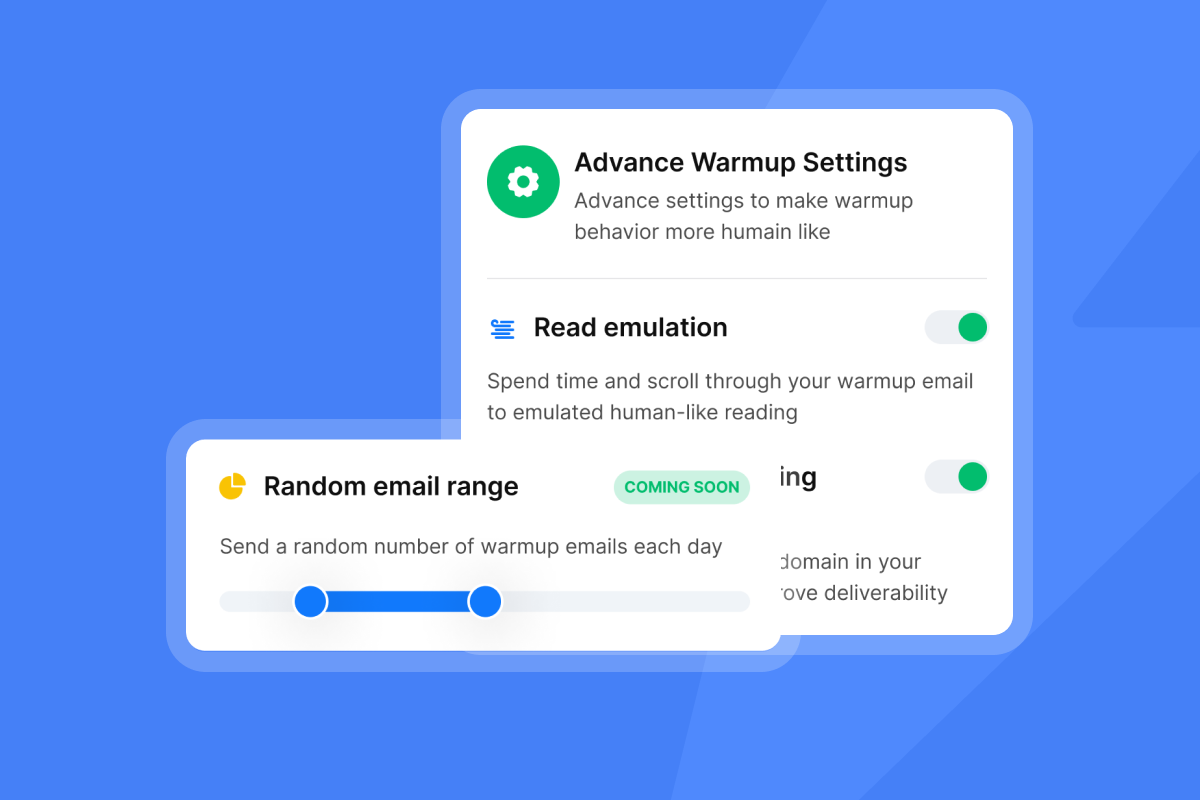
Review the warmup plan for AI Reply Agent to understand how to maintain reputation at scale.
Best practices to avoid over-following up:
- Every follow-up must add new value, not just "check in"
- Space follow-ups appropriately (2-3 days minimum)
- Cap at 3-4 follow-ups for scheduling context
- Use a breakup email as your final touch
- Never send follow-ups past "unsubscribe" or "stop" replies
For a deeper dive into deliverability, watch The Ultimate Guide to Cold Email Deliverability on Instantly's channel.
Measuring success beyond reply rates
Tracking open rates and reply rates is not enough. The metrics that matter are downstream from the initial reply.
Here are the key metrics to track:
Metric 1: Reply-to-meeting conversion rate. This is the critical metric showing how effectively you convert interest into action.
Formula: (Booked Meetings ÷ Positive Replies) × 100
If you send 1,000 emails with a 10% reply rate and 50% positive replies, that's 50 positive conversations. With a solid close rate from conversation to meeting, you can book 20+ meetings per 1,000 sends.
Metric 2: Average time to book. This measures how long prospects take from expressing interest to actually scheduling.
Formula: Date of Booking - Date of Positive Reply
Faster time-to-book indicates less friction in your process. Track reply rate metrics and cost per meeting for planning and CFO reviews.
Metric 3: Cost per meeting. Calculate total investment including email tool subscription costs, AI credits used, lead data costs, and time investment (at your hourly rate).
Formula: (Total Tool Costs + Time Spent) ÷ Booked Meetings
This is the number that matters to your P&L.
"I've converted several leads into deals using Instantly and it's paid for itself 5x." - Ronika Kashyap on Trustpilot
Metric 4: Meeting attendance rate. Track how many booked meetings actually happen. If your attendance is low, you may be booking unqualified leads or not confirming meetings properly before the call.
Metric 5: Sequence step performance. Track which step (initial email, first follow-up, second follow-up, breakup) generates the most meetings.
Research shows that 90% of response happens within the first 2 days, so give prospects time before following up. This data helps you refine your cadence over time.
Metric 6: AI involvement rate. If you're using Instantly's AI Reply Agent, track these performance indicators:
- Involvement rate (percentage of threads where AI drafts replies)
- Resolution rate (percentage of drafts sent without edits)
- Meeting booking rate
- Lead qualification rate
- Cost per meeting booked
These metrics show AI performance and ROI and help you optimize your automation settings.
Example metrics for a 1,000-email scheduling campaign
Here's what a healthy campaign looks like:
Metric | Target | Example Performance |
|---|---|---|
Total sends | 1,000 | 1,000 |
Reply rate | 8-12% | 10% (100 replies) |
Positive replies | 30-50% of replies | 50 conversations |
Meetings booked | Varies by quality | 25 meetings |
Reply-to-meeting conversion | Track weekly | 50% |
Cost per meeting | Varies by tool/time | $45 |
Avg time to book | 2-4 days | 3.2 days |
Track these metrics weekly to identify where your funnel is leaking. If your reply-to-meeting conversion is below 40%, your follow-up cadence or copy needs work.
For agencies managing multiple clients, centralize these metrics in one dashboard. Instantly's Unibox and reporting features let you reconcile data across senders and campaigns.
Watch how to book 200 sales calls a month for a case study on scaling these metrics.
Ready to automate the chase
Stop chasing meetings manually. The gap between a positive reply and a booked call is where agencies lose the most revenue.
Speed matters. Cadence matters. Automation matters.
Set up the three-touch scheduling sequence outlined in this guide. Enable Instantly's AI Reply Agent to handle responses in under 5 minutes, 24/7.
Use Unibox to centralize replies across unlimited accounts. Build your cadence in Sequences with precise timing between touches.
Then track reply-to-meeting conversion, time to book, and cost per meeting to measure what's working.
Try Instantly free and let automation book meetings while you focus on closing deals. For more tactics, review the complete guide to cold email strategy.
FAQs
How many times should I follow up to schedule a meeting?
Follow up 3-4 times maximum after the initial positive reply: 24-48 hours, then 3-4 days, then 7-10 days with a breakup email.
How long should I wait between follow-up emails?
Wait 24-48 hours for the first follow-up, then 3-4 days, then 7-10 days, as waiting 2-3 days between touches boosts reply rates by 31%.
What is the best subject line for a meeting follow-up?
Reply in the same thread ("Re: [Original Subject]") to preserve context and remind prospects of the conversation.
Should I use the same calendar link in every follow-up?
Yes, use the same link and keep it visible at the top or bottom of every follow-up so prospects don't have to hunt for it.
What metrics should I track for scheduling follow-ups?
Track reply-to-meeting conversion rate, average time to book, cost per meeting, meeting attendance rate, and sequence step performance.
How does Instantly's AI Reply Agent help with meeting scheduling?
The AI responds to leads in under 5 minutes, detects intent, handles objections, and shares calendar links automatically in Human-in-the-Loop or Autopilot mode.
Key terms glossary
Reply-to-meeting conversion rate: Percentage of positive email replies that convert into booked calendar meetings. Track weekly to identify funnel leaks.
Spin syntax: Method of creating multiple variations of the same email text to keep messages unique across sends and avoid spam filters.
Unibox: Instantly's centralized inbox that aggregates all replies from unlimited email accounts into one place for managing conversations at scale.
AI Reply Agent: Instantly's automated assistant that reads incoming emails, classifies intent, drafts personalized responses, and shares calendar links within 5 minutes.
Sender reputation: Score that email providers assign to your sending domain based on engagement, bounce rates, spam complaints, and sending patterns.
Breakup email: Final follow-up in a sequence that professionally closes the loop by stating you won't follow up again, often triggering re-engagement.



