


Updated February 24, 2026
TL;DR: Getting the meeting is a separate sale from the initial reply. Most cold campaigns fail between interest and booking because the ask creates too much friction. Use specific time blocks in cold outreach ("Tuesday at 2 PM or Thursday at 10 AM?") to reduce decision fatigue, then move to calendar links only after rapport is established. Test your CTAs with the same rigor you test subject lines. Our Unibox and A/Z testing features turn this into a repeatable system.
Industry research shows that while 5-10% of cold emails get replies, only 0.5-2% of campaigns actually book meetings. That gap represents thousands of lost opportunities for agencies running high-volume outreach.
This guide covers the exact structure, timing psychology, and technical setups that high-performing agencies use to move interested leads onto calendars without adding friction or burning sender reputation.
The anatomy of a high-converting meeting request
The meeting request carries the same weight as your opening hook. A poorly structured CTA can kill a warm lead faster than a spam filter.
The value proposition: Selling the conversation
Your meeting request must answer one question: "Why should I spend 15-30 minutes on this call?" B2B cold email data shows that out of 100 emails sent, roughly 40 open, 3 reply, 2 express interest, and only 1 books a demo. The delta between "interested" and "booked" is the quality of your meeting sell.
Frame the call as a give, not a get. Instead of "I'd love to show you our platform," position it as "I'll walk you through the exact setup three agencies used to cut their cost per meeting by 40%." The prospect trades time for a concrete outcome they can use whether they buy or not.
One approach from our help center guide on turning leads into meetings: position the meeting as an audit-based offer (e.g., "15-minute deliverability check for your current setup") rather than a product demo. The meeting becomes an asset, not an interruption.
"I love how Instantly has significantly eased the process of outreach and service delivery for the past two years... Instantly facilitates efficient lead generation which we then convert through sales calls managed using Instantly's Unibox feature." - Daksh K. on G2
The call to action: Low friction vs. high commitment
Cold email CTA research divides asks into two camps: low-friction soft asks and high-commitment hard asks. Each has its place depending on the stage of the conversation.
Low-friction CTAs work for initial cold outreach or lukewarm replies. Phrases like "Are you open to a quick call next week?" or "Worth a chat?" give the reader a simple yes-or-no decision. No time commitment, no unfamiliar links, just a low-pressure response. Data from our 2026 benchmark shows interest-based CTAs ("Curious?" or "Open to learning more?") hit a 30% success rate, twice the rate of any other CTA type tested.
High-commitment CTAs propose a specific meeting time: "Are you available Tuesday at 4 PM or Thursday at 11 AM?" These work when the lead has already indicated strong interest. The specificity removes the cognitive work of scanning a calendar and anchors the decision around two concrete options.
Avoid the middle ground. "A vague CTA like 'Let me know when you're free' can create friction by placing the burden of scheduling on the prospect. However, open-ended CTAs can also be effective, research from Gong suggests interest-based CTAs sometimes outperform direct meeting requests. The best approach depends on your context: specific time suggestions reduce coordination effort, while open-ended questions can encourage engagement and relationship-building.
The sender-initiated approach
The psychology behind proposing specific times ties directly to decision fatigue. Research on cognitive load shows that the quality of our decision-making declines as we make additional choices. By the time a prospect reads your email, they have already made dozens of micro-decisions that day.
When you propose two specific time blocks, you reduce the mental processing needed to reply. Provide an anchor point speeds up the decision-making process without the unpleasant task of scanning a busy calendar looking for white space. The prospect no longer has to think about how much time to budget, which date works across time zones, or whether their calendar has a gap.
Reducing friction: Calendar links vs. specific times
The debate over calendar links in cold email is about timing and deliverability trade-offs, not preference.
When to use specific time blocks
Specific time blocks work best in the first touchpoint of a cold sequence or when you have not yet established permission to send links. Proposing "Tuesday at 2 PM EST or Thursday at 10 AM EST" shows respect for the prospect's time while avoiding the deliverability penalty that comes with embedding links in initial cold emails.
Including clickable links, especially calendar booking links, in cold emails raises red flags with spam filters and reduces primary inbox placement. If you include links, attachments, or images in your first email before receiving a response, your email is significantly more likely to land in spam.
The practical workflow:
- Step 1 (cold): Interest-based CTA with no links. "Does a 15-minute call make sense? I can walk you through how three agencies in your vertical are handling domain rotation right now."
- Step 2 (follow-up after reply): Propose two specific times. "Great. Does Tuesday at 2 PM or Thursday at 10 AM work on your end? I'll send a link once you confirm."
- Step 3 (after time confirmation): Send the calendar link in the follow-up.
This structure keeps deliverability high while progressively reducing friction as trust builds.
When to use scheduling links
Calendar links (Calendly, Chili Piper, Google Calendar) are most effective after the prospect has replied and indicated interest. Once a lead responds, you have established permission and the deliverability risk drops sharply. Cold email experts recommend waiting for a reply before sending links. At that stage, a calendar link automates the booking without back-and-forth email tag.
The exception: if you run a well-established sending domain with strong sender reputation (consistent opens, low bounce rates, high engagement), you can A/B test including a single link to your LinkedIn profile in the signature. Even then, each additional link increases spam risk, so test carefully.
Pros and cons of scheduling methods
Method | Pros | Cons | Best for |
|---|---|---|---|
Proposed Times | Reduces decision fatigue, avoids spam filters, shows initiative | Requires back-and-forth if times don't align | First cold touchpoint, low-trust scenarios |
Calendar Link | Automates booking, puts prospect in control, eliminates scheduling tag | Hurts deliverability in cold emails, can feel aggressive | Second interaction, highly interested leads |
6 cold email meeting scheduling templates
These six templates cover the core cold email scheduling scenarios agencies face: first cold ask, follow-up after interest, value-first offers, ghosted leads, and break-up attempts. Adapt the structure and CTA phrasing to your vertical and the signal your prospect sent.
Template 1: The soft ask (interest-based)
Use case: First follow-up after cold sequence, no prior response.
Template:
Subject: Quick follow-up

[First Name],

I sent a note last week about [specific pain point or outcome]. Not sure if it landed on your radar.

If cutting your cost per meeting by 30-40% is on your roadmap this quarter, worth a quick chat?

[Your Name]
Why it works: No commitment required. Simple yes-or-no decision. No links to hurt deliverability.
Template 2: The specific time (sender-initiated)
Use case: Lead replied with interest, now you need to convert to a booking.
Template:
Subject: Re: [previous subject]

Great, [First Name].

I can walk you through the exact setup on Tuesday at 2 PM EST or Thursday at 10 AM EST. Which works better?

I'll send the link once you confirm.

[Your Name]
Why it works: Proposes two anchors, removes cognitive load, promises the link only after time is confirmed (keeps deliverability clean).
Template 3: The value-first audit
Use case: Prospect expressed a problem but has not committed to a meeting.
Template:
Subject: Audit for [Company Name]

[First Name],

I can run a quick deliverability audit on your current setup and share 2-3 fixes you can apply this week, whether we work together or not.

Does Tuesday afternoon or Wednesday morning work for a 15-minute call?

[Your Name]
Why it works: Frames the meeting as a give (free audit), not a pitch. Reduces perceived risk.
Template 4: The follow-up close (after they replied but did not book)
Use case: Lead said "interested" or "tell me more" but ghosted when you asked for time.
Template:
Subject: Re: [previous subject]

[First Name],

Circling back. Still make sense to connect?

If yes, I'm free Tuesday at 4 PM or Thursday at 11 AM. If timing isn't right, no worries, happy to revisit in a month.

[Your Name]
Why it works: Gives an easy out ("no worries") while still proposing specific times. Reduces pressure while keeping the door open.
Template 5: The break-up (last attempt)
Use case: After several follow-ups with no response, you're about to pause the sequence. The optimal number of follow-ups varies by context, industry recommendations range from two to as many as nine, but when engagement remains flat, a break-up email can be an effective final touch.
Template:
Subject: Last one from me

[First Name],

I'll assume the timing isn't right and will stop following up.

If you want to revisit this down the line, my calendar is here: [link]

[Your Name]
Why it works: Low-pressure, respects their inbox, often triggers a response because it signals finality. Data from follow-up studies shows break-up emails yield 10-15% of total campaign replies.
Template 6: The "quick question" meeting frame
Use case: Prospect is hesitant about a full demo but willing to talk.
Template:
Subject: One quick question

[First Name],

Before we dive into a full walkthrough, I have one question that'll tell me if this is even relevant for you.

5-minute call Tuesday at 11 AM or Wednesday at 2 PM?

[Your Name]
Why it works: Lowers commitment (5 minutes vs. 30), positions you as consultative, not salesy.
For more proven templates, check our collection of cold email templates and the copywriting framework we use internally.
"I use Instantly for Cold Outreach Emails for me and my clients. It pretty much covers everything I need like domains, emails, deliverability, AI Integration, and API. I love their amazing customer support, which is quick, always ready, extremely well-prepared, and nice." - Riccardo C. on G2
How to A/B test your meeting requests for scale
You already test subject lines and opening hooks. Testing the CTA with the same rigor is where most agencies find their booking rate multiplier.
Testing the CTA
The CTA is where most cold email campaigns leak value. CRM analysis found that including a single CTA in an email increased clicks by 371% compared to emails with multiple competing asks. But not all single CTAs perform equally.
Run A/Z tests on these variables:
CTA phrasing:
- Variant A: "Are you open to a quick call next week?"
- Variant B: "Does Tuesday at 2 PM or Thursday at 10 AM work?"
- Variant C: "Worth a 15-minute chat?"
Link vs. no link:
- Variant A: CTA with calendar link included.
- Variant B: CTA with proposed times, no link.
In our platform, setting up A/Z testing is straightforward. Navigate to your campaign, go to Sequences, and click "Add variant" for the step you want to test. You can create up to 26 variants per step. The platform automatically splits your prospect list and distributes variants evenly.
Sample size depends on the effect you're trying to detect. Industry guidelines generally recommend at least 1,000 recipients per variant for reliable results, with larger samples needed to detect smaller performance differences. Use a statistical significance calculator to determine the right sample size for your specific goals. Run tests for 5-7 days to capture the full reply-to-booking cycle.
Testing the subject line
Subject lines drive opens, but cold email reply rate data shows that high open rates do not always correlate with high booking rates. A curiosity-driven subject line may spike opens but attract low-intent clicks.
Test subject lines that signal meeting intent explicitly:
- Variant A: "Quick call Tuesday?"
- Variant B: "15-minute audit for [Company Name]"
- Variant C: "Follow-up: next steps"
Track not just open rate but the downstream metric: how many opens turned into replies, and how many replies turned into booked meetings.
Analyzing the data
The metrics that matter for meeting scheduling are reply rate and booking rate, not just open rate.
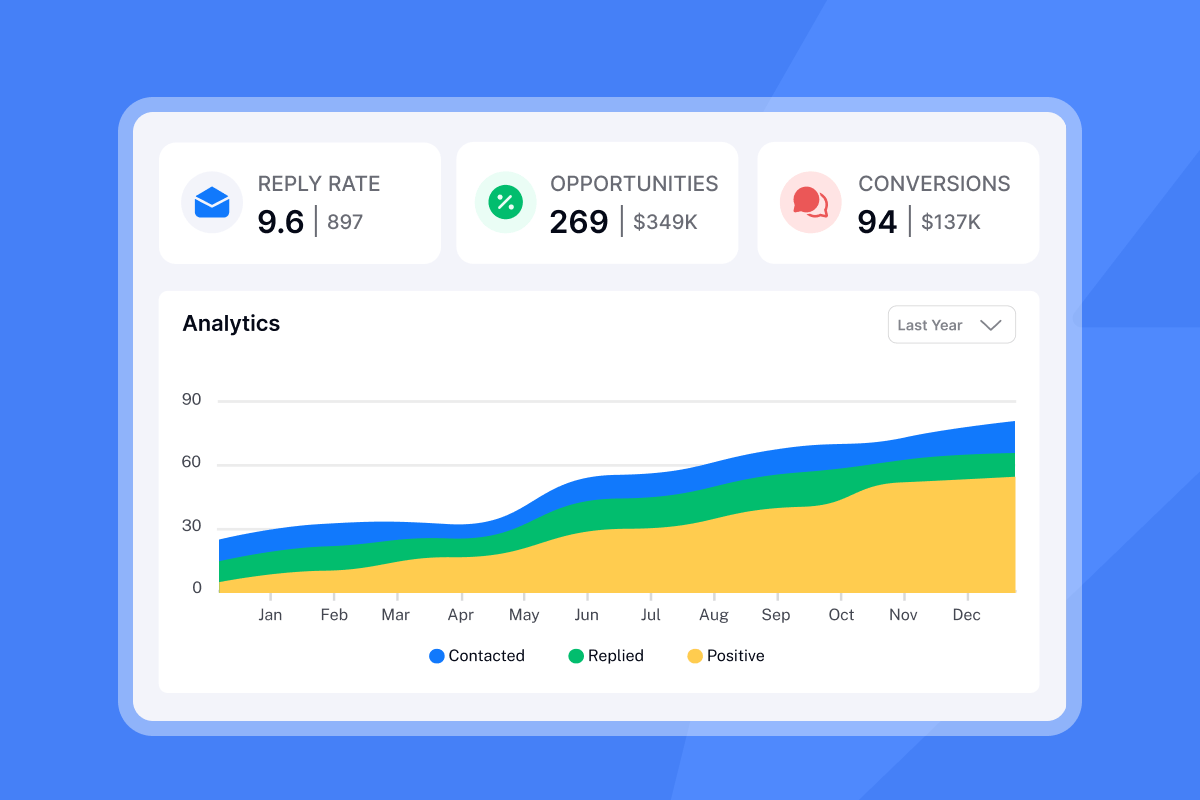
Our 2026 benchmark report found that the overall average reply rate is 3.43%, with top performers exceeding 10%. Meeting bookings typically range from 0.5% to 2% for cold campaigns. If your booking rate falls below 0.5%, audit your CTA structure first. List quality and subject lines drive opens and replies, but the CTA drives bookings.
Use our analytics dashboard to track performance by variant. Filter by campaign, sending account, and step to isolate which CTA is driving bookings. Once you identify a winner, scale that variant across your other campaigns.
For a walkthrough of campaign setup and testing, watch our guide on using AI in outreach workflows.
"I love the automation features in Instantly because they save me a lot of time and effort... setting up multiple campaigns and email sequences in a personalized way with follow-ups. It really assists me in building campaigns efficiently." - Faisal K. on G2
Measuring success: Benchmarks for cold outreach
You cannot optimize what you do not measure. Cold email meeting scheduling requires tracking both leading indicators (reply rate, positive sentiment) and lagging indicators (booked meetings, show rate, pipeline generated).
Reply rates vs. booking rates
Reply rate measures engagement. A good reply rate is 5-10% for most B2B teams, with 10-15% considered excellent. Recent data from Belkins shows average reply rates dipped to 5.8% in 2025, down from 6.8% in 2023, indicating increasing difficulty in cold outreach.
Booking rate measures conversion. Reachoutly's cold email campaigns achieved a 2.2% meeting booking rate on average, meaning for every 100 emails sent, roughly 40 opened, 3 replied, 2 expressed interest, and 1 booked a demo.
If your reply rate is healthy (5%+) but your booking rate is under 1%, audit your CTA structure and follow-up sequence. The problem is not that prospects are uninterested, it is that you are not converting interest into action.
Pipeline influence
Booking the meeting is only the start. Track show rate (percentage of booked meetings where the prospect actually joins), qualified pipeline (percentage of meetings that turn into sales opportunities), and cost per meeting (total campaign spend divided by meetings booked).
For agencies, cost per meeting is the metric that matters. If you spend $97 per month on our Hypergrowth plan and book 25 meetings, your cost per meeting is under $4. If those meetings generate $50,000 in pipeline at a 20% close rate, your ROI is clear.
Use our Unibox to track reply sentiment and meeting confirmations in one view. Tag positive replies as "Meeting Scheduled" and negative replies as "Not Interested" to keep your pipeline data clean.
The role of AI in scheduling meetings
AI is changing how agencies handle both the writing and the response management sides of meeting scheduling.
Using AI to optimize email copy
Our AI Sequence Writer helps you generate variants of meeting request emails based on your target persona, value proposition, and CTA preference. Input your core offer (e.g., "15-minute deliverability audit"), generate five CTA versions, test across 1,000 contacts, and refine the winner.
For a full walkthrough, watch personalizing 1,000+ emails using AI.
Automating replies and booking
Our AI Reply Agent handles lead replies in under 5 minutes, either in Human-in-the-Loop mode (drafts a reply for your review) or Autopilot mode (sends automatically based on your rules). The agent integrates with Slack for review, so you can monitor high-intent replies without logging into Unibox every hour.
For meeting scheduling, the AI Reply Agent can detect booking intent in a reply (e.g., "Yeah, I'm interested") and automatically send your pre-defined follow-up with proposed times or a calendar link. This eliminates the lag between reply and booking ask.
To see how AI agents fit into cold email workflows, watch our masterclass on winning with cold outreach.
"Instantly has been a game-changer for our cold email campaigns... the deliverability tools actually work, and their customer support is responsive when we've had questions. We're able to scale our outreach without sacrificing personalization or risking our sender reputation." - Natalie on Trustpilot
Common scheduling mistakes that kill conversion
Even with a strong list and good subject lines, these mistakes will crater your booking rate.
Over-explaining or splitting focus
Over-explaining your value proposition before securing the meeting is a common trap. Emails with 6-8 sentences perform best, with messages under 200 words outperforming anything longer.
Keep the meeting request to three core components: context (why you are reaching out), value (what they get from the call), and ask (specific CTA). Everything else is friction.
The same applies to multiple CTAs. Asking for too much in a single email dilutes focus. Including a single CTA increased clicks by 371%. Pick one action per email.
Dropping links without context or permission
Sending a calendar link without context or permission can trigger spam filters and annoy prospects, as unsolicited calendar invites are increasingly flagged as potential phishing attempts. Deliverability experts agree that pushing for a direct action like scheduling a demo in the first email comes across as too aggressive and negatively impacts deliverability.
If you must include a link, do it only after the prospect has replied. Even then, add context: "Here is my calendar, pick any 15-minute slot that works" is better than a naked URL.
Always specify your time zone and confirm theirs if uncertain. A simple "2 PM EST (let me know your time zone if that doesn't work)" solves most confusion.
Using guilt or blame language
Using language like "I never heard back" or "just checking in" reduces meeting booking rates by 14% according to cold email performance studies. It comes across as passive-aggressive and shifts the blame onto the prospect.
Reframe follow-ups as value-adds: "Wanted to share one more thing that might be relevant" or "Circling back in case timing is better now." Keep the tone helpful, not accusatory.
Open-ended or vague asks
"Let me know when you're free" is a low-conversion CTA because it puts all the coordination work on the prospect. Close CRM's CTA research found that open-ended CTAs create too much friction and rarely inspire action.
Replace open-ended asks with anchored options: "Tuesday at 2 PM or Thursday at 10 AM?" Even if neither time works, the prospect now has a reference point and can counter with their own availability.
For more on avoiding common cold email mistakes, watch 10 years of advice in 41 minutes.
"The email warmup feature was a lifesaver... I use it daily in my workflow. and its integration with google workspace is very helpful." - Raghav S. on G2
How to automate meeting bookings with Instantly
Automating meeting bookings requires three components: a unified inbox to catch replies fast, A/Z testing to identify winning CTAs, and analytics to track cost per meeting. Here is how to set up each in our platform.
Setting up the Unified Inbox
Our Unibox centralizes replies across all your sending accounts into one interface. Instead of logging into dozens of Gmail inboxes to check for replies, you see every response in a single dashboard with filtering by campaign, lead status, and sending account.
The workflow:
- Lead replies to your cold email. The reply appears in Unibox within seconds.
- You filter by positive sentiment using our AI-powered sentiment analysis (powered by GPT-4).
- You reply directly from Unibox. Instantly's Unibox provides a centralized inbox for managing replies across all your sending accounts, with feature availability varying by plan tier.
- You tag the lead as "Meeting Scheduled" once they confirm, which removes them from future follow-up sequences.
This eliminates the single biggest scheduling leak: slow response time. When a prospect says "Yeah, I'm interested," replying within minutes dramatically increases your booking rate compared to waiting hours or days.
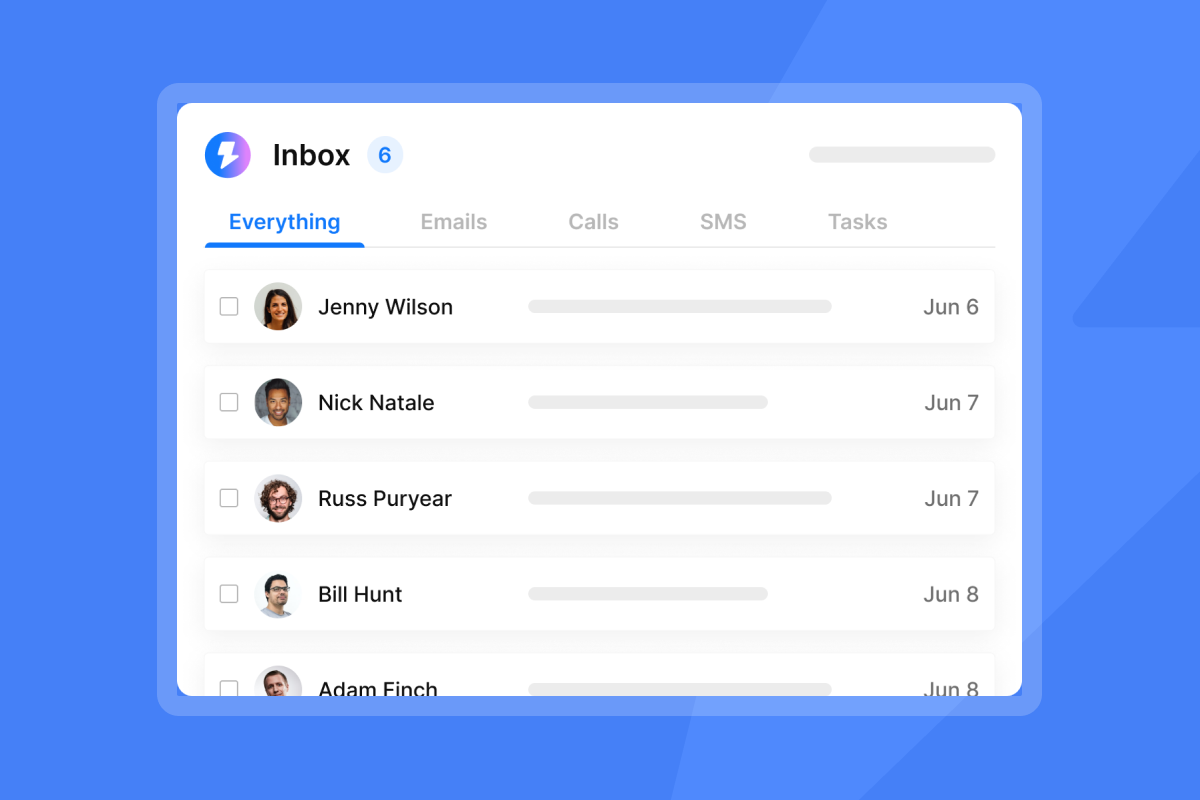
For more on managing replies at scale, check our updated Unibox guide and watch our cold email follow-up strategy.
Using A/Z testing to find the winning script
Once you have a baseline meeting request template, scale your learning by running A/Z tests on every variable: CTA phrasing, time blocks vs. calendar links, social proof placement, email length.
Here is how to set it up:
- Create your campaign and navigate to Sequences.
- Click "Add variant" on the step where you ask for the meeting (typically Step 2 or Step 3).
- Write 2-5 variants of the meeting request email, changing only one variable per test.
- Enable auto-optimize A/Z testing in Campaign Options > Advanced Options. For meeting scheduling, track reply rate first, then manually review which variant drives the highest booking rate (confirmed meetings per send).
- Run the test for 5-7 days and review variant performance in the analytics tab.
The platform automatically surfaces the winning variant based on statistical significance. Once you identify a winner, apply that CTA structure across your other campaigns.
For a full walkthrough, watch our video on speedrunning cold email from zero to first booked call and read our guide on A/B testing cold emails.
Tracking results in the analytics dashboard
Our analytics show open rates, reply rates, and bounce rates by campaign, by sending account, and by sequence step. For meeting scheduling, the metrics to watch are:
- Reply rate on the step where you ask for the meeting: If this dips below your campaign average, your CTA is the problem.
- Positive replies tagged as "Meeting Scheduled": Track how many positive replies actually convert to booked meetings. If the gap is wide, your follow-up sequence or response speed needs work.
- Cost per meeting: Total spend divided by meetings booked. Use this to compare campaign performance and justify spend.
For more on scaling cold email campaigns, watch our guide on what emails work.
"I built my entire client acquisition system through instantly.ai & also sell the product as a service to my clients which is my entire business model. Life changing tool, allowed me to hit 6 figures & provide for my family of 5!" - Joshua Blacklidge on G2
Next steps: Build your meeting booking engine
The difference between a 0.5% booking rate and a 2% booking rate is not luck or list quality, it is structure. Apply these principles to your next campaign:
- Test your CTAs with the same rigor you test subject lines. Run A/Z tests on interest-based vs. time-specific asks and track booking rate, not just reply rate.
- Use proposed times in cold outreach, calendar links after replies. Keep deliverability high by avoiding links in first emails.
- Centralize replies in Unibox so you can respond to hot leads within minutes, not hours.
- Track cost per meeting to prove ROI and identify which campaigns are worth scaling.
Cold email is not about volume, it is about conversion at every step. The meeting request is where most campaigns leak value. Fix the ask, reduce the friction, and automate the follow-up.
Ready to turn cold outreach into a meeting-booking engine? Start your free Instantly trial and use A/Z testing to find your winning CTA in the next 7 days.
Frequently Asked Questions
What is the best time to send a meeting request in cold email?
Send meeting requests in follow-up Step 2 or Step 3 after the prospect has opened or replied, not in the first cold email. Wait 2-3 days after the initial send.
Should I include a calendar link in my first cold email?
No, including calendar links in cold emails hurts deliverability and increases spam risk. Wait for a reply, then send the link.
How many follow-ups should I send before giving up?
Send 4-7 total emails in your sequence, with 2-3 day gaps between the first and second, then 4-5 day gaps after. Research shows 58% of replies arrive after the first email, the remaining 42% come from follow-ups.
What is a good meeting booking rate for cold email?
Meeting booking rates of 0.5-2% are typical for cold campaigns, with 2.2% considered strong. Reply rates of 5-10% are healthy.
Does proposing specific times really work better than asking when they are free?
Yes, research on decision fatigue shows proposing times reduces cognitive load and increases booking rates by removing the coordination burden from the prospect.
How do I track which CTA is working best?
Use A/Z testing to run 2-5 variants of your meeting request CTA and track booking rate per variant over 5-7 days.
Key Terminology
Reply rate: Percentage of cold emails that generate a response from the prospect, including positive, neutral, and negative replies. A healthy reply rate is 5-10%.
Booking rate: Percentage of cold emails that result in a confirmed meeting on the calendar. Typical booking rates range from 0.5-2% for cold campaigns.
Decision fatigue: The decline in decision quality after making many choices. Proposing specific meeting times reduces decision fatigue and increases booking rates.
Unified Inbox (Unibox): A centralized dashboard for managing replies across all sending accounts in one view, eliminating the need to log into multiple inboxes.
A/Z testing: Running up to 26 variants of an email sequence step to identify the highest-performing version based on reply rate, click rate, or open rate.
Low-friction CTA: A call-to-action that requires minimal commitment, such as "Worth a chat?" or "Open to a quick call?" Used in initial cold outreach.
High-commitment CTA: A call-to-action that proposes specific times or asks for an immediate booking, such as "Tuesday at 2 PM or Thursday at 10 AM?" Used after interest is established.
Cost per meeting: Total campaign spend divided by the number of meetings booked. A key metric for measuring ROI on cold outreach campaigns.
Sender reputation: A score assigned by email providers based on engagement, bounce rates, and spam complaints. Strong sender reputation improves inbox placement.


