


Updated February 24, 2026
TL;DR: Cold meeting requests perform best under 150 words because trust is low and attention is scarce. Warm follow-ups allow 50-125 words because context already exists. Professionals spend only a part of their work week on email, which means long emails get archived in seconds. Test your optimal length using Instantly's A/Z variant testing.
Brevity matters. The real question is how short before you lose context, and how long before you lose attention. Knowing your cold email best practices before optimizing length ensures you're not just shortening bad copy. Structure and deliverability have to work together. This guide breaks down the data-backed word counts for cold vs. warm scenarios, the structural elements that save space, and how to test what actually works for your niche.
What counts as a meeting scheduling email
A meeting scheduling email has one job: sell the meeting, not the product.
This is different from a newsletter, a product demo invite, or a calendar reminder. You are asking for time from someone who does not know you or barely remembers your first message. The email requires a binary response: yes, no, or a counter-offer on timing.
Cold meeting requests start with zero trust. Warm follow-ups assume context from a previous touchpoint, which buys you a few extra words. Calendar invites with iCal attachments are transactional and live in a separate category. We focus here on the persuasive ask that happens before someone clicks "add to calendar."
This distinction changes your entire approach. Cold demands brevity. Warm allows context.
The ideal word count for meeting requests
Cold outreach: 20-50 words
Cold emails demand radical brevity. Instantly's 2026 benchmark report recommends keeping first-touch emails under 80 words for best performance.
Keeping messages to 100 words or fewer and limiting them to 3-4 sentences drives the highest reply rates. Trust is low. Attention is scarce. Every word competes with 121 other emails the average prospect receives daily.
Why the tight limit? Over half of emails open on mobile devices, and mobile screens make long emails harder to process. A short email gets read. A long email gets archived.
An email outreach platform with built-in A/Z testing lets you validate word count performance with real data rather than relying on industry averages that may not apply to your niche.
"I use Instantly for cold emailing, and it helps me in getting clients. I like the AI features, which are useful for diagnosis." - Mark G on G2
Warm follow-ups: 50-125 words
Email length studies recommend at most 125 words for maximum response rate. Emails with 75-100 words hit a 51% response rate, the study's sweet spot. Follow-ups need more context because your prospect may have forgotten your first message.
The key insight: your follow-ups need redundancy. Repeat why you are there. Give context. Our brains crave it. A warm email can stretch to 150-200 words when additional explanation is needed, but brevity still wins.
The "too short" trap
Boomerang's data revealed a fine line: emails with 10 words or fewer got responses just 36% of the time. A 25-word email dropped to 44%.
Minimum viable context requires three elements:
- Who you are - Brief credibility signal
- Why them specifically - Personalized relevance
- What you want - Clear, single ask
"Can we meet?" (2 words) lacks all three. "I saw your post on [topic]. Quick question about [pain point]. Free for a 15-min call Tuesday?" (18 words) hits the threshold.
Structural elements that save space
We've found that structure is how you stay concise without losing clarity.
Subject lines: 3-5 words
Most email clients display 33-43 characters on mobile. Gmail on Android shows 33 characters, iPhone Mail shows 48-78 characters depending on app setting.
Good Examples:
- "Quick question" (2 words, 14 characters)
- "Chat re: [Company]?" (3 words + variable)
- "15-min call Tuesday?" (3 words, 19 characters)
Put your main message in the first 33 characters. Staying around 50 characters or less as general best practice.
Preheader text: first 40-90 characters
The first line of your email appears as preview text on most clients. Use it to extend your subject line or state your value proposition, not "I hope this email finds you well."
Bad: "I hope you're doing well and having a great week so far."
Good: "Saw your post on sales automation. Quick thought for you."
The ask: be specific
"When are you free?" is vague and puts work on the prospect. "Are you free for a 20-minute call on Tuesday at 2 PM EST?" is specific and easy to answer.
Mentioning duration reassures the prospect it will not take long. "15 min" or "20 min" removes friction. Offering a specific time reduces back-and-forth.
We built Instantly's Unibox to track replies and convert interested leads into booked meetings quickly.
"I love how Instantly has significantly eased the process of outreach and service delivery for the past two years. The UI is particularly impressive, providing a user-friendly and aesthetically pleasing interface that made setting things up incredibly easy." - Daksh K. on G2
Send windows: Tuesday-Thursday, 9 AM-4 PM
Research shows Tuesday, Wednesday, and Thursday are the best days to send cold emails. These days see the highest open and reply rates, with Tuesday showing strong engagement and open percentages.
We recommend configuring send windows in our campaign options to match recipient local time zones.
How to test email length in Instantly
Don't guess at what works. We built A/Z testing so you can prove it.
Step 1: Create two variants
Use our variant testing to compare a short vs. long version. Open your campaign editor in Instantly, go to Sequences, and click "Add variant." We let you test up to 26 variants in one step.
Variant A (Short): 30-40 words, single CTA
Variant B (Long): 80-100 words, context-heavy
Instantly automatically splits your contact list evenly between variants and distributes them randomly to maintain test integrity.
Step 2: Use AI to shorten
Instantly's Copilot is our in-app assistant for sequence writing and campaign prep. Use custom prompts to request shorter versions:
- "Shorten this email to under 50 words"
- "Rewrite this in 40 words or less while keeping the CTA"
- "Make this more concise and remove fluff"
Copilot generates multi-step sequences, applies spin syntax for uniqueness, and sets up tests automatically. It tailors outreach based on your business context and ICP.
Watch this complete walkthrough of our AI features to see Copilot in action.
Step 3: Set your winning metric
We recommend enabling auto-optimize A/Z testing in Campaign Options → Advanced Options. Select your winning metric: reply rate, click rate, or open rate.
Reply rate is the primary signal in cold outreach. Email reply rate is the clearest signal that your message reached the primary inbox, made sense, and prompted a human response. Replies beat opens and clicks as a KPI for cold email.
Track positive reply rate for qualified interest and meetings booked as your team-level success metric. Monitor bounce rate (keep at or below 1%) and complaint rate (ideally not above 0.1%) as reply rate indicators aligned with Google's bulk sender guidelines.
Step 4: Monitor and iterate
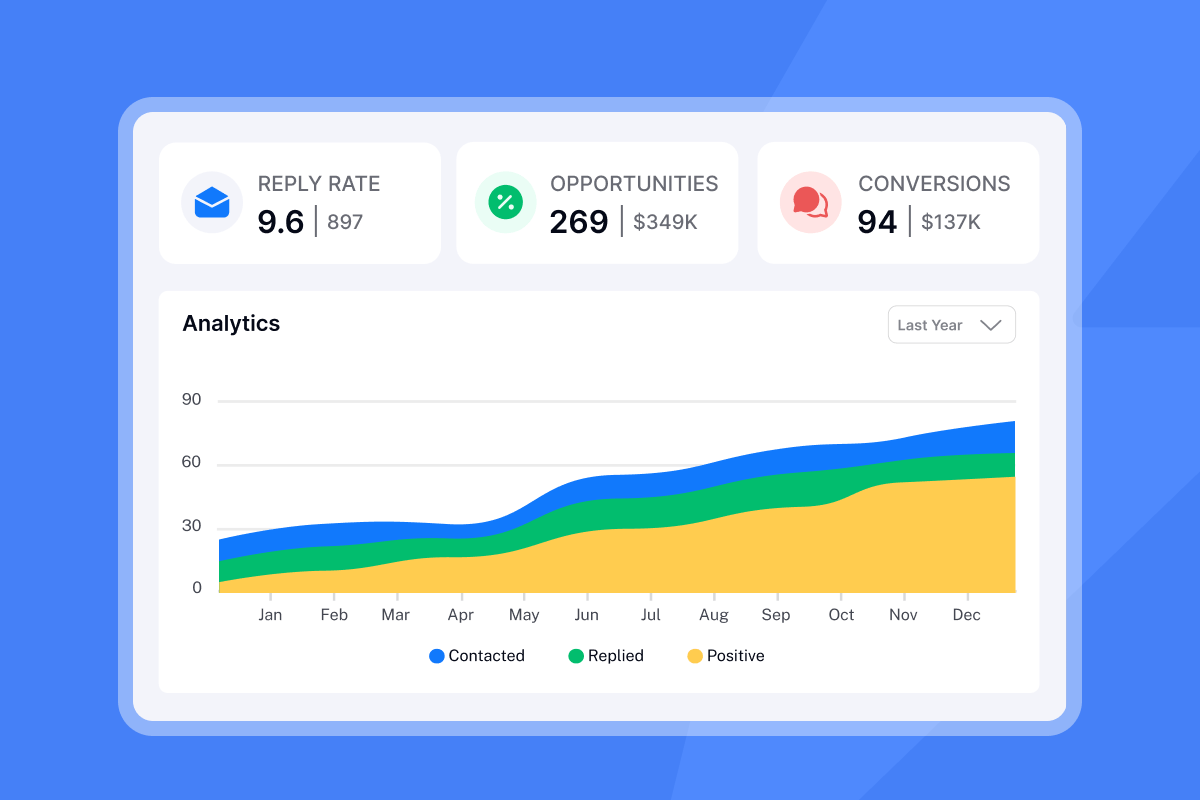
View performance in Analytics. Campaign overview shows total sends, opens, clicks, and replies. Account analytics reviews per-inbox health scores. A combined score below 30 with 100+ sends signals trouble.
Select a longer time range (Last 4 weeks) to see complete results. After tests run, ask Copilot "Which subject line variant is winning?" or "Show me campaigns with reply rates below 3%" to identify patterns quickly.
For a detailed explanation of testing methodology, read our guide to A/B testing cold email.
For a more complete guide to A/B testing meeting scheduling emails with real results data and statistical frameworks, see how agencies ran length, CTA, and timing tests systematically.
Meeting request length by scenario
Different contexts require different lengths.
Scenario | Recommended word count | Key elements | Example CTA |
|---|---|---|---|
Cold intro | 20-50 words | Pain point + value hint + ask | "Free for 15 min Tuesday at 2 PM EST?" |
Warm follow-up | 50-125 words | Reference previous message + context | "Following up on my note about [topic]. Still relevant?" |
Length and meeting email timing work together. Even a perfectly concise email won't convert if it arrives when your prospect is mentally checked out.
Example: before and after
Before (125 words):
"Hi [Name], I hope this email finds you well. I wanted to reach out because I noticed your company is in the [industry] space and thought there might be an opportunity for us to work together. We specialize in helping companies like yours improve their outreach and generate more qualified leads through our advanced email automation platform. I've worked with similar companies in your space and have seen some really impressive results. I'd love to share some case studies and discuss how we might be able to help you achieve your goals this quarter. Would you be open to a brief call sometime next week to explore this further? I'm flexible on timing and happy to work around your schedule. Looking forward to hearing from you. Best regards, [Your name]"
After (38 words):
"Hi [Name], saw your post on sales automation challenges. We help [industry] teams book 30% more meetings through better email deliverability and AI sequencing. Worth a 15-min call Tuesday at 2 PM EST to compare notes? Best, [Your name]"
The rewrite cuts 87 words, adds specific personalization, and proposes a concrete time.
For more copywriting frameworks, read our guide to cold email copy that gets 400+ replies monthly.
Testing in practice
Here's how we recommend running your first length test this week:
- Pick one active campaign with at least 200 contacts remaining.
- Create Variant A (Control): Use your current email length.
- Create Variant B (Short): Cut it to 40 words or fewer. Remove adjectives, backstory, and politeness fluff. Keep the pain point, value hint, and CTA.
- Set reply rate as winning metric in our auto-optimize settings.
- Run for 2 weeks (or until each variant reaches 100+ prospects), then review results in Analytics. If Variant B wins, apply that length to other campaigns. If Variant A wins, test a different element like subject line or CTA specificity.
For advanced testing strategies, watch 10 years of cold email advice in 41 minutes from our team.
The role of AI in shortening copy
We built Copilot because manual editing takes hours agencies don't have.
Give Copilot your company URL and a 2-3 sentence product description. It returns a targeted lead list from the integrated SuperSearch database with 450M+ contacts, then drafts a multi-step sequence you can refine in minutes.
Use custom prompts to optimize length:
- "Rewrite this in 50 words while keeping the value proposition clear"
- "Make this email more direct and remove filler"
- "Create a 30-word cold intro for [ICP]"
Copilot applies spin syntax so variants stay unique and sets up tests automatically. For a comparison of AI-powered cold email tools, read our analysis of Copilot vs. Reply and Skylead.
Watch this deep-personalization workflow using AI to see how to scale 1,000+ emails while keeping them concise.
Common mistakes that inflate length
Avoid these traps:
1. Over-explaining your product: The first email is not a demo. State the outcome, not the features.
2. Multiple CTAs: "Can we chat? Or would you prefer a white paper? Maybe a case study?" Pick one ask.
3. Generic compliments: "Your company is impressive" is filler. "Saw your Q4 expansion into EMEA" shows research in fewer words.
For a complete list of pitfalls, watch this cold email guide.
Meeting request best practices checklist
Use this as your pre-send audit:
- Cold emails: Keep under 50 words
- Warm emails: 50-125 words with context
- Subject line: 3-5 words, under 35 characters
- Specific CTA: Include time, date, and duration
- Mobile test: Send to yourself and check readability
- A/Z test: Compare short vs. long variants
- Send window: Tuesday-Thursday, 9 AM-4 PM local time
- Duration stated: "15 min" or "20 min" reduces friction
- One ask: Multiple CTAs kill reply rates
Follow our cold email strategy guide for a complete framework on warmup, send limits, and list hygiene.
Ready to find your optimal email length? Start a free trial with Instantly, use our AI Copilot to shorten your templates, and measure results in real time. For more cold email resources, watch this tutorial on cold email deliverability.
FAQs
How many sentences should a meeting request email have?
Cold emails perform best with 3-5 sentences. Follow-ups should be more concise in content.
Is it okay to send a meeting request email with just one sentence?
Emails with 10 words or fewer get only 36% response rates. Include who you are, why them, and what you want.
What is the best time to send a meeting request?
Research shows Tuesday-Thursday between 9 AM-4 PM local time performs well. Peak windows are 10 AM-12 PM for response rates.
How long should the subject line be?
3-5 words or 30-35 characters to ensure full visibility on mobile devices.
How long should I test before picking a winning variant?
Run tests for at least 2 weeks or until each variant sends to 100+ prospects to get statistically meaningful results.
Key terms glossary
Cold outreach: First-touch emails to prospects with no prior relationship. Requires radical brevity and clear value signals.
A/Z testing: Testing multiple variants of subject lines, body copy, or CTAs within a single campaign to identify winning performance.
Reply rate: Percentage of recipients who respond to at least one email in your sequence. Primary success metric for cold email.
Cognitive load: Mental effort required to process information. Lower load increases action likelihood.
Send window: Time range when emails are sent to recipients. Optimized for local time zones and engagement patterns.
Spin syntax: Technique that rotates words or phrases across emails to maintain uniqueness and avoid spam filters.


