


Updated January 31, 2026
TL;DR: Follow up at least 3-4 times after your initial email. Space them out (2-3 days, then 5-7 days, then 10-14 days). Every follow-up must add new value, not just "check in." Use Instantly's campaign builder to automate sequences across unlimited accounts while protecting deliverability through built-in warmup and smart send timing. Most conversions happen after the third touchpoint, so stopping early kills ROI.
Silence is not a rejection. In cold email, silence usually means "not now" or "buried in my inbox." Yet 44% of salespeople give up after just one follow-up attempt, while 80% of sales require five or more touchpoints. That gap between when most reps quit and when deals actually close represents millions in lost revenue. If you run an agency or manage outbound at scale, you cannot afford to leave that money on the table. Every cold email outreach system that compounds over time treats the follow-up sequence as the primary conversion engine, not an afterthought bolted onto the first send.
This guide covers the psychology behind non-response, the exact timing and structure for high-converting sequences, and how to automate follow-ups safely using Instantly so you can scale without burning client domains. Instantly, the cold email automation platform built for agency-scale sequences, lets you automate this without manual tracking across 50+ client inboxes.
Why prospects go silent (and why it is rarely personal)
Your perfect cold email landed in the primary inbox. Open rates look solid. But the reply column stays empty. Before you write off the lead, understand the physics of executive attention.
Decision-makers receive 120-126 business emails daily, and that number climbs higher in competitive industries. Your message competes with urgent client requests, internal fire drills, and dozens of other cold pitches. Most executives skim subject lines during coffee, flag a few for later, and never circle back. This is logistics, not hostility.
The primary reasons for non-response break into four categories. Bad timing accounts for the majority. Your email arrived during a budget freeze, right before a board meeting, or the day they signed with a competitor. Inbox overload means your message got buried under 40 unread threads before they finished their first scan. Not ready now applies when they are intrigued but addressing other priorities, so they mentally file your pitch under "revisit in Q2." Finally, overlooked emails happen because humans are imperfect filters. They meant to reply, got distracted, and forgot.
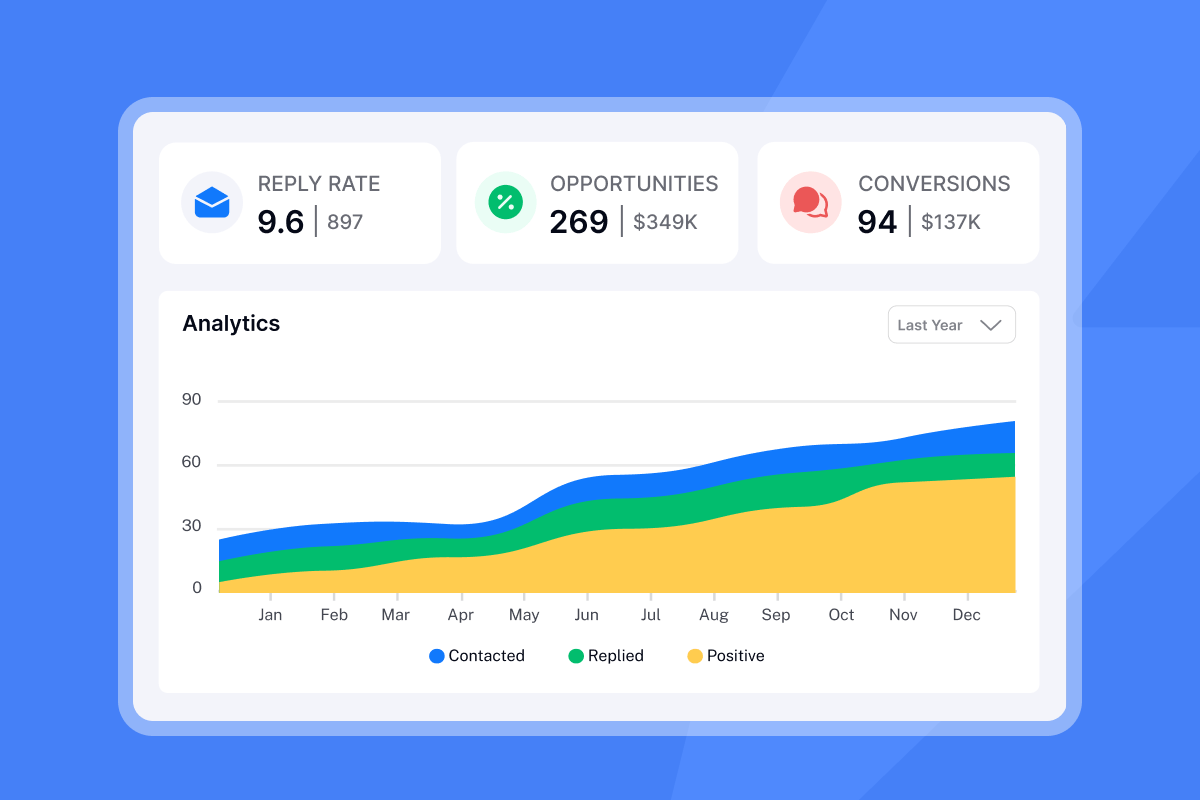
The math supports persistence. Research from Woodpecker shows that adding at least one follow-up increases average reply rates from 9% to 13%. For experienced users running tight campaigns, reply rates jump from 16% to 27% when follow-ups are included. A single follow-up converts roughly 22% more prospects than sequences without any.
Treat silence as neutral data, not personal judgment. Your job is to re-surface at smarter intervals with new angles until timing aligns. Instantly's campaign options let you automate this without manual tracking across 50+ client inboxes.
The physics of a high-converting follow-up sequence
A high-converting follow-up sequence is a mechanical system, not an art project. The variables are frequency, timing, structure, and throughput control. Get these wrong and you either quit too early or trigger spam filters.
Frequency: How many touches total?
Industry data shows 4-9 follow-up emails can improve cumulative reply rates, though results vary widely by industry and ICP. For cold outreach where you have never spoken to the prospect, I recommend 3-5 total emails (1 initial plus 2-4 follow-ups) as a baseline. Test beyond that carefully, watching bounce rates and spam signals. For a detailed walkthrough, watch Instantly's video on the best cold email follow-up strategy.
Timing: When to send each step
Studies show that if a recipient will reply, there is a 90% chance they do it within the first 2 days. That means your first follow-up should land 2-3 days after the initial email. Sending next-day follow-ups reduces replies by 11% because prospects feel pressured.
Here is the optimal schedule for cold outreach sequences:
- Day 0: Initial email
- Day 3: First follow-up (brief value add)
- Day 8: Second follow-up (new angle or case study)
- Day 15: Third follow-up (social proof or useful resource)
- Day 28: Breakup email (final touch)
Space later touches further apart. Early emails test interest. Later emails catch prospects whose timing changed. Research on cold email timing shows increasing intervals between follow-ups balances persistence with politeness.
Structure: The four-act sequence
Each email in your sequence must serve a distinct purpose. Step 1 is your opening pitch; problem, proof, small ask. Step 2 adds a single piece of value such as a relevant article or observation about their business. Step 3 introduces social proof like a case study or a testimonial from a similar company. Step 4 is the breakup email, which creates loss aversion by politely closing the loop.
Instantly's campaign builder lets you configure these steps with exact day delays between each touch. Set your wait periods in the "Schedule" tab, enable smart send windows to randomize delivery times, and the platform handles the rest across unlimited accounts. Watch how to build a campaign for a full walkthrough.
"I love how simple Instantly is to use... The ability to schedule emails at specific times and zones is incredibly convenient, especially for cold outreach in multiple regions. This feature is very effective for coordinating event invites and follow-ups, making my email campaigns much more efficient." - Verified user on G2
How to write follow-up emails that actually get read
Generic follow-ups destroy reply rates and sender reputation. Every follow-up must justify its existence by adding something new. Here is how to write follow-ups that prospects actually open and respond to.
Tone: Practical, polite, and short
Keep follow-ups concise. Use plain language. Avoid guilt-tripping phrases like "I guess you are too busy" or "Just wanted to bump this to the top of your inbox." These patterns feel manipulative and damage sender reputation. Instead, acknowledge that timing might be off and offer a quick out.
Subject lines: Thread or refresh?
For the first two follow-ups, keep the same subject line and let your email thread with the original message using "Re:". Threading provides context and keeps the conversation organized in their inbox. After that, test a fresh subject line if the thread is not getting traction. Examples: "Quick follow-up on [topic]" or "One more thought on [pain point]."
Value: Every email must give, not just ask
The fastest way to get ignored is to send "Just checking in" emails. Instead, use each follow-up to offer something useful. Step 2 might share a relevant case study or a link to a free tool. Step 3 might highlight a recent industry trend that affects their business. Step 4, the breakup email, includes a final insight or resource before you close the loop.
Instantly's cold email copywriting framework walks through how to structure value-driven emails that get 400+ replies monthly. The key is specificity. Generic value is noise. Personalized, relevant value gets responses.
Comparison: Generic vs. Value-Based Follow-Ups
| Element | Generic Follow-Up | Value-Based Follow-Up |
|---|---|---|
| Subject | "Just checking in" | Re: [Original subject] |
| Opening | "Bumping this to the top of your inbox" | "Wanted to share something useful" |
| Body | "Did you get my last email?" | "Here is a case study on [pain point]" |
| CTA | "Let me know if you're interested" | "Worth a 15-minute call?" |
| Value | None | Specific resource or insight |
Optimization: Use Spintax to protect deliverability
Sending identical copy across hundreds of emails triggers spam filters. Spintax solves this by rotating word variations. For example, {Hello|Hi|Hey} randomly picks one option per send, so each email is slightly different. Apply Spintax to greetings, transitional phrases, and sign-offs. It is a small change that protects your domain health when you scale.
If you are managing 20+ inboxes, use Instantly's AI Copilot to generate sequence variations with Spintax already built in. Type "Write a 3-step sequence for [ICP]" and Copilot drafts personalized emails with spin syntax included. Review, tweak tone, and launch.
5 proven follow-up templates for non-responsive leads
Here are five distinct follow-up templates you can adapt for your campaigns. Customize variables like {{company}}, {{pain_point}}, and {{resource}} based on your ICP. Do not copy-paste blindly. Add specific context from your prospect research.
Template 1: The Quick Bump
When to use: First follow-up (Day 3). Keep it short and non-pushy.
Subject: Re: [Original subject]
Body:
{{firstName}},
Wanted to follow up on my note about {{topic}}. I know timing is not always right, so no pressure at all. Just wanted to check if this is worth revisiting.
If not, just let me know and I'll close the loop.
{{yourName}}
Why it works: Polite, acknowledges they might be busy, gives an easy out. Low friction.
Template 2: The Value Add
When to use: Second follow-up (Day 8). Share a relevant resource or insight.
Subject: Re: [Original subject]
Body:
{{firstName}},
I have not heard back yet, so I wanted to share something useful in the meantime.
I put together a quick guide on {{pain_point}} that {{similar_company}} used to {{result}}. No strings attached, just thought it might help.
Here is the link: {{resource_url}}
Worth a conversation?
{{yourName}}
Why it works: Leads with value, not another ask. Shows you are helpful even if they do not buy. Research on cold email follow-ups confirms that adding value in every follow-up improves engagement.
Template 3: The Case Study
When to use: Third follow-up (Day 15). Provide social proof with a brief success story.
Subject: Re: [Original subject]
Body:
{{firstName}},
Quick update. We just helped {{competitor_or_similar_company}} solve {{pain_point}} and they saw {{specific_result}} in {{timeframe}}.
I think we could do something similar for {{company}}.
Worth a 15-minute conversation?
{{yourName}}
Why it works: Social proof from a relevant peer reduces risk. Specificity (numbers, timeframe) builds credibility. Learn more techniques in Instantly's video on cold email copywriting.
Template 4: The New Angle
When to use: Fourth follow-up (Day 20). Address a different pain point than the first email.
Subject: Re: [Original subject] OR try a fresh subject: "One more thought on [new angle]"
Body:
{{firstName}},
I realize {{original_pain_point}} might not be top of mind right now. But I noticed {{new_observation}} and thought this might be more relevant.
We help companies like {{company}} {{solve_new_pain_point}}. Interested in a quick chat?
{{yourName}}
Why it works: Gives the prospect a fresh reason to engage. Shows you did research beyond the first email.
Template 5: The Breakup Email
When to use: Final follow-up (Day 28). Creates loss aversion by closing the loop.
Subject: Re: [Original subject]
Body:
{{firstName}},
I have not heard back, so I will assume now is not the right time. No worries at all.
Before I close the loop, I wanted to share one quick thing: {{1-sentence insight or resource}}.
If your situation changes, feel free to reach out.
{{yourName}}
Why it works: Breakup emails often get the highest reply rates because they trigger loss aversion. Prospects realize they are about to lose access, so they respond. Keep it polite and leave the door open.
For 600+ additional templates, check Instantly's cold email template library. Adapt these frameworks to your ICP, add Spintax, and test variations to find what works for your audience. Once a breakup email generates a reply, have a dedicated meeting scheduling follow-up system ready to convert that re-engagement into a booked call before the prospect goes cold again.
How to automate follow-ups without ruining deliverability
Automation scales your outreach, but careless automation burns domains and lands your emails in spam. Here is how to automate follow-ups safely using Instantly.
The risk: Volume, speed, and pattern detection
Sending too many follow-ups too fast triggers spam filters. Email providers like Gmail and Microsoft watch for sudden volume spikes, identical copy, and robotic send patterns. If you launch a 5-step sequence across 100 inboxes without warmup or rate limits, you will hit the spam folder by day three.
The solution: Warmup, spacing, and throughput control
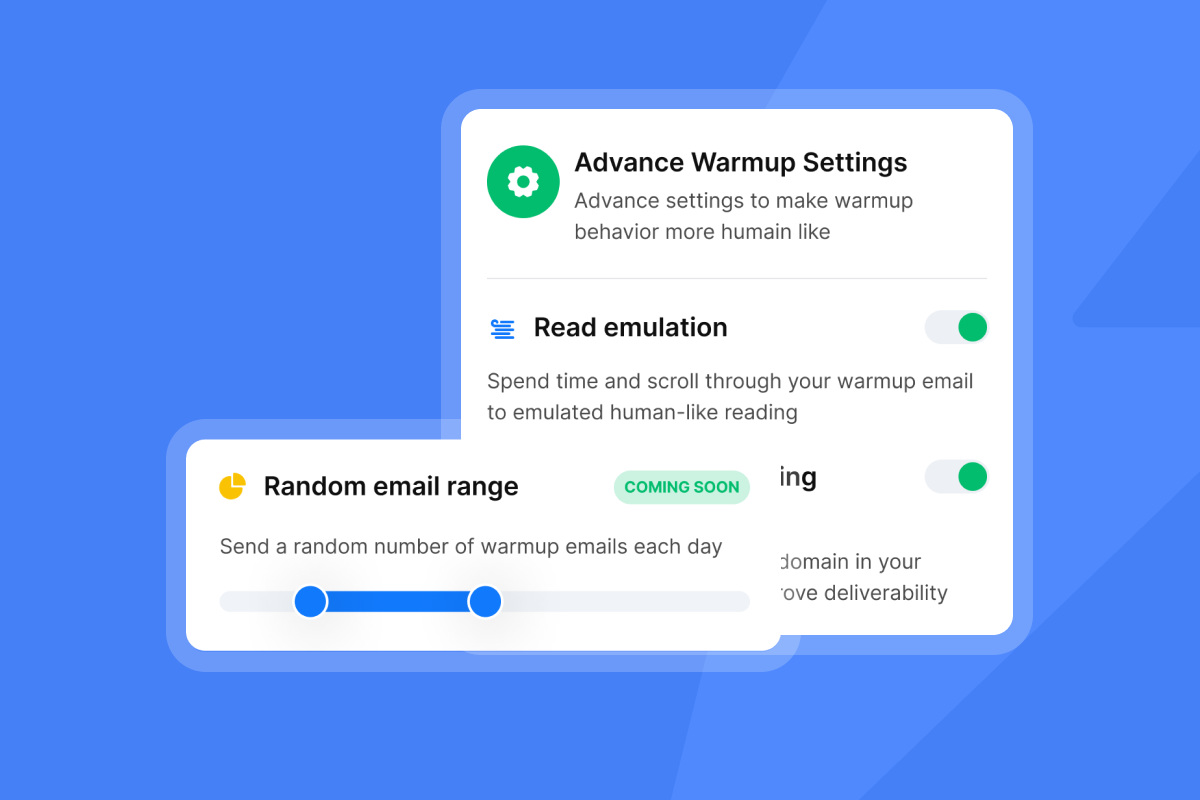
Instantly solves this with three layers of protection. First, built-in warmup keeps your accounts warm during campaigns. Warm up your accounts for at least 2 weeks before launching campaigns, and never turn warmup off. Instantly's warmup network of 4.2M+ accounts exchanges emails with your inboxes to build positive engagement history. Enable warmup in the "Accounts" tab and let it run continuously.
For the complete infrastructure checklist on authentication, warmup ramp schedules, and inbox placement monitoring that keep your sequences out of spam, see this email deliverability guide.
Second, smart send windows randomize delivery times to mimic human behavior. Set a send window like 8 AM to 3 PM local time, and Instantly will space emails throughout that window instead of blasting them at exactly 9:00 AM. This avoids pattern detection.
Third, daily send limits cap volume per inbox. Industry best practice recommends 30-50 cold emails per day per account, plus 10 warmup emails. Stay under 100 total emails per day per inbox if the account has been properly warmed. Configure daily limits in the Campaign Options settings.
"I love how Instantly has revolutionized my email marketing efforts. Its ability to solve the problem of sending bulk emails across different time zones is essential for global campaigns and ensures that messages reach recipients at the most optimal times... the warmup email option... prepares inboxes for high deliverability, and the ability to send follow-up emails on a timely basis, ensuring no lead is left untended." - Sachin J on G2
Unlimited accounts for volume distribution
Here is where Instantly's architecture shines. Instead of cramming 500 daily sends through one inbox, spread them across 10-20 inboxes at 30-50 sends each. Instantly's Growth and Hypergrowth plans include unlimited email accounts and unlimited warmup with no per-seat fees. This flat-fee model lets you scale safely by distributing volume instead of risking one high-throughput domain.
For agencies running 50+ client domains, Instantly's Light Speed plan adds SISR (Server & IP Sharding and Rotation), which assigns dedicated IP groups to your accounts for extra isolation and protection. Learn more in Instantly's video on cold email deliverability.
Using AI to personalize follow-ups at scale
Generic follow-ups get ignored. Personalized follow-ups get responses. But writing custom follow-ups for 1,000 leads is impossible manually. AI solves this by generating unique angles for each prospect based on company data, industry trends, and recent news.
The problem: Template fatigue
If every prospect in your sequence receives identical follow-ups, you are leaving conversions on the table. Personalization improves reply rates, but traditional mail-merge variables like {{firstName}} and {{company}} are not enough. Prospects want to see that you researched their specific situation.
The solution: Instantly's AI Copilot and custom AI columns
Instantly's AI Copilot generates multi-step sequences with personalized variables and Spintax already built in. Type a prompt like "Generate a 4-step sequence for SaaS founders struggling with churn" and Copilot drafts emails that reference the prospect's ICP, pain points, and context from your uploaded materials. It pulls from your website, PDFs, and custom rules to ensure outputs are relevant, not generic.
For even deeper personalization, use custom AI columns in the Leads tab. These columns run AI models (OpenAI, DeepSeek, or Anthropic) to pull insights from a lead's company profile, recent news, or website copy. For example, create a column called "Recent Company News" that scrapes the prospect's blog for a relevant article, then insert that into your follow-up with a variable like {{custom_1}}. Instantly's AI features automate this at scale without manual research.
After finding leads through SuperSearch, you can enrich them by clicking "Find email" to access the Enrich window. Navigate to the AI & Scraping tab to run AI enrichment (0.5 credits per lead) which generates personalized data points like company technologies, recent funding news, or job listings. Use these enriched fields as variables in your follow-up sequences for deeper personalization at scale.
"I like the automation features in Instantly because they save me a lot of time and effort in doing my work, especially in setting up multiple campaigns and email sequences in a personalized way with follow-ups. It really assists me in building campaigns efficiently." - Faisal K on G2
For a complete walkthrough of Instantly's AI capabilities, watch the AI assistant playbook video and read the AI Copilot guide.
When to stop following up: The law of diminishing returns
Persistence is good. Harassment is bad. Knowing when to stop following up protects your sender reputation and respects prospect attention.
The rule: Stop after 4-5 touches (or sooner)
Most cold email experts recommend 3-5 total emails (1 initial plus 2-4 follow-ups) for cold outreach. Some practitioners extend to 6-8 touches, but results vary widely by ICP and industry. Test your sequence length, but watch for declining engagement. After 4-5 touches with zero opens or replies, continued outreach becomes noise.
Signals to stop immediately
If your last 3 emails went unopened, stop. If bounce rates climb above 2% or spam complaints spike, stop and investigate. If they explicitly unsubscribe or ask you to stop, honor it immediately and add them to your global block list.
Moving to long-term nurture
Instead of deleting unresponsive leads, move them to a nurture list and re-engage after a 3-6 month cool-down. Their situation may have changed by then. Frame the final email as a polite close: "I will assume this is not a priority right now. I will reach out again in [timeframe] to see if our goals align."
"I've been using Instantly for all my cold email campaigns, and it's been great so far." - Adelina Karpenkova on Artisan
Use campaign options to automatically pause leads who hit certain criteria (e.g., no opens in 14 days), then export them to a separate nurture campaign later.
Measuring success: Metrics that matter for agency operators
If you cannot measure it, you cannot improve it. Here are the KPIs that matter for follow-up campaigns, with benchmarks to guide your optimization.
Reply rate
Reply rate is the percentage of sent emails that receive any response (positive, neutral, or negative). Industry benchmarks show 5-10% is solid for B2B, 10-15% is excellent, and 15%+ is best in class. Data from Instantly's benchmark report analyzing billions of emails shows an average reply rate of 3.43%, with top performers exceeding 10%. If you are below 5%, test new follow-up angles, tighter segmentation, or improved list quality.
Positive reply rate
Not all replies are created equal. A positive reply rate measures qualified interest (meeting requests, questions, referrals) as a percentage of total replies. Aim for a positive reply rate of 50% or above. If your reply rate is 10% but only 20% are positive, you have a targeting or messaging problem. Instantly's Unibox lets you tag replies (positive, objection, unsubscribe, out of office) so you can track this metric accurately.
Bounce rate
Keep bounce rates below 2%, ideally under 1%. Every bounced email damages sender reputation. Well-maintained cold email campaigns should have bounce rates well below the often-cited 7.5% average. Clean your lists before uploading with email verification, and remove addresses that consistently bounce. Instantly's BounceShield automatically skips risky emails to protect your domain health.
Open rate
An open rate above 60% is a great benchmark. If you consistently hit that level, your subject lines are compelling and your list is qualified. Open rates of 40% or less signal a bad sender reputation or poor targeting. Use Instantly's inbox placement tests to check where your emails land (inbox vs spam) and adjust warmup settings if needed.
Meetings booked per 1,000 sends
This is the ultimate ROI metric for agencies. If you send 1,000 emails with a 10% reply rate and 50% positive replies, that is 50 positive conversations. If your close rate from conversation to meeting is 40%, you book 20 meetings per 1,000 sends. Track this in Instantly's campaign analytics to measure campaign performance and justify client spend.
"Easy setup, AI superpowered, intuitive user interface." - Adelina Karpenkova on Artisan
For a step-by-step guide on turning interested leads into meetings, read Instantly's article on converting leads to meetings.
For a complete framework on step-level analytics, reply latency, and attribution across multi-touch sequences, see this email metrics tracking guide covering the KPIs that reveal where your follow-up funnel is leaking.
Frequently asked questions about no-response follow-ups
How many days should I wait before the first follow-up?
Wait 2-3 days. Research shows 90% of replies happen within the first 2 days, so give prospects time before following up. Sending next-day follow-ups reduces replies by 11%.
Should I use the same subject line for follow-ups?
Yes, for the first 2 follow-ups. Threading keeps the conversation organized. After 2-3 touches, test a fresh subject line if the thread is not getting traction.
How many follow-ups should I send?
Send 3-4 total emails (1 initial plus 2-3 follow-ups) for most cold campaigns. You can extend to 5-6 total touches if engagement signals are strong, but stop sooner if you see zero opens or replies.
Is it legal to follow up on cold emails?
Yes, as long as you provide an unsubscribe link and honor opt-out requests immediately. Follow CAN-SPAM (US) and GDPR (EU) rules. Instantly includes unsubscribe links by default.
What if my follow-ups are going to spam?
Check your warmup settings, reduce daily send volume to 30-50 per inbox, and run an inbox placement test. Ensure SPF, DKIM, and DMARC records are configured correctly.
When should I move leads to a nurture list?
After 4-5 touches with no engagement, move unresponsive leads to a 3-6 month nurture list instead of deleting them. Their situation may have changed by then.
Key terminology
Threaded reply
An email reply that maintains the same subject line (with "Re:" prefix) and appears in the same conversation thread as the original email. Threading keeps all related messages grouped together in the recipient's inbox for easy reference and context.
Breakup email
The final email in a sequence that acknowledges non-response and gracefully closes the loop while leaving the door open for future engagement. Breakup emails often get the highest reply rates because they trigger loss aversion. Keep it polite and under 5 sentences.
Spintax
A syntax method that creates variation in email copy by providing multiple alternatives for words or phrases within curly brackets separated by vertical bars, like {Hello|Hi|Hey}. The email system randomly selects one option per send, ensuring each recipient gets a slightly different version to improve deliverability and avoid spam filters detecting identical mass messages.
Sender reputation
Email providers like Gmail and Microsoft assign your domain and IP address a score based on engagement, bounce rates, spam complaints, and sending patterns. Poor sender reputation sends your emails to spam. Protect it by warming up accounts, keeping bounce rates under 2%, and limiting daily volume to 30-50 emails per inbox.
Unibox
Instantly's centralized inbox that consolidates replies from all your sending accounts into one view. Unibox lets you manage thousands of follow-up replies, tag conversations (positive, objection, unsubscribe), and respond quickly without switching between 50+ inboxes. Learn more in the Unibox management guide.
Prospects go silent for dozens of reasons, and most of them have nothing to do with your offer. The agencies that win are the ones who build systematic follow-up sequences, automate them safely, and measure what works. Start by setting up a 3-step campaign in Instantly with the templates above, space your follow-ups 3, 8, and 15 days apart, and keep warmup enabled. Use AI Copilot to personalize at scale and track reply rates in your analytics dashboard. Silence is not rejection. It is a timing problem that a consistent, value-driven system can solve.
Try Instantly free and use the follow-up frameworks in this guide to convert more silent leads into booked meetings.


