


Updated April 1, 2026
TL;DR: Pre-signup onboarding emails bridge the gap between a discovery call and a signed contract by setting expectations, handling objections, and building trust before the deal closes. Most agencies lose deals in the silent period after the proposal, not because the offer was weak but because follow-up was inconsistent. Over 92% of interested buyers respond within 14 days, so a structured sequence concentrated in that window captures most available deals. Automating personalized follow-ups across unlimited inboxes, without per-seat penalties, is how agencies scale this motion profitably. Consolidate outreach and reply management into one platform to cut tool sprawl and protect sender reputation.
Client onboarding starts the moment a prospect books a discovery call, not after the contract is signed. Every email you send between that call and the signed agreement shapes whether they close or go quiet. For agencies managing 10 to 150+ inboxes across multiple clients, the pre-signup phase is where deals are won or quietly abandoned.
This guide gives you the templates, timing rules, and automation steps to run a pre-signup nurture sequence that converts, without burning domains or annoying prospects into silence.
Defining the client onboarding email
The unique role of pre-signup onboarding
A pre-signup onboarding email is not a customer onboarding email. Customer onboarding educates a paying user on product features and drives adoption after the deal closes. Pre-signup onboarding removes friction, answers unasked objections, and sets expectations that make signing feel like the logical next step.
The table below shows exactly where the two types diverge.
Element | Pre-signup onboarding | Post-signup onboarding |
|---|---|---|
Goal | Typically focuses on converting prospects by reducing friction and building confidence toward a decision | Product adoption, retention, feature education |
Timing | Typically before contract or payment | After signup or purchase |
Key content | Often includes scope clarity, timelines, team intros, case proof | Tutorials, welcome kits, success checklists |
Key metrics | Reply rate, meetings booked, conversion to close | Activation rate, time to first value, feature adoption |
Pre-signup emails focus on converting a prospect. Post-signup emails focus on activating a customer. Mixing the two creates confusion and slows the sales cycle.
When to send pre-signup emails
Most agencies get timing wrong. Outreach data suggests that many silent buyers who eventually reply do so within a few days of the latest message, with most responses arriving within the first two weeks. Concentrating your sequence in the early part of your outreach window and sending follow-ups 2 to 3 days apart gives you the best chance of reaching buyers while interest is still fresh.
Since most replies arrive quickly after each message is sent, leads who haven't responded by day 14 are unlikely to engage with continued automated outreach. Pausing automated sends after day 14 and shifting unresponsive leads to a quarterly check-in cadence helps maintain focus on engaged prospects.
Why pre-onboarding emails improve conversion rates
Define scope and client responsibilities
Prospects hesitate to sign when they feel uncertain about what they need to provide or what happens on day one. A brief, friendly outline of the assets you need (brand guide, domain access, signed NDA) removes that anxiety and signals that you've run this process many times. Prospects who see a clear checklist feel less risk, and less perceived risk accelerates decisions.
Pre-signup trust-building tactics
Email already works in your favor because as many as 75% of customers prefer it for business communication. The strongest pre-signup emails lead with empathy, not features. Reference something specific from the discovery call to prove you listened, then ask one clarifying question that frames your work as helpful onboarding rather than interrogation, and close with a single clear action step.
Preventing post-signup client churn
Agencies that set realistic scope and timeline expectations during the pre-signup phase have fewer "this isn't what I expected" conversations after signing. A single email that explains your typical ramp timeline (two weeks to build sender reputation, then small-scale sends begin in week three, provided bounce rates stay under 1% and open rates exceed 35%) plants a mental model that protects the relationship before it even begins.
Outreach scripts for booking initial meetings
Pre-onboarding discovery email
The first outreach email should be concise (under 100 words), reference one specific detail about the prospect's business, and ask for a small, easy action. Avoid attachments in cold outreach, as they trigger spam filters and often go unopened. Cleverly's cold outreach guidance recommends a personalized first line and a single clear call to action to keep cold emails scannable and actionable.
Template: initial discovery email
Subject: Quick question about [Company Name]'s outreach
Hi [First Name],
I noticed [one specific detail about their business or recent activity]. We help [type of company] book [X meetings] per month using cold email, without burning their domains.
Worth a 15-minute call this week?
[Your name]
Boost reply rates post-call
The call happened. Now the silence starts. Outreach research shows it typically takes nearly 5 touches to get a response from a warm contact and 7 from a cold one, so a single follow-up after your discovery call won't close deals. Build at least a 5-step post-call sequence and layer value across each step using the Instantly cold email copywriting framework so the sequence feels useful rather than nagging.
Template: post-call follow-up (send same day)
Subject: Great call, [First Name], here's the summary
Hi [First Name],
Thanks for the time today. To recap:Your current challenge: [pain point they mentioned]What we'd do in the first 30 days: [brief scope]Expected outcome: [specific result]
I'll send the proposal by [date]. Any questions before then, reply here and I'll answer within the hour.
[Your name]
Boost reply rates: qualification questions
Frame qualification questions as helpful setup steps rather than a vetting interrogation. Asking "To build your campaign plan, can you share which industries you're targeting?" makes the prospect feel you're already preparing for them, which builds commitment before any contract is signed.
Drive action using post-proposal emails
Same-day proposal delivery email
Send the proposal and the delivery email together on the same day. Research from Crunchbase shows that 80% of buyers prefer email for business communication, and buyers who get a clear summary email alongside the proposal act faster than those who only receive the document. Keep the delivery email short: one paragraph that restates the core outcome, a link to the proposal, and one question that invites dialogue.
Template: proposal delivery email
Subject: Your proposal, [First Name]: [Outcome] in [Timeframe]
Hi [First Name],
Attached is the proposal we discussed. The short version: we'll set up [X inboxes] across [Y domains], with the ramp timeline and meeting targets we outlined in our call.
One question: is the decision timeline still [date you discussed]? That helps me prioritize setup.
[Your name]
Post-proposal follow-up sequence
HubSpot's framework for follow-up emails identifies five steps: identify your objective, provide context, create a purpose, develop a strong CTA, and choose optimal timing. Apply this framework to a structured post-proposal follow-up sequence:
- Day 0: Send the proposal with the delivery email above.
- Day 3–5: Send a value-add email with one relevant case study or benchmark. Buyers need time to read the proposal, discuss it internally, and form initial views, following up too soon undercuts that process and signals impatience rather than confidence.
- Day 7–10: Send a short check-in that asks one direct question about their timeline or concerns. This window gives prospects sufficient time for internal deliberation and decision-making, making your outreach feel well-timed rather than pressuring.
Validating client details for activation
Client welcome and action plan template
The most effective closing email assumes the deal is done and outlines immediate next steps. This shifts the prospect's mindset from "should I sign?" to "what do I need to do first?", which drives faster decisions.
Template: pre-close welcome email
Subject: Your onboarding plan, [First Name]
Hi [First Name],
Once you confirm, here's what happens next:Day 1: Domain setup and email infrastructure (timeline varies by scope, confirm with your team)Day 3: Warmup begins (30-day ramp, capped at 30 emails per inbox per day)Day 7: First campaign draft for your review (timeline varies by scope — confirm with your team)Week 3: Small-scale sends can begin if warmup metrics are healthyWeek 5: Full-volume sends begin once the complete 4-week warmup ramp finishes
To move forward, I need [list of assets: domain access, brand guide, ICP details]. Can you send those by [date]?
Client materials for a smooth start
Ask for these assets before the contract is signed so the first week after signing is spent on infrastructure setup and warmup initiation, not chasing down missing materials:
- Primary domain: Include any subdomain preferences
- ICP details: Industry, titles, company size
- Key differentiators: Proof points for campaign copy
- Exclusion list: Domains or companies to exclude from outreach
- Brand voice: Guidelines or existing email templates
Reference the turning interested leads into meetings guide for benchmarks on framing early-stage milestones and setting realistic expectations with prospects.
Build trust: meet your core team
Introduce the account manager or technical lead before the contract is signed. A short, warm email from the person who will run their account adds a human layer that closes deals faster than any feature comparison.
Template: team introduction email
Subject: Meet [Name], your account lead at [Agency]
Hi [First Name],
I wanted to introduce [Name], who will run your campaigns day to day. [Name] has set up [X similar campaigns] and will be your first point of contact from day one.
[Name] will reach out this week to answer any questions before you sign.
Blueprint for pre-signup nurture success
Build trust with tailored prospect emails
Spin syntax keeps automated sequences from feeling templated. It uses placeholder brackets to create multiple email variations, such as {Hi|Hello|Hey} [First Name]. Pair it with dynamic fields from your lead data (company name, recent funding round, or job title) and each email feels written for that one person.
Instantly's AI Reply Agent handles incoming replies in under 5 minutes, identifies each reply's intent, whether the prospect is interested, not interested, out of office, or requesting more info, and sends contextual responses so no warm lead sits unanswered while you're running other client work.
"What stands out to me most is the amazing AI reply agent. It significantly simplifies our tasks by generating very accurate messages that I only need to review, thereby enhancing our efficiency in engaging with long-term leads across various prospects." - Anne S. on G2
Evaluate pre-signup email success
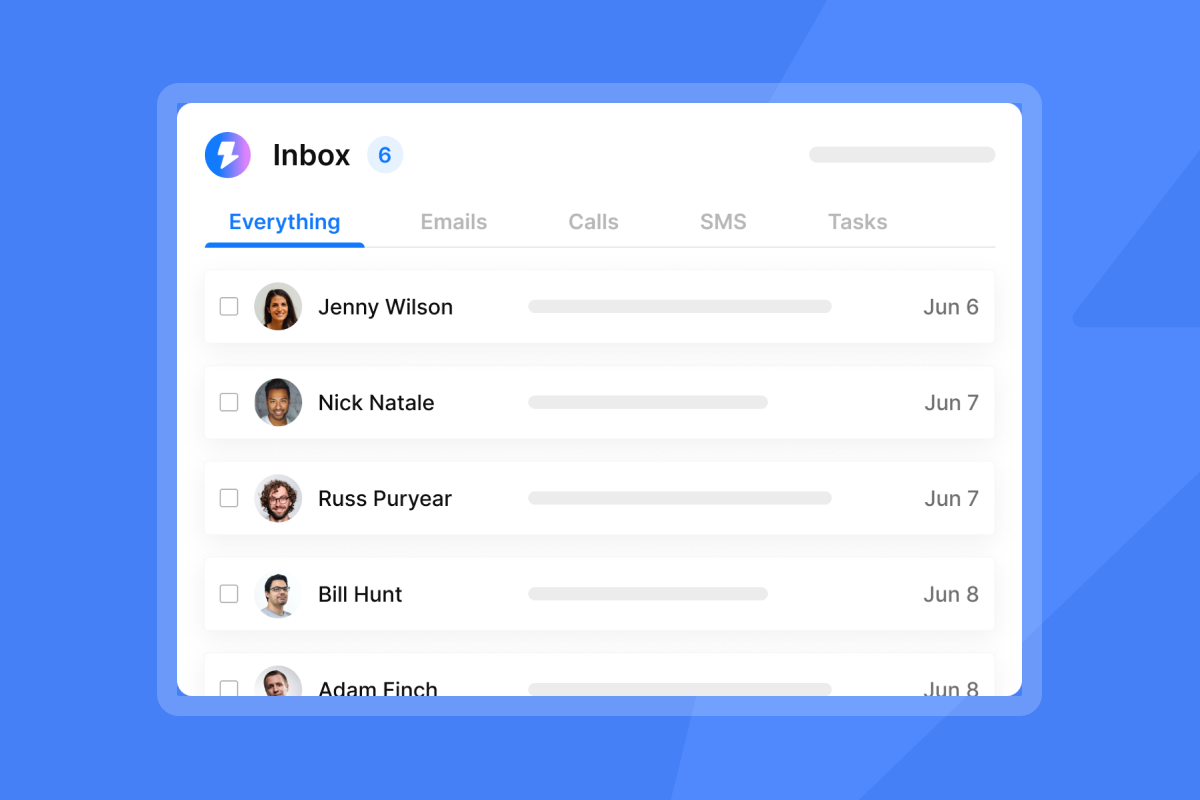
Centralized reply management prevents follow-up chaos. Instantly's Unibox consolidates every reply, task, and opportunity across all client inboxes into one dashboard. You can filter by campaign, tag threads for human escalation, and spot which sequences generate the most replies without switching between tabs.
"Instantly makes cold outreach operationally simple at scale. The interface is straightforward, setting up campaigns with multiple inboxes is fast, and the warm-up system helps maintain deliverability when sending higher volumes." - ivar s. on G2
Test subject lines, CTAs, and send times across your pre-signup sequences to find what resonates. According to the Instantly A/B Testing Guide, you should start with at least 250 contacts per variant before declaring a winner, and push toward 500+ when you want high confidence. The Instantly A/Z testing feature lets you test up to 26 variants per step, so you can cycle through subject line angles quickly for each vertical or ICP.
Common mistakes in prospective client emails
Most agencies repeat the same three errors across pre-signup sequences. Here's how to avoid them:
- Information overload: Sending multiple attachments, three links, and a five-paragraph pitch in one email triggers spam filters and overwhelms the reader. Keep body copy under 150 words and include only one CTA per email. The cold email strategy guide covers how to structure copy for maximum scannability and response.
- No expectation-setting: "I'll be in touch soon" tells a prospect nothing. Replace vague closes with a specific date, question, or asset request so prospects know exactly what to do next.
- Impersonal automation: Generic copy is easy to spot. One personalized detail from LinkedIn, their website, or the discovery call signals genuine research. Average cold email reply rates sit at around 8.5%, and personalization pushes you above that benchmark.
"Emails land in inboxes, not spam... Simple enough for new SDRs, powerful enough for a full outreach team." - Salam Karam on Trustpilot
Client onboarding email checklist: key steps
Use this checklist before you launch any pre-signup sequence:
- Your domain has SPF, DKIM, and DMARC records configured
- Sending inboxes have completed a 30-day warmup, ramping from 5 to 30 emails per day
- Each email has one CTA and stays under 150 words
- You applied spin syntax to subject lines and opening lines
- You included an unsubscribe link in every email (required under CAN-SPAM)
- Your sequence caps at 30 emails per inbox per day (never exceed this threshold)
- You monitor bounce rate and pause if it exceeds 1%
- Your sequence ends or pauses after 14 days for non-responders
Pre-signup email limits and best practices
CAN-SPAM requires accurate header information, a valid physical address, and a working unsubscribe mechanism in every commercial email. You must honor opt-out requests within 10 business days. GDPR adds a requirement to establish a lawful basis before sending to EU contacts, and for B2B outreach legitimate interest typically applies when there's a reasonable expectation of commercial communication. Instantly's legal requirements for follow-up emails guide covers both frameworks in detail.
Safely automating client onboarding
For agencies managing 50+ sending inboxes, infrastructure isolation is critical. One compromised domain can create deliverability problems across your entire stack if your infrastructure isn't isolated. Instantly's Light Speed plan adds SISR (Server and IP Sharding and Rotation), which spreads sends across dedicated IP pools so one client's reputation issue stays contained. This is the architecture choice that separates agencies running 10 clients safely from those constantly firefighting spam folder placement.
Track onboarding email success metrics
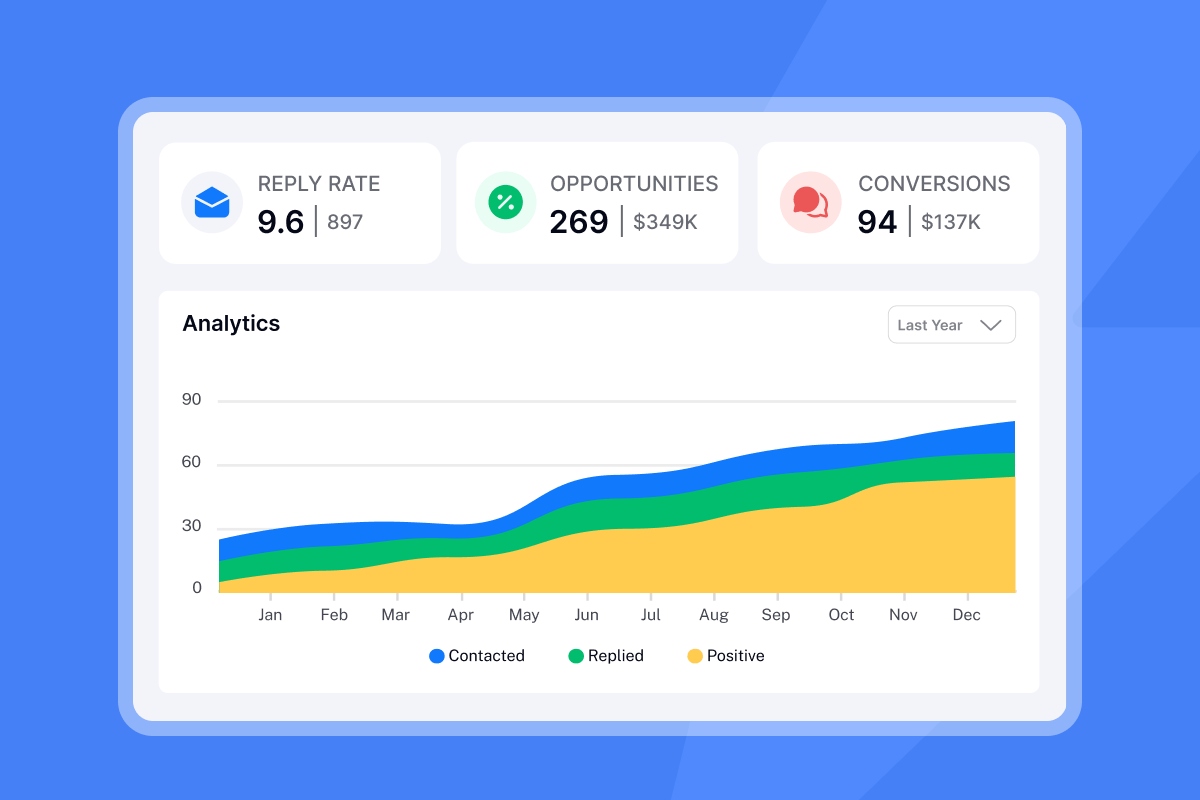
Track four numbers for every pre-signup sequence: open rate, reply rate, meeting booked rate, and cost per meeting. The last metric is where flat-fee pricing becomes a competitive advantage for agencies. The table below shows how costs compare when an agency scales from 10 to 50 sending inboxes. (Prices are illustrative and based on publicly available pricing at the time of writing.)
Platform | Pricing model | Cost at 10 inboxes/month | Cost at 50 inboxes/month |
|---|---|---|---|
Instantly | Flat-fee (unlimited accounts) | From $47/month | From $47/month |
Typical per-seat tools | Per seat + mailbox caps | Estimated $500–$1,200+ | Estimated $2,500–$6,000+ |
At 50 inboxes, Instantly's flat-fee model keeps your cost per meeting stable while per-seat tools compress your margins with every inbox you add. The agency masterclass with Lead Gen Jay walks through how to scale a cold email operation efficiently using this kind of infrastructure.
"I find Instantly incredibly efficient for email outreach as it saves a lot of my time in finding leads and sending emails." - Mohammad A. on G2
Ready to run pre-signup nurture sequences across unlimited inboxes without per-seat penalties? Here's what to do next:
- Set up your domain authentication (SPF, DKIM, DMARC) before sending any emails
- Start your 30-day warmup period with automated engagement
- Build your first 5 to 7 touch sequence using the templates in the help center
- Configure your Unibox to route replies by intent category
Start a free trial of Instantly and use the Unibox to manage every prospect reply from one dashboard, then browse the 600 email templates in the help center to build your first sequence.
Read Next
- How to Write Cold Emails That Get Replies
- 30-Day Email Warmup Schedule for New Domains
- Cold Email Follow-Up Strategies That Book Meetings
FAQs
How many follow-up emails should you send a prospective client?
Send 5 to 7 touches within a 14-day window, then pause automated sends for non-responders. As noted earlier, Outreach data shows that 92% of interested buyers respond within 14 days, so persistence beyond that threshold costs sender reputation more than it generates replies.
What is the difference between a client onboarding email and a prospective client email?
A prospective client email nurtures a lead toward signing a contract, focusing on trust, scope clarity, and objection handling before any payment. A client onboarding email activates a paying customer and focuses on product adoption, timelines, and first-value milestones after the deal closes.
How many emails per inbox per day is safe for agency outreach?
Cap sends at 30 emails per inbox per day, and ramp new inboxes from 5 to 15 to 30 over 30 days. Exceeding 30 per day accelerates reputation decay and increases spam folder placement, which undermines every campaign running on that domain.
What email authentication records do pre-signup sequences require?
Every sending domain needs SPF, DKIM, and DMARC records configured before you send a single email. Cloudflare's authentication guide explains how each record works: SPF authorizes sending IP addresses, DKIM adds a cryptographic signature to verify the sender, and DMARC tells receiving servers what to do when those checks fail.
What is a good reply rate for prospective client emails?
The average cold email reply rate typically falls around 8.5%. Warm sequences targeting prospects who have already had a discovery call should aim for 15% to 25%, and anything below 5% signals that copy, personalization, or list quality needs attention.
Key terms glossary
Spin syntax: A formatting method for email copy that uses bracket-and-pipe notation (e.g., {Hi|Hello|Hey}) to generate multiple message variations automatically, so each recipient receives a unique version of the email.
Sender reputation: A score assigned by email providers to your sending domain and IP based on engagement signals like opens, replies, and spam complaints. A low sender reputation means more emails land in the spam folder regardless of content quality.
Waterfall enrichment: A sequential data verification process that queries multiple providers in order until it finds the missing data point (email, phone, job title) for a contact, improving accuracy while reducing wasted credit spend.
Unibox: Instantly's centralized reply management dashboard that consolidates responses from all sending accounts and campaigns into a single view, so agencies can triage, tag, and respond to prospect replies without switching between inboxes.
SISR (Server and IP Sharding and Rotation): An architecture feature on Instantly's Light Speed plan that distributes sends across dedicated server and IP pools, isolating each client's reputation so one domain issue does not affect your other clients.# Onboarding email for prospective client: convert leads before signup.


