


Updated November 10, 2025
TL;DR: Advanced personalization is your strongest defense against spam filters and the foundation of lasting sender reputation. Instantly's method combines spin syntax, custom fields, and a deliverability toolkit (automated warmup, Inbox Placement tests, SISR) to ensure your emails consistently land in the primary inbox. We'll show you how to implement these strategies at scale, track your success, and build repeatable systems for client growth without burning domains or compounding costs.
Are your personalized cold emails still landing in spam? The problem might not be your copy, but how you're personalizing it. For Agency Operators managing client campaigns across dozens or even hundreds of inboxes, every email that hits spam is a missed opportunity and a direct threat to client retention.
You already know personalization boosts reply rates. But advanced personalization is also your critical defense against spam filters and the foundation of lasting sender reputation. This guide shows you Instantly's proven method for implementing dynamic personalization at scale, so your cold emails consistently bypass spam and land in the primary inbox, driving predictable results for your clients.
Why advanced personalization is your best defense against spam
In our experience working with thousands of agency campaigns, we've seen that spam filters now analyze engagement patterns, content uniqueness, and recipient behavior to determine inbox placement. This means your personalization strategy directly impacts whether emails reach the primary inbox or get buried in spam.
| Aspect | Basic Personalization | Advanced Personalization | Impact on Deliverability |
|---|---|---|---|
| Techniques | First name only, {{firstName}} |
Spin syntax + custom fields + conditional logic + AI-generated variations | High - creates unique content per recipient |
| Content Uniqueness | Identical body text, only name changes | Every email structurally different via spin syntax | Bypasses pattern detection filters |
| Data Depth | Name, company only | 3-5+ custom fields (pain points, tech stack, recent news, funding) | Drives 3-5x higher engagement signals |
| ESP Trust Signals | Low - appears mass-sent | High - appears individually crafted | 80%+ primary inbox placement vs 40-60% |
| Reply Rate Range | 1-3% | 5-8%+ | Higher engagement protects sender reputation |
The link between personalization, engagement, and sender reputation
Email providers assign a trust score to your sending domain and IP address. We call this sender reputation. A high score increases the likelihood that your emails reach recipients' inboxes, while a poor score sends your messages to spam or gets them blocked entirely.
ISPs monitor various factors to assess this reputation, including engagement metrics such as opens, clicks, and replies, spam complaints, bounce rates, and content patterns. Recipients perceive personalized emails that use their name, reference their company, or mention specific pain points as more genuine and relevant. This perception drives higher open rates, click-through rates, and reply rates.
Positive recipient engagement sends strong, favorable signals to ISPs about your trustworthiness. ISPs continuously evaluate how recipients react to your emails, and consistent positive engagement reinforces your relevance, directly influencing future inbox placement. When your emails generate replies and clicks, you're building equity with mailbox providers.
"Instantly has become the backbone of our outbound system. What stands out most is the deliverability and domain health performance — it's noticeably better than other tools we tested." - Luisa R. on G2
On the flip side, highly generic emails are more likely to be marked as spam or deleted without being read. Spam complaints and low engagement rates negatively impact sender reputation, making future emails more susceptible to spam filtering. Poor grammar and generic messaging hurt reply rates. Focus on clear, well-written copy before layering in personalization. Even small errors signal low quality to both recipients and spam filters.
How spam filters detect generic emails
Email providers train their filters to identify patterns in mass emails. When you send identical messages to hundreds of prospects, filters detect the repetition and flag your emails as mass spam. They look for repetitive subject lines, identical body text, and templated signatures. They also analyze the ratio of personalized content to boilerplate copy. If your email looks like you sent it to 500 people with only the first name changed, filters will catch it.
Content uniqueness is a critical factor. Filters evaluate engagement velocity as well. If you suddenly send 1,000 emails from a new domain with zero historical engagement, filters interpret this as suspicious behavior. They expect to see gradual volume increases and positive engagement before trusting your domain at scale. This is why automated warmup is essential before launching cold campaigns.
The filters also monitor recipient actions. When recipients mark emails as spam, delete them without opening, or consistently ignore your messages, these negative signals compound quickly. Conversely, when recipients open emails, click links, and reply, you're training the filters to trust your domain.
Instantly's deliverability network of 4.2M+ accounts helps build this trust by simulating positive engagement patterns during warmup, creating a foundation of credibility before your campaigns launch. Watch our deliverability masterclass to learn more:
Instantly's method for dynamic personalization
Instantly provides an integrated toolkit for creating truly unique, personalized emails at scale. The platform combines spin syntax, custom fields, AI-powered content generation, and precise lead segmentation to ensure every email feels tailored to its recipient while maintaining the efficiency needed for agency operations.
Master spin syntax for unique email variations
Spin syntax is a technique that generates multiple variations of text from a single template by swapping out words, phrases, or entire sentences. In Instantly, spin syntax uses curly brackets {{}} and vertical bars | to separate alternative options. The RANDOM tag ensures the platform selects randomly from all available options.
The basic structure looks like this: {{RANDOM|Hi|Hello|Hey}} {{firstName}}, which generates "Hi John,", "Hello Sarah,", or "Hey Mike," depending on the random selection. You can apply this technique to greetings, calls to action, value propositions, and entire paragraphs.
For example, your call to action could be: {{RANDOM|Can I give you a quick call next week?|Do you have time for a quick chat?|Are you available for a brief meeting?}} This creates three distinct variations, reducing the likelihood that spam filters will flag your content as repetitive.
Instantly's AI Spintax Writer, available on Hyper Growth and above plans, automatically generates spin syntax for your email copy with a single click. Navigate to the Sequence Editor, click AI Generator, then AI Spintax Writer. You can preview the generated content before adding it to your campaign.
"The platform is super intuitive, easy to set up, and makes it simple to manage multiple domains and inboxes at scale. Deliverability is great and the analytics give us exactly what we need to optimize campaigns quickly." - Shaiel P. on G2
You must maintain coherence across all variations to make spin syntax effective. Every option should preserve the original meaning, tone, and grammatical correctness. We recommend spinning at the section level rather than word-by-word, as this preserves meaning and sentiment more effectively while still generating variety.
Leverage custom fields for deep relevance
Custom fields (also called dynamic variables) enable hyper-personalization by inserting specific data about each prospect into your email content. In Instantly, you can use predefined fields like {{firstName}}, {{companyName}}, or create unlimited custom variables for any data point you collect.
To implement custom fields in Instantly:
- Prepare your lead list: Create a CSV file in Google Sheets or Excel with a column for each piece of personalized information. For example, include columns for "Personalization" (unique opening lines), "Industry", "TechStack", or "NewsHeadline". Instantly's SuperSearch provides pre-verified leads with 450M+ B2B contacts and enrichment from 5+ providers.
- Upload your CSV: Navigate to the Leads section, click "Add Leads," and upload your file. The platform automatically detects columns and prompts you to map them.
- Map your columns: Use the drop-down menu to map each column to predefined variables (Email, First name, Company name) or select "Custom variable" for unique data points. All columns must start with capital letters and be no more than 20 characters.
- Insert variables: In your email editor, insert these variables using double curly brackets:
{{Personalization}}or{{Industry}}. The Variables section in the email editor bar displays all available options after upload. - Add fallback values: Handle missing data gracefully by using the pipe symbol:
{{firstName|there}}defaults to "there" if the first name is missing. Similarly,{{companyName|your company}}provides a natural substitute if company data is unavailable.
"I've been using instantly.ai for my cold email outreach, and it has completely changed the way I run campaigns. The platform is super intuitive, and I was able to get up and running in minutes. Deliverability has been excellent." - James M. on G2
Custom fields work best when they reference genuine research about the prospect. Generic personalization like "I noticed you work at {{companyName}}" adds minimal value. Instead, reference specific insights: recent funding rounds, technology stack details, or pain points you've identified through research.
For agencies managing multiple client campaigns, Instantly's CSV upload process supports up to 50 custom variables per upload, giving you flexibility to personalize at scale across different industries and use cases.
Combine spin syntax and custom fields for hyper-personalized content
The real power emerges when you combine spin syntax with custom fields. This creates exponentially more unique variations, making it nearly impossible for spam filters to detect patterns across your campaigns.
Here's an example that combines both techniques:
{{RANDOM|Hi|Hello|Hey}} {{firstName|there}},
{{RANDOM|I noticed|I saw|I came across}} that {{companyName}} {{RANDOM|is growing|has been scaling|recently expanded}} in the {{Industry}} space. {{RANDOM|I wanted to reach out|I thought I'd connect|I'd love to chat}} about {{RANDOM|how we help|our work with|our approach to}} {{CustomPainPoint}}.
This single template can generate hundreds of unique combinations while maintaining natural, conversational tone. Each recipient receives a message that feels personally crafted.
Instantly also supports conditional logic using Liquid syntax for advanced personalization based on specific conditions or lead data. For example:
{% if sequence_email_opened %} "I noticed you're interested in {{companyName}}'s growth potential" {% else %} "Hi {{firstName}}, following up on my previous message about {{companyName}}" {% endif %}
This lets you adapt email content based on prospect behavior. If someone opened your first email, reference their interest. If they didn't, try a different angle.
"Instantly has transformed my outreach process. The platform is intuitive, has a ton of cool features and delivers great results. Customer support is pretty reliable. Yet to find a better all in one cold outreach tool." - Jon M. on G2
You can also nest spin syntax for even more variations: {{RANDOM|{{RANDOM|Hi|Hello}} {{firstName}}|Greetings {{firstName}}}}. While this exponentially increases unique outputs, ensure all combinations maintain coherence and natural flow.
Always preview your emails before sending. Instantly's preview feature shows you how different variations will appear, helping you catch awkward phrasing or grammatical errors before they reach prospects.
For a comprehensive walkthrough of advanced personalization techniques, watch this video tutorial on AI personalization.
Segment your leads with SuperSearch for targeted campaigns
Effective personalization starts with precise targeting. Instantly's SuperSearch gives you access to 450M+ verified B2B contacts with waterfall enrichment from 5+ providers, ensuring data accuracy and minimizing bounce rates.
SuperSearch includes:
- Advanced filtering: Search by job title, company size, industry, location, technology stack, and funding stage. This allows you to build highly specific segments for different campaign angles.
- LLM-assisted enrichment: AI-powered data enrichment finds additional contact information and validates existing data across multiple sources.
- Export to Instantly: Send verified leads directly to your campaigns without manual CSV uploads. This integration reduces setup time and ensures data consistency.
- Credit-based pricing: Pay only for the leads you export, with plans ranging from 150 credits (Nano at $9/month) to 10k-200k credits (Hyper Credits at $197/month).
When you segment leads properly, you can craft personalization that resonates. For example, a campaign targeting Series A SaaS founders should use different pain points, case studies, and language than a campaign targeting enterprise procurement managers. SuperSearch's filtering capabilities make it easy to create these distinct segments and populate them with verified data.
"Instantly makes my cold email marketing a lot easier. It's super easy to understand and use after you setup everything - which is also not hard. The support usually is quick and guides you when you need them." - Alice Santos on Trustpilot
The platform's integration with the email editor means your custom fields automatically populate from SuperSearch data, creating a tight workflow from lead discovery to personalized outreach. This reduces manual data entry and the errors that come with it.
Beyond personalization: Instantly's deliverability toolkit
Personalization alone won't guarantee inbox placement. You need a robust deliverability infrastructure to protect sender reputation and maintain consistent performance. Instantly provides an integrated toolkit that works alongside your personalization to ensure emails land in the primary inbox.
Automated warmup for new and existing inboxes
Email warmup gradually increases sending volume from a new or cold inbox to build sender reputation and trust with email providers. Instantly's automated warmup system runs continuously in the background, simulating human-like interactions (sending, opening, replying) across our network of 4.2M+ accounts.
The warmup process should run for at least 30 days before launching cold campaigns. During this period, Instantly gradually increases the number of warmup emails sent, starting with a small volume and scaling up. This mimics natural email behavior and trains mailbox providers to trust your domain.
Key warmup features in Instantly include:
- Automated engagement: The system automatically opens, reads, and replies to warmup emails, creating positive engagement signals.
- Read emulation: Advanced settings mimic human reading behavior, further enhancing authenticity.
- Continuous operation: Warmup continues running even after your campaigns launch, maintaining sender reputation during active sending.
- Unlimited accounts: All Instantly plans include warmup for unlimited email accounts, allowing you to scale without per-seat warmup costs.
"Easy to use, reliable sending & sender reputation, multiple domains." - Mika Norismaa on Trustpilot
For new domains, follow this ramp schedule: Week 1 sends 5 emails per day per inbox, Week 2 sends 10-15 per day, Week 3 sends 20-25 per day, and Week 4 reaches the recommended maximum of 30 cold emails per day per inbox (in addition to warmup emails).
Never exceed 30 cold emails per day per single inbox. This is a hard limit to protect deliverability. If you need higher volume, add more inboxes and distribute sending across them using Instantly's inbox rotation feature.
Proactive Inbox Placement tests and alerts
Instantly's Inbox Placement feature provides automated testing to monitor where your emails land across different providers. You catch deliverability issues before they spread across your entire campaign.
The system sends test emails to seed accounts across major providers (Gmail, Outlook, Yahoo, etc.) and tracks whether they land in the primary inbox, promotions folder, or spam. You receive automated alerts when placement rates drop below acceptable thresholds, letting you pause campaigns and investigate.
Key benefits include:
- Automated testing: Schedule regular inbox placement tests (daily, weekly, or before major sends) without manual intervention.
- Multi-provider coverage: Tests across Gmail, Outlook, Yahoo, and other major ESPs to ensure broad deliverability.
- Alert thresholds: Configure custom alerts that trigger when primary inbox placement drops below your defined percentage (e.g., below 80%).
- Campaign-level testing: Test specific campaigns to identify which sequences or content types are causing deliverability issues.
- API integration: Automate inbox placement tests via Instantly's API for advanced workflows.
"The biggest thing that really sets instantly.ai apart for me is how responsive and truly helpful their Support chat is. You don't get fed generic answers - they really do listen and solve your problems." - Danamichele on Trustpilot
When a test reveals poor placement, Instantly's system can automatically pause affected campaigns, preventing further damage to your sender reputation. This fail-safe is critical for agencies managing client domains where a single mistake can trigger weeks of remediation.
Learn more about automated Inbox Placement tests in Instantly's help center, including how to interpret results and respond to placement drops.
Essential list hygiene and bounce detection
No amount of personalization or deliverability infrastructure can compensate for poor data quality. When you send to invalid addresses and rack up high bounce rates, you signal to ESPs that you're careless with data. This rapidly degrades your sender reputation and pushes future emails to spam.
Instantly provides several features to maintain list hygiene:
- Email verification: Verify email addresses before sending using Instantly's built-in verification, which costs credits during the lead upload process. This reduces bounce rates by identifying invalid, disposable, or role-based addresses.
- Bounce detection: The platform automatically detects bounces and flags problematic addresses. Hard bounces (permanent failures) are marked to prevent future sends to that address.
- Global block list: Add known bad addresses, competitors, or hostile prospects to a global block list that stops sends across all campaigns.
- Reputation protection: Automatically pauses accounts that exceed bounce thresholds, preventing further damage.
"I have tried many platforms before. Instantly is the best I have used. They introduce new features quite often." - Selvakumar Palanisamy on Trustpilot
Aim to keep bounce rates at or below 1 percent. If bounces exceed 2 percent, pause sending immediately, re-verify your list using SuperSearch's waterfall enrichment, and remove invalid addresses before resuming at lower volume.
Instantly's guide on fixing bad B2B data provides a comprehensive checklist for identifying and resolving data quality issues before they impact deliverability. The platform's waterfall enrichment finds verified contacts across multiple data providers, dramatically reducing bounces compared to single-source data.
Instantly can even verify those catch all emails for you now:
Step-by-step: Implementing Instantly's personalization playbook
Now that you understand the concepts, here's a practical playbook for implementing advanced personalization with Instantly. Follow these steps to launch campaigns that consistently land in the primary inbox and drive replies.
1. Prepare your lead data with custom fields
Start with clean, verified data that includes at least 3-5 custom personalization fields beyond first name and company. The quality of your personalization depends entirely on the depth of your data.
Action steps:
- Build or export your list: Use Instantly's SuperSearch to find 450M+ verified B2B leads, or export from your CRM. SuperSearch's waterfall enrichment validates data across 5+ providers, reducing bounces.
- Create custom columns: In Google Sheets or Excel, add columns for personalization data like "RecentNews", "TechStack", "PainPoint", "Industry", "HeadCount", or "FundingStage". Each column becomes a custom variable in Instantly.
- Research and populate: For high-value campaigns, manually research and populate custom fields for your top prospects. For larger lists, use AI tools or VAs to gather specific details like recent LinkedIn posts, company announcements, or technology stack information.
- Format your CSV: Ensure the Email column is first and contains valid addresses. All column names must start with capital letters and be no more than 20 characters. Remove extra empty columns, grouped rows, and Boolean values.
- Save as UTF-8: Save your file as "CSV UTF-8 (comma delimited)" to prevent parsing errors during upload.
For agencies, create a standardized template with approved custom fields for each client vertical. This allows junior staff to populate data consistently without requiring personalization expertise.
2. Craft dynamic email copy using spin syntax
With your data ready, build email sequences that combine spin syntax and custom fields to create hundreds of unique variations. Focus on spinning at the section level (swapping full clauses or sentences) rather than individual words to maintain natural flow.
Action steps:
Write your base copy: Draft your email in plain text first, focusing on clarity and value. Keep it under 100 words for the first email in the sequence.
Identify spin opportunities: Find sentences or phrases where you can swap in 3-5 natural alternatives without changing meaning. Good targets include greetings, value propositions, CTAs, and transition phrases.
Add RANDOM tags: Use Instantly's format: {{RANDOM|option1|option2|option3}}. For example: {{RANDOM|I wanted to reach out|I thought I'd connect|I'd love to chat}}.
Insert custom variables: Replace generic references with your custom fields: I saw that {{companyName}} {{RANDOM|recently raised|just closed}} {{FundingStage}} funding.
Add fallback values: For every custom field, include a fallback: {{firstName|there}}, {{companyName|your company}}. This ensures natural flow even when data is missing.
Use the AI Spintax Writer: On Hyper Growth and above plans, click AI Generator > AI Spintax Writer in the Sequence Editor to automatically generate variations. Preview the output before adding to your campaign.
Test with preview: Use Instantly's preview feature to view multiple rendered versions. Check for awkward phrasing, grammatical errors, or unnatural combinations.
"Instantly delivers an amazing service, quick to respond to any queries and provide exceptional support when things don't go well." - Mohammed on Trustpilot
Watch this video on writing cold emails, for proven copy frameworks and personalization techniques.
3. Set up your campaign with Instantly's deliverability settings
Configure your campaign with the right settings to balance volume and deliverability. These guardrails protect sender reputation while scaling outreach.
Action steps:
Enable warmup: Ensure all sending accounts have been warming for at least 30 days before launching cold campaigns. Warmup should continue running alongside your campaigns.
Set send limits: Configure a maximum of 30 cold emails per day per inbox. For new campaigns, use Campaign Slow Ramp to start at 5-10 per day and gradually increase over 2-3 weeks.
Configure send windows: Send only during business hours in the recipient's timezone (8:30-10:30 a.m. and 2-4 p.m. are optimal). Avoid weekends.
Enable inbox rotation: Distribute sending across multiple connected accounts to prevent any single domain from appearing high-volume.
Set up Inbox Placement tests: Schedule automated tests to run daily or before major sends. Configure alerts to pause campaigns if primary inbox placement drops below 80%.
Configure bounce monitoring: Set bounce rate alerts at 1 percent. If exceeded, pause sending, re-verify your list, and resume at lower volume.
Upload and map leads: Upload your CSV, map columns to variables, and optionally verify emails during upload to reduce bounces.
For a complete walkthrough, review Instantly's video guide on cold email deliverability.
4. Monitor and optimize for primary inbox placement
Launch your campaign and actively monitor deliverability metrics, reply rates, and engagement. Adjust based on what the data tells you.
Action steps:
Track key metrics: Monitor primary inbox placement percentage, bounce rate (target: <1%), reply rate (target: >5%), and spam complaint rate (target: <0.1%).
Run A/B tests: Test 2-3 variants of subject lines, opening lines, and CTAs. Instantly supports A/Z testing with unlimited variations to identify top performers.
Review Inbox Placement results: If placement drops below 80%, pause the campaign. Review recent changes to copy, data quality, or send volume. Adjust and retest before resuming.
Respond to alerts: When Instantly's automated alerts trigger (bounces, placement drops, account health issues), investigate immediately. Don't wait for metrics to recover on their own. Pause sends, diagnose the issue, fix it, then resume at lower volume.
Iterate on personalization: If reply rates are low (<3%), your personalization isn't resonating. Add more specific custom fields, improve spin syntax variety, or refine your targeting.
Export and analyze: Export campaign data to review which personalization elements correlate with higher response rates. Double down on what works.
"Instantly has been a game changer for my vertical in merchant services where email marketing is key. I've converted several leads into deals using Instantly and it's paid for itself 5x." - Philip Hendrich on Trustpilot
Read this playbook on improving cold email reply rates for proven optimization techniques and benchmarks.
Measuring success: Tracking deliverability and reply rates in Instantly
Instantly's analytics dashboard provides real-time visibility into campaign performance, deliverability metrics, and engagement trends. The platform consolidates data across all your accounts and campaigns, making it easy to spot issues and optimize for better results.
Key metrics to track include:
Primary inbox placement: Percentage of emails landing in the primary inbox vs. promotions or spam. Target 80%+ consistently.
Bounce rate: Percentage of emails that bounce (hard or soft). Keep this below 1%.
Open rate: Tracking limitations make this imperfect, but it provides directional insight into subject line effectiveness. Target 40-60% for cold email.
Reply rate: The most important metric. Target 5% or higher for well-targeted campaigns with strong personalization.
Positive reply rate: Percentage of replies that are genuinely interested (not unsubscribes or negative responses). Target 60-80% of total replies.
Meetings booked: Ultimate success metric. Track cost per meeting to evaluate campaign ROI.
"The platform is great, but new users might need some time to explore all features. Their customer support is next level, 10/10." - Verified User in Investment Banking on G2
Instantly's Unibox feature consolidates all replies from your connected accounts into a single, centralized inbox, streamlining lead management and response handling at scale. You can tag replies, assign them to team members, and track conversation stages without switching between multiple email clients.
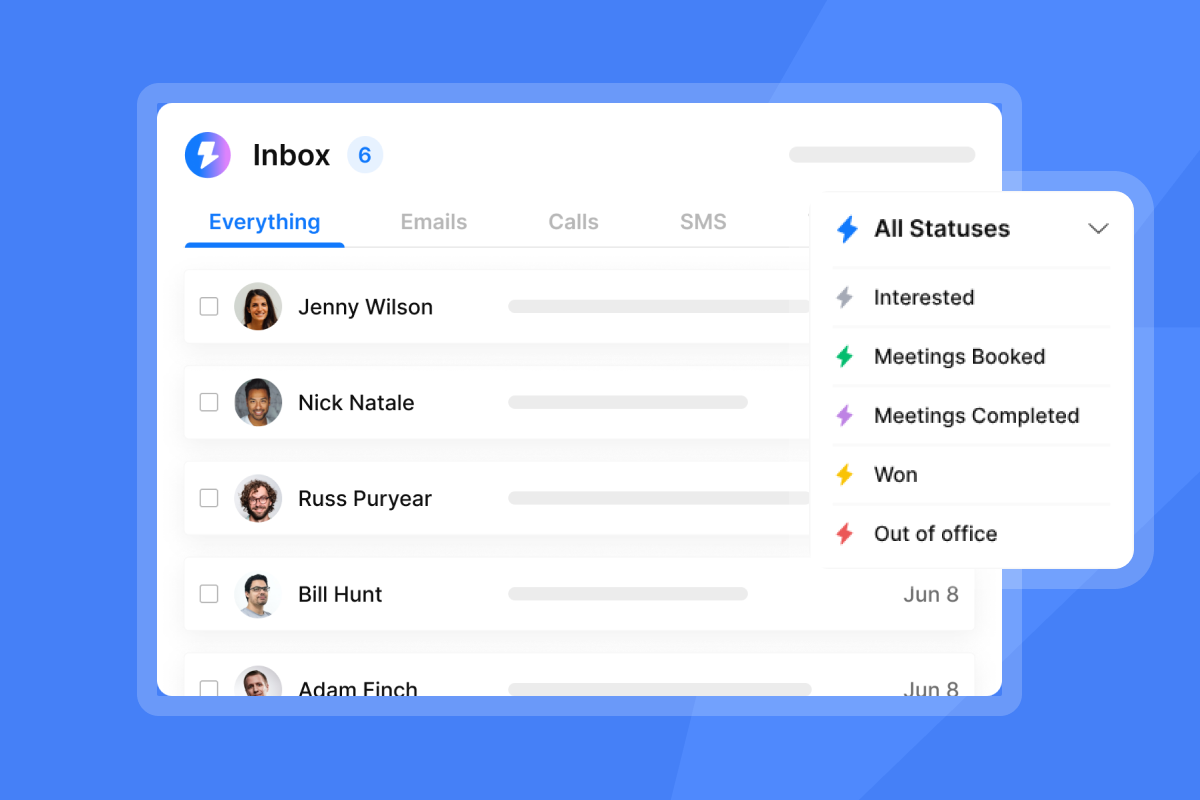
For agencies managing multiple clients, Instantly's workspace feature allows you to create separate environments for each client with isolated data, campaigns, and reporting. This ensures clean analytics per client and prevents data mixing.
Watch this comprehensive video on cold email marketing for an overview of Instantly's analytics and reporting features.
Take control of your cold email deliverability
Advanced personalization isn't just about standing out in a crowded inbox. It's about building trust with mailbox providers, protecting sender reputation, and creating sustainable systems that deliver results for your clients month after month.
Instantly's integrated approach gives you everything you need to consistently land in the primary inbox. We combine spin syntax, custom fields, automated warmup, proactive Inbox Placement testing, and optional SISR into one platform. For Agency Operators managing dozens or hundreds of client inboxes, this infrastructure eliminates the tool sprawl and per-seat costs that erode margins with other platforms.
Ready to implement Instantly's personalization method? Start with Instantly today and use the ramp plan and deliverability checklist outlined in this guide. You'll have your first campaigns running with advanced personalization and full deliverability protection in under a week.
FAQs
How many emails can I send per day with Instantly while maintaining deliverability?
Send a maximum of 30 cold emails per day per inbox, plus warmup emails. New domains should start at 5-10 per day and ramp up over 30 days using Campaign Slow Ramp.
What is the ideal reply rate for personalized cold emails?
Target 5% or higher reply rate for well-targeted campaigns with strong personalization. Rates below 3% indicate targeting or personalization issues that need addressing.
Does Instantly offer templates for personalized emails?
Yes, Instantly provides campaign templates and an AI Sequence Generator that creates full campaigns with custom personalization, spin syntax, and follow-ups based on your prompts.
How long should I warm up new email accounts before sending cold campaigns?
Warm all new accounts for at least 30 days before launching cold campaigns. Continue running warmup in the background indefinitely to maintain sender reputation.
Can I use spin syntax in subject lines or only in the email body?
You can use spin syntax in both subject lines and email body. Subject line spin syntax is particularly effective for creating unique variations that improve open rates and avoid pattern detection.
What bounce rate will damage my sender reputation?
Keep bounce rates at or below 1%. Rates above 2% should trigger an immediate pause, list verification, and send volume reduction before resuming campaigns.
Key terms glossary
Spin syntax: A technique using curly brackets {{}} and vertical bars | to generate unique variations of words or phrases within emails, helping bypass spam filters by creating content uniqueness at scale.
Custom fields: Personalized data points (first name, company, industry, pain point) imported into Instantly and inserted into emails using double curly brackets to create highly relevant, tailored content for each recipient.
Sender reputation: A trust score email providers assign to your domain based on sending behavior, including engagement rates, spam complaints, and bounce rates, which directly influences whether your emails land in the primary inbox or spam folder.
Deliverability: The ability of an email to successfully reach the recipient's primary inbox while avoiding spam, promotions folders, or blocks, measured by inbox placement percentage.
Warmup: The process of gradually increasing email sending volume from a new or cold inbox over 30+ days to build sender reputation and trust with email providers before launching cold campaigns.
SISR: Server & IP Sharding & Rotation, a feature on Instantly's Light Speed plan that assigns dedicated IP groups to accounts and automatically rotates IPs to maintain high deliverability and protect sender reputation.
Inbox Placement: The percentage of emails that land in the primary inbox vs. promotions or spam folders. Automated tests across major email providers track this metric to proactively monitor deliverability.
Waterfall enrichment: A data validation process that checks contact information across multiple data providers (5+ in Instantly's SuperSearch) to find verified emails and reduce bounce rates.


