


Updated March 24, 2026
TL;DR: Scaling personalized email greetings safely typically depends on three things working together: clean, enriched data so your merge tags never break, dynamic content generation using spin syntax and AI openers so no two emails look identical to spam filters, and sequence governance so every rep follows the same rules. Teams that build this system often land in the primary inbox more consistently, generate higher reply rates, and protect the domain health that every monthly target depends on. Instantly combines all three in one platform, starting at $47/month for the Outreach plan.
Most sales teams obsess over email volume while treating personalized email greetings as an afterthought. A {{first_name}} token on a batch-and-blast sequence does not signal relevance to a recipient, or to the spam filter evaluating it. Personalized emails generate 29% higher open rates and 41% higher clicks compared to non-personalized ones, and that gap compounds every time a rep sends without it.
The harder challenge you face is scaling that personalization across three to fifteen SDRs without one bad actor cratering your shared domain reputation.
Why personalized email greetings matter for cold outreach
A good opening line does two jobs at once. It signals to the recipient that this email is meant for them specifically, and it sends a positive engagement signal back to the inbox provider evaluating your domain.
ISPs track how users interact with email as a primary factor in assigning sender reputation. Opens, clicks, and replies build trust. Deleted-without-reading and spam flags erode it fast. When your greeting is generic, recipients disengage, which trains inbox providers to route future sends away from the primary inbox. According to Kalungi's email personalization research, 63% of people say they never respond to non-personalized emails. That is a hard floor on your reply rate before you write a single word of body copy.
The deliverability feedback loop works like this: relevant personalization drives engagement, engagement improves your sender reputation score with Gmail, Outlook, and Yahoo, and a stronger reputation score means more future sends reach the primary inbox. Build the virtuous loop or fight the vicious one.
Types of email greetings and when to use them
Not every greeting fits every context. Using a casual opener with a CFO at a financial institution hurts reply rates just as much as a stiff formal opener with a startup founder. Use this as a reference for B2B cold outreach:
Greeting type | Best use case | Example | Risk level |
|---|---|---|---|
Formal | First contact with C-suite, finance, legal, or regulated industries | "Dear Ms. [Last Name]," | Low spam risk, may feel stiff in tech/startup context |
Professional warm | Standard B2B cold outreach, most verticals | "Hi [First Name]," | Very low spam risk, most versatile |
Casual | Established relationships, tech startups, second-touch follow-ups | "Hey [First Name]," | Low risk when tone fits, reduces perceived professionalism in first contact |
Context-driven | High-value targets with a specific trigger event | "Hi [First Name], saw your team just expanded into EMEA..." | Lowest spam risk if data is accurate, highest risk if personalization fails |
Re-engagement | Second or third touch in a sequence | "Quick follow-up, [First Name]..." | Low risk, timing advantage on follow-up |
"Hi [First Name]" is the most versatile option for B2B cold outreach. Context-driven openers can perform even better when the underlying data is accurate. Re-engagement greetings in second or third touches perform particularly well because reply rates increase 49% after the first follow-up. The Instantly Cold Email Copywriting Framework covers how to structure these openers within a full sequence.
How to personalize email greetings at scale
Scaling personalization is an engineering problem, not a writing problem. Building a composable email execution system means controlling three inputs: the data layer, the content generation layer, and the governance layer.
Move beyond basic merge tags with waterfall enrichment
A basic merge tag like {{first_name}} pulls a single field from a single source, so if that field is blank or wrong, your greeting reads "Hi ," and the message goes straight to spam. Waterfall enrichment solves this by querying multiple data providers in sequence until it finds verified contact information, or until all sources are exhausted.
Instantly's SuperSearch applies this approach across 450 million plus verified contacts, with waterfall validation across five or more providers. Beyond standard fields, it includes an AI web research agent that scrapes company websites, job listings enrichment that reveals active hiring patterns, and news enrichment that surfaces recent media mentions, all usable as personalization hooks. B2B data reportedly decays around 30% per year, so waterfall enrichment is not optional if you want your openers to land on accurate information.
Use spin syntax for dynamic content generation
Even with perfect data, sending the same greeting template to hundreds of contacts flags your domain. ISPs evaluate content similarity across sends, and identical email fingerprints trigger filters. Spin syntax (also called spintax) breaks this pattern.
Spin syntax uses curly brackets to define interchangeable variations. For example:
{Hi|Hello|Good morning} {First Name}, {I came across your work on|I noticed|I saw} {company trigger}...
Each send randomly selects one option per bracket, creating a unique version for every recipient. Instantly's spintax guide explains how this improves deliverability by adding variability and uniqueness to every email. Use three to five variants per spin block. Fewer than three typically provides limited variation, and more than ten per block risks producing unnatural-sounding combinations. The goal is human-sounding variety, not random word substitution. The cold email personalization masterclass from Instantly's YouTube channel walks through this in practice.
Use AI for context-driven openers
AI tools shorten the gap between enrichment data and a polished, context-driven greeting. Instantly's Copilot takes your Ideal Customer Profile and product context, pulls matching verified contacts from SuperSearch, and drafts a multi-step personalized sequence with variables and spin syntax already built in. You review and refine rather than starting from blank.
The AI Spintax Writer in the platform generates variations with one click in the sequence editor. For reply management at scale, the AI Reply Agent handles inbound responses in under five minutes, with configurable human-in-the-loop approval via Slack before anything goes out.
"I use Instantly to automate campaigns and utilize AI for personalization. It saves me a lot of time and helps me generate personalized introductory lines and dynamic content variations efficiently at scale. I like the unified inbox because it allows me to manage conversations from multiple inboxes without the inefficiency and mess." - Jethu Ram P. on G2
The deliverability impact of email personalization
Personalization and deliverability operate on the same feedback loop. When your greetings are relevant, recipients engage, and engagement is the primary signal ISPs use to determine sender reputation. Google enforces a hard 0.3% spam complaint threshold, and your domain reputation score determines whether future sends reach the primary inbox, the promotions tab, or the spam folder.
Avoid pitfalls and monitor domain health
The most common personalization errors are also the most avoidable:
- Broken merge tags: A greeting that reads "Hi ," because a first name field was blank is worse than no personalization. Always set fallback values (e.g.,
{{first_name | default:"there"}}). - Stale or wrong data: Incorrect job titles and outdated company names increase delete-without-reading rates. Waterfall enrichment addresses this at the data layer before a single send goes out.
- Over-personalization: Using more than three to five personalized properties in a single email feels invasive rather than relevant. Keep openers specific, not exhaustive.
- Superficial personalization: Swapping in a first name on an otherwise generic template does not fool modern spam filters. AI-based filters use natural language processing to distinguish tailored content from cookie-cutter templates.
Domain monitoring catches problems before they affect a live campaign. Monitor Google Postmaster Tools regularly for spam rate and domain reputation. Run daily blacklist checks, suppress hard bounces, and test inbox placement before scaling any domain. Instantly's Inbox Placement tests automate this workflow, measuring placement by provider, authentication status, and blacklist presence. The automated inbox placement test feature runs on a schedule so issues surface early. Warmup should also run continuously on every active sending account, not just at launch. Instantly's warmup network covers 4.2 million plus accounts, generating the controlled positive interactions that Gmail and Outlook use to build domain trust.
"I also like the email warm up feature because it helps maintain good email deliverability. Earlier, many HR emails were going to spam, especially when sending bulk interview calls. After using Instantly, open and reply rates improved noticeably." - Raghav S. on G2
For a full deliverability walkthrough, the cold email deliverability guide from Instantly's channel is a practical reference.
A playbook for sales leaders: Standardizing personalization
If you manage a team of SDRs, your biggest risk is five reps running different send volumes, using unverified lists, or bypassing warmup on fresh domains because they are behind quota. One rep's poor domain hygiene compromises the entire team's deliverability when you share IP reputation. Standardization is the fix.
Implement sequence governance and A/B testing
Sequence governance means centralized control over templates, sending rules, and safety limits so individual reps cannot override the settings that protect your domain:
- Lock daily send caps at 30 emails per inbox and ramp new inboxes from 5 to 15 to 30 over two to three weeks.
- Centralize approved templates with spin syntax and fallback values built in so reps personalize within guardrails.
- Run A/Z tests on subject lines and openers using Instantly's A/Z testing feature to identify which variants drive positive reply rates. The Growth plan at $47/month now includes A/Z testing across up to 26 variants in a single campaign.
- Promote any variant that improves positive reply rate by a meaningful margin at a fixed sample size, and retire the rest.
For context on what drives reply rates across a large dataset, the 1 million cold emails analysis from Instantly's YouTube channel is useful for setting A/Z test benchmarks.
Build ramp plans for new sales reps
New reps on new domains create your highest deliverability risk. A ramp plan removes the guesswork:
- Week 1: Five sends per inbox per day. Warmup running. Verified contacts only. Bounce rate at or below 1%.
- Week 2: Increase to 15 sends per inbox per day. Add spin syntax to all opening lines. Run first A/Z test on subject lines.
- Week 3+: Scale to 30 sends per inbox per day. Monitor reply taxonomy daily. Pause any inbox where bounce rate climbs above 1%.
Start reps on 600 pre-built templates that already include dynamic fields and fallback values.
Track metrics that withstand CFO scrutiny
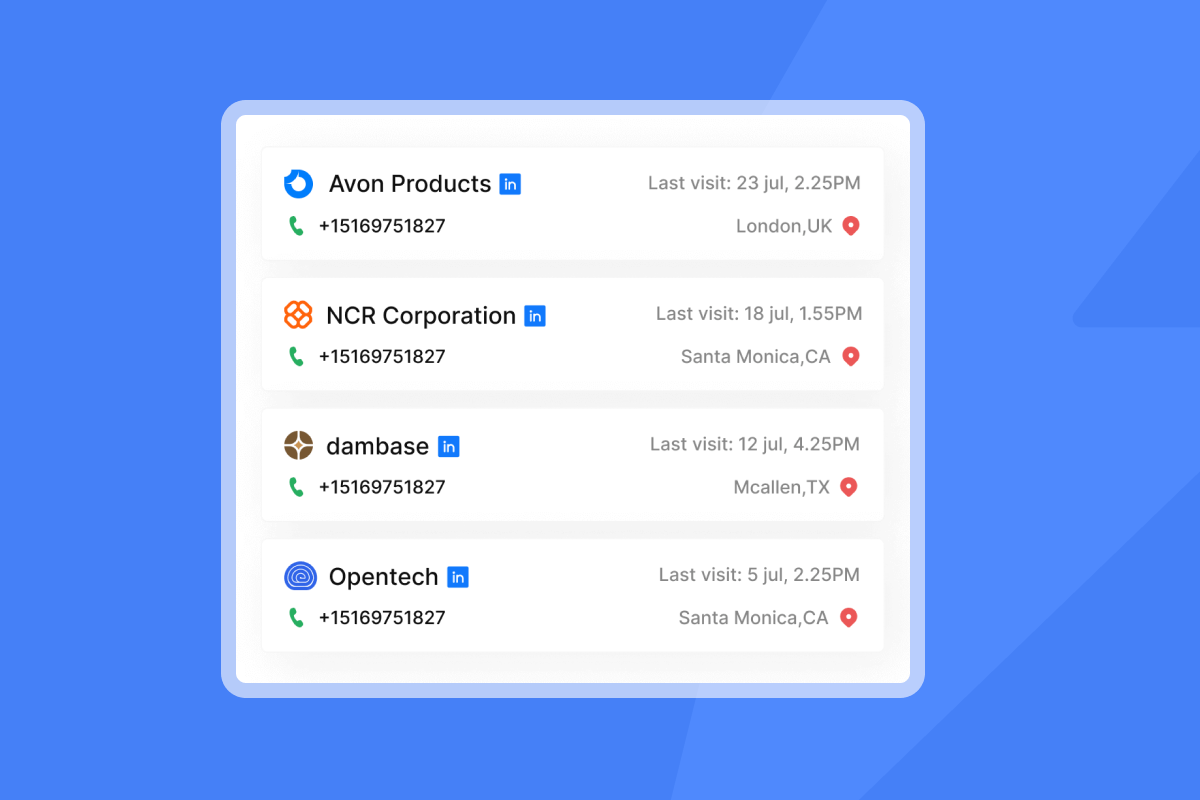
Reply rate is the most reliable engagement benchmark for cold outreach. Open rate tracking has been inflated since 2022 by Apple Mail Privacy Protection pre-loading tracking pixels, so the 27.7% industry average open rate may not be a dependable optimization target. Focus on positive reply rate, meetings booked, and cost-per-meeting instead.
Cost-per-meeting gives you a defensible number for budget reviews: total campaign cost (software plus rep time) divided by meetings booked. A starter stack of Outreach Growth, SuperSearch Growth, and Growth CRM costs $141/month. At a 10% lead-to-meeting rate on 150 qualified leads, your cost-per-meeting lands around $11.40 before labor, a number a CFO can compare against other acquisition channels. For accurate reply classification, a unified inbox is essential so reps do not miss positive replies while managing separate email clients for each sending account.
How Instantly helps you scale personalized outreach
Instantly combines the three layers that make personalization scalable and safe: clean data (SuperSearch with 450M+ verified contacts), dynamic content (AI Sequence Writer with spin syntax), and deliverability infrastructure (Inbox Placement tests and 4.2M+ account warmup network), all under a flat-fee model with unlimited sending accounts.
Plans start at $47/month for Outreach Growth, which includes unlimited email accounts, unlimited warmup, A/Z testing, the AI Sequence Writer, and send deliverability tests. A full starter stack with leads and CRM runs $141/month with no per-seat penalties as you add inboxes.
Try Instantly free and let automation handle personalized follow-ups while you focus on live conversations with prospects who replied.
Frequently asked questions
How many spin syntax variants should I use per opening line?
Use three to five variants per spin block. Fewer than three does not create enough variation to avoid content fingerprinting, and more than ten per block risks unnatural-sounding combinations.
What bounce rate signals a problem with my personalization data?
Keep bounces at or below 1% per send. A rate above 1% typically indicates stale or unverified contact data and requires list hygiene before resuming sends.
How often should I run inbox placement tests?
Run a full seed test before scaling any domain, then regularly as routine monitoring. Instantly's automated inbox placement tests run on a schedule so you catch placement shifts before they affect live campaigns.
Can I use context-driven openers if my data is only partially enriched?
Generally, a context-driven opener with incorrect or missing data can damage trust more than a generic opener. When using context-driven hooks, verify the underlying data field and set fallback values for every dynamic field.
What is a realistic positive reply rate target for B2B cold email?
B2B cold email benchmarks put 5-10% as solid performance, 10-15% as excellent, and 15%+ as best-in-class on tight, well-targeted segments. These rates assume verified contacts, proper warmup, and personalized openers.
Key terminology
Spin syntax (spintax): A formatting method using curly brackets and pipe characters to define interchangeable word or phrase variations in an email template. Each send randomly selects one option per bracket, creating a unique email version that reduces content fingerprinting by spam filters.
Waterfall enrichment: A B2B data enrichment process that queries multiple data providers in sequence until a verified contact field is found or all sources are exhausted. It increases match rates and reduces bounce rates by replacing stale single-source data with fresher, verified details.
Sequence governance: Centralized control over email templates, sending schedules, daily volume caps, and safety settings across a sales team. It prevents individual reps from overriding rules that protect domain reputation and standardizes process for consistent, auditable results.
Sender reputation: A trust score assigned by mailbox providers based on engagement patterns, authentication setup, bounce rates, and spam complaint rates. It determines whether your emails reach the primary inbox, promotions tab, or spam folder.
Inbox placement: The specific folder location where a delivered email lands. Inbox placement testing measures primary inbox, promotions, or spam placement across multiple providers and is a more actionable metric than delivery rate alone.


