


Updated February 24, 2026
TL;DR: Deadline reminder campaigns convert significantly more prospects than single emails when timed correctly. Send your first reminder 5 to 7 days before the deadline with context, your second 3 to 4 days before with clear instructions, and your final notice 24 hours before with loss-framed urgency. Use spin syntax to protect deliverability at scale, automate the sequence so you never miss the window, and measure reply rate plus conversion rate instead of opens. Frame the deadline as a service that helps recipients make decisions, not a threat.
Research on cold email sequences shows that sales require an average of five follow-ups, yet most marketers stop after the first attempt. A deadline reminder works when you time it right and provide clear context about why the cutoff exists. The same principles behind cold email basics. Timing, relevance, and a clear CTA apply directly to deadline sequences, with the added variable of urgency framing.
This guide covers the exact timing, five copy-paste templates, and the automation steps to scale deadline sequences across unlimited inboxes without triggering spam filters.
What is a deadline reminder email?
A deadline reminder email prompts action before a specific cutoff. It keeps work moving and helps recipients avoid missing opportunities.The difference is service versus demand.
When you explain why the deadline exists (processing time for applications, limited inventory for an offer, compliance requirements), recipients see you helping them succeed rather than pressuring them. Outreach email software with automated sequence scheduling removes the manual tracking problem entirely, ensuring every reminder fires at exactly the right interval without anyone checking a spreadsheet.
Context drives action. The prospect knows exactly what to do, when to do it, and what happens if they miss the window. When the deadline is still days away, your message should read more like a friendly reminder email than a final notice. Tone calibration at this stage determines whether recipients see you as helpful or pushy.
The ideal timeline for sending deadline reminders
Industry research analyzing 6 million emails found that emails sent the day before a deadline saw a 16.9% open rate and 8.3% click rate, while emails sent two days before saw a 13.3% open rate and 6.7% click rate. The optimal sequence uses three strategic intervals.
Send three reminders at these intervals:
- 5 to 7 days before: Context and value (the "heads up")
- 3 to 4 days before: Clear instructions (the "gentle nudge")
- 24 hours before: Loss-framed urgency (the "final notice")
T-minus 5 to 7 days: The "Heads up"
Introduce the deadline with full context. Explain why the cutoff exists and what the recipient gains by acting before it. This first touch establishes the timeline without creating panic. Deadline email research recommends sending this initial reminder 5 to 7 days before as a quick reminder without urgency.
T-minus 3 to 4 days: The "Gentle nudge"
Provide clear instructions and remove friction. Include a direct link to the action page, specify exactly what the recipient needs to do, and restate the deadline date and time with time zone. According to Instantly's follow-up timing research, the 2 to 3 day window balances persistence with respect for cold sequences.
T-minus 24 hours: The "Final notice"
Use loss-framed urgency. Research on loss aversion shows that the pain of losing is psychologically about twice as powerful as the pleasure of gaining. Frame your message around what the recipient loses by missing the deadline rather than what they gain by meeting it.
For cold outreach with embedded deadlines, this 2 to 3 day window for step 2 maintains the balance between persistence and respect.
5 deadline reminder email templates you can copy
Copy these templates directly into your campaigns. Replace text in {{double curly braces}} with your specific details.
Template 1: Application deadline (recruiting or admissions)
Subject: Application deadline: {{date}}

Body:
The deadline for submitting your {{application type}} is {{date}} at {{time}} {{timezone}}. You have {{remaining days}} to complete this.

{{Explain why the deadline exists: processing time, cohort start date, review schedule.}}

Submit here: {{link}}

Let me know if you have questions.
Template 2: Limited-time offer (sales or growth)
Subject: {{offer name}} ends {{date}}

Body:
Quick reminder that {{offer description}} ends on {{date}} at {{time}}.

Here is what you get:
• {{specific benefit with number}}
• {{specific benefit with number}}
• {{specific benefit with number}}

After {{date}}, this returns to {{regular price or standard terms}}.

{{CTA button}}
Template 3: Paperwork or admin request
Subject: Friendly reminder: {{task name}} due {{date}}

Body:
I wanted to send a quick reminder that {{specific task}} is due on {{date}}.

{{Explain what happens if they miss it: delayed onboarding, compliance issue, late fee.}}

Complete it here: {{link}}

Let me know if you need help.
If your deadline reminder follows a conference or introduction rather than a direct outreach, adapt these networking email templates to add the relational context that makes the reminder feel natural.
Template 4: Last chance webinar registration
Subject: Final hours to register for {{event name}}

Body:
This is your last chance to register for {{event name}} happening {{date}} at {{time}}.

{{State the one big takeaway attendees get.}}

Spots close at {{time}} today.

Register: {{link}}
If your event ties to a product launch or company announcement, pair this sequence with a press release email template to give recipients additional context on why the event matters.
Template 5: Invoice or payment reminder
Subject: Payment reminder: Invoice {{number}}

Body:
This is a reminder that payment for invoice {{number}} is overdue. The due date was {{date}}.

Please submit payment here: {{link}}

Contact me if you have questions or need to discuss payment terms.
These structures balance urgency with professionalism when you include specific dates, times, and clear next steps.
How to write urgent notices that sound professional
The difference between urgent and desperate is specificity. Adding words like "Urgent," "Take Action Now," or "Action Required" in all caps is a fast track to the spam folder. A good subject line balances urgency with friendliness.
Subject line rules:
- Keep it under 50 characters
- Include the deadline date when possible
- Use sentence case, not all caps
- Add "Action required" or "Reminder" for clarity, not drama
Good examples:
- "Application deadline: March 15"
- "Friendly reminder: Payment due Friday"
- "Last chance to register for {{event}}"
Bad examples:
- "URGENT!!! ACT NOW!!!"
- "Don't miss this amazing opportunity"
- "You're running out of time"
Nagging vs. nudging: Phrasing comparison
Demanding (Nagging) | Helpful (Nudging) |
|---|---|
You haven't submitted your application yet | Your application window closes Friday at 5pm ET |
URGENT: Act now or lose access | Reminder: Your trial ends tomorrow |
You're running out of time | You have 24 hours to lock in this rate |
Why haven't you responded? | Following up on my email from Monday about {{specific topic}} |
This is your LAST CHANCE | Final notice: {{Benefit}} ends {{specific date/time}} |
Personalization tactics that increase response:
- Name: Address the recipient by first name in the greeting
- Specific action: Reference their exact task (application ID, invoice number, registration type)
- Context over consequences: Explain why the deadline helps them succeed rather than threatening penalties
- Relevant details: Include their company name or specific offer tier when possible
Research from Encharge confirms that professional reminder emails use clear subject lines, personalized greetings, brief context, exact deadline details including time zone, and a single bold call to action.
Avoid accusatory language:
- Bad: "You haven't paid yet"
- Good: "The payment appears to be pending"
This removes emotional charge and keeps tone professional.
"I use Instantly for outreach via email, and it has saved me a lot of time by automating my lengthy email sending processes." - Levent Y. on G2
How to automate deadline sequences with Instantly
Manual deadline tracking breaks down at scale. When you manage 500 prospects with different deadlines, automation is the only reliable system. Instantly's sequence builder lets you configure wait steps, A/B tests, and spin syntax variations to handle high-volume deadline campaigns without deliverability damage.
Step 1: Create the campaign and set wait intervals
- Open the sequence editor in your campaign
- Add your initial email as Step 1 with your T-minus 5 to 7 days messaging
- Click "Add Step" and select "Wait"
- Set the wait to 3 to 4 days (this creates your second reminder)
- Add Step 2 with your "Gentle nudge" copy
- Add another wait step for 2 to 3 days
- Add Step 3 with your "Final notice" copy
The Instantly quick start guide shows you can adjust the days of the week and timing in the Schedule tab, ensuring reminders land during business hours.
Step 2: Use spin syntax to protect deliverability
Spin syntax creates multiple variations of text. By generating different versions, Spintax helps prevent messages from being flagged as spam, ensuring each recipient receives a variation of your email copy.
Here is an example for a deadline reminder:
{{RANDOM |Hi | Hello | Hey}} {{firstName}},

{{RANDOM |Quick reminder | Just a heads up | Friendly notice}} that {{RANDOM |your application | the submission | your registration}} is due on {{deadline}}.

{{RANDOM |Submit here | Complete it now | Finish your application}}: {{link}}
Research from Olegtomenko explains that one of the things that affects cold outreach performance is how similar emails sent from the server are. Standard personalization includes the recipient's name and company name, so most emails are almost identical. Spintax fixes this.
Instantly's AI Spintax Writer automatically adds Spintax to your email copy with one click if you prefer not to write variations manually.
"I really enjoy the email warm-up feature in Instantly. It allows me to warm up all of my valuable emails at the same time, which saves me a lot of time, especially when I'm sending multiple cold emails." - anas a. on G2
Step 3: Enable A/B testing on subject lines
Test two subject line approaches to see which drives more action. Add a variant in the sequence builder to test "Urgent" framing versus "Reminder" framing, or test including the deadline date in the subject versus a benefit-focused subject.
A/B testing helps identify what resonates with your specific audience rather than relying on general best practices.
Step 4: Set up AI reply handling
When deadline reminders generate replies at scale, manual triage becomes impossible. Instantly's AI Reply Agent automatically handles lead replies in under 5 minutes. Configure it for Human-in-the-Loop mode if you want to review responses before they send, or use Autopilot for full automation. Start a free trial of Instantly.
"I love the AI agent in Instantly... It helps me communicate with potential prospects daily. It also books them directly to my calendar." - Derek C. on G2
For a complete walkthrough of setting up your first campaign, watch this Instantly tutorial on YouTube covering campaign creation, sequence setup, and analytics configuration.
Measuring success beyond open rates
Open rate tells you the subject line worked. It does not tell you if the reminder converted. For deadline campaigns, track these four metrics instead:
Reply rate:
The percentage of recipients who replied to any step in your sequence. Research on cold email sequences shows that if you add at least one follow-up message to your email sequence, your average reply rate goes from 9% to around 13%.
Conversion rate:
The percentage of recipients who completed the desired action (submitted application, registered, paid invoice). According to research, a good conversion rate usually falls between 2 to 5%, but that depends on your offer, audience, and industry.
Click-through rate:
Benchmarks show that the optimal CTR for an email marketing campaign is 2.66%, though it may range from 1 to 5% depending on the industry. CTR gauges actual engagement and conversion potential, reflecting recipients who opened and were motivated to take action.
Revenue influenced:
If your deadline reminder ties to a sales offer, track how much pipeline or closed revenue came from prospects who received the sequence versus those who did not.
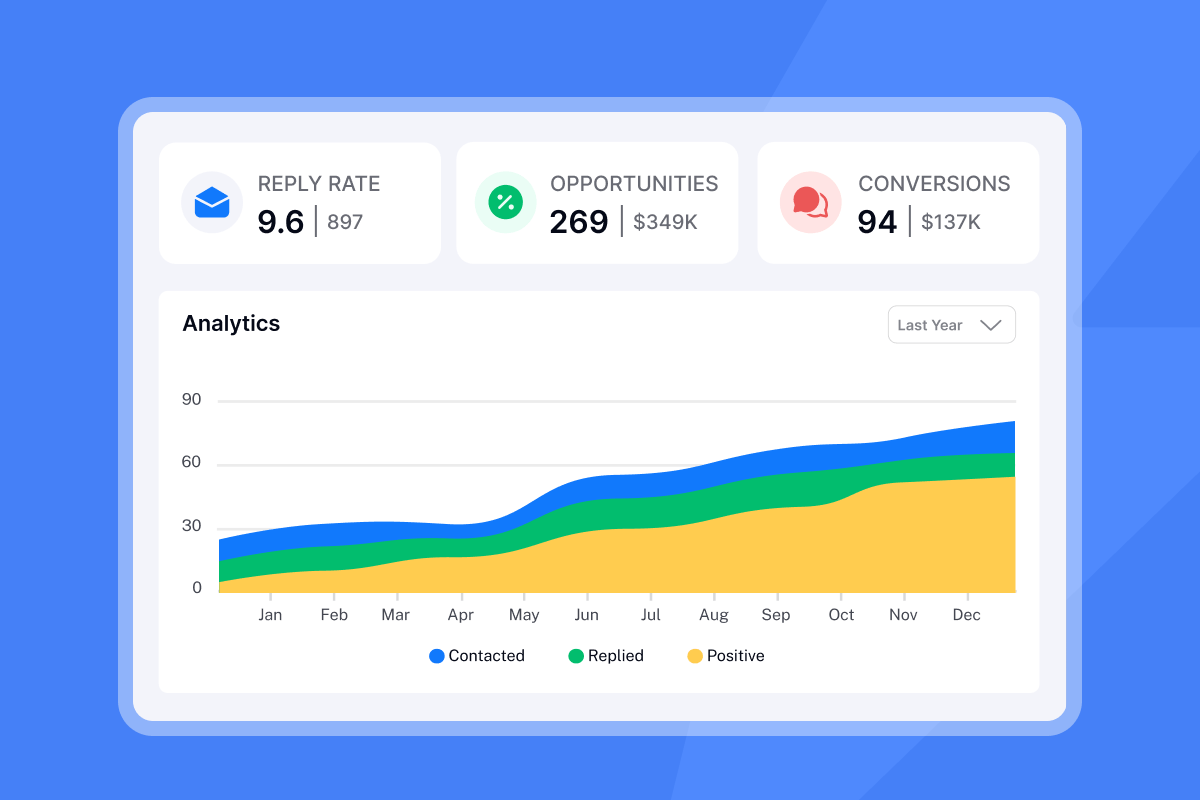
For data-driven marketers, Instantly's analytics dashboard shows reply rate and positive reply rate breakdowns, allowing you to identify which sequence steps drive the most action.
"Everything is really intuitive, the warmup function is great because you have full control of everything and bulk edits are a game changer. Unibox, CoPilot and AI agents are everything would could ever want." - Mathieu F. on G2
Frequently asked questions about deadline emails
How many reminders is too many?
Send two to three reminders before escalating. First reminder shortly after the deadline, second one week later, third with more direct language while remaining polite.
Can I use AI to write deadline reminders?
Yes. Instantly's AI Sequence Writer generates emails based on your offer details and target audience. The AI Spam Words Checker reviews copy for spam triggers and provides replacement suggestions.
What should I do about angry replies?
Acknowledge frustration professionally, clarify the reminder reason (to ensure they did not miss the opportunity), and offer to remove them from future communications. Avoid accusatory language to minimize negative reactions.
How does Instantly prevent reminders from landing in spam?
Instantly's warmup feature uses a deliverability network to build sender reputation before you launch campaigns. Combined with spin syntax and text-only sending, this keeps reminders in the primary inbox.
Key terminology
Spin syntax: A method of creating multiple variations of text using {{RANDOM}} tags. Prevents emails from being flagged as spam by ensuring each recipient receives a unique version.
Call to action (CTA): A clear, concise instruction aligned with the desired action, whether submitting an application, registering for an event, or making a payment.
Deliverability: The ability to maintain a strong sender reputation and ensure messages reach the inbox rather than spam folders.
A/B testing: Sending two versions of the same email to different segments to determine which performs better by testing variables like subject lines or body copy.
Loss aversion: A psychological principle showing that the pain of losing is about twice as powerful as the pleasure of gaining, making loss-framed messages more effective for deadline urgency.
Ready to automate deadline reminders? Try Instantly free and build your first sequence with wait steps, spin syntax, and AI reply handling.


