


Updated February 24, 2026
TL;DR: Most proposals die in silence, not rejection. Research shows 80% of sales require 5-12 follow-ups to close, yet nearly half of salespeople quit after one attempt. The gap between these numbers is your lost pipeline. Win it back by treating follow-ups like a growth experiment: trigger reminders based on engagement signals (opens, clicks, document views), not arbitrary calendar dates. Use value-driven copy instead of "just checking in" filler, and automate the cadence so consistency becomes a system instead of a daily guilt trip.
Stalled proposals are rarely a hard "no." They are friction. Your job is not to sell again, it is to remove that friction with precision timing, clear value restatement, and automated workflows that ensure no deal slips through. I will show you the exact cadence, the psychology, and the 12 templates that convert silence into signed contracts.
Why most proposals stall (and the math behind follow-ups)
The 80% of sales requiring 5 or more follow-ups statistic from research maps to what I see in the data every quarter. 44% of salespeople quit after one attempt even though most deals require at least five. That gap is where revenue lives and dies.
Prospects go silent for predictable reasons. Shifting priorities and dependencies are common culprits. Your champion needs to run the decision by other stakeholders but feels embarrassed they cannot make the call alone. Or decision fatigue sets in, and responding to your email drops below the fold while they handle four internal fires. Sometimes people find it very hard to say no after taking up your time, so they prefer silence over the pain of rejecting.
Engagement signals tell you which stalled deal is salvageable. If your proposal tracking shows the document opened multiple times with no reply, that indicates active interest. If you see new stakeholders suddenly viewing pages or time spent on specific sections increasing, you have a live deal that needs a nudge.
"Sending many cold emails to new prospects is possible without burning my domains or destroying the domain reputation, which is essential for my work." - Greg Z on G2
That same deliverability protection applies to proposal follow-ups. If your reminder lands in spam, all the psychology and timing in the world cannot save it.
Timing your follow-ups using engagement signals
Waiting 48-72 hours leaves room between giving the prospect time to respond and keeping the conversation timely. For sales proposals specifically, follow up within 4-5 days after your first message to show you are serious, then stretch the second follow-up to 5-7 days, and space subsequent touches 1-2 weeks apart if engagement signals remain cold.
The ideal sales cadence duration is two to four weeks with touchpoints spaced two to three days apart initially. After 5+ email touches across 2-3 weeks with zero engagement, send the break-up email.
Here is the cadence I use, split by engagement signal strength:
Touchpoint | High Engagement (3+ opens, new viewers) | Standard (1-2 opens, no reply) | Cold (0 opens, check deliverability) |
|---|---|---|---|
First follow-up | 24 hours | 48-72 hours | 72 hours |
Second follow-up | 2-3 days | 5-7 days | 7 days |
Third follow-up | 5 days | 5-7 days after 2nd follow-up. | 14 days |
Break-up email | 4-5 days | 21 days | 21 days |
If your tracking shows high engagement Wednesday afternoon but no reply, follow up Thursday morning while context is fresh. If opens are zero, pause and run an inbox placement test to confirm your emails are hitting the Primary inbox.
Mondays and Fridays can generate the highest average open rate, if you time your messages right. Send windows matter for deliverability. Configure your campaigns to send Tuesday through Thursday, mid-morning in the prospect's local timezone.
For a deeper dive on follow-up strategy and cadence best practices, watch this 10-minute breakdown from Instantly on the best cold email follow-up strategy.
How to write a reminder email that converts
Your subject line is an A/B test opportunity. Interest-based CTAs perform better than meeting requests, and the same principle applies to subject lines. Test "Thoughts on the proposal?" against "Quick question on pricing" or even just "Re: [Original Subject]" to continue the thread.
Avoid spam trigger words like "Free," "Limited time," "Act now," or excessive exclamation marks. Modern spam filters evaluate context, sender reputation, and engagement patterns, so patterns of problematic language combined with poor sender practices will hurt your deliverability.
The body structure:
Re-state value, do not just ask for status. Each follow-up should give the recipient a reason to open it by adding something new: a relevant insight, a quick win, or a reminder of how your solution aligns with their stated goal.
Acknowledge reality without guilt. Instead of "I haven't heard back from you" (implies fault), write "I know priorities shift. Is this still on your roadmap for Q1?"
Use a low-friction CTA. "Can I share a quick presentation to show how we improve conversion rates?" or "Does next Tuesday at 11 a.m. or Thursday at 3 p.m. work for a 15-minute call?" Both offer specific, easy options. Avoid high-friction asks like demanding 30-minute calls or signed contracts.
Keep it short. A good reminder email is short, clear, and respectful. Most effective reminder emails are 50-90 words total. One paragraph beats three.
Tone matters more than most marketers think. Even when following up for the fifth time, opt for a direct, gentle email tone instead of passive-aggressive language like "As per my last email" or guilt trips.
"The excellent deliverability is a game-changer for me, as it helps us close more clients effectively... ensuring that emails actually reach potential clients is crucial, and Instantly excels in this aspect." - Patrik K. on G2
If your carefully crafted reminder never escapes spam, the psychology and timing become irrelevant.
12 proposal reminder email templates for every scenario
For each template below, I include when to use it, why it works, and the exact copy. Swap personalization variables like {{firstName}} and {{companyName}} when you set up the sequence.
The "just sent" nudge (24-48 hours)
When to use: High engagement signal within 24 hours of sending (multiple opens, forwarded to new viewers).
Why it works: Capitalizes on active context while the proposal is still top-of-mind.
Template:
Subject: Re: Proposal for {{companyName}}

{{firstName}},

Saw you opened the proposal this morning. Did anything stand out or raise questions?

Happy to walk through the pricing section or adjust timelines if that helps move this forward.

Does a quick 10-minute call Tuesday or Wednesday work?

Best,
[Your Name]
The value-add bump (3-5 days)
When to use: Standard engagement (1-2 opens, no reply after 3 days).
Why it works: Adds new information instead of repeating the ask.
Template:
Subject: Quick addition to the {{companyName}} proposal

{{firstName}},

I realized I forgot to mention one thing in the proposal: we can fast-track your onboarding to 10 days instead of the standard 20 if you confirm by Friday.

Does that change the timeline conversation on your end?

Let me know if you need anything clarified.

[Your Name]
The objection handler
When to use: You suspect a specific blocker (budget, timing, internal approval).
Why it works: Lowers friction by addressing the unspoken concern directly.
Template:
Subject: Common question on the proposal

{{firstName}},

A few clients in your space asked about splitting payments across quarters instead of one upfront invoice.

Is budget timing the main hurdle here, or is there something else I should address?

Happy to adjust the proposal if that helps.

[Your Name]
The "new information" update
When to use: 5-7 days post-proposal, when you have a relevant case study, feature update, or industry news.
Why it works: Provides a legitimate reason to re-engage without sounding pushy.
Template:
Subject: New case study relevant to {{companyName}}

{{firstName}},

Just published a case study with [Similar Company] that hit 22% reply rate lift using the exact workflow in your proposal.

Thought it might be useful context as you evaluate options. Link here: [URL]

Still on track to review this month?

[Your Name]
For more cold email copywriting frameworks and template ideas, check out this guide from Instantly that breaks down the system behind hundreds of monthly replies.
The multi-stakeholder loop-in
When to use: You know other decision-makers are involved but you have not heard from them.
Why it works: Makes it easy for your champion to forward context to the broader team.
Template:
Subject: Looping in the {{companyName}} team?

{{firstName}},

If this proposal needs sign-off from others on your team, I am happy to hop on a quick call with everyone or send a one-page summary that is easier to forward.

Would that help move this along?

Let me know what works best.

[Your Name]
The "break up" email
When to use: After 5+ touches with zero engagement over 2-3 weeks.
Why it works: Autonomy restoration lowers defensiveness by giving prospects permission to disengage, which paradoxically makes them more willing to respond.
Template:
Subject: Closing the loop on this

{{firstName}},

I have not heard back, so I am assuming this is not a priority right now.

I will close the file on my end. If anything changes in Q2 or Q3, feel free to reach out.

Best of luck with your projects.

[Your Name]
Post-meeting quick recap
When to use: You sent a proposal after a discovery call, and the prospect asked for time to review.
Why it works: Restates the verbal commitments and next steps from the meeting.
Template:
Subject: Recap from our call + proposal link

{{firstName}},

Quick recap from Thursday:

- You wanted to improve reply rates by 15% this quarter.
- Timeline: decision by end of Feb, onboarding in March.
- Next step: review proposal and confirm pricing works.

Here is the link again: [Proposal URL]

Does Tuesday still work for a 10-minute follow-up call?

[Your Name]
The "limited inventory" urgency signal
When to use: True scarcity exists (onboarding slots, limited licenses, price increase deadline).
Why it works: Scarcity signals make solutions more attractive when availability becomes limited.
Template:
Subject: Quick heads-up on {{companyName}} proposal

{{firstName}},

We have two onboarding slots left for March. After that, the next availability is mid-May.

Does the original timeline still work, or should I pencil you in for May instead?

Let me know by Friday so I can hold the spot.

[Your Name]
To see how teams are booking meetings at scale, this Instantly case study walks through 113 sales calls in 30 days using campaign sequencing.
The peer-proof example (case study)
When to use: 7-10 days post-proposal when you have a similar customer success story.
Why it works: Social proof reduces perceived risk.
Template:
Subject: How [Similar Company] used this

{{firstName}},

[Company Name] in your industry just implemented the exact setup in your proposal and saw strong results in their first month.

Here is the breakdown: [Link]

Want to discuss how the same workflow applies to your team?

[Your Name]
The "Is this project dead?" check
When to use: 14+ days, zero engagement signals, last-ditch effort before break-up email.
Why it works: Direct question forces a binary answer and often surfaces the real blocker.
Template:
Subject: Quick question

{{firstName}},

Is this project officially shelved, or just back-burnered for now?

If it is timing, I can check back in Q2. If it is something else, I would rather know so I can help or step aside.

Let me know.

[Your Name]
The humor/personality play
When to use: You have rapport with the prospect and the relationship allows for a lighter tone.
Why it works: Pattern interrupt grabs attention in a sea of formal follow-ups.
Template:
Subject: Checking the proposal did not end up in spam

{{firstName}},

Following up on the proposal I sent last week. Either it landed in your spam folder, or I need to work on my subject lines.

If you have questions or need adjustments, let me know. If timing shifted, no problem, just tell me when to check back.

[Your Name]
The automated sequence flow
When to use: Setting up a multi-step campaign in Instantly to handle all scenarios systematically.
Why it works: Ensures consistency across all stalled deals.
Template (Step 1):
Subject: {{companyName}} proposal

{{firstName}},

Attached is the proposal we discussed. Key points:

- [Benefit 1]
- [Benefit 2]
- [Timeline]

Let me know if you have questions. Does Thursday work for a quick call to discuss?

[Your Name]
Template (Step 2, +3 days):
Subject: Re: {{companyName}} proposal

{{firstName}},

Circling back on the proposal. Anything I can clarify or adjust to help move this forward?

[Your Name]
Template (Step 3, +7 days):
Subject: Final check-in

{{firstName}},

Last follow-up on this. If timing does not work now, I can revisit in a few months.

Let me know either way so I can plan accordingly.

[Your Name]
Find cold email templates from Instantly to adapt for your proposal follow-ups.
How to automate proposal reminders with Instantly
Manual follow-ups fail because inconsistency in follow-up strategy results in opportunities slipping through the cracks. Automation solves this by letting you build the sequence once, then gather data about how prospects respond and refine your cadence over time.
Set up a dedicated "Stalled Proposals" campaign in Instantly:
1. Create the campaign. Name it "Proposal Follow-Up - [Month]" so you can track performance over time.
2. Build your sequence. Add three to five email steps with delay timers between each: Day 0 (proposal sent), Day 3 (first follow-up), Day 7 (second follow-up), Day 14 (break-up). Use the templates above.
3. Use variables and spin syntax. Personalize with {{firstName}} and {{companyName}}. For subject line testing, spin syntax lets you rotate variants automatically. Example: {Quick question|Checking in|Re: Proposal} cycles through three options.
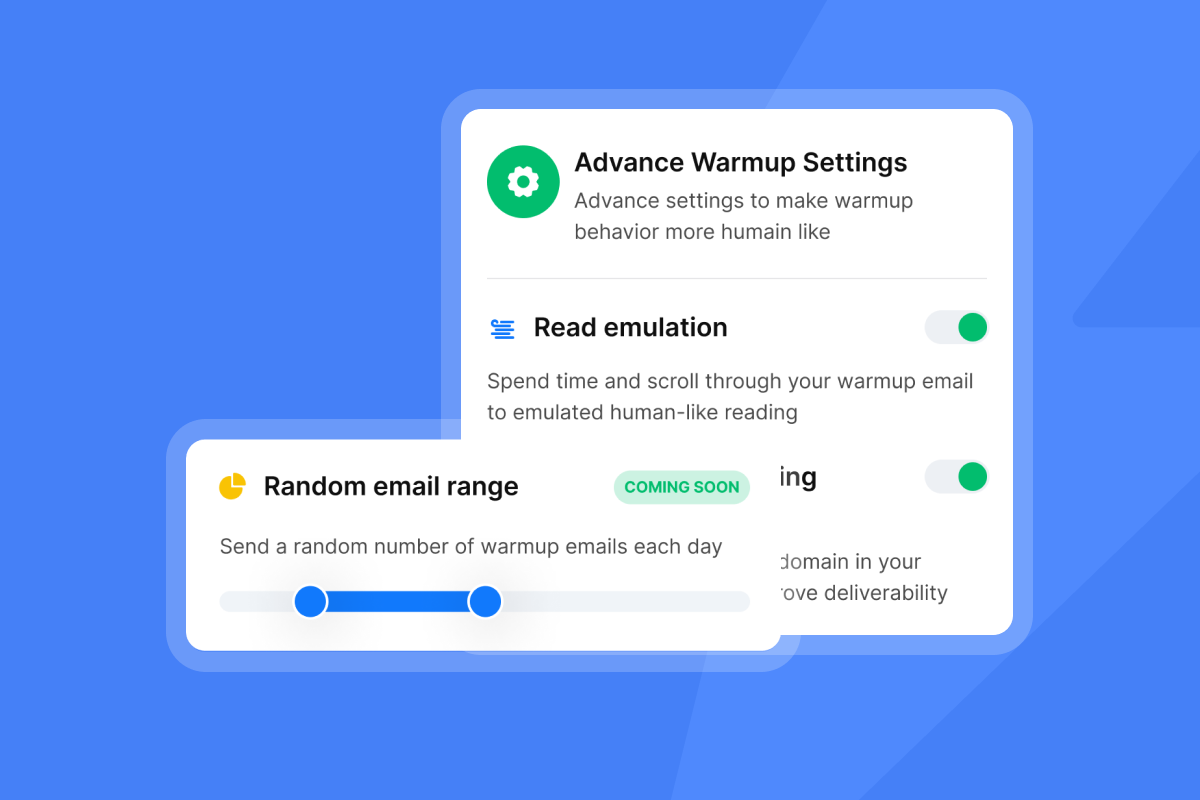
4. Set send windows. Configure warmup sending to weekdays only in the prospect's time-zone to avoid Friday afternoon or Monday morning slots.
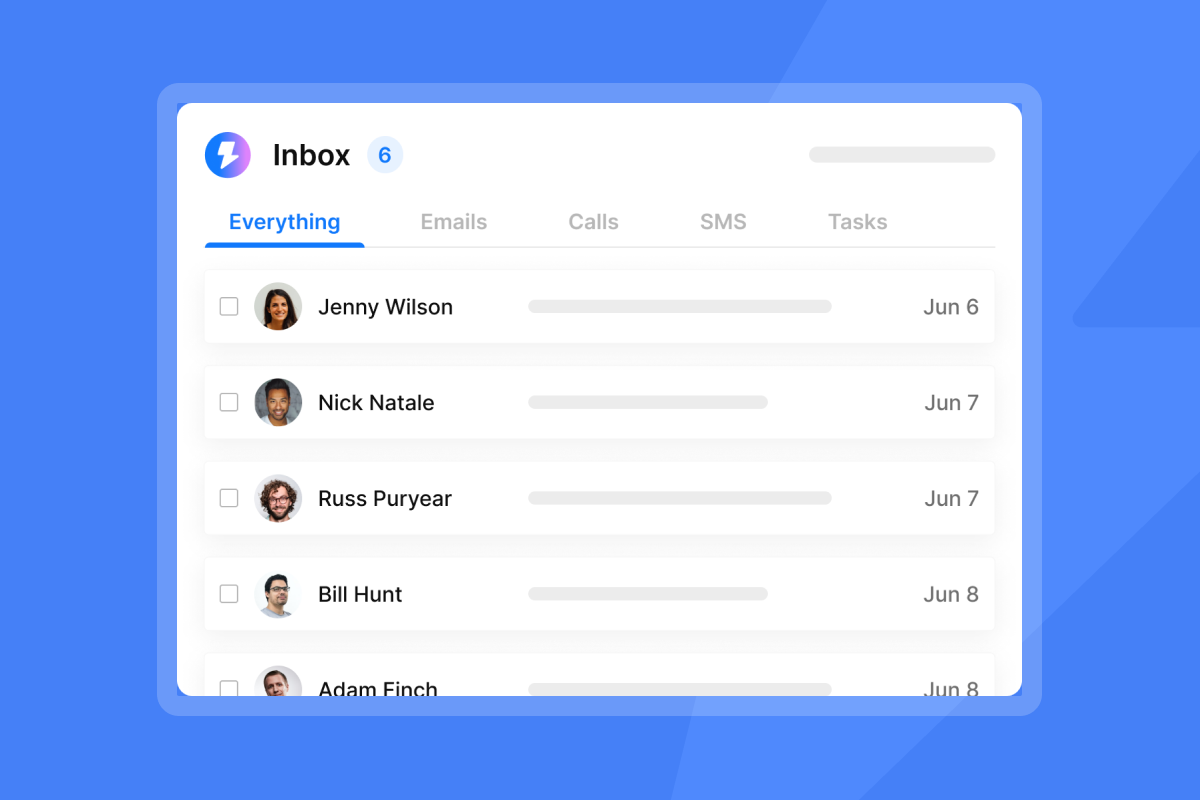
5. Manage replies in Unibox. When prospects respond, Unibox consolidates replies into one interface.
"I especially value the intuitive UI and the Unibox, which consolidates replies from hundreds of inboxes into one place. The real-time analytics for opens and replies allow me to optimize my sequences on the fly, making my entire workflow significantly more efficient." - Robert B. on G2
6. Track and optimize. Monitor open rates, reply rates, and meeting conversion by template. If a subject line gets 8% opens versus 22% on the variant, kill the loser and test a new angle. Learn from Instantly's cold email strategy guide. Remember to review performance regularly, as workflows should be treated as living documents rather than pure set-and-forget systems.
If your team handles high reply volume, consider adding AI Reply Agent to handle initial scheduling responses or basic objections while you focus on live conversations.
For a visual walkthrough, watch this 24-minute tutorial on cold email workflows that applies directly to proposal sequences.
Common mistakes that kill deal momentum
1. Guilt-tripping language. Avoid "I have not heard back from you" or "Why are you not responding?" These shift blame to the prospect. Instead, say "The payment appears to be pending" or "Is this still a priority?"
2. Sending too frequently without value. Following up every day with "Just bumping this" adds no signal. Each follow-up should add something new: a case study, a pricing option, a timeline fast-track, or a relevant industry update. If you have nothing new to say, wait another 2-3 days.
3. Ignoring deliverability. If your emails land in spam, none of this matters. Run regular inbox placement tests and warm up new domains for 30 days before sending proposals.
"In just the past 180 days, I've been able to book over 100 meetings, close deals worth more than €15,000... all with the help of Instantly." - Dustin Geissinger Gromicho on Trustpilot
That outcome depends on emails hitting the Primary inbox consistently.
4. Failing to track metrics. If you cannot see open rates or click rates, you are flying blind. Use campaign analytics to refine your cadence over time.
For advanced deliverability tactics, this deep dive on rotating IPs and sending algorithms explains how infrastructure impacts inbox placement.
Key takeaways
Most proposals stall because of internal friction, not lack of interest. Your reminder strategy should treat silence as a data signal, not a verdict. Here is what to do:
Start with engagement signals. If a prospect opens your proposal multiple times in one day, follow up within 24 hours while context is hot. If you see zero opens after 72 hours, run a deliverability check before sending more.
Use value-driven copy, not status checks. Every follow-up should add new information: a case study, a pricing adjustment option, or a timeline fast-track. "Just checking in" emails get ignored because they demand attention without offering value.
Automate the cadence to remove emotional friction. Build the sequence once, test subject lines and CTAs, then let the system work while you focus on live conversations. Track metrics and optimize based on actual performance data.
Ready to turn stalled proposals into signed deals? Try Instantly free and set up your first proposal follow-up campaign using the templates above. For hands-on guidance, check out this masterclass on winning with cold outreach in 2026 that covers advanced sequencing tactics.
FAQs
How long should you wait to follow up on a quote?
Wait 48-72 hours for the first follow-up, then 5-7 days for the second. After 14+ days with no engagement, send a break-up email.
What is the best way to politely remind someone about a proposal?
Re-state the value and add new information (case study, timeline option) instead of just asking for an update. Use low-friction CTAs like "Is this still a priority?" or "Does Tuesday work for a 10-minute call?"
How many follow-ups should you send before giving up?
Send five to seven touches over 2-3 weeks. If you see zero engagement signals after five attempts, send the break-up email.
What are engagement signals for a proposal?
Multiple opens, time spent on specific pages, new viewers, and clicks on pricing sections all indicate active internal discussion even without a reply.
How do you avoid sounding pushy in a reminder email?
Acknowledge shifting priorities, offer help instead of demanding answers, and use phrases like "Let me know if timing changed" instead of "Why have you not responded?"
Key terms glossary
Engagement signal: Digital actions (opens, clicks, repeat views, forwards) that indicate a prospect is actively reviewing your proposal even if they have not replied yet.
Break-up email: A final follow-up that gives the prospect permission to disengage, often triggering a response due to loss aversion psychology.
Low-friction CTA: A call-to-action that requires minimal effort to respond, such as yes/no questions or specific time options, versus high-friction asks like "Schedule a 30-minute call."
Spin syntax: A technique that rotates multiple text variations within a sequence to avoid repetitive copy, formatted as {Option A|Option B|Option C}.
Unibox: A centralized inbox that consolidates replies from multiple email accounts into one interface for faster triage and response.
Send window: The optimal time range for sending emails based on recipient timezone and behavior data, typically mid-morning on weekdays.


