


TL;DR: To scale outreach without deliverability crashes, use a slow ramp warm-up across every inbox and domain, then monitor placement before raising volume. Instantly centralizes warm-up for unlimited accounts, rotates inboxes, emulates human reads, and runs automated Inbox Placement tests so you keep emails in the primary inbox while protecting client domains. Start at 20–40 emails per inbox per day, increase over 2–4 weeks, keep spam complaints under 0.3 percent, and pause on any health dip. Try Instantly free and standardize warm-up for every rep and client.
Updated September 28, 2025
What is slow ramp email warm-up (and what it's not)
Slow ramp warm-up is a gradual increase in daily sends from a new or cold inbox to build a positive sender reputation. Sender reputation is the trust score inbox providers give your domain and IP. Deliverability is your ability to land in the primary inbox. Inbox placement is where your email lands by provider. ISPs and ESPs are internet and email service providers such as Google and Microsoft.
Slow ramp is not blasting thousands of emails on day one. It is a controlled ramp plan that mimics a real human sender. This plan uses verified contacts, safe volumes, and predictable increases over time. Monitoring catches dips early.
Why slow ramp is essential for email deliverability
Mailbox providers protect users by watching volume, bounces, and complaints. Large jumps or negative engagement quickly hurt sender reputation. A slow ramp avoids spikes and signals to Gmail, Outlook, and others that your emails are wanted.
- Lower complaints. Gmail’s sender rules make mitigation unavailable when user‑reported spam exceeds 0.3 percent, and they recommend staying below 0.1 percent in Postmaster Tools. Keep complaint rates low before you scale, per Gmail’s sender guidelines FAQ and their Top issues guidance.
- Healthier bounce rates. Deliverability teams aim to keep hard bounces at or below 1–2 percent. Twilio SendGrid’s data shows mean deliverability of about 91 percent at a 2 percent bounce rate and warns that hard bounces above 5 percent correlate with serious problems. See SendGrid’s analysis in their Validation article and the guidance in Bounce classifications.
- Safer throughput across teams. With multiple reps and clients, one reckless inbox can taint a domain. Slow ramp and inbox rotation distribute volume safely.
- Direct sales impact. Spam placement cuts opens, replies, and meetings. Protecting domain health stabilizes reply rates and booked calls.
Warm-up is not a one-day task. Industry playbooks recommend a minimum of 2 weeks and commonly 2–4 weeks to reach a steady state, with slow, verified increases tied to placement and error checks. See SendGrid’s notes on gradual ramping in their IP warm‑up guide.
How to implement a slow ramp warm-up strategy: a step-by-step guide
This plan works for new domains, new inboxes on existing domains, and inboxes returning from a pause. Adjust ranges based on results and your ESP’s limits.
- Prepare the domain
- Authenticate: Publish SPF, DKIM, and DMARC. Without authentication, providers distrust your traffic. Follow a three‑record setup using Instantly’s guide to SPF, DKIM, and DMARC.
- Use alternate domains: Keep your main domain for customer communication. Send cold email from branded alternates to reduce brand risk.
- Set a custom tracking domain: Point a CNAME to a tracking subdomain so link signals align with your brand.
- Connect inboxes and enable warm-up
- Connect multiple inboxes per domain: Aim for two to three per domain to start. This increases safe throughput and gives redundancy.
- Enable automated warm-up: Turn on warm-up in the Email Accounts dashboard. Instantly recommends warming accounts for at least 2 weeks before launching any campaign, as noted in their Email Accounts quickstart.
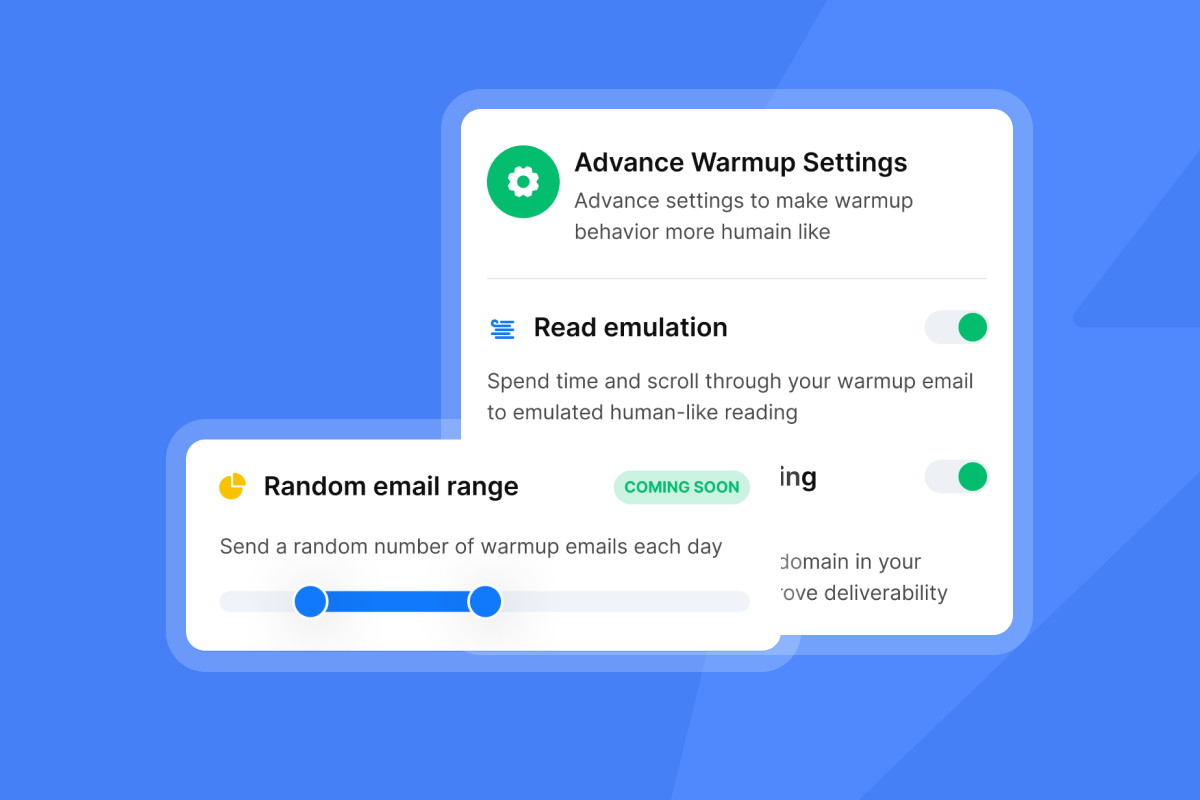
- Turn on read emulation: This simulates realistic engagement during warm‑up. Our advanced warmup settings define read emulation in detail. The TL;DR defintion is: time spent scrolling through warm‑up emails to mimic human reading.
- Set starting volumes and increases
- Start small: For new inboxes, a safe first‑week range is 20–30 total emails per inbox per day. See Instantly cold email strategy.
- Increase gradually: Raise daily sends by about 10–20 emails per inbox or 15–25 percent every few days, but only if placement and bounces stay healthy.
- Warm‑up duration: Warm for at least 2 weeks. Many teams see stable placement after 2–4 weeks on Google Workspace and Microsoft 365, per Instantly’s pre‑launch checklist.
- House caps: Keep total daily sends under 50 per inbox in the first two weeks, then rise as health allows.
- Pre‑warmed accounts: If you use pre‑warmed inboxes, start smaller at 5 per day and cap near 20–25 per day before increases with a max of 30 per day per inbox, as outlined in Pre‑Warmed Accounts.
- Run placement tests and checks each step
- Inbox Placement tests: Use Instantly’s Inbox Placement to test major providers before scaling. Review the how‑to for automated tests.
- Gmail Postmaster Tools: Confirm spam rate stays below 0.3 percent and aim for below 0.1 percent by reviewing Gmail Postmaster Tools data weekly.
- Microsoft SNDS: Check complaint and block signals over time using Microsoft SNDS.
- Add production campaigns with rotation
- Rotate inboxes: Assign multiple warmed inboxes to each campaign. Instantly rotates sends between selected accounts and, with a 5‑minute gap, sends one email per sender per cycle to stay natural.
- Set send windows: Send during local business hours with natural spacing between messages.
- Keep warm‑up running: Leave warm‑up enabled to maintain reputation while production sends run.
- Scale with health guardrails
- Acceptance checks: Hard bounces at or below 1–2 percent. Gmail spam complaints below 0.3 percent and ideally at or below 0.1 percent. If any metric spikes, hold.
- Pause and fix: If placement drops, cut daily caps by 30–50 percent, re‑verify the list, re‑run placement tests, then resume at a lower cap.
If you prefer a visual walkthrough, watch Patrick Walsh’s setup video, How to set up Instantly AI email warm up.
Key features and tools for effective slow ramp warm-up
The right platform reduces manual oversight and prevents mistakes that damage domains. Here is how Instantly supports slow ramp at scale for agencies and sales teams.
- Unlimited email accounts on a flat fee. Scale warmed inboxes without per‑seat penalties or mailbox fees.
- Automated warm‑up with gradual increases. Accounts start low and increase by day. Our guide documents how to configure slow warm‑up and advises against disabling it on new inboxes.
- Read emulation. Advanced settings take time to scroll through warm‑up emails to mimic human‑like reading behavior.
- Campaign Slow Ramp for production sends. Turn on Campaign Slow Ramp so daily limits start small and rise by 2 emails per day per account until the max cap. For more detail checkout our Campaign slow ramp system guide.
- Inbox rotation and centralized reply handling. Assign many inboxes per campaign, rotate safely, then manage replies in the Unibox with AI labeling and reply macros.
- Automated Inbox Placement tests and blacklist checks. Validate placement and content risk before increases using automated tests.
- Private deliverability network. Instantly reports a warm‑up pool of over 1,000,000 accounts with a private headless‑browser network to simulate safe signals at scale. See the vendor claim in Email deliverability solutions.
- SISR on Light Speed. Server and IP sharding and rotation automatically assign dedicated IP pools and swap flagged IPs, so heavy senders protect reputation as they scale.
- AI agents for ramp and replies. Use Copilot for planning and analysis, and handle replies in under 5 minutes with the configurable AI Reply Agent.
AI guardrails: set clear bounce and spam thresholds, require placement checks before increases, and keep human oversight for policy or copy changes.
Here's a visual tour of our AI reply agent:
Monitoring and optimizing your warm-up performance
Track a short list of metrics daily during ramp. Tie every increase to these checks.
- Bounce rate: Hard bounces at or below 1 percent. If you cross 2 percent, pause, re‑verify, and resume lower.
- Spam complaint rate: Stay under 0.3 percent at Gmail and target 0.1 percent. Monitor weekly in Postmaster Tools.
- Inbox placement by provider: Validate Gmail, Outlook, Yahoo, and Apple Mail before increases.
- Domain reputation: Review Gmail Postmaster and Microsoft SNDS as you scale. Check blacklists if errors rise.
- Throughput by inbox: Verify that rotation keeps any single inbox from hitting spikes.
Actionable fixes by symptom:
- High bounces: Stop sends for 48 hours. Re‑verify data. Remove risky domains. Resume at 50 percent of the prior cap.
- Spam placement spike: Reduce daily sends by 30–50 percent. Re‑run placement tests. Shorten sequences. Remove links for one week.
- Low opens with stable placement: Test two to three subject variants, tighten preview text, and shift send windows to early local business hours.
Choosing an email warm-up tool: a comparison
Below is a quick look at warm‑up options. Match features with your scale and process.
| Tool | Warmup automation | Read emulation | Deliverability network / seed list | Pricing model |
|---|---|---|---|---|
| Instantly | Yes, gradual ramp automation | Yes, positive interactions simulated | Private 4.2M network; inbox placement tests | Flat fee, unlimited accounts and warmup |
| Smartlead | Yes, unlimited warmup all plans | Yes, AI opens and replies | 25,000+ mailbox pool; seed testing | Tiered monthly; unlimited accounts warmup |
| Warmbox | Yes, automated daily warmup | Yes, opens replies spam rescue | Private ~35,000 inbox network; no seeds | Per inbox or tiered plans |
| Mailwarm | Yes, automated daily warmup | Yes, opens marks important replies | Private 5,000+ network; no seed tests | Per plan tiers by volume |
Instantly user perspectives:
"I've been using instantly.ai for my cold email outreach, and it has completely changed the way I run campaigns. The platform is super intuitive, and I was able to get up and running in minutes. Deliverability has been excellent." - James M. on G2
"They specialize in getting emails delivered at a much higher rate than our previous email provider." - Verified user on G2
"Instantly has completely transformed our email outreach." - Shaiel P. on G2
"Instantly has become my go-to tool for cold outreach." - Alexander on Trustpilot
Want a walkthrough? See the Full Instantly.ai Tutorial 2025 or a quick setup in How to set up Instantly AI email warm up.
Quick start checklist for slow ramp warm-up
- Authenticate domain: SPF, DKIM, DMARC published and valid.
- Add inboxes: Two to five per domain. Enable automated warm‑up.
- Enable read emulation: Simulate human opens and scrolling.
- Set starting volume: 20–40 per inbox per day. Weekdays only.
- Run placement tests: Use automated tests across target providers before increases.
- Increase gradually: 10–20 more emails per day or 15–25 percent steps every few days.
- Watch thresholds: Hard bounces at or below 1–2 percent. Gmail spam at or below 0.3 percent.
- Rotate and centralize: Assign many inboxes per campaign. Manage replies in Unibox.
Master your deliverability, scale your outreach
A slow ramp warm‑up protects domains, stabilizes inbox placement, and makes outreach predictable across reps and clients. The playbook is simple: authenticate, start small, increase with proof, and monitor every step. Instantly ties these controls to unlimited inboxes, automated warm‑up, read emulation, inbox rotation, and placement testing. That lets you increase throughput without gambling on domain health.
Try Instantly free to standardize slow ramp warm‑up across your team and clients.
FAQs
- How long should I warm up a new inbox? 2–4 weeks. Minimum of 2 weeks before any meaningful scale. Require clean placement tests before increases.
- How many emails per inbox per day during warm‑up? Start at 20–40. Many teams run 30 campaign emails plus 10 warm‑up emails per day per account after warm‑up, then scale with health.
- Should warm‑up stay on after I start campaigns? Yes. Keep automated warm‑up on to maintain reputation while you send production emails.
- What is read emulation? Controlled opening and scrolling of warm‑up emails to simulate human engagement and improve trust signals.
- How many inboxes should I rotate per campaign? Start with two to five warmed inboxes per domain. Add more as volume grows.
Key Terms Glossary
- Primary inbox: The folder your contacts actually read.
- Sender reputation: Trust score tied to your domain and IP.
- Warm‑up: Controlled sends that build trust signals.
- Slow ramp: Gradual daily send increases.
- Inbox placement: Where emails land by provider.
- Read emulation: Simulated opens and scrolling during warm‑up.
- List hygiene: Ongoing removal of risky or invalid contacts.
- Send window: Time range for campaign sending.
- Throughput: Total sends per day across inboxes.
- ISP/ESP: Internet and email service providers.


