


Updated October 19, 2025
TL;DR: Warm new domains with a slow ramp to build sender reputation and land in the primary inbox. Start with authentication and automated warmup. Increase daily sends over 2 to 4 weeks with clear health gates. Monitor inbox placement, bounces, and spam complaints. Instantly automates warmup, read emulation, and placement tests across unlimited accounts so you scale safely.
Quickstart
- Start production small at no more than 30 cold emails per inbox per day after initial warmup. Increase in steps if seed placement stays strong.
- Pause if bounces exceed 1 percent, spam complaints approach 0.3 percent, or seed tests fall under 80 percent. See Google’s guidance in Postmaster Tools.
- Keep automated warmup on indefinitely to maintain positive signals.
Minimum warmup: 2 weeks. Safer at 3 to 4 weeks for new domains. As we talk about in our warmup overview video:
"For email warm-ups, the consensus varies, but 2-4 weeks is generally recommended."
For sales leaders, consistent primary inbox placement beats clever copy. A disciplined slow ramp protects your domains, stabilizes throughput, and prevents calendar-killing deliverability dips.
What is slow ramp email warm-up
Slow ramp email warmup is the controlled, gradual increase of email sending from a new or idle domain and inbox to build positive sender reputation with mailbox providers.
- What it is: A methodical plan that starts with SPF, DKIM, DMARC, and MX in place, runs automated warmup, and steadily increases campaign sends while you test and adjust.
- What it is not: A one-click trick that guarantees inboxing or a substitute for clean data and clear copy.
Why slow ramp is essential for email deliverability
- Build sender reputation and trust: New domains have no history. Gradual, consistent activity trains Gmail and Outlook to trust your mail.
- Avoid spam filters and blacklists: Sudden spikes, high bounces, or low engagement trigger filters. Ramp plans reduce risk and create space to fix issues.
- Stabilize primary inbox placement: Placement volatility kills reply rates. A slow ramp stabilizes performance before you scale.
Google sets a bright line for senders. Keep spam reports at or under 0.3 percent as tracked in Postmaster Tools. Aim well below that during warmup and beyond. Run seed tests and only scale when placement is healthy. Instantly’s automated Inbox Placement tests help you check this without guesswork.
How to implement a slow ramp warm-up strategy: a step-by-step guide
Phase 1: Initial setup and DNS alignment
- Authenticate your domain
- SPF and DKIM: Publish and validate with your email service provider.
- DMARC: Start with policy p=none and enable reporting so you can monitor before enforcing. See the DMARC overview.
- MX: Confirm records point to your mailbox provider.
- Acceptance: SPF and DKIM pass on test sends. DMARC reports arrive.
- Set up Instantly
- Connect inboxes in Instantly. Plans include unlimited email accounts and warmup.
- Enable warmup for each inbox. Keep it on in production to preserve positive signals.
- Optional but recommended: set a custom tracking domain CNAME before scale.
- For a quick walkthrough, see Patrick Walsh's warmup setup video.
- Confirm monitoring
- Enable automated Inbox Placement tests and set alerts.
- Connect Google Postmaster Tools and Microsoft SNDS for reputation telemetry.
- Prepare data and content
- Verify contacts before you send. Keep hard bounces at or below 1 percent as a working threshold.
- Write short, specific copy that invites a reply. Avoid spammy phrasing and noisy formatting.
Acceptance for Phase 1: Authentication validated. Warmup active. Seed tests show majority inboxing. List verification is in place.
Phase 2: Gradual volume increase (day-by-day plan)
Instantly’s warmup and campaign sending both use slow ramp patterns so your volume rises naturally. Keep warmup active for each inbox while you introduce production sends. New domains should complete at least 14 days of warmup before meaningful volume, and 21 to 28 days is safer.
Use the following per-inbox plan. Treat the numbers as guardrails. If health dips at any checkpoint, pause and fix before you scale.
Days 1 to 3
- Warmup only.
- Cold emails: 0 per day.
- Acceptance: Inbox placement at or above 80 percent on seed tests.
Days 4 to 7
- Introduce minimal production sends.
- Cold emails: 10, 12, 15, 18 per day.
- Warmup continues automatically.
- Acceptance: Bounces at or below 1 percent. Spam complaints under 0.1 percent.
Days 8 to 14
- Step up volume if seed placement holds.
- Suggested path: 20, 22, 24, 28 per day.
- Acceptance: Seed placement at or above 80 percent across Gmail and Outlook addresses.
Days 15 to 21
- Max 30 sends per inbox per day.
- Acceptance: Reply rate steady or improving. No complaint spikes.
Days 22 to 28
- Mature cap for most B2B cold outreach: 30 per day per inbox.
- If you need more throughput, add warmed inboxes rather than pushing a single inbox higher.
Instantly operates a private deliverability network that underpins warmup and engagement across the network of 4.2M+ accounts.
Phase 3: Monitoring and adjusting your ramp
Check daily
- Seed placement from automated Inbox Placement tests.
- Bounces and complaint rate in Instantly analytics and Postmaster Tools.
Pause and fix if
- Bounce rate is above 1 percent. Clean data and re-verify segments.
- Spam complaints approach 0.3 percent. Tighten targeting and simplify copy. Ensure a clear opt-out.
- Seed placement drops below 80 percent. Reduce daily sends and recheck DNS, content, and reputation signals.
Resume carefully
- After metrics stabilize for 48 hours, resume at a lower cap and re-test placement before increasing again.
Here's our video tutorial on how to walk through these steps:
Key features and tools for effective slow ramp warmup
Automated warmup campaigns
- Instantly automates warmup across unlimited inboxes on every plan. Daily warmup and campaign sends follow slow ramp patterns, so increases feel natural and safe for providers.
The power of read emulation
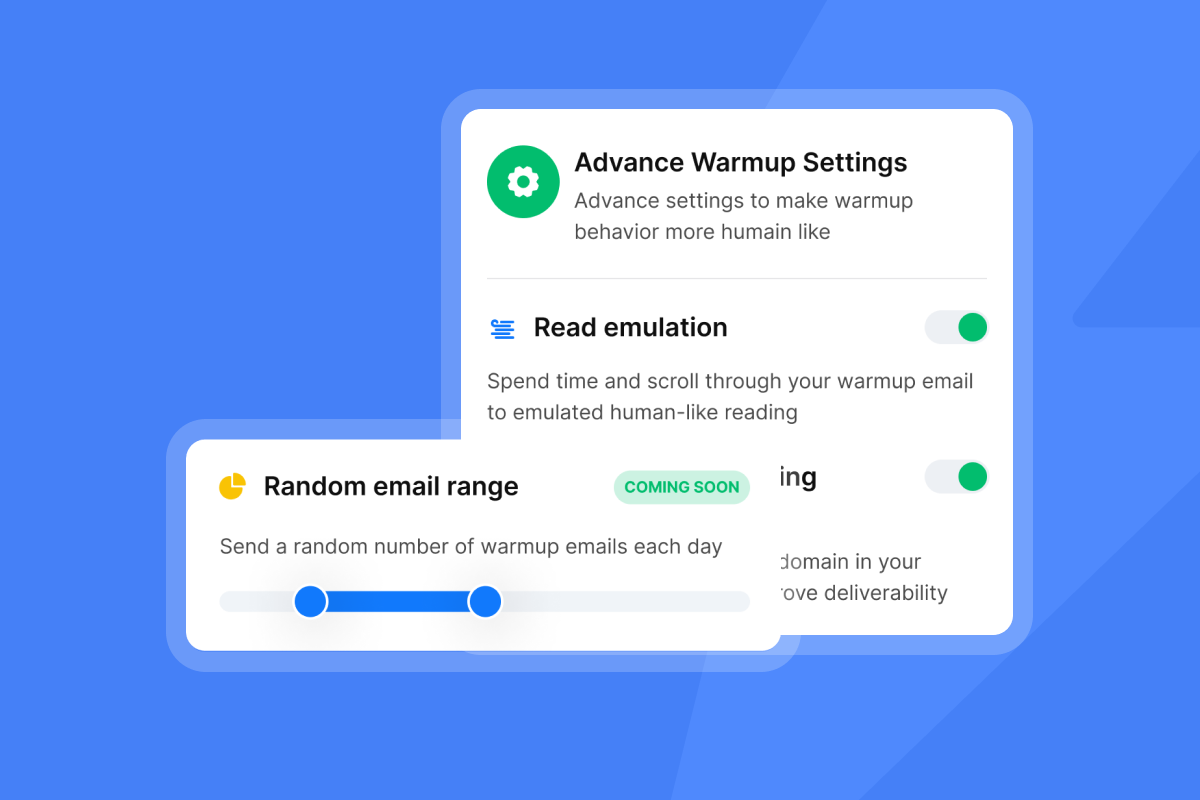
- Read emulation mimics human reading and handling behavior for warmup messages. This creates realistic positive signals that support sender reputation building during ramp. You manage warmup and placement checks in one place.
Leveraging AI for optimized sending patterns
- Use Copilot to summarize campaign health, surface risks, and recommend send windows or variants.
- Route and triage replies with Instantly’s AI Agents to keep response times low without burning team hours, especially during ramp.
On higher tiers, the Light Speed plan adds SISR for server and IP sharding and rotation with dedicated or private IP pools. This creates isolation and flexibility at higher volumes.
Monitoring and optimizing your warmup performance
Deliverability dashboards and inbox placement tests
- Run automated placement tests and watch inbox vs spam trends over time with the Inbox Placement API.
- For an in-depth walkthrough of best practices, see Instantly’s deliverability guide video.
- Track bounces, opens, replies, and complaints in one reporting view. Investigate changes in placement by provider.
Understanding feedback loops and blacklist monitoring
- Review domain reputation and spam rates in Google Postmaster Tools.
- For Microsoft audiences, monitor IP and traffic quality with SNDS.
- Check blacklists with MXToolbox. If listed, fix the root cause, then request delisting.
When to pause and adjust
- Pause the ramp if bounces exceed 1 percent, spam complaints trend toward 0.3 percent, or seed placement falls below 80 percent.
- Fix data quality first. Then recheck authentication and simplify content.
Choosing an email warm-up tool: a comparison
Your criteria: automation, read emulation, proven deliverability patterns, reporting, and pricing that does not punish growth.
| Tool | Slow ramp automation | Read emulation | Pricing model |
|---|---|---|---|
| Instantly | Yes. Warmup 4.2M network + campaign ramp with placement testing | Yes, and catch all validation | Flat fee with unlimited accounts and warmup |
| Smartlead | Yes | Often available | Per account or per volume tiers |
| Warmbox | Yes | Yes | Per inbox warmup pricing |
| Mailwarm | Yes | Yes | Per inbox warmup pricing |
Notes
- Instantly adds automated Inbox Placement testing plus integrated data and AI agents in one platform.
- Competitors may focus on warmup only. Validate reporting depth, alerting, and total cost, especially as you add inboxes.
Customer proof points
"It was very straight forward to warm up my email addresses/inboxes as well as start my first campaign." Review by a Verified User in Computer Software on G2.
"The platform is super intuitive, easy to set up, and makes it simple to manage multiple domains and inboxes at scale." Review by Shaiel P. on G2.
"It’s simple to use, packed with all the features I actually need, and it just works." Review by Alexander Johansen on Trustpilot.
Quick start checklist for slow ramp warmup
Domain and DNS
- SPF, DKIM, DMARC, MX configured and verified. DMARC at p=none with reporting on.
- Custom tracking domain set.
Instantly setup
- Inboxes connected. Warmup enabled on all.
- Read emulation on for warmup. Send windows set to business hours.
- Automated Inbox Placement tests enabled with alerts.
Data and safety
- Lists verified. Global blocklist active.
- Unsubscribe link present and visible on cold emails.
Ramp rules
- Week 1: warmup only for 3 days, then 10 to 18 per day.
- Week 2: 22 to 25 per day, with seed placement at or above 80 percent.
- Week 3: 30 per day if health holds. Add inboxes for more throughput.
Stop conditions
- Bounce at or above 1 percent. Spam reports near 0.3 percent. Placement below 80 percent on seeds.
Monitoring scorecard and thresholds
- Inbox placement: Target 80 percent or higher on seed tests. If lower, reduce volume and re-test after fixes.
- Bounce rate: Keep at or below 1 percent. Re-verify data if higher.
- Spam complaints: Keep well under 0.3 percent. Track in Postmaster Tools.
- Reply rate: Track by segment. Improve copy or targeting if flat after 2 weeks at steady placement.
Why Instantly is the safest path to scale
- Flat pricing with unlimited email accounts and warmup keeps costs predictable as you add inboxes.
- Automated Inbox Placement tests and alerts make ramp decisions auditable.
- Vendor claim: a private deliverability network supports realistic engagement at scale. See the network note in the blog on what real users say.
- Data and AI built in. Use Copilot and AI Agents to reduce manual work and keep replies moving.
Ready to standardize your team’s ramp and protect your brand reputation? Start a free trial and use this slow ramp template and keep warmup on as you scale.
Frequently asked questions
How long should I warm a brand-new domain?
Minimum 2 weeks. Safer at 3 to 4 weeks.
What daily volume should I start with after warmup?
Start with 1-2 ramping by 1-2 each couple of days up to max 30 cold emails per inbox per day. Increase only if seed placement is at or above 80 percent, bounces under 1 percent, and spam reports well under 0.3 percent.
What metrics trigger a pause?
Bounces above 1 percent, spam complaints near 0.3 percent, or seed placement below 80 percent. Reduce volume, fix data or content, and re-test before resuming.
How do I scale beyond 1,000 emails per day?
Add warmed inboxes across multiple domains. Hold per-inbox caps in the 25-30 range for cold email. Keep automated warmup active for every inbox.
Does read emulation really help?
Yes. It simulates realistic engagement in warmup, which contributes to trust signals during ramp. Manage this inside Instantly alongside placement testing.
Key terminology glossary
- Slow ramp: Gradual increases in daily sends to build trust.
- Read emulation: Automated reading behavior that mimics people.
- Inbox placement test: Seed test to see inbox vs spam.
- Blacklist monitoring: Checks for domain or IP listings.
- Send windows: Hours during which emails send.
- Throughput: Total sends across accounts per day.


