


Updated April 13, 2026
TL;DR: Most founders polish their PDF proposal for hours, then send it in an email that gets ignored or filtered to spam. A winning business proposal email is a system: a subject line that clears spam filters, a hook that proves you understand the reader's pain, and a single low-friction ask. Get those three elements right and you can push past the platform-wide average reply rate of 3.43% toward the 8-10%+ range that top campaigns consistently achieve. This guide gives you the exact framework, with copy-paste templates you can use today.
The difference between a proposal that books a meeting and one that gets archived is rarely the offer itself. It is the email structure around it. This guide breaks down the proven system for proposal emails that book meetings: from subject lines that clear spam filters to CTAs that drive replies, with copy-paste templates you can adapt and send today.
Winning proposal emails: core conversion drivers
Before you write a single word, understand the numbers. Most proposal emails underperform not because the offer is weak, but because the message is structurally broken from the start.
Average proposal conversion rates
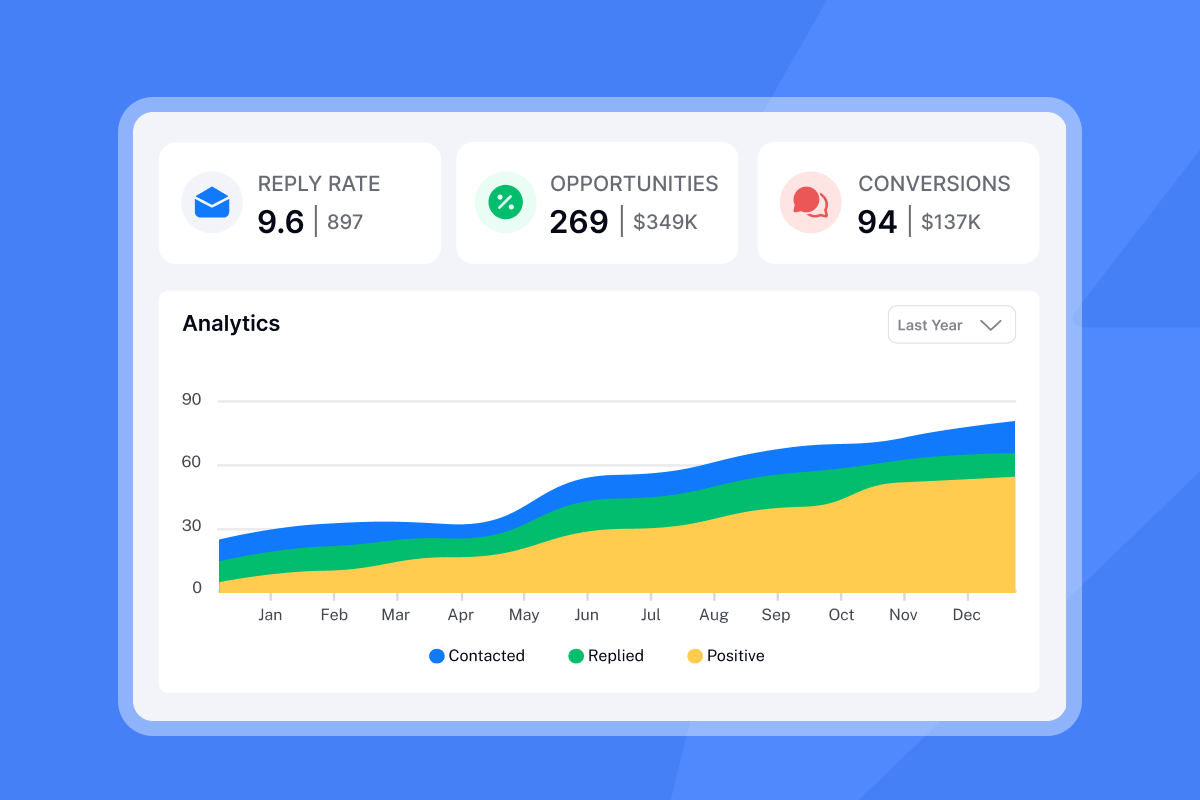
According to Instantly.ai's 2026 cold email benchmark report, the platform-wide average reply rate sits at 3.43%, while top-quartile campaigns reach 5.5% and elite performers exceed 10%. That gap is almost entirely explained by targeting, list quality, and what happens after the first objection comes back.
For B2B SaaS, demo-to-close rates typically fall in the 20-30% range, which means every incremental meeting you book from a proposal campaign has real revenue attached to it. The key implication: measure your campaign success by meetings booked per 1,000 emails sent, not raw reply count. That single metric connects your outreach motion to pipeline and makes it easier to justify time and spend. The cold email reply rate benchmarks provide the baseline data to set these targets with clients. Instantly's cold email strategy guide covers how to set up this measurement from day one.
Avoid spam: land in the primary inbox
Deliverability is the foundation. You can have the best copy in your category and still fail if your email never reaches the primary inbox. Three technical pillars determine where you land:
- Email authentication: Configure SPF, DKIM, and DMARC records to confirm to receiving servers that you are who you say you are. DKIM (DomainKeys Identified Mail) adds a digital signature to outgoing messages, reassuring your prospect's mailbox provider that the message is legitimate.
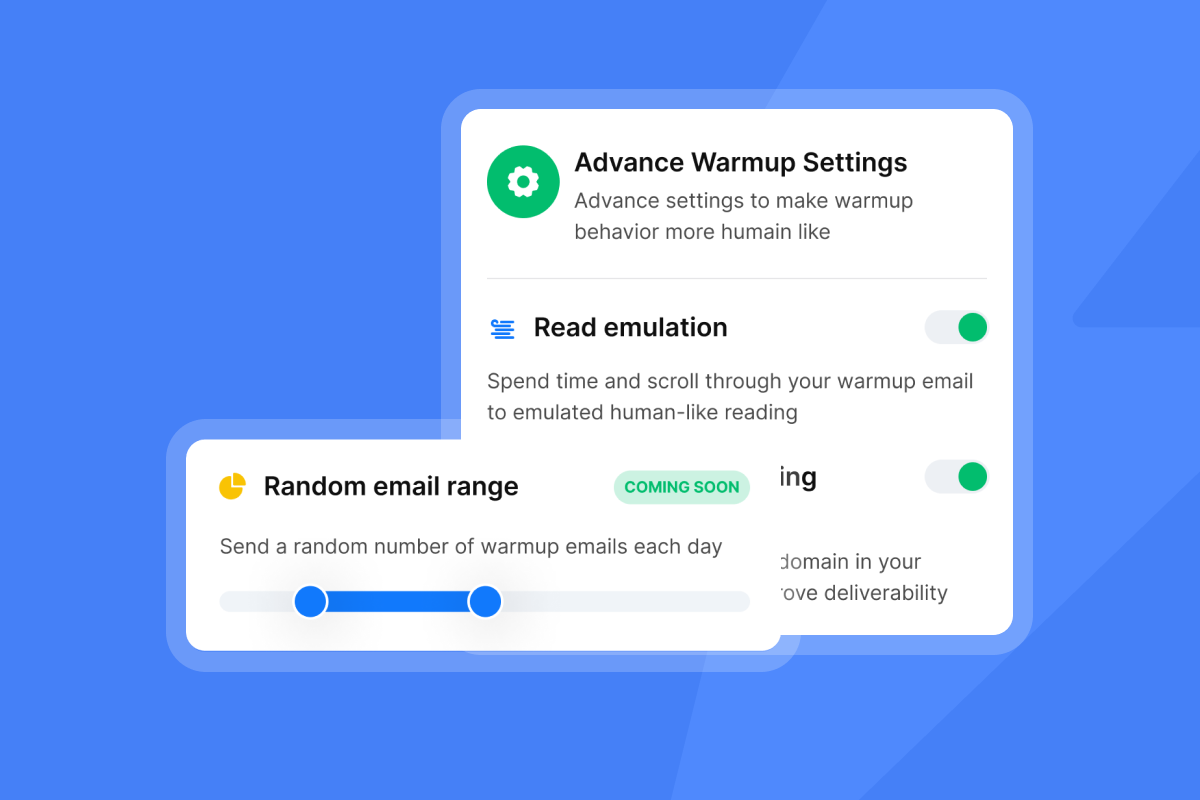
- Domain warmup: New domains need 30+ days of gradual ramp-up. Start with low volumes, typically around 5 emails per day, and increase slowly, capping outreach sends at 30 per inbox per day. Instantly's guide on scaling with secondary sending domains explains the multi-domain strategy that protects your primary domain.
- Inbox placement testing: Run tests before launching a proposal campaign to confirm your emails land in primary rather than promotions or spam.
Instantly's automated inbox placement tests let you check deliverability before a single prospect sees your email, so you catch problems before they cost you pipeline.
"I appreciate Instantly for its intelligent handling of domain and mailbox rotation as well as provider matching, which is critical for ensuring that my emails land directly in the primary inbox instead of getting caught in spam filters." - Richard E. on G2
A/B test subject lines for more opens
Your subject line is the only part of your proposal email that gets read before someone decides whether to open it. Watch the breakdown of 225 tested cold email subject lines to see what patterns consistently outperform.
Five proposal subject lines that clear spam filters
Keep subject lines under 60 characters so they display fully on mobile. Here are five proven structures:
- Benefit-driven (direct): "[First name], a faster path to [specific outcome]"
- Question-based: "[First name], struggling to scale proposal volume?"
- Trigger event: "Saw your post on [Topic] - quick proposal idea"
- Project-specific (formal): "Follow-up: proposal for [Project Name]"
- Outcome-focused: "How [Similar Company] booked meetings without extra headcount"
Every structure above stays under 60 characters and avoids spam trigger words. Use one hook per subject line. Mixing curiosity with urgency in the same line reads as manipulative to both filters and humans.
Personalization, length, and what to test
Subject lines with a single specific detail, a company name, a recent event, or a mutual connection, outperform generic lines consistently. Personalized subjects signal to spam filters that the message is one-to-one rather than a mass blast, which improves placement because filters penalize high-volume identical sends.
On mobile, a subject that truncates past 60 characters loses context at the exact moment the reader decides to open or skip.
Open rate measures curiosity. Reply rate measures relevance. Optimize for replies, not opens. Instantly's A/Z testing feature lets you run up to 26 variants in a single campaign step, automatically routes sends to better-performing variants, and surfaces reply rate data in one dashboard. Test one variable at a time: subject line tone first, then first-line personalization, then value proposition angle, then CTA phrasing.
Secure inbox: avoid email spam words
Phrases like "free trial," "limited time offer," "guaranteed," and "act now" flag your message as promotional to spam filters. Instantly's AI Spam Words Checker scans your email before you send and flags phrases that could hurt placement, which saves you from learning the hard way.
Proven hooks that get your proposal read
Your first two to three lines determine whether the reader finishes your email or archives it. If your hook is weak, your proposal is invisible. Watch the cold email anatomy masterclass for a deep dive on what makes an opening line work.
Write a first line that earns the next sentence
A strong first line does one of two things: it proves you know something specific about the reader, or it names a problem they recognize immediately. Avoid openers that start with "I" or "We." Those orient the email around you, not the reader.
Strong structures:
- Observation: "Saw you're hiring three new AEs this quarter - that's usually when proposal volume spikes and response rates drop."
- Problem recognition: "Most [industry] teams we work with are sending proposals manually, which caps how many deals they can run at once."
- Achievement acknowledgment: "Congrats on the Series A - a lot of founders at this stage are looking to scale outbound without adding headcount."
Each of these is specific, forward-looking, and about the reader. None start with a generic compliment or a lengthy introduction.
Personalization beyond {{FirstName}}
Inserting a first name is table stakes. Real personalization references something specific: a recent funding round, a LinkedIn post, a podcast appearance, a job listing, or a product launch. The cold email personalization guide covers how to build this at scale without writing each line manually.
Examples of deeper personalization:
- "Noticed [Company] just expanded into [new market] - you're probably building the outbound motion for that territory now."
- "A good friend of mine recently forwarded your [recent content] on [topic]. I related to a lot of what you talked about, being in [industry] for [years]."
Break the pattern with specific details
Readers scan inboxes fast, and a first line that mirrors how everyone else opens an email gets archived. Specific numbers, unexpected observations, and direct problem statements break the pattern.
Weak opener: "I wanted to reach out because I think we could help your team."
Strong opener: "You're probably sending proposals manually right now. That caps how many deals you can run at once and puts your domain reputation at risk."
The cold email copywriting masterclass covers this in detail with real examples and benchmarks. The follow-up emails by scenario guide maps different hook types to each stage of a sequence.
Strategic flow: from value to conversion
Once your hook earns a second read, the body of your proposal email has one job: connect the reader's pain to your solution and make the next step obvious. Instantly's cold email copywriting framework outlines the exact pattern that drives 400+ replies monthly.
The 3-part proposal email layout
Every high-converting proposal email follows the same three-part structure:
- Hook (1-2 sentences): Prove you understand the reader's situation.
- Value proposition (2-3 sentences): Name the specific outcome you deliver and who you have delivered it for.
- CTA (1 sentence): Ask for one low-friction next step.
Aim for 75-125 words total. Each part has a single job. Skip company history, skip feature lists, and skip any fourth section.
PAS framework for proposal emails
PAS stands for Problem, Agitate, Solve. It names the problem, makes it feel urgent, and then offers a specific solution. Applied to a proposal email:
- Problem: "Manually sending proposal emails is time-consuming and inconsistent for most founders running lean."
- Agitate: "That means fewer demos, higher domain burn risk, and a pipeline that depends entirely on how many hours you personally put in."
- Solve: "We automate this across unlimited inboxes so proposals go out consistently while you focus on discovery calls and closes."
How to use social proof without sounding like marketing
One specific result beats three vague claims. Instead of "we work with hundreds of companies," write "one founder booked 15 demos in 10 days using this approach." Specificity creates credibility, and vague proof claims read as marketing filler.
Position social proof in the value proposition section, immediately after you name the outcome. Keep it to one sentence. Save the detailed case study for the follow-up or the meeting itself.
Concise emails for busy founders
Emails in the 75-125 word range produce the best reply rates. Decision-makers check email on mobile and long emails require scrolling, which kills reply rate.
Write short. Cut anything that does not move the reader from hook to CTA. If a sentence does not add new information or proof, delete it.
"What I like best about Instantly is its ability to scale cold email outreach effortlessly. The unlimited email accounts, warm-up features, and simple campaign setup make it easy to run high-volume, personalized outreach while maintaining good deliverability." - Vasim T. on G2
Prevent stalls: resolve questions upfront
Objections that go unaddressed in the first email become the reason prospects do not reply. Surface them proactively and your response rate climbs. Instantly's cold email template library includes patterns built around pre-emptive objection handling.
Four objections that kill proposal emails
The four objections that kill proposal emails before a reply is written:
- Price: "This will probably cost more than we can justify right now."
- Implementation complexity: "This sounds like a lengthy setup project we don't have time for."
- Trust: "I've never heard of this company. How do I know it works?"
- Timing: "We're not prioritizing this in the next quarter."
Each can be answered in one sentence inside the email body. Weave the answer into your value proposition rather than adding a separate section.
Diffuse objections in your email
Here is how to handle each objection inline:
- Price: "It's a flat monthly fee, no per-seat costs, same pricing whether you run 10 or 100 campaigns." The agency pricing breakdown shows how flat-fee economics make this objection easy to address.
- Complexity: "Setup is fast. Connect your email account and start sending."
- Trust: "We work with over 40,000 customers and give you access to 450M+ verified B2B contacts to get started."
- Timing: "If outbound pipeline isn't on your roadmap this quarter, totally understand. But if you're thinking about it for next quarter, this takes minutes to set up."
The last example matters. Acknowledging that timing might not be right reduces pressure and paradoxically increases reply rate from people who are curious but not urgent buyers.
Transparent terms, zero risk
Frame the proposal as a low-friction decision, not a commitment. Phrases like "no annual contract required," "cancel any time," and "takes 10 minutes to try" address risk before the prospect consciously thinks to ask. Transparent terms build trust faster than any feature list.
From ask to booked: your CTA playbook
The CTA is the most written-about and most botched element of proposal emails. Most founders either include multiple links, forcing the reader to choose, or ask for a 30-minute call in a cold email, which feels like a big commitment. Watch how top-performing senders structure their closing sequences for a real-world look at what converts.
Single CTA for clarity and bookings
Every additional link or ask you add cuts reply rate. One CTA means one decision. Two CTAs mean two decisions, and many readers make neither. Pick one ask and commit to it.
Soft vs. direct CTAs for meetings
Use soft CTAs for initial cold outreach and direct CTAs for follow-ups to warm leads.
CTA type | Example | Best for |
|---|---|---|
Soft | "Open to learning more?" | First cold touchpoint, no prior engagement |
Soft | "Mind if I share a few ideas?" | First cold touchpoint, no prior engagement |
Direct | "Tuesday at 2 PM or Thursday at 10 AM?" | Third touchpoint or after a link click or reply |
Direct | "Here's my calendar - grab a slot that works." | Solicited proposal or warm referral |
The transition from soft to direct happens once you have a signal of interest. A reply, a link click, or a positive reaction from a previous touchpoint all qualify.
For cold outreach, ask a question first and send the calendar link in reply. Sending a calendar link in a cold email comes across as presumptuous and can hurt deliverability by looking like a promotional blast. Instantly's email threading feature keeps follow-ups in the same thread, helping calendar links in later steps feel more natural.
Components of a high-converting email
Here are three copy-paste ready templates built on the framework above. Adjust the specifics to your offer and target audience.
Initial cold proposal email
Before using this template: Cold email requires a legitimate business interest or opt-in basis depending on jurisdiction. Always include an unsubscribe mechanism and honor opt-outs immediately. Check applicable CAN-SPAM, CASL, and GDPR requirements before sending.
Subject: [First name], struggling to scale [pain area]?
Hi [First name],
Saw you're hiring for [role] at [Company]. That usually means proposal volume is increasing faster than your team can handle manually.
We help [industry] teams automate outreach across unlimited inboxes so proposals go out consistently without burning domain reputation.
Open to a quick 15-minute call to see if it fits?
[Your name]
Write warm intro proposal emails
When someone has asked for a proposal or been referred to you, the email can be warmer and slightly longer.
Subject: Following up on our chat - proposal inside
Hi [First name],
Great talking last week about scaling your cold outreach. As promised, here is a proposal outlining how we can automate sending across [number] accounts without domain risk.
You mentioned your team sends roughly [X] proposals per month. Our clients in your space have seen meaningful improvements in reply rates after switching from manual to automated sending.
The proposal is linked below. Are you free for a call on Wednesday or Thursday to walk through the details?
[Your name]
[Proposal link]
Boost reply rates: follow-ups
Most replies to proposal emails come from follow-ups, not the first email. A well-spaced sequence outperforms a single send every time. According to research on optimal email sequence timing, the most effective cadence runs Day 0, Day 3, and Day 7, with additional follow-ups extending through Day 14 for maximum reply capture. The send time optimization guide covers how timezone-aware scheduling improves follow-up performance.
Follow-up email (Day 3):
Subject: Just checking in on [Company] proposal
Hi [First name],
Following up on the proposal I sent earlier this week. I know things get busy, but I wanted to resurface this in case it slipped past.
The core idea: automate your proposal sending and reclaim time that should be going to discovery calls.
If timing is off right now, totally understand. But if you're curious, happy to grab 15 minutes.
[Your name]
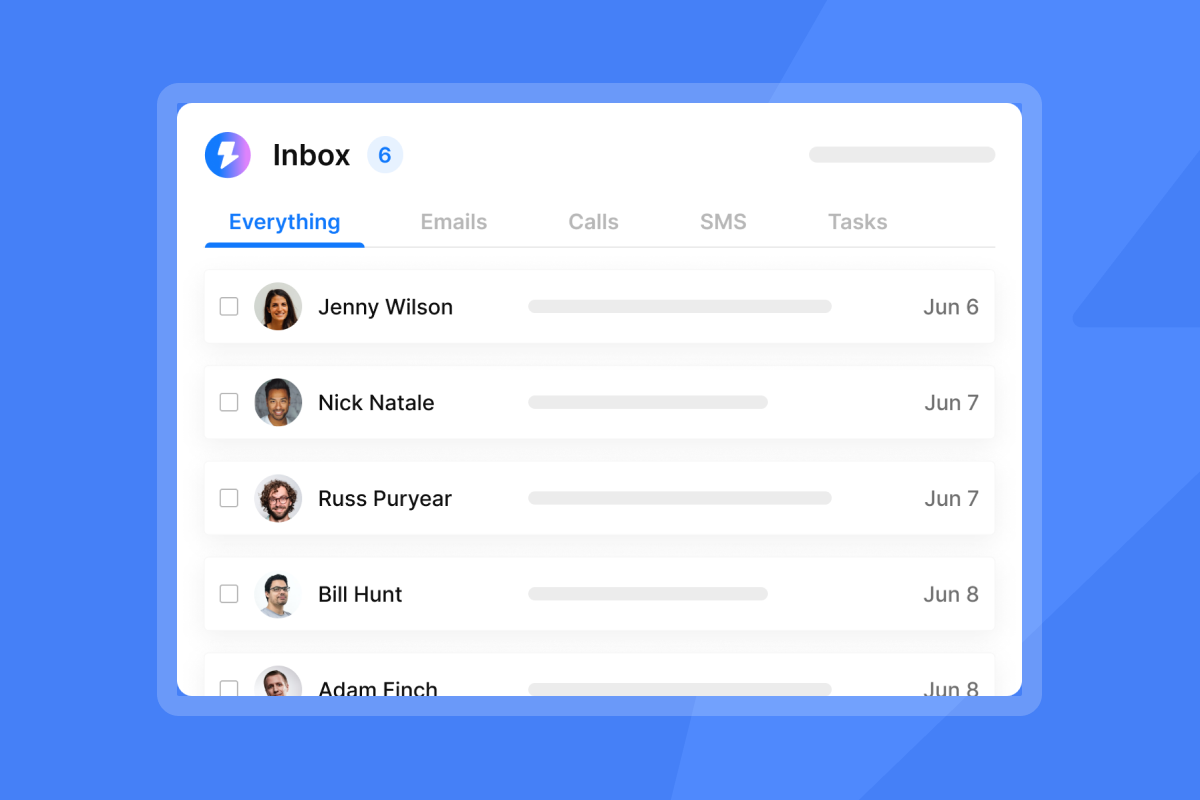
Instantly's automated sequences handle follow-up spacing automatically, including reply detection so you never send a follow-up to someone who has already responded. All replies land in the Unibox, which consolidates responses from all connected accounts into a single interface so nothing falls through the cracks.
"I love how Instantly is incredibly easy to use, making the initial setup process straightforward for me and my team... What stands out to me most is the amazing AI reply agent. It significantly simplifies our tasks by generating messages that I only need to review, thereby enhancing our efficiency in engaging with long-term leads across various prospects." - Anne S. on G2
Winning email optimization strategies
Templates get you started. Iteration gets you to 8-10%+ reply rates. Here is how to run a disciplined optimization cycle on your proposal campaigns.
Key email elements to A/B test
Prioritize variables in order of impact on reply rate:
- Subject line (affects open rate, which gates everything)
- First line personalization method (observation vs. problem statement vs. achievement)
- Value proposition angle (time savings vs. revenue growth vs. risk reduction)
- CTA phrasing (question vs. soft ask vs. calendar link)
- Email length (75-100 words vs. 100-125 words)
- Send time (morning vs. late afternoon)
Test one variable per experiment. Mixing two changes in a single test makes it impossible to know what drove the change in results.
Minimum sample for valid tests
Most email A/B tests need at least 1,000 contacts per variant to produce reliable results. Run tests for 3-7 days to account for daily engagement patterns, and measure positive reply rate rather than open rate alone. If your list is smaller than 1,000 per variant, run variants sequentially (variant A one week, variant B the next) rather than splitting a small list simultaneously.
Optimize send times for reply rates
Tuesday through Thursday, 8:30-10:30 a.m. local time for the recipient, consistently outperforms Monday morning and Friday afternoon across B2B categories. Instantly lets you set custom send windows per campaign so your emails go out during the recipient's active hours rather than yours. This matters especially for multi-timezone outreach, which is the default for most globally operating bootstrapped teams.
The AI Sequence Writer, included on the Growth plan at $47/month, can help generate multi-step sequences from a brief description of your offer and target audience. This streamlines initial setup and provides a starting point rather than a blank page. Instantly's Copilot can also build positioning angles, campaign segments, and sending strategies based on your campaign objective and prospect context.
"Everything is really intuitive, the warmup function is great because you have full control of everything and bulk edits are a game changer. Unibox, CoPilot and AI agents are everything would could ever want." - Mathieu F. on G2
Overcoming common proposal outreach hurdles
Even well-structured campaigns run into friction. Here are the most common blockers and how to handle each one.
Ideal proposal email word count
The sweet spot is 75-125 words. Decision-makers check email on mobile, and emails over 150 words increase scroll requirements and tax attention.
If your draft is over 125 words, cut the least specific sentence in each paragraph until you are within range.
Optimal attachments for proposal emails
Do not attach PDFs to cold proposal emails. Spam filters treat attached files as potential risk signals because malicious emails commonly use attachments, even when your attachment is legitimate.
Instead, host your proposal on your website or a cloud storage service and include a direct link inside the email. A linked document keeps the email lightweight, passes spam filters more cleanly, and lets you track clicks, which gives you a warm signal before you follow up.
Setting your follow-up limit
A three-step sequence covers the majority of available reply opportunities for most proposal campaigns. Step one on Day 0, step two on Day 3, and step three on Day 7. The follow-up masterclass covers advanced sequencing patterns including thread-based approaches for high-intent leads.
For high-intent leads who opened but did not reply, a fourth step can be justified. For everyone else, cap the sequence at three and move on.
Benchmark proposal email reply rates
Use these as your campaign scorecard:
Metric | Baseline | Target |
|---|---|---|
Open rate | 40-45% | 50%+ |
Reply rate | 2-4% | 5-8% |
Positive reply rate | 0.5-1% | 2-3% |
Meeting booked rate | 0.3-0.8% | 1-2% |
If your open rate is below 15%, the problem is deliverability or subject line. If open rate is healthy but reply rate is below 2%, the problem is copy: hook, value prop, or CTA. Diagnose by layer before rewriting the whole email. Instantly's 2026 benchmark report gives context on where your numbers sit relative to the broader platform average.
Sidestep spam traps for inbox delivery
Spam traps are email addresses maintained by providers or blacklist operators to catch senders using low-quality or scraped lists. Hitting one damages your sender reputation and can trigger blocks from major providers. The only effective defense is a clean, verified list.
Instantly's SuperSearch gives you access to 450M+ B2B leads with waterfall enrichment across five providers, which means contacts go through verification before they reach your campaign. That data quality, combined with rotating IPs and sending algorithms, is what separates consistent inbox placement from inconsistent results.
"I like that Instantly is intuitive and everything is done in one place, from lead sourcing to writing campaigns to reaching out to them. I appreciate how it helps with warming up and managing email inboxes." - Noureddine K. on G2
Instantly's deliverability network spans 4.2M+ accounts and runs continuous warmup and engagement signals, which supports healthy sender reputation for every account connected to the platform.
Proposal email anatomy checklist
Run every proposal email through this checklist before you send. Each item catches errors that kill deliverability or reply rate before they reach a prospect.
Subject line
- Under 60 characters
- Specific to recipient (name, company, or trigger event)
- No spam trigger words
- One hook, not mixed signals
Opening hook
- Starts with "you" or the recipient's name or company, not "I"
- References something specific and researched
- Names a problem or observation, not a compliment
Body
- 75-125 words total
- One clear value proposition
- One piece of specific social proof
- Pre-empts one likely objection
CTA
- Single ask, not multiple links
- Phrased as a question for cold sends or a specific time offer for warm sends
- No attachment in cold sends
Deliverability
- Sending from a warmed domain
- SPF, DKIM, DMARC configured
- List verified and cleaned
- Inbox placement test run before campaign launch
- Send volume capped at 30 per inbox per day
Founders who want to go from zero to first meetings without stitching together five separate tools can try Instantly free and run proposal campaigns across unlimited inboxes from day one, including built-in warmup, A/Z testing, AI Sequence Writer, and Spam Words Checker on the base $47/month Growth plan.
"I use Instantly for cold emailing for my company, and I really appreciate the deliverability it offers. I like the 'interested leads' feature because I get notified when somebody is interested, which reduces the time I spend manually checking for responses." - Laura R. on G2
FAQs
How long should a business proposal email be?
The target is 75-125 words for cold proposal emails. Warm or solicited proposals can run up to 150 words when additional context adds value.
What is the ideal subject line length for a business proposal email?
Keep subject lines at 60 characters or fewer so they display fully on mobile, where a significant share of business email is read. A single specific detail (company name, trigger event, or metric) improves both open rate and spam filter clearance.
Should you attach a PDF to a cold proposal email?
No. Spam filters treat attached files as potential risk signals because malicious emails commonly use attachments, even when your attachment is legitimate. Host your proposal on a cloud link and include the URL in the email body instead.
How many follow-up emails should a proposal sequence include?
A three-step sequence on Day 0, Day 3, and Day 7 covers the majority of available reply opportunities for most cold proposal campaigns. A fourth step is justified only for high-intent leads who opened but did not reply.
What reply rate should you expect from a proposal email campaign?
The platform-wide average B2B cold email reply rate sits at 3.43%, based on Instantly's 2026 benchmark report. Well-targeted campaigns with strong copy and clean lists hit 5-8%, and elite campaigns consistently reach 8-10%+. Use 3% as your baseline and 5% as your 90-day improvement target.
Read Next
- Cold Email Benchmarks - See how your campaign metrics stack up against industry averages across open rates, reply rates, and booked meetings by sector.
- Email Sequence Timing - A data-backed guide to spacing follow-ups, choosing send windows, and knowing exactly when a prospect has gone cold for good.
- Cold Email Strategy - Covers list building, copywriting, deliverability, and measurement in one end-to-end playbook for teams running B2B outreach at scale.
Key terms glossary
Spam trap: An email address maintained by providers or blacklist operators to catch senders using low-quality or scraped lists. Hitting a spam trap damages sender reputation and can trigger provider blocks.
Domain warmup: The process of gradually increasing email send volume from a new domain over 30+ days to build sender reputation before scaling outreach.
DKIM (DomainKeys Identified Mail): An email authentication protocol that adds a digital signature to outgoing messages, confirming to receiving servers that the email genuinely came from the listed domain.
A/Z testing: A variant of A/B testing that allows up to 26 simultaneous email variants in a single campaign step. Instantly's A/Z testing feature auto-routes sends to better-performing variants based on reply rate.
PAS (Problem-Agitate-Solve): A copywriting framework that names the reader's problem, makes the cost of inaction feel tangible, and offers a specific solution. Used in proposal email body copy to drive replies.
Spin syntax: A technique that inserts randomized content variations into email templates using curly braces and pipe-separated options (for example: {Hello|Hi|Hey}), reducing the appearance of mass sending to spam filters.
Inbox placement test: A diagnostic that sends a test email to seed addresses at major providers and reports whether it landed in primary, promotions, or spam. Instantly's inbox placement feature automates this before campaign launch.
Unibox: Instantly's centralized reply inbox that consolidates responses across all connected email accounts into a single interface for triage and follow-up management.


