


Updated March 05, 2026
TL;DR: Transactional APIs (SendGrid, Postmark, Mailgun) handle 1-to-1, user-triggered messages like password resets. Using them for cold outreach violates their Terms of Service and will get your account suspended. Bulk email APIs like Instantly handle cold outreach with built-in warmup, inbox rotation, and smart send pacing that protect your sender reputation at scale. At volume, Instantly's flat-fee model costs dramatically less than per-email transactional pricing. Use transactional for app events. Use bulk for growth.
Most developers and agency builders see "Email API" and assume the category is interchangeable. The category is not interchangeable, even though transactional APIs and bulk email APIs look almost identical in code. Both accept a JSON payload and return a delivery confirmation, but they run on fundamentally different infrastructure with opposing acceptable use policies and reputation logic.
Choosing the wrong one for cold outreach campaigns does not just hurt your open rates. It gets your account banned and burns the domains you spent months building reputation on.
What is the difference between transactional and bulk email APIs?
The simplest way to understand the distinction is by looking at who triggered the send.
The recipient triggers transactional emails. A user resets their password, places an order, or enables two-factor authentication, and your system fires a single, expected message in response. Transactional emails "contain information they want or need" and are "vital for completing customers' necessary workflows." Speed is the primary metric because the recipient is actively waiting.
The sender triggers bulk (cold outreach) emails. You build a list, write a sequence, and send to people who have not previously interacted with your system. A cold email API "allows your software or platform to automatically send emails to new contacts" and handles "sending, tracking, and personalizing cold emails without manual effort," which describes the core use case for lead generation agencies and outreach platforms. Instantly's 2026 email API comparison breaks down the full provider landscape, including which APIs allow cold outreach and why the policy distinction matters architecturally
The core distinction is not volume but intent and permission.
Transactional APIs require near-perfect engagement metrics because they share IP pools managed for high-deliverability, opted-in traffic. Cold outreach carries higher bounce rates and lower initial engagement by definition. Drop cold emails onto a transactional IP and you poison the shared pool for every other sender on it. Every major transactional provider knows this, which is exactly why their Terms of Service prohibit it.

When to use a transactional email API
Use a transactional API when the recipient expects the message as a direct result of an action they just took.
Common use cases include:
- Password resets: The user clicked "Forgot password" and is waiting.
- Order confirmations: The customer just paid and needs a receipt.
- Two-factor authentication codes: Timed, urgent, and expected.
- Account creation welcome emails: Triggered immediately after sign-up.
- Social and system notifications: Friend requests, payment failures, shipping updates.
These messages succeed because the recipient relationship is already established. SendGrid explains the distinction clearly: a transactional email "contains information about an action the recipient has already taken," while a marketing email "intends to drive the recipient toward an action you want them to take."
Speed is the infrastructure priority, and response times become critical for time-sensitive messages like 2FA codes where every second matters. What you should not do here is run a sales sequence. Even a well-crafted prospecting email to a relevant lead violates what these APIs are designed for, both technically and legally.
When to use a bulk email API for cold outreach
Use a bulk email API when you send to people who have not explicitly requested contact from you.
Bulk sending scenarios include:
- Cold outreach campaigns to prospective clients or leads.
- Lead generation sequences with multi-step follow-ups.
- Re-engagement outreach to dormant or unconverted prospects.
- Product announcement campaigns sent to a new prospect list.
Bulk sending requires protection infrastructure, not speed. Cold lists carry bounce rates, spam reports, and low initial engagement by definition. Dedicated cold email software is purpose-built to absorb that variance through inbox rotation, which distributes your campaign across multiple email accounts to keep per-account volume low while maintaining total throughput.
Transactional providers are explicit about the risk. Postmark's Terms of Service state: "We won't allow any senders to use Postmark to send unsolicited messages or spam. You can only send to recipients who agreed to receiving email from you." Their spam complaint threshold is 0.1%, which is 1 complaint per 1,000 emails, and cold email routinely exceeds that on a fresh list.
The consequence is not a warning. It is an immediate account suspension. If you run an agency sending 5,000 leads a week for a client, only a dedicated bulk API with warmup and rotation infrastructure gives you the protection to do that safely and consistently.
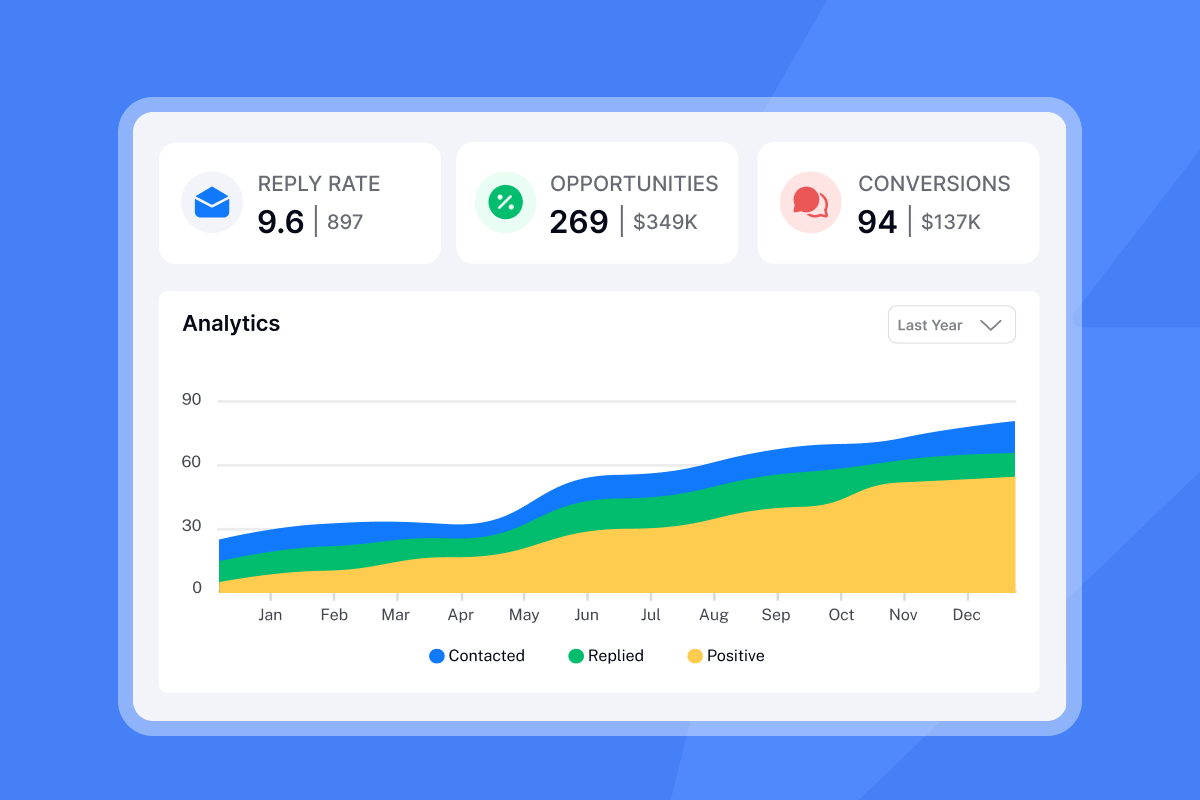
Feature comparison: transactional vs. bulk infrastructure
The table below shows the architectural differences that matter most to platform builders and agency operators.
Feature | Transactional API | Bulk / Cold Email API |
|---|---|---|
Trigger | User action (sign-up, purchase) | Sender schedule or campaign logic |
Send speed | Milliseconds, queue priority | Paced to mimic human send patterns |
Deliverability focus | High-reputation shared or dedicated IPs | Inbox rotation across many accounts |
Warmup requirement | Assumed complete, not provided | Built-in, automated warmup included |
IP structure | Shared IP pool or dedicated IP | Account rotation + IP sharding (SISR) |
Cold email permitted | No (ToS violation, leads to bans) | Yes (built for this use case) |
Pricing model | Per-email (CPM) | Flat monthly fee, unlimited accounts |
Rate limiting | Maximized throughput | Intentionally paced, daily caps per inbox |
Compliance framing | Opt-in required, CAN-SPAM headers | CAN-SPAM for unsolicited mail, GDPR controls |
Deliverability tools
Transactional APIs assume you bring a healthy, warm list. They give you monitoring dashboards but offer no help building reputation from scratch. Instantly's cold email infrastructure guide covers how to build that reputation from zero, domain setup, inbox-per-domain ratios, and the warmup architecture that transactional providers don't offer. Postmark's analysis on dedicated IPsnotes that "new dedicated IPs are just as bad as IP addresses with a bad reputation, since they have no reputation at all."
Instantly's warmup infrastructure takes the opposite approach. The email warmup system uses a network of real accounts to build reputation organically, starting at 2 warmup emails on day one and incrementally growing so the process looks natural to inbox providers. No third-party warmup tool required.
Rate limiting
Transactional APIs try to empty the queue as fast as possible. That approach works for a 2FA code but becomes catastrophic for a cold email campaign, because volume spikes trigger spam filters faster than any other signal.
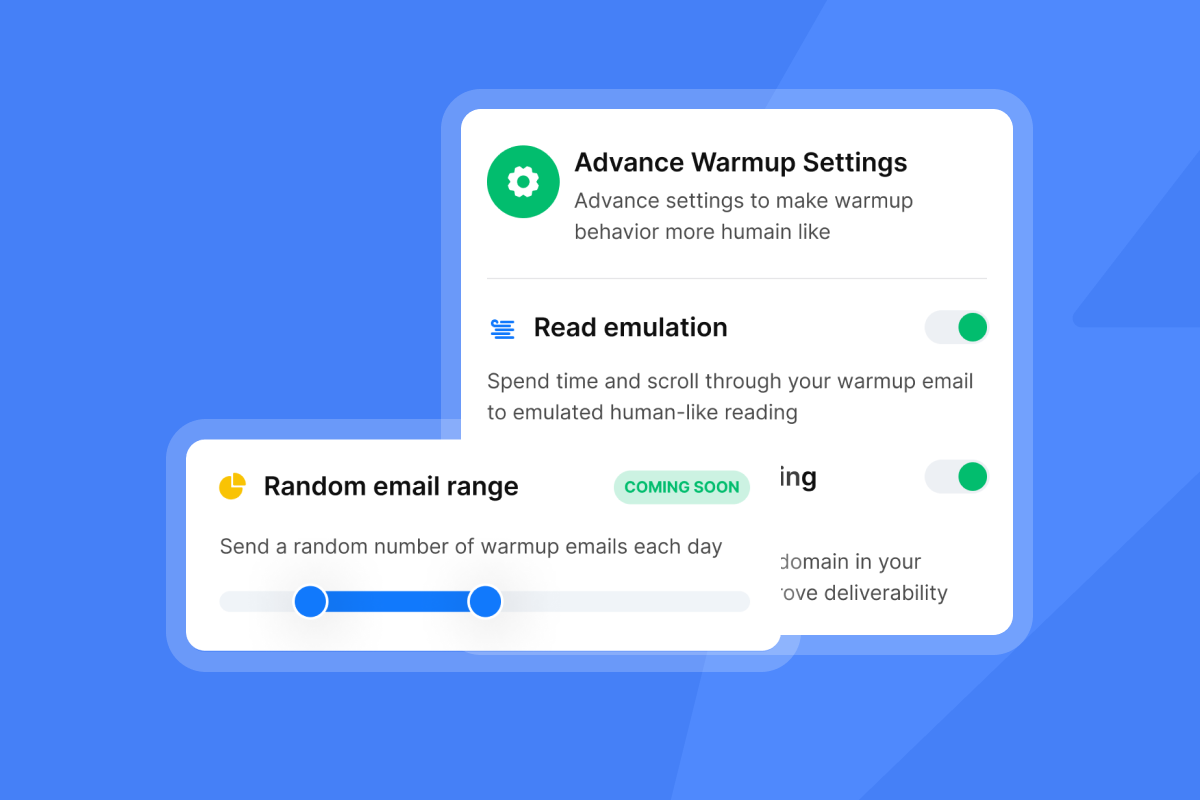
Bulk APIs intentionally slow sending down. Instantly's Campaign Slow Ramp system starts daily limits small and raises them by 2 emails per day per account, building a natural send history. Instantly's warmup scaling guide covers the full ramp schedule, inbox-per-domain ratios, and read emulation settings in detail.
IP architecture
Dedicated IP models typically recommend a minimum of two IPs once you reach 250,000 messages per month and one IP for every 3 to 4 million messages per day at high volume. That model works for app notifications because the sending pattern is consistent and the list is fully opted-in.
For cold outreach, rotating across many standard inboxes is more effective than managing one dedicated IP. The rotating IP algorithms guide explains how distributing volume across a decentralized network protects reputation better than concentrating it on a single address.
How to choose the right email API for your use case
Map your sending trigger to the right infrastructure and the decision becomes obvious.
If you are building a SaaS application, use a transactional API (Postmark or SendGrid) for all app-event emails. These messages go to opted-in users, need sub-second delivery, and carry virtually no spam risk because the recipient expects them. TheTwilio SendGrid compliance guidelinesrequire all non-transactional emails to include unsubscribe links, physical mailing addresses, and clear subject lines, which is straightforward for app notifications.
If you are running a lead generation agency or building an outreach tool, use a bulk email API. The ban risk alone makes the choice clear, and the cost comparison reinforces it.
If you are testing a small outreach hypothesis (under 1,000 total emails), manual Gmail sending may be simpler than API integration, but once you need repeatable scale, move to a bulk API immediately.
Cost analysis at scale
Transactional APIs price by volume. PerSendGrid pricing analysis, SendGrid's plans start at $19.95/month and scale to $89.95/month at 100,000 emails, plus $30/month per dedicated IP. At 500,000 emails per month, you are looking at custom enterprise pricing that compounds as you grow.
Instantly's flat-fee model works differently. The Instantly pricing guide shows the Growth plan at $47/month with unlimited email accounts, keeping your cost predictable whether you send 10,000 or 1,000,000 emails. The Hypergrowth plan is $97/month, and the Lightspeed plan is $358/month with SISR (dedicated server and IP rotation) for agencies at the highest volumes.
At 100,000 emails per month, SendGrid's Pro plan costs approximately $90 per month. Instantly's Hypergrowth plan at $97 per month handles that volume while including warmup, rotation, and campaign management that SendGrid does not offer for cold outreach.
Technical integration
Both API types use standard REST endpoints. The architectural difference is in what those endpoints expose.
- Transactional APIs expose a "Send Email" endpoint. You pass a recipient, subject, body, and the mail gets sent.
- Bulk APIs like Instantly expose "Campaign Management" endpoints. You add a lead to a campaign, and the platform handles scheduling, rotation, throttling, pacing, and follow-up sequences automatically. Instantly's API and webhooks guide covers the full endpoint reference, including CRM sync, real-time event webhooks, and how to wire the API into automation pipelines like n8n and Make
That distinction matters enormously for agency builders who want to connect a custom dashboard to sending infrastructure without managing all the deliverability logic themselves.
Why Instantly is the right API for bulk sending
Instantly protects the domains you spent months warming while scaling your agency's outreach from 100 to 10,000 emails per week. Here is how the infrastructure does it.
Unlimited email accounts let you connect hundreds of client inboxes to a single plan without per-seat fees compounding as you scale. Agencies managing 50 or 150 sending inboxes pay the same flat rate.
Built-in warmup removes the need for a separate tool. TheInstantly features pageshows the warmup network covers 4.2m+ accounts exchanging realistic conversations to build sender reputation before your campaigns go live.
Inbox rotation distributes sends across accounts automatically, keeping volume per inbox at safe levels. To send 1,000 emails daily at a safe rate of 40 per account, you connect 20 to 30 warmed accounts, and Instantly handles the distribution.
SISR (Server and IP Sharding and Rotation) on the Lightspeed plan assigns dedicated IP groups to accounts and rotates them automatically to maintain high deliverability and isolation at enterprise sending volumes, which apower user review identifies as a core differentiator for high-volume agency work.
"Instantly is a good platform for bulk email marketing as I'm using it since long time. There are different features and filters are also available for better deliverability like inbox placement test etc." - Sachin Jha on Trustpilot
"I love how Instantly significantly eases my cold outreach efforts. The platform's automation capabilities save me a lot of time, transforming what used to be a big task into a manageable one. I also appreciate the email warming tool, which allows me to send bulk numbers of legitimate emails efficiently." - Arshan K. on G2
For agency operators integrating Instantly into a custom dashboard, the N8N outreach tutorial shows how to wire the API into automation pipelines without writing extensive custom code. Before scaling any campaign, run an Inbox Placement test to confirm your accounts are landing in the primary inbox across Gmail, Outlook, and Yahoo.
Using the wrong API for your sending pattern is not a minor configuration issue, it is a decision that either protects your client domains or burns them. Transactional APIs work for app events, while Instantly handles everything that involves sending to people who have not yet opted into your list.
Ready to build on infrastructure designed for outreach? Get your Instantly free API key and use the warmup and rotation setup built into the platform from day one.
Frequently asked questions
Can I use SendGrid for cold email outreach?
No. SendGrid explicitly prohibits sending to lists acquired without affirmative consent. High bounce and spam complaint rates on cold lists trigger immediate account suspension, as documented by multiple users.
What is the cheapest email sending API for high-volume outreach?
At 100,000 emails per month, SendGrid's Pro plan costs approximately $90 while Instantly's Hypergrowth plan runs $97. The difference in raw price is minimal, but Instantly includes unlimited sending accounts and built-in warmup on every plan, while SendGrid charges extra for dedicated IPs and provides no warmup tools.
Do I need a dedicated IP address for bulk cold email?
Not necessarily. Rotating across many standard inboxes is often safer and cheaper than managing a single dedicated IP, because a new dedicated IP carries no reputation at all and still requires warming before it performs reliably. Postmark's analysis on dedicated IPs supports this view for most senders.
Why do my transactional API open rates look low for outreach campaigns?
Because transactional infrastructure routes email through high-reputation shared IPs managed for opted-in traffic. Cold email on those IPs raises engagement-pattern red flags for inbox providers and routes to spam before the recipient can open it.
What does "inbox rotation" mean and why does it matter?
Inbox rotation distributes your campaign across multiple sending accounts to keep daily volume per account at or below the safe threshold of 30 cold emails per day. Instantly's rotation system handles this automatically so you maintain total campaign throughput without pushing any single domain into spam territory.
Key terms glossary
SMTP relay: Simple Mail Transfer Protocol, the underlying protocol used to transmit email between servers. API providers abstract this into REST endpoints, but all email still passes through an SMTP relay before delivery.
Webhook: A method for an API to push real-time event data to your application, such as a reply received, a bounce recorded, or an unsubscribe triggered. Bulk email APIs use webhooks to feed engagement data back into your CRM or dashboard.
Shared IP vs. dedicated IP: A shared IP pools your sending reputation with other senders on the same address, which transactional providers manage carefully. A dedicated IP belongs to one sender, requires its own warmup period to build history, and carries all the reputation risk alone.
Warmup: The process of gradually increasing send volume from a new inbox or IP address over 30 days so inbox providers build a positive sending history before you scale to full campaign volume.
Sender reputation: A composite score that inbox providers (Gmail, Outlook, etc.) assign to your sending domain and IP based on engagement signals like open rates, reply rates, spam complaints, and bounces. Protecting it is the primary job of bulk email infrastructure.
SISR (Server and IP Sharding and Rotation): An Instantly Lightspeed plan feature that assigns dedicated IP groups to your accounts and rotates them automatically to maintain high deliverability at enterprise sending volumes.


