


TL;DR
Website visitor tracking identifies which companies and sometimes people are on your site, shows what they did, and routes that intent to sales. Use it to reach high‑intent accounts without waiting for a form. Pair identity with behavior, pipe it to your CRM, and contact prospects while interest is high. If you want this in one stack, Instantly’s Website Visitors, SuperSearch, deliverability suite, AI agents, and Unibox CRM help you move from click to meeting without tool sprawl. See the Website Visitors feature page, Inbox Placement, Copilot, AI agents, AI Reply Agent, and pricing.
Your site gets visitors every day. The job is to find which ones show buying intent and get them into conversations now.
This FAQ gives you clear answers on definitions, benefits, privacy, setup, and tool choices. It also shows where Instantly fits when you want identity, outreach, deliverability, and reply handling in one place.
What is website visitor tracking and why does your business need it?
Website visitor tracking identifies companies and sometimes individuals who visit your site, records what they viewed, and makes that information usable for sales and marketing.
- Why it matters: Only a small share of B2B visitors self‑identify via forms. Recent research shows form‑fill rates average about 3 to 4 percent, which means most intent is invisible unless you surface it another way. 6sense reports about 3.7 percent on average.
- What it is not: It is not just pageview analytics. It is identity plus behavior you can act on.
Understanding website visitor tracking: Beyond basic analytics
Analytics count traffic and channels. Visitor tracking answers who is on your site and what to do next.
- How tools identify visitors: common methods include IP‑to‑company matching, first‑party cookies, fingerprinting, and enrichment that adds firmographics and work emails to profiles.
- Setup nuance: a basic pixel install is fast. A production setup adds consent controls, conversion events, CRM sync, Slack alerts, filters, and QA. That extra work improves data quality.
- Expect differences across vendors: identification rates vary by your traffic mix and industry. Even leading tools avoid promising a single rate because results differ by site and audience.
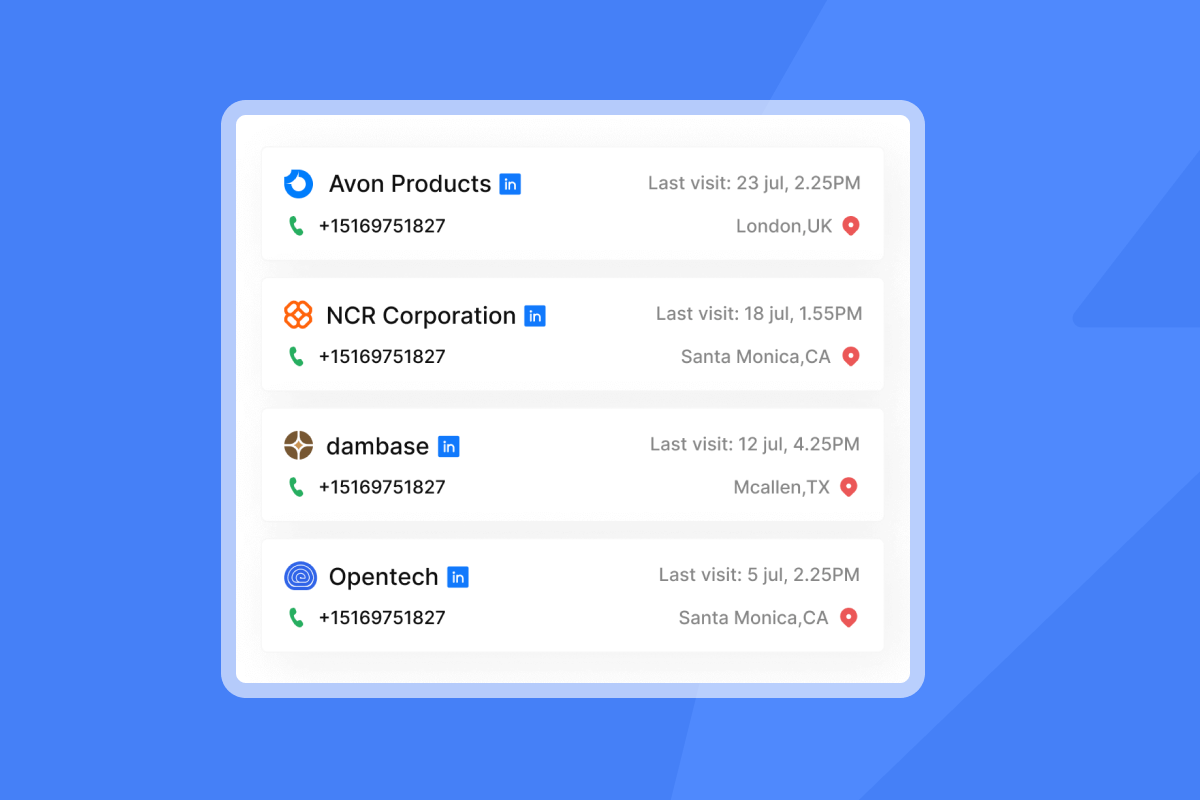
The strategic value: Boosting sales and marketing with visitor insights
Visitor tracking connects digital intent to revenue and shortens time‑to‑first touch.
- More leads from the same traffic: with only ~3 percent of visitors filling forms, identification creates a larger pool of warm accounts your team can contact now.
- Matches how buyers buy: more than half of large B2B purchases over 1 million dollars are now processed through digital self‑serve channels such as a vendor website or marketplace. Forrester predicts this shift for 2025.
- Better prioritization: behavior signals such as pricing‑page views, return visits, scroll depth, and documentation activity help you score intent and set outreach order.
Essential features: What to look for in a tracking solution
Evaluate tools on identity, actionability, accuracy, and compliance.
Checklist: key features to prioritize
- Company and contact identification. IP‑to‑company matching, work emails, job titles, verified contacts.
- Behavior insights. Paths, time on page, funnels, conversion tracking.
- Signal scoring. Weight pricing views, return visits, session count, content depth.
- Alerts and routing. Slack or email notifications, territory rules, automatic list or deal creation.
- CRM sync. Native mapping to HubSpot or Salesforce, dedupe, and status updates.
- A/B testing support. Track how page variants change qualified leads and conversions.
- Data quality controls. Bot filtering, internal IP filters, do‑not‑track handling, email verification before send. For why verified data matters, see Instantly’s research on reducing bounces and boosting inbox placement in this deliverability guide.
- Privacy posture. Consent controls, IP anonymization, data retention settings, DPA availability.
- Scalability and pricing. Flat‑fee for teams or agencies vs per‑seat or usage‑based, plus API access.
Real user feedback on Instantly.ai
"It has all the tools needed for cold outbound in one place." G2 review by James L.
Helping sales: From anonymous visitors to warm leads
Give SDRs a daily feed of accounts and contacts who just showed intent.
- What high intent looks like: multiple return visits, product or pricing page views, calculator or docs engagement, and long dwell times.
- Sales workflow example with Instantly:
- Install Instantly’s Website Visitors pixel to identify US visitors and enrich profiles.
- Use filters to select ICP matches by title, industry, revenue, or department, then push to a list or campaign.
- Notify the right owner in Slack with page context, and route to CRM for clear ownership. Slack notifications guide.
- Launch outreach from the same platform and manage replies in Unibox.
- Deliverability advantage: outreach from Instantly benefits from warmup, a private deliverability network, and automated Inbox Placement tests to stay in the primary inbox and protect sender reputation.
Real Instantly user feedback
"They specialize in getting emails delivered at a much higher rate than our previous email provider, and make it generally easy to find contacts, and use AI to assist in writing emails." G2 review, Verified User in Internet
Watch it in action
- See how to identify and contact website visitors in Instantly’s walkthrough: How to Identify and Contact Your Website Visitors.
- For deal handling in the built‑in CRM, watch the Unibox overview: This CRM Makes It Easy to Close More Deals.
- For list building from scratch, see SuperSearch in action: How to EASILY Find 1000s of Leads Using THIS Lead Finder.
- For deliverability best practices, watch Instantly’s guide: The Ultimate Guide to Cold Email Deliverability in 2025.
Optimizing marketing: Understanding user behavior and campaign performance
Use visitor identity and session insights to improve pages, ads, and offers.
Checklist: marketing wins to expect
- Find winning journeys. Compare paths that end in demos vs drop‑offs.
- Fix friction. Use session insights to find rage clicks and confusing UI.
- Improve campaigns. Attribute high‑intent visits to channels and creatives.
- Test smarter. Tie A/B tests to qualified leads and pipeline, not just clicks.
- Close the loop. Send visitor cohorts to sales and watch reply rates and meetings.
Behavior tools are a means to an end. The outcome you want is pipeline from visitors who already showed interest.
Getting started: Implementation steps and technical considerations
A basic install takes minutes. A production‑ready setup adds events, consent, routing, and CRM sync.
Steps
- Add the pixel. Place the JavaScript snippet directly or via a tag manager.
- Define conversion events. Demos, pricing views, return visits, docs depth.
- Exclude noise. Filter office IPs, bots, and test environments.
- Map routing. Alerts in Slack and ownership rules by territory or account list.
- Connect CRM. Map fields, dedupe rules, and test a round trip.
- Align consent. Update the banner and policy for your regions.
- QA and train. Validate 10 test sessions and one real lead from visit to outreach.
Customer proof on setup speed and reliability
"Flexible account linking options, quick and easy setup." G2 review by Poushali D.
"The platform is super intuitive, and I was able to get up and running in minutes." G2 review by James M.
"The setup was super easy. The process is very reliable." G2 review, Verified User in Marketing and Advertising
Top website visitor tracking tools: A comparison guide
Answer: Choose based on identification depth, outreach workflows, pricing model, and privacy needs.
| Tool | Key features | Pricing model | Best for |
|---|---|---|---|
| Instantly | Website Visitors pixel, SuperSearch lead data, unlimited inboxes and warmup, Inbox Placement, Unibox CRM, AI agents | Flat-fee plans | Turning identified visitors into meetings in one stack |
| Leadfeeder | Company identification, alerts, CRM sync, saved feeds | Subscription | Simple company ID and routing |
| Clearbit Reveal | IP-to-company, firmographic enrichment, APIs | Usage-based | Enrichment, ad audiences, personalization |
| Albacross | Company ID, buyer intent scoring, ABM workflows | Subscription | ABM teams and intent signals |
| Hotjar | Heatmaps, session replay, feedback widgets | Tiered by sessions/sites | CRO and UX research |
Notes
- If you want identified visitors pushed to outreach fast, Instantly is a strong fit because identity, lead data, deliverability, reply handling, and CRM live together. See plan options on Instantly pricing.
Navigating data privacy: GDPR, CCPA, and analytics choices
Pick tools and settings that respect regional laws and buyer trust.
Checklist: privacy considerations
- Consent. For the EU, consent is required for non‑essential cookies and similar trackers. See the plain‑English overview on GDPR.eu.
- CCPA/CPRA rights. California grants rights to know, delete, opt out of sale or sharing, correct, and limit sensitive data use. See the California OAG CCPA page.
- Data transfers. Several EU regulators have ruled Google Analytics non‑compliant in specific cases due to data transfers, pushing some teams to privacy‑first analytics. See this summary of rulings from Plausible.
- DPA. Execute a data processing addendum with your vendor and review sub‑processors, retention, and breach terms. Instantly publishes its DPA with legal entity details. Instantly DPA.
- Minimize and verify. Avoid sensitive categories, anonymize IPs when possible, and verify emails before sending.
Solutions by role: Marketers, agencies, founders, and sales leaders
Map features to your job and risks.
- For sales leaders. Require CRM‑first routing, clear audit logs, and primary inbox checks. Use Instantly’s warmup and Inbox Placement to protect sender reputation, route identified visitors into Unibox, and measure meetings and reply handling from one screen.
- For growth marketers. You need behavior insights connected to qualified leads. Combine session learning with identity, run A/B tests toward pipeline, and use AI to draft tests and summarize results with Copilot.
- For agency operators. Flat‑fee beats per‑seat when you manage many clients. With unlimited email accounts and warmup, Instantly keeps costs predictable across client workspaces while you standardize deliverability and reporting.
- For startup founders. ROI = meetings per dollar. An all‑in‑one approach reduces tool sprawl. Identify visitors, find lookalikes in SuperSearch, send from warmed inboxes, triage replies in Unibox, and auto‑handle routine responses with the AI Reply Agent.
Unlock your B2B growth with smarter visitor tracking
Website visitor tracking turns anonymous traffic into a qualified, actionable list. Pair identity with behavior, route it to the right owner, and contact while interest is high. If you want fewer tools and faster handoffs from click to meeting, Instantly’s platform is built for that motion.
Ready to turn anonymous visitors into qualified leads?
Try Instantly’s Website Visitors and integrated outbound stack. Identify high‑intent visitors, enrich contacts, push to CRM, and email from warmed inboxes in one place. Start on the pricing page, explore Copilot, and see reply handling with the AI Reply Agent.
Frequently asked questions about website visitor tracking
- How accurate is company identification?
It varies widely by site, traffic mix, and vendor. Reputable providers avoid promising a single rate because results differ by industry and audience. - Can I identify individual emails or only companies?
Most tools resolve to company level by default. Email discovery is possible when visitors self‑identify or through enrichment. Always verify email deliverability before sending. - How fast can I act on a visit?
With routing and alerts, teams often see Slack notifications within minutes after a qualified visit. Instantly supports Slack alerts for visitor views. Slack notifications guide. - Do I need consent for tracking?
For EU visitors, consent is required for non‑essential cookies and similar tracking. Provide a clear banner and policy. GDPR.eu cookies. - Does visitor tracking replace analytics?
No. Use both. Analytics for channels and trends. Visitor tracking for identity and sales action. - What videos can I watch to see it in action?
Start with How to Identify and Contact Your Website Visitors. For more depth, see Full Instantly.ai Tutorial 2025, Full Guide to Instantly AI, and Instantly.ai Full Tutorial & Review.
Key terminology in website visitor tracking
- Visitor tracking. Identifying who visits, what they view, and when.
- Web analytics. Aggregated traffic metrics such as sources and pageviews.
- IP‑to‑company matching. Mapping IPs to known corporate networks.
- Enrichment. Adding firmographics, emails, and titles to profiles.
- Session insights. Reconstructing user actions during a visit.
- Heatmaps. Visuals of clicks, scrolls, and attention zones.
- Funnels. Steps users take toward a conversion.
- Conversion event. A tracked action like a demo request.
- Lead scoring. Ranking visitors by observed intent.
- CRM integration. Syncing visitors and activities to sales systems.
- Consent banner. Notice that collects user consent for tracking.
- Primary inbox. The folder where emails are most likely read.


