


Updated April 6, 2026
TL;DR: A client onboarding email is your first retention move, not an admin task. Welcome emails achieve an average open rate of 83.63%, making them your highest-leverage touchpoint. The best ones combine a clear next step, specific value, and a tone that matches the client's world. For agencies managing multiple client domains, scaling this process requires unlimited sending accounts, built-in warmup, and centralized reply management so every first impression lands in the primary inbox without per-seat cost penalties compounding as you grow.
Most agencies obsess over closing the deal but ignore the first 24 hours after the contract is signed. That window starts, stalls, or breaks client relationships, and a single, well-crafted email is the difference between a confident client who follows your lead and one who quietly starts having second thoughts.
This guide breaks down the exact structure, psychological triggers, and deliverability systems you need to scale client onboarding across every domain you manage, without adding headcount or tool sprawl.
New client onboarding: retention's foundation
Onboarding is not paperwork. It is the opening chapter of your client relationship, and how you handle it directly predicts whether that client renews, refers others, or quietly churns. Moxo's 2026 B2B Retention Report found that 43% of client churn occurs in the first 90 days, so your retention strategy has to start before the kickoff call, not after it.
How clients judge your first email
In our experience, clients evaluate your welcome email for three signals: do these people know what they are doing, do they care about my specific situation, and do I know what happens next? A generic "thanks for signing up" email fails all three tests. Tone, clarity, and a single actionable next step communicate competence before a single deliverable is produced.
How welcome emails reduce early churn
Clear expectation-setting in the first email reduces the friction that causes early cancellations. When a client knows exactly what the first 30 days look like, who to contact, and what they are responsible for, they spend less time second-guessing and more time engaging. Welcome emails significantly outperform standard campaign emails in both opens and clicks, so your audience is ready to hear from you the moment you send.
Your 24-hour client onboarding plan
A single welcome email is a good start, but a short onboarding sequence is a system. Here is an execution plan for the first few days after a signed contract:
- Send the welcome email (same day as contract signing): Confirm the engagement, set expectations for the first week, and include a single, clear CTA.
- Trigger a resource drop (Day 1): Send a follow-up with onboarding documents, access links, or a quick-start guide. Keep it short and specific.
- Schedule the check-in (Day 2 to 3): Send a brief note confirming the kickoff call or asking one targeted question about their top priority. This step activates the client before the first meeting.
The Instantly cold email strategy guide covers how to structure multi-step sequences that maintain engagement without overwhelming your audience, and the same principles apply directly to client onboarding.
Essential elements of a high-converting welcome email
Every high-performing client onboarding email shares the same structural core. Get these five elements right and the email works regardless of your niche, service type, or client size.
Optimize subject lines for opens
Your subject line determines whether the rest of your work gets seen. Welcome emails hit an average open rate of 83.63%, so a strong subject line locks in that first read. Here are five proven formats drawn from Omnisend and Campaign Monitor best practice research:
- Personalized + benefit: "Hi [First Name], here's what's next for [Company Name]" - specific and outcome-focused.
- Action-oriented: "Let's get you started: your [service] plan is ready" - creates forward momentum.
- Curiosity + value: "You're in. Here are 3 quick wins to expect this week" - builds anticipation before the open.
- Welcome + direction: "Welcome to [Agency Name]! Your success starts here" - warm tone with a clear signal.
- Relationship-first: "Welcome bonus inside: meet your dedicated team" - introduces the people behind the work.
Keep subject lines under 50 characters for mobile readability and avoid spam trigger words.
Crafting personalized client onboarding
Personalization beyond a first name separates a forgettable email from one the client forwards to their team. Reference the specific goal they mentioned in the sales process, the industry challenge they named, or the service tier they selected. This tells them you were listening, and it builds the kind of trust that sustains a relationship through difficult months.
Outline your client onboarding
Clients want to know what happens next. A clear roadmap removes uncertainty and keeps them from emailing you five questions across three channels. Include a short outline of the first 30 days directly in the welcome email:
- Week 1: Kickoff call, intake form, access setup.
- Week 2: Strategy review, initial deliverables shared for approval.
- Week 3 to 4: First campaign live, initial performance review.
This structure communicates competence and reduces back-and-forth before it starts.
Showcase your proven client results
The welcome email is also the right moment to briefly reinforce the client's buying decision. Add one sentence referencing a relevant result from a past client in their industry or with a similar goal. Keep it brief and directly relevant to their situation, or it will feel like a generic brag.
Onboarding support contacts
Every welcome email must answer "who do I contact if something goes wrong?" Name the specific team member handling the account, provide their direct email address, and set response time expectations upfront. A simple line like "Your account lead is [Name], reachable at [email], with a response time of 1 business day" removes anxiety before it starts.
Blueprint for an effective client onboarding email
How to instill immediate client confidence
Brand consistency between your proposal, contract, and first email tells clients you run a tight operation. Use the same logo, color scheme, and tone across all three. Proofread thoroughly to maintain professionalism. Plain text can feel personal at a small scale, while a clean HTML email with a professional header and one CTA button may create a stronger impression for agencies managing multiple client workspaces.
Outline client's onboarding & deliverables
Use this template structure for your onboarding deliverables section:
Subject: Welcome to [Agency Name], [Client First Name] - your next steps
Hi [First Name],
We are excited to officially welcome [Company Name] to [Agency Name]. Here is what the first 30 days look like:
Your dedicated team: [Name], [Role] ([email])
Your onboarding checklist:
- Complete the intake form: [link] (5 minutes)
- Book your kickoff call: [scheduling link]
- Review the draft campaign strategy: [shared doc link]
What we deliver in the first 30 days: [List 3 to 5 specific deliverables with dates]
Your primary contact for questions: [Name] at [email], response time 1 business day.
Adjust the placeholders to match the specific engagement. This structure answers the three questions every new client has: who handles my account, what do I do now, and what am I getting.
Structure your welcome email's CTA
Every welcome email needs exactly one primary CTA. Multiple competing asks dilute action and confuse clients. Here are five high-performing options:
- "Schedule your kickoff call" - Drives the first live conversation and locks in momentum.
- "Access your client portal and resources" - Provides immediate value and reduces early friction.
- "Complete your onboarding form (5 minutes)" - Collects critical campaign intel efficiently.
- "Meet your point of contact" - Establishes the human relationship behind the service.
- "Review and approve your project timeline" - Moves the client from passive to active participant fast.
HubSpot's welcome email examples consistently show that emails with a single, specific CTA button outperform those with multiple links. Pick the one action that unblocks the next step and build the email around it.
Crafting a polished client onboarding email
Check the email on mobile before you send it, as over 60% of emails are opened on mobile devices. Use a sender name that matches your agency brand, for example "Alex at GrowthLab" rather than a generic "noreply@" address, which CAN-SPAM requires you to identify accurately. Include your physical mailing address in the footer for commercial emails and check transactional email GDPR rules if you serve EU clients. Keep image file sizes below 100KB to protect deliverability and always include a plain-text fallback.
Write welcome emails that build client trust
Tone and language determine whether a client reads your email as confident guidance or as a generic template. Get these elements right and your welcome email feels written for one person, not copied from a database.
Finding your welcome email voice
Write to one person, not to a company, even in a B2B context. A human being opens your email and they respond to a voice that feels direct, confident, and genuinely interested in their outcome. Avoid corporate filler like "we are pleased to inform you" and replace it with "here is what we are doing first and why." The cold email copywriting masterclass from Instantly covers the principles that distinguish a human voice from a template voice, and those lessons apply directly to client onboarding emails.
Mirror the language your client uses to describe their business. If they call their sales process "pipeline development," use that phrase. If they refer to their customers as "members," match it. Gather this language during the sales process and embed it directly into your templates before you send.
Setting realistic client expectations
Be honest about timelines. If results take 60 days, say 60 days. If the first two weeks are setup-heavy with no visible output, explain that upfront. Clients who feel misled during onboarding churn quickly, while clients who receive honest previews of the process become your longest-running accounts. Set communication expectations too: response times, meeting cadence, and what warrants an urgent message versus a scheduled update.
Using client-specific terminology
See "Finding your welcome email voice" above. Mirror your client's industry language throughout the onboarding email, from the subject line to the closing line. This linguistic alignment signals that you understand their world, which builds the kind of rapport that makes difficult conversations easier later.
Build client confidence: welcome email psychology
Clients evaluate your competence within seconds of opening your email, and they are reading for subconscious signals that you understand how relationships work. Four psychological principles drive that evaluation.
Offer immediate value in welcome emails
The fastest way to build trust is to give something useful before asking for anything. Include a curated resource directly relevant to the client's goal: a strategy checklist, a competitive analysis template, or a relevant case study. This activates the principle of reciprocity and sets a tone of generosity that carries through the relationship.
Demonstrate expertise in onboarding
A structured, well-paced onboarding process is itself a proof of competence. When a client receives a clear welcome email, a timely resource drop, and a scheduled check-in in quick succession, they do not need to ask whether you know what you are doing. The process answers that question. The cold email anatomy masterclass video from Instantly breaks down how structure signals credibility in any professional email context.
Commitment: securing early engagement
Build commitment by getting the client to take one small action in the first email. A short intake form, a calendar link, or a request to confirm one piece of information all work. Small early actions create commitment, and commitment reduces churn. The client who has already invested five minutes completing your onboarding form is less likely to cancel than one who has done nothing yet.
Boost client retention from day one
Moxo's research confirms that 43% of churn happens in the first 90 days, so every interaction in this window has an outsized impact on long-term retention. A welcome email that gets a reply, a booked call, or a completed form is a retention event. Measure it as one.
Tailoring your onboarding emails by client type
One welcome email template does not serve every client type equally. Segment your approach based on deal size, complexity, and the level of involvement the engagement requires.
Build your agency's client onboarding email
Problem: Managing onboarding emails across 10 to 50+ client domains manually creates inconsistency, increases the risk of emails landing in spam, and burns hours your team does not have.
Impact: When welcome emails land in spam or arrive days after signing, clients start their engagement with doubt, and that doubt compounds quickly.
Quick fix: Set up a dedicated sending domain for each client account and warm it for at least 2 weeks before the first campaign sends. Keep daily sends at 20 to 30 per inbox during warmup, then scale to 50 to 100 as sender reputation builds.
Long-term approach: Build a repeatable onboarding sequence in your sending platform with triggers tied to contract status. Every new client then receives a consistent, timely welcome regardless of which team member manages the account.
How Instantly helps: Instantly's flat-fee unlimited accounts model means you add a new client domain without paying a per-seat penalty. The Outreach Growth plan at $47/month covers unlimited sending accounts and warmup across all accounts, giving you access to a deliverability network of 4.2M+ accounts to warm new inboxes before your first client email sends. Compare that to Apollo's $49 to $119 per user monthly or Lemlist's $79 to $109 per user monthly, and the cost difference compounds fast as you scale accounts.
Implementation steps:
- Create a dedicated sending domain per client.
- Connect the domain to Instantly and activate warmup.
- Confirm readiness using the account readiness guide.
- Build your 3-step onboarding sequence inside the platform.
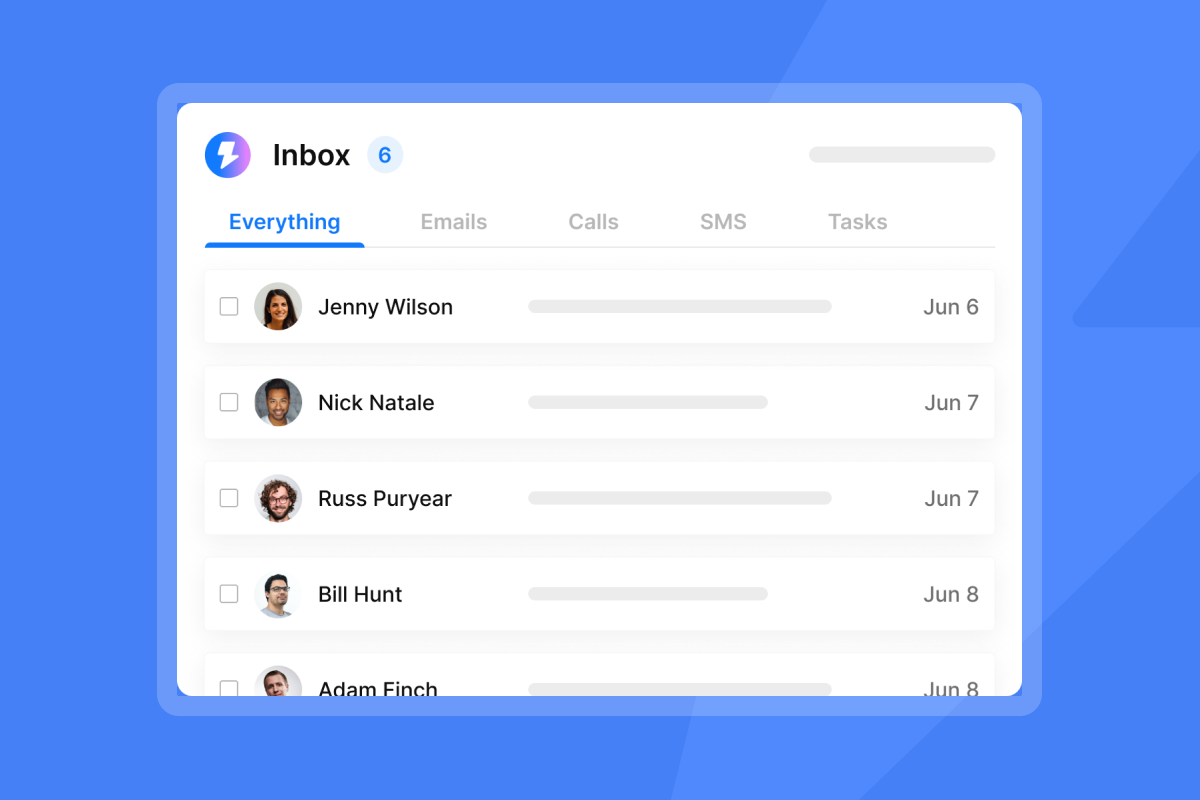
- Use the Unibox to manage all client replies in one centralized view without context switching between accounts.
"I really like the unlimited email accounts feature because it allows me to scale outreach safely and efficiently without hitting the sending limits, which is crucial for consistent lead generation." - Pradeep T. on G2
Onboarding enterprise clients
Enterprise welcome emails operate at a different register. Here is how they compare to standard onboarding emails:
Element | Enterprise client | Self-service / productized client |
|---|---|---|
Tone | Formal, stakeholder-aware | Conversational, direct |
Length | 250 to 300 words, multi-section | 150 to 200 words, scannable |
CTA | Multi-department kickoff call or dedicated CSM intro | "Get started" button or tutorial link |
Attachments | MSA, SOW, security questionnaire, implementation roadmap | Quick-start guide, FAQ doc, video tutorial |
For enterprise clients, name every stakeholder your team will interact with, reference the specific compliance or security requirements they raised in the sales process, and set a formal communication cadence. These clients have bought from many vendors and they know within the first email whether you treat enterprise accounts differently.
Self-service onboarding email
For productized or lower-tier service clients, automation does the work. The welcome email should be short, direct, and immediately actionable: one clear CTA, one resource link, one introduction sentence. Keep it under 200 words. This audience values speed and autonomy over personalization depth, so your job is to get them into the process as fast as possible.
Avoid welcome email errors that hurt trust
When to send your onboarding email
Send the welcome email on the same day as contract signing or payment confirmation, during business hours in the client's timezone. Waiting until the next business day can reduce the momentum of the close. Automate the trigger to fire on payment or contract signature so the email sends without manual follow-up.
Keep welcome emails concise & focused
The most common welcome email mistake is including too much. A long email with five links, three attachments, and a list of ten next steps overwhelms clients and results in zero actions. Pick the one most important next step and build the email around it. Every additional item you add reduces the probability that any item gets acted on.
Stock template welcome emails
Unedited generic templates signal that you did not spend ten minutes thinking about the client's specific situation. Use templates as a structural starting point, then customize the first paragraph, the CTA context, and the deliverables list to match the actual engagement. The 600 email templates in Instantly's resource library give you a strong foundation to adapt.
Stalling client engagement post-welcome
Sending one welcome email and waiting is not a system. If the client does not respond or complete the CTA within two to three days, send a brief follow-up: one sentence acknowledging they may be busy, one repeat of the single ask. The follow-ups module from Instantly's copywriting masterclass covers how to structure follow-up sequences without feeling pushy. If the welcome email bounces, verify the address against your contract records, contact the client through an alternative channel, and remove the address immediately before proceeding.
Boost onboarding message performance
Optimal send window for new client emails
Send welcome emails during business hours in the client's timezone and as close to contract signing as possible. For timing optimization across multiple client campaigns and timezones, use Instantly's A/Z testing feature to run subject line and send time variants across your onboarding sequences and measure which combinations produce the highest open and reply rates. This turns a one-time guess into a repeatable, data-backed process.
"I appreciate Instantly for its intelligent handling of domain and mailbox rotation as well as provider matching, which is critical for ensuring that my emails land directly in the primary inbox instead of getting caught in spam filters." - Richard E. on G2
The Ultimate Guide to Cold Email Deliverability from Instantly covers send window strategy alongside domain health, warmup pacing, and inbox placement testing.
Crafting concise welcome emails
Use this 10-point checklist before every welcome email sends:
- Subject line is personalized and under 50 characters.
- Opening addresses the client by first name and references a specific detail from the sale.
- Single primary CTA is clear, specific, and linked directly.
- Dedicated team member is named with a direct email address.
- First 30-day roadmap is present and specific to the engagement.
- Tone matches the client's communication style from the sales process.
- Mobile rendering is confirmed on at least one mobile device.
- Images or attachments are compressed and necessary, not decorative.
- Grammar and brand consistency are verified across the full email.
- Sender name uses a personal format ("Alex at GrowthLab") and the sending domain is warmed.
For guidance on building professional email signatures that reinforce brand trust, the Instantly email signatures guide covers setup across all account types.
Build trust: pricing & contract clarity
If the client's next billing date or contract renewal window is relevant to their onboarding, mention it briefly in the welcome email. A single sentence like "your next invoice of $X is scheduled for [date]" removes a common source of early friction and prevents the billing disputes that generate churn in month two.
Client onboarding email KPIs
Track these metrics to measure whether your welcome email system is working:
- Open rate: Welcome emails average 83.63% industry-wide, so anything below 50% signals a subject line or deliverability issue.
- CTA completion rate: Track how many clients complete the specific action requested (form submissions, calls booked, portal logins). This is your clearest signal of active onboarding.
- Time to first action: Measure the gap between welcome email send and the first client action. Compress this window and retention improves, since clients who engage early in the first 90 days are significantly less likely to churn.
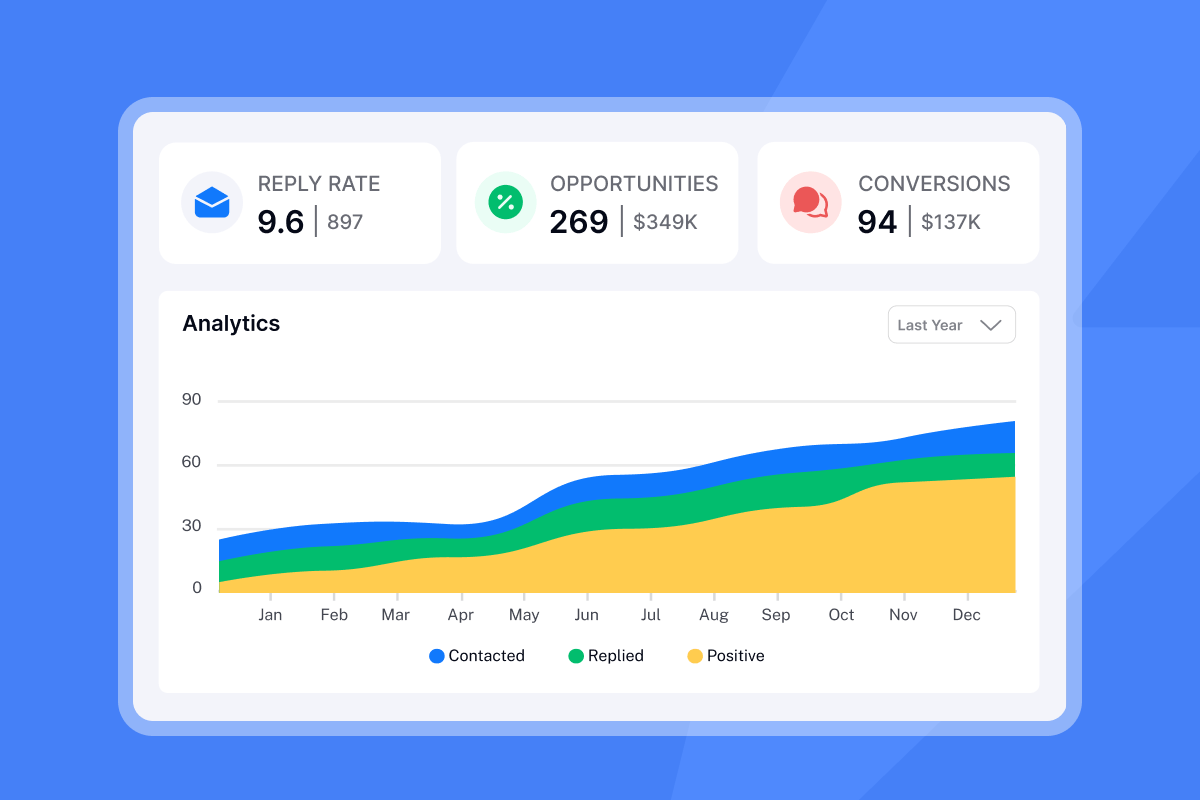
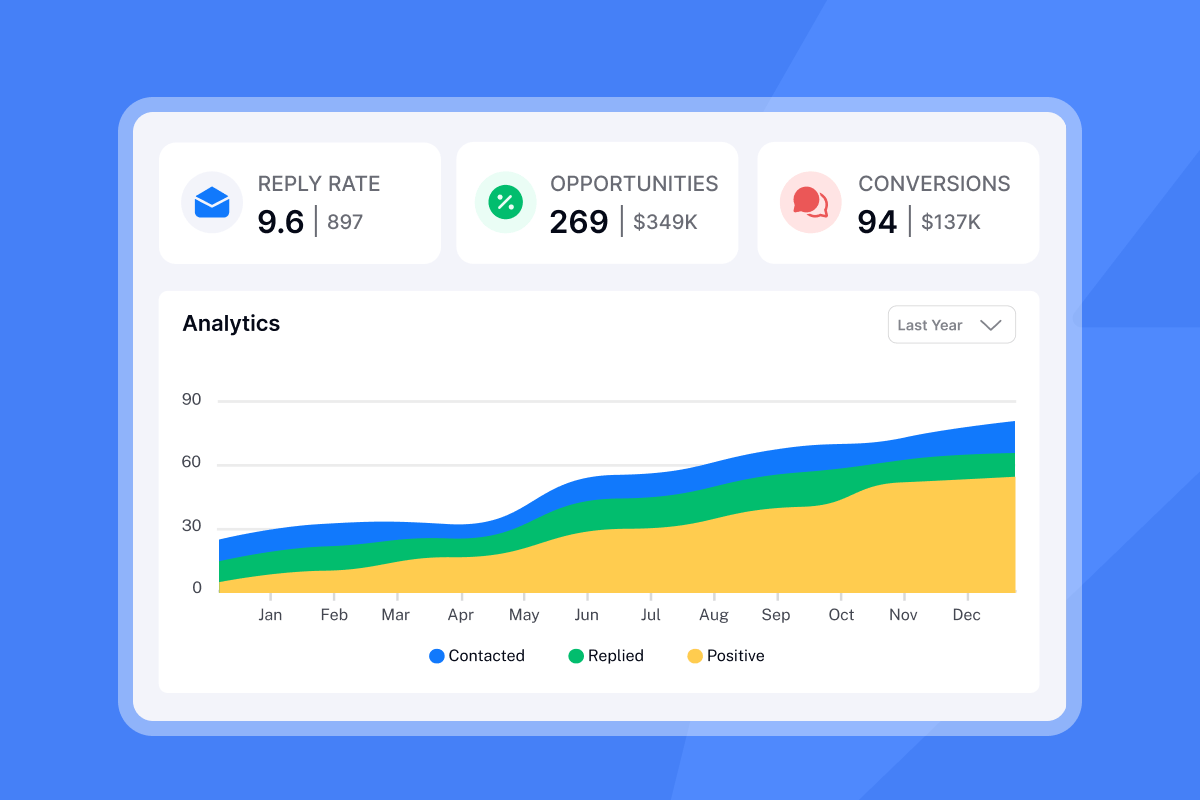
Use the Instantly campaign analytics dashboard to monitor these numbers across all client campaigns from one view, and run automated inbox placement tests before launch to confirm your sending domains are hitting the primary inbox.
"The campaign analytics dashboard is another feature I appreciate, as it gives clear insights into open rates, reply rates, and overall performance." - Pradeep T. on G2
Ready to build a client onboarding system that scales without per-seat penalties? Try Instantly free and run your first onboarding sequence with unlimited sending accounts, built-in warmup, and all replies managed in one unified inbox.
FAQs
What should a client onboarding email include?
A client onboarding email must include a named point of contact with their direct email, a single clear CTA tied to the immediate next step, a brief 30-day roadmap of deliverables, and a warm but professional opening that references the client's specific goals. Keep it under 100 words.
When should you send a welcome email to a new client?
Send the welcome email within 24 hours of contract signing or payment confirmation, ideally during business hours in the client's timezone. Delays beyond a day or two can reduce initial engagement momentum.
What is the average open rate for a client onboarding email?
Welcome emails achieve an average open rate of 83.63%, far above standard campaign email averages. If your onboarding emails fall significantly below typical welcome email benchmarks, review your subject lines and sending domain health.
How do agencies scale client onboarding emails without increasing costs?
Agencies scale by using a flat-fee platform with unlimited sending accounts rather than per-seat tools. Instantly's Outreach Growth plan covers unlimited accounts and warmup at $47/month, compared to per-user models from Apollo and Lemlist that compound in cost as client count grows.
Do client onboarding emails need to comply with CAN-SPAM or GDPR?
Transactional welcome emails require accurate sender identification and header information under CAN-SPAM but are exempt from physical address and unsubscribe requirements. For EU clients, GDPR transactional email rules require clear sender identification but not consent-based unsubscribes in most transactional contexts.
How do you fix a bounced welcome email?
Remove the bounced address immediately, verify the correct address against your contract records, and contact the client via phone or LinkedIn to request an update. The Fulcrumtech bounce handling guide covers the full step-by-step process.
Read next
- How to Write Follow-Ups by Scenario
- Follow-Up Timing: Send Time Optimization
- AI Cold Email Reply Management for Agencies
Key terms glossary
Sender reputation: A score assigned to your sending domain and IP address by email providers based on your sending behavior, bounce rate, spam complaint rate, and engagement history. A strong sender reputation is the primary factor in whether your emails land in the primary inbox.
Email warmup: The process of gradually increasing send volume from a new domain or inbox to build a positive sending history before full campaign sends, with at least 2 weeks of active warmup recommended. Instantly's warmup network uses 4.2M+ accounts for this purpose.
Primary inbox: The main email folder (as opposed to Promotions, Social, or Spam tabs) where emails with high sender reputation and strong engagement signals land. Landing in the primary inbox is the goal for all client-facing emails.
Unibox: Instantly's centralized reply management view that consolidates replies from all connected sending accounts into a single interface, removing the need to switch between email accounts or clients.
A/Z testing: Testing multiple variants of a campaign variable (subject line, send time, email copy) simultaneously to identify which version produces better open or click rates.
Hard bounce: A permanent delivery failure caused by an invalid or non-existent email address. Hard bounced addresses must be removed from your list immediately and never retargeted.
Inbox placement test: A diagnostic check that sends a test email through seed accounts to measure whether your emails are landing in the primary inbox, Promotions tab, or Spam folder across major providers. Instantly's automated inbox placement tests run this check continuously.


